



Swatchly – Product Variation Swatches for WooCommerce
Product Variation Swatches For WooCommerce Products.

Safe pick
Yes — Swatchly is a safe, well-maintained plugin to use in 2026. It runs on 5K+ sites, is rated 4.5/5 and was last updated 3 weeks ago, and scores 91/100 on our health check.
- Loved by users — 4.5/5 from 29 reviews
- Actively developed — last update 3 weeks ago
- Tested with the latest WordPress (7.1)
How does it stack up?
Side-by-side on installs, updates, ratings & support
Daily downloads
Download spikes usually follow a new release — each site that auto-updates counts as a download.
Rankings
Where Swatchly stands todayWordPress.org search rankings
Live position in the plugin search, top 100| Keyword | Position |
|---|---|
| color swatch | #3 |
| product attributes | #20 |
| variation swatches | #10 |
| woocommerce attributes | #37 |
| woocommerce variation | #26 |
Version adoption
Share of active sites per release.
Rating breakdown
★★★★★★★★★★ 4.5 from 29 reviews
About Swatchly
From the official readme · v1.4.16Description
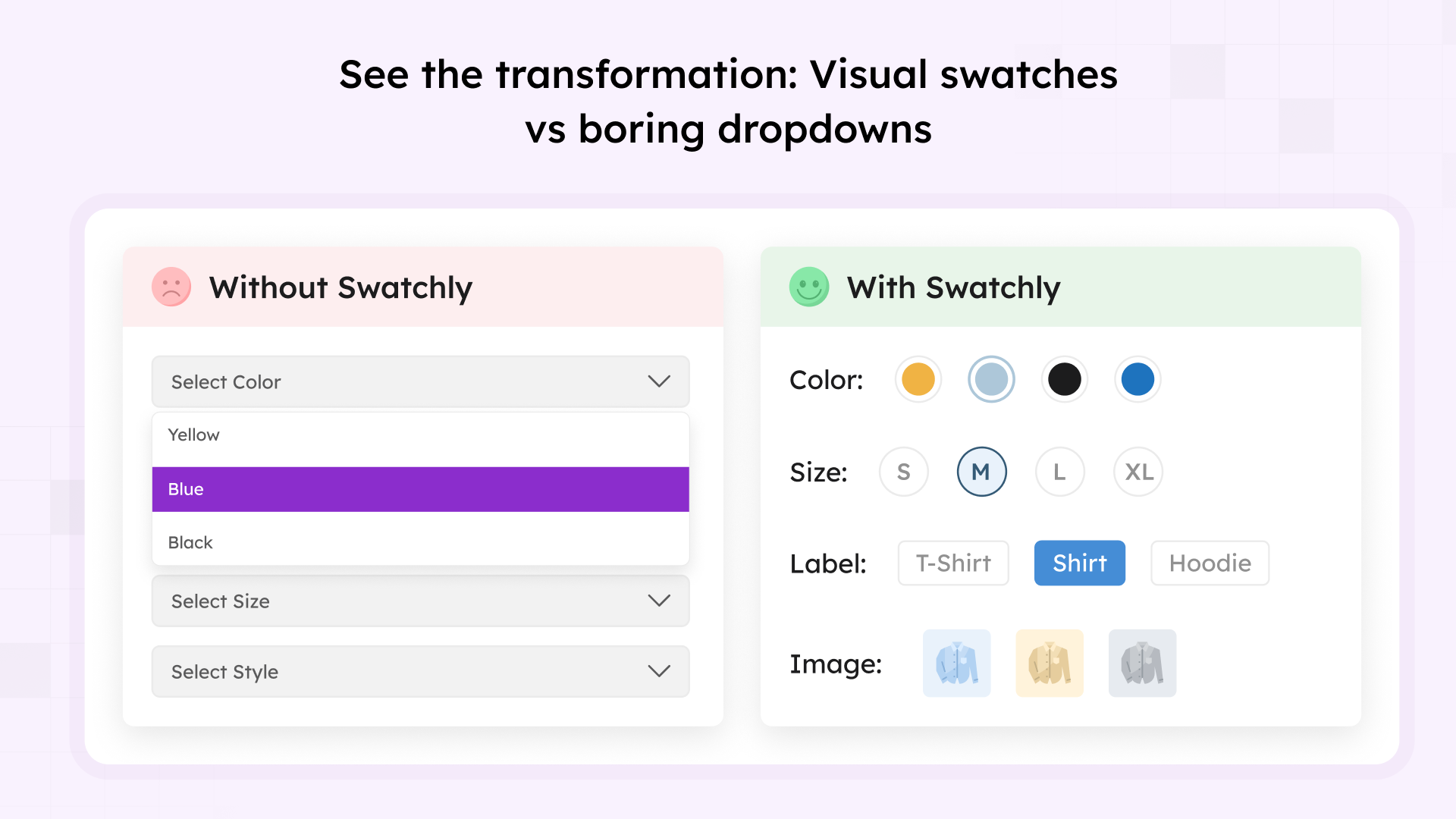
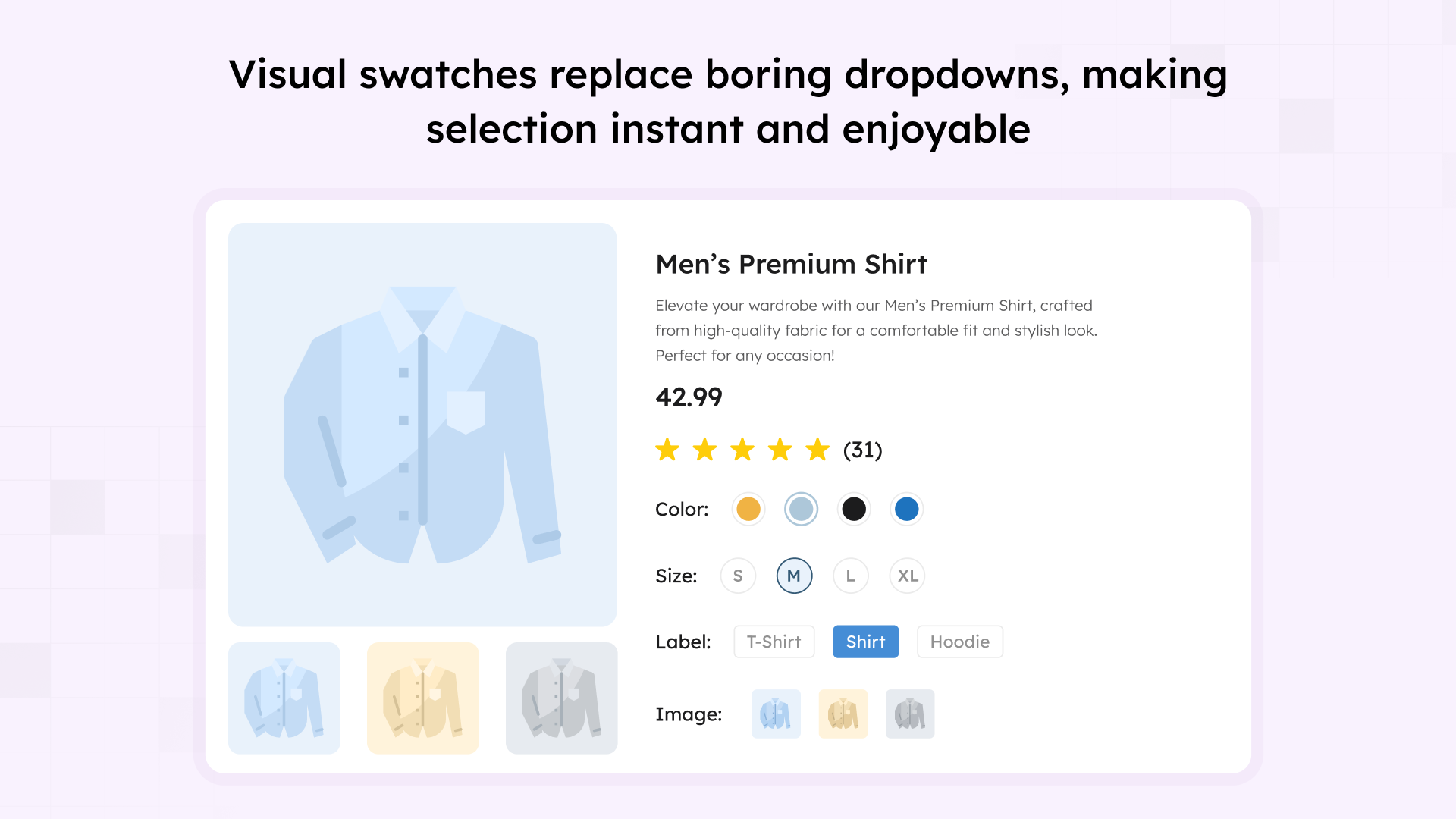
Swatchly is the ultimate WooCommerce variation swatches plugin that replaces boring dropdown menus with beautiful, clickable swatches. Show product variations as colors, images, or labels to help customers make faster purchase decisions and improve your store’s user experience.
Stop losing sales to confusing dropdown menus. Swatchly transforms your WooCommerce product variations into intuitive visual swatches that customers can instantly understand and interact with.
See Swatchly in action:
📌 Important Links
🔗 Live Demo | 📖 Documentation | 🚀 Pro Version | 💬 Support
📹 Video Tutorial
Learn how to install and configure Swatchly in minutes:
🎯 Why Choose Swatchly?
- ✅ Increase Conversions by 30% – Visual swatches help customers make decisions 73% faster, leading to significantly higher conversion rates
- ✅ Reduce Cart Abandonment by 25% – Clear product options decrease confusion and lower abandonment
- ✅ Better Mobile Experience – Touch-optimized swatches work perfectly on all devices
- ✅ No Coding Required – Simple, intuitive interface that anyone can use
- ✅ Universal Compatibility – Works with virtually all WordPress themes and WooCommerce extensions
- ✅ Regular Updates – Maintained for latest WordPress and WooCommerce versions
🎨 Core Features (Free Version)
Swatch Types:
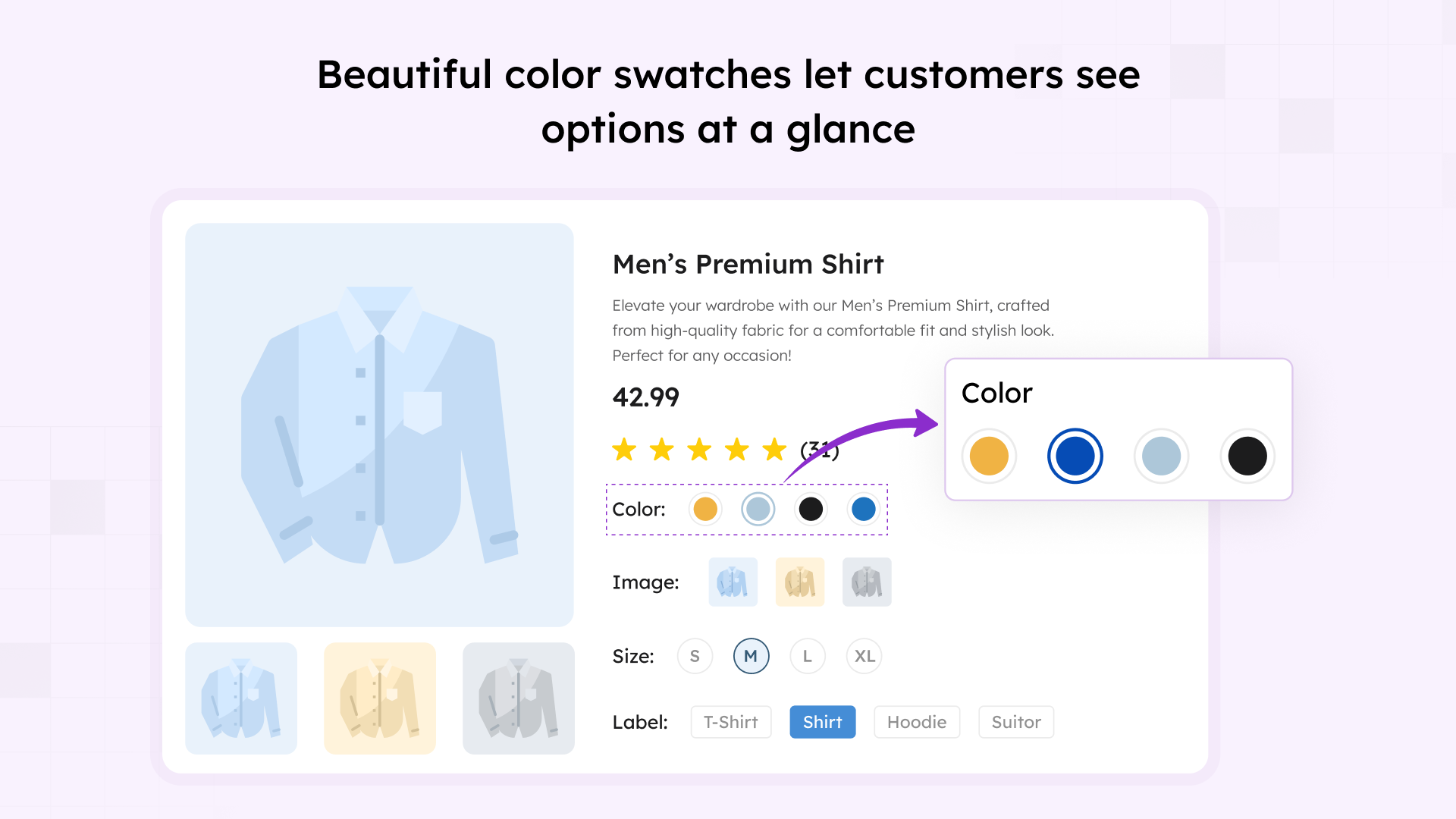
- ✅ Color Swatches – Display color variations with visual color chips
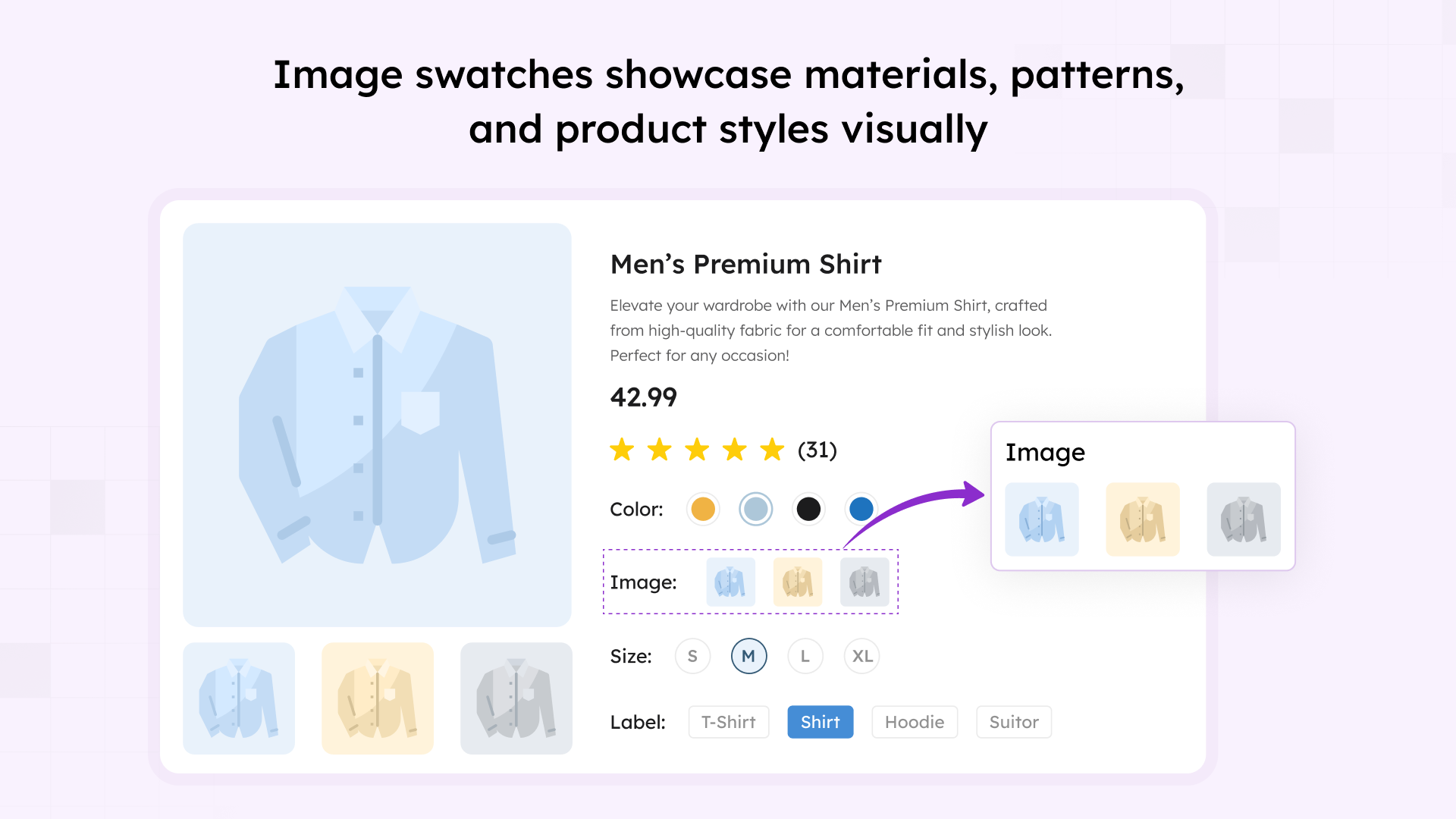
- ✅ Image Swatches – Show product variations with thumbnail images
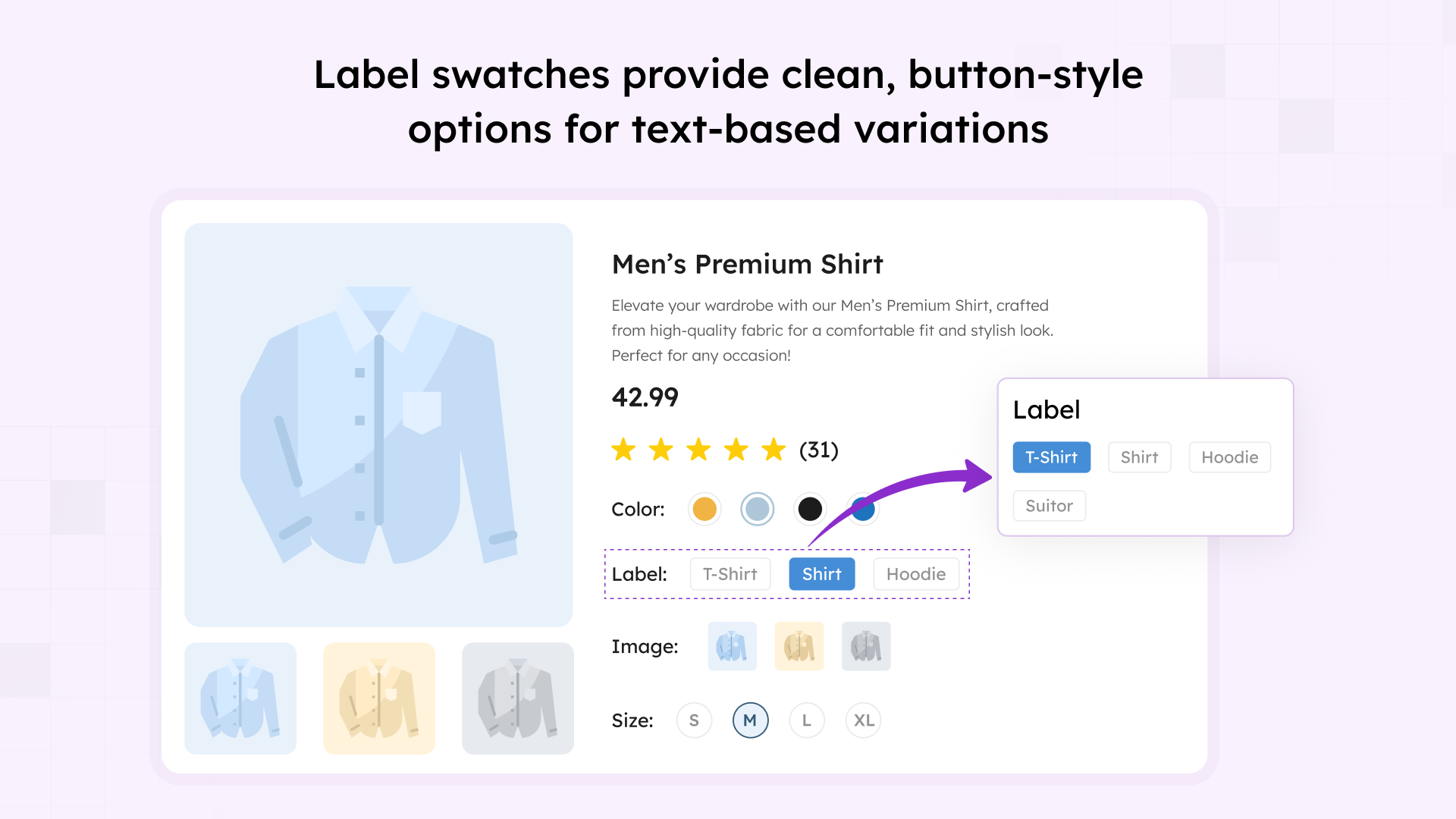
- ✅ Label/Button Swatches – Text-based swatches for sizes, materials, and more
- ✅ Multi-Color Swatches – Create swatches with multiple color combinations
- ✅ Auto-Convert Dropdowns – Automatically convert WooCommerce dropdowns to swatches
Customization & Styling:
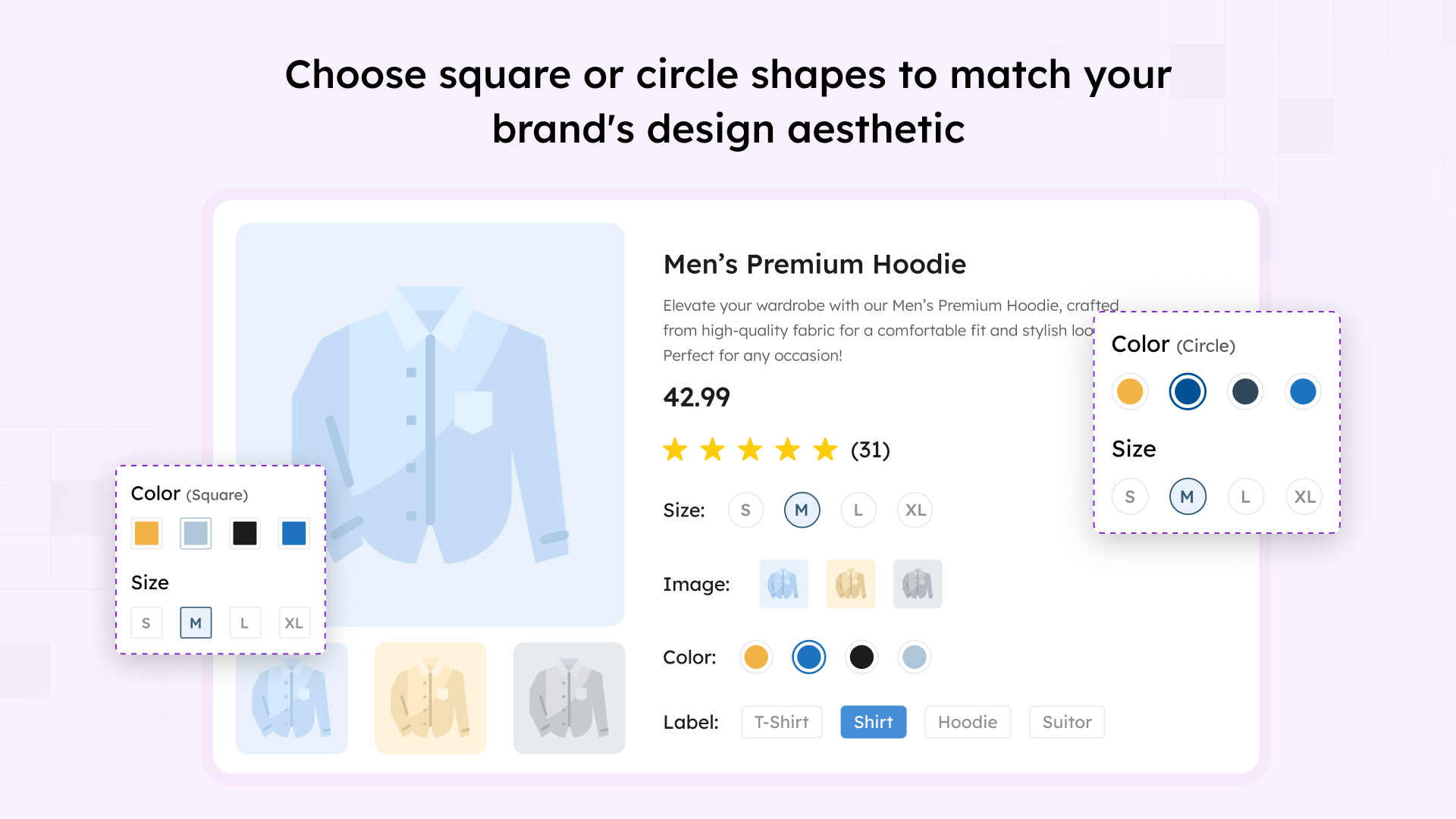
- ✅ 3 Shape Styles – Choose from Square, Rounded, or Circle shapes
- ✅ Flexible Alignment – Align swatches left, center, or right
- ✅ Custom Dimensions – Set width, height, and font sizes
- ✅ Individual Product Override – Customize swatches for specific products
- ✅ Reset to Defaults – Easily restore global settings for any product
- ✅ Shape Inset Control – Enable/disable and adjust shape inset size
- ✅ Comprehensive Design Options – Control colors, borders, spacing, padding, and typography
Tooltips & Visual Feedback:
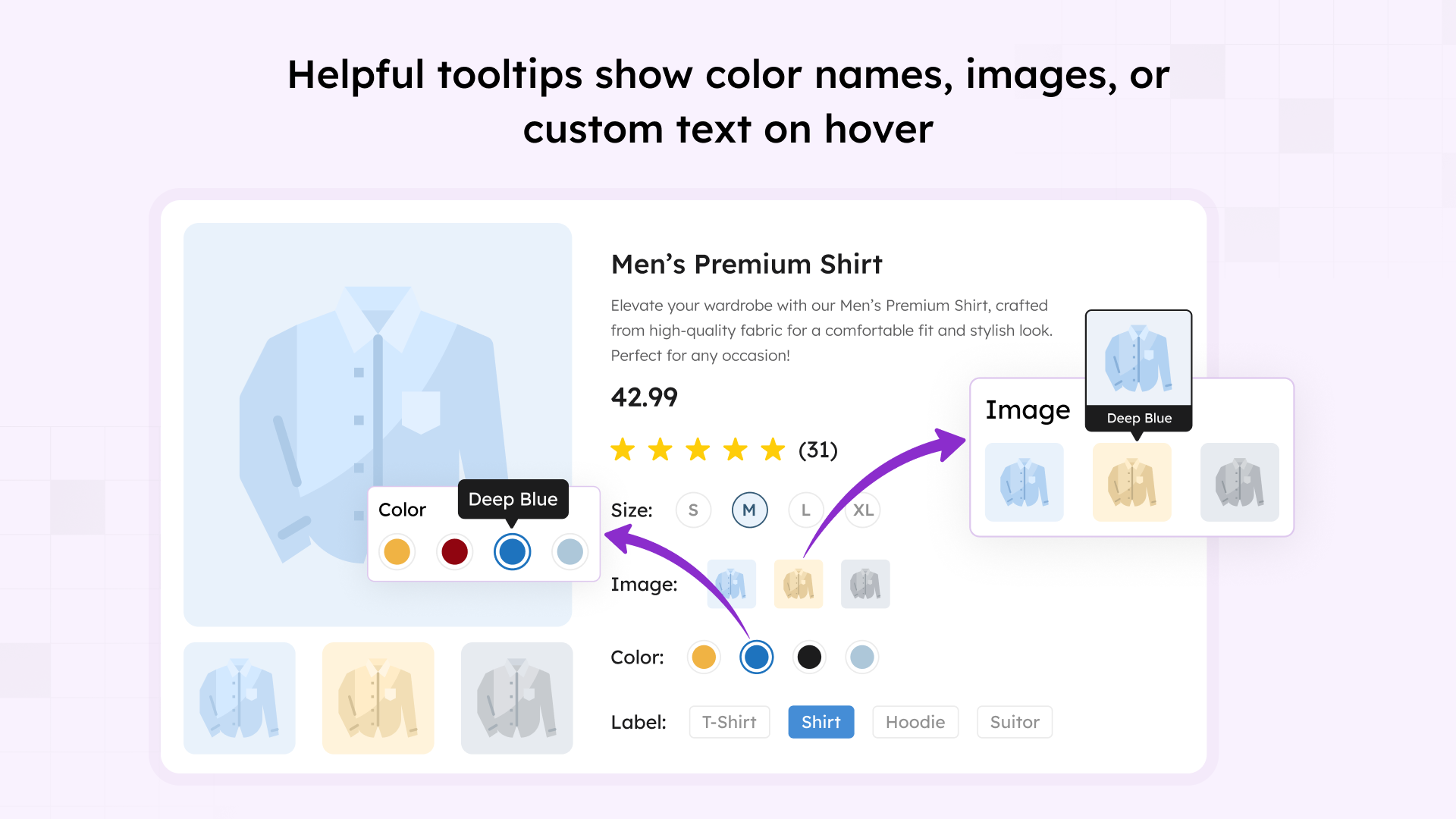
- ✅ Enable/Disable Tooltips – Show additional information on hover
- ✅ Text or Image Tooltips – Display tooltips with text or images
- ✅ Tooltip Image Size Control – Customize tooltip image dimensions
- ✅ Full Tooltip Customization – Style background, borders, arrow, spacing, and typography
- ✅ Disabled State Styling – Show unavailable options with cross sign, blur with cross, blur only, or hide completely
Shop & Archive Pages:
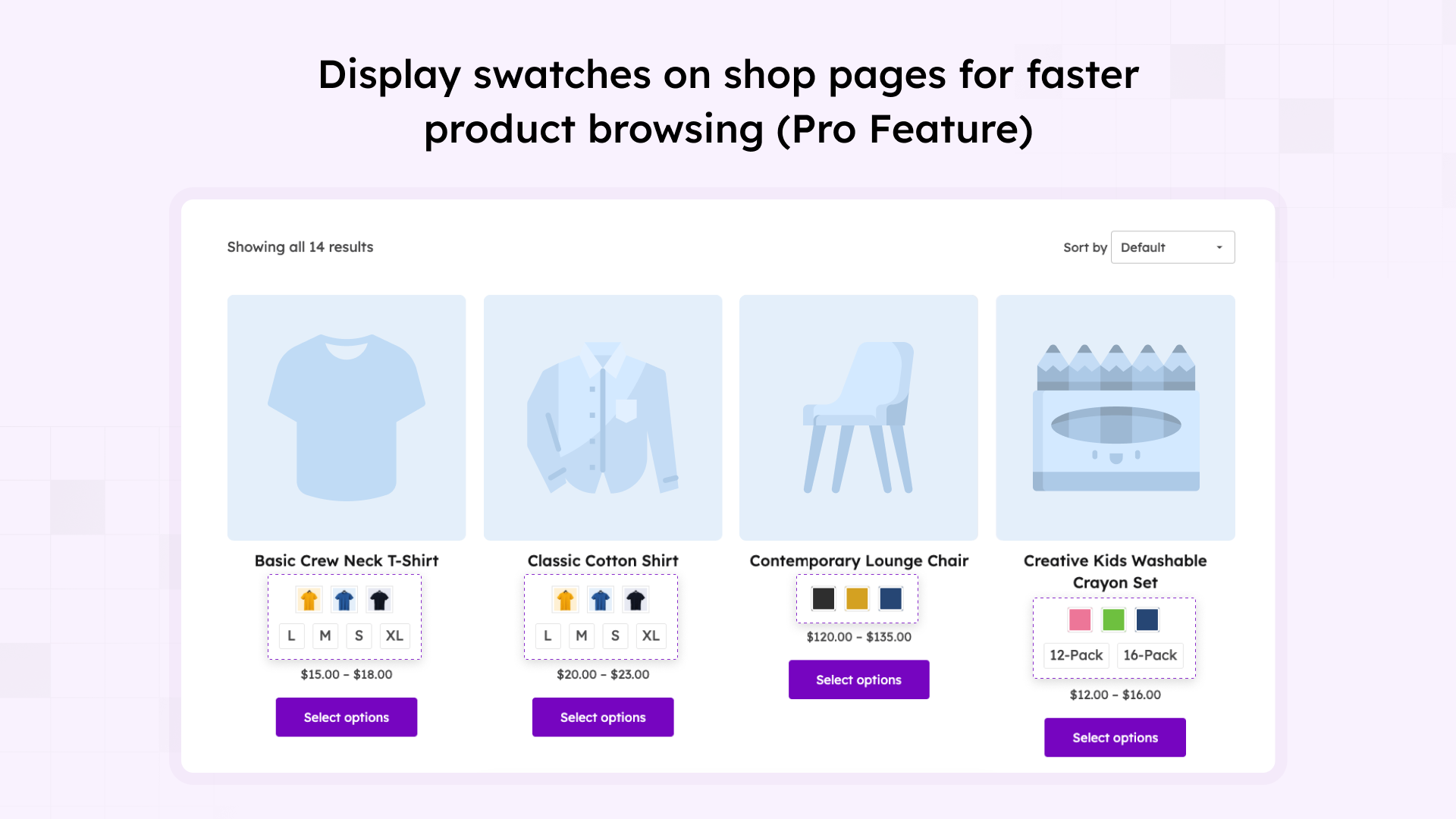
- ✅ Enable Swatches on Shop Pages – Display swatches on category and archive pages
- ✅ Flexible Positioning – Place swatches before/after title, price, or cart button
- ✅ Custom Hook Support – Use WooCommerce hooks for advanced placement
- ✅ Shortcode Support – Display swatches anywhere with
[swatchly_pl_swatches] - ✅ Product Thumbnail Switching – Change main image when selecting variations
- ✅ Show/Hide Clear Link – Option to display clear/reset link
- ✅ Show/Hide Swatch Labels – Control attribute name display
Advanced Features:
- ✅ Variation URL Generation – Create shareable links with pre-selected variations
- ✅ Ajax Variation Threshold Control – Optimize performance for products with many variations
- ✅ Recently Viewed Variations – Auto-select variations based on previous customer choices
- ✅ Import/Export Settings – Easily backup and transfer configurations
- ✅ Deselect on Click – Allow customers to unselect variations by clicking again
- ✅ Show Selected Variation Name – Display currently selected option on product page
- ✅ Variation Label Separator – Customize separator between attribute labels
Responsive & Mobile:
- ✅ Fully Responsive Design – Optimized for all screen sizes
- ✅ Mobile-Optimized Touch Targets – Perfect for smartphones and tablets
🚀 Pro Features
Unlock premium functionality to supercharge your WooCommerce store:
Advanced Swatch Options:
- 🔥 Radio Button Swatches – Additional swatch display type for better accessibility
- 🔥 Auto-Convert Image Swatches – Automatically create image swatches from variation images
- 🔥 Featured/Special Attributes – Highlight specific attributes as featured
- 🔥 Hide Out-of-Stock Variations – Automatically hide unavailable variations to prevent confusion
- 🔥 Individual Product Auto-Convert – Control auto-conversion per product
Shop Page Power Features:
- 🔥 Ajax Add to Cart – Add products to cart without page reload for seamless shopping
- 🔥 Custom Cart Button Text – Personalize the “Add to Cart” button text
- 🔥 Swatch Display Limits – Control how many swatches show on shop pages
- 🔥 Number of Swatches to Show – Set exact count for shop page display
- 🔥 Conditional Display – Use PHP conditions to show/hide swatches programmatically
Premium Benefits:
- 🔥 Priority Support – Faster response times from expert team
- 🔥 Regular Feature Updates – Get new features as they’re released
- 🔥 30-Day Money-Back Guarantee – Risk-free purchase
- 🔥 Lifetime Usage Rights – Use forever, even after support period
🎯 View All Pro Features & Pricing
🏆 Perfect For Every Industry
Fashion & Apparel Stores
Show color and size variations clearly to reduce returns and increase customer satisfaction. Ideal for clothing with multiple patterns and materials.
Furniture & Home Decor
Display material textures and finish options to help customers visualize products. Perfect for customizable furniture.
Electronics & Tech Stores
Make technical specifications easy with visual selection for storage, colors, and configurations. Simplify complex product variations.
Craft & Art Supplies
Display extensive color palettes, material types, and size variations intuitively for creative customers.
Any Variable Product Store
Improve user experience across all industries with products that have multiple variations.
⚡ Performance & Compatibility
- ✅ Lightweight and optimized for speed
- ✅ Minimal impact on page load times
- ✅ Follows WordPress coding standards
- ✅ Regular updates for WordPress & WooCommerce compatibility
- ✅ Accessibility improvements for screen readers
⭐ What Store Owners Say
“Simple and effective. Just what I wanted!”
“I was looking for a simple to use plugin that did the job it said it would do and that’s exactly what I found with the Swatchly plugin. I had a small issue and contacted support. I received immediate help and they resolved my issue quickly. Super great customer service and support. I highly recommend this plugin!!” – dorikkd ⭐⭐⭐⭐⭐
“Good and quick support”
“I had some issues with WooCommerce Bundle and this plugin, but I wrote to the support team and they quickly fixed it. Great support and plugin!” – Mikkelaveo ⭐⭐⭐⭐⭐
“It works fine, and if not they solve it!”
“It works fine with elementor. It is easy to use and customize. One day it stops working because an Elementor update. But it only takes few hours to them to solve the problem. Good choice for your web.” – Brandhip ⭐⭐⭐⭐⭐
Join 6,000+ active WooCommerce stores using Swatchly to enhance their product pages and boost conversions.
📚 Documentation & Support
🔒 Privacy Policy
Swatchly does not collect or store any personal data from your customers. The plugin may collect non-sensitive diagnostic data to improve performance and compatibility only if you opt in through the admin settings.
Installation
🚀 Automatic Installation (Recommended)
- Go to your WordPress Dashboard → Plugins → Add New
- Search for “Swatchly”
- Click “Install Now” and then “Activate”
- Navigate to Dashboard → Swatchly to configure settings
📦 Manual Installation
- Download the plugin zip file
- Go to WordPress Dashboard → Plugins → Add New → Upload Plugin
- Choose the downloaded zip file and click “Install Now”
- Click “Activate” to enable the plugin
- Navigate to Dashboard → Swatchly to configure settings
⚙️ After Installation
- Ensure WooCommerce is installed and activated
- Go to Swatchly settings (Dashboard → Swatchly)
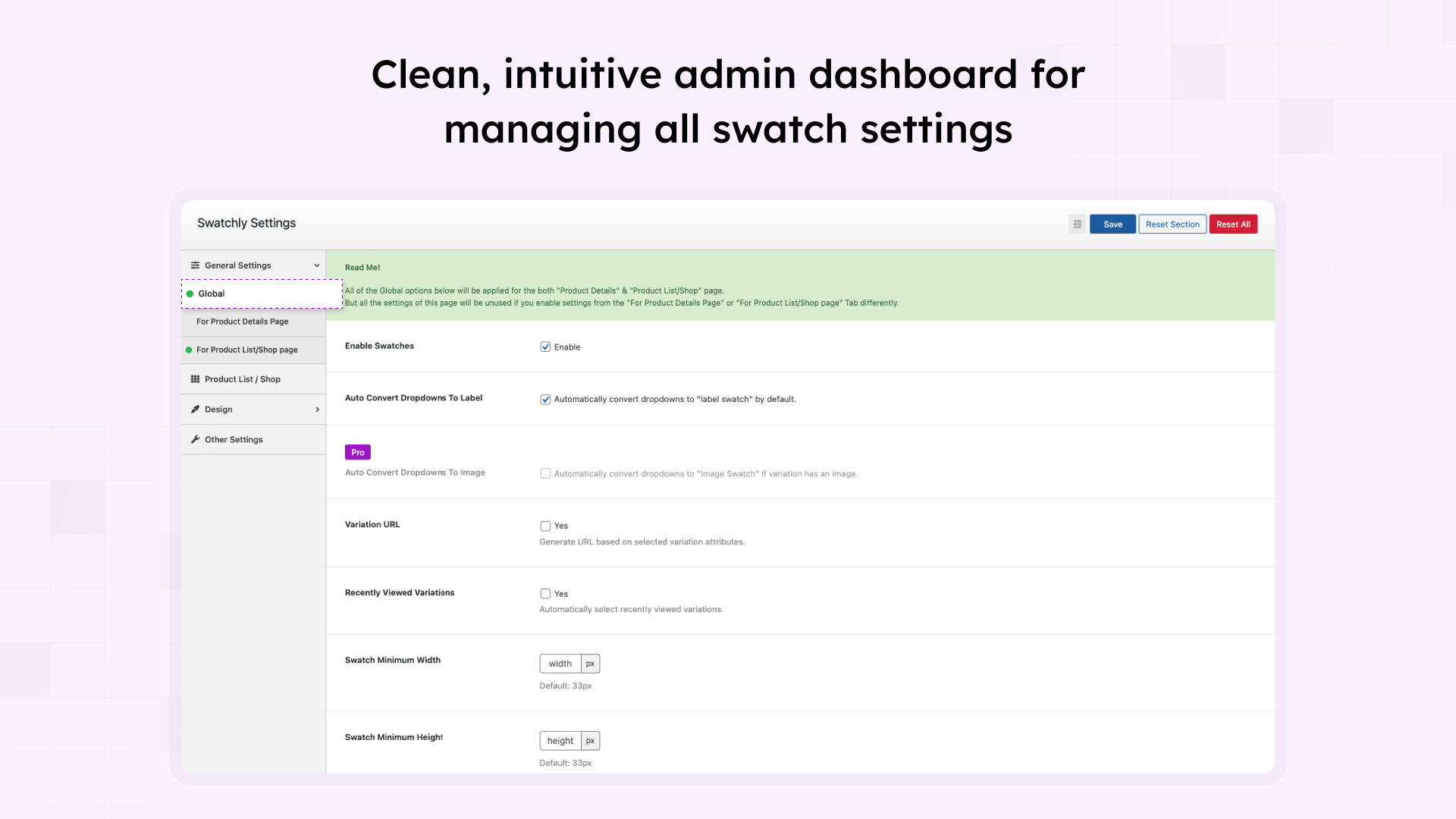
- Configure global settings for product pages and shop pages
- Create or edit product attributes (Products → Attributes)
- Assign swatch types (color, image, or label) to each attribute value
- Apply the attribute to your variable products
- Swatches will automatically appear on your product pages
📖 Quick Start Guide
Step 1: Navigate to Products → Attributes in your WordPress dashboard
Step 2: Create or edit an attribute (e.g., “Color” or “Size”)
Step 3: Add attribute terms and assign swatch types (color, image, or label)
Step 4: Apply the attribute to your variable products
Step 5: Configure swatch appearance in Swatchly settings
Frequently asked questions
Will Swatchly work with my theme?
Yes! Swatchly is designed to work with virtually all WordPress themes that support WooCommerce. Our flexible design options ensure seamless integration. If you encounter any compatibility issues, our support team is ready to help.
Do I need coding skills to use Swatchly?
Not at all! Swatchly features an intuitive admin interface that makes setup and customization simple for everyone. No coding knowledge is required for any features.
Will this slow down my website?
No. Swatchly is optimized for performance with minimal impact on load times. The plugin uses lightweight code, follows WordPress best practices, and loads assets only where needed.
Can I customize how swatches look?
Absolutely! You can customize shapes (square, rounded, circle), sizes, colors, borders, spacing, and add tooltips. Swatchly offers extensive styling options to match your brand perfectly.
Does Swatchly work on mobile devices?
Yes! Swatchly is fully responsive and mobile-optimized with touch-friendly targets that work perfectly on smartphones and tablets.
Can I show swatches on shop/category pages?
Yes! Swatchly supports displaying swatches on both individual product pages and shop/archive pages. You can control positioning and behavior for each page type separately.
Is Swatchly compatible with the latest WooCommerce version?
Yes! We regularly update Swatchly to ensure full compatibility with the latest versions of WordPress and WooCommerce. Check our changelog for the most recent compatibility information.
Can I use different swatch types for different attributes?
Yes! You can assign different swatch types (color, image, label) to each attribute independently. For example, use color swatches for colors and label swatches for sizes.
Does Swatchly support multi-color swatches?
Yes! You can create swatches that display multiple colors, perfect for products with multi-colored variations.
What’s the difference between free and pro versions?
The free version includes all essential features: color, image, and label swatches, tooltips, shop page support, and extensive customization options. The Pro version adds: radio button swatches, catalog mode (B2B), out-of-stock hiding, Ajax add to cart, swatch limits, custom cart text, featured attributes, auto-convert image swatches, and priority support. Compare Free vs Pro Features
Can I hide out-of-stock variations?
Yes! This feature is available in the Pro version. You can automatically hide unavailable variations to prevent customer confusion.
Does Swatchly work with Quick View plugins?
Yes! Swatchly is compatible with 15+ popular quick view plugins including ShopLentor, YITH Quick View, WPC Smart Quick View, QuickSwish, Addonify, Merchant, and more.
Can I import/export my settings?
Yes! Swatchly includes import/export functionality for global settings, making it easy to backup configurations or transfer settings between sites.
Is Swatchly translation-ready?
Yes! Swatchly is fully translation-ready and includes a POT file. It’s compatible with WPML and other translation plugins for multilingual stores.
Can I use Swatchly on multiple websites?
The free version can be used on unlimited sites. For the Pro version, we offer different license options: * Single Site License (1 website) * Multi-Site License (5 websites) * Agency License (unlimited websites) View Pricing Plans
How do I get support?
For the free version, use the WordPress.org support forum. Pro users Visit our website for detailed documentation and video tutorials.
Does Swatchly support shortcodes?
Yes! Use the [swatchly_pl_swatches] shortcode to display swatches anywhere on your site, including custom positions and page builders.
Changelog
Version: 1.4.16 – Date: 06 September 2026
- Added: New “Enable Swatch Selection for Out-of-Stock Variations” setting — lets customers click an out-of-stock variation swatch to see its price and the “Out of stock” message. Disabled by default (existing behavior is unchanged unless you turn this on).
- Tested: Compatibility with the latest version of WooCommerce.
Version: 1.4.15 – Date: 27 August 2026
- Fixed: Recommended Plugins page grid collapsed to a single column on newer WordPress versions.
- Fixed: A few minor issues.
- Tested: Compatibility with the latest version of WordPress.
Version: 1.4.14 – Date: 16 August 2026
- Fixed: Cross-Site Scripting (XSS) issue where an unescaped
attribute_*URL parameter could be rendered as HTML in the selected variation name. - Improved: Escaping of swatch data attributes, tooltip markup and inline swatch styles.
Version: 1.4.13 – Date: 15 April 2026
- Fixed: Out-of-stock swatches were not marked as disabled on products with a single variation attribute.
- Fixed: Swatches stopped working after pagination on block themes using the Query Loop block (WP Interactivity API).
Version: 1.4.12 – Date: 26 February 2026
- Improved: Admin notice display.
Version: 1.4.11 – Date: 18 February 2026
- Fixed: Compatibility issue with WPC Smart Quick View plugin.
Screenshots
For developers
Is this your plugin? Show off the numbers.
Add a live badge to your site, docs or GitHub README. It updates on its own — no account needed.
Best Swatchly alternatives
All color swatch plugins →FAQ
Swatchly: quick answers
Straight answers, pulled from live WordPress.org data.
Live data from WordPress.org · checked Sep 28, 2026
Is Swatchly free?
Yes. Swatchly is free to download and use from the official WordPress.org plugin directory. The developer also sells premium add-ons or a Pro version with extra features.
Is Swatchly safe to use in 2026?
Yes — Swatchly is a safe, well-maintained plugin to use in 2026. It runs on 5K+ sites, is rated 4.5/5 and was last updated 3 weeks ago, and scores 91/100 on our health check.
How many websites use Swatchly?
Swatchly is active on 5K+ WordPress websites and has been downloaded 172,013 times since it launched in June 2021. It was downloaded 3,879 times in the last 30 days.
Does Swatchly work with WordPress 7.1?
Yes. The developer has tested Swatchly up to WordPress 7.1.2, the latest release. It requires WordPress 5.9 or newer.
What PHP version does Swatchly need?
Swatchly requires PHP 7.4 or higher. Most hosts run PHP 8.x today, so it works on any modern WordPress hosting.
When was Swatchly last updated?
The latest version, 1.4.16, was released on September 6, 2026 (3 weeks ago).
Who makes Swatchly?
Swatchly is developed and maintained by HasThemes.
What are the best alternatives to Swatchly?
The most popular alternatives to Swatchly are TPure Variation Swatches fo… (100+ installs) and MBTech Variant Swatches for… (<10 installs).
Powered by PageForge
Want thousands of pages that rank like these? Build them in an afternoon.
This directory runs on the same engine as PageForge. Turn any spreadsheet, CSV or API into thousands of fast, SEO-ready WordPress pages — with schema, internal links and AI-written copy baked in.
- CSV, Google Sheets & API data sources
- AI content, schema & internal links per page
- Works with Elementor, Gutenberg, Yoast & Rank Math
- Free on WordPress.org — no credit card


