


Twentig Supercharged Block Editor – Blocks, Patterns, Starter Sites, Portfolio
Supercharge the WordPress block editor with enhanced core blocks, hundreds of block patterns, professional starter sites, and portfolio tools.

Safe pick
Yes — Twentig Supercharged Block Edit… is a safe, well-maintained plugin to use in 2026. It runs on 20K+ sites, is rated 4.9/5 and was last updated 1 month ago, and scores 90/100 on our health check.
- Proven at scale on 20K+ active sites
- Loved by users — 4.9/5 from 171 reviews
- Tested with the latest WordPress (7.1)
How does it stack up?
Side-by-side on installs, updates, ratings & support



Daily downloads
Download spikes usually follow a new release — each site that auto-updates counts as a download.
Rankings
Where Twentig Supercharged Block… stands todayWordPress.org search rankings
Live position in the plugin search, top 100| Keyword | Position |
|---|---|
| block-editor | #11 |
| blocks | #28 |
| patterns | #4 |
| portfolio | #8 |
| wordpress blocks | #27 |
Version adoption
Share of active sites per release.
Rating breakdown
★★★★★★★★★★ 4.9 from 171 reviews
About Twentig Supercharged Block Editor
From the official readme · v2.0.6Description
The easy way to build a beautiful website with the WordPress block editor.
👉 Want to try Twentig? Launch the Playground
Twentig gives you simple, powerful tools to design a professional website with the WordPress block editor — no coding or design skills required. Customize your block theme, create polished pages, and build a site that fits your needs.
With starter sites, enhanced WordPress core blocks, block patterns, and portfolio tools, you’ve got everything you need to create a stunning website that looks great on every device.
For the best experience, pair the Twentig plugin with Twentig One — our free block theme built for WordPress Full Site Editing. Lightweight and beautifully designed, it gives you a professional foundation right out of the box.
Starter sites
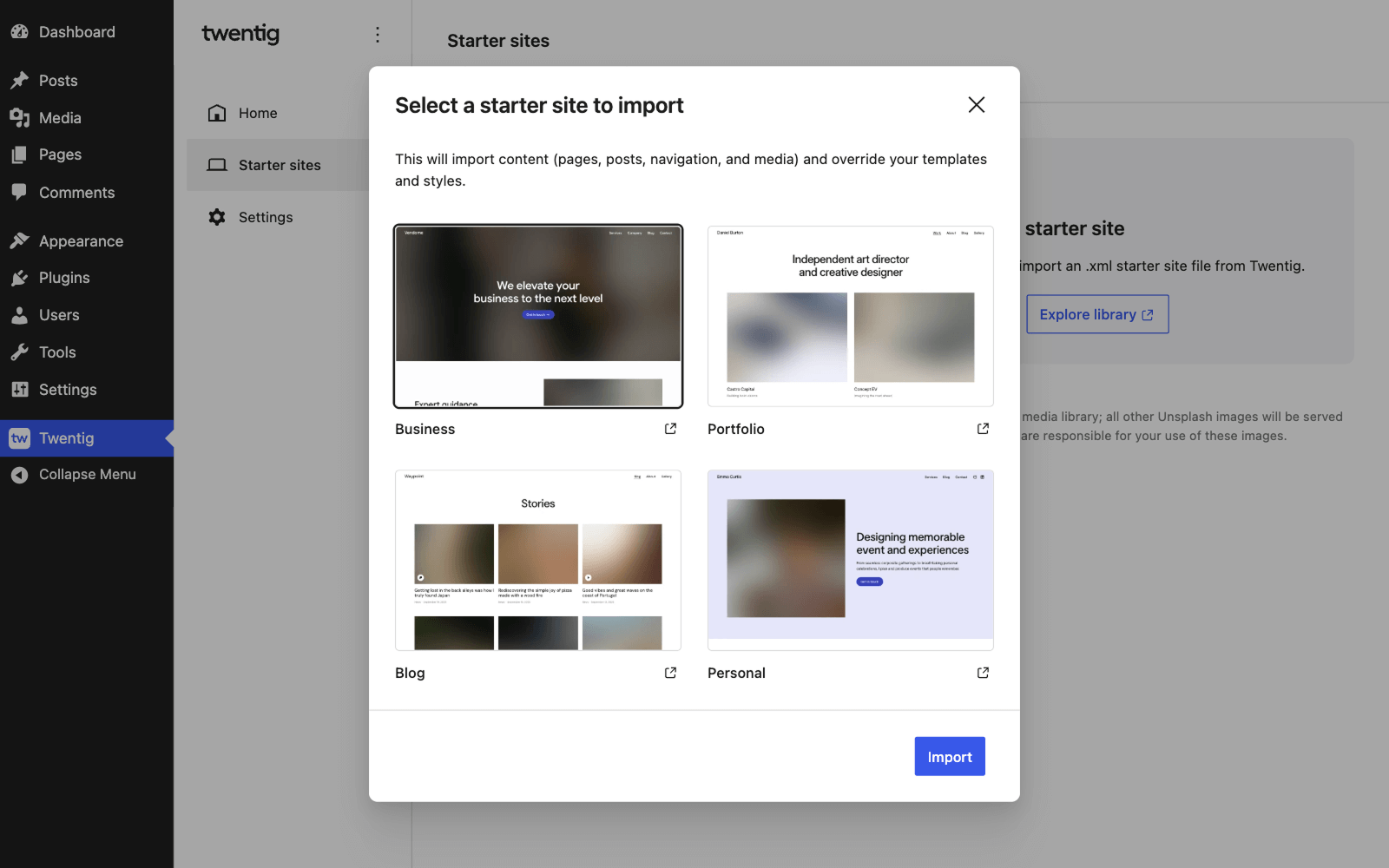
Start with a professionally designed website, not a blank canvas. Choose a ready-made starter site from our growing library and make it your own.
Twentig includes built-in starter sites for the Twentig One theme directly in your WordPress dashboard. Import a starter site with one click, then customize the header, footer, homepage, blog, colors, and typography with our Onboarding Customizer.
Then use the block editor to replace the content with your own text and images.
Built-in starter sites for Twentig One:
Additional starter sites for Twentig One are available to download from our website:
Twentig also includes starter sites for the Twenty Twenty-Five and Twenty Twenty-Four themes.
Enhanced WordPress blocks
Twentig enhances WordPress core blocks — giving you more design flexibility and creative control in the block editor.
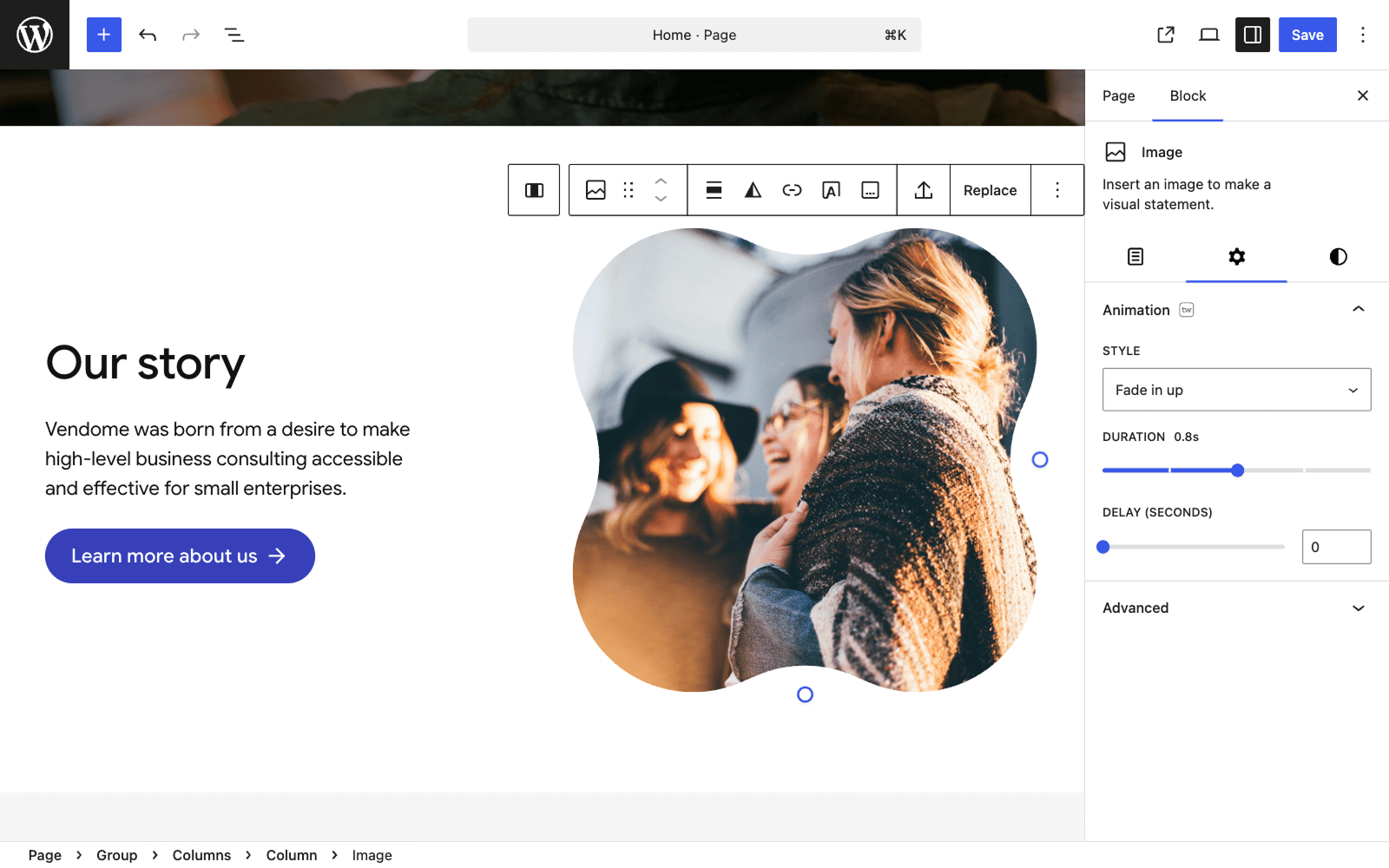
Powerful block features. Twentig adds new settings, alternative styles, and CSS classes to the existing WordPress blocks. From scroll animations, hover effects, and image shapes to gallery sliders, button icons, video lightboxes, and fully clickable blocks — you’ve got everything you need to build modern, professional pages.
No extra blocks. Just better ones. Instead of cluttering the block editor with additional blocks, Twentig enhances WordPress core blocks with essential features for a more intuitive editing experience, greater creative freedom, and no lock-in.
Twentig extends the following WordPress blocks:
Design blocks
- Accordion: icon
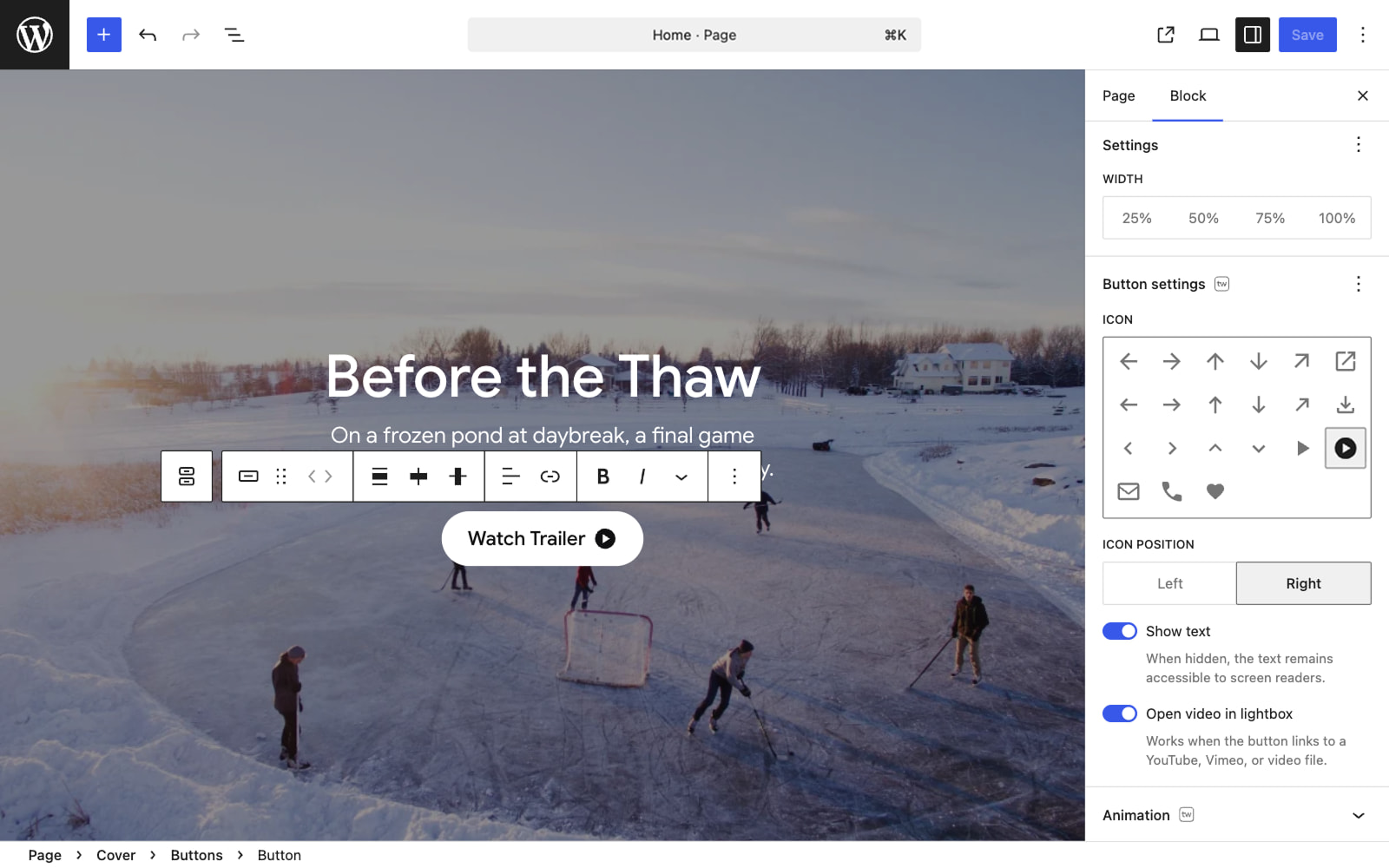
- Button: icon, icon position, video lightbox (YouTube, Vimeo, self-hosted video)
- Columns: responsive stacking layout
- Column: stretched link (make the column fully clickable)
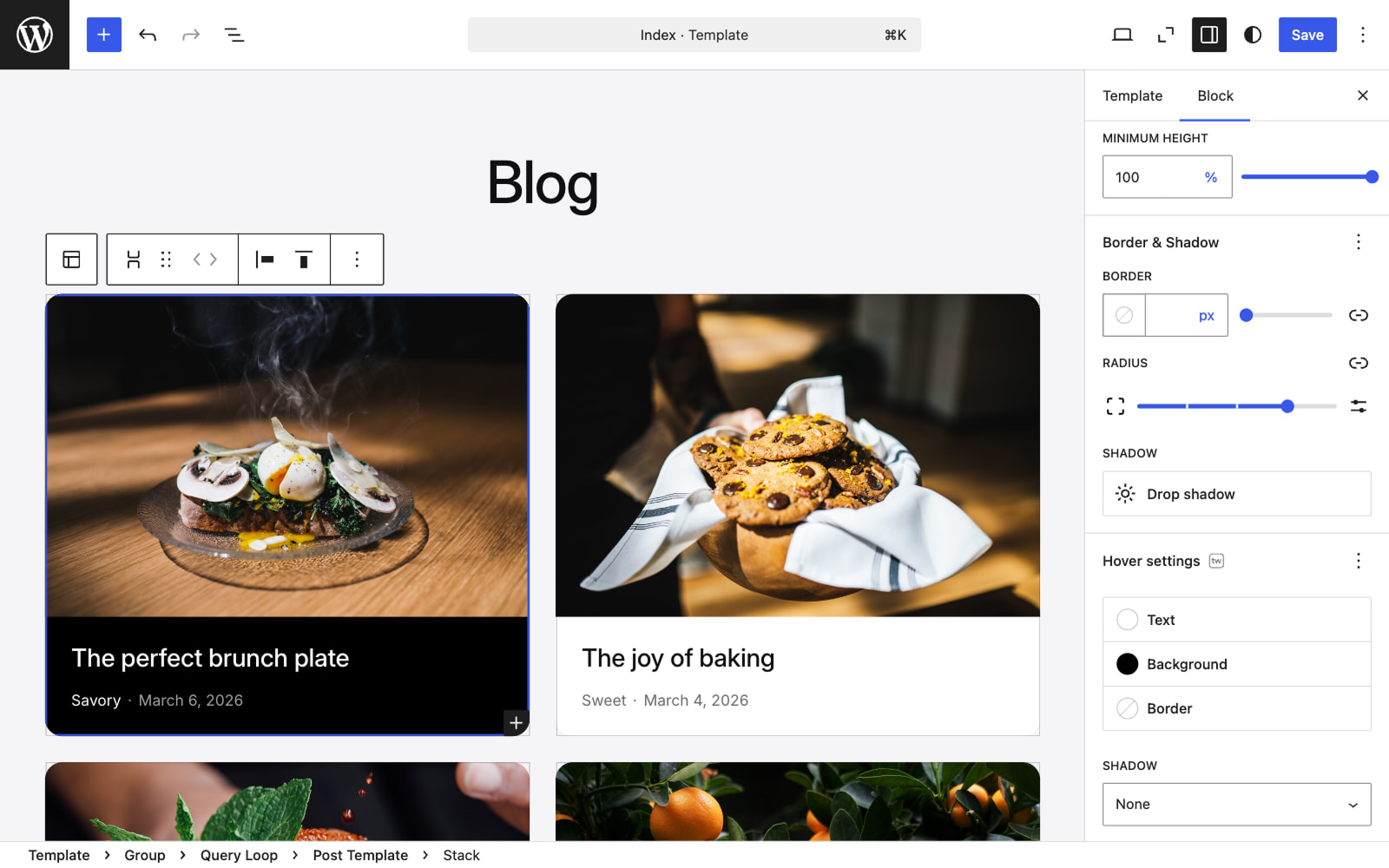
- Group: stretched link (make the group fully clickable), hover styles (text color, background color, border color, shadow), shape separator
- Separator: styles (asterisks, dotted, dashed), width, height
Media blocks
- Image: shape
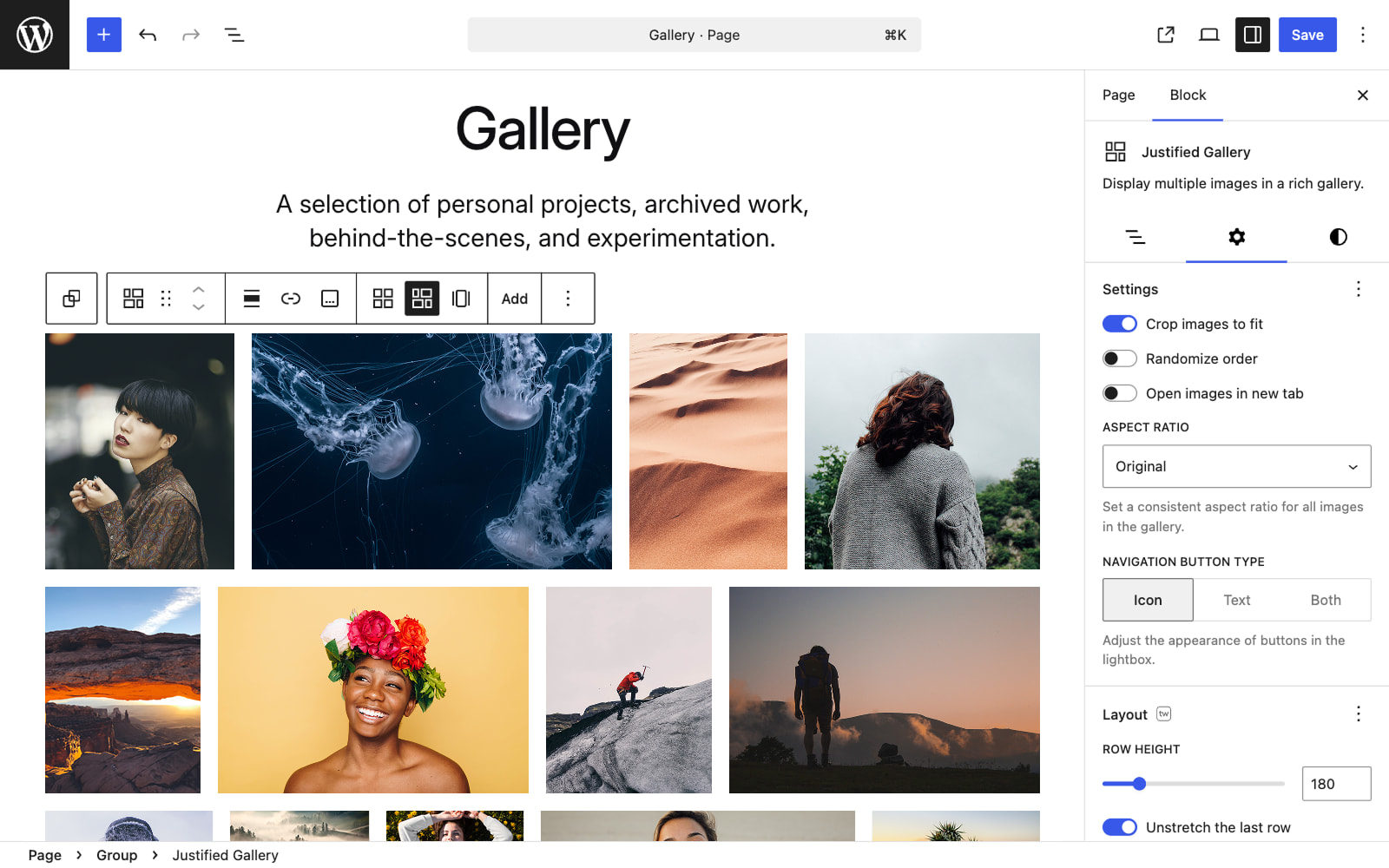
- Gallery: justified and carousel/slider layouts (available as block variations), unstretch last row, responsive layout, vertical alignment
- Cover: stretched link (make the cover fully clickable), shape, hover effect
- Media & Text: styles (shadow, overlap, hard shadow), responsive layout, stretched link, full height
- Video: autoplay when in view, minimal controls
- Icon: 1,000+ curated Material Symbols.
Text blocks
- Paragraph: typography options, responsive alignment
- Heading: typography options, responsive alignment
- List: styles (square, dash, checkmark, arrow, border, inner border, table, no bullet, inline)
- Quote and Pullquote: style (icon)
- Details: icon
- Table: styles (border, inner border), vertical alignment
Theme blocks
- Navigation: responsive breakpoint, menu icon size, hover style, active style
- Navigation Link: external link class
- Submenu: classes (rounded, shadow, no-border, align right)
- Site Logo: image width on mobile
- Query Loop: single-post filters (exclude current post, filter by category or tag)
- Post Template: responsive columns, class layouts (alt columns, alt spacer, alt grid)
- Pagination: spacing support (margin and padding), page number styles (square, rounded, circle, plain), previous and next page styles (square, rounded, pill)
- Title: typography options, responsive alignment
- Excerpt: option to display only the manual excerpt
- Featured Image: shape, hover effect
- Author: inline layout, avatar shape
- Categories and Tags: styles (outline, pill, hashtag, plain, list), unlink
- Previous Post and Next Post: style (stack)
Widget blocks
- Search: style (underline)
- Social Icons: styles (square, rounded), hover effect
- Tag Cloud: styles (rounded, pill, plain, list)
Twentig also lets you add animations to any WordPress core block. Choose from fade, slide, scale, or wipe effects, then customize the speed and delay to make your pages feel more dynamic.
Block patterns
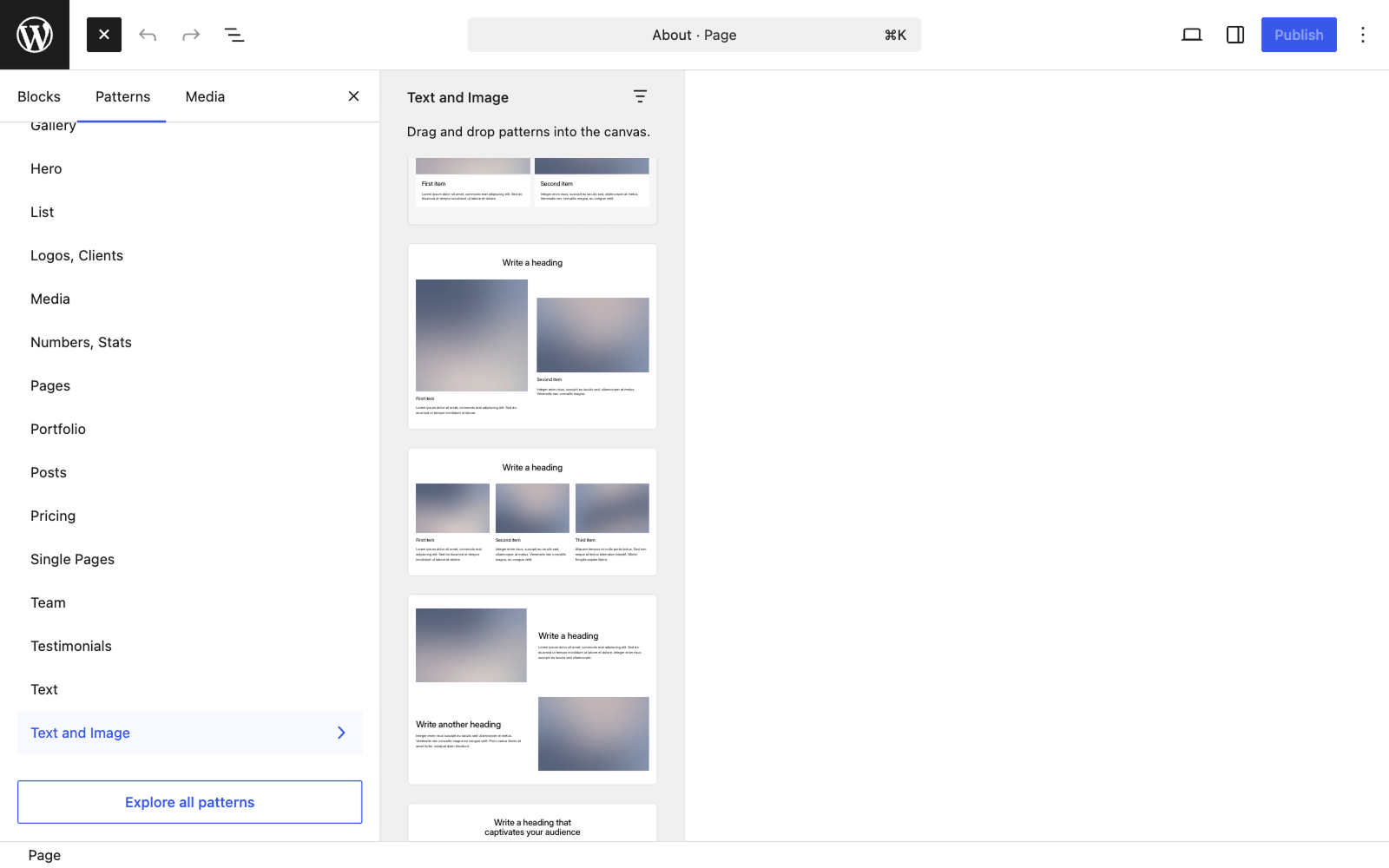
Twentig includes hundreds of pre-designed block patterns — making it faster and easier than ever to create stunning pages in the WordPress block editor.
Flexible block patterns. Choose from a versatile collection of block patterns you can mix and match to fit your project. Our block pattern library is built to support a wide range of use cases, giving you the flexibility to create the pages and sections you need.
Professional design. All patterns are fully responsive and designed to give your pages a polished, professional look from the start.
Theme block patterns. Twentig also includes dozens of pre-built patterns for your header, footer, blog, and portfolio — helping you customize every part of your website with ease.
Twentig adds its pattern library to the Patterns tab of the block inserter in the following categories:
- Banners
- Call to Action
- Contact
- Events, Schedule
- FAQs
- Gallery
- Hero
- List
- Logos, Clients
- Media
- Numbers, Stats
- Pages
- Portfolio
- Posts
- Pricing
- Single Pages
- Team
- Columns
- Testimonials
- Text
- Text and Image
Portfolio
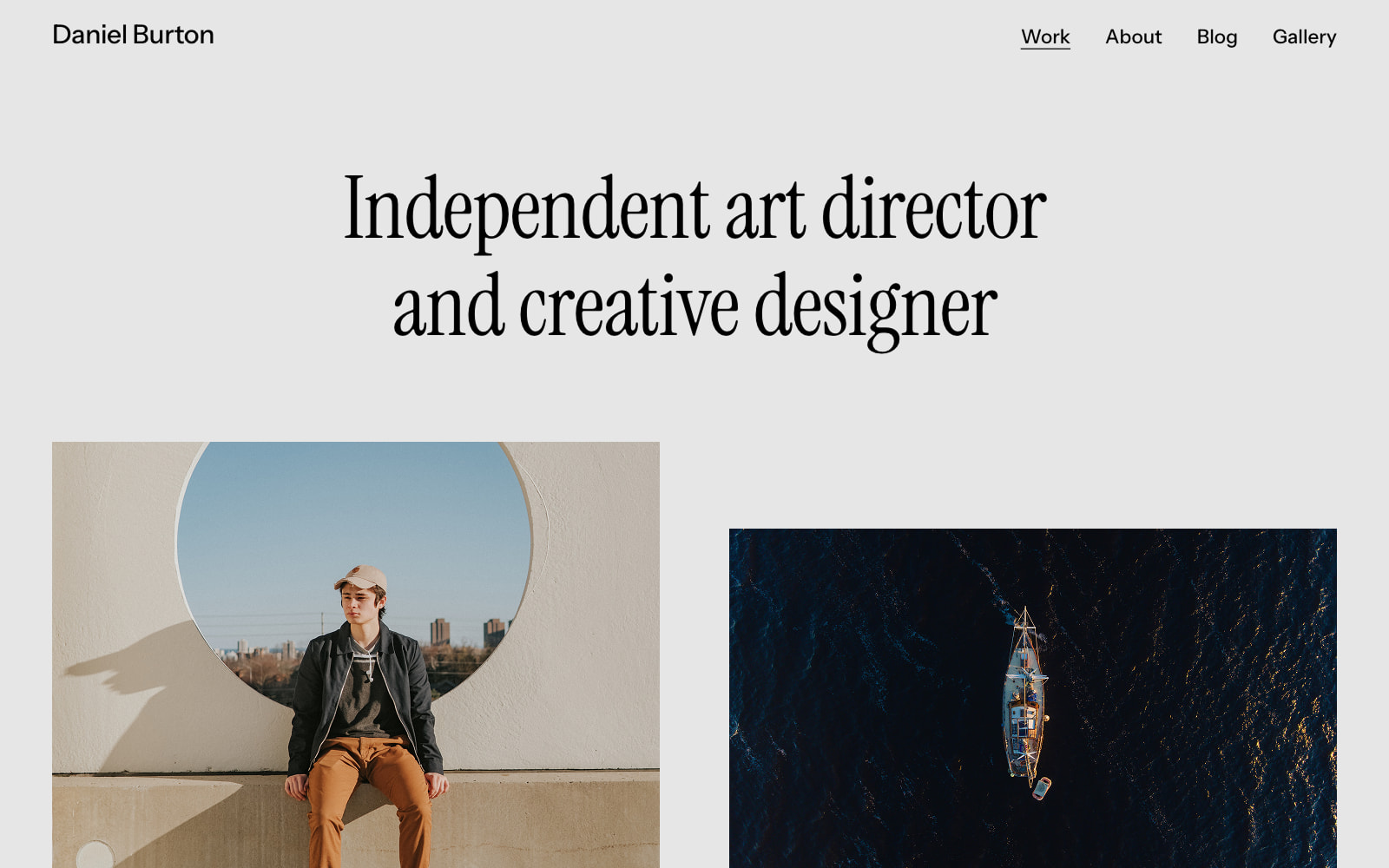
Twentig provides all the WordPress tools you need to create a portfolio website that shows your work at its best with starter sites, patterns, and WordPress blocks.
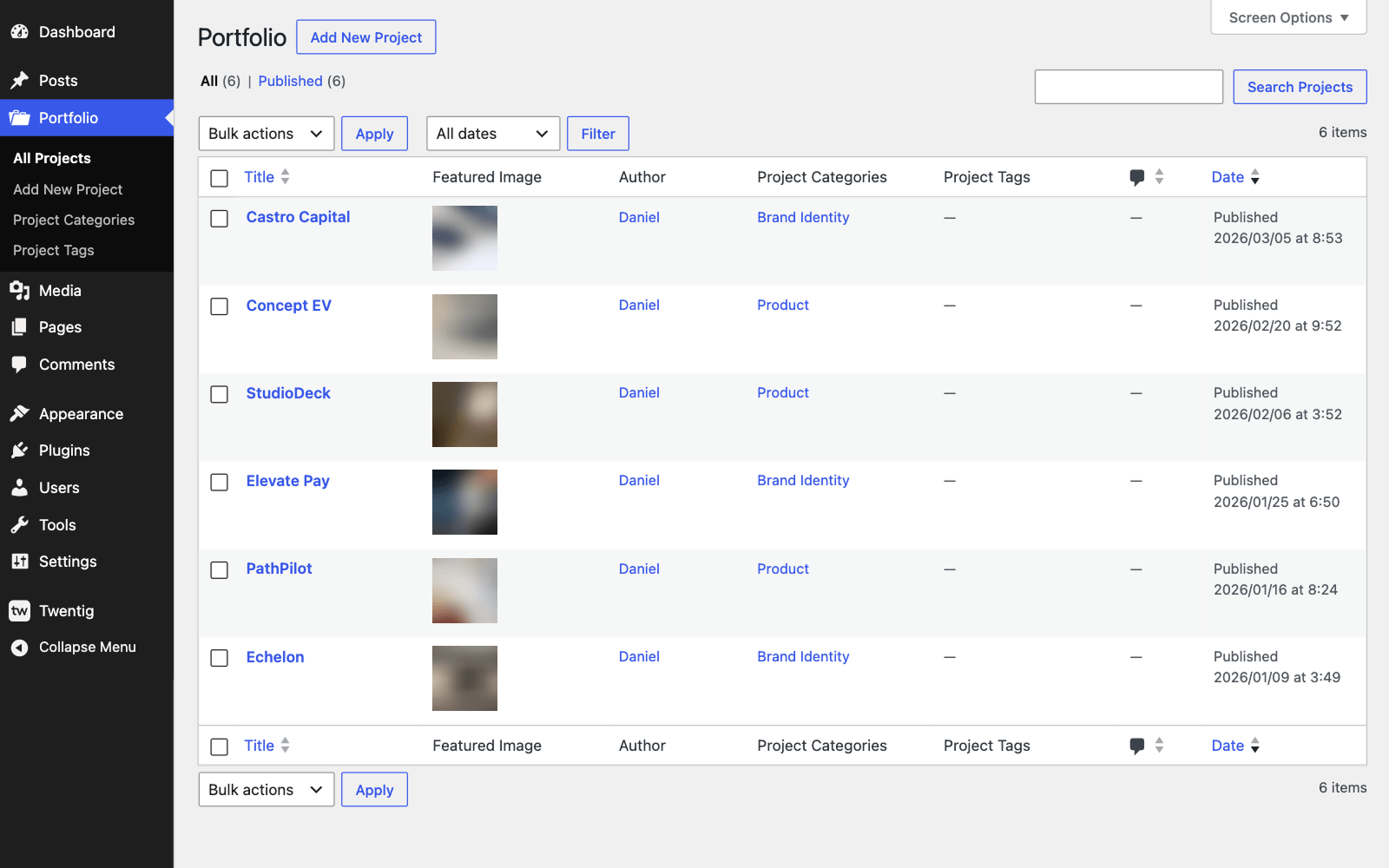
Portfolio post type & taxonomies. Manage all your projects in one place with Twentig’s portfolio post type. Build your portfolio pages in the WordPress block editor, add featured images, and organize your work with project categories and tags — just like blog posts.
Portfolio block. Display your projects with a powerful, easy-to-use portfolio block. Built on the Query Loop block, you can customize its query settings, layout, and style to fit your needs.
Portfolio block patterns. Browse a variety of patterns to showcase your projects, including grid, grid overlay, and split layouts. Choose the pattern that fits your style and apply it in one click.
Portfolio starter sites. Start with a professionally designed Portfolio starter site crafted for the Twentig One theme to get your portfolio up and running fast, then personalize it with our Onboarding Customizer.
Twenty Twenty-Five and other WordPress default themes
In addition to enhanced blocks, block patterns, and portfolio tools, Twentig extends the following WordPress default themes:
Twenty Twenty-Five and Twenty Twenty-Four
Starter sites for the Twenty Twenty-Five theme:
Starter sites for the Twenty Twenty-Four theme:
Twenty Twenty-One and Twenty Twenty
If you prefer classic themes over block themes, Twentig offers advanced customization options for the Twenty Twenty-One and Twenty Twenty themes, along with one-click starter sites.
Advanced theme customization. From post grids and sidebars to sticky menus and header & footer layouts, Twentig gives you powerful ways to enhance your WordPress theme. Inside the Customizer (Appearance > Customize), you can change fonts with Google Fonts, adjust the site layout, customize global styles, edit the 404 page, and more.
Custom page templates. Take control of your page layout with custom templates. Remove the page title, header, or footer, set a transparent header, and use WordPress blocks to create custom hero sections, landing pages, and more.
Starter sites. Instead of starting from scratch, import one of Twentig’s starter sites directly from the Customizer (Appearance > Customize > Starter sites).
Get more
- See our quickstart guide to learn the basics of using Twentig.
- Visit our blog for tutorials on building professional sites with the WordPress block editor.
- Browse curated color palettes to find beautiful color combinations for your site.
- Subscribe to our newsletter to receive exclusive starter sites, tips, and updates.
- Subscribe to our YouTube channel for video tutorials.
- Explore the best WordPress websites built with the block editor for inspiration.
Enjoying Twentig?
- Rate it on WordPress.
- Donate to support its development.
Installation
Install Twentig
To install and activate Twentig:
- Log in to your WordPress dashboard.
- Go to Plugins > Add New.
- Search for “Twentig”.
Alternatively, you can click Upload Plugin to upload the plugin .zip file. - Click Install Now.
- Once the installation is complete, click Activate.
Install the Twentig One WordPress theme
To take full advantage of Twentig and the WordPress block editor, we recommend using Twentig One, our modern and powerful block theme built for Full Site Editing.
Visit our Get Started page to download and install Twentig One.
After installation
With Twentig One, as well as the Twenty Twenty-Five and Twenty Twenty-Four themes, you can import a pre-made starter site to get started quickly. To do so, open the Twentig dashboard, go to the Starter sites tab, and import the starter site of your choice.
To learn more, see our quickstart guide.
Changelog
2.0.6
Release date: October 15, 2026
Twentig 2.0.6 adds a Photography starter site, a new Gallery option, and more icons. Cambon and Sagan, two new starter sites for Twentig One, are also available to download from our website.
- New: Adds an option to fit images to the screen height in Gallery blocks.
- New: Adds more icons to the curated collection for the Icon block.
- New: Adds a Photography starter site for the Twentig One theme.
- New: Adds a dismissible donation notice.
- Enhancement: Allows custom starter sites to provide presets and default layouts in the Onboarding Customizer.
- Enhancement: Improves starter site importing and customization.
- Enhancement: Adds empty-results messages to Posts patterns.
- Fix: Improves block animation behavior.
2.0.5
Release date: September 2, 2026
- New: Adds a curated collection of Material Symbols to the Icon block (WordPress 7.1+).
- Enhancement: Adds the
twentig_use_legacy_visibility_controlsfilter to restore Twentig’s original visibility controls on WordPress 7.0+. - Fix: Adjusts the Latest Posts block styles for compatibility with the new grid layout in WordPress 7.1.
2.0.4
Release date: August 18, 2026
- Enhancement: Makes Twentig’s Gallery options compatible with Gallery blocks that display images attached to the current post.
- Enhancement: Supports theme-defined viewport breakpoints for block visibility in WordPress 7.1.
- Enhancement: Deprecates Twentig’s Query Loop option for excluding the current post in favor of the new WordPress core option when available.
- Fix: Improves the rendering of justified Gallery blocks in the editor.
2.0.3
Release date: July 2, 2026
- Fix: Prevents unnecessary re-renders related to shadow presets in the block editor (props @ateliercommodore).
2.0.2
Release date: June 17, 2026
- New: Adds chat, location, event, shopping bag, and store icons to the Button block.
- New: Adds a setting to disable content-only pattern editing on WordPress 7.0+.
- New: Adds new Gallery patterns.
- Enhancement: Updates patterns to use the Grid block instead of the Columns block where appropriate.
2.0.1
Release date: May 19, 2026
- New: Adds a color palette paste feature for the Twentig One theme in the Site Editor and Onboarding Customizer.
- Enhancement: Improves Customizer previews by opening the relevant Blog or Portfolio page when those sections are expanded.
- Enhancement: On WordPress 7.0+, migrates Twentig’s visibility controls to the core viewport-based block visibility option.
- Enhancement: Hides the core Gallery Aspect Ratio setting when using the justified layout.
- Enhancement: Preserves custom font sizes on Navigation submenu links when the parent Navigation block also has a font size.
- Fix: Adjusts CSS selectors for Navigation hover and active styles to make them work with custom navigation overlays.
Screenshots

For developers
Is this your plugin? Show off the numbers.
Add a live badge to your site, docs or GitHub README. It updates on its own — no account needed.
Best Twentig Supercharged Block Ed… alternatives
All block-editor plugins →




FAQ
Twentig Supercharged Block Editor: quick answers
Straight answers, pulled from live WordPress.org data.
Live data from WordPress.org · checked Nov 17, 2026
Is Twentig Supercharged Block Edit… free?
Yes. Twentig Supercharged Block Edit… is free to download and use from the official WordPress.org plugin directory.
Is Twentig Supercharged Block Edit… safe to use in 2026?
Yes — Twentig Supercharged Block Edit… is a safe, well-maintained plugin to use in 2026. It runs on 20K+ sites, is rated 4.9/5 and was last updated 1 month ago, and scores 90/100 on our health check.
How many websites use Twentig Supercharged Block Edit…?
Twentig Supercharged Block Edit… is active on 20K+ WordPress websites and has been downloaded 808,082 times since it launched in May 2019. It was downloaded 7,983 times in the last 30 days.
Does Twentig Supercharged Block Edit… work with WordPress 7.1?
Yes. The developer has tested Twentig Supercharged Block Edit… up to WordPress 7.1.4, the latest release. It requires WordPress 6.9 or newer.
What PHP version does Twentig Supercharged Block Edit… need?
Twentig Supercharged Block Edit… requires PHP 7.4 or higher. Most hosts run PHP 8.x today, so it works on any modern WordPress hosting.
When was Twentig Supercharged Block Edit… last updated?
The latest version, 2.0.6, was released on October 15, 2026 (1 month ago).
Who makes Twentig Supercharged Block Edit…?
Twentig Supercharged Block Edit… is developed and maintained by Twentig.
What are the best alternatives to Twentig Supercharged Block Edit…?
The most popular alternatives to Twentig Supercharged Block Edit… are Classic Editor (8M+ installs), Advanced Editor Tools (1M+ installs) and Disable Gutenberg (500K+ installs).
Powered by PageForge
Want thousands of pages that rank like these? Build them in an afternoon.
This directory runs on the same engine as PageForge. Turn any spreadsheet, CSV or API into thousands of fast, SEO-ready WordPress pages — with schema, internal links and AI-written copy baked in.
- CSV, Google Sheets & API data sources
- AI content, schema & internal links per page
- Works with Elementor, Gutenberg, Yoast & Rank Math
- Free on WordPress.org — no credit card


