



TryLoom – AI Virtual Try On for WooCommerce
The #1 AI-Powered Virtual Dressing Room for WooCommerce. Turn customer selfies into professional fashion model shots instantly.

Use with caution
TryLoom works, but test it on a staging site before relying on it in 2026. It runs on 40+ sites and was last updated 2 months ago, and scores 51/100 on our health check.
- Small user base (40+ active installs)
- Very few reviews so far
- Only tested up to WordPress 6.9 (latest is 7.1)
How does it stack up?
Side-by-side on installs, updates, ratings & support



Daily downloads
Download spikes usually follow a new release — each site that auto-updates counts as a download.
Rankings
Where TryLoom stands todayWordPress.org search rankings
Live position in the plugin search, top 100| Keyword | Position |
|---|---|
| AI | >100 |
| fitting room | #4 |
| returns | >100 |
| virtual try on | #25 |
| woocommerce | >100 |
Version adoption
Share of active sites per release.
About TryLoom
From the official readme · v1.5.4Description
GIVE YOUR CUSTOMERS THE “MODEL” EXPERIENCE.
TryLoom is not just a try-on tool; it is an AI Fashion Studio built directly into your WooCommerce store.
Most customers take photos in bad lighting with messy backgrounds (bedrooms, bathrooms, etc.). TryLoom fixes this.
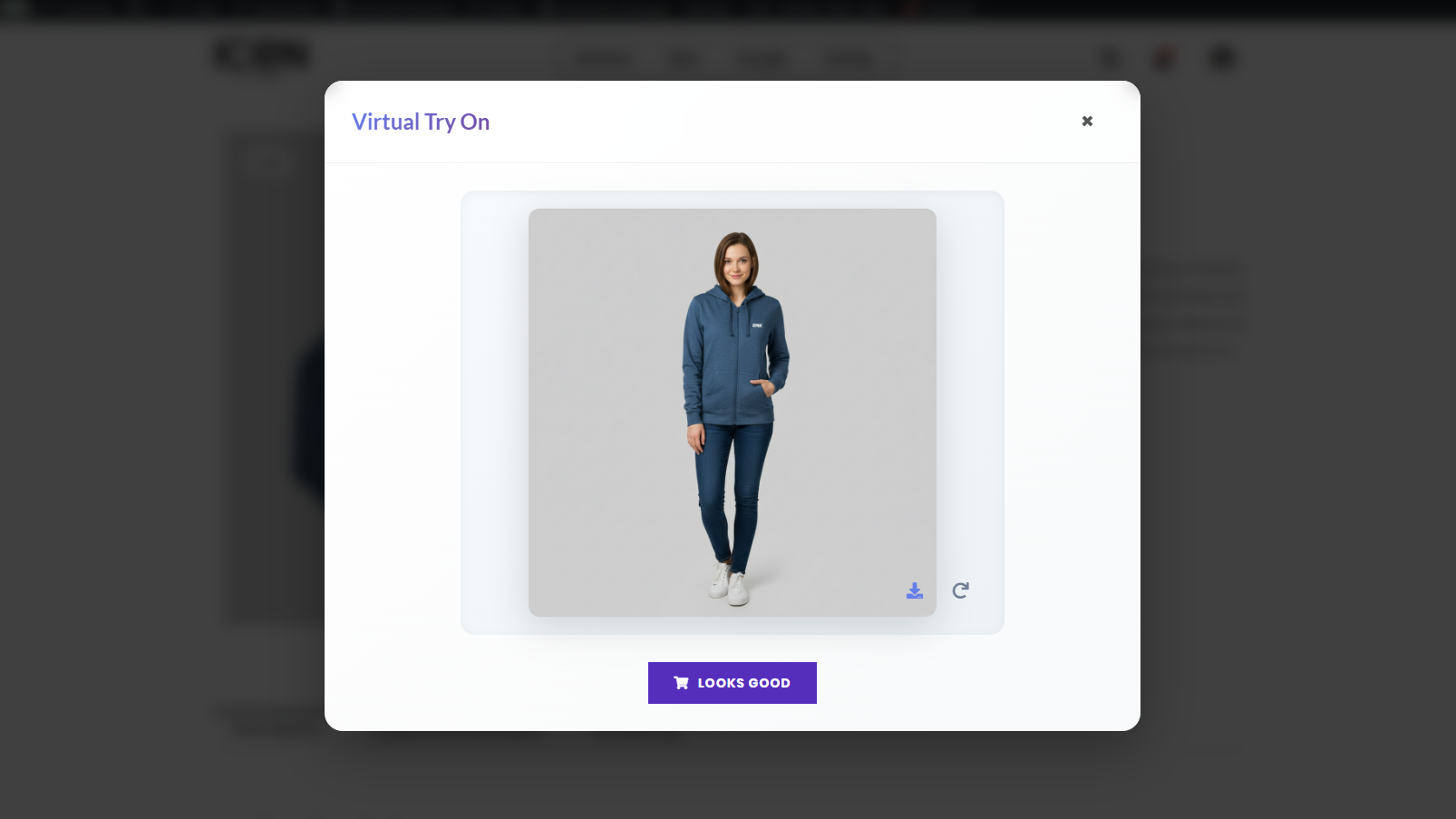
Our advanced Generative AI takes your customer’s photo, dresses them in your product, and transports them into a professional virtual studio.
The result? A high-end, consistent, and beautiful fashion photo that gives them the confidence to buy.
🟣 WHY STORE OWNERS CHOOSE TRYLOOM?
- Zero 3D Models: Works with your standard flat-lay product images. No expensive 3D assets needed.
- Best of Both Worlds: The only plugin that offers both Generative AI (for style & viral social content) and Strict Try-On (for accurate fit & realism).
- One-Click Setup: Install, connect, and go. No complex configuration or developer knowledge required.
- Boost Confidence: Help customers visualize the “vibe” and style of the product on themselves instantly.
* Unlimited Products: TryLoom works on your entire catalog instantly, even on the free plan.
🟣 POWERFUL FEATURES
-
Smart Auto-Routing
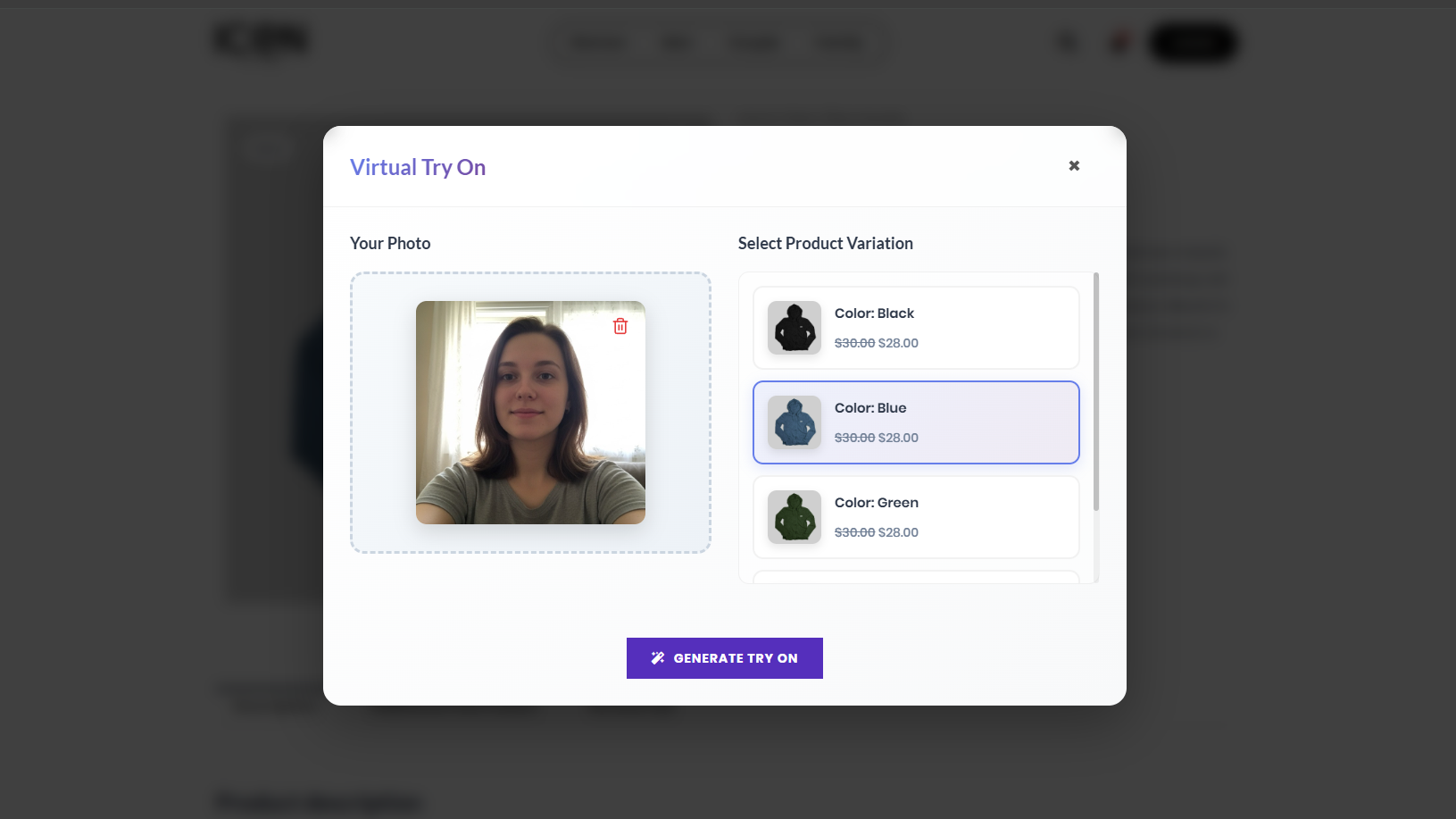
Our proprietary “AI Brain” analyzes every uploaded user photo. If it’s a selfie, it routes to Studio Mode to reconstruct the body. If it’s a full-body shot, it routes to Try-On Mode for maximum accuracy. -
Dual-Core AI Engine
- Studio Mode: Automatically fixes bad lighting, reconstructs missing body parts, and places the user in a pro photo studio.
- Try-On Mode: Preserves the user’s original background and pose with 100% face consistency for a realistic “Fitting Room” experience.
-
Generative Body Reconstruction
Customer uploaded a tight headshot? No problem. Our AI “paints in” the missing body parts so they can still see how the t-shirt or dress looks on them. -
Fast Cloud Processing
All heavy GPU tasks happen on our secure cloud servers, ensuring your website speed stays lightning fast (100% optimized for Core Web Vitals). -
Mobile Optimized Widget
A sleek, responsive popup designed for the “TikTok Generation.” Works perfectly on iPhone and Android devices. -
Fully Customizable
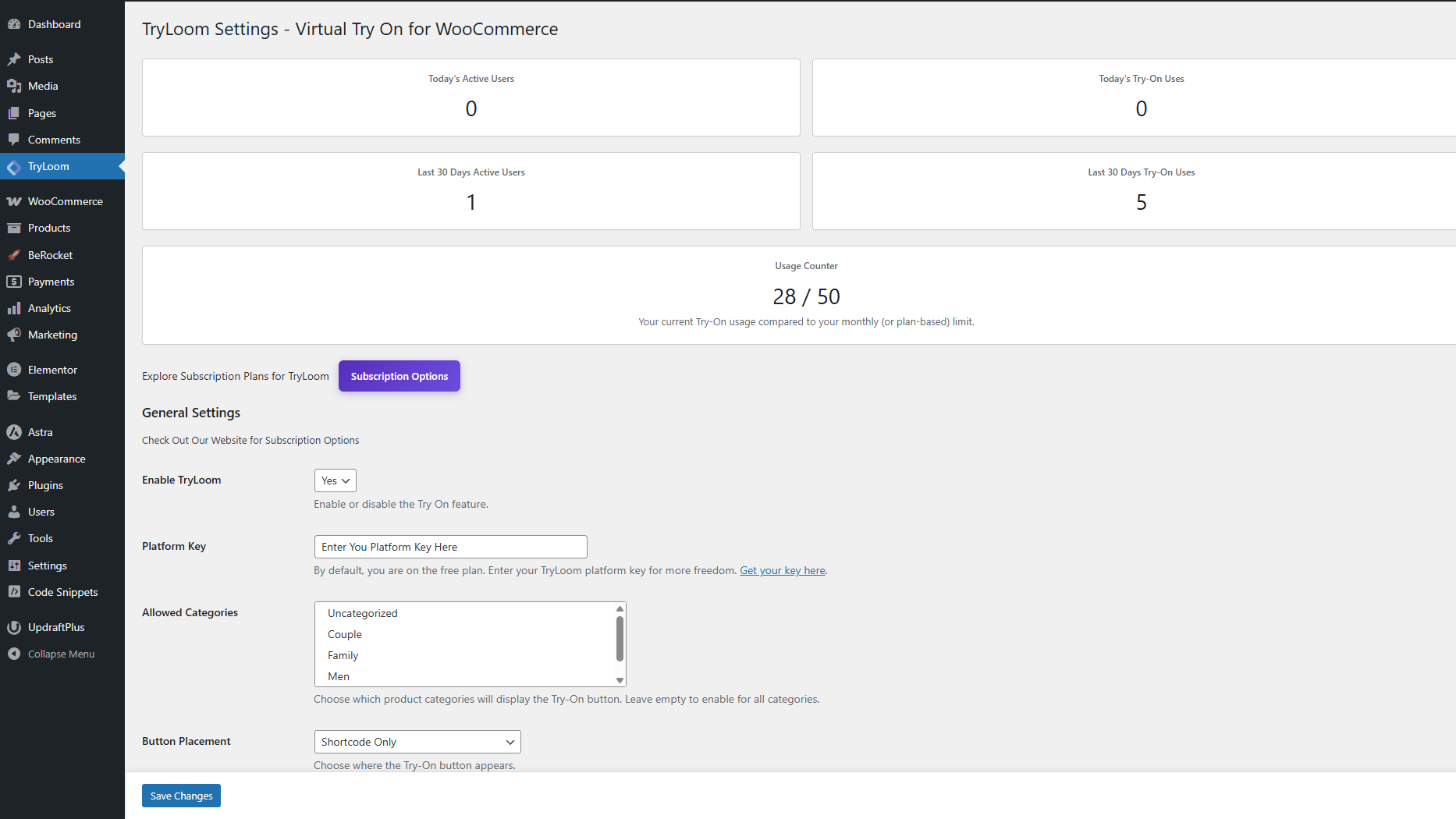
Match your brand identity perfectly. Change button colors, text, and position (Before/After Add to Cart) directly from your dashboard settings. -
Usage Analytics
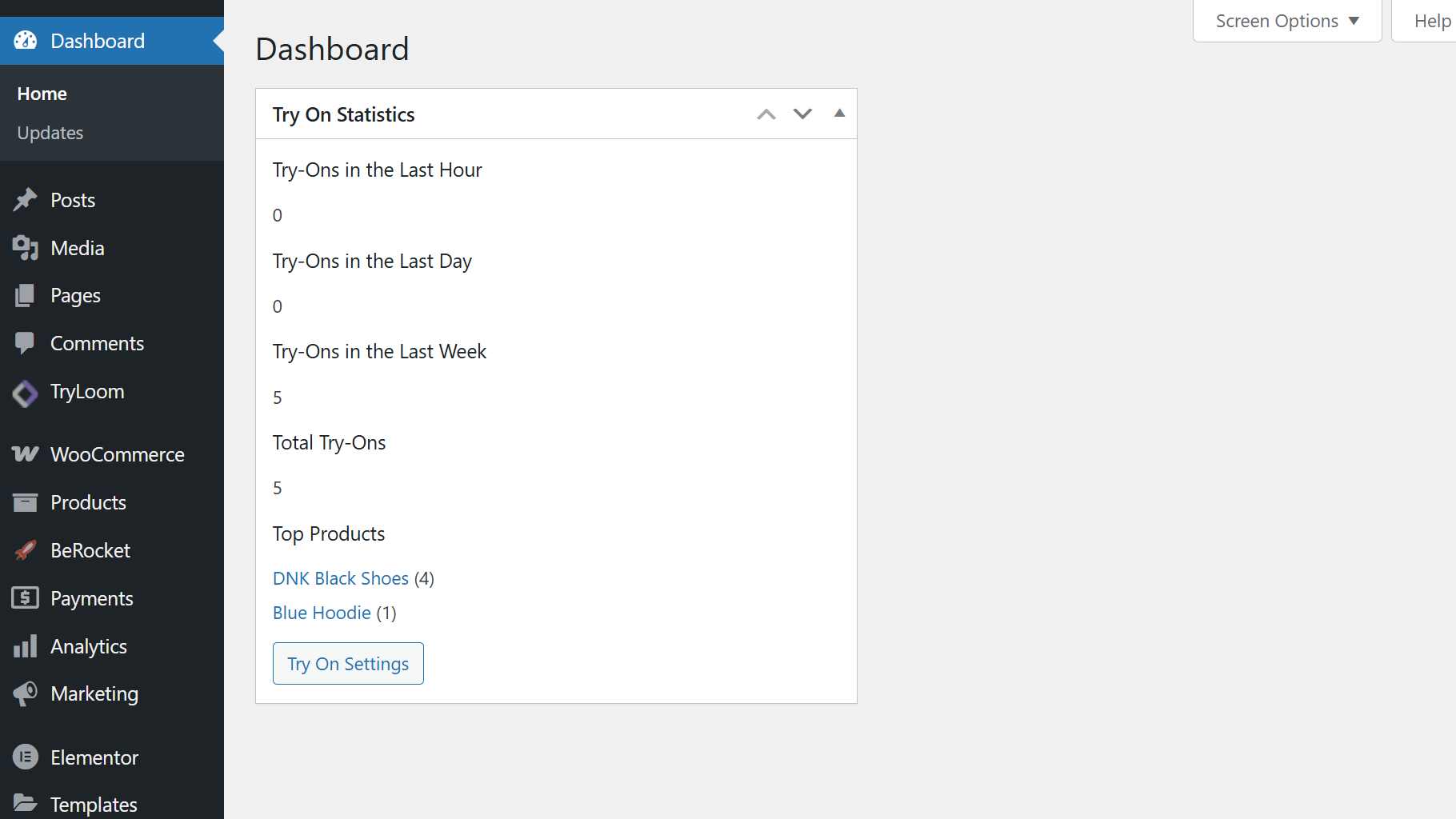
Track which products are getting “tried on” the most directly from your WordPress dashboard to understand customer intent and stock demand.
🟣 PERFECT FOR EVERY FASHION STORE
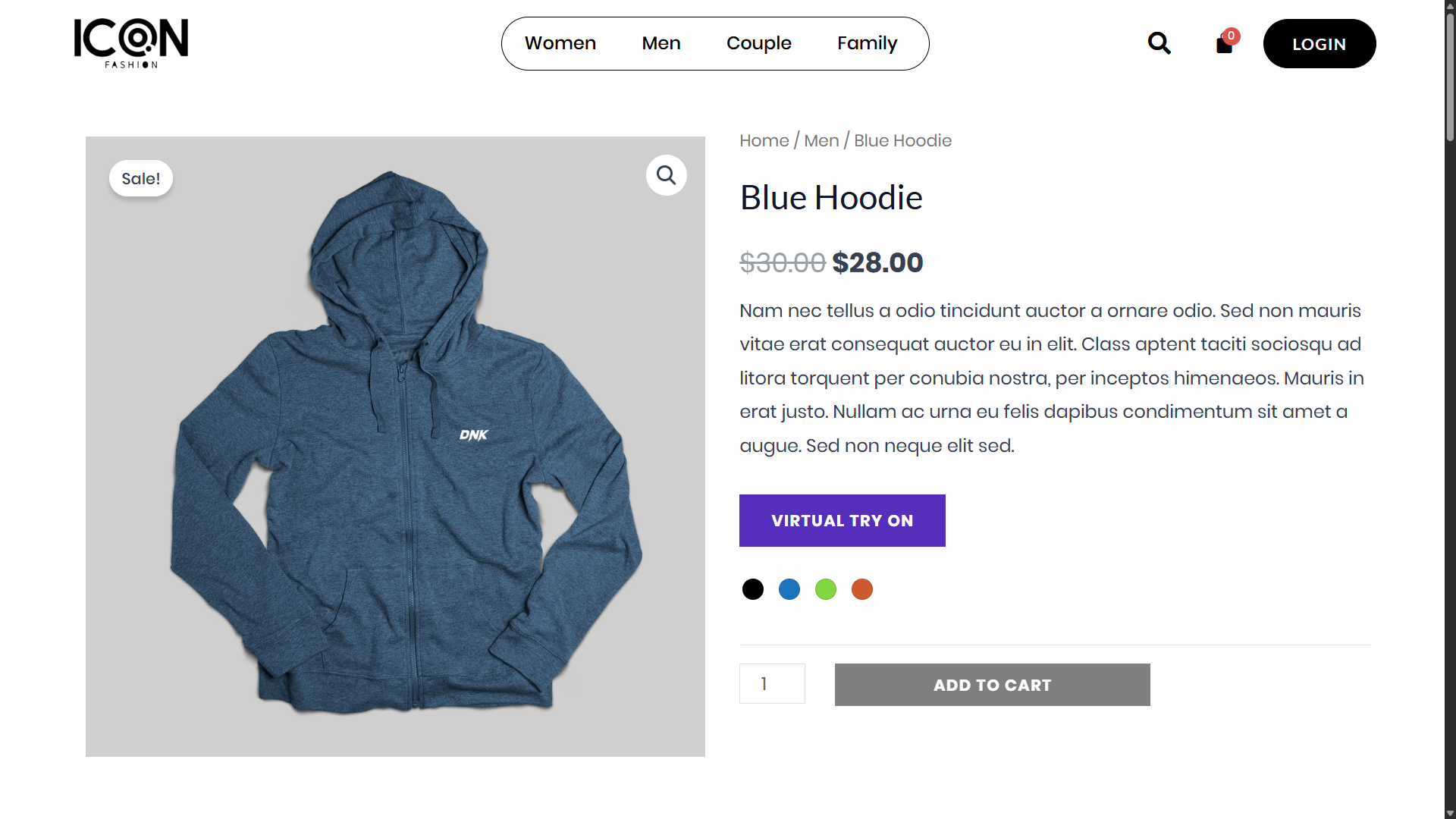
- Apparel Brands: T-shirts, Hoodies, Jackets, Coats.
- Boutiques: Dresses, Skirts, Blouses, Tops.
- Streetwear: Oversized fits, Graphic Tees.
- Accessories: Hats, Caps, Shoes.
🟣 SAAS CONNECTION
This plugin acts as a connector to the TryLoom Cloud Platform.
Because AI image generation requires immense computing power, it cannot run directly on your WordPress hosting. Instead, we process images on our specialized cloud GPUs.
* A valid API connection (free or paid) is required for the plugin to function.
* Start for Free: The plugin includes a free tier so you can test the magic immediately. No credit card required for the free trial.
Support
For support, visit Official Support or open an issue on the WordPress plugin forum.
Privacy
This plugin handles user-uploaded images with care.
Images are processed via a secure API and stored only as configured.
Ensure your site’s privacy policy covers image uploads and processing.
The plugin does not share data with third parties beyond the API used for generation.
External Services (API)
This plugin relies on the TryLoom Cloud Platform (maintained by ToolTeek) to function.
Because AI image generation requires significant computational resources, it cannot run directly on your WordPress hosting environment. Instead, user images and product data are sent to our secure cloud infrastructure for processing and the result is returned to your site.
- Service: TryLoom Cloud API & Status Check
- Hosts: *
us-central1-tryloombytoolteek.cloudfunctions.net(Image Generation)status-pdpuoxmr2a-uc.a.run.app(Service Status & Usage)
- Used For: Authenticating the API connection, checking plan usage/status, and performing AI image generation.
- Data Sent: Site URL, API credentials, product ID, product image, and the user’s uploaded photo.
- Privacy Policy: https://gettryloom.com/privacy-policy/
- Terms and Conditions: https://gettryloom.com/terms-and-conditions/
Credits
Developed by ToolTeek.
Icons from Font Awesome (MIT/SIL OFL/CC BY 4.0 Licensed).
Powered by the TryLoom API.
Installation
- Upload the
tryloomfolder to the/wp-content/plugins/directory. - Activate the plugin through the Plugins menu in WordPress.
- Go to Admin Menu → TryLoom to configure the plugin.
- Ensure WooCommerce is installed and active.
- Click “Start for Free” to automatically connect to our cloud service (or enter your Pro key).
Manual Installation
- Download the plugin ZIP file.
- In your WordPress dashboard, go to Plugins → Add New → Upload Plugin.
- Upload the ZIP file and activate.
Frequently asked questions
Do I need 3D models of my clothes?
No! That is the magic of TryLoom. We use Generative AI to interpret your standard 2D product photos (flat lay or mannequin). You do not need expensive 3D assets.
Why does the background change?
To ensure the best possible lighting and color accuracy for your products, TryLoom automatically places the user in a “Virtual Studio” setting. This removes distracting elements (like messy rooms) and ensures the focus remains 100% on your clothing.
Is it compatible with my theme?
Yes, TryLoom is designed to work with any standard WooCommerce theme. The “Try On” button automatically hooks into the product page. If you have a custom layout, you can use the [tryloom] shortcode to place it anywhere.
Does it work on mobile?
Absolutely. The popup interface is fully responsive and designed for a “thumb-friendly” mobile shopping experience.
Is it free?
The plugin is free to download and includes a Free Tier for the API service so you can test it out. For higher volume stores, we offer affordable subscription plans.
Where are user images stored?
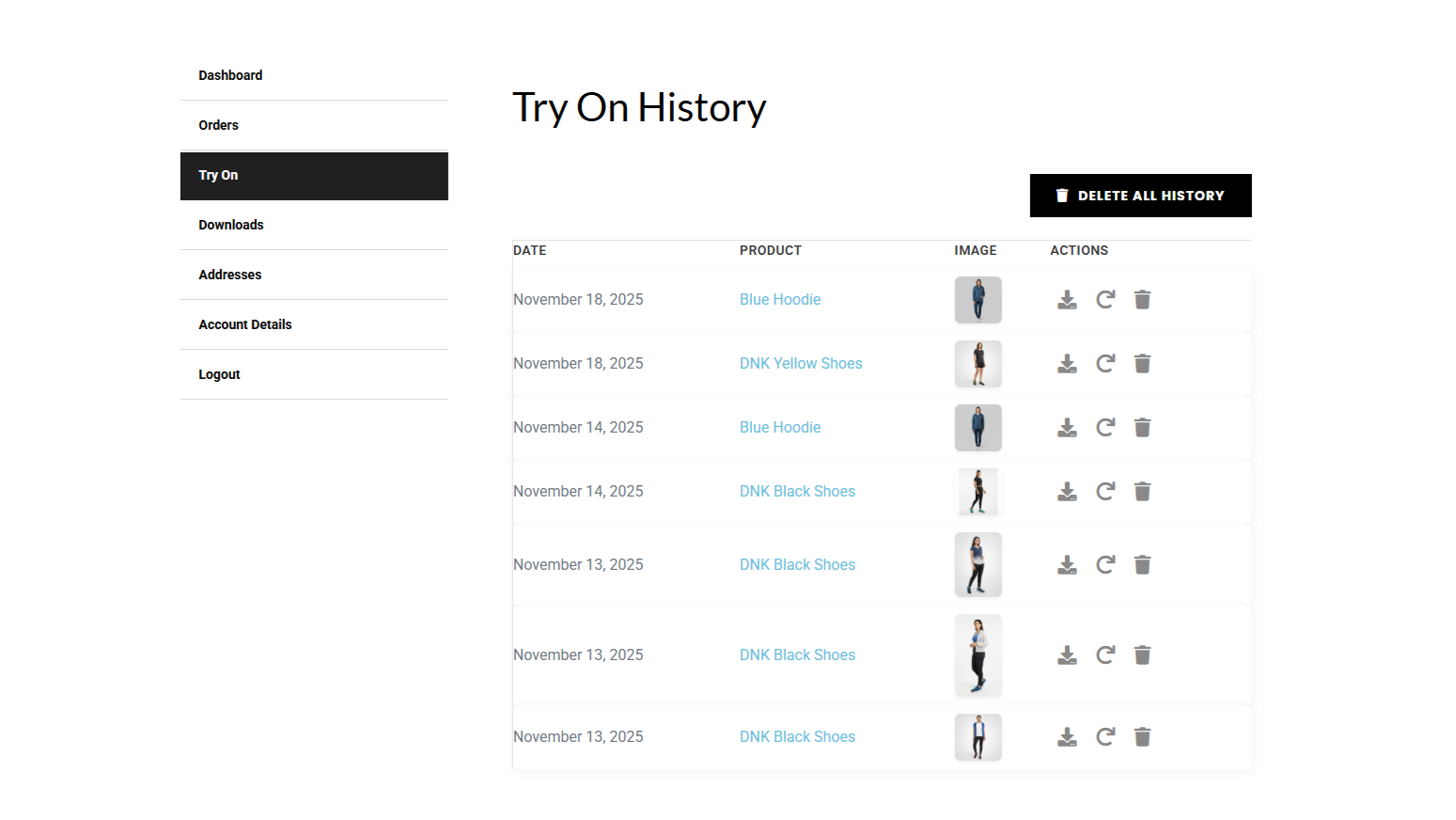
Images are stored securely in a protected directory on your server (wp-content/uploads/tryloom/). They are not publicly accessible without authentication. You can disable the ‘Enable Try On History’ option at any time in the dashboard.
Changelog
Streamlined the TryLoom setup process. This update is optional for existing users.
1.5.3
-
Improved: Streamlined the initial setup workflow to help new users connect their API keys faster.
-
Added: Smart dashboard routing—the plugin now automatically directs you to the exact setup or renewal page you need, saving you clicks.
-
Fixed: Minor UI and workflow improvements to make the onboarding experience seamless.
1.5.2
- Fix: Added missing html close tag
1.5.1
- Security: Patched a critical Server-Side Request Forgery (SSRF) vulnerability in the image fetch API to prevent internal network scanning.
- Security: Secured the My Account and Try On popup upload endpoints against Cross-Site Request Forgery (CSRF) and restricted file types to prevent unauthorized script uploads.
- Security: Implemented a strict transient locking mechanism to fix a race condition that allowed users to bypass generation quotas.
- Security: Hardened admin dashboard notices and frontend UI rendering to prevent potential Cross-Site Scripting (XSS).
- Fix: Overhauled the plugin uninstaller to properly sweep orphaned transient data and safely delete media attachments without leaving broken “ghost” images in the WordPress library.
- Fix: Resolved a storage leak where guest users uploading photos but abandoning the generation process would leave unrecorded files on the server.
- Fix: Added safe fallback logic to eliminate a PHP undefined variable notice when processing simple, non-variable WooCommerce products.
- Fix: Implemented a safe loopback check to prevent the plugin from executing slow HTTP requests when attempting to load local staging environment files.
1.5.0
- New: Integrated Cloudflare Turnstile for bot protection and spam prevention.
- New: Added dynamic Privacy Policy note suggestions tailored to your specific image storage configurations.
- Enhancement: Completely reorganized the admin settings menu into a clean, tabbed interface for a significantly better user experience.
- Enhancement: Rolled out various frontend UI improvements for a smoother and more polished look.
- Security: Hardened role-based access restrictions to improve overall site security.
1.4.0
- Performance: Overhauled the generation limit engine to use lightweight user metadata instead of heavy database queries, making load times lightning fast for high-volume stores.
- Performance: Completely removed heavy Font Awesome dependencies. All UI icons are now ultra-lightweight, zero-dependency inline SVGs to significantly boost PageSpeed scores.
- Performance: Rebuilt the variation caching engine to prevent wp_options database bloat and strictly isolate price caching, eliminating potential wholesale pricing leaks.
- New: Introduced a Role-Based Limitations engine. Administrators can now assign custom generation limits to specific user roles (e.g., VIP, Wholesale).
- New: Added an admin toggle to completely hide the variation selector for streamlined, zero-query Try-On experiences.
- Improvement: Added a smart UI filter that visually deduplicates product variations sharing the exact same thumbnail image.
- Update: Completely refactored the frontend popup utilizing strict BEM CSS architecture and CSS Grid, ensuring perfectly smooth crossfade transitions and zero conflicts with aggressive WooCommerce themes.
- Update: Modernized the admin dashboard statistics layout with a custom, responsive grid architecture for a cleaner backend aesthetic.
- Security: Closed a loophole that allowed users to bypass generation limits by disabling the history feature.
- Fix: Calibrated generation limit resets to mathematically synchronize with the specific WordPress local timezone settings rather than strict UTC.
- Fix: Integrated directly with WooCommerce native stock hooks to automatically clear variation caches when inventory runs out, preventing “ghost” variations.
- Fix: Resolved a JavaScript race condition that caused duplicate variations to load when rapidly opening and closing the popup.
- Fix: Cleaned up PHP background warnings during file deletion processes and purged deprecated hook registrations.
1.3.0
- Performance: Implemented Transient Caching for product variations. The “Try On” button is now instant.
- Performance: Added Database Indexes to history tables. Dashboard statistics load significantly faster.
- Performance: Optimized “Autoload” options to reduce database bloat on every page load.
- Stability: Fixed “Memory Exhausted” and “Time Limit” crashes on shared hosting environments.
- Stability: Implemented Batch Processing for cron cleanup tasks to prevent server timeouts.
- Security: Added self-healing directory protection that adapts to server environment (Apache/Nginx).
- Fix: Reduced database queries on product pages from 4 to 1 per load.
Screenshots
For developers
Is this your plugin? Show off the numbers.
Add a live badge to your site, docs or GitHub README. It updates on its own — no account needed.
Best TryLoom alternatives
All AI plugins →





FAQ
TryLoom: quick answers
Straight answers, pulled from live WordPress.org data.
Live data from WordPress.org · checked Oct 19, 2026
Is TryLoom free?
Yes. TryLoom is free to download and use from the official WordPress.org plugin directory.
Is TryLoom safe to use in 2026?
TryLoom works, but test it on a staging site before relying on it in 2026. It runs on 40+ sites and was last updated 2 months ago, and scores 51/100 on our health check.
How many websites use TryLoom?
TryLoom is active on 40+ WordPress websites and has been downloaded 1,601 times since it launched in December 2025. It was downloaded 118 times in the last 30 days.
Does TryLoom work with WordPress 7.1?
TryLoom is officially tested up to WordPress 6.9.10, while the latest release is 7.1.3. It may still work, but try it on a staging site first.
What PHP version does TryLoom need?
TryLoom requires PHP 7.2 or higher. Most hosts run PHP 8.x today, so it works on any modern WordPress hosting.
When was TryLoom last updated?
The latest version, 1.5.4, was released on August 11, 2026 (2 months ago).
Who makes TryLoom?
TryLoom is developed and maintained by TryLoom.
What are the best alternatives to TryLoom?
The most popular alternatives to TryLoom are Elementor Website Builder (10M+ installs), All in One SEO (2M+ installs) and AI Agent by SiteGround (1M+ installs).
Powered by PageForge
Want thousands of pages that rank like these? Build them in an afternoon.
This directory runs on the same engine as PageForge. Turn any spreadsheet, CSV or API into thousands of fast, SEO-ready WordPress pages — with schema, internal links and AI-written copy baked in.
- CSV, Google Sheets & API data sources
- AI content, schema & internal links per page
- Works with Elementor, Gutenberg, Yoast & Rank Math
- Free on WordPress.org — no credit card


