


TranslatePress – Translate Multilingual sites with AI Translation
Translate your site visually, directly from the front-end. Go multilingual in minutes using automatic AI translation. Works with any theme or plugin.

Safe pick
Yes — TranslatePress is a safe, well-maintained plugin to use in 2026. It runs on 400K+ sites, is rated 4.7/5 and was last updated 2 weeks ago, and scores 94/100 on our health check.
- Proven at scale on 400K+ active sites
- Loved by users — 4.7/5 from 1,671 reviews
- Actively developed — last update 2 weeks ago
- Tested with the latest WordPress (7.1)
- Responsive support — 85% of recent threads resolved
How does it stack up?
Side-by-side on installs, updates, ratings & support


Daily downloads
Download spikes usually follow a new release — each site that auto-updates counts as a download.
Rankings
Where TranslatePress stands todayWordPress.org search rankings
Live position in the plugin search, top 100| Keyword | Position |
|---|---|
| ai translation | #1 |
| automatic translation | #1 |
| multilingual | #1 |
| translate | #3 |
| translation | #1 |
Version adoption
Share of active sites per release.
Rating breakdown
★★★★★★★★★★ 4.7 from 1,671 reviews
About TranslatePress
From the official readme · v3.3.9Description
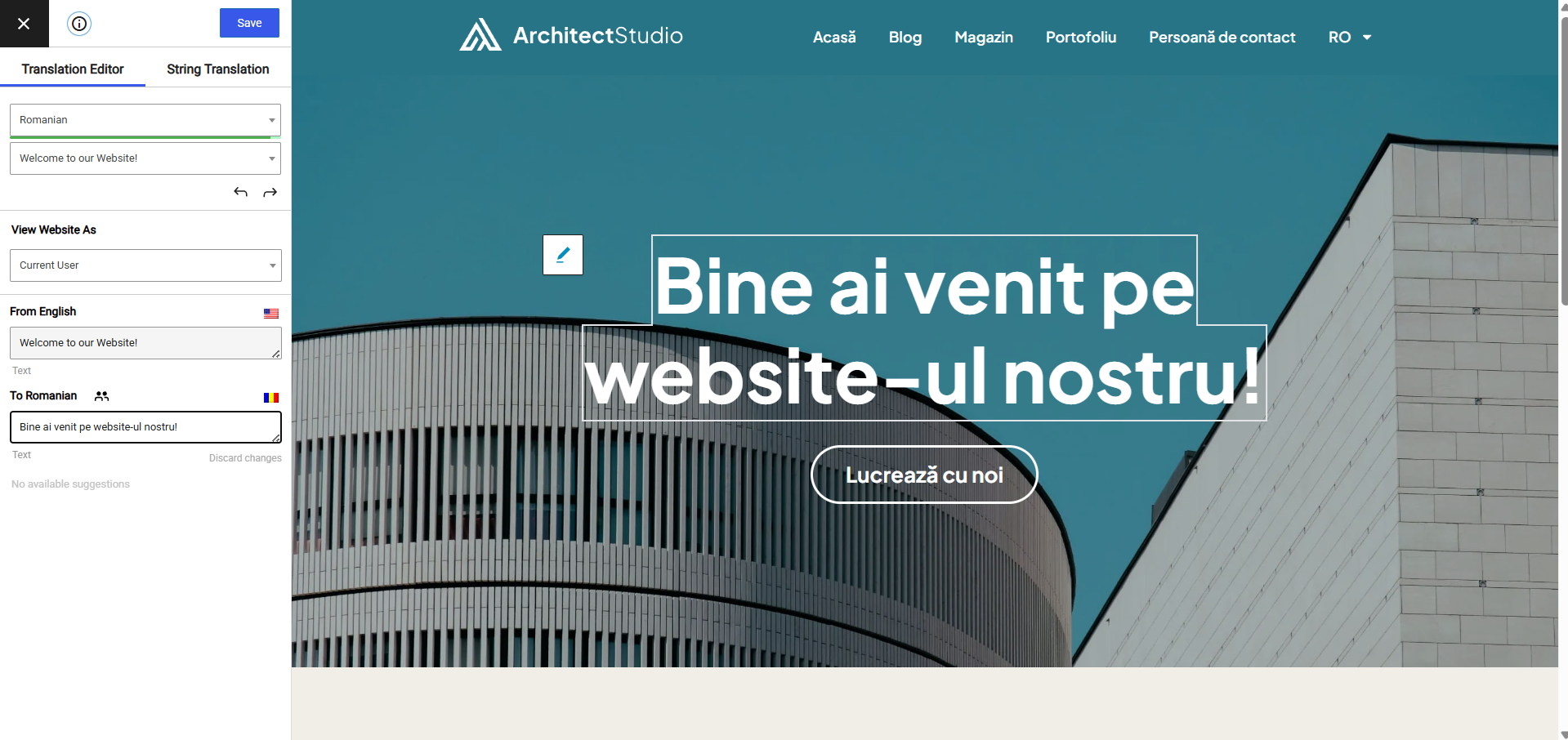
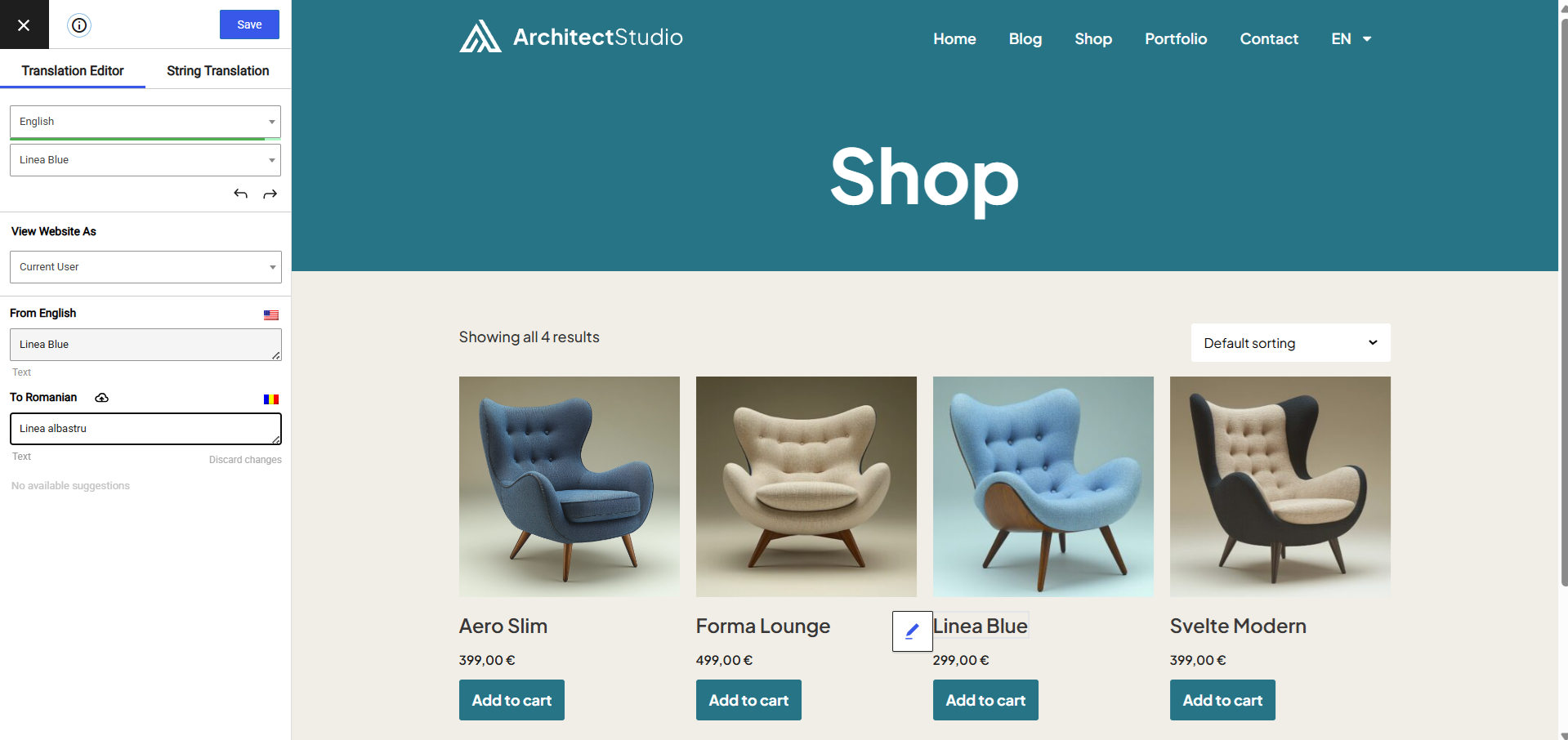
Experience a better way to translate your WordPress site and go multilingual, directly from the front-end using a visual translation interface. The built-in AI translation lets you translate automatically, then refine anything visually.
TranslatePress is a WordPress translation plugin that anyone can use.
The interface allows you to easily translate the entire page at once, including output from shortcodes, forms and page builders. It also works out of the box with WooCommerce.
Built the WordPress way, TranslatePress – Multilingual is a GPL and self hosted translation plugin, meaning you’ll own all your translations, forever. It’s the fastest way to create a bilingual or multilingual site.
Multilingual & Translation Features
- Translate all your website content directly from the front-end, in a friendly user interface (translations are displayed in real-time).
- Fully compatible with all themes and plugins
- Live preview of your translated pages, as you edit them.
- Automatic AI translation support through TranslatePress AI Free, with a 2,000 AI words limit. Use our free Website Word Count to find how many words your website contains.
- Translation Glossary for TranslatePress AI that allows you to set preferred translations for brand names, product terms and industry jargon, so they’re translated consistently every time and in every language.
- Search & Replace functionality that lets you find and bulk edit a word or phrase across all your existing translations at once.
- Integrates with Google Translate, allowing you to set up unlimited automatic translations using your own Google API key.
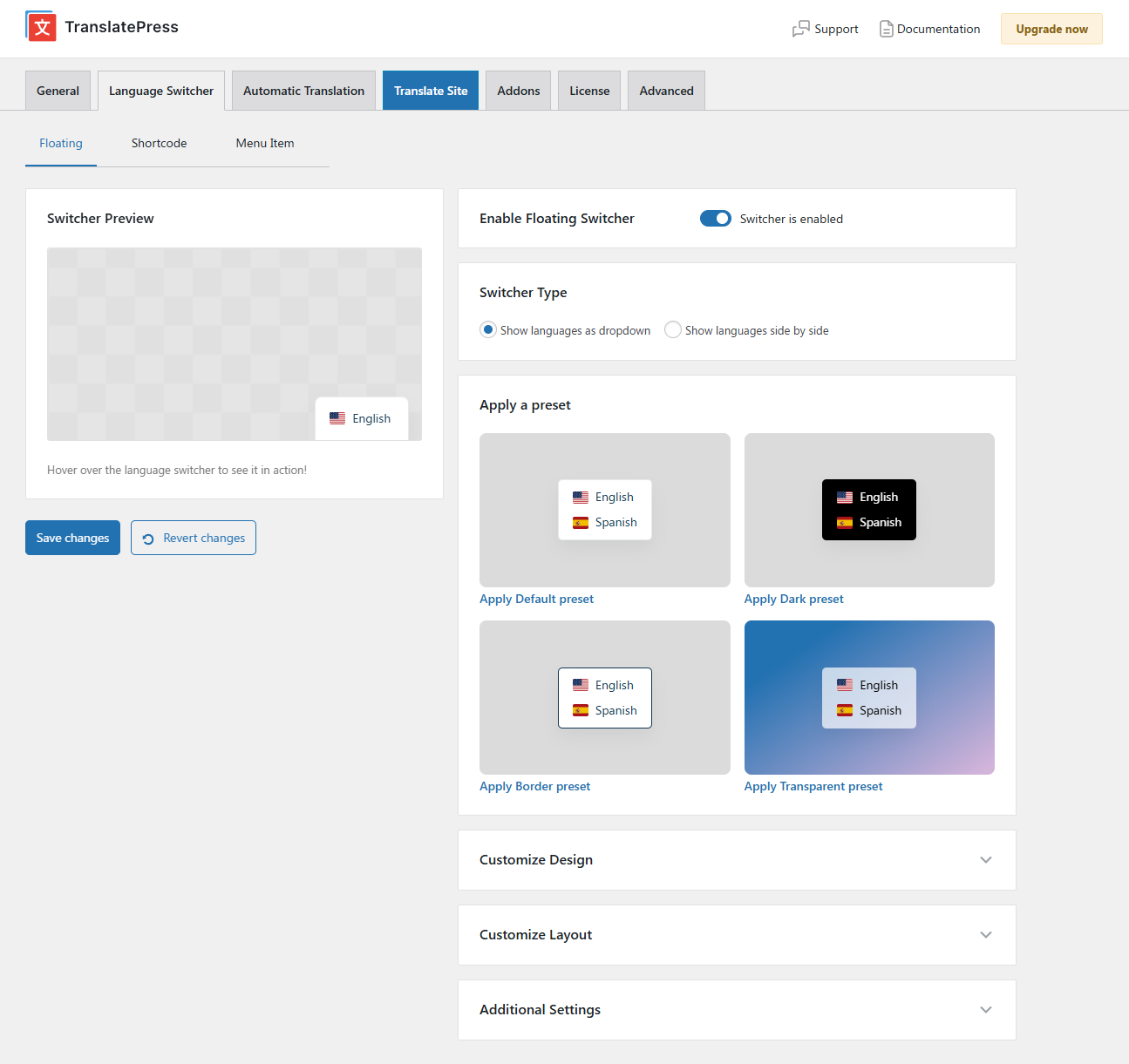
- Fully customizable language switcher that you can display as a menu item, a floating dropdown, or place anywhere else using the Language Switcher block, or the [language-switcher] shortcode.
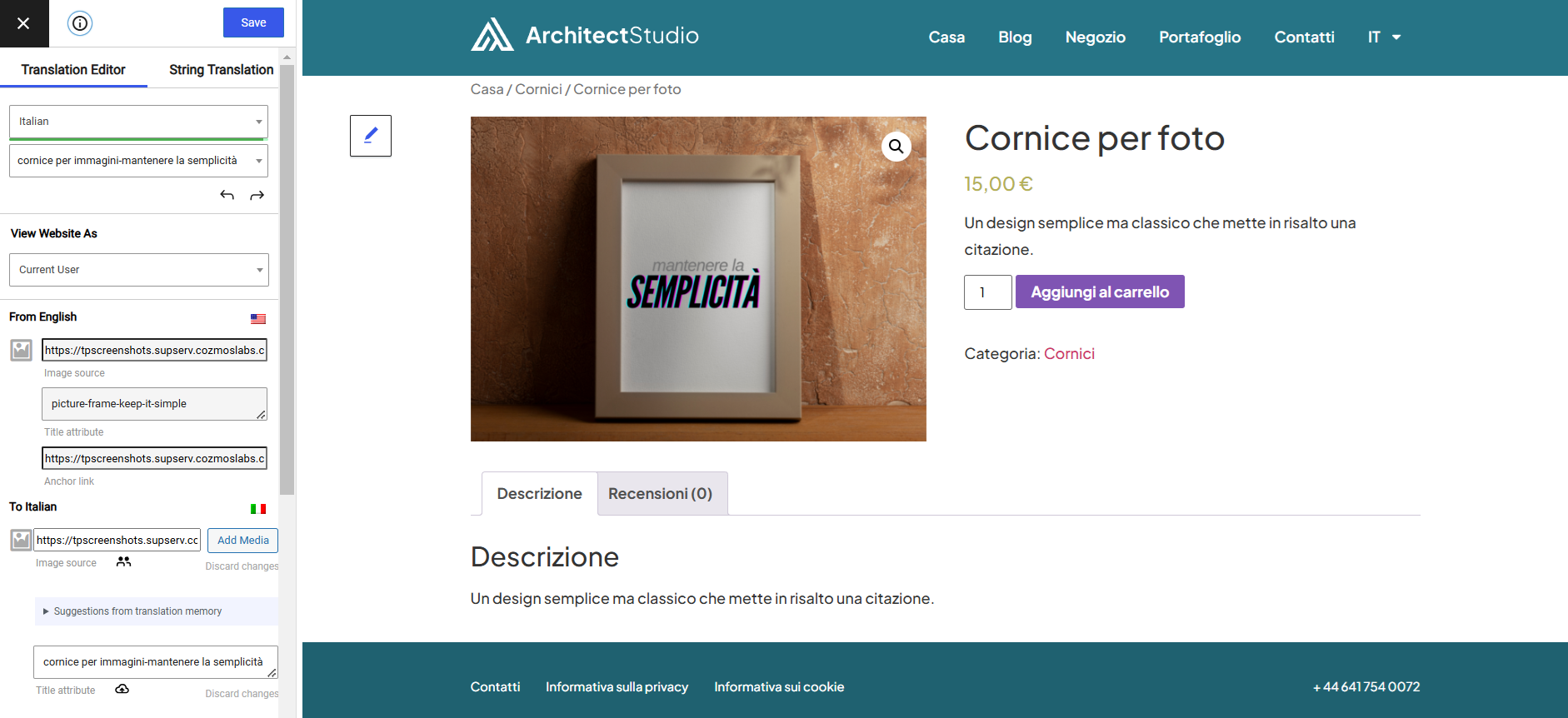
- Image translation support, for translating images, sliders and other media.
- Support for both manual and automatic translation
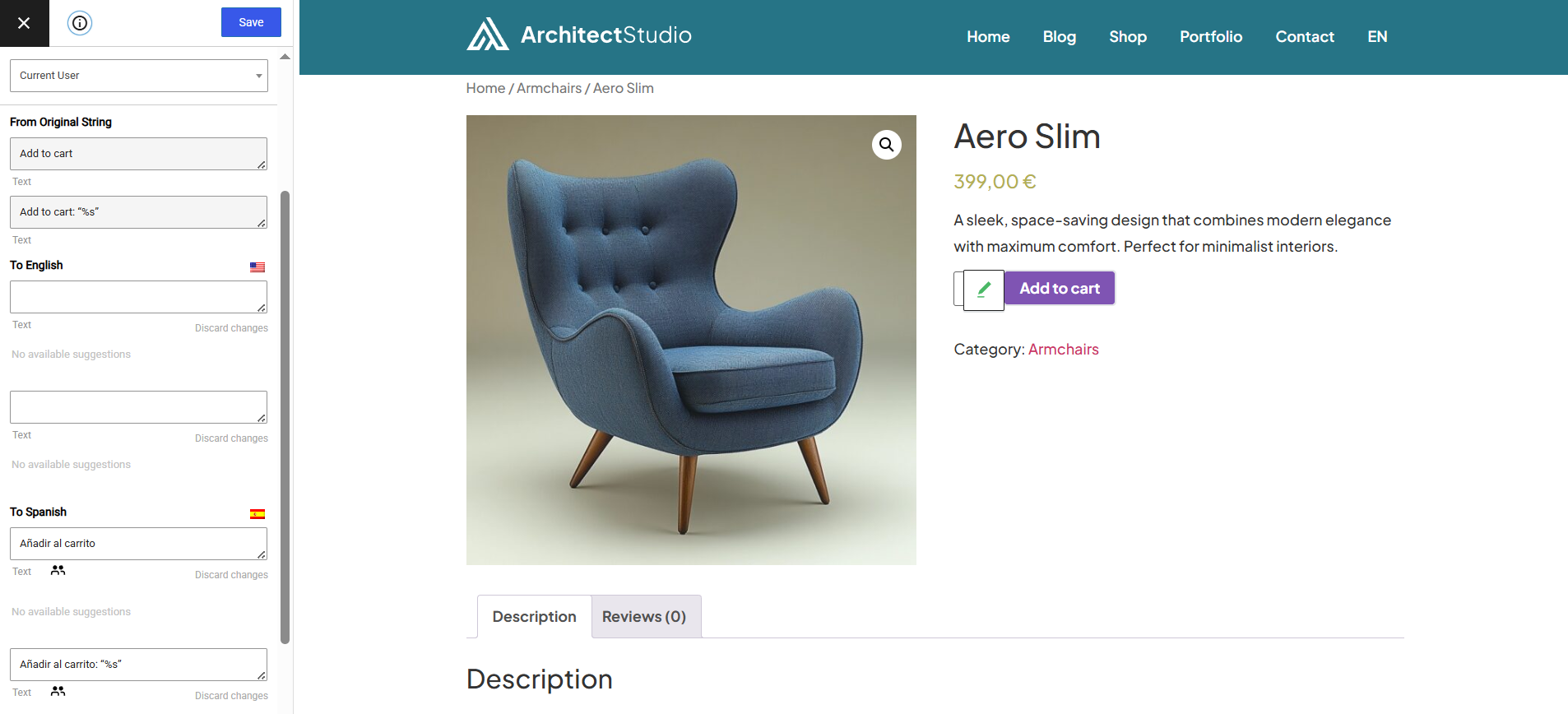
- Ability to translate dynamic strings (gettext) added by WordPress, plugins and themes.
- Translate larger html blocks by merging strings into translation blocks.
- Editorial control allowing you to publish your language only when all your translations are done
- Conditional display content shortcode based on language [trp_language language=”en_US”] English content only [/trp_language]
- Possibility to edit gettext strings from themes and plugins from English to English, without adding another language. Basically a string-replace functionality.
- Translate only certain paths and exclude content from being translated
- Translation Block feature in which you can translate multiple html elements together
- Native Gutenberg support, so you can easily translate Gutenberg blocks
- Out of the box WooCommerce compatibility
- Use our FREE Website Translation tool/widget to browse any website into your own language.
Note: this plugin uses the Google Translation API to translate the strings on your site. This feature can be enabled or disabled according to your preferences.
Users with administrator rights have access to the following settings:
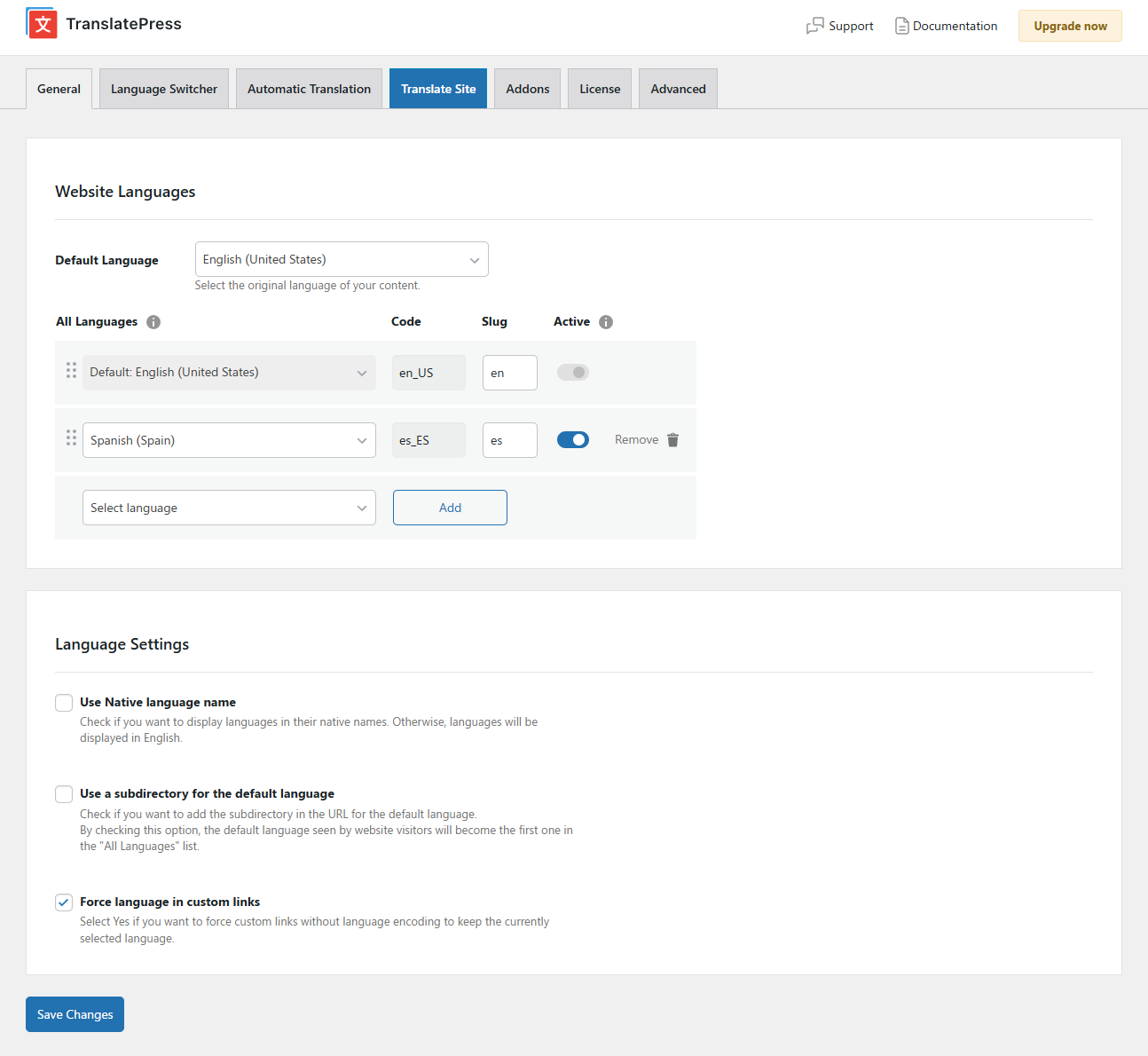
- select default language of the website and one translation language, for bilingual sites
- choose whether language switcher should display languages in their native names or English name
- force custom links to open in current language
- enable or disable url subdirectory for the default language
- enable automatic translation via Google Translate
Powerful Translation Add-ons
TranslatePress – Multilingual has a range of premium Add-ons that allow you to extend the power of this WordPress translation plugin:
Pro Add-ons (available in the premium versions only)
- Full TranslatePress AI access – automatically translate your entire website without extra platforms to sign up for, API keys, and additional translation costs. Each premium version includes a set number of AI translated words you can use to instantly translate your site, saving you both time and money.
- Extra Languages – allows you to add an unlimited number of translation languages, with the possibility to publish languages later after you complete the translation
- SEO Pack – lets you translate meta information (like page title, description, url slug, image alt tag, Twitter and Facebook Social Graph tags & more) for boosting your multilingual SEO and increase traffic. Works with all popular SEO plugins.
- Different Domain per Language – assign a different domain to each language you add (e.g. domain.de, domain.es) and improve international SEO by creating a fully local experience for your visitors
- Translator Accounts – create or allow existing users to translate the site without admin rights
- Browse as User Role – view and translate content that is visible only to a particular user role
- Navigation Based on Language – configure and display different menu items for different languages
- Automatic User Language Detection – redirect first time visitors to their preferred language based on their browser settings or IP address
- DeepL Automatic Translation – The DeepL Automatic Translation add-on lets you automatically translate your website through the DeepL API
Keyboard Shortcuts
- CTRL ( ⌘ ) + S – Save translation for the currently editing strings
- CTRL ( ⌘ ) + ALT + Z – Discard all changes for the currently editing strings
- CTRL ( ⌘ ) + ALT + → (Right Arrow) – Navigate to next string
- CTRL ( ⌘ ) + ALT + ← (Left Arrow) – Navigate to previous string
Website
Documentation
Visit TranslatePress WordPress Translation plugin documentation page
Add-ons
Demo Site
You can test out TranslatePress – Multilingual plugin by visiting our demo site
External Services
This plugin connects to the TranslatePress AI translation service to perform automatic translations. Data sent includes page text, license key, site URL, and language settings. This may be triggered by front-end page visits, not just admin actions.
If you opt in, the plugin sends limited diagnostic and configuration data to Cozmoslabs.com to help improve the product.
Terms & Conditions: https://translatepress.com/terms-conditions/
Privacy Policy: https://translatepress.com/privacy-policy/
If you choose to use Google Translate or DeepL as your translation engine and provide your own API key, content from your site will be sent to those services for translation. This may also be triggered by front-end page visits.
Google Translate Terms of Service: https://cloud.google.com/terms/
Google Privacy Policy: https://policies.google.com/privacy
DeepL Terms of Service: https://www.deepl.com/en/pro-license
DeepL Privacy Policy: https://www.deepl.com/en/privacy
The plugin requests translation files of other plugins hosted on WordPress.org.
Select2: https://github.com/select2/select2
Installation
- Upload the translatepress folder to the ‘/wp-content/plugins/’ directory
- Activate the plugin through the ‘Plugins’ menu in WordPress
- Go to Settings -> TranslatePress and choose a translation language.
- Open the front-end translation editor from the admin bar to translate your site.
Changelog
3.3.9
- Improved translation quality on texts with placeholders and glossary terms
- Fixed XSS by serving trp-ajax.php responses as inert JSON
- Fixed stored XSS via PCRE backtrack bypass of URL-scheme neutralizer
- Fixed gettext insert query fails on MySQL8 when having duplicate originals in the same batch
- Small performance improvement on referer-less AJAX loopbacks
- Fixed Chinese and other languages getting an ASCII punctuation after a native mark in new automatic translations
- Fixed trp-ajax dynamic translation on multisites by querying the correct subsite tables
- Fixed String Translation search with straight apostrophes
- Fixed CSS issue with checkboxes in String Translation
Older versions
Click Here to view the full changelog, or you can find it in the changelog.txt file in the plugin folder.
Screenshots



For developers
Is this your plugin? Show off the numbers.
Add a live badge to your site, docs or GitHub README. It updates on its own — no account needed.
Best TranslatePress alternatives
All ai translation plugins →





FAQ
TranslatePress: quick answers
Straight answers, pulled from live WordPress.org data.
Live data from WordPress.org · checked Nov 17, 2026
Is TranslatePress free?
Yes. TranslatePress is free to download and use from the official WordPress.org plugin directory.
Is TranslatePress safe to use in 2026?
Yes — TranslatePress is a safe, well-maintained plugin to use in 2026. It runs on 400K+ sites, is rated 4.7/5 and was last updated 2 weeks ago, and scores 94/100 on our health check.
How many websites use TranslatePress?
TranslatePress is active on 400K+ WordPress websites and has been downloaded 21,590,639 times since it launched in August 2017. It was downloaded 299,968 times in the last 30 days.
Does TranslatePress work with WordPress 7.1?
Yes. The developer has tested TranslatePress up to WordPress 7.1.4, the latest release. It requires WordPress 3.1.0 or newer.
What PHP version does TranslatePress need?
TranslatePress requires PHP 7.4 or higher. Most hosts run PHP 8.x today, so it works on any modern WordPress hosting.
When was TranslatePress last updated?
The latest version, 3.3.9, was released on November 3, 2026 (2 weeks ago).
Who makes TranslatePress?
TranslatePress is developed and maintained by Cozmoslabs.
What are the best alternatives to TranslatePress?
The most popular alternatives to TranslatePress are LocoAI (70K+ installs), Translate WordPress with We… (50K+ installs) and AI Translation For Translat… (10K+ installs).
Powered by PageForge
Want thousands of pages that rank like these? Build them in an afternoon.
This directory runs on the same engine as PageForge. Turn any spreadsheet, CSV or API into thousands of fast, SEO-ready WordPress pages — with schema, internal links and AI-written copy baked in.
- CSV, Google Sheets & API data sources
- AI content, schema & internal links per page
- Works with Elementor, Gutenberg, Yoast & Rank Math
- Free on WordPress.org — no credit card


