


tomatoSHIFT Image Uploader for Figma
Upload images from Figma to the WordPress Media Library in one click — bulk export as PNG, JPG or WebP, no manual downloading.

Use with caution
tomatoSHIFT Image Uploader for… works, but test it on a staging site before relying on it in 2026. Was last updated 1 month ago, and scores 60/100 on our health check.
- Tested with the latest WordPress (7.1)
- Small user base (<10 active installs)
- Very few reviews so far
How does it stack up?
Side-by-side on installs, updates, ratings & support



Daily downloads
Download spikes usually follow a new release — each site that auto-updates counts as a download.
Rankings
Where tomatoSHIFT Image Uploader… stands todayWordPress.org search rankings
Live position in the plugin search, top 100| Keyword | Position |
|---|---|
| figma | #30 |
| image optimization | >100 |
| image upload | >100 |
| media library | >100 |
| webp | >100 |
About tomatoSHIFT Image Uploader for Figma
From the official readme · v1.2.1Description
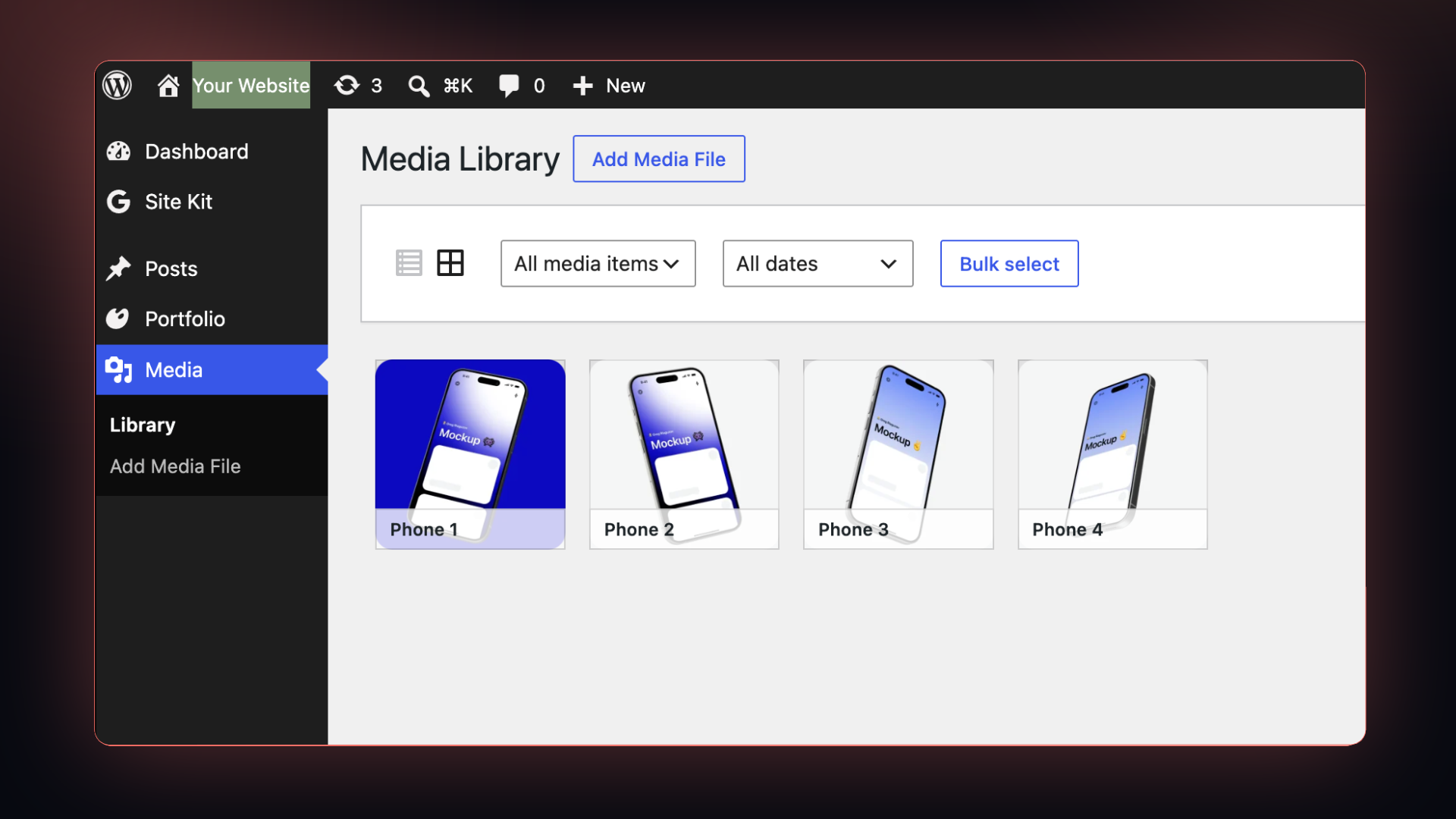
Send images from Figma straight to WordPress. tomatoSHIFT Image Uploader for Figma is the WordPress half of a two-part tool: select layers in the Figma plugin, hit upload, and the images land in your Media Library. No exporting to your Downloads folder, no drag and drop, no renaming files.
The plugin adds a REST endpoint protected by an API key you generate in WordPress. Nothing else is exposed, and the plugin makes no outbound requests of its own.
Key features:
- Figma to WordPress in one click — no manual export, download or upload step
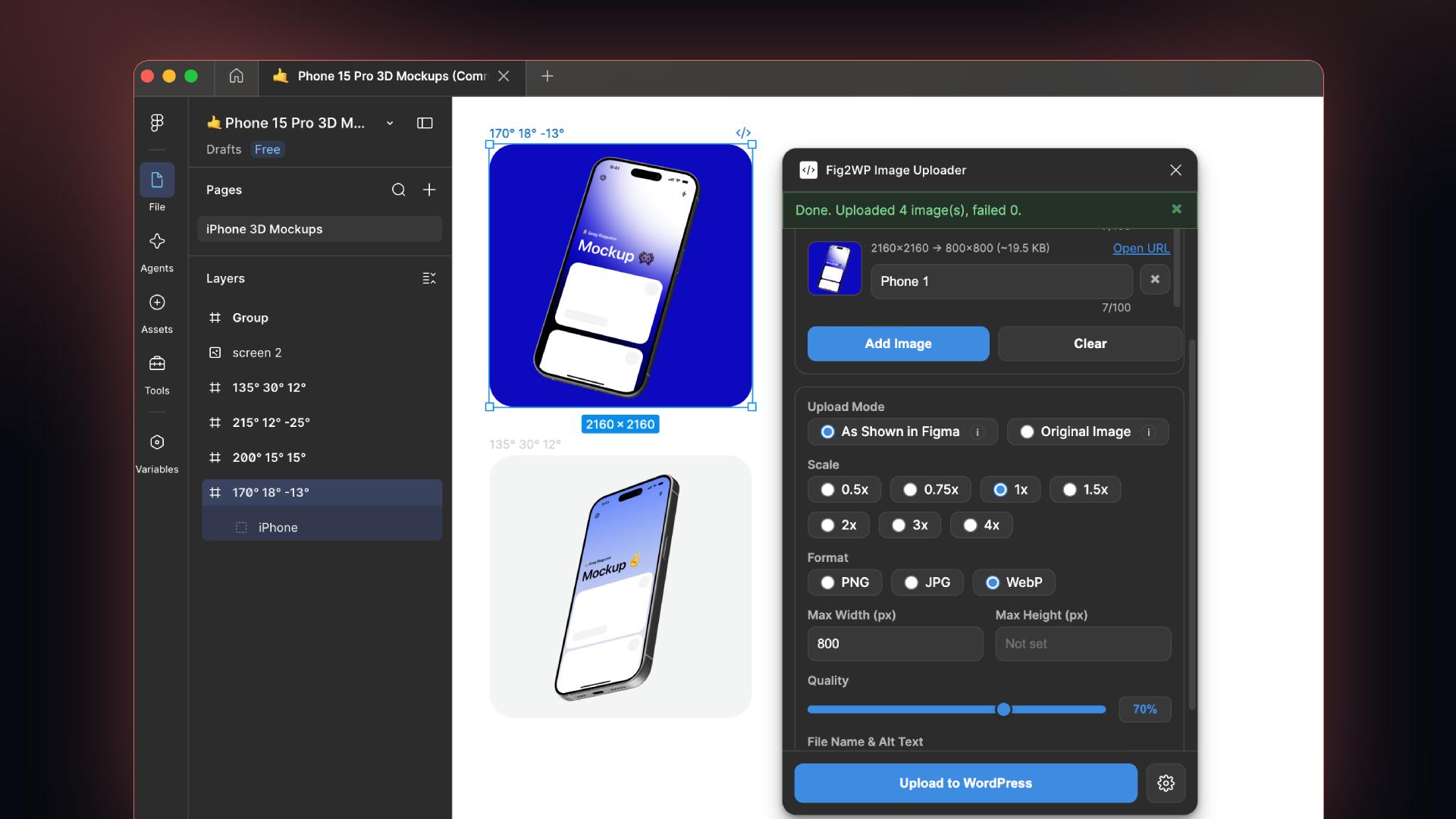
- Bulk upload — send a whole batch of selected layers at once
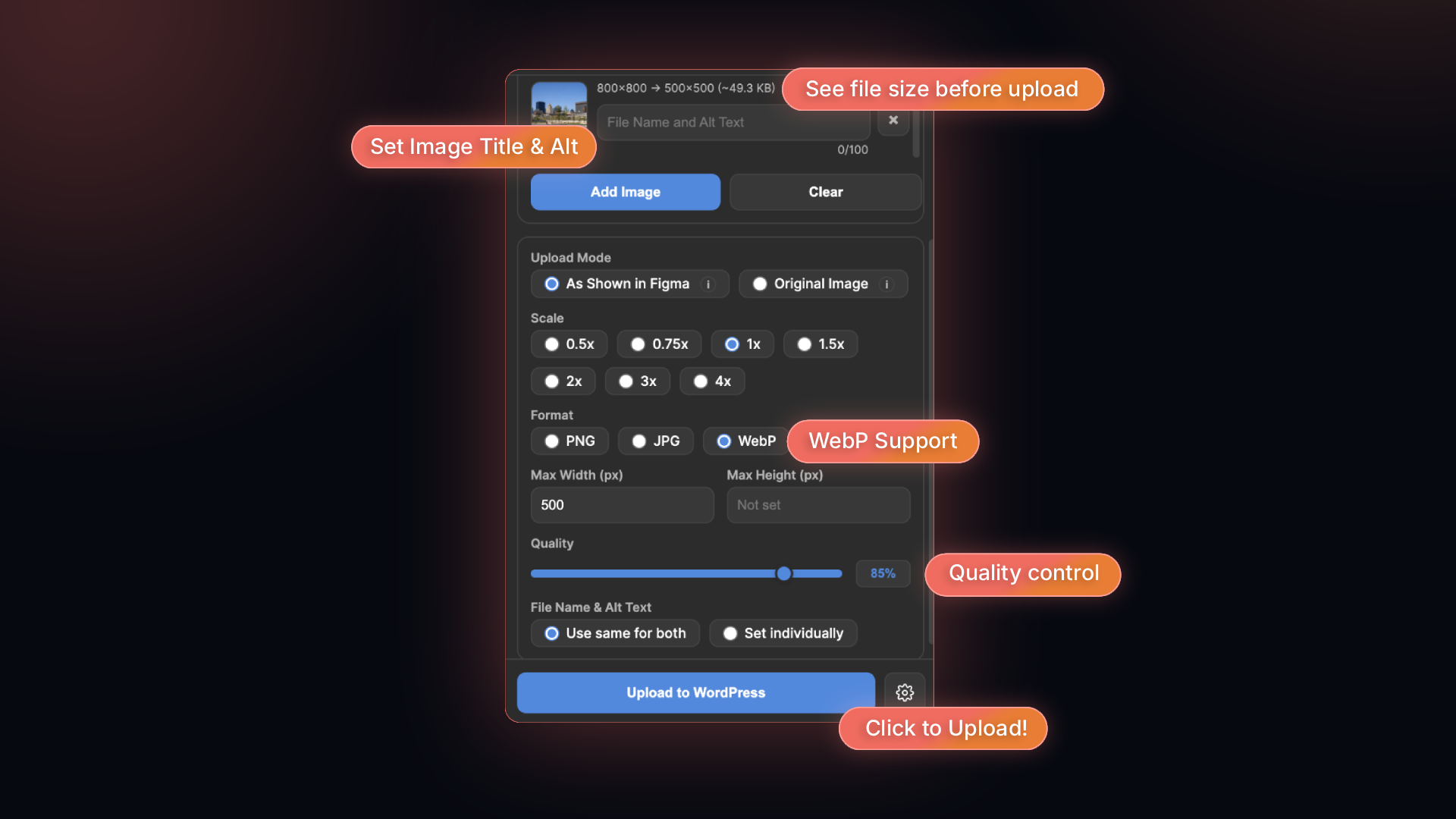
- PNG, JPG and WebP — the Figma plugin resizes, compresses and converts before sending, so what reaches your Media Library is already web-ready
- Alt text and titles carried over — set them in Figma, keep them on the attachment
- Secure API key authentication with constant-time comparison
- No third-party service — images go from Figma to your own site
Typical uses: shipping design assets to a blog post, keeping a landing page in sync with the Figma file, or handing a client site a batch of optimized WebP images without leaving the design tool.
Figma is a trademark of Figma, Inc. This plugin is developed by tomatoSHIFT and is not affiliated with, sponsored by or endorsed by Figma, Inc.
Figma is a trademark of Figma, Inc. This plugin is developed by tomatoSHIFT and is not affiliated with, sponsored by or endorsed by Figma, Inc.
Installation
- Upload the plugin folder to the
/wp-content/plugins/directory, or install the ZIP via Plugins > Add New. - Activate the plugin through the Plugins menu in WordPress.
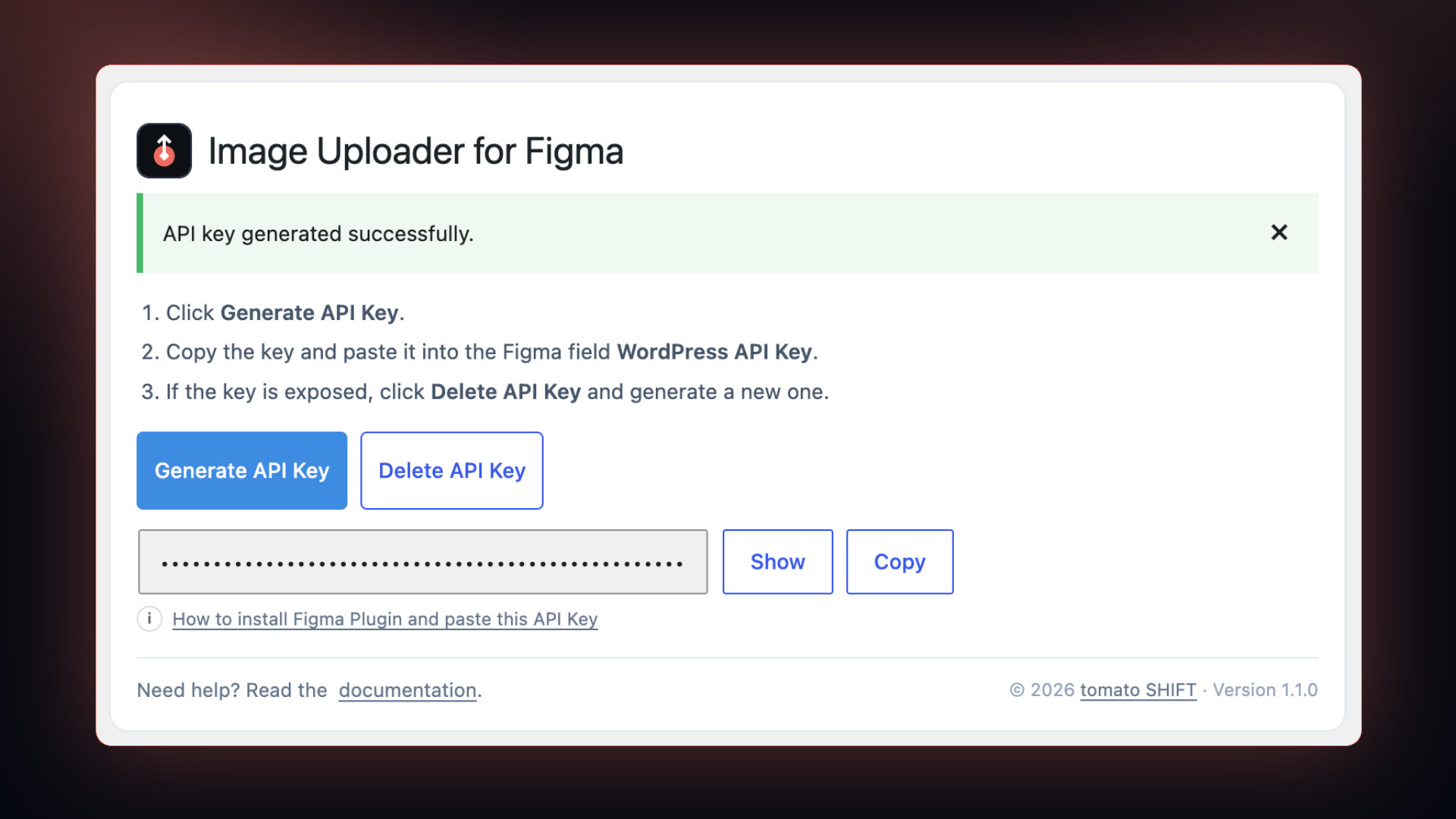
- Go to Settings > tomatoSHIFT Image Uploader for Figma and click Generate API Key.
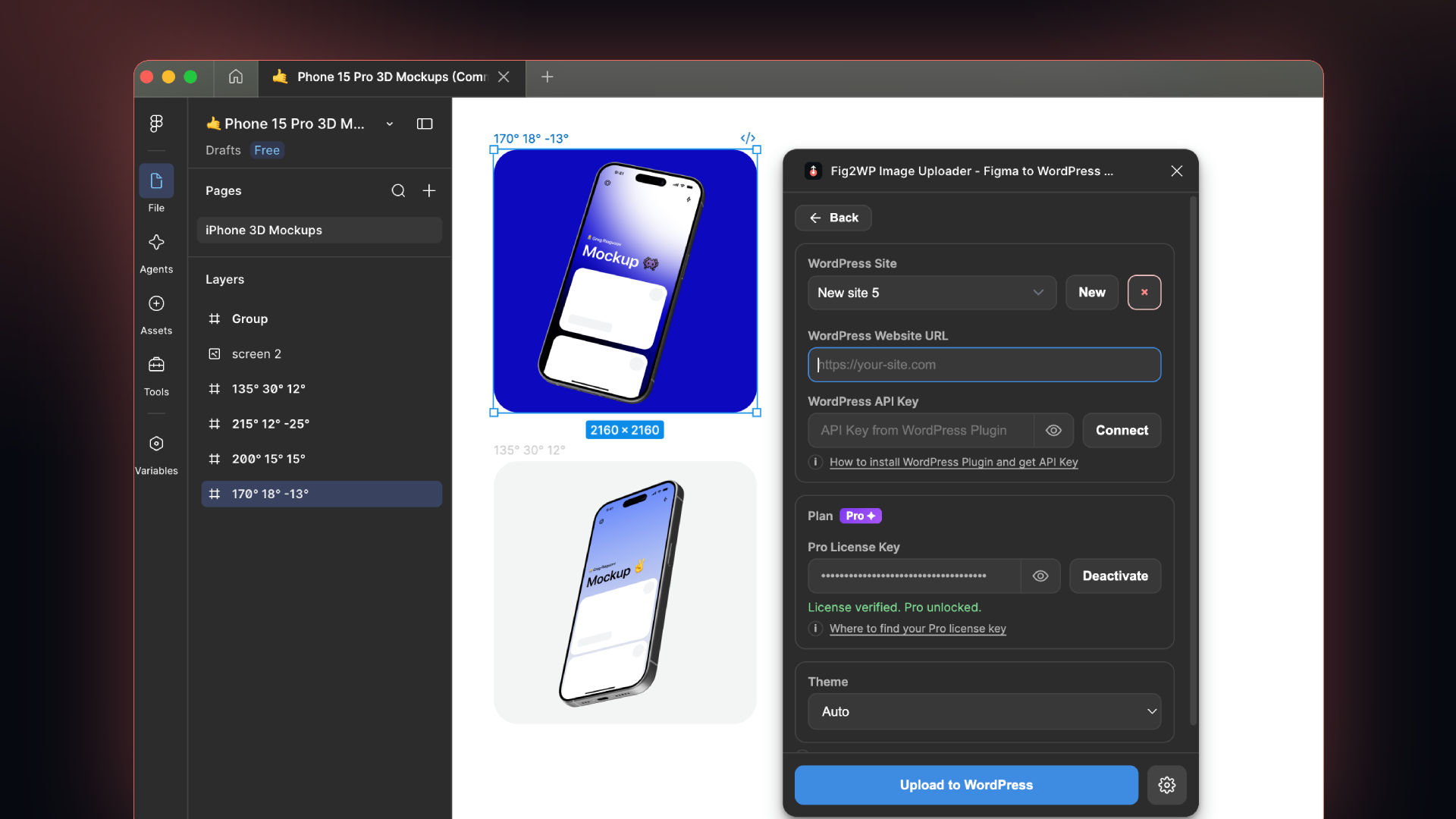
- Paste the API key into the Figma plugin settings under WordPress API Key.
Frequently asked questions
Can I upload images from Figma as WebP?
Yes. Pick WebP in the Figma plugin and the image is converted before it is sent; WordPress receives a finished .webp file. JPG and PNG work the same way. Allowed types are filterable via fig2wp_allowed_mimes.
Can I upload several Figma layers at once?
Yes. Select any number of layers on the canvas and they upload as one batch.
Do I need to export from Figma first?
No. That is the point of the plugin — there is no download, no Finder detour and no drag and drop into the Media Library.
How do I get the API key?
Go to Settings > tomatoSHIFT Image Uploader for Figma and click Generate API Key. Copy it into the Figma plugin.
What endpoint does the plugin expose?
POST /wp-json/tomatoshift/v1/upload-images, or ?tomatoshift_upload=1 on the site root for hosts whose anti-bot layer blocks /wp-json/ paths.
Is any external service used?
No. The plugin makes no outbound requests; it only accepts uploads sent to your own WordPress site.
Which origins may call the upload endpoint from a browser?
Only the Figma plugin. Cross-origin requests from anywhere else receive no CORS header and are blocked by the browser. The list is filterable via fig2wp_allowed_origins.
Changelog
Compatibility bump for WordPress 7.1. Nothing else changed.
1.2.1
- Tested against WordPress 7.1. No code changes.
1.2.0
- Renamed the plugin to “tomatoSHIFT Image Uploader for Figma”. Settings moved to Settings > tomatoSHIFT Image Uploader for Figma.
- The upload endpoint is now
/wp-json/tomatoshift/v1/upload-imagesand?tomatoshift_upload=1. The Figma plugin updates itself to match, so no reconnection is needed. - Removed an unnecessary include of
wp-admin/includes/media.php; the remaining core includes now sit immediately before the function they load.
1.1.2
- Admin styles and scripts are now enqueued from separate files instead of being printed inline.
- All user-facing strings are now translatable.
- The upload endpoint no longer reflects arbitrary CORS origins — only the Figma plugin is allowed, filterable via
fig2wp_allowed_origins. - Removed an unused settings registration.
1.1.1
- Fixed a false “the older Fig2WP Image Uploader plugin is still active” error that could appear after the old plugin had already been removed. The 1.1.0 duplicate-class guard is gone; the class is simply named differently now, so the two versions can no longer collide.
1.1.0
- Renamed the plugin to “Image Uploader for Figma” to meet WordPress.org naming rules. Settings moved to Settings > Image Uploader for Figma.
- Upgrading from 1.0.x: the plugin folder changed, so this installs alongside the old “Fig2WP Image Uploader” instead of replacing it. Deactivate and delete the old plugin first. Your API key, uploaded media and Figma plugin connection are unaffected.
1.0.1
- Improved upload reliability on hosts with anti-bot protection (e.g. SiteGround).
Screenshots

For developers
Is this your plugin? Show off the numbers.
Add a live badge to your site, docs or GitHub README. It updates on its own — no account needed.
Best tomatoSHIFT Image Uploader fo… alternatives
All figma plugins →


FAQ
tomatoSHIFT Image Uploader for Figma: quick answers
Straight answers, pulled from live WordPress.org data.
Live data from WordPress.org · checked Oct 1, 2026
Is tomatoSHIFT Image Uploader for… free?
Yes. tomatoSHIFT Image Uploader for… is free to download and use from the official WordPress.org plugin directory.
Is tomatoSHIFT Image Uploader for… safe to use in 2026?
tomatoSHIFT Image Uploader for… works, but test it on a staging site before relying on it in 2026. Was last updated 1 month ago, and scores 60/100 on our health check.
How many websites use tomatoSHIFT Image Uploader for…?
tomatoSHIFT Image Uploader for… is active on <10 WordPress websites and has been downloaded 174 times since it launched in August 2026. It was downloaded 58 times in the last 30 days.
Does tomatoSHIFT Image Uploader for… work with WordPress 7.1?
Yes. The developer has tested tomatoSHIFT Image Uploader for… up to WordPress 7.1.2, the latest release. It requires WordPress 5.8 or newer.
What PHP version does tomatoSHIFT Image Uploader for… need?
tomatoSHIFT Image Uploader for… requires PHP 7.4 or higher. Most hosts run PHP 8.x today, so it works on any modern WordPress hosting.
When was tomatoSHIFT Image Uploader for… last updated?
The latest version, 1.2.1, was released on August 17, 2026 (1 month ago).
Who makes tomatoSHIFT Image Uploader for…?
tomatoSHIFT Image Uploader for… is developed and maintained by tomatoSHIFT.
What are the best alternatives to tomatoSHIFT Image Uploader for…?
The most popular alternatives to tomatoSHIFT Image Uploader for… are Figmentor (300+ installs), DataPocket (200+ installs) and Figma to Oxygen Builder (100+ installs).
Powered by PageForge
Want thousands of pages that rank like these? Build them in an afternoon.
This directory runs on the same engine as PageForge. Turn any spreadsheet, CSV or API into thousands of fast, SEO-ready WordPress pages — with schema, internal links and AI-written copy baked in.
- CSV, Google Sheets & API data sources
- AI content, schema & internal links per page
- Works with Elementor, Gutenberg, Yoast & Rank Math
- Free on WordPress.org — no credit card


