



The Library
The Library is a powerful WordPress plugin that allows you to create a comprehensive files library with advanced user data collection features. Perfect for businesses, educational institutions, and content creators who…

Consider an alternative
The Library shows warning signs in 2026 — compare the alternatives below before installing. Was last updated 1 year ago, and scores 30/100 on our health check.
- Small user base (<10 active installs)
- Very few reviews so far
- No update in over a year
- Only tested up to WordPress 6.8 (latest is 7.1)
How does it stack up?
Side-by-side on installs, updates, ratings & support



Daily downloads
Download spikes usually follow a new release — each site that auto-updates counts as a download.
Rankings
Where The Library stands todayWordPress.org search rankings
Live position in the plugin search, top 100| Keyword | Position |
|---|---|
| downloads | >100 |
| file library | >100 |
| The Library | >100 |
About The Library
From the official readme · v1.0.2Description
The Library is a powerful WordPress plugin that allows you to create a comprehensive files library with advanced user data collection features. Perfect for businesses, educational institutions, and content creators who want to track and manage file downloads.
Admin Features
- Custom Post Type: “Files Library” with file upload capability
- File Management: Upload files directly within the post editor
- Categories: Organize files with custom taxonomy
- Download Tracking: Track all download requests with user data
- CSV Export: Export collected user data as CSV
- Admin Dashboard: View and manage download requests
- File Statistics: View download counts and file details
Frontend Features
- Library Archive: Main library page similar to blog archive
- Search & Filters: Search files and filter by category, file type, and sort options
- Responsive Design: Mobile-friendly interface
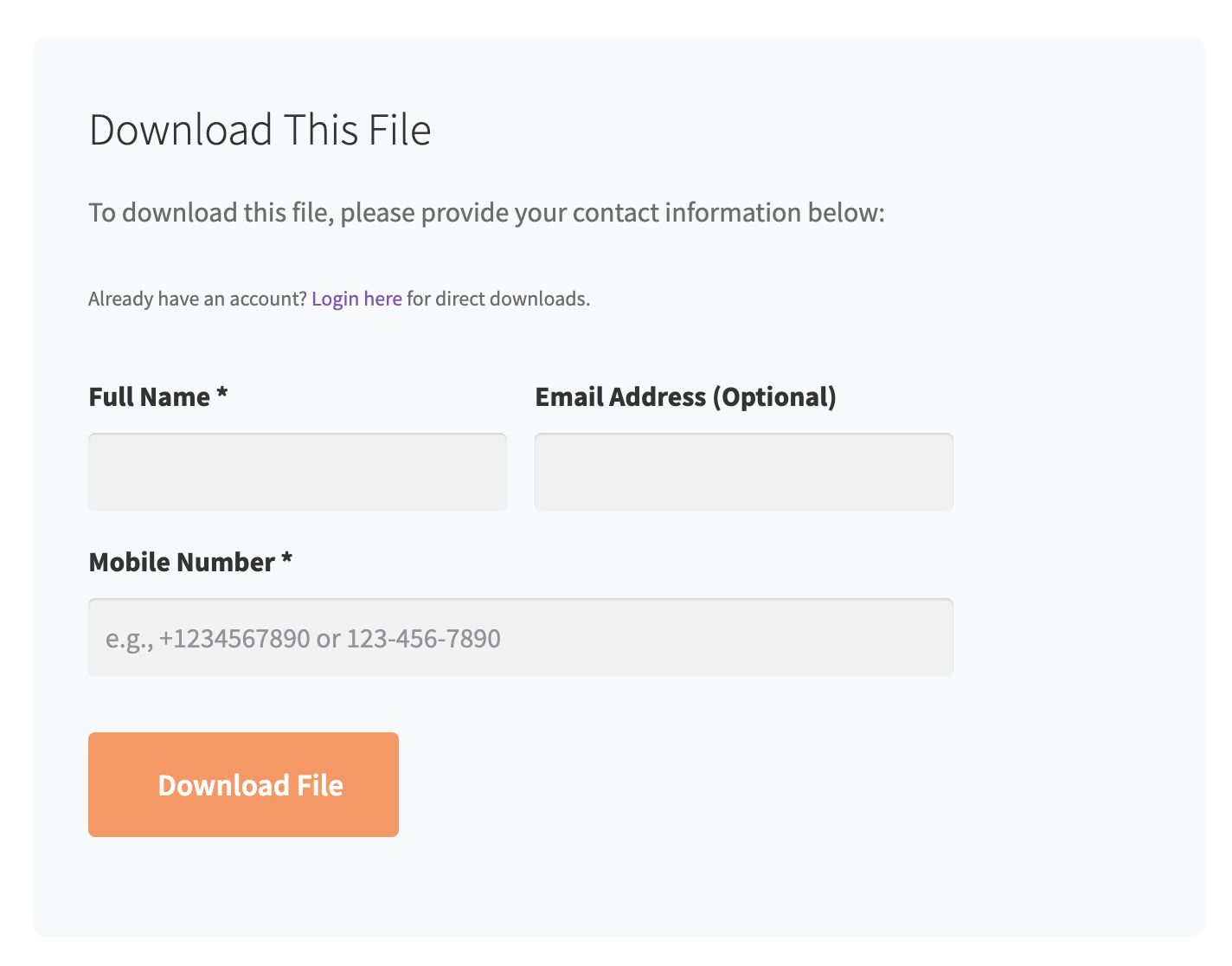
- Download Protection: Users must provide contact information to download
- User Data Collection: Collect name, email, and mobile number before download
- Download Tokens: Secure download links valid for 24 hours
Security Features
- Nonce Protection: All AJAX requests are protected with nonces
- Data Validation: Server-side validation of all user inputs
- Download Tokens: 24-hour tokens for secure downloads with multiple use
- Rate Limiting: Prevent multiple requests from same user within 24 hours
- IP Tracking: Track IP addresses for download requests
Usage
Adding Files
- Go to Files Library > Add New in your WordPress admin
- Add a title and description for your file
- Set a featured image (recommended)
- Use the “File Upload” meta box to upload your file
- Assign categories if needed
- Publish the post
Managing Downloads
- Go to Files Library > Download Requests to view all download requests
- Use the search and filter options to find specific requests
- Export data as CSV using the “Export CSV” button
- Delete individual requests or use bulk actions
Customization
Template Override
You can override the plugin templates by copying them to your theme:
- Copy
templates/archive-files-library.phpto your theme root - Copy
templates/single-files-library.phpto your theme root - Customize as needed
Installation
- Upload the plugin folder to
/wp-content/plugins/ - Activate the plugin through the ‘Plugins’ menu in WordPress
- The plugin will automatically create the necessary database table
- Start adding files through the “Files Library” menu in admin
Frequently asked questions
Can I customize the download form fields?
Currently, the plugin collects name, email (optional), and mobile number. Future versions will include customizable fields.
Are downloads secure?
Yes, the plugin uses secure download tokens that expire after 24 hours and includes nonce protection for all requests.
Can I export user data?
Yes, you can export all collected user data as CSV from the admin dashboard.
Changelog
1.0.2
- PHP and JS warnings fixes.
1.0.1
- Security fix.
1.0.0
- Initial release.
Screenshots



For developers
Is this your plugin? Show off the numbers.
Add a live badge to your site, docs or GitHub README. It updates on its own — no account needed.
Best The Library alternatives
All downloads plugins →





FAQ
The Library: quick answers
Straight answers, pulled from live WordPress.org data.
Live data from WordPress.org · checked Oct 19, 2026
Is The Library free?
Yes. The Library is free to download and use from the official WordPress.org plugin directory.
Is The Library safe to use in 2026?
The Library shows warning signs in 2026 — compare the alternatives below before installing. Was last updated 1 year ago, and scores 30/100 on our health check.
How many websites use The Library?
The Library is active on <10 WordPress websites and has been downloaded 430 times since it launched in August 2025. It was downloaded 40 times in the last 30 days.
Does The Library work with WordPress 7.1?
The Library is officially tested up to WordPress 6.8.11, while the latest release is 7.1.3. It may still work, but try it on a staging site first.
What PHP version does The Library need?
The Library requires PHP 7.4 or higher. Most hosts run PHP 8.x today, so it works on any modern WordPress hosting.
When was The Library last updated?
The latest version, 1.0.2, was released on August 20, 2025 (1 year ago).
Who makes The Library?
The Library is developed and maintained by Abdalsalaam Halawa.
What are the best alternatives to The Library?
The most popular alternatives to The Library are Simple Download Monitor (20K+ installs), Prevent Direct Access (10K+ installs) and Easy Media Download (9K+ installs).
Powered by PageForge
Want thousands of pages that rank like these? Build them in an afternoon.
This directory runs on the same engine as PageForge. Turn any spreadsheet, CSV or API into thousands of fast, SEO-ready WordPress pages — with schema, internal links and AI-written copy baked in.
- CSV, Google Sheets & API data sources
- AI content, schema & internal links per page
- Works with Elementor, Gutenberg, Yoast & Rank Math
- Free on WordPress.org — no credit card


