


Tealium
Adds the Tealium tag and creates a data layer/data object for your WordPress site.

Use with caution
Tealium works, but test it on a staging site before relying on it in 2026. It runs on 600+ sites, is rated 5/5 and was last updated 1 year ago, and scores 43/100 on our health check.
- Small user base (600+ active installs)
- Very few reviews so far
- No update in over a year
- Only tested up to WordPress 6.8 (latest is 7.1)
How does it stack up?
Side-by-side on installs, updates, ratings & support



Daily downloads
Download spikes usually follow a new release — each site that auto-updates counts as a download.
Rankings
Where Tealium stands todayWordPress.org search rankings
Live position in the plugin search, top 100| Keyword | Position |
|---|---|
| data layer | #24 |
| data object | #38 |
| tag management | >100 |
| tag manager | >100 |
| tealium | #1 |
Version adoption
Share of active sites per release.
Rating breakdown
★★★★★★★★★★ 5 from 2 reviews
About Tealium
From the official readme · v2.1.22Description
Features
Allows users to easily add the Tealium tag without editing any template files.
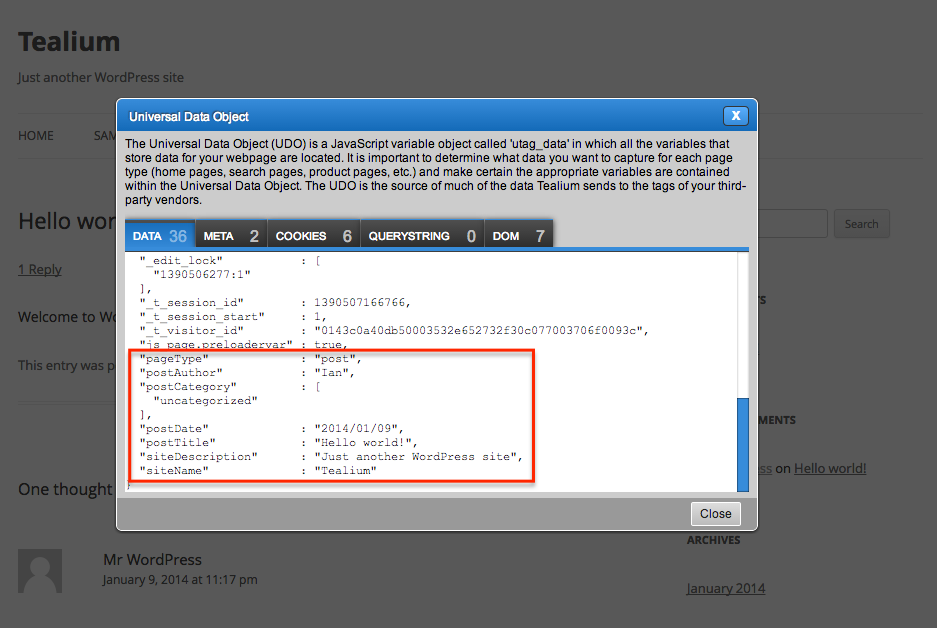
A data layer is added to your WordPress website containing:
- Site name
- Site description
- Post ID
- Post date
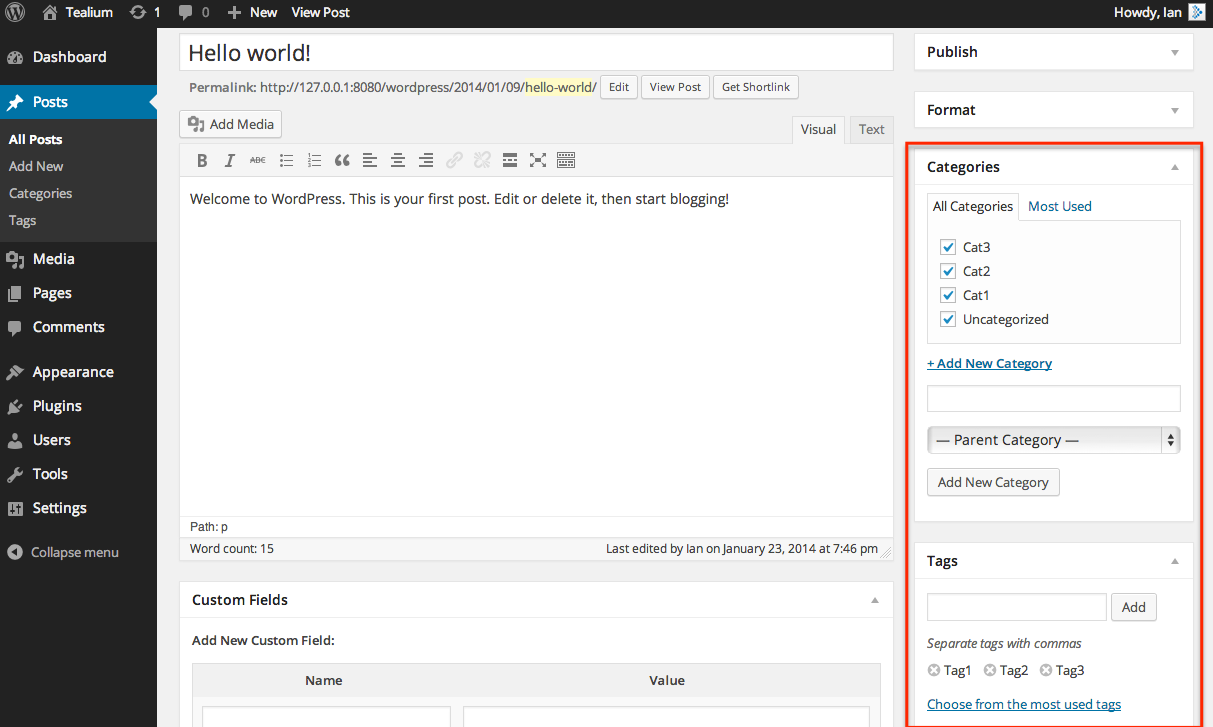
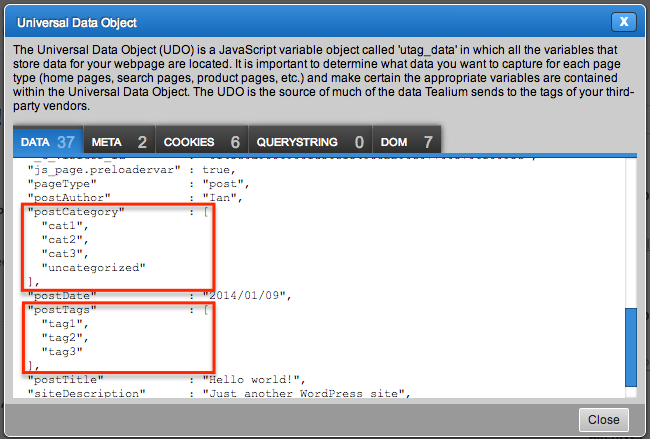
- Post categories
- Post tags
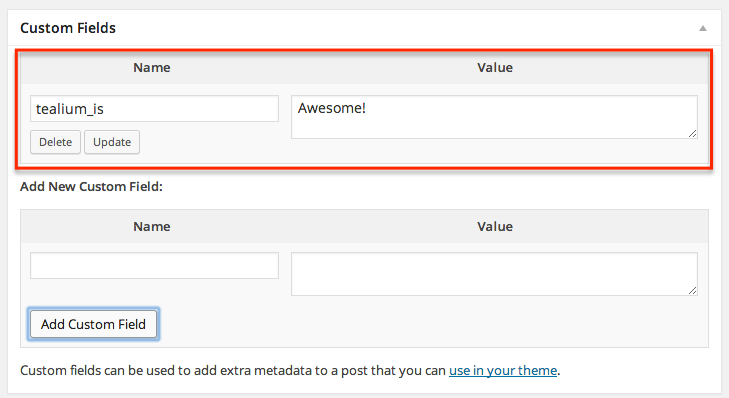
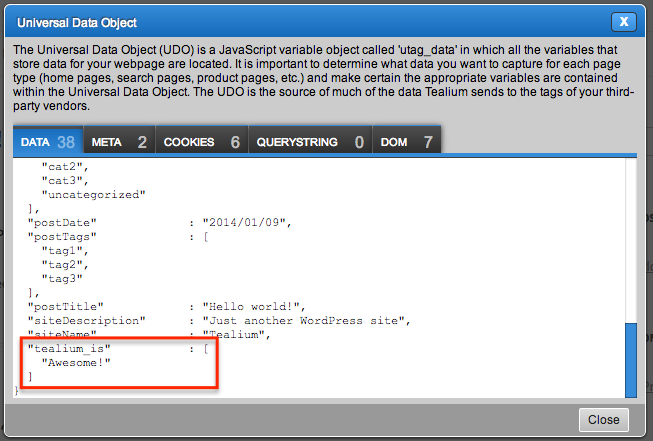
- All post meta data, including custom fields
- Search terms
- Number of search results
- Current user role
About Tealium
Tealium is the leader in enterprise tag management, serving some of the most demanding customers in the world. Tealium’s web-based services make it easy for digital marketers to deploy and manage their third-party vendor tags, and then correlate the data those tags generate into an actionable source. Using Tealium, organizations can streamline their digital marketing operations, improve web site performance, cut costs, and power their big data initiatives. The company differentiates itself through ease of use, scale and performance, and fanatical customer support. Select clients include Petco, A+E Networks, Fox Networks Group, Urban Outfitters, and many more! More than ever, today’s marketers are turning to digital solutions to improve efficiency and results.
Tags – commonly known as tracking pixels – are becoming the data collection mechanism of choice, leaving marketers reliant on them to gather the right data about visitor activity and take action to improve their experience. But the process of deploying and managing vendor tags can be a nightmare for marketers, due to the technical nature associated with tagging, heavy costs, impact on site performance, and the dependence of IT resources to make changes. Tealium puts digital marketers in control of their online solutions, making it easy to add, edit, or remove any vendor without requesting assistance from IT. In addition, Tealium provides a rich source of all of an organization’s digital data to help marketers improve the effectiveness of their customer acquisition campaigns.
Installation
To install:
- Install from the WordPress plugin repository, or copy to your wp-content/plugins folder.
- Enable through the plugins section within WordPress.
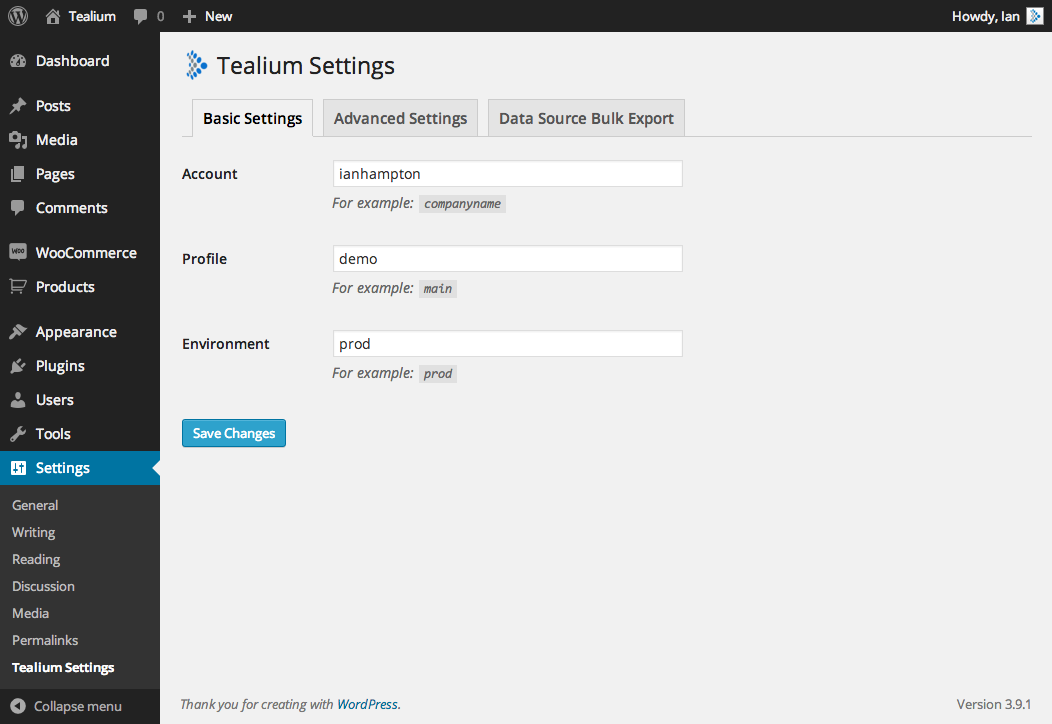
- Enter your account/profile/environment settings into ‘Tealium Settings’ under Settings in the admin menu.
- That’s it!
Optional steps:
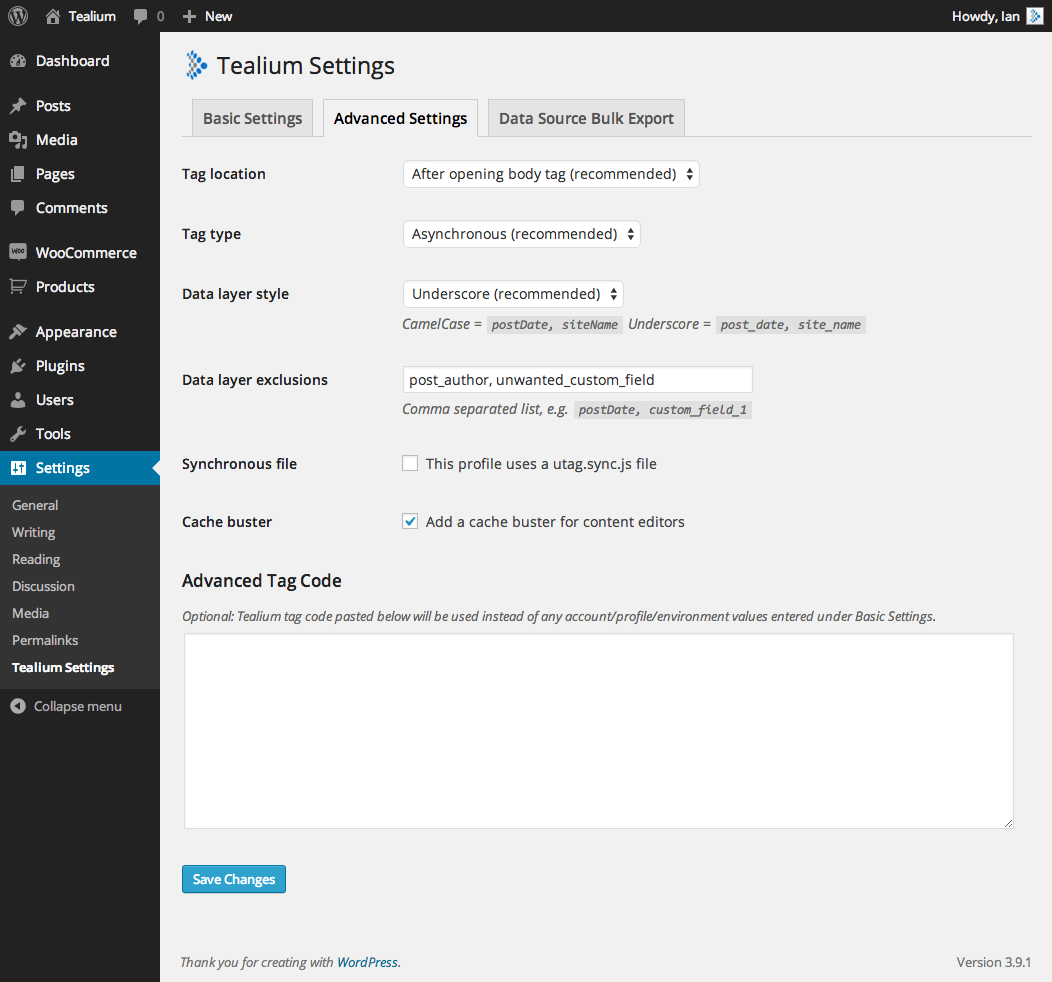
- The position of the Tealium tag can be selected.
- If there are items you wish to exclude from your data object, add the keys as a comma separated list.
- A cache buster can be enabled for content editors.
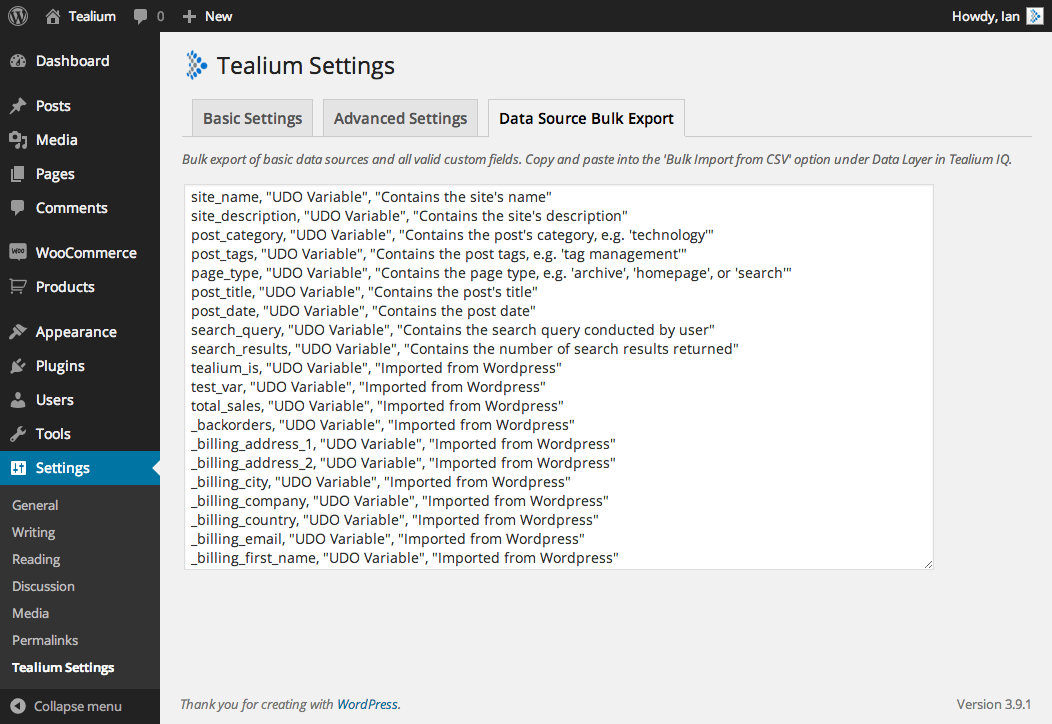
- Use the variable bulk export to quickly import your WordPress custom fields into Tealium.
- Choose between sync/async deployments.
Frequently asked questions
What data is currently included in the data object?
Site name Site description Post ID Post date Post categories Post tags All post meta data, including custom fields Search terms Number of search results Current user role
What are the Tealium tag location options?
After opening body tag (recommended) Header – Before closing head tag Footer – Before closing body tag Immediately after the opening head tag
Is WooCommerce supported?
WooCommerce stores product information as meta data, so by default your data object will be rich with data on product pages. Version 1.3 adds basic support for cart contents information in the data object.
Can I add to the data layer dynamically using PHP code?
This can be achieved calling the ‘tealium_addToDataObject’ action from your themes functions.php file or a separate plugin. For more information see the action examples on GitHub.
Can I automatically switch between Tealium environments on my dev/live website?
This can be achieved by conditionally modifying the Tealium tag code by calling the ‘tealium_tagCode’ action from your themes functions.php file or a separate plugin. For more information see the action examples on GitHub.
How can I report security bugs?
You can report security bugs through the Patchstack Vulnerability Disclosure Program. The Patchstack team helps validate, triage and handle any security vulnerabilities. Report a security vulnerability.
Changelog
PHP 8+ bugfix
2.1.22
- PHP 8+ bugfix
2.1.21
- Alter sanitization method following feedback from Patchstack
2.1.20
- Alter sanitization method following feedback from Patchstack
2.1.19
- PHP 8 bugfix
2.1.18
- Added input sanitization to tag config fields provided through the admin console.
- The ‘Advanced Tag Code’ feature is now disabled if ‘DISALLOW_FILE_EDIT’ is turned on within wp-config. Please check if this combination of settings applies before upgrading.
2.1.17
- Bugfix – Bugfix for PHP 8.2 – provided by @anjoalre.
Screenshots
For developers
Is this your plugin? Show off the numbers.
Add a live badge to your site, docs or GitHub README. It updates on its own — no account needed.
Best Tealium alternatives
All data layer plugins →FAQ
Tealium: quick answers
Straight answers, pulled from live WordPress.org data.
Live data from WordPress.org · checked Oct 4, 2026
Is Tealium free?
Yes. Tealium is free to download and use from the official WordPress.org plugin directory.
Is Tealium safe to use in 2026?
Tealium works, but test it on a staging site before relying on it in 2026. It runs on 600+ sites, is rated 5/5 and was last updated 1 year ago, and scores 43/100 on our health check.
How many websites use Tealium?
Tealium is active on 600+ WordPress websites and has been downloaded 47,082 times since it launched in November 2013. It was downloaded 358 times in the last 30 days.
Does Tealium work with WordPress 7.1?
Tealium is officially tested up to WordPress 6.8.10, while the latest release is 7.1.2. It may still work, but try it on a staging site first.
When was Tealium last updated?
The latest version, 2.1.22, was released on September 2, 2025 (1 year ago).
Who makes Tealium?
Tealium is developed and maintained by Tealium.
What are the best alternatives to Tealium?
The most popular alternatives to Tealium are Ensighten (10+ installs), WP Saint (10+ installs) and Conversion Pixel and Tracki… (<10 installs).
Powered by PageForge
Want thousands of pages that rank like these? Build them in an afternoon.
This directory runs on the same engine as PageForge. Turn any spreadsheet, CSV or API into thousands of fast, SEO-ready WordPress pages — with schema, internal links and AI-written copy baked in.
- CSV, Google Sheets & API data sources
- AI content, schema & internal links per page
- Works with Elementor, Gutenberg, Yoast & Rank Math
- Free on WordPress.org — no credit card


