


Taro Ad Fields
Advertise block manager for WordPress.

Consider an alternative
Taro Ad Fields shows warning signs in 2026 — compare the alternatives below before installing. It runs on 10+ sites and was last updated 2 years ago, and scores 26/100 on our health check.
- Small user base (10+ active installs)
- Very few reviews so far
- No update in over a year
- Only tested up to WordPress 6.7 (latest is 7.1)
How does it stack up?
Side-by-side on installs, updates, ratings & support



Daily downloads
Download spikes usually follow a new release — each site that auto-updates counts as a download.
Rankings
Where Taro Ad Fields stands todayWordPress.org search rankings
Live position in the plugin search, top 100| Keyword | Position |
|---|---|
| advertisement | >100 |
Version adoption
Share of active sites per release.
About Taro Ad Fields
From the official readme · v1.3.5Description
You can create ad slot for you WordPress theme.
In each position, the latest ad field will be displayed.
You can manage your advertisement’s schedule & display!
From Theme
Call action hook in your theme:
<?php do_action( 'taro_ad_field', 'after-header', '<div class="after-header">', '</div>', 3 ); ?>
In this place, the latest 3 ads will be displayed.
With Taro Clockwork Post plugin, you can let your ad be automatically expired.
Hook Arguments
do_action( $hook_name, $slug, $before, $after, $number );>
- $hook_name: The action hook name. Always should be
taro_ad_field. - $slug: Slug of position.
- $before: String to be output just before ad block. If no ad exists, this won’t be displayed.
- $after: String to be output just after ad block.
- $number: Number of ad to be displayed. Default is 1.
- $contexts: Array of contexts. Context is a taxonomy that filters ads. For more details, see our Wiki.
From Widget
We also have widget for ad field. The latest ad of specified position will be displayed in the widget.
Set Default Positions
In your theme, add filter hook for taf_default_positions.
These terms will be created automatically.
add_filter( 'taf_default_positions', function() {
    return [
        'after-header' => [
            'name' => 'After Header',
            'description' => 'Displayed just after header.',
        ],
        'after-content' => [
            'name' => 'After Content',
            'description' => 'Displayed just after content.',
            'mode' => 'iframe',
        ],
    ];
} );
Defaults are empty array, so no default position.
You can add new position to them with filter hook like above.
The structure of array will be like below:
[
  'slug_name' => [
    'name'        => 'Verbose Position Name',
    'description' => 'About where will be displayed(up to you)',
    'mode'        => 'iframe',
  ],
]
If you set mode as ‘iframe’, this position will have URL and display ad in very simple HTML pages.
You can get URL from view link in position list of admin screen.
This feature is useful to deliver ad in external platform like Facebook Instant Article.
Installation
- Upload the plugin files to the
/wp-content/plugins/taro-ad-fieldsdirectory, or install the plugin through the WordPress plugins screen directly. - Activate the plugin through the ‘Plugins’ screen in WordPress
- Go to
Ad Field > Positionand create positons. If you set default positions with filters, they will be automatically generated. - Register ad posions. The published fields will be displayed.
Changelog
1.3.2
- Add context feature.
1.2.6
- Add filter hook for widget rendering.
1.2.5
- Allow multiple ad in one field.
1.1.0
- Add iframe feature. Now you can provide ad field as iframe ad container. e.g. Facebook Instant Article.
1.0.0
- First Release.
For developers
Is this your plugin? Show off the numbers.
Add a live badge to your site, docs or GitHub README. It updates on its own — no account needed.
Best Taro Ad Fields alternatives
All advertisement plugins →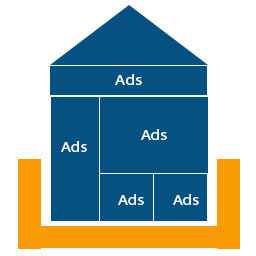





FAQ
Taro Ad Fields: quick answers
Straight answers, pulled from live WordPress.org data.
Source: WordPress.org
Is Taro Ad Fields free?
Yes. Taro Ad Fields is free to download and use from the official WordPress.org plugin directory.
Is Taro Ad Fields safe to use in 2026?
Taro Ad Fields shows warning signs in 2026 — compare the alternatives below before installing. It runs on 10+ sites and was last updated 2 years ago, and scores 26/100 on our health check.
How many websites use Taro Ad Fields?
Taro Ad Fields is active on 10+ WordPress websites and has been downloaded 7,464 times since it launched in July 2017. It was downloaded 305 times in the last 30 days.
Does Taro Ad Fields work with WordPress 7.1?
Taro Ad Fields is officially tested up to WordPress 6.7.12, while the latest release is 7.1.5. It may still work, but try it on a staging site first.
What PHP version does Taro Ad Fields need?
Taro Ad Fields requires PHP 7.4 or higher. Most hosts run PHP 8.x today, so it works on any modern WordPress hosting.
When was Taro Ad Fields last updated?
The latest version, 1.3.5, was released on April 23, 2025 (2 years ago).
Who makes Taro Ad Fields?
Taro Ad Fields is developed and maintained by Tarosky Inc..
What are the best alternatives to Taro Ad Fields?
The most popular alternatives to Taro Ad Fields are WP125 (3K+ installs), Easy Google Adsense and Ban… (1K+ installs) and Master Post Advert (1K+ installs).
Powered by PageForge
One template and a spreadsheet. A real page for every search.
PageForge turns each row of a CSV into a WordPress page with its own title, URL, SEO fields and schema, built on the layout you already designed. Free on WordPress.org.
- CSV and XLSX, plus Google Sheets on Professional and Enterprise
- Its own title, URL, SEO fields and schema for every page
- Works with the block editor, Elementor, Divi and Avada
- Free on WordPress.org, no credit card