


Random Banner
Display random image, SWF, or script ads across your WordPress site with this powerful, customizable, and user-friendly Random Banner plugin.

Use with caution
Random Banner works, but test it on a staging site before relying on it in 2026. It runs on 1K+ sites, is rated 4.6/5 and was last updated 7 months ago, and scores 57/100 on our health check.
- Loved by users — 4.6/5 from 52 reviews
- Only tested up to WordPress 6.9 (latest is 7.1)
Daily downloads
Download spikes usually follow a new release — each site that auto-updates counts as a download.
Rankings
Where Random Banner stands todayWordPress.org search rankings
Live position in the plugin search, top 100| Keyword | Position |
|---|---|
| ads campaign | #28 |
| advertisement | #24 |
| banner | #14 |
| banner ads | #13 |
| random banner | #1 |
Version adoption
Share of active sites per release.
Rating breakdown
★★★★★★★★★★ 4.6 from 52 reviews
About Random Banner
From the official readme · v4.2.12Description
Random Banner is a flexible WordPress plugin that enables you to display various types of banner ads (Image, SWF, or Script) randomly throughout your website. Whether you’re running ad campaigns or promoting content, this plugin offers powerful placement and control options.
Features
- Supports banner types: Image, SWF, and Script.
- Assign individual links to Image and SWF banners.
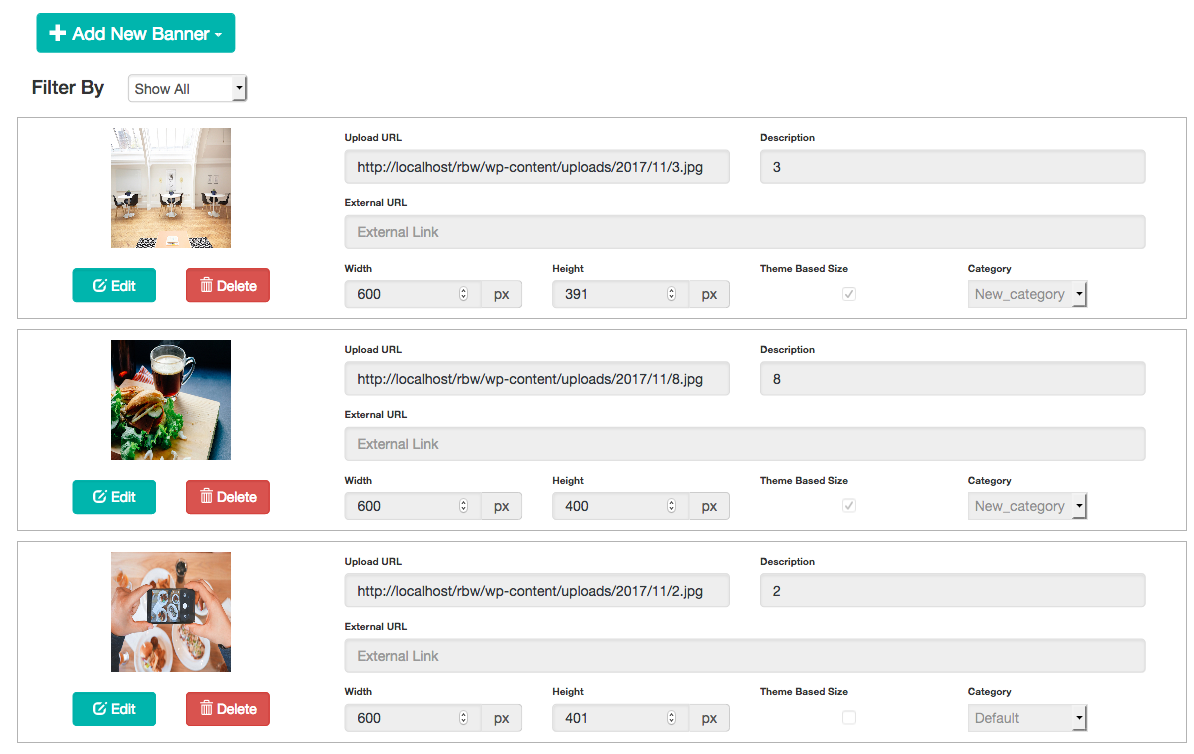
- Display banners randomly from the list uploaded on the settings page.
- Use shortcodes or widgets to place banners anywhere.
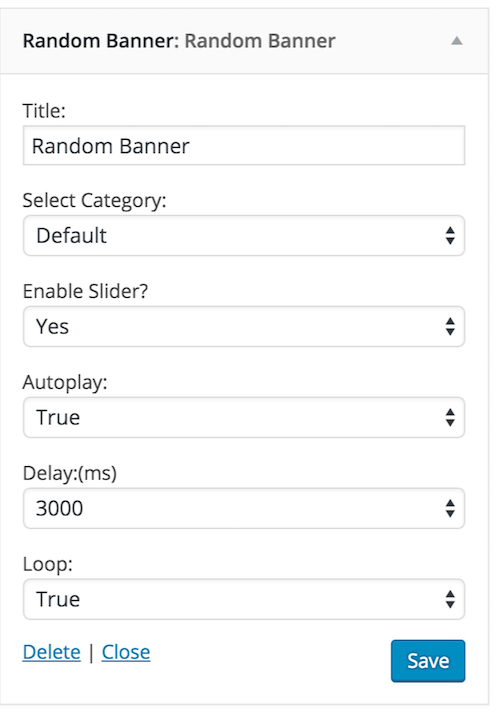
- Set custom titles via widget settings.
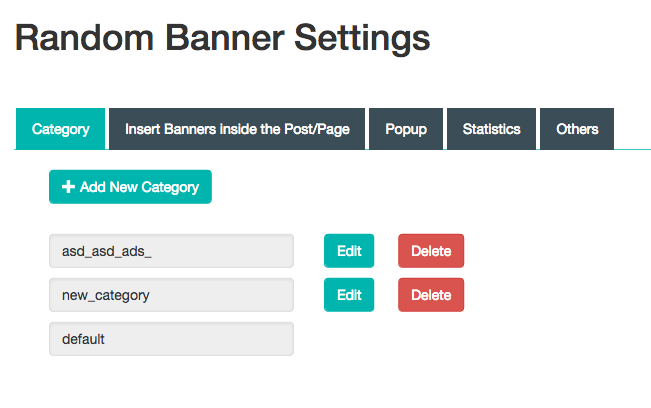
- Organize banners using categories.
- Display banners as sliders via widgets or shortcodes.
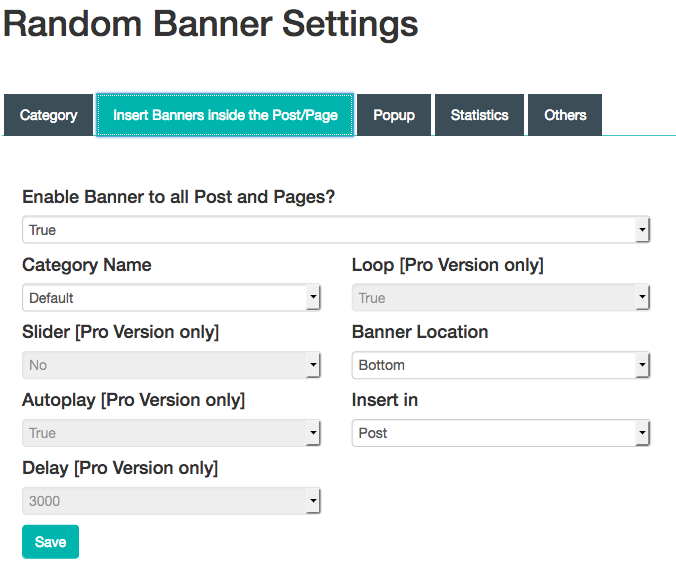
- Enable/disable banners on individual posts.
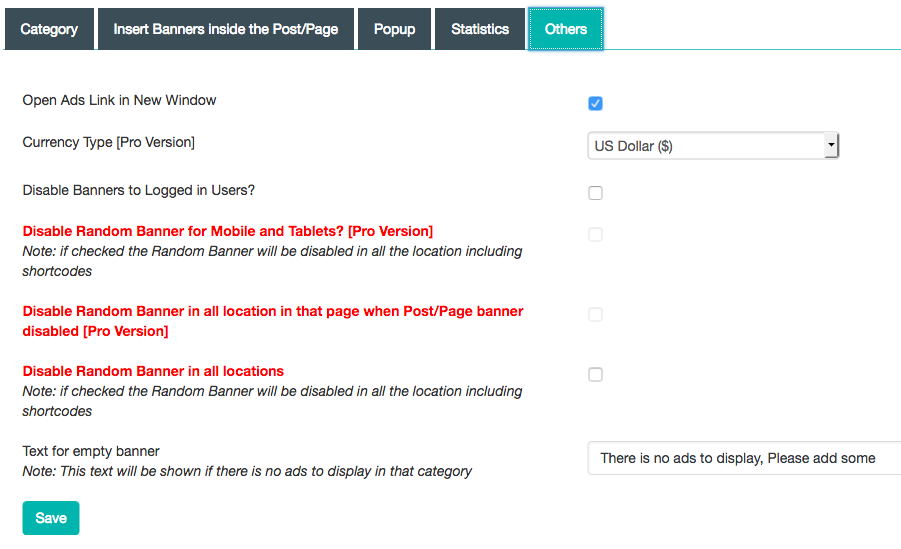
- Global enable/disable settings under Settings → Others.
- Option to hide banners for logged-in users.
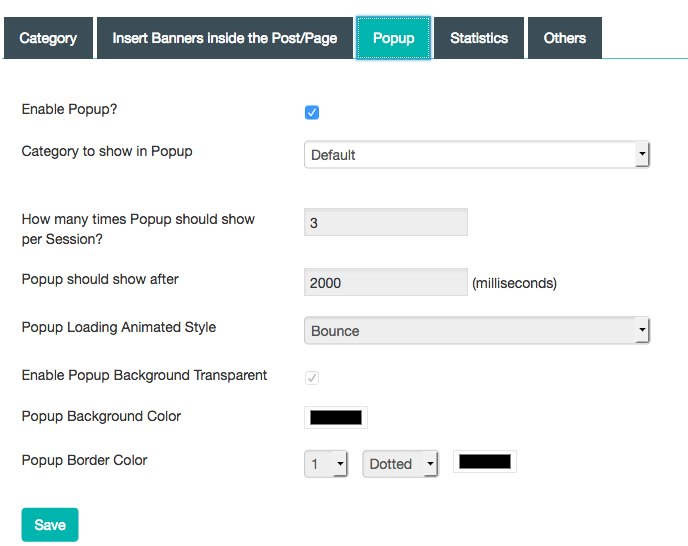
- Show banner ads as popups (Settings → Popup).
- Filter ads by category when assigning banner locations.
Scripts and Styles used
- Bootstrap
- SweetAlert
- Moment.js
- Owl Carousel
Demo
Free Vs Pro
Shortcode Usage
In PHP
<?php echo do_shortcode('[bc_random_banner]'); ?>
Inside Posts or Pages
[bc_random_banner]
Available Shortcode Attributes
[bc_random_banner category=category_name slider=no autoplay=true delay=3000 loop=false dots=false]
- category: default or any custom category slug.
- slider: yes / no
- autoplay: true / false
- delay: e.g., 3000 (milliseconds)
- loop: true / false
- dots: true / false
For Pro Version : Random Banner Pro Support
Installation
- Upload the “random-banner” directory to your
/wp-content/plugins/directory. - Activate the plugin through the “Plugins” menu in WordPress.
- Navigate to “Random Banner” in your dashboard.
- Upload banner images, SWFs, or scripts and assign links.
- Go to Appearance → Widgets and drag the Random Banner widget to your desired sidebar or area.
- Customize the title and save.
Frequently asked questions
Where can I find detailed documentation?
Visit: Random Banner FAQ
I’m using a version below 1.3. How do I update?
Yes, you can update. Please ensure you back up your existing banners before upgrading.
What if I forgot to back up my old banners?
Images remain in your media library. However, click URLs may need to be re-added manually. It’s recommended to back up link data.
What happens after purchasing the Pro version?
You’ll receive full access to premium features and updates. Login details will be sent after successful payment.
I’ve already purchased. How do I access newer versions?
Log in to your plugin page at https://buffercode.com, complete any pending payments, and download updates using your existing login.
How do I verify my Pro version license?
You can verify your license on the support page using your Activation Code. More info : Random Banner Support
Changelog
v 4.2.12 (20260315)
- Name Change
v 4.2.11 (20250406)
- Documentation update
v 4.2.10 (20250227)
- Code Refactor.
See changelog.txt in the plugin directory for full changelog history.
Screenshots


For developers
Is this your plugin? Show off the numbers.
Add a live badge to your site, docs or GitHub README. It updates on its own — no account needed.
FAQ
Random Banner: quick answers
Straight answers, pulled from live WordPress.org data.
Live data from WordPress.org · checked Oct 2, 2026
Is Random Banner free?
Yes. Random Banner is free to download and use from the official WordPress.org plugin directory.
Is Random Banner safe to use in 2026?
Random Banner works, but test it on a staging site before relying on it in 2026. It runs on 1K+ sites, is rated 4.6/5 and was last updated 7 months ago, and scores 57/100 on our health check.
How many websites use Random Banner?
Random Banner is active on 1K+ WordPress websites and has been downloaded 121,410 times since it launched in January 2014. It was downloaded 299 times in the last 30 days.
Does Random Banner work with WordPress 7.1?
Random Banner is officially tested up to WordPress 6.9.9, while the latest release is 7.1.2. It may still work, but try it on a staging site first.
What PHP version does Random Banner need?
Random Banner requires PHP 7.0 or higher. Most hosts run PHP 8.x today, so it works on any modern WordPress hosting.
When was Random Banner last updated?
The latest version, 4.2.12, was released on March 15, 2026 (7 months ago).
Who makes Random Banner?
Random Banner is developed and maintained by M A Vinoth Kumar.
Powered by PageForge
Want thousands of pages that rank like these? Build them in an afternoon.
This directory runs on the same engine as PageForge. Turn any spreadsheet, CSV or API into thousands of fast, SEO-ready WordPress pages — with schema, internal links and AI-written copy baked in.
- CSV, Google Sheets & API data sources
- AI content, schema & internal links per page
- Works with Elementor, Gutenberg, Yoast & Rank Math
- Free on WordPress.org — no credit card


