


Sweepify – Images Cleaner
Safely scan, detect, and clean unused, orphaned, duplicate, and oversized media files. Nothing is permanently deleted without your review.

Use with caution
Sweepify – Images Cleaner works, but test it on a staging site before relying on it in 2026. Was last updated 2 months ago, and scores 55/100 on our health check.
- Small user base (<10 active installs)
- Very few reviews so far
How does it stack up?
Side-by-side on installs, updates, ratings & support


Daily downloads
Download spikes usually follow a new release — each site that auto-updates counts as a download.
Rankings
Where Sweepify – Images Cleaner stands todayWordPress.org search rankings
Live position in the plugin search, top 100| Keyword | Position |
|---|---|
| duplicate images | >100 |
| media cleanup | >100 |
| orphan media | #55 |
| storage optimization | >100 |
| unused images | >100 |
About Sweepify – Images Cleaner
From the official readme · v1.0.0Description
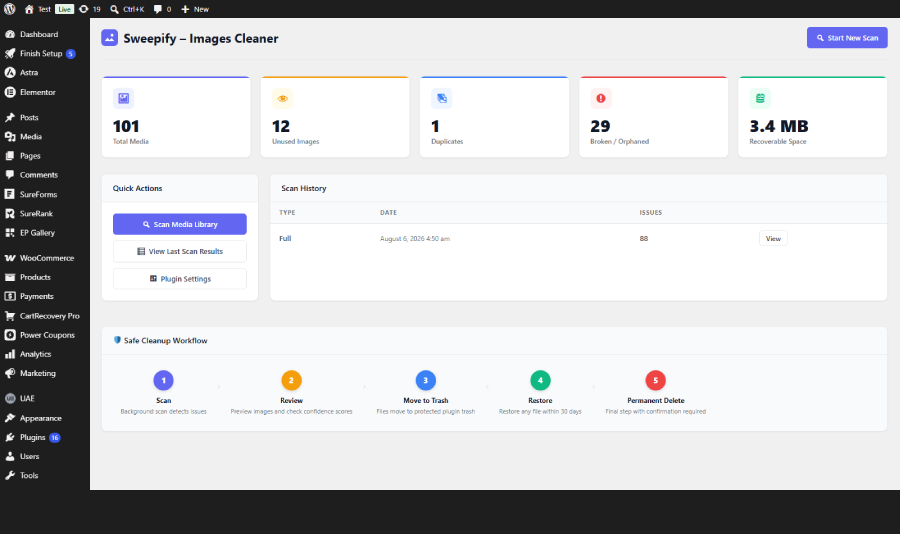
Sweepify – Images Cleaner gives you a safe, professional media management dashboard to reclaim disk space and keep your WordPress media library clean — without ever risking your live content.
Every cleanup action goes through a protected trash first. You can restore any file at any time before permanently deleting it.
Features
- Unused image detection — scans posts, pages, widgets, menus, theme mods, featured images, and site options
- Orphaned media detection — finds attachment records without files (phantom) and files on disk without attachment records (untracked)
- Duplicate detection — identifies duplicate files using MD5 hash comparison
- Oversized image flagging — configurable file size (MB) and pixel dimension thresholds
- Obsolete thumbnail detection — finds thumbnail sizes no longer registered in your theme
- Elementor deep scan — scans Elementor JSON data, backgrounds, galleries, and templates (requires Elementor)
- WooCommerce scanning — scans product images, galleries, variations, and category thumbnails (requires WooCommerce)
- ACF field scanning — scans image, file, and gallery fields (requires Advanced Custom Fields)
- Safe cleanup workflow — Scan → Review → Trash → Restore → Permanent Delete
- Plugin-controlled trash — trashed files are moved to your uploads directory and can be restored at any time
- Ignore list — exclude specific attachments, file paths, or folders from all scans
- Background processing — scans run in small chunks via WP-Cron to avoid timeouts on large sites
- Live progress bar — real-time scan progress via REST API polling
- Safety Mode — prevents accidental permanent deletion; all cleanup goes through trash first
How It Works
- Go to Sweepify in your WordPress admin menu
- Click Start New Scan
- Wait for the background scan to complete (progress bar shows live status)
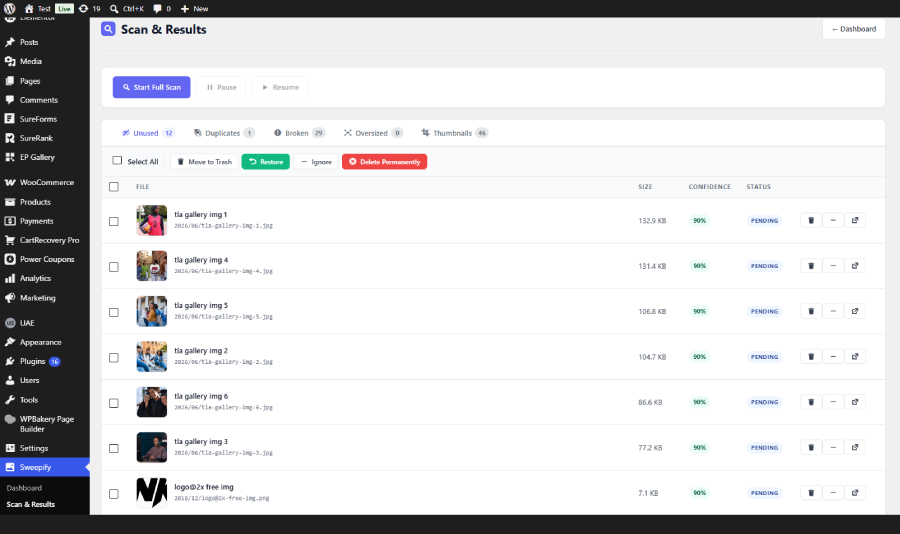
- Review results by category: Unused, Duplicates, Broken, Oversized, Thumbnails
- Select files and click Move to Trash
- Restore any file from trash if needed
- Only permanently delete when you are confident
Safety First
Sweepify never permanently deletes anything automatically. Every file goes through a protected trash folder inside your uploads directory (uploads/wpic-trash/). You can restore any trashed file at any time.
Permanent deletion requires a timed confirmation token and, if Safety Mode is enabled, an extra confirmation step in Settings.
Installation
Automatic Installation
- Go to Plugins > Add New in your WordPress admin
- Search for Sweepify
- Click Install Now, then Activate
- Go to Sweepify in your admin menu to run your first scan
Manual Installation
- Download the plugin zip file
- Go to Plugins > Add New > Upload Plugin
- Upload the zip file and click Install Now
- Click Activate Plugin
- Go to Sweepify in your admin menu
After Activation
- Navigate to Sweepify in the left admin menu
- You will see the Dashboard with your current media library statistics
- Click Start New Scan to begin
- The scan runs in the background — you can leave the page and come back
- When complete, click View Last Scan Results to review detected issues
- Use the tabs to filter by issue type: Unused, Duplicates, Broken, Oversized, Thumbnails
- Select items and use the bulk action buttons to Move to Trash, Restore, Ignore, or Delete Permanently
Configuration
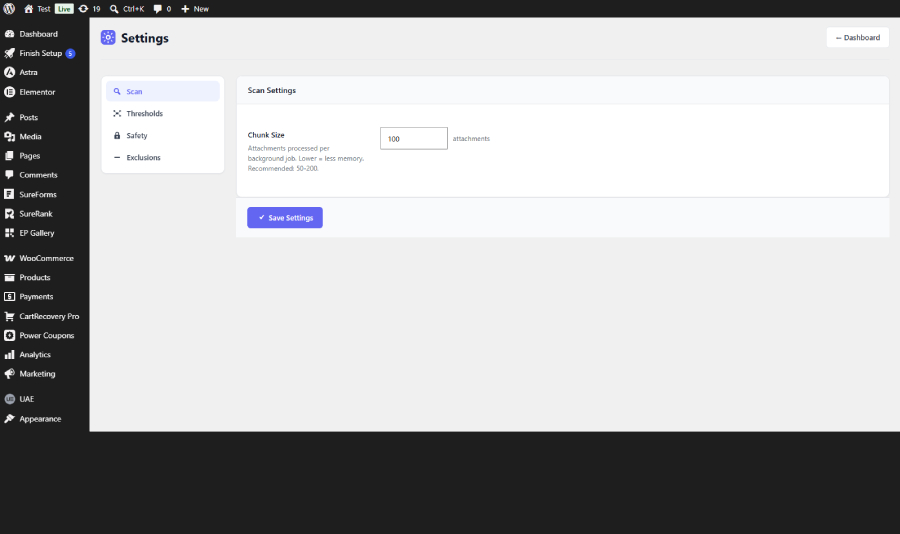
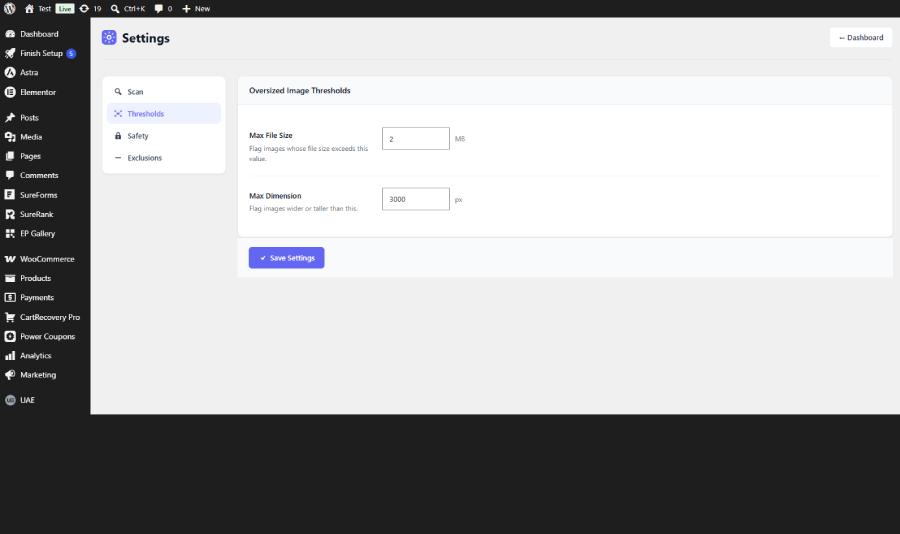
Go to Sweepify > Settings to configure:
- Chunk Size — how many attachments are processed per background job (default: 100)
- Max File Size — file size threshold for oversized detection (default: 2 MB)
- Max Dimension — pixel dimension threshold for oversized detection (default: 3000px)
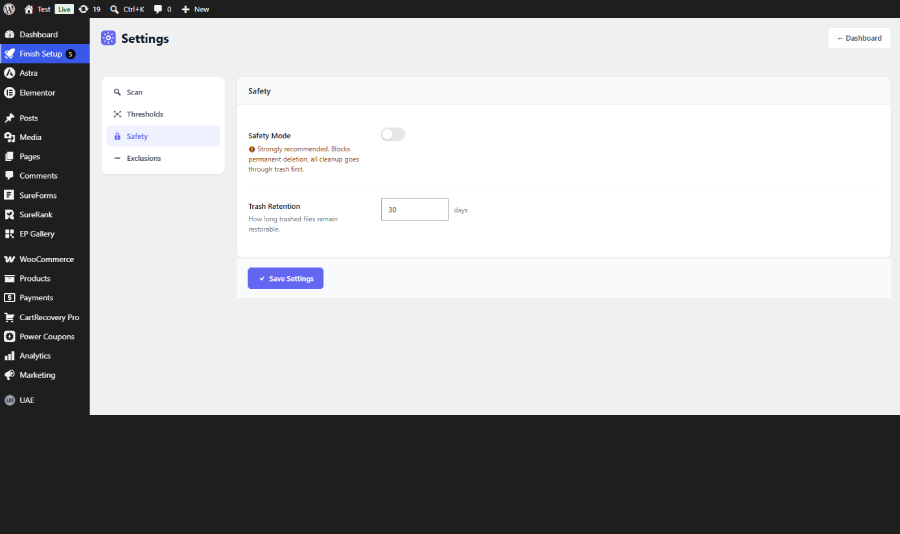
- Safety Mode — toggle to require extra confirmation before permanent deletion (default: ON)
- Trash Retention — how many days trashed files remain restorable (default: 30 days)
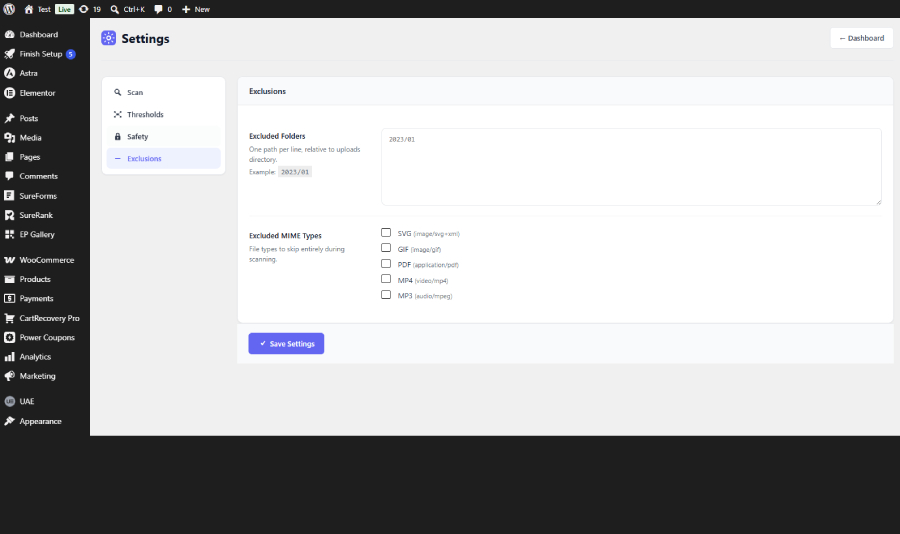
- Excluded Folders — folder paths (relative to uploads) to skip during scanning
- Excluded MIME Types — file types to skip entirely (SVG, GIF, PDF, MP4, MP3)
Frequently asked questions
Will this plugin delete my images automatically?
Never. Every action requires your explicit review and confirmation. Files are moved to a protected trash folder first and can be restored at any time.
Is it safe to use on large sites?
Yes. Scans run in small background chunks to avoid memory exhaustion and request timeouts. You can configure the chunk size in Settings.
Where do trashed files go?
Trashed files are moved to wp-content/uploads/wpic-trash/ and remain there until you permanently delete them or the retention period expires.
Can I restore trashed files?
Yes. Go to the Scan Results page, switch to the Trash tab, select the files you want to restore, and click Restore.
Does it work with Elementor?
Yes. If Elementor is active, the scanner will deep-scan all Elementor page data, templates, backgrounds, and galleries to ensure those images are not incorrectly flagged as unused.
Does it work with WooCommerce?
Yes. If WooCommerce is active, the scanner will scan product images, product galleries, variation images, and category thumbnails.
Does it work with Advanced Custom Fields (ACF)?
Yes. If ACF is active, the scanner will detect images stored in ACF image, file, and gallery fields and exclude them from being flagged as unused.
What is Safety Mode?
Safety Mode is enabled by default. When active, it blocks permanent deletion so all cleanup must go through the trash first. You can disable it in Settings > Safety if you want to allow direct permanent deletion after trashing.
What does the confidence score mean?
Each detected item has a confidence score (0–100%) indicating how certain the scanner is that the file is safe to remove. Higher scores mean the file is more likely genuinely unused. Always review before deleting.
Will it affect my site performance during a scan?
No. Scans run in the background via WP-Cron in small chunks. Your site remains fully functional during a scan.
Changelog
Initial public release.
1.0.0
- Initial release.
- Unused, orphaned, duplicate, oversized, and thumbnail scanning.
- Background processing with live progress bar.
- Safe trash workflow with restore capability.
- Elementor, WooCommerce, and ACF integration.
- Ignore list for attachments, paths, and folders.
- Safety Mode and timed confirmation for permanent deletion.
Screenshots
For developers
Is this your plugin? Show off the numbers.
Add a live badge to your site, docs or GitHub README. It updates on its own — no account needed.
Best Sweepify – Images Cleaner alternatives
All duplicate images plugins →





FAQ
Sweepify – Images Cleaner: quick answers
Straight answers, pulled from live WordPress.org data.
Live data from WordPress.org · checked Oct 4, 2026
Is Sweepify – Images Cleaner free?
Yes. Sweepify – Images Cleaner is free to download and use from the official WordPress.org plugin directory.
Is Sweepify – Images Cleaner safe to use in 2026?
Sweepify – Images Cleaner works, but test it on a staging site before relying on it in 2026. Was last updated 2 months ago, and scores 55/100 on our health check.
How many websites use Sweepify – Images Cleaner?
Sweepify – Images Cleaner is active on <10 WordPress websites and has been downloaded 182 times since it launched in August 2026. It was downloaded 69 times in the last 30 days.
Does Sweepify – Images Cleaner work with WordPress 7.1?
Sweepify – Images Cleaner is officially tested up to WordPress 7.0.6, while the latest release is 7.1.2. It may still work, but try it on a staging site first.
What PHP version does Sweepify – Images Cleaner need?
Sweepify – Images Cleaner requires PHP 7.4 or higher. Most hosts run PHP 8.x today, so it works on any modern WordPress hosting.
When was Sweepify – Images Cleaner last updated?
The latest version, 1.0.0, was released on August 6, 2026 (2 months ago).
Who makes Sweepify – Images Cleaner?
Sweepify – Images Cleaner is developed and maintained by ExertPro.
What are the best alternatives to Sweepify – Images Cleaner?
The most popular alternatives to Sweepify – Images Cleaner are Mediapapa (30+ installs), MediaVoom (10+ installs) and MediaPilot AI (10+ installs).
Powered by PageForge
Want thousands of pages that rank like these? Build them in an afternoon.
This directory runs on the same engine as PageForge. Turn any spreadsheet, CSV or API into thousands of fast, SEO-ready WordPress pages — with schema, internal links and AI-written copy baked in.
- CSV, Google Sheets & API data sources
- AI content, schema & internal links per page
- Works with Elementor, Gutenberg, Yoast & Rank Math
- Free on WordPress.org — no credit card


