


ZEJ Mediatidy – Media Library Cleanup: Unused Images, Duplicates, WebP & Compression
Find unused images, catch duplicates, convert to WebP and compress. Runs on your own server. Free, unlimited, no account, no API key.

Use with caution
ZEJ Mediatidy works, but test it on a staging site before relying on it in 2026. Was last updated 2 months ago, and scores 55/100 on our health check.
- Small user base (<10 active installs)
- Very few reviews so far
How does it stack up?
Side-by-side on installs, updates, ratings & support


Daily downloads
Download spikes usually follow a new release — each site that auto-updates counts as a download.
Rankings
Where ZEJ Mediatidy stands todayWordPress.org search rankings
Live position in the plugin search, top 100| Keyword | Position |
|---|---|
| duplicate images | >100 |
| image optimization | >100 |
| media library | >100 |
| unused images | >100 |
| webp | >100 |
About ZEJ Mediatidy
From the official readme · v1.0.1Description
Most media libraries grow for years and nobody ever audits them. A blog with twelve thousand attachments. A store carrying every product photo it has ever had, including the ones from the supplier who left in 2021. An old site that has been through three themes. Somewhere in there are images no page has pointed at since 2019, four copies of the same photo under four filenames, and a few hundred JPEGs that should have become WebP a long time ago.
Almost nobody cleans that up, because almost nobody can tell what is safe to remove. Delete the wrong file and a product page loses its main photo, or the header goes blank, and you find out weeks later.
ZEJ Mediatidy is built to answer that question properly and then act on it.
Everything runs on your own server
Mediatidy uses the image libraries PHP already has on your host. No file is uploaded anywhere. There is no processing queue on somebody else’s machine, no credits, no API key, no account to create. That is also why it is free with no limits: there is no per image cost for me to pass on to you.
What it does
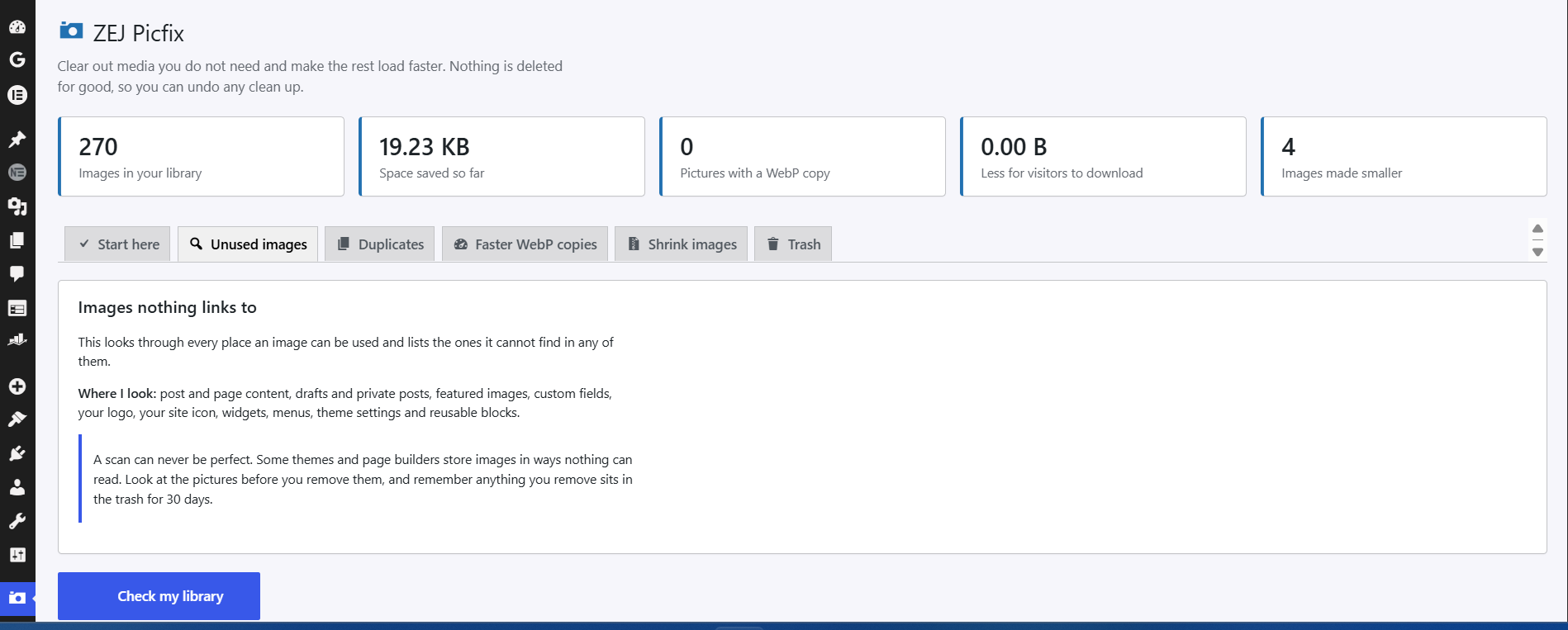
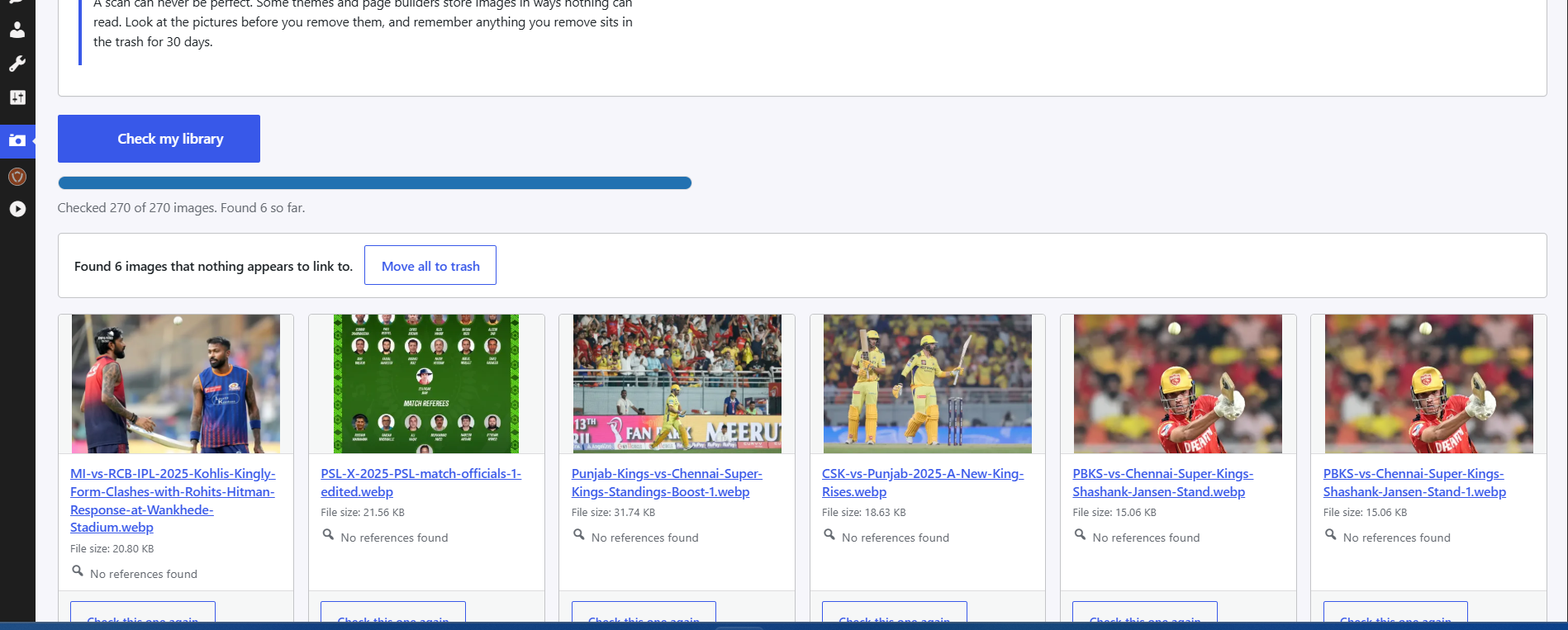
- Finds images that nothing on the site references, and shows you where the referenced ones are used before you touch anything.
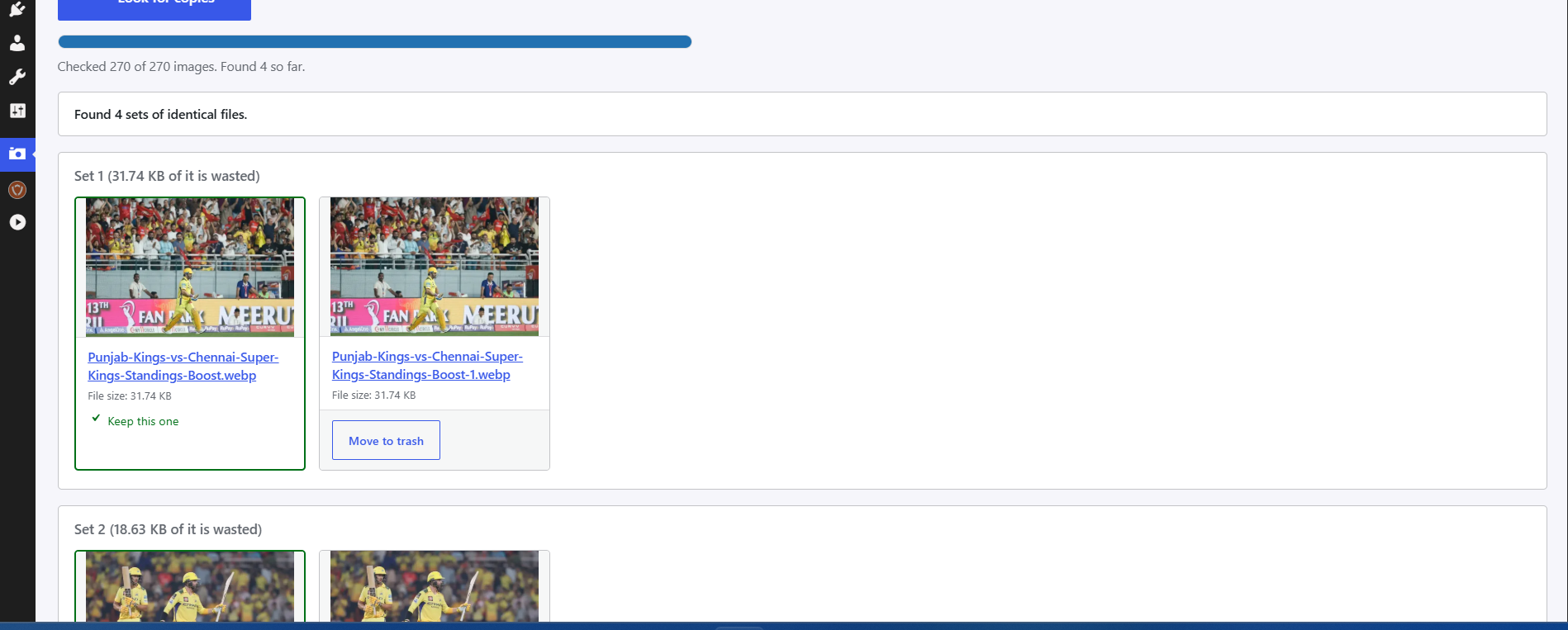
- Finds real duplicates by comparing file contents, so renamed copies are caught too.
- Converts JPEG and PNG to WebP, serves the WebP copy to visitors, and leaves the original in place beside it.
- Compresses heavy images and resizes anything wider than a limit you set.
- Strips EXIF metadata from photos.
- Adds media categories so a big library can be sorted into something navigable.
- Reports how much disk space you have recovered.
Deleting is recoverable
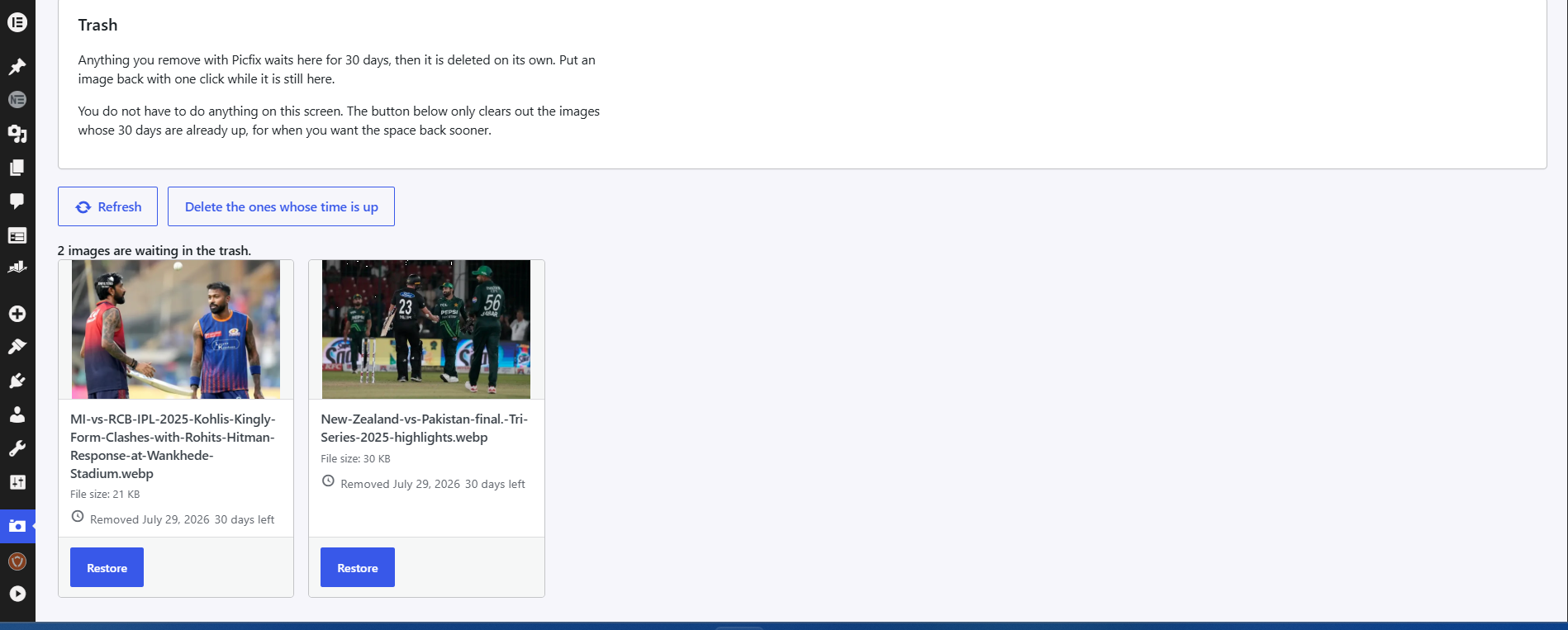
Deleting from Mediatidy moves the attachment into a plugin trash that keeps the database row, the metadata and the files on disk. There is a restore button next to every trashed item. Nothing is actually destroyed until you empty the trash, and trashed items sit there for 30 days before they become eligible for purging. Mediatidy also rechecks an image for references at the moment you delete it, so a scan result that has gone stale cannot take down a file that has since been used.
Built to survive very large libraries
Every scan walks the library in batches of 200 attachments, one request at a time, with a live progress bar and a cursor that remembers where it stopped. A library of 50,000 attachments takes the same code path as a library of 500, just for longer. No single request ever has to hold the whole library in memory, so there is no timeout and no exhausted memory limit at exactly the size where this problem starts to matter.
Reference detection that looks in the places that bite
Before Mediatidy calls an image unused, it checks post content and excerpts across every post status rather than published posts only, post meta including featured images and page builder payloads, the options table, theme mods, the site logo and the site icon, custom CSS, widgets, term meta, user meta, navigation menu items, reusable blocks and template parts, and WooCommerce product galleries. Resized variants count as usage of the file they came from. When an image is referenced, Mediatidy names the places it found it, so you can go and look for yourself.
Honest about what it changes
- Compression and resizing rewrite the original file. Mediatidy backs the original up first and you can restore it from the same screen.
- Truly lossless EXIF stripping needs the Imagick extension. When Imagick is available the compressed image data is left untouched and only the metadata blocks are removed. Without it, Mediatidy falls back to GD, which re-encodes the image, so the file changes slightly.
- WebP conversion needs WebP support in either GD or Imagick. Most hosting from 2020 onward has it.
External Services
ZEJ Mediatidy does not use any external service.
Every scan, hash, conversion, compression and metadata edit happens on your own server through
the GD or Imagick extension that PHP already has. No image and no data about your site is sent
anywhere. There is no account, no API key, no licence check, no analytics and no update ping to
any server of mine. The plugin makes no outbound network request at all.
That is also why it is free with no image limit: because the processing runs on your hardware
rather than on a server I pay for, a library of fifty thousand images costs me exactly what a
library of fifty costs me.
Installation
- Upload the
zej-mediatidyfolder to/wp-content/plugins/, or install it from the Plugins screen in your dashboard. - Activate it through the Plugins menu.
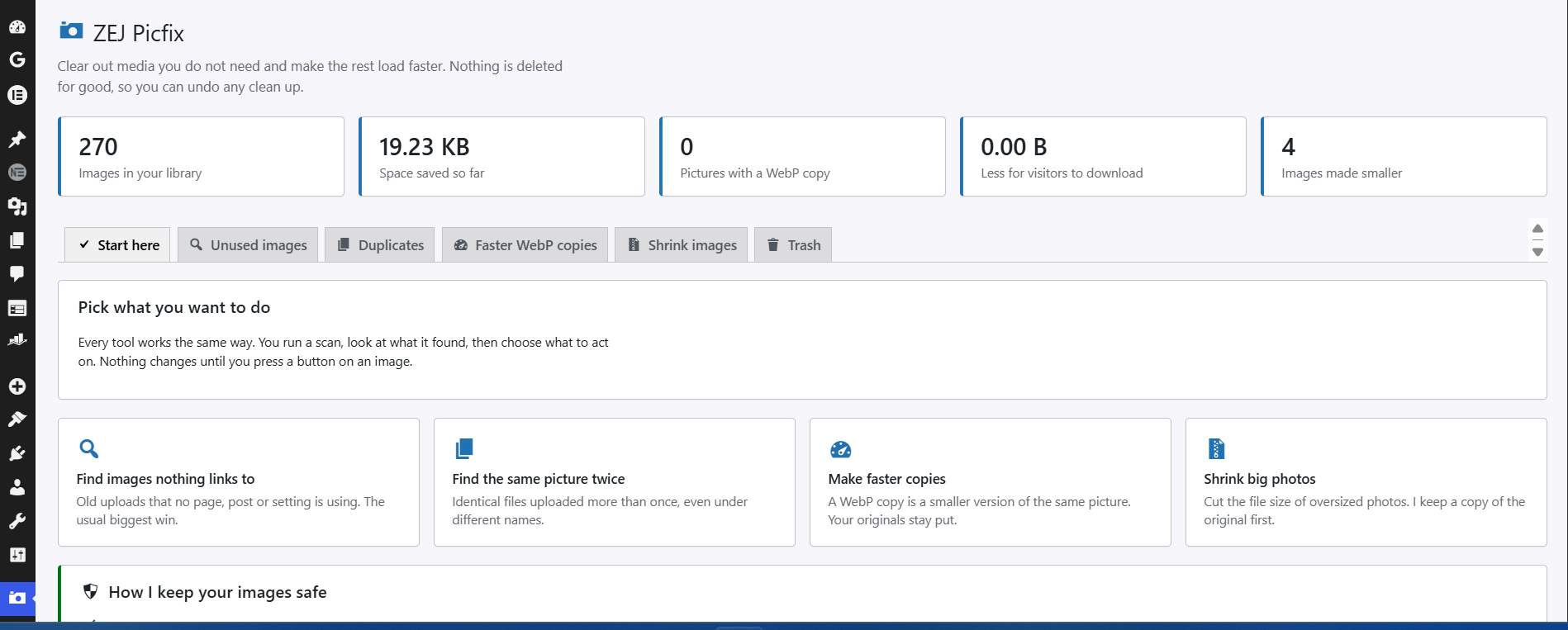
- Open ZEJ Mediatidy in the admin sidebar and run a scan.
Start with a scan and read the results before deleting anything. On a very large library the first scan takes a few minutes, and you can watch it move.
Frequently asked questions
Will this delete an image I am using?
That is the failure I designed hardest against. An image is only reported unused after Mediatidy has checked post content across all statuses, post meta, the options table, theme mods, the site logo, the site icon, custom CSS, widgets, term meta, user meta, menu items, reusable blocks, template parts and WooCommerce product galleries, including the resized variants of the file. Checking post content and post meta alone is what makes a scanner report a site logo as unused, so Mediatidy checks all of the above instead. It also re-verifies at the moment of deletion, and deletion is recoverable…
What if I make a mistake?
Deletion moves the attachment into the Mediatidy trash, where the post row, the metadata and the files are all preserved. Restore puts it back with the same attachment ID, so anything still pointing at it keeps working. Compression and resizing back up the original file before writing, and there is a restore for those too. The only irreversible action in the plugin is emptying the trash, which you have to do on purpose.
Does it work with Elementor, Divi, Beaver Builder and WooCommerce?
Yes. Page builders store their layouts in post meta, and Mediatidy scans post meta including serialized builder data. WooCommerce product galleries and product images are checked specifically, since those live in meta keys a plain content scan misses entirely.
Does it upload my images anywhere?
No. Nothing leaves your server. Every scan, hash, conversion and compression happens locally through GD or Imagick on your own host. There is no outbound request to any service, mine or anyone else’s.
Do I need an account or an API key?
No. Install it and use it. There is nothing to sign up for and nothing to enter.
Is it really free, or is there a limit I will hit later?
It is free and unlimited. Because the processing happens on your hardware rather than on a server I pay for, a 50,000 image library costs me the same as a 50 image one, so there is no image count to meter.
How big a media library can it handle?
That is the case it was written for. Scans are batched, cursors are stored between requests, duplicate detection compares file sizes before it hashes anything, and results stream in as they are found. Libraries in the tens of thousands are the design target rather than the edge case.
Does compressing an image change the original file?
Yes, and I would rather say so plainly. Compression and resizing rewrite the file in place, which is the only way the savings are real. Mediatidy copies the original to a backup location first, marks the attachment as already processed so a second pass cannot compound the quality loss, and gives you a restore action. If that copy cannot be made, for instance because the disk is nearly full, the edit does not happen at all and Mediatidy tells you why. WebP conversion is different: it writes new files and leaves your original alone.
What actually happens to my pages after a WebP conversion?
Mediatidy converts the picture and every size your theme generated from it, then serves those copies in place of the originals. Your original files stay on disk untouched, so this costs disk space and saves your visitors download size. If a picture is later shrunk, resized, cleaned or restored, its WebP copies are deleted, so nobody is ever served a copy of a version you replaced.
Can I undo an EXIF strip?
Yes. Metadata removal rewrites the file container and copies the compressed image data across byte for byte, so the picture itself is never re-encoded and never loses quality. The original is still backed up first, so the restore action covers it either way. A file laid out in a way Mediatidy cannot rewrite safely is reported and left alone.
Changelog
1.0.1
Correct outdated product branding in the distributed license file.
1.0.0
First release.
- Finds images that nothing on the site references, and names the places it found the used ones before you touch anything.
- Finds real duplicates by comparing file contents, so the same photo saved under four names is caught.
- Converts JPEG and PNG to WebP, serves the copies to visitors, and leaves your originals in place beside them.
- Compresses heavy images and resizes anything wider than a limit you set, copying the original first so you can put it back.
- Strips EXIF metadata, without re-encoding the image where Imagick is available.
- Adds media categories so a large library can be sorted into something navigable.
- Every scan walks the library in batches with a stored cursor, so libraries in the tens of thousands finish instead of timing out.
- Deleting moves an attachment to a recoverable trash for 30 days, with a restore button beside every item.
Screenshots
For developers
Is this your plugin? Show off the numbers.
Add a live badge to your site, docs or GitHub README. It updates on its own — no account needed.
Best ZEJ Mediatidy alternatives
All duplicate images plugins →





FAQ
ZEJ Mediatidy: quick answers
Straight answers, pulled from live WordPress.org data.
Live data from WordPress.org · checked Oct 4, 2026
Is ZEJ Mediatidy free?
Yes. ZEJ Mediatidy is free to download and use from the official WordPress.org plugin directory.
Is ZEJ Mediatidy safe to use in 2026?
ZEJ Mediatidy works, but test it on a staging site before relying on it in 2026. Was last updated 2 months ago, and scores 55/100 on our health check.
How many websites use ZEJ Mediatidy?
ZEJ Mediatidy is active on <10 WordPress websites and has been downloaded 201 times since it launched in August 2026. It was downloaded 56 times in the last 30 days.
Does ZEJ Mediatidy work with WordPress 7.1?
ZEJ Mediatidy is officially tested up to WordPress 7.0.6, while the latest release is 7.1.2. It may still work, but try it on a staging site first.
What PHP version does ZEJ Mediatidy need?
ZEJ Mediatidy requires PHP 7.4 or higher. Most hosts run PHP 8.x today, so it works on any modern WordPress hosting.
When was ZEJ Mediatidy last updated?
The latest version, 1.0.1, was released on August 12, 2026 (2 months ago).
Who makes ZEJ Mediatidy?
ZEJ Mediatidy is developed and maintained by Muhammad Zeeshan Ejaz.
What are the best alternatives to ZEJ Mediatidy?
The most popular alternatives to ZEJ Mediatidy are Mediapapa (30+ installs), MediaVoom (10+ installs) and MediaPilot AI (10+ installs).
Powered by PageForge
Want thousands of pages that rank like these? Build them in an afternoon.
This directory runs on the same engine as PageForge. Turn any spreadsheet, CSV or API into thousands of fast, SEO-ready WordPress pages — with schema, internal links and AI-written copy baked in.
- CSV, Google Sheets & API data sources
- AI content, schema & internal links per page
- Works with Elementor, Gutenberg, Yoast & Rank Math
- Free on WordPress.org — no credit card


