


Swatchline – Variation Swatches for WooCommerce
Colour, image and label swatches instead of dropdowns for variable products, with sold-out combinations crossed out. Classic and block themes.

Use with caution
Swatchline works, but test it on a staging site before relying on it in 2026. Was last updated 1 month ago, and scores 60/100 on our health check.
- Tested with the latest WordPress (7.1)
- Small user base (<10 active installs)
- Very few reviews so far
How does it stack up?
Side-by-side on installs, updates, ratings & support


Daily downloads
Download spikes usually follow a new release — each site that auto-updates counts as a download.
Rankings
Where Swatchline stands todayWordPress.org search rankings
Live position in the plugin search, top 100| Keyword | Position |
|---|---|
| color swatches | >100 |
| image swatches | >100 |
| product variations | >100 |
| variation swatches | >100 |
| woocommerce | >100 |
About Swatchline
From the official readme · v1.0.1Description
Let customers pick a colour by its colour, a finish by its photo and a size by a button. Swatchline turns the attribute dropdowns of your variable products into swatches. No code, and nothing to change on your products.
Set up once, per attribute
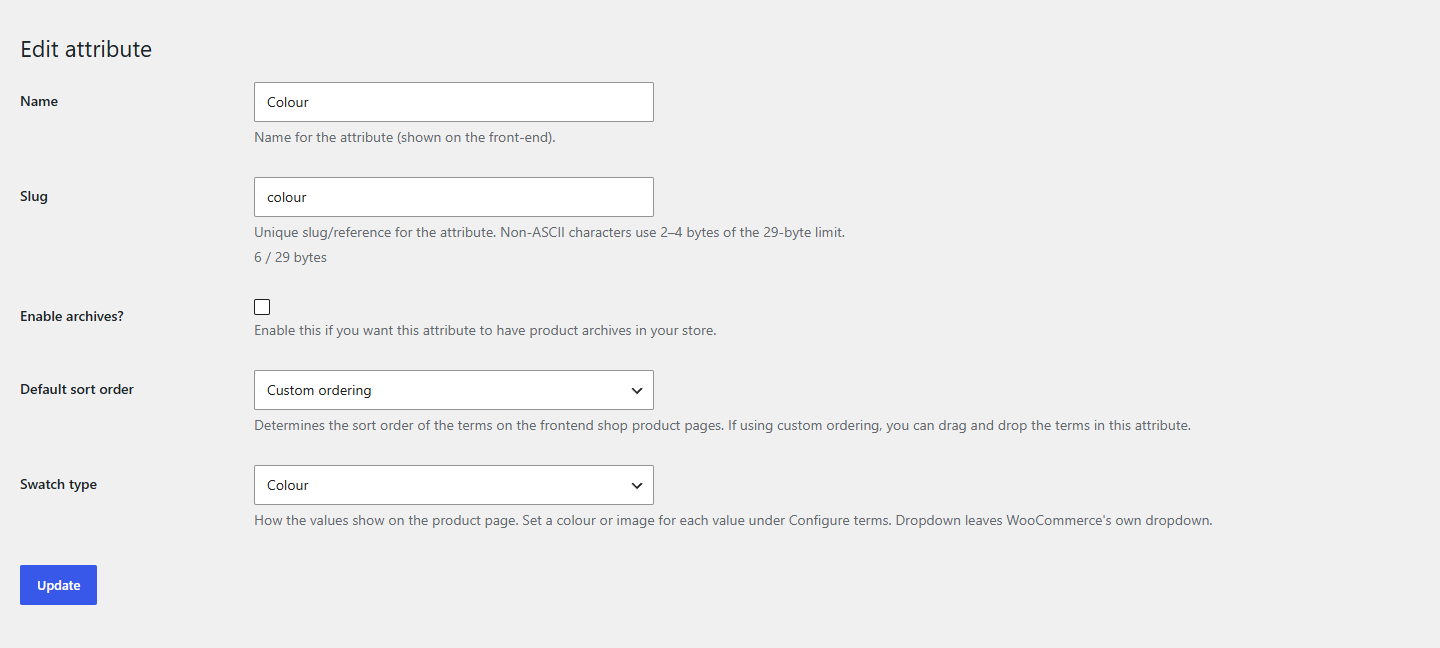
- Choose a swatch type for each global attribute under Products → Attributes: Colour, Image, Label (buttons) or Dropdown (WooCommerce’s own, the default).
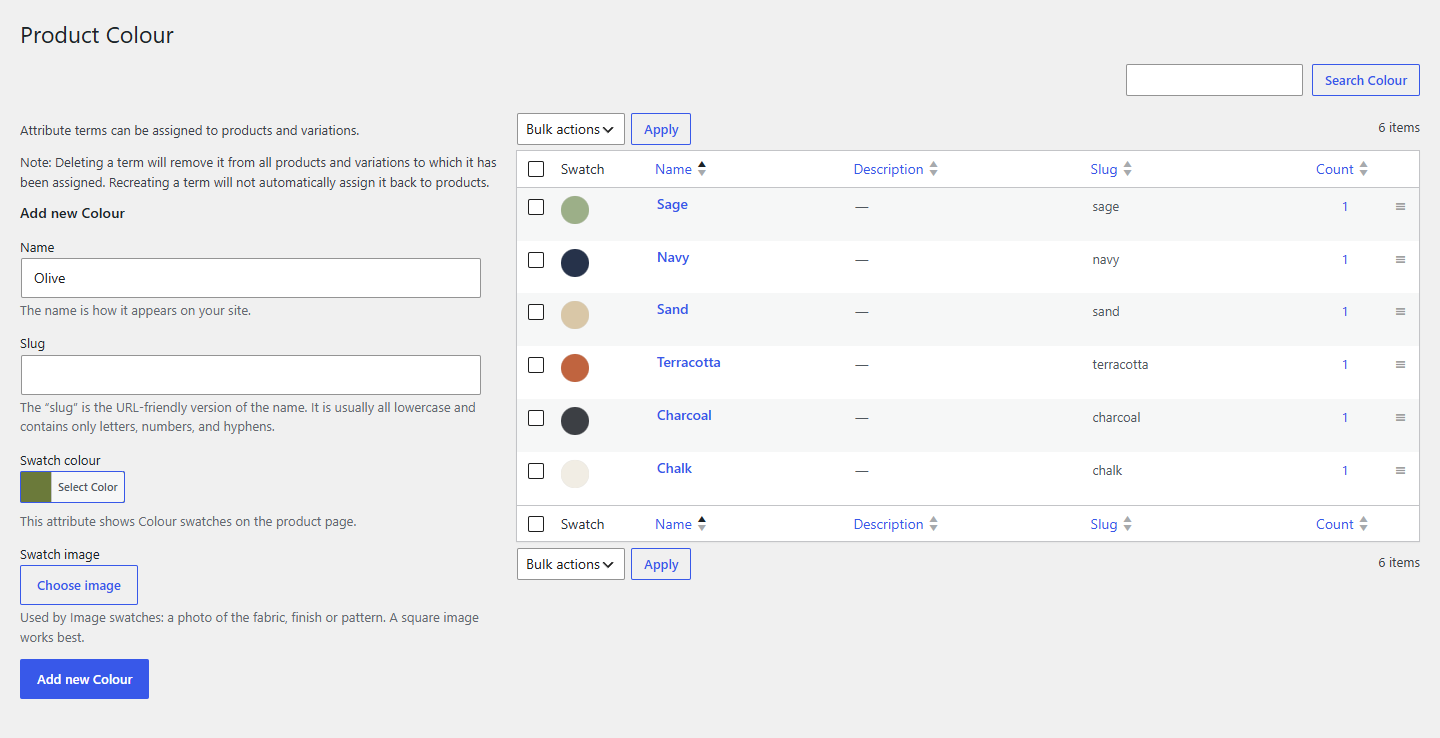
- Give each value a colour (WordPress’s colour picker) or an image (from the media library) under Configure terms. The term list shows them in a Swatch column.
- Attributes you type on a single product can show as label swatches too, if you switch that on.
On the product page
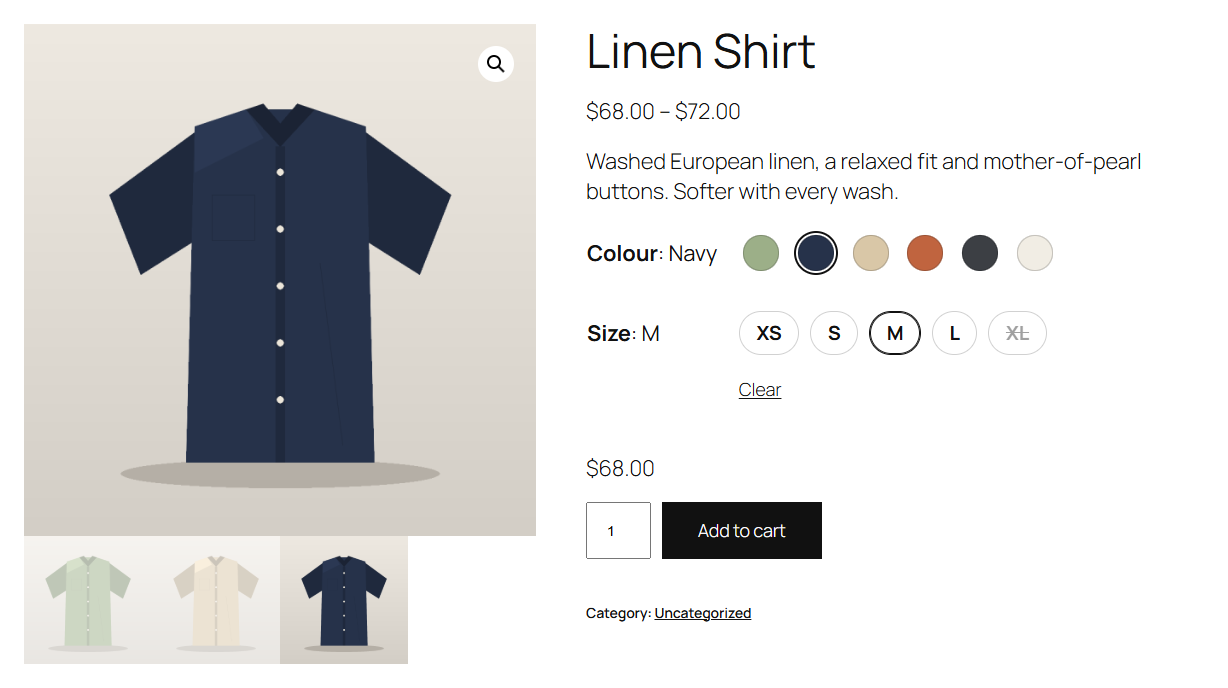
- Swatches replace the dropdowns of the variation form. WooCommerce’s dropdowns stay in the form, hidden, so the price, image, stock and add to cart update exactly as they always do, and so does anything else that works with them.
- Combinations that can’t be bought are crossed out: out of stock, or no such variation with what the customer already chose. That works for products with any number of variations, also above the number where WooCommerce stops loading them all into the page.
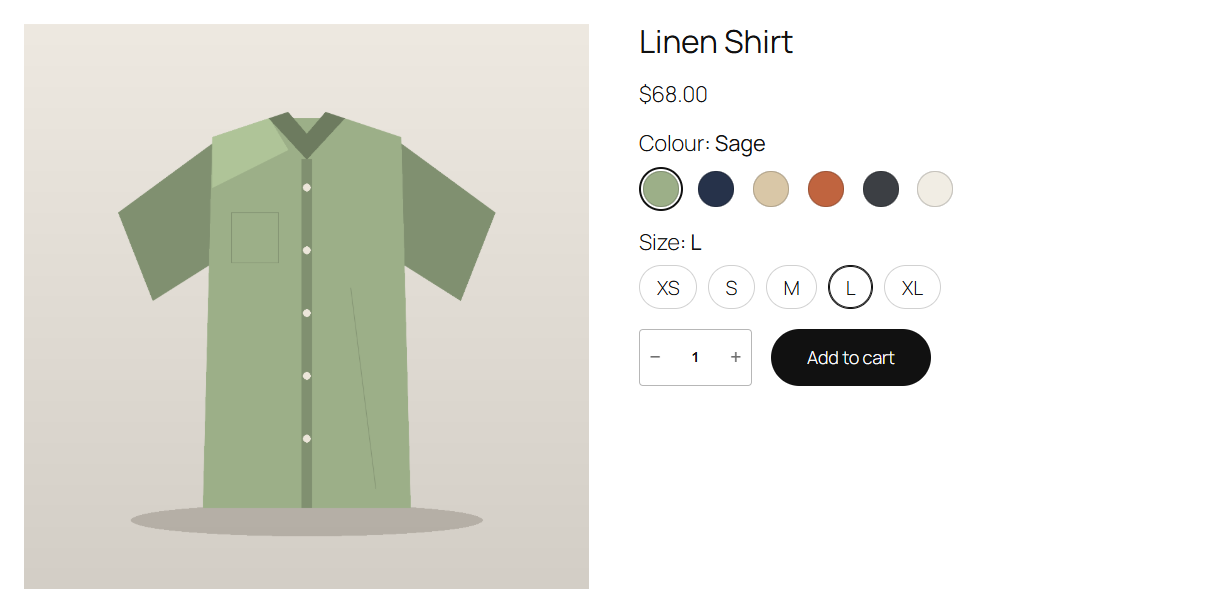
- The chosen value shows next to the attribute’s name (“Colour: Sage”). WooCommerce’s Clear link clears the swatches; choosing a chosen swatch again clears it too.
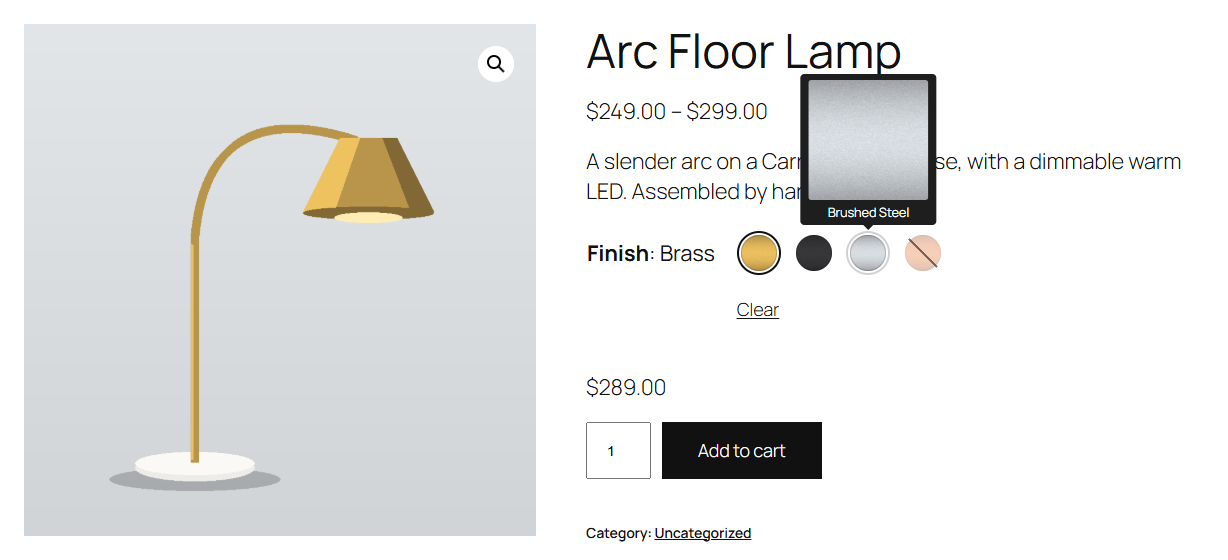
- Tooltips with the value’s name, and a larger preview for image swatches.
- Accessible: each attribute is a radio group, so the keyboard’s arrow keys move between swatches, the focus is clearly visible, and screen readers read out each value and whether it’s out of stock.
- Works in classic themes such as Storefront and in block themes: in the Add to Cart Form block and in the Add to Cart + Options block, where Swatchline’s swatches take the place of the block’s text chips.
Settings
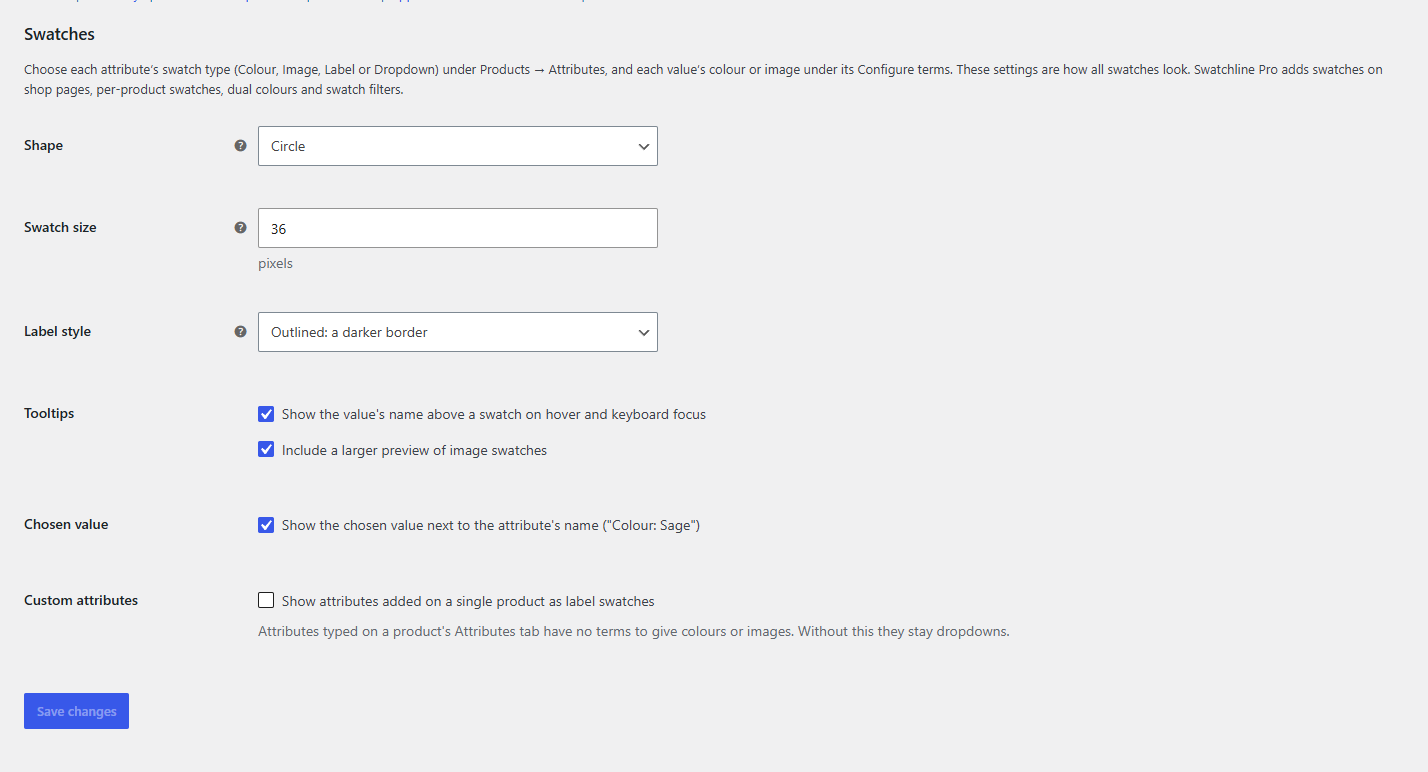
Under WooCommerce → Settings → Products → Swatches: the shape (circle, rounded or square), the size, how the chosen label swatch looks, tooltips and image previews, the chosen value next to the name, and label swatches for custom attributes.
For developers
Swatchline is built to be extended: add swatch types (swatchline_swatch_types), change an attribute’s type on a product (swatchline_attribute_type), its swatches, colours and images (swatchline_attribute_swatches), the variation data the page uses (swatchline_variation) and the script’s settings (swatchline_frontend_config). swatchline_loaded fires once Swatchline has loaded. The hooks are documented on extendiment.com.
Swatchline Pro
The separate Swatchline Pro add-on adds swatches on shop and category pages and in Product Collection blocks (with the product image changing to the variation’s, and add to cart from the shop), swatches set per product (also for custom attributes), sold-out swatches blurred or hidden, two-colour swatches, image swatches from the variations’ own images, and swatches in the shop’s attribute filters. Everything described above is in this plugin and works without it. See extendiment.com/plugins/swatchline.
Installation
- Install and activate Swatchline from Plugins → Add New Plugin, or upload the zip there. WooCommerce must be active.
- Go to Products → Attributes, edit an attribute (or add one) and set its Swatch type to Colour, Image or Label.
- For Colour and Image, click Configure terms, edit each value and choose its colour or image.
- Open a variable product that uses the attribute: its dropdown is now a row of swatches.
Changelog
1.0.1
- Fixed: On a multisite network, deleting the plugin now removes a site’s data only if that site chose to; deactivating it on one site no longer decides for the others.
- Fixed: Saving an attribute no longer resets a swatch type that an inactive add-on had set for it.
- Fixed: The Swatch image field of an attribute value is now named by its label, for screen readers and keyboard users.
1.0.0
- First release.
Screenshots
For developers
Is this your plugin? Show off the numbers.
Add a live badge to your site, docs or GitHub README. It updates on its own — no account needed.
Best Swatchline alternatives
All color swatches plugins →




FAQ
Swatchline: quick answers
Straight answers, pulled from live WordPress.org data.
Source: WordPress.org
Is Swatchline free?
Yes. Swatchline is free to download and use from the official WordPress.org plugin directory.
Is Swatchline safe to use in 2026?
Swatchline works, but test it on a staging site before relying on it in 2026. Was last updated 1 month ago, and scores 60/100 on our health check.
How many websites use Swatchline?
Swatchline is active on <10 WordPress websites and has been downloaded 187 times since it launched in October 2026. It was downloaded 106 times in the last 30 days.
Does Swatchline work with WordPress 7.1?
Yes. The developer has tested Swatchline up to WordPress 7.1.5, the latest release. It requires WordPress 6.5 or newer.
What PHP version does Swatchline need?
Swatchline requires PHP 7.4 or higher. Most hosts run PHP 8.x today, so it works on any modern WordPress hosting.
When was Swatchline last updated?
The latest version, 1.0.1, was released on October 23, 2026 (1 month ago).
Who makes Swatchline?
Swatchline is developed and maintained by Extendiment.
What are the best alternatives to Swatchline?
The most popular alternatives to Swatchline are Smart Variation Swatches fo… (3K+ installs), Smart Variations Images & S… (1K+ installs) and Product Variation Swatches… (700+ installs).
Powered by PageForge
One template and a spreadsheet. A real page for every search.
PageForge turns each row of a CSV into a WordPress page with its own title, URL, SEO fields and schema, built on the layout you already designed. Free on WordPress.org.
- CSV and XLSX, plus Google Sheets on Professional and Enterprise
- Its own title, URL, SEO fields and schema for every page
- Works with the block editor, Elementor, Divi and Avada
- Free on WordPress.org, no credit card