


Variation Swatches for WooCommerce – Color, Image & Label Swatches
Replace WooCommerce dropdowns with color, image, label & radio swatches. Works on product, shop & archive pages.

Solid choice
Variation Swatches for WooComme… is a solid plugin choice in 2026, with a few things worth checking first. It runs on 10+ sites and was last updated 3 hours ago, and scores 66/100 on our health check.
- Actively developed — last update 3 hours ago
- Tested with the latest WordPress (7.1)
- Small user base (10+ active installs)
- Very few reviews so far
How does it stack up?
Side-by-side on installs, updates, ratings & support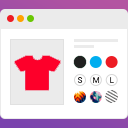



Daily downloads
Download spikes usually follow a new release — each site that auto-updates counts as a download.
Rankings
Where Variation Swatches for WooC… stands todayWordPress.org search rankings
Live position in the plugin search, top 100| Keyword | Position |
|---|---|
| color swatches | #77 |
| product attributes | >100 |
| Variable Products | >100 |
| variation swatches | #96 |
| woocommerce | >100 |
Version adoption
Share of active sites per release.
About Variation Swatches for WooCommerce
From the official readme · v1.0.5Description
Variation Swatches for WooCommerce replaces the default dropdown-based variation selectors with visually rich swatches — colors, images, labels, and radio buttons. It improves product browsing experience by making variation selection faster, clearer, and more user-friendly.
📖 View Documentation | 🌐 WebTend
🎨 FREE Features
- ✅ Dual / Split Color Swatches — two-tone color swatches, free (competitors charge Pro for this)
- ✅ Archive & Shop Page Swatches — show swatches on category/shop pages, free (usually a Pro feature)
- ✅ Color Swatches — solid hex color swatches for any attribute
- ✅ Image Swatches — upload per-term images for visual variation selection
- ✅ Label / Button Swatches — S, M, L, XL text buttons for size and more
- ✅ Radio Button Swatches — classic radio-style selectors
- ✅ Archive “+N More” Indicator — shows overflow count cleanly on shop pages
- ✅ WooCommerce Product Blocks — archive swatches inside woocommerce/product-collection & all-products blocks
- ✅ Out-of-Stock Notify Me — inline popup with “Notify me when available” link on OOS swatch click
- ✅ Selected Swatch Animation — smooth scale-pop & ripple ring on selection (CSS-only, reduced-motion safe)
- ✅ Attribute Label Display — shows “Color: Red” inline with swatches
⚡ Advanced Variation Features
- Automatic variation image switching on swatch click (no page reload)
- Out-of-stock display control: blur, blur + cross, or hide completely
- Per-product swatch type override (global attribute type overridable per product)
- Auto-convert all dropdowns to label swatches with one toggle
- Show / hide selected attribute name alongside swatches
🎨 Design & Customization
- Square, rounded, and circle swatch shapes (global setting)
- Custom swatch size for product pages and archive pages separately
- Tooltip support with customizable background and text colors
- Selected state indicator with custom checkmark color
- Custom CSS field for advanced styling
🏪 Shop & Archive Enhancements
Show variation swatches directly on shop and category pages. Customers can preview product color/size options without opening product pages — proven to increase click-through rates.
♿ Accessibility
- ARIA roles (
role="radio",aria-checked) for screen readers - Full keyboard navigation: Arrow keys, Enter, Space, Escape
- Screen-reader-friendly markup structure
⚙️ Performance & Compatibility
- Lightweight — settings cached in memory, no repeated DB queries on archive pages
- No unnecessary AJAX requests on the frontend
- Fully compatible with WooCommerce HPOS (High-Performance Order Storage)
- Compatible with WooCommerce Cart and Checkout Blocks
- Works with Astra, Flatsome, OceanWP, Storefront, GeneratePress, Divi, and most WooCommerce themes
🏆 Perfect For
- Fashion and clothing stores (color + size swatches)
- Furniture and home décor shops (image swatches)
- Cosmetics and beauty products (dual-color swatches)
- Any WooCommerce store with variable products
How It Works
- Install and activate the plugin
- Go to Products → Attributes
- Edit an attribute term (e.g. “Red” under Color)
- Choose swatch type: color, image, label, or radio
- Assign values and save — swatches appear automatically
Variation Image Switching
When a customer selects a swatch, the product gallery image updates instantly — no page reload. Smooth, fast, conversion-friendly.
Frequently Asked Questions
Installation
- Upload the plugin folder to
/wp-content/plugins/, or install via the WordPress plugin screen. - Activate through Plugins → Installed Plugins.
- Go to Products → Attributes, edit any attribute term, and set its Swatch type, color, or image.
- Configure plugin-wide settings under Variation Swatches in the WP admin menu.
- Done — swatches automatically replace dropdowns on product and shop pages.
Frequently asked questions
Does this work with all WooCommerce themes?
Yes. Works with Astra, Flatsome, OceanWP, Storefront, GeneratePress, Divi, and most WooCommerce themes.
Does it work with Elementor?
Yes, on standard product pages. Elementor Loop Builder archive swatches are a Pro (Swatchly Pro) feature.
Does it work with WooCommerce Product Blocks?
Yes. From v1.0.5, archive swatches render inside woocommerce/product-collection (WC 8.0+) and woocommerce/all-products blocks.
Does it work with WPML or Polylang?
Yes — fully translation-ready with a .pot file included.
Does it work on shop and category pages?
Yes. Archive/shop page swatches are a free feature. Enable them under Settings → Archive tab.
What happens to out-of-stock variations?
Choose to blur, blur + cross, or hide OOS swatches. From v1.0.5, clicking an OOS swatch shows a “Notify me when available” popup.
Can I control which direction the tooltip appears?
Yes. From v1.0.5, go to Settings → Design → Tooltip Position and choose Top, Bottom, Left, or Right.
How does the AI Variation Finder work?
Type natural language like “dark blue large” in the search box on the product page. The finder auto-selects matching swatches — no API key, no AJAX, runs entirely in the browser.
Is it mobile-friendly?
Yes. Swatches are touch-friendly on all screen sizes.
Is it translation ready?
Yes. A .pot file is included and all strings use the sayan-variation-swatches text domain.
Changelog
Does this work with all WooCommerce themes?
Yes. The plugin uses standard WooCommerce hooks and works with most modern WooCommerce themes including Astra, Flatsome, OceanWP, Storefront, GeneratePress, and Divi.
Can I assign different swatches per product?
Yes. Set global swatches per attribute term, then override the swatch type per product if needed.
Does it support custom (local) attributes?
Yes. Both global WooCommerce attributes and custom per-product attributes work with swatches.
What happens to out-of-stock variations?
You can choose to blur, blur + cross-mark, or completely hide out-of-stock swatches from the Settings panel.
Does it work on shop and category pages?
Yes — archive/shop page swatches are available in the free version. Enable them from Settings → Shop / Archive tab.
Is it translation ready?
Yes. Fully translation ready and compatible with WPML, Polylang, and other multilingual plugins. A .pot file is included.
Screenshots


For developers
Is this your plugin? Show off the numbers.
Add a live badge to your site, docs or GitHub README. It updates on its own — no account needed.
Best Variation Swatches for WooCom… alternatives
All color swatches plugins →





FAQ
Variation Swatches for WooCommerce: quick answers
Straight answers, pulled from live WordPress.org data.
Live data from WordPress.org · checked Oct 1, 2026
Is Variation Swatches for WooComme… free?
Yes. Variation Swatches for WooComme… is free to download and use from the official WordPress.org plugin directory.
Is Variation Swatches for WooComme… safe to use in 2026?
Variation Swatches for WooComme… is a solid plugin choice in 2026, with a few things worth checking first. It runs on 10+ sites and was last updated 3 hours ago, and scores 66/100 on our health check.
How many websites use Variation Swatches for WooComme…?
Variation Swatches for WooComme… is active on 10+ WordPress websites and has been downloaded 498 times since it launched in May 2026. It was downloaded 147 times in the last 30 days.
Does Variation Swatches for WooComme… work with WordPress 7.1?
Yes. The developer has tested Variation Swatches for WooComme… up to WordPress 7.1.2, the latest release. It requires WordPress 6.4 or newer.
What PHP version does Variation Swatches for WooComme… need?
Variation Swatches for WooComme… requires PHP 7.4 or higher. Most hosts run PHP 8.x today, so it works on any modern WordPress hosting.
When was Variation Swatches for WooComme… last updated?
The latest version, 1.0.5, was released on October 1, 2026 (3 hours ago).
Who makes Variation Swatches for WooComme…?
Variation Swatches for WooComme… is developed and maintained by WebTend.
What are the best alternatives to Variation Swatches for WooComme…?
The most popular alternatives to Variation Swatches for WooComme… are Smart Variation Swatches fo… (3K+ installs), Product Variation Swatches… (700+ installs) and XT Variation Swatches for W… (500+ installs).
Powered by PageForge
Want thousands of pages that rank like these? Build them in an afternoon.
This directory runs on the same engine as PageForge. Turn any spreadsheet, CSV or API into thousands of fast, SEO-ready WordPress pages — with schema, internal links and AI-written copy baked in.
- CSV, Google Sheets & API data sources
- AI content, schema & internal links per page
- Works with Elementor, Gutenberg, Yoast & Rank Math
- Free on WordPress.org — no credit card


