


Super Duper MHD Assistant
Show best-before dates ("MHD") for simple and variable WooCommerce products, with an optional automatic expiry discount.

Use with caution
Super Duper MHD Assistant works, but test it on a staging site before relying on it in 2026. Was last updated 4 months ago, and scores 49/100 on our health check.
- Small user base (<10 active installs)
- Very few reviews so far
How does it stack up?
Side-by-side on installs, updates, ratings & support

Daily downloads
Download spikes usually follow a new release — each site that auto-updates counts as a download.
Rankings
Where Super Duper MHD Assistant stands todayWordPress.org search rankings
Live position in the plugin search, top 100| Keyword | Position |
|---|---|
| best before | >100 |
| expiration date | >100 |
| expiry date | >100 |
| food | >100 |
| woocommerce | >100 |
About Super Duper MHD Assistant
From the official readme · v1.2.7Description
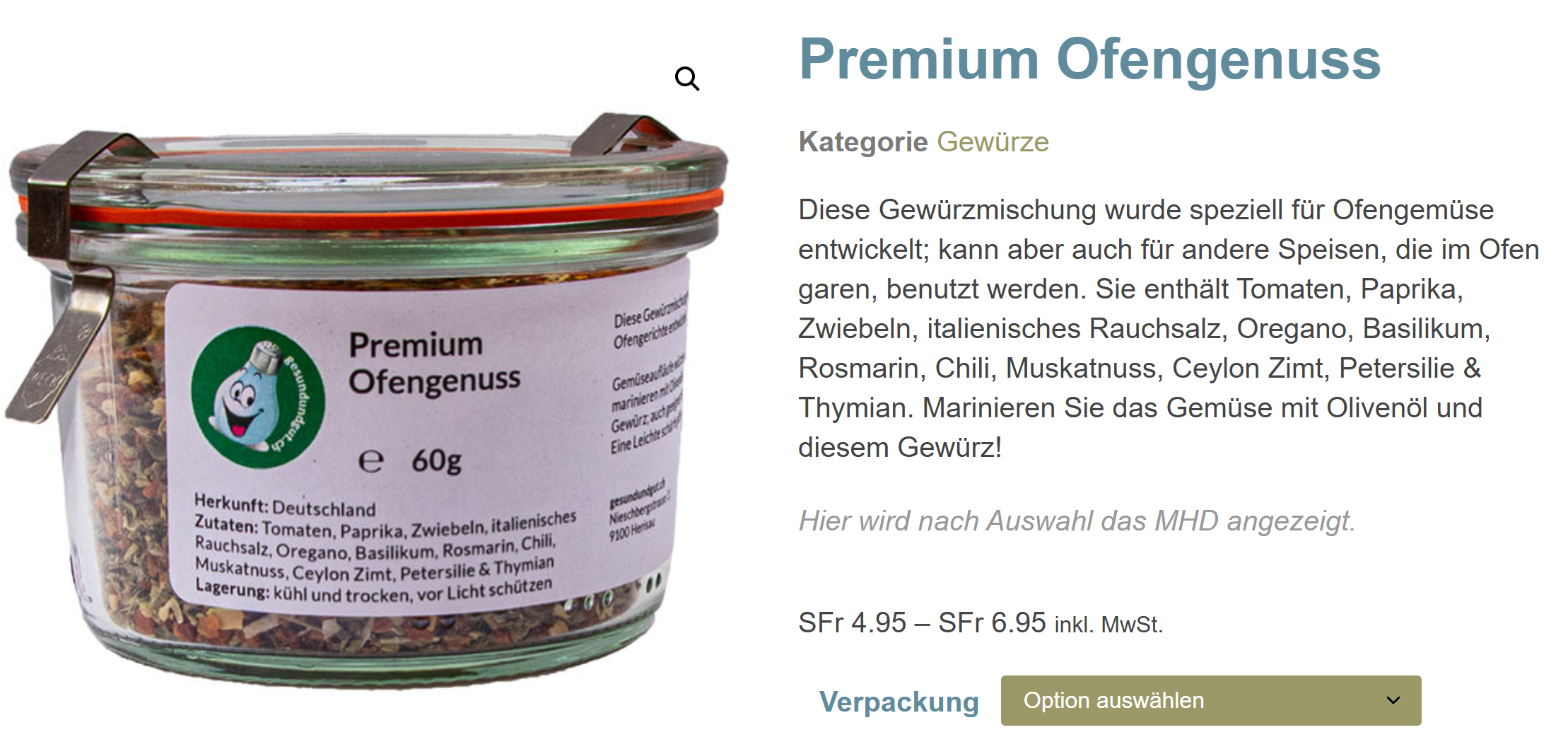
Super Duper MHD Assistant lets shop owners display best-before dates (“MHD” = Mindesthaltbarkeitsdatum) on their WooCommerce products. It is especially useful for online shops selling food, cosmetics, supplements or any other products with a limited shelf life.
🇨🇭🇩🇪🇦🇹 Note for DACH users: the plugin interface and support are available in German (Switzerland, Germany, Austria). All texts and settings are fully translated into German.
Features
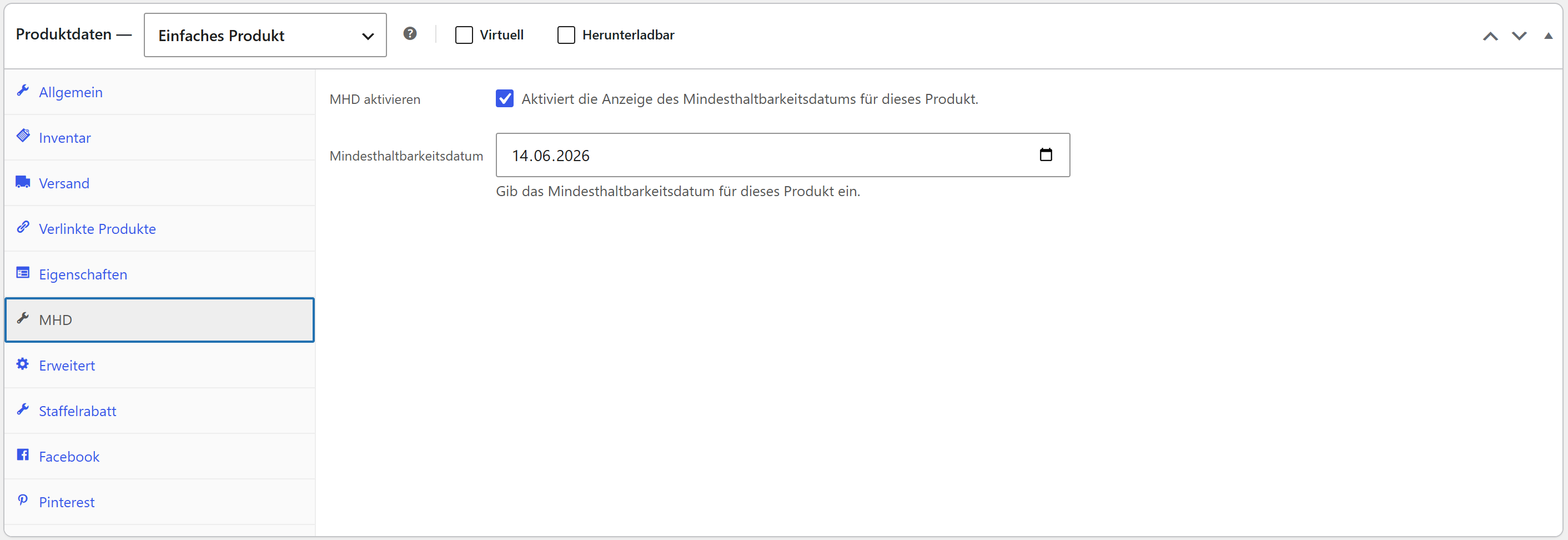
- Best-before display for simple products – one best-before date per product
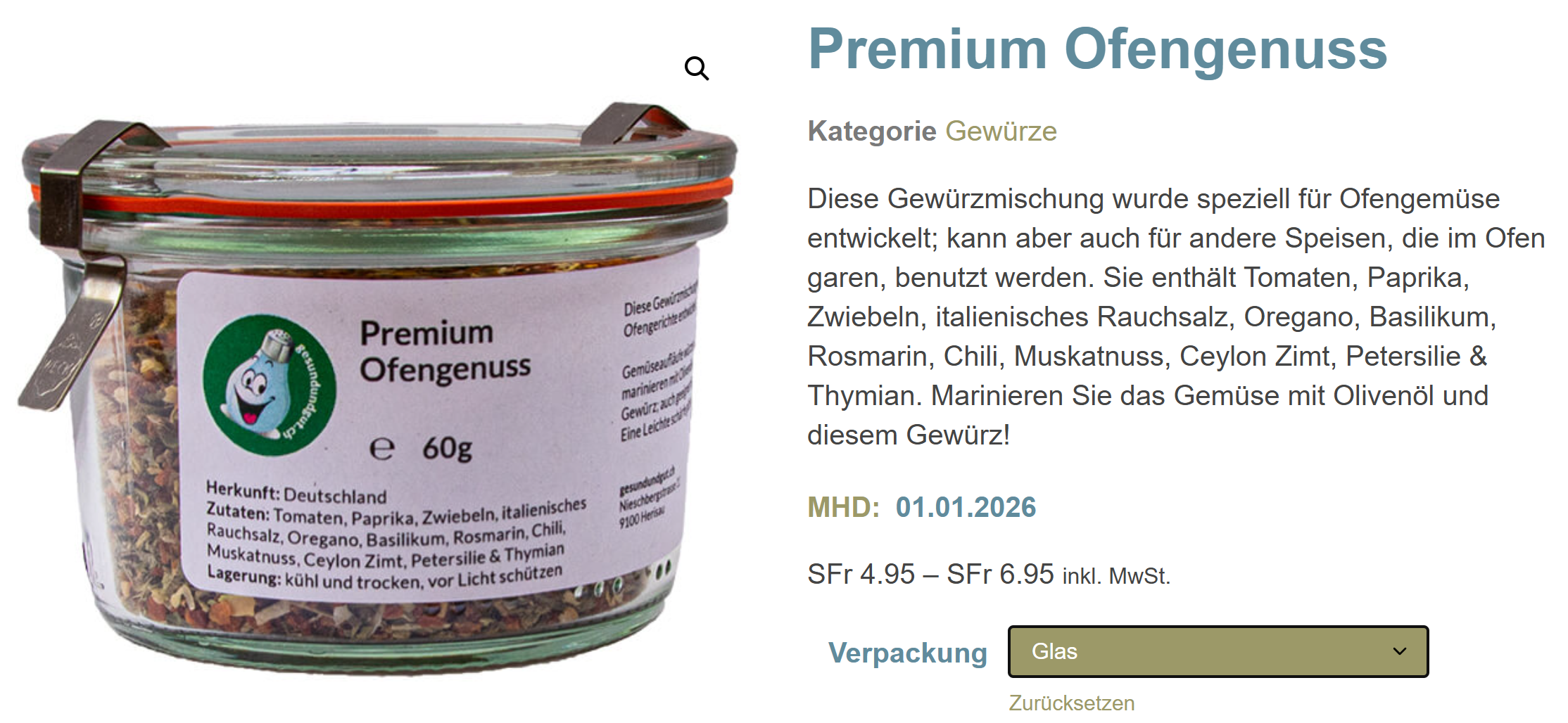
- Best-before display for variable products – the matching date for the selected variation
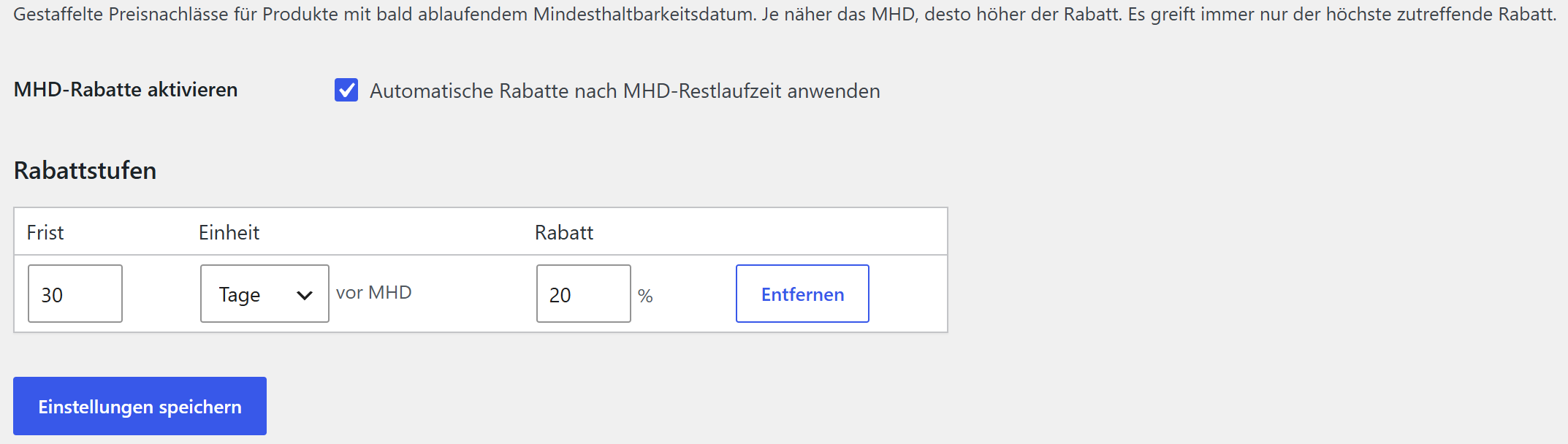
- Automatic expiry discount – optional price reduction for products whose best-before date is approaching (from X days/weeks before the date → Y %)
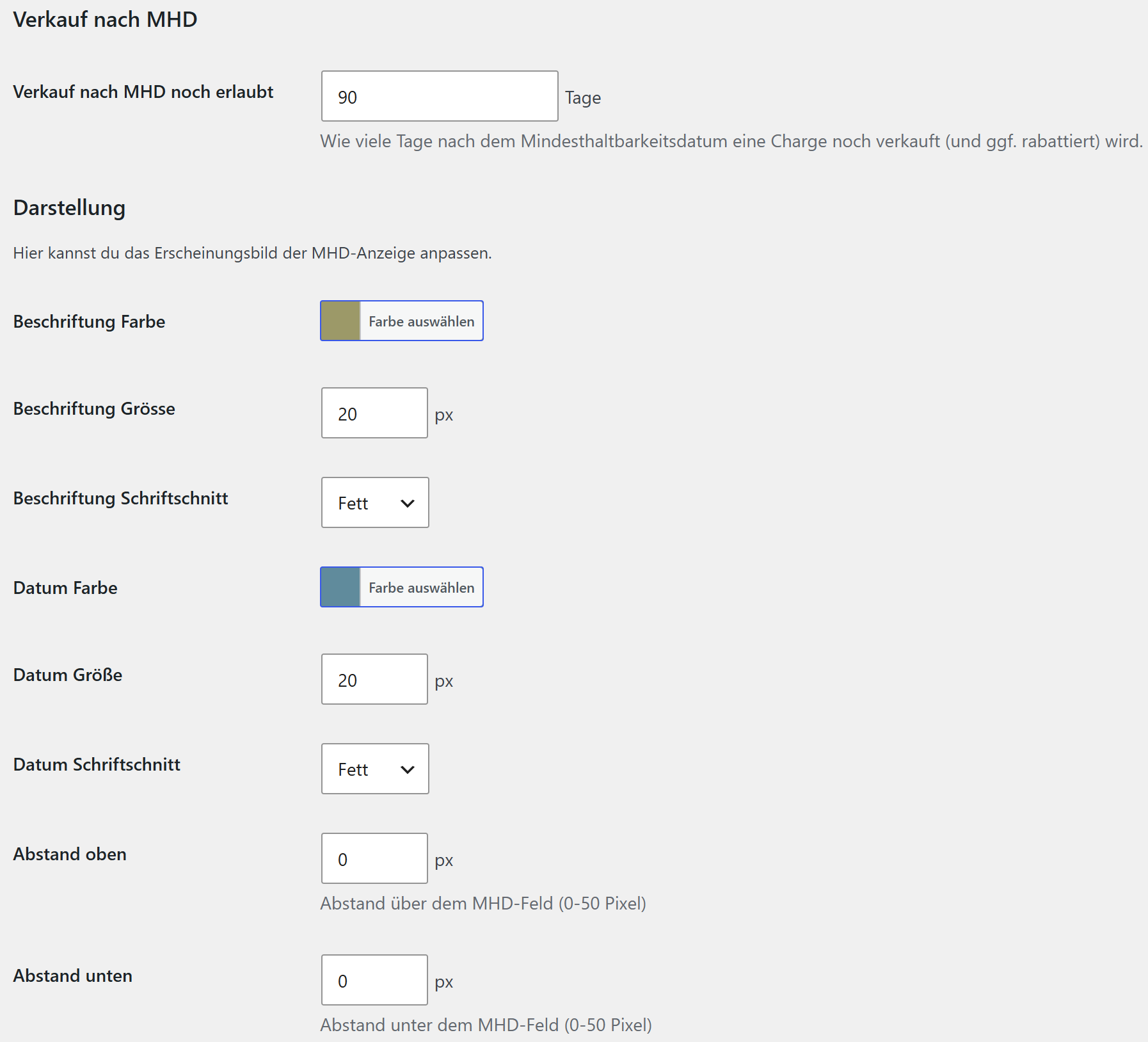
- “Sell after best-before” grace period – configure how many days past the best-before date a product may still be sold; afterwards it is treated as expired
- Fully customizable appearance – colors, font sizes, font weights and spacing
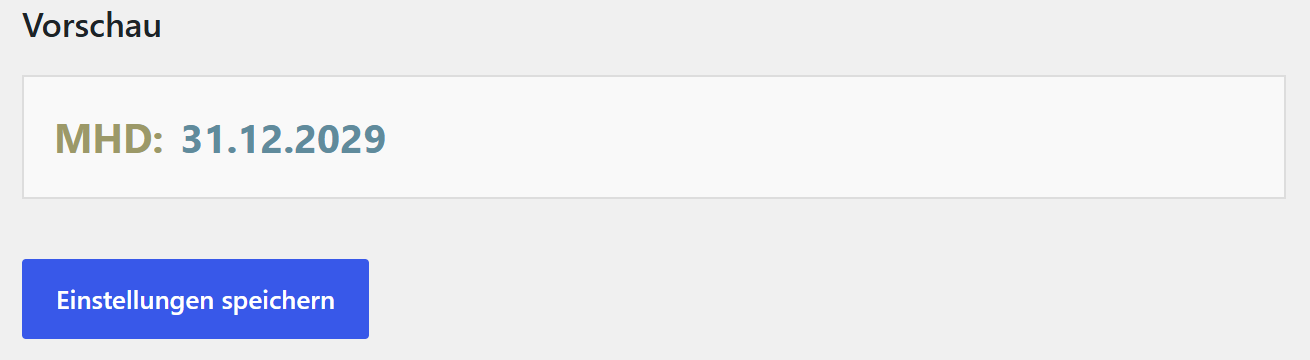
- Live preview – see changes immediately
- Shortcode support – flexible placement with
[sdmhda_mhd]for maximum compatibility - Theme compatible – works with all WooCommerce themes, including Elementor and page builders
- German localization – complete translations for Germany, Austria and Switzerland
Pro version
A separate Pro version is available directly from Super Duper Plugins (superduperplugins.ch). It is a standalone plugin that you install over this free version – same plugin, your settings are kept – and it adds:
- Batch / LOT management with FEFO stock control – multiple batches per product/variation with LOT number, best-before date and stock; on sale the batch with the earliest best-before date is reduced first (First Expired, First Out) and the WooCommerce stock is kept in sync
- Batch overview – a dashboard widget and an overview page for soon-expiring batches
- Multiple discount tiers – e.g. 4 weeks → 20 %, 2 weeks → 30 %, 3 days → 50 %
- Display modes for several best-before dates – only when a batch runs low, or all batches in stock
- Quantity per best-before date – show the available quantity per date, with its own styling
- Daily e-mail notification about expiring batches
The Pro version is distributed by Super Duper Plugins and is not hosted on WordPress.org.
Appearance options
- Customizable label and value colors (with color picker and hex input)
- Configurable font sizes (10–24 px)
- Different font weights (normal, bold, lighter)
- Individual top and bottom spacing (0–50 px)
- Live preview of all changes
Shortcode usage
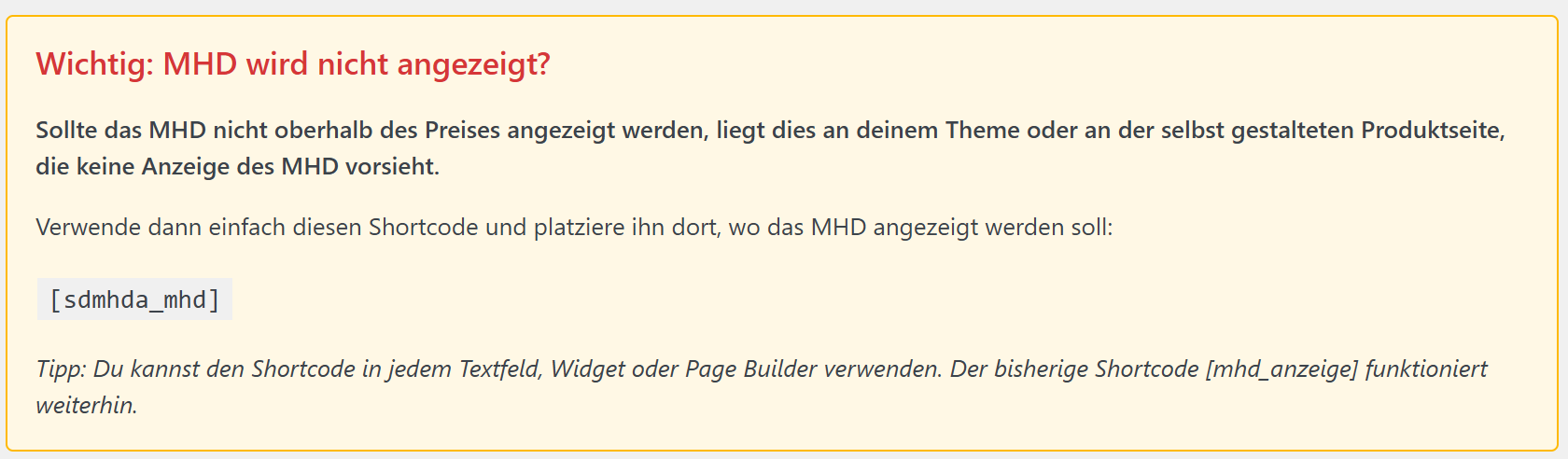
Use the shortcode [sdmhda_mhd] for maximum flexibility:
- Place the best-before date exactly where you want it
- Ideal for custom themes or page builders
- A reliable solution for display issues
External services
This free version does not connect to any external services. It runs entirely on your own site.
(The separate Pro version contacts the Super Duper Plugins license server only to validate a Pro license key; that is documented with the Pro version.)
Installation
Automatic installation
- Go to your WordPress dashboard.
- Navigate to Plugins > Add New.
- Search for “Super Duper MHD Assistant”.
- Click Install Now and then Activate.
Manual installation
- Upload the plugin files to the
/wp-content/plugins/super-duper-mhd-assistant/directory. - Activate the plugin through the Plugins menu in WordPress.
- Make sure WooCommerce is installed and active.
Configuration
- Appearance: go to MHD Assistant > Settings and adjust colors, font sizes and spacing. The live preview shows the result immediately.
- Best-before for simple products: edit a product and open the MHD tab in the Product data box. Enable best-before and choose the date.
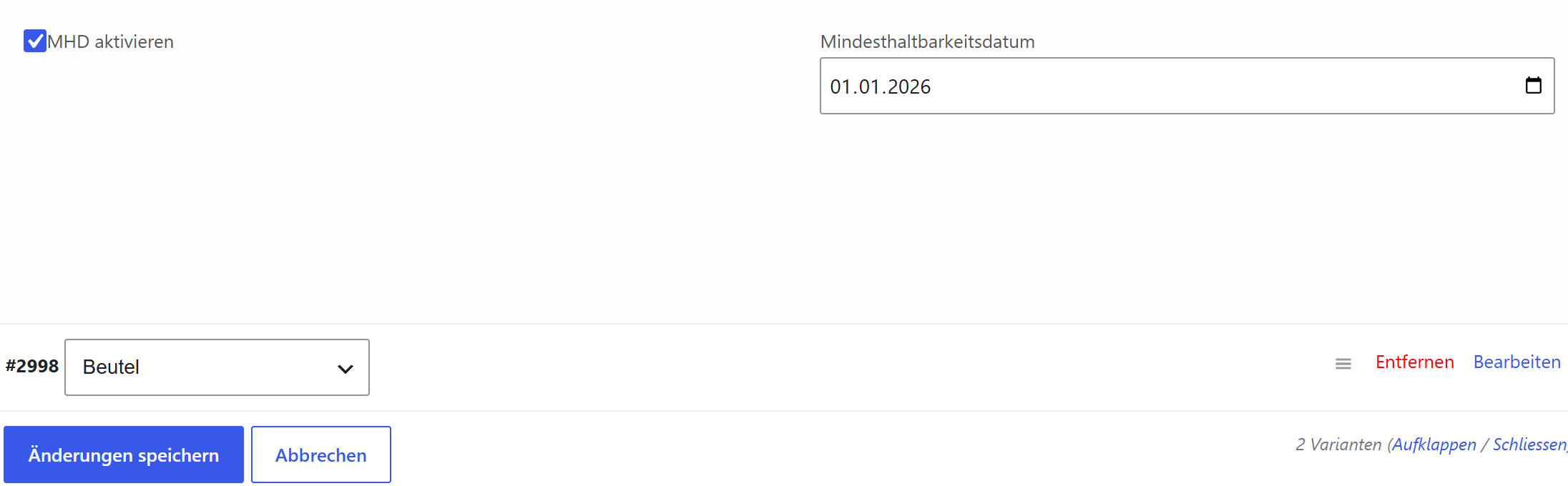
- Best-before for variable products: on the Variations tab, enable best-before per variation and set a date.
- Expiry discount (optional): under MHD Assistant > Rabatte, enable the automatic discount and set a tier.
- Shortcode (optional):
[sdmhda_mhd]for flexible placement in your theme or page builder.
Frequently asked questions
The best-before date is not shown, what can I do?
Use the shortcode [sdmhda_mhd] and place it where you want on your product page (theme or page builder). Also check that best-before is enabled and a date is set, and clear any caches.
Does the plugin work with variable products?
Yes. For variable products the best-before date appears once the customer selects a variation – showing the date of exactly that variation. Each variation can have its own date.
Can I customize the appearance?
Yes, under MHD Assistant > Settings: colors, font sizes, font weights and spacing – with a live preview.
Is there a Pro version with batch tracking?
Yes. Batch/LOT management with FEFO stock control, a batch overview, multiple discount tiers, additional display modes and a daily e-mail notification are available in the separate Pro version from superduperplugins.ch. It installs over this free version and is not hosted on WordPress.org.
Is the plugin translation ready?
Yes. Complete translations for German (Germany, Austria, Switzerland – formal and informal) are included. Additional languages can be added through the standard WordPress localization.
Screenshots
For developers
Is this your plugin? Show off the numbers.
Add a live badge to your site, docs or GitHub README. It updates on its own — no account needed.
Best Super Duper MHD Assistant alternatives
All best before plugins →FAQ
Super Duper MHD Assistant: quick answers
Straight answers, pulled from live WordPress.org data.
Live data from WordPress.org · checked Oct 20, 2026
Is Super Duper MHD Assistant free?
Yes. Super Duper MHD Assistant is free to download and use from the official WordPress.org plugin directory.
Is Super Duper MHD Assistant safe to use in 2026?
Super Duper MHD Assistant works, but test it on a staging site before relying on it in 2026. Was last updated 4 months ago, and scores 49/100 on our health check.
How many websites use Super Duper MHD Assistant?
Super Duper MHD Assistant is active on <10 WordPress websites and has been downloaded 244 times since it launched in July 2026. It was downloaded 66 times in the last 30 days.
Does Super Duper MHD Assistant work with WordPress 7.1?
Super Duper MHD Assistant is officially tested up to WordPress 7.0.7, while the latest release is 7.1.3. It may still work, but try it on a staging site first.
What PHP version does Super Duper MHD Assistant need?
Super Duper MHD Assistant requires PHP 8.0 or higher. Most hosts run PHP 8.x today, so it works on any modern WordPress hosting.
When was Super Duper MHD Assistant last updated?
The latest version, 1.2.7, was released on July 5, 2026 (4 months ago).
Who makes Super Duper MHD Assistant?
Super Duper MHD Assistant is developed and maintained by Super Duper Plugins.
What are the best alternatives to Super Duper MHD Assistant?
The most popular alternatives to Super Duper MHD Assistant are Sellinor Expiration Dates f… (<10 installs) and PluginCity Product Expiry D… (<10 installs).
Powered by PageForge
Want thousands of pages that rank like these? Build them in an afternoon.
This directory runs on the same engine as PageForge. Turn any spreadsheet, CSV or API into thousands of fast, SEO-ready WordPress pages — with schema, internal links and AI-written copy baked in.
- CSV, Google Sheets & API data sources
- AI content, schema & internal links per page
- Works with Elementor, Gutenberg, Yoast & Rank Math
- Free on WordPress.org — no credit card


