


ClassyBlocks — Custom CSS Classes, Design System & Preview for Gutenberg
Every Gutenberg block needs custom styling. And that’s where your time disappears.

Use with caution
ClassyBlocks works, but test it on a staging site before relying on it in 2026. It runs on 10+ sites and was last updated 4 months ago, and scores 51/100 on our health check.
- Small user base (10+ active installs)
- Very few reviews so far
How does it stack up?
Side-by-side on installs, updates, ratings & support


Daily downloads
Download spikes usually follow a new release — each site that auto-updates counts as a download.
Rankings
Where ClassyBlocks stands todayWordPress.org search rankings
Live position in the plugin search, top 100| Keyword | Position |
|---|---|
| css | >100 |
| custom classes | >100 |
| design | >100 |
| Frontend | >100 |
| utility classes | #8 |
Version adoption
Share of active sites per release.
About ClassyBlocks
From the official readme · v2.3.5Description
Every Gutenberg block needs custom styling. And that’s where your time disappears.
You write the same CSS across 30 blocks. You switch between editor and customizer. One typo in a class name and the layout breaks. Your client calls because they can’t change a button color.
There’s a faster way.
ClassyBlocks gives you a design system command center right inside the WordPress block editor.
Create your classes once — name them, write the rules, preview them live — and apply them anywhere with one click.
What you get
- Your own class library — Create and organize CSS classes with full support for
:hover,:focus,:active, and:visited. Each class documented and ready to use across your entire site. - 9 built-in CSS frameworks — Bootstrap 5.3, Tailwind CSS 3.4, Foundation, Bulma, UIkit, Materialize, Pure CSS, Spectre, and Semantic UI. Toggle each on/off for editor and frontend independently.
- Live preview — See how every class looks in real time inside the block editor. No reloads, no switching tabs.
- One-click apply — Apply any class to any block with a single click. No typing class names manually.
- Pack Manager — Export and import complete class sets as packs. Share your design system across client sites in seconds.
Benefits that move the needle
- Ship sites 3x faster — Build your class library once. Apply across pages and posts in minutes, not hours.
- Kill support tickets — Clients style their own content using your pre-built classes. They stop calling you for every color change.
- Zero performance impact — Minimal stylesheet, zero JavaScript on the frontend. No bloat. No harm to Core Web Vitals.
- Works with every theme — Blocksy, GeneratePress, Astra, Twenty Twenty-Four. If it runs Gutenberg, ClassyBlocks works.
Trusted by agencies and freelancers
Used by digital agencies managing 50+ client sites and solo freelancers who want a professional design workflow without the overhead.
Need scroll-driven animations, priority support, and advanced features? Get ClassyBlocks Pro →
How it works
- Install and activate the plugin.
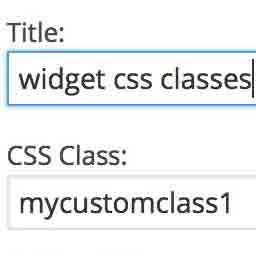
- Go to the CSS Classes section and create your own classes with the properties you want.
- Go to the page editor (Gutenberg).
- In the “CSS Classes” section of each block, you can select the plugin’s custom classes.
You can easily combine classes to achieve complex results.
Credits
Developed by Studio Immens – Modular digital solutions for professionals and businesses.
License
This plugin is licensed under the GPL v2 or later.
Installation
- Download the plugin from GitHub or the repository.
- Upload the
studioimmens-css-classesfolder to the/wp-content/plugins/directory. - Activate the plugin from the WordPress “Plugins” section.
- Go to the CSS Classes section and create your own classes with the properties you want.
- Start using advanced CSS classes in your Gutenberg blocks.
Changelog
2.3.0
- Added WordPress.org SVN deploy automation via GitHub Actions.
- Updated screenshots and WordPress.org assets.
- Improved readme.txt description and formatting.
- Fixed Tested up to version consistency.
2.2.0
- Tailwind CSS now bundled locally (no external CDN dependency)
- Enhanced security: CSS sanitization, file upload validation, XSS fixes
- Improved localization: all JavaScript strings are translatable
- Replaced uniqid() with wp_generate_uuid4() for stronger IDs
- Added HTTP method checks to all AJAX handlers
- Various performance and security improvements
2.1.0
- Rebrand: Studio Immens CSS Classes → ClassyBlocks
- Introdotto ClassyBlocks Pro: animazioni scroll-driven, Pack Manager e funzionalità premium
1.2.1
- bug fix
- Added setting page options
1.1.1
- bug fix
1.1.0
- Added multiple set of framework CSS easly selectable from editor ( bootstrap, materialize, purecss, uikit, spectre, bulma, semantic )
- Added setting page
Screenshots


For developers
Is this your plugin? Show off the numbers.
Add a live badge to your site, docs or GitHub README. It updates on its own — no account needed.
Best ClassyBlocks alternatives
All css plugins →




FAQ
ClassyBlocks: quick answers
Straight answers, pulled from live WordPress.org data.
Source: WordPress.org
Is ClassyBlocks free?
Yes. ClassyBlocks is free to download and use from the official WordPress.org plugin directory.
Is ClassyBlocks safe to use in 2026?
ClassyBlocks works, but test it on a staging site before relying on it in 2026. It runs on 10+ sites and was last updated 4 months ago, and scores 51/100 on our health check.
How many websites use ClassyBlocks?
ClassyBlocks is active on 10+ WordPress websites and has been downloaded 1,009 times since it launched in July 2025. It was downloaded 78 times in the last 30 days.
Does ClassyBlocks work with WordPress 7.1?
ClassyBlocks is officially tested up to WordPress 7.0.9, while the latest release is 7.1.5. It may still work, but try it on a staging site first.
What PHP version does ClassyBlocks need?
ClassyBlocks requires PHP 7.4 or higher. Most hosts run PHP 8.x today, so it works on any modern WordPress hosting.
When was ClassyBlocks last updated?
The latest version, 2.3.5, was released on July 27, 2026 (4 months ago).
Who makes ClassyBlocks?
ClassyBlocks is developed and maintained by Studio Immens.
What are the best alternatives to ClassyBlocks?
The most popular alternatives to ClassyBlocks are WPCode (3M+ installs), Simple Custom CSS Plugin (100K+ installs) and Blocks Animation: CSS Anima… (90K+ installs).
Powered by PageForge
One template and a spreadsheet. A real page for every search.
PageForge turns each row of a CSV into a WordPress page with its own title, URL, SEO fields and schema, built on the layout you already designed. Free on WordPress.org.
- CSV and XLSX, plus Google Sheets on Professional and Enterprise
- Its own title, URL, SEO fields and schema for every page
- Works with the block editor, Elementor, Divi and Avada
- Free on WordPress.org, no credit card