



Skurail for WooCommerce
Sell on eBay from WooCommerce: import or link your listings, sync stock and prices both ways, get orders in Woo. Amazon coming soon. Free plan.

Solid choice
Skurail for WooCommerce is a solid plugin choice in 2026, with a few things worth checking first. Was last updated 5 days ago, and scores 64/100 on our health check.
- Actively developed — last update 5 days ago
- Tested with the latest WordPress (7.1)
- Small user base (<10 active installs)
- Very few reviews so far
- Needs PHP 8.1 or newer
How does it stack up?
Side-by-side on installs, updates, ratings & support



Daily downloads
Download spikes usually follow a new release — each site that auto-updates counts as a download.
Rankings
Where Skurail for WooCommerce stands todayWordPress.org search rankings
Live position in the plugin search, top 100| Keyword | Position |
|---|---|
| ebay | >100 |
| inventory | >100 |
| Marketplace | >100 |
| Multichannel | #26 |
| woocommerce | >100 |
About Skurail for WooCommerce
From the official readme · v0.2.0Description
Skurail connects your WooCommerce store to your eBay seller account and keeps the two in step, in both directions. Amazon is coming soon.
Most marketplace plugins only push out. Skurail also brings your existing marketplace business in: link your live eBay listings to the products you already have without relisting anything, or import them as real WooCommerce products, variations included.
What it does
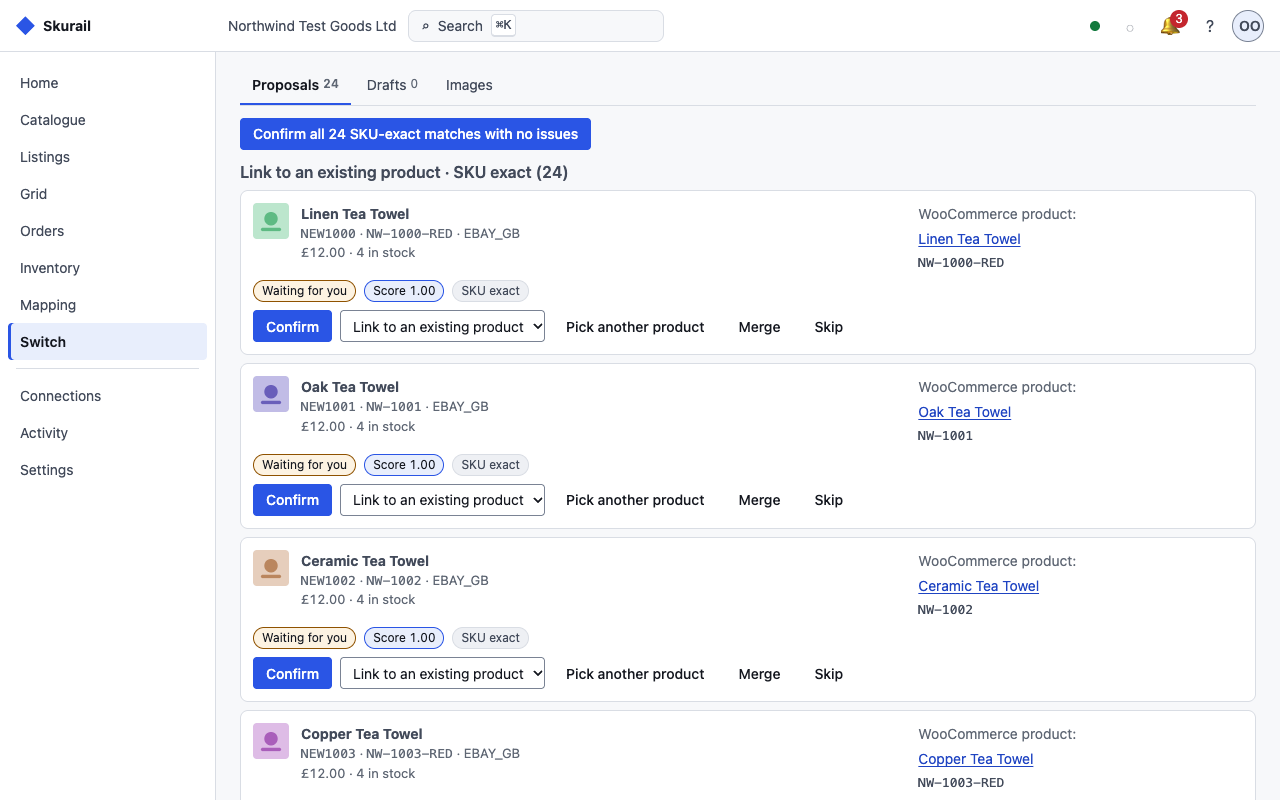
- Link or import your eBay listings. Skurail matches each live listing to a WooCommerce product by SKU, GTIN, brand and part number, or title, and shows you a score and the reason for every match. Confirm a link and your eBay item IDs, sales history and search ranking stay exactly as they are. Listings with no product can be imported as WooCommerce products, created as drafts by default so you can review them first.
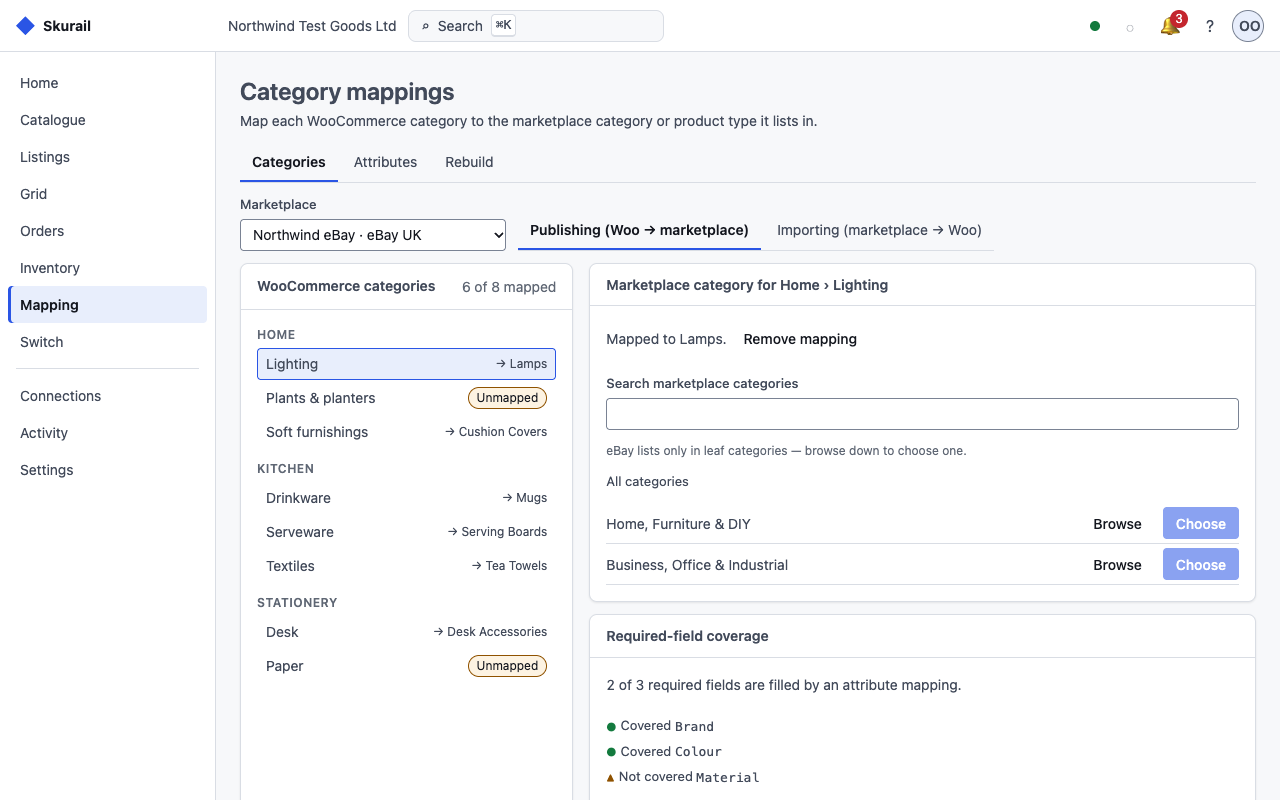
- List from WooCommerce to eBay. Publish products as new listings, with category and item-specific mappings you set up once and reuse across the catalogue.
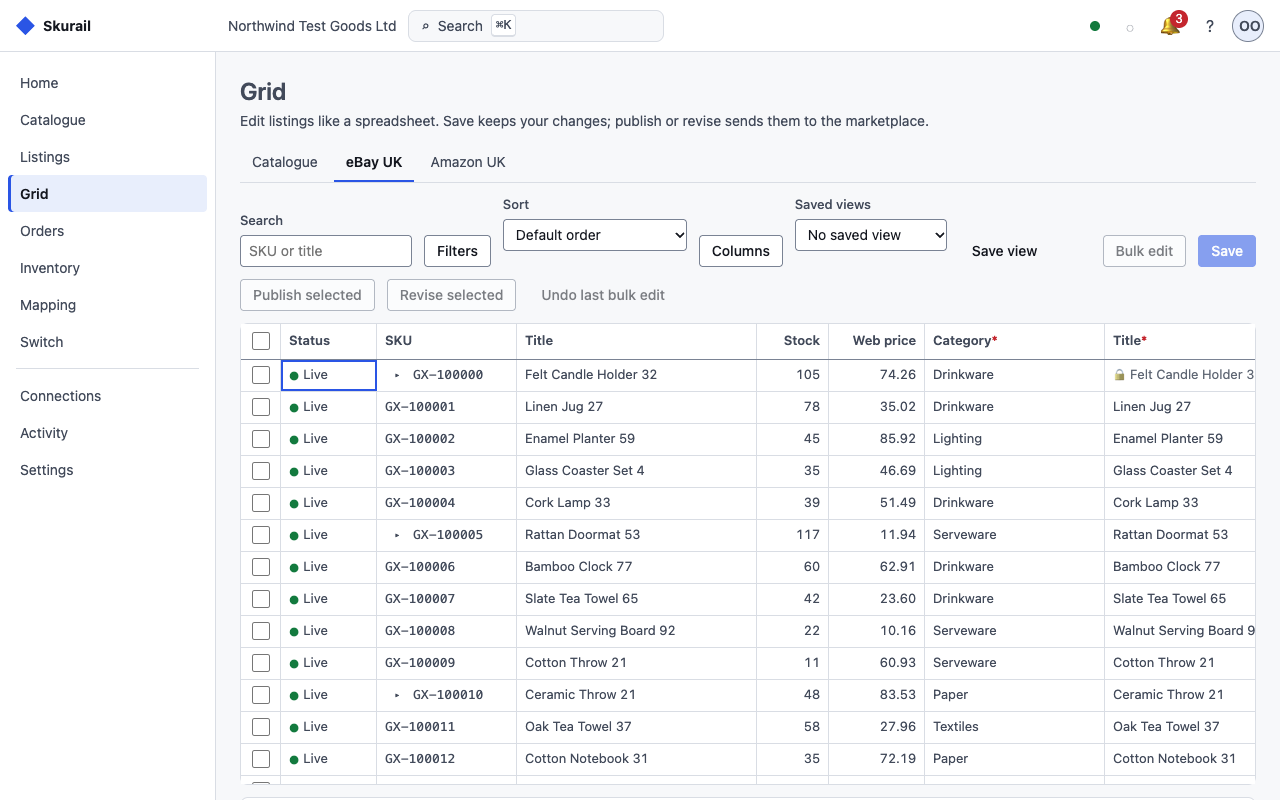
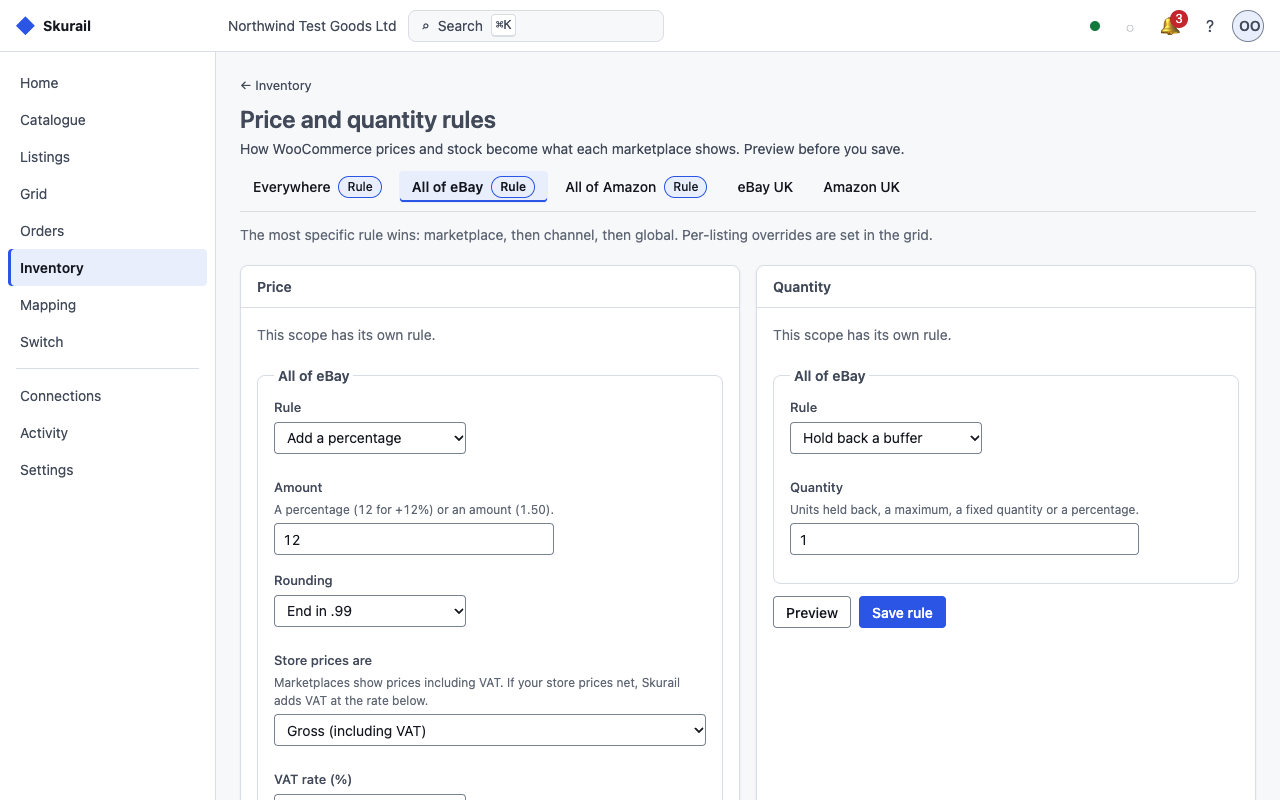
- Two-way stock and price sync with oversell protection. One inventory ledger across your channels, with per-channel stock buffers, price rules and rounding. When the last unit sells on eBay, your storefront knows.
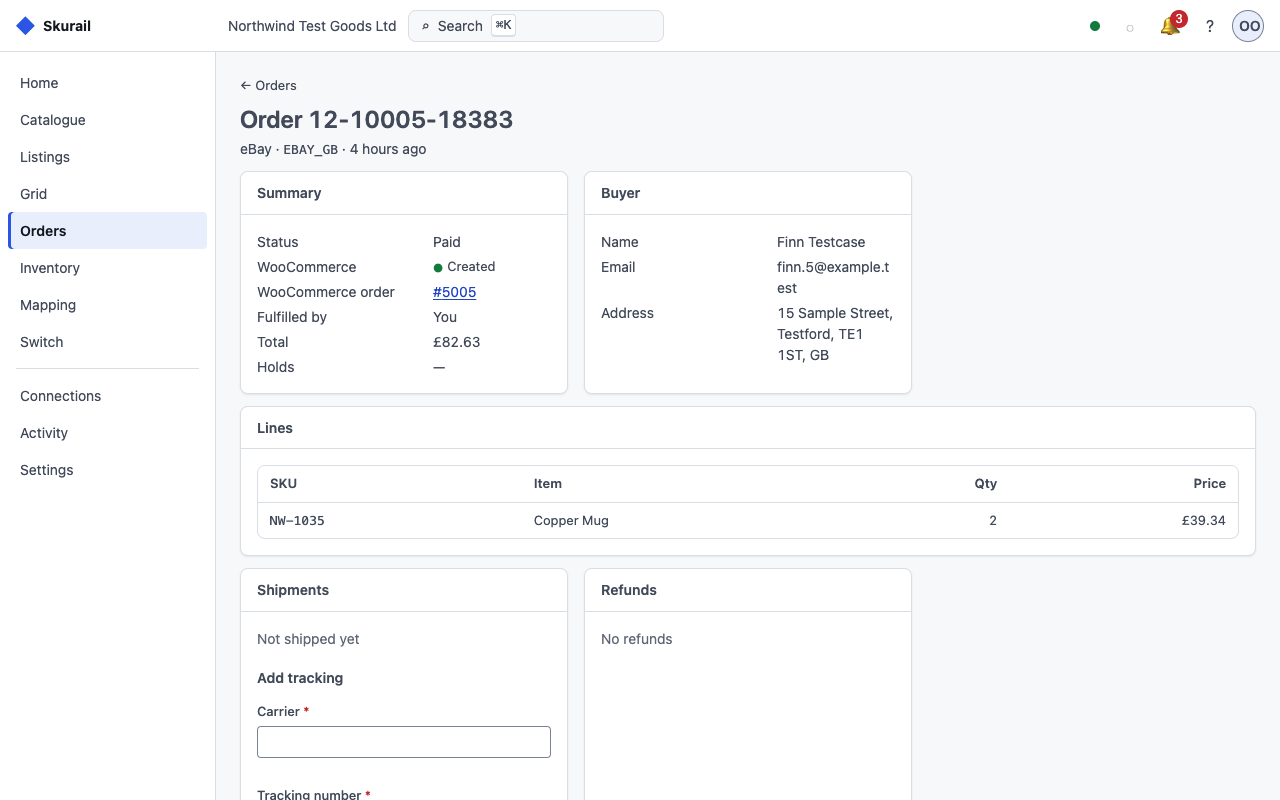
- Marketplace orders arrive in WooCommerce. eBay orders become real WooCommerce orders (HPOS supported), with shipping and marketplace tax recorded, so your existing fulfilment workflow keeps working.
- Tracking goes back automatically. Complete an order in WooCommerce with a carrier and tracking number and Skurail sends them to the marketplace.
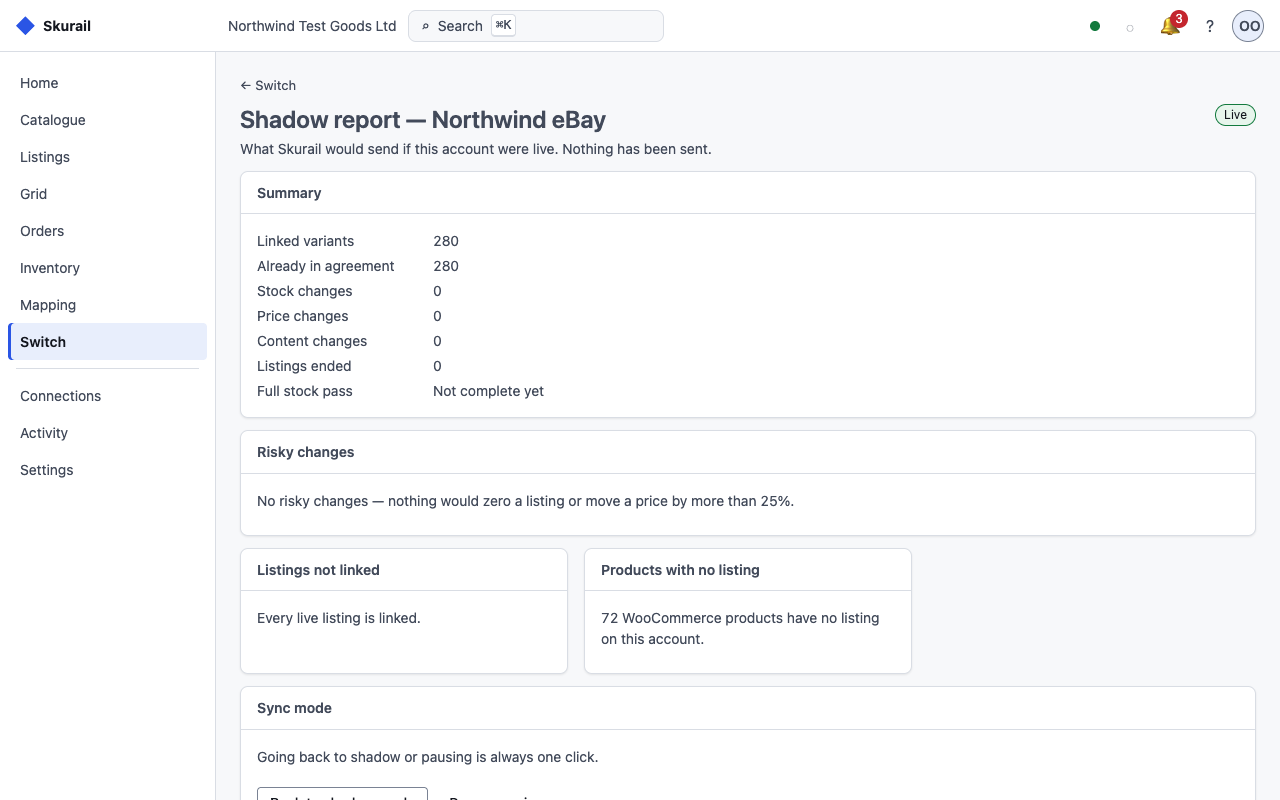
- Try it without touching your live listings. Shadow mode connects your account and reports exactly what Skurail would change, without writing anything to the marketplace. Switch it to live when you are satisfied.
Built for WooCommerce
- High-Performance Order Storage and the Cart and Checkout blocks are supported; products and orders go through the WooCommerce CRUD layer.
- The plugin is a thin, signed bridge. The heavy work happens in Skurail Cloud, not in your store’s PHP, so it runs on ordinary shared hosting.
- Your orders live in WooCommerce. Marketplace buyer details are removed automatically on the schedule the marketplaces require.
Plans
Every plan has every feature. The only thing that changes is how many marketplace orders a month are included.
- Free: 50 marketplace orders a month, one seller account. No time limit.
- Starter: £29 a month (£290 a year), 200 orders a month, two seller accounts; extra orders £0.10 each, capped at £40 a month.
- Growth: £79 a month (£790 a year), 1,000 orders a month, unlimited seller accounts; extra orders £0.05 each, capped at £110 a month.
- Pro: £199 a month (£1,990 a year), 4,000 orders a month, unlimited seller accounts; extra orders £0.03 each, capped at £190 a month.
- Scale: from £399 a month, billed annually, for more than 4,000 orders a month.
- Max: no monthly fee. 1% of your marketplace sales through Skurail (the buyer’s total including shipping, excluding tax the marketplace collects), with unlimited orders and nothing to pay in a month with no sales.
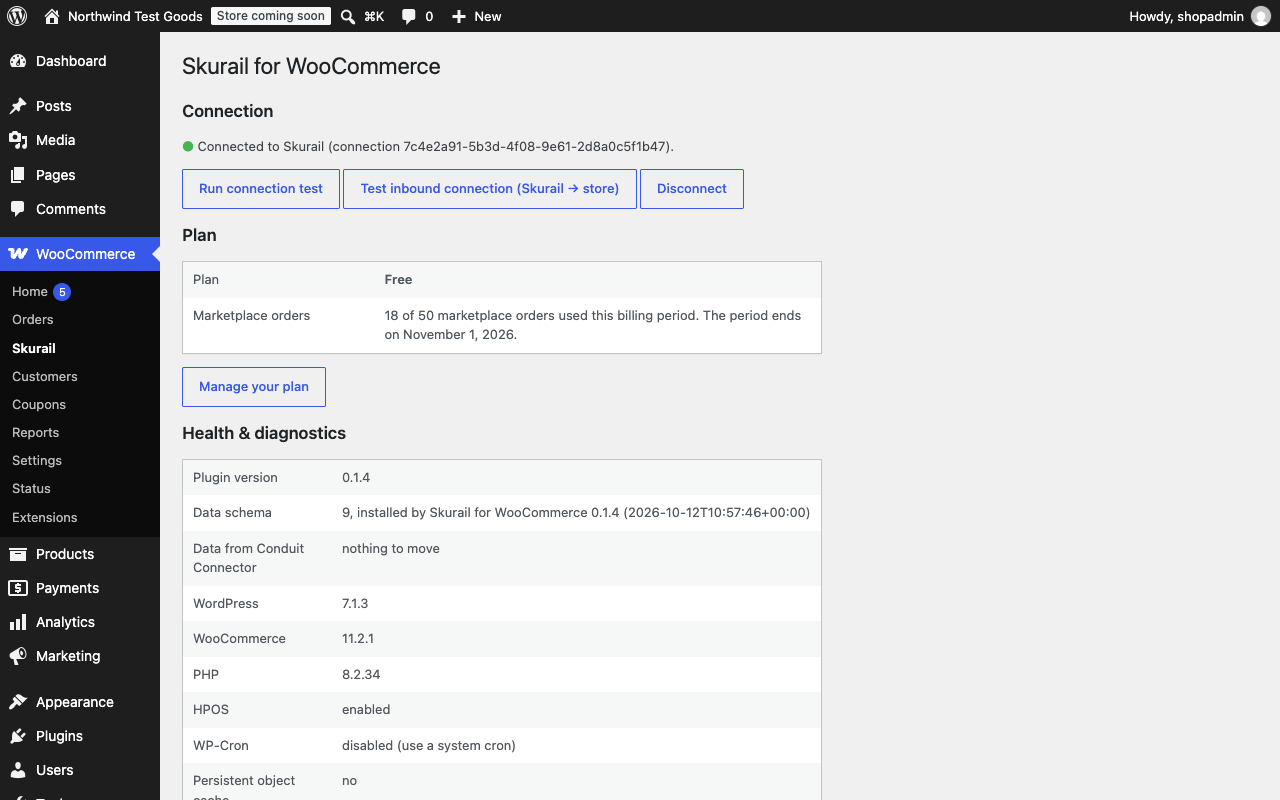
Starter, Growth and Pro start with a 14-day trial. On the Free plan, orders past 50 in a month are held in Skurail, never lost, and sent to WooCommerce as soon as you upgrade or the month resets. Your own storefront orders never count, and on the order-based plans neither do marketplace-fulfilled or cancelled orders. Your current plan and this month’s usage are shown on the WooCommerce → Skurail page.
Requires a Skurail account
This plugin is the on-store half of Skurail. All marketplace communication happens in Skurail Cloud, our hosted service; the plugin never talks to the marketplaces’ APIs. That is how the marketplaces require it: application keys may not be distributed inside software. You need a Skurail account, and the Free plan is enough to start.
The plugin does nothing until this store is linked to a Skurail account. Until then it syncs nothing, sends nothing, runs no background jobs and adds nothing to your product screens; its only screen is WooCommerce → Skurail, where you create a free account or sign in without leaving WordPress. Signing out (WooCommerce → Skurail → Sign out and disconnect) closes it again.
External services
This plugin needs an account with Skurail Cloud, a hosted service operated by Bek Service Ltd (United Kingdom), which manages your marketplace listings. Until this store is linked to a Skurail account the plugin makes no call to Skurail and runs no background jobs. It sends no analytics or tracking data, and it loads no remote script on your storefront or on its own admin pages: the only remote content it shows is Skurail’s sign-in page, framed on WooCommerce → Skurail while you use it.
Skurail Cloud: creating an account and signing in
Nothing is sent until you click Create a free Skurail account or Sign in to Skurail on WooCommerce → Skurail.
- When you click either button: the plugin sends Skurail your site address, the address Skurail calls back to link the store, the plugin version, and a one-time pairing reference and secret. Your browser then shows Skurail’s sign-up and sign-in page (https://skurail-app.bekservice.uk) inside the WooCommerce page.
- On that page you type your email address and a password, and to create an account you confirm your store’s address and accept Skurail’s terms. These go from your browser straight to Skurail; WordPress never receives or stores your password. Skurail emails you a code to verify your address, and password resets work the same way.
- When you have signed in with a verified address: Skurail sends this store a connection id, a connection key and the email address of your account. The plugin keeps them in your WordPress database (the key encrypted where your server supports it, never shown) and shows the address on the Skurail page. Signing out deletes them.
Cloudflare Turnstile, on Skurail’s sign-in page only
Skurail’s sign-up, sign-in and password-reset forms are protected against automated abuse by Cloudflare Turnstile, a service of Cloudflare, Inc. Turnstile’s script is loaded from challenges.cloudflare.com by Skurail’s sign-in page inside the frame, only while that page is open, and never by this plugin’s own pages or your storefront. Cloudflare receives information about your browser and device that it needs to tell a person from an automated program; Skurail sends Cloudflare the resulting token, and your IP address, to check the result.
- Service: Cloudflare Turnstile, https://www.cloudflare.com/products/turnstile/
- Turnstile privacy addendum: https://www.cloudflare.com/turnstile-privacy-policy/
- Cloudflare terms: https://www.cloudflare.com/website-terms/
Skurail Cloud: once the store is linked
- When a product or its stock changes: the IDs of the changed products and the kind of change.
- When a marketplace order changes in WooCommerce (completed, cancelled, refunded, or given tracking): its status, carrier and tracking numbers, and any refund amounts.
- Once a day: a health report with your site address, the plugin, WordPress, WooCommerce and PHP versions, whether HPOS, WP-Cron and an object cache are in use, product and order counts, the sync queue length and the last connection error.
- When you open WooCommerce → Skurail, at most once an hour and in the background: a signed request for your plan status (plan name, this month’s marketplace order count and any orders waiting). Nothing about your store or customers is sent with it.
- When you run a connection test: a signed test message.
- When you deactivate the plugin, sign out, or delete it: that the connection is paused or gone.
Product import is off until you switch it on (WooCommerce → Skurail → Product import). While it is on, Skurail can create and update products, attributes, categories and images in your store from the marketplace listings you confirm, and the plugin downloads those listings’ pictures over HTTPS from the marketplaces’ image servers (i.ebayimg.com, m.media-amazon.com, images-na.ssl-images-amazon.com, images-eu.ssl-images-amazon.com). Those downloads are plain image requests: nothing about your store or your customers is sent with them.
Skurail Cloud also calls into your store: it reads product data (SKU, title, description, prices, stock, attributes, categories, weight and dimensions, image URLs) to build your listings, reads the same health report, creates your marketplace orders (buyer names and addresses), and adjusts stock after marketplace sales. Once the store is linked, every request in either direction is signed with this store’s own key, and everything travels over HTTPS. Signing out (WooCommerce → Skurail → Sign out and disconnect) deletes the key from your store.
- Service: Skurail, https://bekservice.uk/skurail/
- Terms of use: https://bekservice.uk/skurail/terms/
- Privacy policy: https://bekservice.uk/skurail/privacy/
You connect your marketplace seller accounts to Skurail through the marketplaces’ own consent screens; Skurail never sees your marketplace password.
Installation
- Install and activate WooCommerce (8.2 or later).
- Install and activate Skurail for WooCommerce.
- Go to WooCommerce → Skurail and click Create a free Skurail account (or Sign in to Skurail if you have one).
- Create your account or sign in on the page that opens inside WooCommerce, and enter the code Skurail emails you. The store is linked as soon as your address is verified.
- Connect your eBay seller account in Skurail, then choose whether to link your existing listings or publish from your WooCommerce catalogue.
Nothing is published to a marketplace until you choose to. If signing in cannot link the store because a firewall or security plugin stops Skurail calling your store back, issue a connection key in Skurail and paste it under Connect with a connection key instead.
Frequently asked questions
Will this relist my existing eBay items and lose my rankings?
No. Skurail matches your live listings to your WooCommerce products and links them, so your eBay item IDs, sales history and search ranking are kept. Nothing is relisted unless you choose to.
Can I try it without touching my live listings?
Yes. Shadow mode connects your account and shows what Skurail would change (every stock, price and content update, and any risky change such as a price moving by more than 25%) without writing anything to the marketplace.
Does it work with variable products?
Yes. WooCommerce variable products publish as eBay multi-variation listings, and imported eBay variations become WooCommerce variable products with their attributes.
Will it oversell?
Preventing that is the point. Skurail keeps one inventory ledger across your channels, applies each sale once, and never shows a marketplace more than you have. You can also hold back a per-channel buffer, or cap the quantity listed per product.
When is Amazon available?
Amazon support is in development and coming soon. eBay is available now. Plans and pricing are the same for both.
Does it import my customers?
No, deliberately. Marketplace orders arrive as WooCommerce guest orders carrying what you need to pick, pack and ship, and the buyer’s details are removed automatically after the order is complete, on the schedule the marketplaces require.
What happens when I reach my plan’s order limit?
On the Free plan, further marketplace orders that month are held in Skurail, safe and visible, and sent to WooCommerce as soon as you upgrade or the month resets. Stock keeps syncing, so nothing oversells while orders wait. Paid plans bill a small per-order overage instead, capped so you never pay more than the next plan up. The WooCommerce → Skurail page shows your plan, usage and any waiting orders.
What happens if my subscription lapses?
You move to the Free plan. Nothing is deleted, stock keeps syncing and your listings stay up; orders beyond the Free allowance wait in Skurail until you upgrade or the month resets.
Does it work on shared hosting?
Yes. The plugin is a thin bridge; the heavy work runs in Skurail Cloud. Catalogue exports are streamed within your host’s memory and time limits.
Is it compatible with High-Performance Order Storage?
Yes. Skurail declares compatibility with HPOS and the Cart and Checkout blocks, and its test suite runs with HPOS both on and off.
I used a marketplace integration that has closed. Can I move to Skurail?
Yes. Skurail rebuilds the link between your listings and your products from the marketplace side: it reads your live listings and matches them to your catalogue, so you keep your listings, rankings and history.
Where do I manage my plan?
In the Skurail app (Settings → Billing). The WooCommerce → Skurail page has a link straight to it.
Changelog
The plugin now works only with a signed-in Skurail account, created or signed in on WooCommerce → Skurail. Stores already connected stay connected.
0.2.0
- New: the plugin works only with a Skurail account. Until the store is linked to one it syncs nothing, sends nothing, runs no background jobs and adds nothing to your product screens, and every other Skurail screen and request refuses with a link to WooCommerce → Skurail.
- New: create a free Skurail account, sign in, verify your email address and reset your password on WooCommerce → Skurail, without leaving WordPress. Skurail’s sign-in page is shown inside the WooCommerce page and protected by Cloudflare Turnstile; your password goes straight to Skurail and is never stored in WordPress.
- New: the Skurail page shows which Skurail account the store is signed in with, and “Sign out and disconnect” unlinks it.
- Readme: the External services section describes the account, the embedded sign-in page and Cloudflare Turnstile.
0.1.4
- New: your Skurail plan, this month’s marketplace orders and any orders waiting for your plan limit are shown on the WooCommerce → Skurail page, with a link to manage your plan. Fetched in the background; the page never waits on it.
- Fixed: Run connection test no longer fails on healthy stores whose connection to Skurail takes a few seconds. Background sync waits longer too, while sends made during a page load stay short.
- New: product import (off by default). With “Allow Skurail to create and update products” switched on, Skurail creates products, variations, attributes, categories and images from the marketplace listings you confirm, and updates only the fields you chose. Nothing is ever deleted.
- New: products show which marketplace listings they are linked to, in a box on the product screen and a “Listed on” column.
- New: a store-wide setting and a per-product field cap the quantity listed on a marketplace while the store keeps selling its real stock.
- New: connect with a connection key when a firewall or security plugin blocks the normal Connect.
- Orders: marketplace refunds, cancellations, partial shipments and late tracking are recorded and sent correctly; marketplace tax is a proper tax row; an order is never created twice.
- Privacy: marketplace buyer details are removed 30 days after an order is completed or closed, and WordPress’s personal-data exporter and eraser find Skurail orders.
- Security: pairing never puts a secret in a URL, every request and paged export is signed end to end, and calls to Skurail never follow redirects.
- Reliability and admin: clearer connection warnings that say why the last call failed, self-healing scheduled jobs and tables, and cleanup on uninstall in every build.
- Compatibility: tested up to WordPress 7.1 and WooCommerce 11.2.
Earlier releases (0.1.0 to 0.1.3) were private previews. Detailed notes for every release are in changelog.txt.
Screenshots
For developers
Is this your plugin? Show off the numbers.
Add a live badge to your site, docs or GitHub README. It updates on its own — no account needed.
Best Skurail for WooCommerce alternatives
All ebay plugins →





FAQ
Skurail for WooCommerce: quick answers
Straight answers, pulled from live WordPress.org data.
Live data from WordPress.org · checked Oct 21, 2026
Is Skurail for WooCommerce free?
Yes. Skurail for WooCommerce is free to download and use from the official WordPress.org plugin directory.
Is Skurail for WooCommerce safe to use in 2026?
Skurail for WooCommerce is a solid plugin choice in 2026, with a few things worth checking first. Was last updated 5 days ago, and scores 64/100 on our health check.
How many websites use Skurail for WooCommerce?
Skurail for WooCommerce is active on <10 WordPress websites and has been downloaded 78 times since it launched in October 2026. It was downloaded 82 times in the last 30 days.
Does Skurail for WooCommerce work with WordPress 7.1?
Yes. The developer has tested Skurail for WooCommerce up to WordPress 7.1.3, the latest release. It requires WordPress 6.4 or newer.
What PHP version does Skurail for WooCommerce need?
Skurail for WooCommerce requires PHP 8.1 or higher. Most hosts run PHP 8.x today, so it works on any modern WordPress hosting.
When was Skurail for WooCommerce last updated?
The latest version, 0.2.0, was released on October 16, 2026 (5 days ago).
Who makes Skurail for WooCommerce?
Skurail for WooCommerce is developed and maintained by bekserviceltd.
What are the best alternatives to Skurail for WooCommerce?
The most popular alternatives to Skurail for WooCommerce are WP-Lister Lite for eBay (2K+ installs), LitCommerce: Sell on eBay,… (2K+ installs) and affiliate-toolkit (2K+ installs).
Powered by PageForge
Want thousands of pages that rank like these? Build them in an afternoon.
This directory runs on the same engine as PageForge. Turn any spreadsheet, CSV or API into thousands of fast, SEO-ready WordPress pages — with schema, internal links and AI-written copy baked in.
- CSV, Google Sheets & API data sources
- AI content, schema & internal links per page
- Works with Elementor, Gutenberg, Yoast & Rank Math
- Free on WordPress.org — no credit card


