



SiteSkite – Secure MCP & AI WebOps. Connect ChatGPT, Claude, or Any AI Agent via MCP
Secure WordPress MCP for Claude and ChatGPT, AI Studio and full WebOps, Backups, Sandbox & Fleet Control.

Safe pick
Yes — SiteSkite is a safe, well-maintained plugin to use in 2026. It runs on 100+ sites, is rated 5/5 and was last updated 7 days ago, and scores 80/100 on our health check.
- Actively developed — last update 7 days ago
- Tested with the latest WordPress (7.1)
- Momentum — downloads up 77.7% vs the previous 30 days
- Small user base (100+ active installs)
How does it stack up?
Side-by-side on installs, updates, ratings & support



Daily downloads
Download spikes usually follow a new release — each site that auto-updates counts as a download.
Rankings
Where SiteSkite stands todayWordPress.org search rankings
Live position in the plugin search, top 100| Keyword | Position |
|---|---|
| AI | >100 |
| ChatGPT | #45 |
| Claude | #29 |
| mcp | #35 |
| mcp-server | #33 |
Version adoption
Share of active sites per release.
Rating breakdown
★★★★★★★★★★ 5 from 7 reviews
About SiteSkite
From the official readme · v2.2.0Description
SiteSkite is the WebOps platform for WordPress — built for agencies, developers, and site owners. In one place you get:
- Secure MCP — connect Claude, ChatGPT, Cursor, Gemini, and other AI agents to WordPress
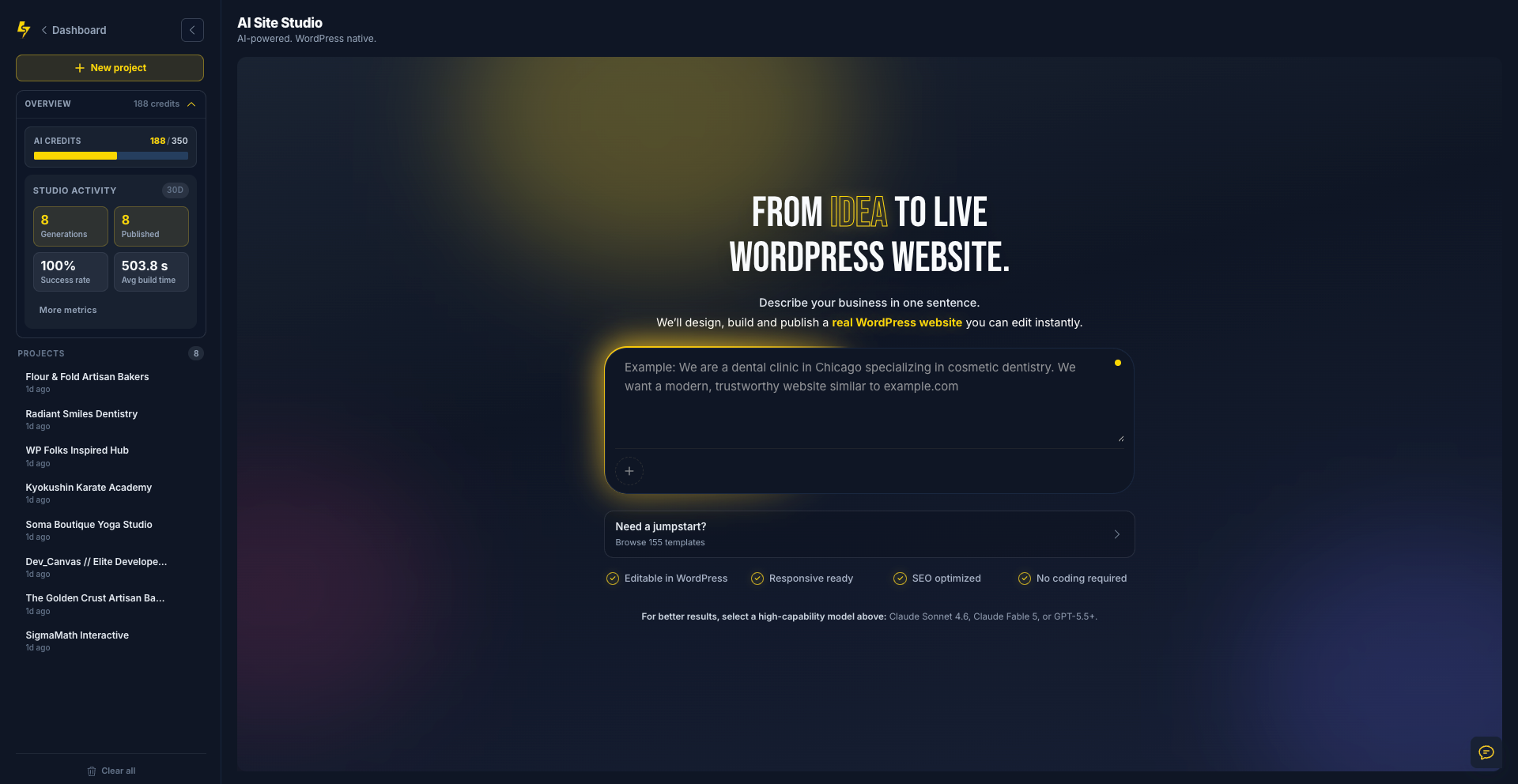
- AI Site Studio — generate full WordPress sites with AI in the SiteSkite portal
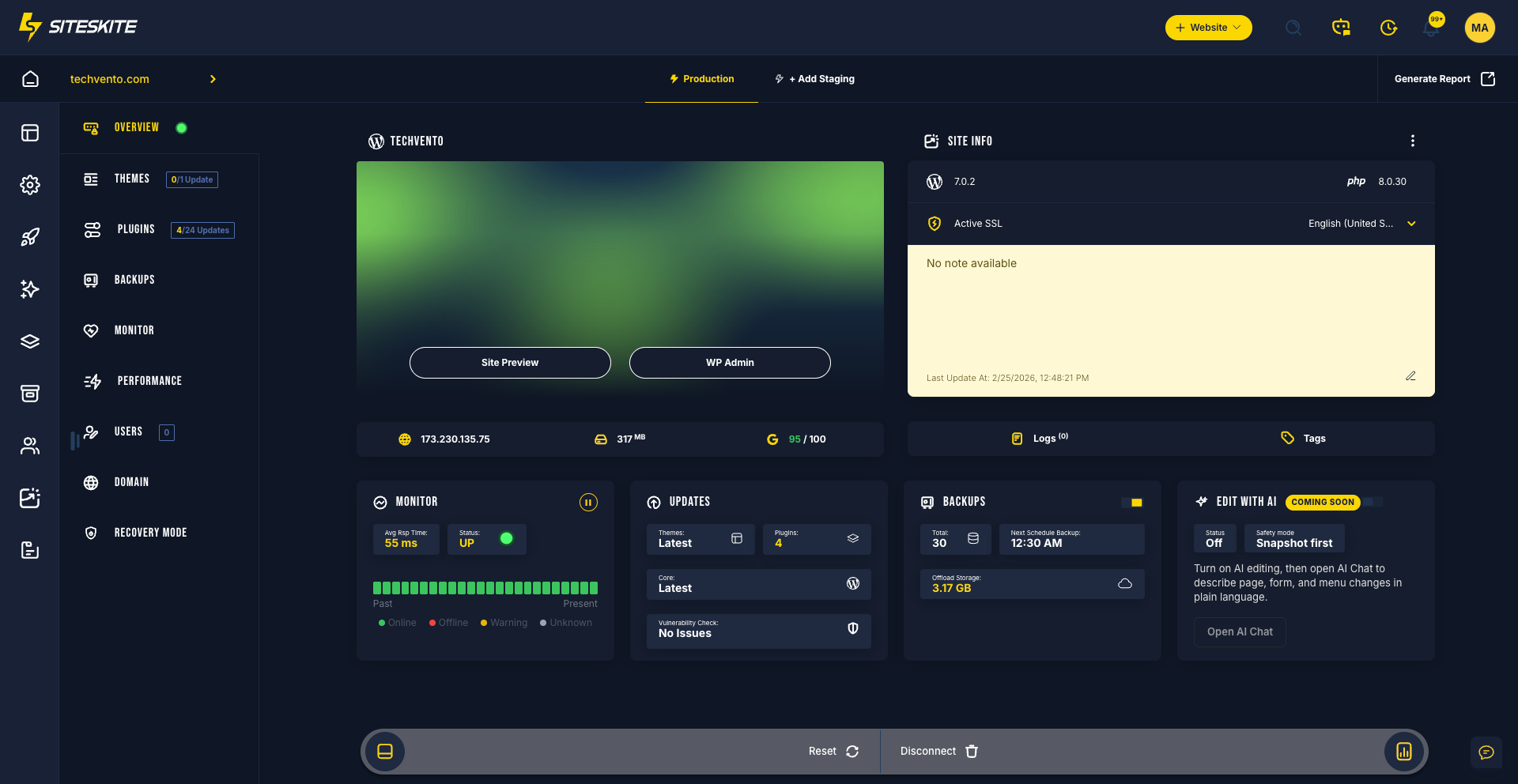
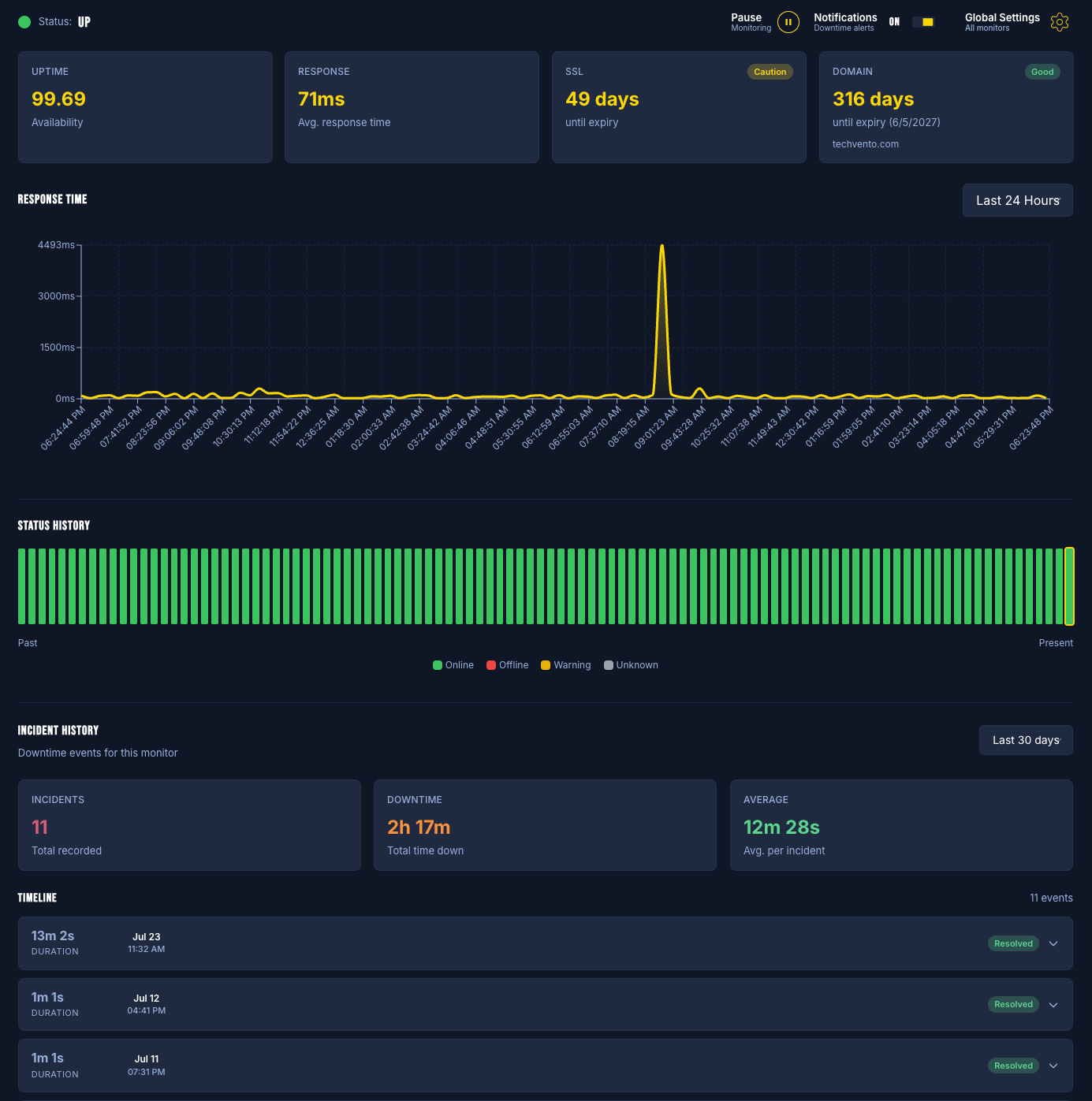
- WebOps — backups, sandboxes, monitoring, bulk updates, recovery, and agency workflows for one site or a fleet
Edit live with AI, build new sites with Studio, and operate everything else from one place — so your team spends less time switching tools and more time shipping.
Live on-site edits through WordPress AI / Site MCP do not consume AI Site Studio credits.
Important: Fleet WebOps (backups, restores, sandboxes, monitoring, bulk actions) runs after you connect a site with a secure API key from your SiteSkite account. Site MCP alone is free and works with no account.
Get started free · Website: siteskite.com · Docs: Knowledgebase
Why SiteSkite
- WebOps + AI in one workflow — connect agents, maintain sites, and generate new ones without leaving SiteSkite
- Free Site MCP, no account required — this WordPress install becomes the MCP server; Claude, ChatGPT, or Cursor connect straight to your site over HTTPS; approve and revoke apps in wp-admin
- Platform MCP when you grow — connect at https://mcp.siteskite.com to the SiteSkite platform MCP server for every linked site, plus portal tools (backups, sandboxes, logs, Studio)
- Built for real page builders — Gutenberg queue, Elementor, Divi, and WPBakery abilities with structured, builder-aware edits
- WooCommerce MCP — list and update the product catalog, create draft products in batches, list/create coupons (bulk codes), manage orders and customers — through Woo’s own APIs, not raw post hacks
- Forms & inboxes — list forms, create Contact Form 7 forms, read WPForms entries and CF7/Flamingo messages so AI can work submissions, not just field markup
- ACF, BuddyPress / BuddyBoss, SEO — type-aware Advanced Custom Fields; community members, groups, and activity reads; Yoast / Rank Math / SEOPress / AIOSEO meta when present
- Trust by design — ability allowlists, optional read-only mode, Advanced Power Tools off by default, draft-first workflows, undo tokens, Logs & Roll Back, session undo, and expiring draft preview links
- Skills & playbooks — load Gutenberg / Elementor / WPBakery guidance so agents follow your process
- Agency-scale WebOps — incremental + snapshot backups, BYO cloud storage, sandboxes, rollbacks, uptime, Core Web Vitals, white-label, reports, and team workspaces
Connect Claude to WordPress
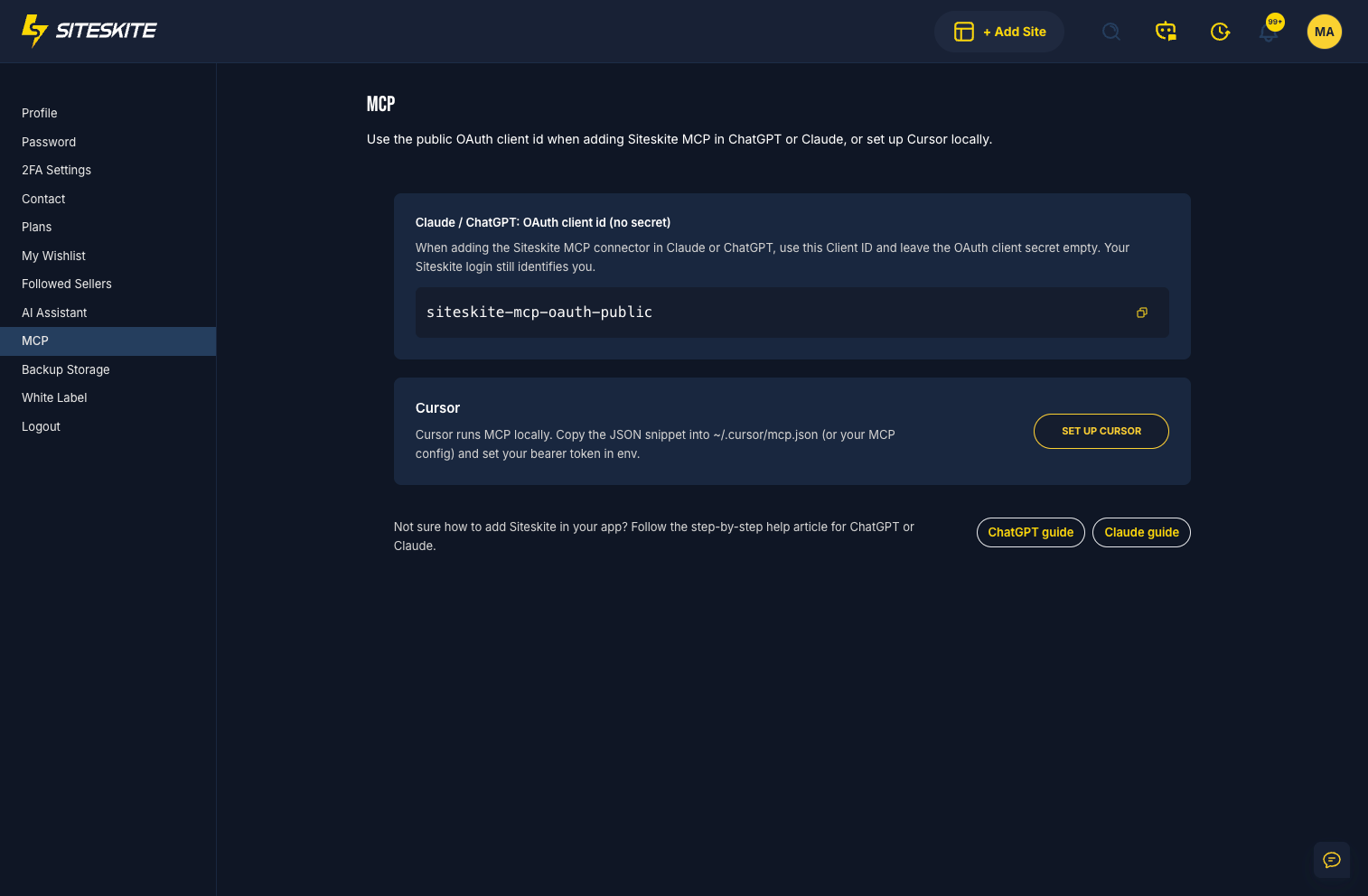
Site MCP: open SiteSkite → AI MCP → Connect — your WordPress site is the MCP server (direct connection to this install).
Platform MCP: Quick Connect via https://mcp.siteskite.com — the SiteSkite platform MCP server for your linked sites and portal capabilities.
- Turn AI MCP on in wp-admin (or link the site in the SiteSkite portal).
- Choose WordPress AI when you want the agent to edit the live site through the on-site MCP server.
- Connect Claude (web, desktop, or Claude Code) with the shown URL / Quick Connect flow and approve access.
Claude can draft pages, reshape Elementor or Gutenberg layouts, tweak Woo products, and more — under the abilities you allow.
Connect ChatGPT to WordPress
- Open SiteSkite → AI MCP → Connect for Site MCP, or use Platform MCP Quick Connect at https://mcp.siteskite.com.
- Add SiteSkite as a connector in ChatGPT with the MCP URL.
- Approve the app, then ask ChatGPT to edit content, menus, forms, SEO fields, or store data.
Same pattern works for Cursor, Gemini-class clients, and other MCP-compatible agents.
What your AI agent can do on WordPress
Site MCP exposes typed abilities (discoverable tools) so Claude, ChatGPT, Cursor, and other agents can do real WordPress and WooCommerce work — not generic “run PHP” shortcuts.
WooCommerce MCP — catalog, coupons, orders
Turn your store into a WooCommerce MCP endpoint for AI agents:
- Product catalog — list products, read a product, update price / stock / status / descriptions, create simple products in batches (default draft, up to 50 per call) with categories and image sideload
- Bulk coupons — list/get coupons; create discount codes in one batch (explicit codes or generated prefix + count) with percent / fixed cart / fixed product, expiry, usage limits, product restrictions, free shipping
- Orders & customers — list and inspect orders, update order status, list customers
Writes go through WooCommerce CRUD (lookup tables, stock, hooks) so shop pages and filters stay correct. Ideal for prompts like “WooCommerce bulk coupon updater”, “create 25 SUMMER codes at 15%”, or “draft these products from my list.”
Forms & form inboxes
- Forms — list forms on the site; create Contact Form 7 forms from a clear brief
- Form inboxes — detect WPForms / CF7+Flamingo; list and read WPForms entries (Pro) and Flamingo / CF7 messages so agents can summarize leads, find a submission, or draft a reply from real inbox data
Page builders: Gutenberg, Elementor, Divi, WPBakery
- Gutenberg — runtime inspect, content read, batch queue / apply / cancel for safe multi-step block edits
- Elementor — document outline, clone page, find/replace text or images, insert block, apply template, list widget types and templates
- Divi — Divi 4 shortcodes and Divi 5 blocks: status/format detect, compact outline, safe find/replace (dry-run first), clone page as draft
- WPBakery — environment, content read, structured replace
ACF, BuddyPress / BuddyBoss, SEO & analytics
- Advanced Custom Fields (ACF) — list field groups, read fields on a post, update a field by name or key (with undo)
- BuddyPress / BuddyBoss — read-only community surface: members, groups, activity feed (component-gated when available)
- SEO — get/set meta for Yoast, Rank Math, SEOPress, or All in One SEO when installed
- Analytics — MonsterInsights overview, top pages, traffic sources, and search queries when connected
Content, chrome & ops
Create/update pages and posts; menus; media from URL; revisions; comment moderation; Redirection rules; cache purge; Solid Security / Updraft status checks when those plugins are present.
Safer AI writes
Share a draft with an expiring preview link (no publish required); reverse a write with undo.token (~72 hours); review and roll back changes — including a whole AI session — in AI MCP → Logs & Roll Back.
Try prompts like:
- “Create a draft Contact page with a CF7 form and give me a preview link.”
- “Replace this headline across the Elementor homepage — dry run first.”
- “Show my WooCommerce coupons and create 20 SPRING codes at 15% off, expiry end of month.”
- “List draft Woo products under $50 and update stock on the ones that are out.”
- “Summarize the latest WPForms / Flamingo form inbox entries and flag spam.”
- “Outline this Divi landing page and clone it as a draft for A/B copy.”
- “List ACF field groups, then update the hero subtitle field on page 42.”
- “Show BuddyPress groups and recent community activity.”
- “List pending comments, approve the safe ones, and undo if I change my mind.”
Stay in control of every AI action
- Toggle each ability on or off in MCP Abilities
- Per linked site, pick one mode: Off, WordPress AI (on-site MCP / live site edits), or Platform AI (SiteSkite platform MCP + portal tools)
- Context notes so agents follow your brand and rules
- Skills playbooks for Gutenberg, Elementor, WPBakery, and more
- Optional read-only mode and Advanced Power Tools (PHP / WP-CLI / files) kept off until you enable them
- OAuth / Connected Apps: approve, review, and revoke AI clients anytime
AI Site Studio
Need a brand-new WordPress site, not a tweak to an existing one? AI Site Studio (in the SiteSkite portal) generates a full site with AI and deploys it for preview and refinement.
- Studio credits apply to full site generation in the portal
- Day-to-day live edits through MCP / WordPress AI stay outside that credit pool
- Bring your own model where the platform supports it, or use SiteSkite AI-powered generation
Studio builds sites. MCP edits the sites you already run. WebOps keeps them healthy.
WordPress WebOps (fleet & single-site)
Compact power for agencies and operators:
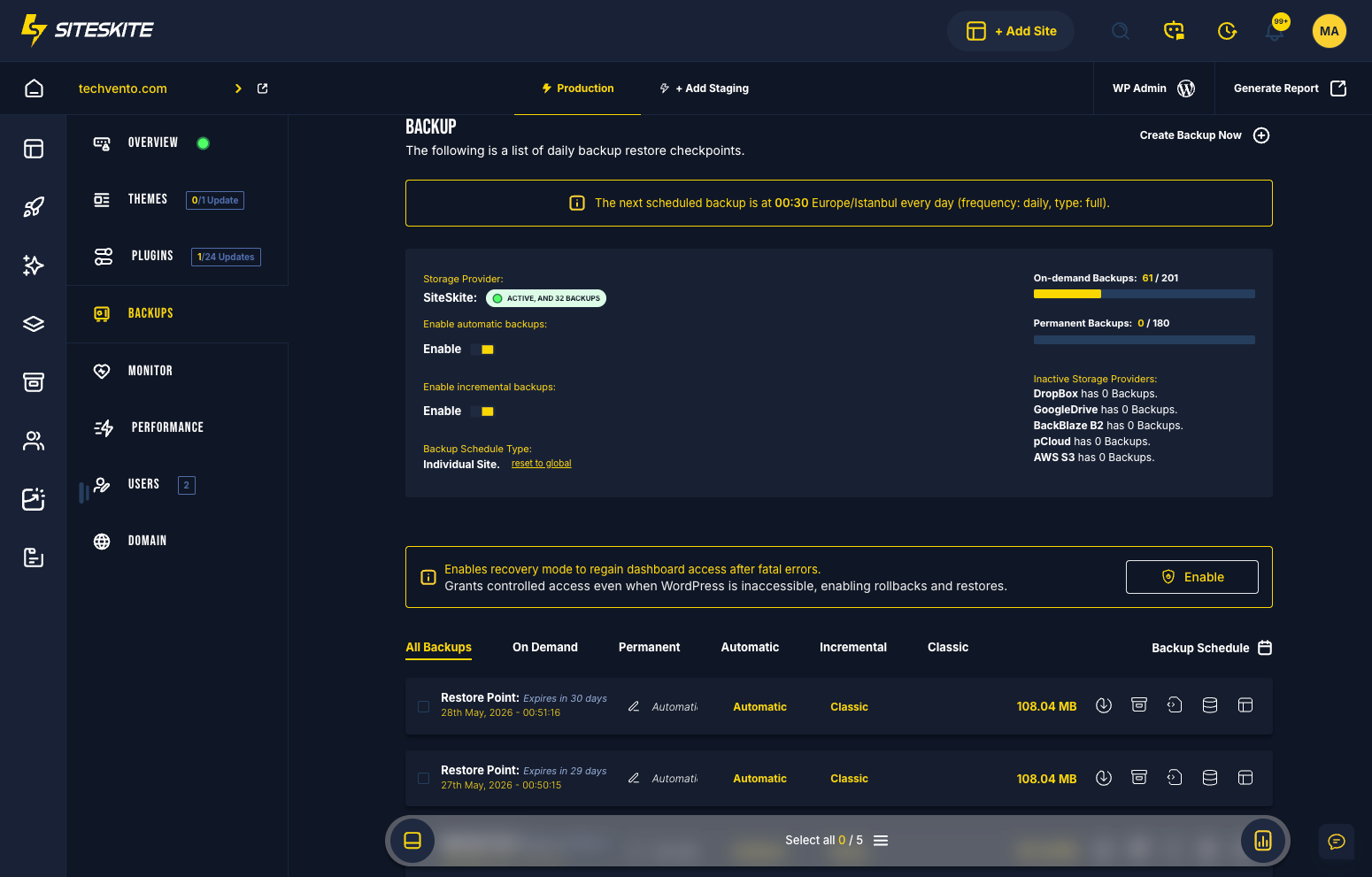
- Backups & migrate — on-demand / scheduled; incremental or classic snapshot; restore; clone or migrate between servers; 1GB free backup space to start; BYO storage (Google Drive, Dropbox, AWS S3, Backblaze B2, pCloud)
- Sandboxes & blueprints — launch staging sandboxes; spin sites from backups; rapid deploy presets
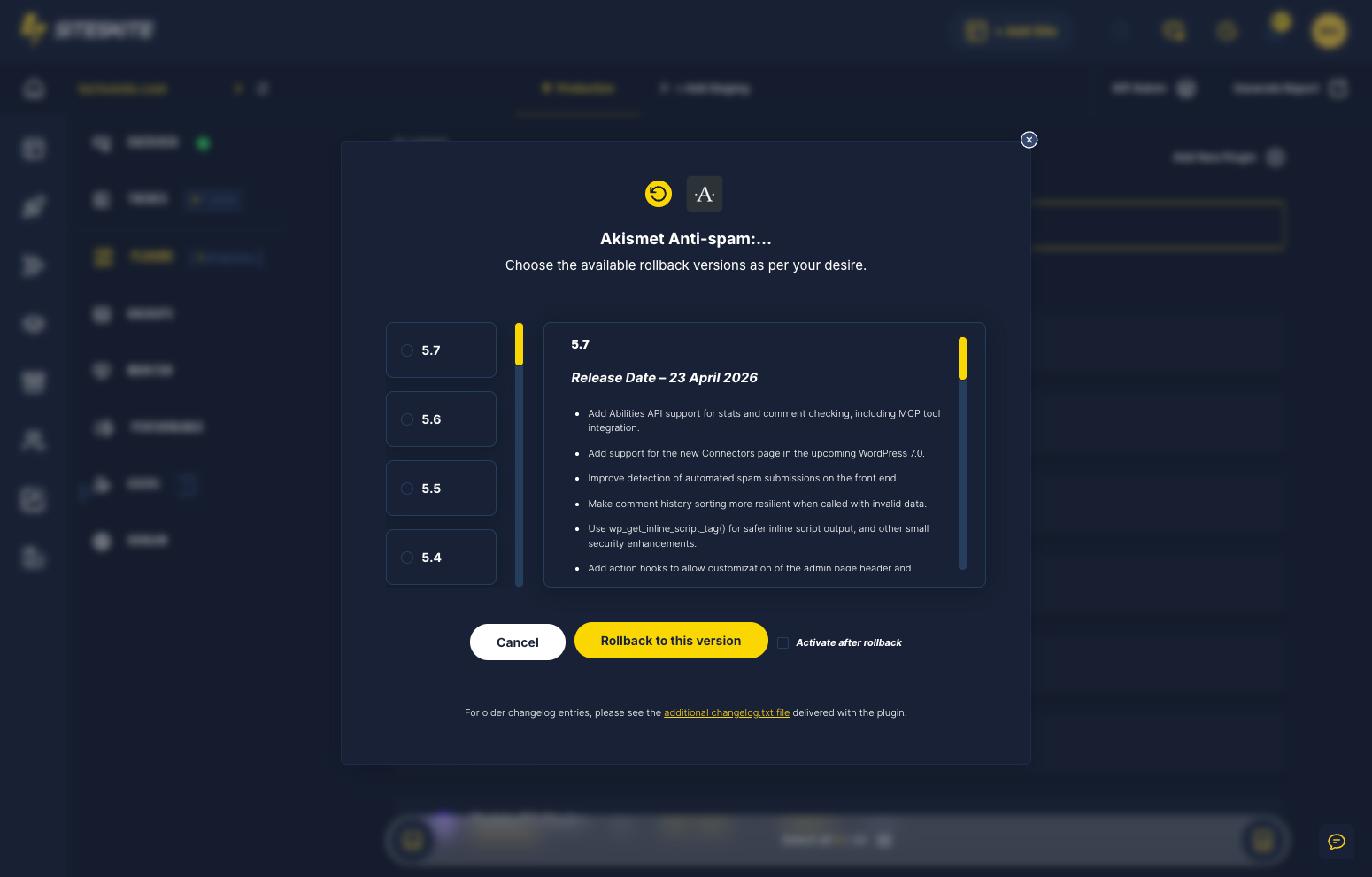
- Updates & rollback — bulk plugin / theme / core updates; activate / deactivate / delete; safe version rollbacks
- Recovery & security — Advanced Site Recovery after fatal errors; vulnerability guard; controlled Login As
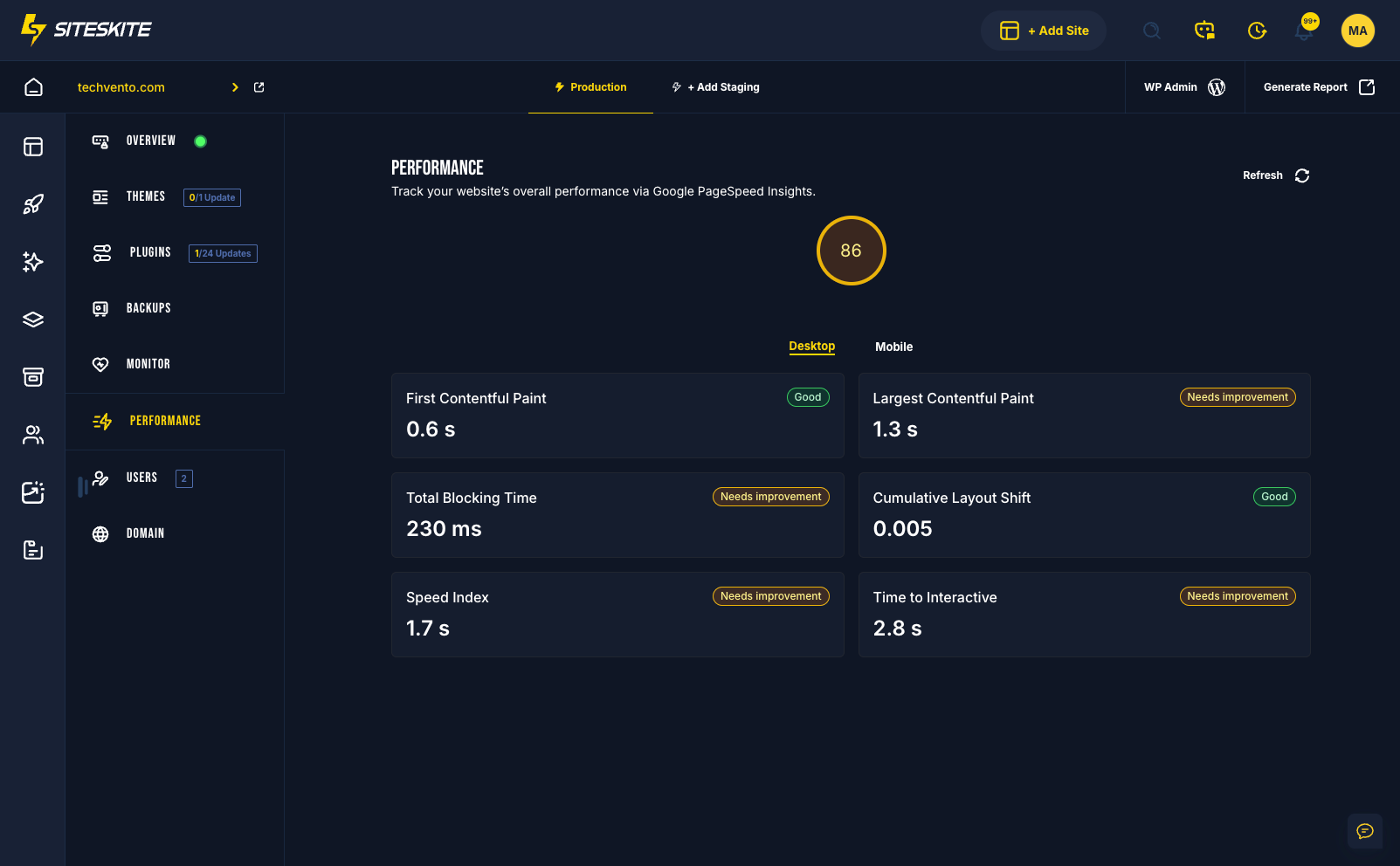
- Monitor & performance — uptime, BirdEye overview, Core Web Vitals
- WP Canvas — maintenance mode, debug, search & replace, permalinks, indexing, WP Reset, and more
- Teams & clients — workspaces, roles, white-label, automated customer reports, clear error / debug / custom logs
- Marketplace & Essentials — curated presets and digital assets
Who SiteSkite is for
Agencies · freelancers · developers · WordPress site owners · hosts offering WP upkeep — anyone who needs a WebOps platform for WordPress with AI editing and serious operations together.
External services
This plugin connects to external services to perform backups, restores, and operational callbacks. Below is a list of services, what they are used for, what data is sent, and relevant policies.
-
Dropbox
- What it’s used for: Uploading and downloading backup archives to the site owner’s Dropbox.
- What data is sent and when: Backup file contents and related metadata (e.g., file name and size) during backup and restore operations initiated by the administrator.
- Endpoints:
https://content.dropboxapi.com,https://api.dropboxapi.com - Policies: Terms https://www.dropbox.com/terms · Privacy https://www.dropbox.com/privacy
-
Google Drive
- What it’s used for: Uploading and downloading backup archives to the site owner’s Google Drive.
- What data is sent and when: Backup file contents and related metadata during backup and restore operations initiated by the administrator.
- Endpoints:
https://www.googleapis.com/drive/v3/filesand related upload endpoints such ashttps://www.googleapis.com/upload/drive/v3/files(resumable/multipart uploads). - Policies: Terms https://policies.google.com/terms · Privacy https://policies.google.com/privacy
-
Amazon S3
- What it’s used for: Uploading and downloading backup archives to the site owner’s Amazon S3 bucket.
- What data is sent and when: Backup file contents and related metadata during backup and restore operations initiated by the administrator.
- Endpoints: Region-specific S3 REST API (e.g.,
https://s3.<region>.amazonaws.com). - Policies: Service Terms https://aws.amazon.com/service-terms/ · Privacy https://aws.amazon.com/privacy/
-
Backblaze B2
- What it’s used for: Uploading and downloading backup archives to the site owner’s Backblaze B2 bucket.
- What data is sent and when: Backup file contents and related metadata during backup and restore operations initiated by the administrator.
- Endpoints: Backblaze B2 API (e.g.,
https://api.backblazeb2.com). - Policies: Terms https://www.backblaze.com/company/legal/terms.html · Privacy https://www.backblaze.com/company/privacy.html
-
pCloud
- What it’s used for: Uploading and downloading backup archives to the site owner’s pCloud storage.
- What data is sent and when: Backup file contents and related metadata during backup and restore operations initiated by the administrator.
- Endpoints: pCloud API (e.g.,
https://api.pcloud.com) and regional variants such ashttps://eapi.pcloud.com(EU) andhttps://asiaapi.pcloud.com(Asia). OAuth token exchange:https://my.pcloud.com/oauth2_token. - Policies: Terms https://www.pcloud.com/terms.html · Privacy https://www.pcloud.com/privacy-policy.html
-
SiteSkite endpoints (operational callbacks and validation)
- What it’s used for: Validating the plugin API key, linking a site, downloading managed assets, and sending operational status callbacks to SiteSkite services. Some staging endpoints may be used for validation or asset download during testing. When AI / MCP features are used, the SiteSkite platform may coordinate ability requests to this linked site using your Connect API key.
- What data is sent and when: Site identifier and operation status metadata (e.g., backup/restore status) during validation and callbacks. For asset downloads, only the requested asset path is transmitted. Backup contents are never sent to SiteSkite; only selected metadata required to coordinate operations.
- Policies: Terms https://www.siteskite.com/terms-of-service · Privacy https://www.siteskite.com/privacy-policy
-
WordPress.org (downloads)
- What it’s used for: Downloading official WordPress core translation files when requested by an administrator.
- What data is sent and when: The request URL includes the WordPress core version and language code to retrieve the matching translation archive; no personal data is sent.
- Endpoints:
https://downloads.wordpress.org/translation/core/<version>/<locale>.zip - Policies: Terms https://wordpress.org/about/privacy/ · Privacy https://wordpress.org/about/privacy/
Notes:
– Data is transmitted only when you initiate an action that requires it (e.g., starting a backup/restore, validating your API key, or downloading translations).
– You choose and configure the cloud storage provider(s) to be used.
Installation
- Upload the SiteSkite plugin folder to
/wp-content/plugins/or install via Plugins → Add New - Activate the plugin
- Site MCP only (free, no account): go to SiteSkite → AI MCP → Connect — your WordPress site is the MCP server; connect Claude, ChatGPT, or Cursor
- Full WebOps / Studio / Platform MCP: go to Settings → SiteSkite, enter your API key, then (optional) set WordPress AI or Platform AI and connect at https://mcp.siteskite.com
Frequently asked questions
What is SiteSkite?
SiteSkite is the WebOps platform for WordPress, with a secure MCP server and AI Site Studio. Built for agencies, developers, and site owners. Connect Claude or ChatGPT to edit a live site, generate a new site in Studio, and run backups, sandboxes, monitoring, and bulk updates from one account — or use free Site MCP with no account.
Can I edit my live WordPress site with Claude or ChatGPT?
Yes. With WordPress AI / Site MCP, your WordPress install is the MCP server — open SiteSkite → AI MCP → Connect (free, no account). Or use Platform MCP at https://mcp.siteskite.com when the site is linked and set to the mode you need. The assistant can work on pages, menus, forms, Gutenberg, Elementor, Divi, WPBakery, WooCommerce, ACF, BuddyPress, and more. Those live edits do not use AI Site Studio credits.
Does SiteSkite support WooCommerce MCP?
Yes. Site MCP includes typed WooCommerce abilities: product catalog list/get/update, batch create draft products, list/get coupons, bulk coupon create (codes or generated prefix), orders (list/get/update status), and customers. Ideal when you want AI to act as a WooCommerce MCP client for catalog and coupon work without custom scripts.
Can AI read my form submissions?
Yes when the matching plugins are active. Site MCP can list forms, create Contact Form 7 forms, and read form inboxes — WPForms entries (Pro) and CF7 messages via Flamingo.
Does SiteSkite work with ACF, Divi, and BuddyPress?
Yes. ACF field groups and per-post field read/update; Divi outline, find/replace, and clone (Divi 4 + Divi 5); BuddyPress / BuddyBoss read-only members, groups, and activity. Elementor, Gutenberg, and WPBakery are supported the same way.
Can I undo what the AI changes?
Yes. Mutating MCP writes can return an undo.token (about 72 hours). Use siteskite_undo_last_operation, or open AI MCP → Logs & Roll Back to reverse one change or an entire session. Share drafts with clients via preview links without publishing.
What is the difference between WordPress AI and Platform AI?
WordPress AI uses the on-site WordPress MCP server (Site MCP): your own WordPress install is the MCP endpoint. The AI client connects to your site over a separate, direct data path — not through the SiteSkite platform MCP server. Live edits run through Link plugin abilities on that site. Platform AI uses the SiteSkite platform MCP server at https://mcp.siteskite.com. That connection unlocks SiteSkite platform capabilities on your linked sites — portal tools such as backups, sandboxes, logs, and AI Site Studio — through the platform MCP path. Only one mode can be active per linked site. You…
What is AI Site Studio vs MCP?
MCP / WordPress AI edits sites you already have. AI Site Studio generates a new WordPress site in the portal (Studio credits). Use both when you need build + ongoing edit + WebOps.
Where are backups stored?
In your own connected cloud storage (Google Drive, Dropbox, AWS S3, Backblaze B2, pCloud), plus starter free space on SiteSkite. You stay in control of the data.
Do I need a specific host?
No. SiteSkite works with any WordPress host — shared or cloud.
Is SiteSkite secure?
Yes. Secure API linking for WebOps, OAuth / app approval for MCP, ability allowlists, optional read-only mode, Advanced Power Tools off until you enable them, undo / session rollback, and vulnerability monitoring.
What makes SiteSkite different?
As a WebOps platform for WordPress, you get builder-aware live editing (Gutenberg, Elementor, Divi, WPBakery), WooCommerce MCP (catalog, bulk coupons, orders), form inboxes, ACF and BuddyPress tools, Skills playbooks, undo tokens and session rollback, AI Site Studio for full site generation, and fleet WebOps — backups, sandboxes, monitoring, and teams — in one connected product.
Does SiteSkite work without an account?
Site MCP (on-site WordPress MCP server for this install): yes — free, no account. WebOps / Studio / Platform MCP: requires a SiteSkite account and API key.
Do I need a SiteSkite account to use SiteSkite MCP?
No for Site MCP. Install, open SiteSkite → AI MCP → Connect, and connect Claude / ChatGPT / Cursor over HTTPS to your WordPress MCP server. A free account unlocks Platform MCP (https://mcp.siteskite.com), backups, monitoring, sandboxes, and Studio.
Is SiteSkite MCP really free?
Yes — Site MCP is not trial-limited or metered by MCP requests. Studio credits apply only to full site generation in the portal, not to live MCP edits.
Does SiteSkite offer a free plan?
Yes. Start free to connect sites and try the platform; upgrade when you need higher limits and advanced capacity.
Can I create a new site from a backup?
Yes — launch a new site or sandbox from a backup for testing, cloning, or new projects.
Does SiteSkite support staging environments?
Yes — Production (PRD) and Staging (STG), plus sandboxes for safe testing before go-live.
What are Linked Sites?
WordPress installs connected to your SiteSkite dashboard — each with its own backups, environments, and AI mode — managed in one place.
Is this plugin suitable for agencies?
Yes. Workspaces, white-label, reports, fleet MCP, sandboxes, and client-safe rollbacks are built for multi-site teams.
Changelog
MCP trust upgrades: undo tokens, Logs & Roll Back / session undo, draft preview links, plus Elementor/Divi/ACF/Woo/forms/community abilities. Readme updated for MCP + Studio + WebOps. Adds multi-admin Login As from the portal (choose which administrator to sign in as) and safer one-click WP Admin login.
2.2.0 (22 September 2026)
- New: MCP undo tokens — reversible writes return undo.token; reverse with siteskite_undo_last_operation (~72 hours).
- New: MCP Logs & Roll Back — auto-tracks mutating abilities into a change log with session undo (admin tab + siteskite_changelog_* abilities).
- New: Draft preview links — share a draft/pending/private post via an expiring noindex URL (siteskite_create_preview_link).
- Fixed: ChatGPT OAuth discovery when the host blocks
/.well-known/— serve metadata under/wp-json/siteskite/v1/and advertise it in WWW-Authenticate. - New: Elementor mid-level tools — page outline, clone, find/replace text, swap images, list widgets/templates, insert_block, apply_template (compose onto existing pages; no inventing full layouts from scratch).
- New: Divi tools — status/format, outline, find/replace, clone.
- New: ACF tools — field groups, get fields, update field.
- New: Core content helpers — find/replace in posts, revisions, comment moderation.
- New: WooCommerce catalog — list/get/update products, coupons, customers, plus orders.
- New: Form inboxes — WPForms entries (Pro) and Contact Form 7 messages via Flamingo.
- New: BuddyPress/BuddyBoss community reads — members, groups, activity.
- New: MonsterInsights analytics reports when connected to GA.
- New: Ops integrations — Redirection, W3 Total Cache purge, Solid Security status, UpdraftPlus backup list.
- New: Agent discovery documents at /.well-known/mcp/server-card.json and /.well-known/agent-skills/index.json.
- New: Browser Agents (WebMCP) toggle for logged-in visitors.
- Improved: Multi-admin Login As — from the SiteSkite portal, pick which WordPress administrator you want to sign in as, and you are logged into wp-admin as that admin user.
- Improved: Safer one-click WP Admin login from the SiteSkite portal.
2.1.8 (17 September 2026)
- Improved: Overall MCP performance and security.
2.1.7 (12 September 2026)
- Improved: Choose Site MCP (this WordPress site) or Platform MCP (hosted SiteSkite connector) on the AI MCP Connect tab — defaults to Site MCP even when an API key is linked.
- Improved: Clearer settings layout.
- Improved: ChatGPT, Claude, and Cursor connect cards show a Connected badge when that app already has access.
2.1.6 (3 September 2026)
- Improved: Hardened advanced security practices for remote management and logging.
- Fixed: Outbound HTTP User-Agent is no longer rewritten for other plugins (e.g. WP Rocket license checks blocked by Cloudflare).
- Improved: Compatibility tested with WordPress 7.1.
2.1.5 (23 August 2026)
- Fixed: Compatibility with older PHP versions used by some hosts.
- Improved: Better backup cron reliability on more hosting environments.
- Improved: Smoother backup continuation on sites with stricter cache or security rules.
2.1.4 (9 August 2026)
- New: SiteSkite MCP open with a short menu of jobs for your site — Elementor builds, WooCommerce coupons and products, SEO, and blog posts.
Screenshots

For developers
Is this your plugin? Show off the numbers.
Add a live badge to your site, docs or GitHub README. It updates on its own — no account needed.
Best SiteSkite alternatives
All AI plugins →





FAQ
SiteSkite: quick answers
Straight answers, pulled from live WordPress.org data.
Live data from WordPress.org · checked Sep 29, 2026
Is SiteSkite free?
Yes. SiteSkite is free to download and use from the official WordPress.org plugin directory.
Is SiteSkite safe to use in 2026?
Yes — SiteSkite is a safe, well-maintained plugin to use in 2026. It runs on 100+ sites, is rated 5/5 and was last updated 7 days ago, and scores 80/100 on our health check.
How many websites use SiteSkite?
SiteSkite is active on 100+ WordPress websites and has been downloaded 5,675 times since it launched in November 2025. It was downloaded 1,519 times in the last 30 days.
Does SiteSkite work with WordPress 7.1?
Yes. The developer has tested SiteSkite up to WordPress 7.1.2, the latest release. It requires WordPress 5.3 or newer.
What PHP version does SiteSkite need?
SiteSkite requires PHP 7.4 or higher. Most hosts run PHP 8.x today, so it works on any modern WordPress hosting.
When was SiteSkite last updated?
The latest version, 2.2.0, was released on September 22, 2026 (7 days ago).
Who makes SiteSkite?
SiteSkite is developed and maintained by SiteSkite.
What are the best alternatives to SiteSkite?
The most popular alternatives to SiteSkite are Elementor Website Builder (10M+ installs), All in One SEO (2M+ installs) and AI Agent by SiteGround (1M+ installs).
Powered by PageForge
Want thousands of pages that rank like these? Build them in an afternoon.
This directory runs on the same engine as PageForge. Turn any spreadsheet, CSV or API into thousands of fast, SEO-ready WordPress pages — with schema, internal links and AI-written copy baked in.
- CSV, Google Sheets & API data sources
- AI content, schema & internal links per page
- Works with Elementor, Gutenberg, Yoast & Rank Math
- Free on WordPress.org — no credit card


