



Show-Hide / Collapse-Expand
Save space on your pages, posts, sidebars. Hide the content before user clicks to see it. Collapse long lists, create FAQs & more.

Use with caution
Show-Hide / Collapse-Expand works, but test it on a staging site before relying on it in 2026. It runs on 10K+ sites, is rated 4.6/5 and was last updated 4 years ago, and scores 45/100 on our health check.
- Proven at scale on 10K+ active sites
- Loved by users — 4.6/5 from 20 reviews
- No update in 3 years
- Only tested up to WordPress 6.1 (latest is 7.1)
How does it stack up?
Side-by-side on installs, updates, ratings & support


Daily downloads
Download spikes usually follow a new release — each site that auto-updates counts as a download.
Rankings
Where Show-Hide / Collapse-Expand stands todayWordPress.org search rankings
Live position in the plugin search, top 100| Keyword | Position |
|---|---|
| collapse | #96 |
| expand | >100 |
| faq | >100 |
| hide content | >100 |
| show content | >100 |
Version adoption
Share of active sites per release.
Rating breakdown
★★★★★★★★★★ 4.6 from 20 reviews
About Show-Hide / Collapse-Expand
From the official readme · v1.3.0Description
Live Demo:
See live demo of our plugin at showhide.bunte-giraffe.de. User: demo, password: demo.
Show-Hide / Collapse-Expand allows you to easily manage the amount of content shown to user upon entering your website. It will free your pages from clutter and give your website a stylish minimalistic look and feel. You will find it handy for grouping content, composing FAQs, collapsing long lists and expanding them on click, providing hidden answers to questions, organizing your widgets more efficiently, and lots more. Inserting a shortcode is done via a handy tinyMCE button in your WordPress Editor. You will configure the look of your button/hyperlink on the fly and will be able to change it later using the provided shortcode parameters. Why don’t you give it a try?
Please feel free to post your questions in the support threads of this plugin, we will be glad to help you with any issues.
Main features
- Show/Hide ANY content*
- Collapse/Expand using jQuery Effects (blind, fold, highlight, slide)
- Set custom animation speed
- Add your custom JS functions to onclick events
- Collapse/Expand lists
- Easily add FAQs
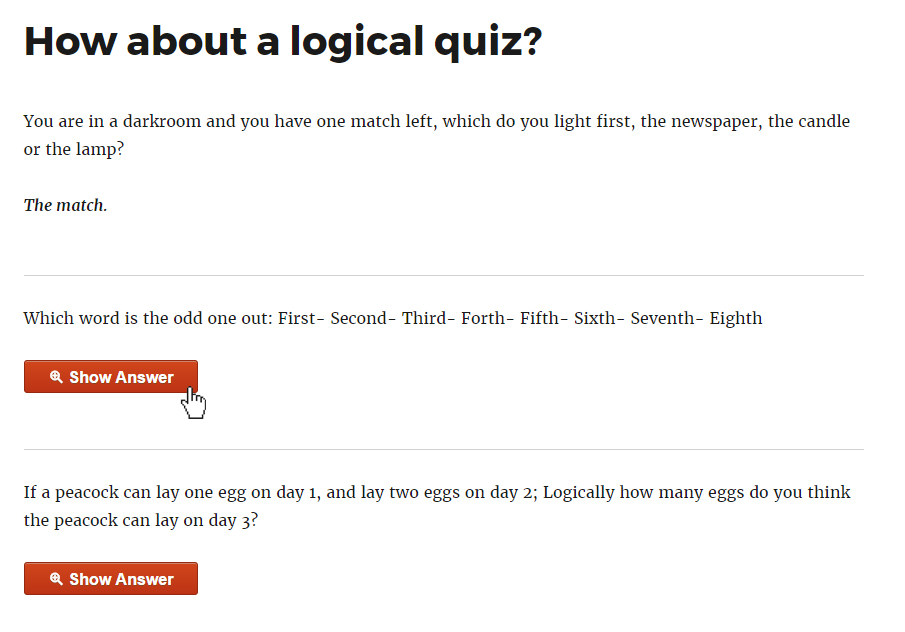
- Add hidden answers to quizzes (answer opens on button click)
- Collapse widgets to declutter sidebars
- Save space on pages by grouping the content under expandable headings
- Use hyperlinks or stylish pure-css buttons
- Style every link/button individually
- Make button stick to the end of the expanded content
- Use icons for your buttons or in front of your links
- Nest up to 3 levels of collapsible content
- Easily customize the settings and insert the shortcode with a TinyMCE button
- Use in sidebars by inserting the shortcode with needed parameters
- Regular updates
- Great support
- We tested our plugin thoroughly, but if you have issues with any type of content, please let us know in the support thread.
Credits
We used Best CSS Button Generator http://www.bestcssbuttongenerator.com for our sleek pure-css buttons.
Installation
- Upload the plugin files to the ‘/wp-content/plugins/show-hidecollapse-expand’ directory, or install the plugin through the WordPress plugins screen directly.
- Activate the plugin through the ‘Plugins’ screen in WordPress.
- Go to Tools->ShowHide/CollapseExpand screen to customize plugin settings (animation effect and animation speed).
- Go to the post/page you need to add the shortcode to and click the Collapse-Expand button in your TinyMCE Editor.
- Customize the needed settings: select type of control with which you want the user to expand/collapse the content, select the color of your hyperlink or button text, type in your labels for expanding/collapsing the content, select the icon for your button/link, etc.
- If needed, go to Tools->ShowHide/CollapseExpand screen and switch to the Help tab to see the full list of shortcode parameters.
Frequently asked questions
Can I see a demo of your plugin before installing it?
See live demo of our plugin at showhide.bunte-giraffe.de. User: demo, password: demo.
How can I insert the shortcode?
Go to the post or page you wish to edit and switch to Visual tab. You will see the Collapse-Expand button in your Editor. Please click it and customize the needed parameters. When you click OK, the shortcode will be inserted.
Can I insert the same shortcode into a post and a sidebar widget?
Yes, you can use the same shortcode multiple times on the same page.
How do I nest shortcodes inside one another?
For inserting level 2 shortcode, please check the “This shortcode should be nested in another shortcode” checkbox or use [bg_collapse_level2] shortcode. For level 3, please use [bg_collapse_level3] shortcode.
Will my other shortcodes work inside your shortcode?
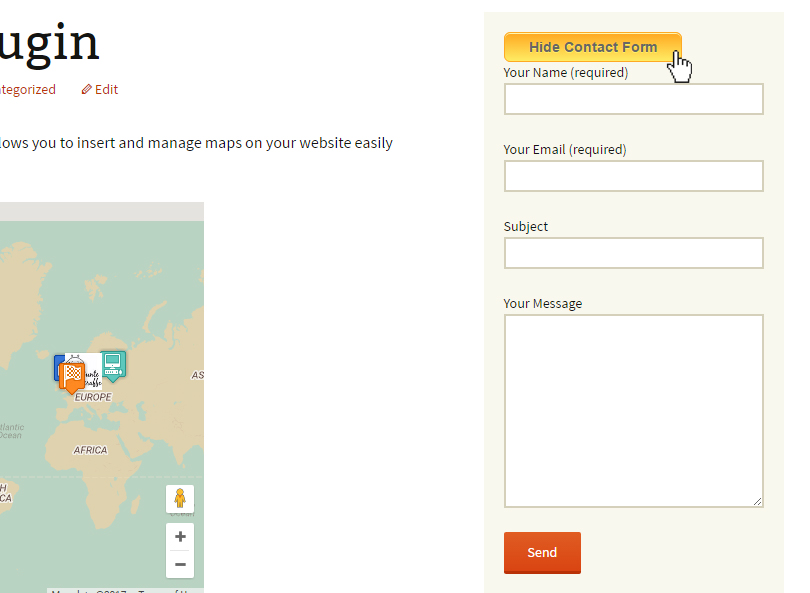
Yes, we did our best to make them work. Some shortcodes (like Google Maps plugins shortcodes) might behave strangely, we recommend using our Google Maps – Simple Pins plugin if you need to hide your Google maps. If you have any issues, please let us know in the support thread.
I don’t want to use animation, can I turn it off?
Sure. Go to Tools->ShowHide/CollapseExpand screen (Settings tab), clear the Enable jQuery UI effects checkbox and set Custom animation speed (ms) to 0.
Changelog
Added ability to style every control individually, e.g. change font-size of a single link. Added ability to assign your own custom JS functions onclick, e.g. link will be expanded, but also an alert will be shown to user
1.3.0
- Enhanced plugin security
1.2.6
- Fixed a vulnerability issue. Please update as soon as possible.
- Checked compatibility with WP 6.1
1.2.5
- Added compatibility for WP 5.7
1.2.4
- Added compatibility for PHP 7.3+
- Checked WP 5.5 compatibility
1.2.3
- Fixed apostrophes causing errors in collapse and expand texts
1.2.2
- Added custom_class shortcode attribute
Screenshots



For developers
Is this your plugin? Show off the numbers.
Add a live badge to your site, docs or GitHub README. It updates on its own — no account needed.
Best Show-Hide / Collapse-Expand alternatives
All collapse plugins →




FAQ
Show-Hide / Collapse-Expand: quick answers
Straight answers, pulled from live WordPress.org data.
Live data from WordPress.org · checked Sep 26, 2026
Is Show-Hide / Collapse-Expand free?
Yes. Show-Hide / Collapse-Expand is free to download and use from the official WordPress.org plugin directory.
Is Show-Hide / Collapse-Expand safe to use in 2026?
Show-Hide / Collapse-Expand works, but test it on a staging site before relying on it in 2026. It runs on 10K+ sites, is rated 4.6/5 and was last updated 4 years ago, and scores 45/100 on our health check.
How many websites use Show-Hide / Collapse-Expand?
Show-Hide / Collapse-Expand is active on 10K+ WordPress websites and has been downloaded 160,668 times since it launched in March 2017. It was downloaded 451 times in the last 30 days.
Does Show-Hide / Collapse-Expand work with WordPress 7.1?
Show-Hide / Collapse-Expand is officially tested up to WordPress 6.1.14, while the latest release is 7.1.2. It may still work, but try it on a staging site first.
When was Show-Hide / Collapse-Expand last updated?
The latest version, 1.3.0, was released on March 19, 2023 (4 years ago).
Who makes Show-Hide / Collapse-Expand?
Show-Hide / Collapse-Expand is developed and maintained by buntegiraffe.
What are the best alternatives to Show-Hide / Collapse-Expand?
The most popular alternatives to Show-Hide / Collapse-Expand are Accordion FAQ (30K+ installs), BBSpoiler (4K+ installs) and Collapsing Archives (3K+ installs).
Powered by PageForge
Want thousands of pages that rank like these? Build them in an afternoon.
This directory runs on the same engine as PageForge. Turn any spreadsheet, CSV or API into thousands of fast, SEO-ready WordPress pages — with schema, internal links and AI-written copy baked in.
- CSV, Google Sheets & API data sources
- AI content, schema & internal links per page
- Works with Elementor, Gutenberg, Yoast & Rank Math
- Free on WordPress.org — no credit card


