

ShapeTranslate – Multilingual Website Translation
Create a multilingual WordPress site with easy translations, flexible language URLs, and language switchers.

Solid choice
ShapeTranslate is a solid plugin choice in 2026, with a few things worth checking first. It runs on 10+ sites, is rated 5/5 and was last updated 5 days ago, and scores 73/100 on our health check.
- Actively developed — last update 5 days ago
- Tested with the latest WordPress (7.1)
- Momentum — downloads up 35% vs the previous 30 days
- Small user base (10+ active installs)
- Very few reviews so far
How does it stack up?
Side-by-side on installs, updates, ratings & support



Daily downloads
Download spikes usually follow a new release — each site that auto-updates counts as a download.
Rankings
Where ShapeTranslate stands todayWordPress.org search rankings
Live position in the plugin search, top 100| Keyword | Position |
|---|---|
| language | >100 |
| localization | >100 |
| multilingual | >100 |
| translate | >100 |
| translation | >100 |
Version adoption
Share of active sites per release.
Rating breakdown
★★★★★★★★★★ 5 from 2 reviews
About ShapeTranslate
From the official readme · v1.1.2Description
ShapeTranslate helps you create and manage a multilingual WordPress website without changing your usual content editing workflow.
Add the languages your website needs, create translations for posts and pages, manage translated taxonomies and menus, and organize language-specific content from your WordPress dashboard. Each language can have its own URL structure, helping visitors and search engines access the appropriate version of your content.
When you create a translation, ShapeTranslate copies the original content into a new draft in the target language. You can then edit the copied content without starting from an empty editor.
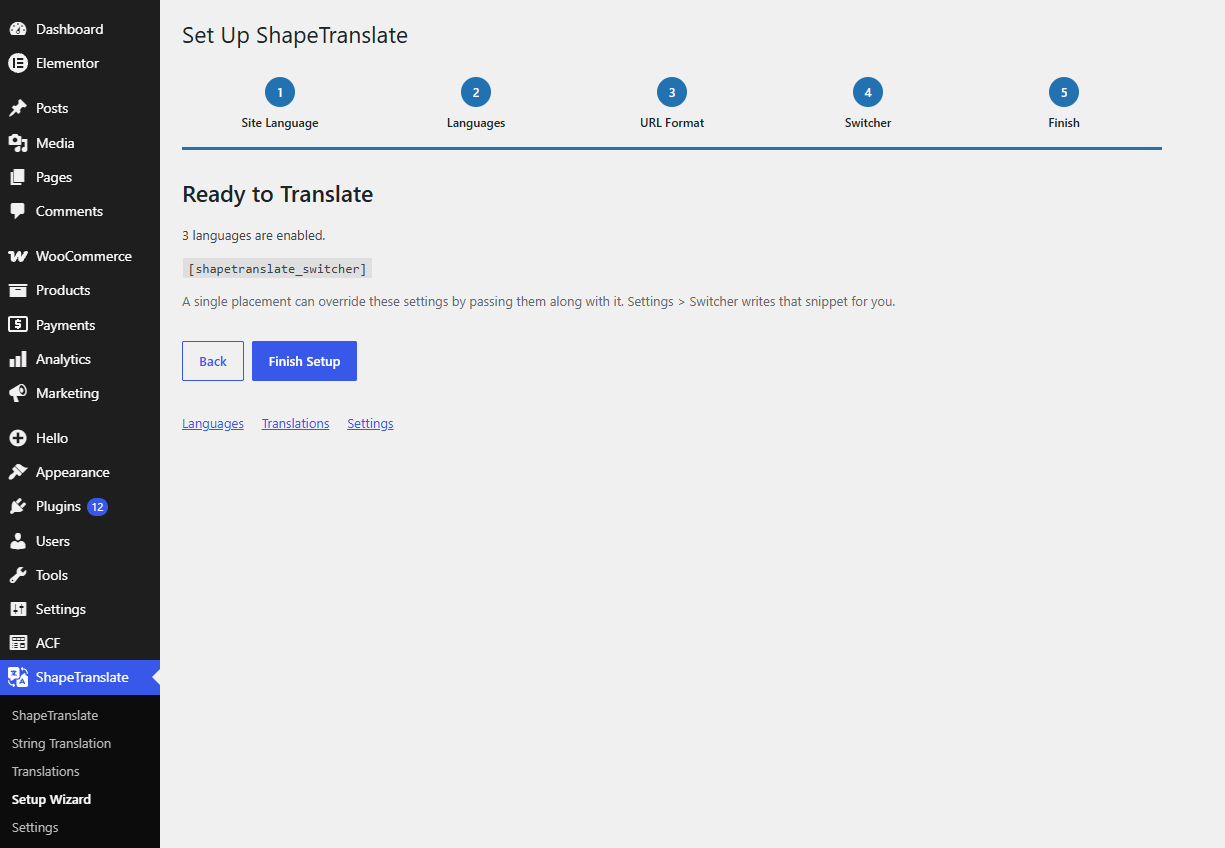
The built-in setup wizard helps you configure your languages, choose a URL format, and add a language switcher after activation.
ShapeTranslate supports classic themes, block themes, Elementor, and several popular header and footer builders.
👉 Demo | Try Admin Demo | Documentation | RoadMaps | Get Pro | Download Polylang Migration Tool 👈
Overview and features
Video tutorial
Learn how to set up languages, create translations, and add a language switcher:
Key features
- Unlimited languages: Add languages from the WordPress language catalog or configure custom languages.
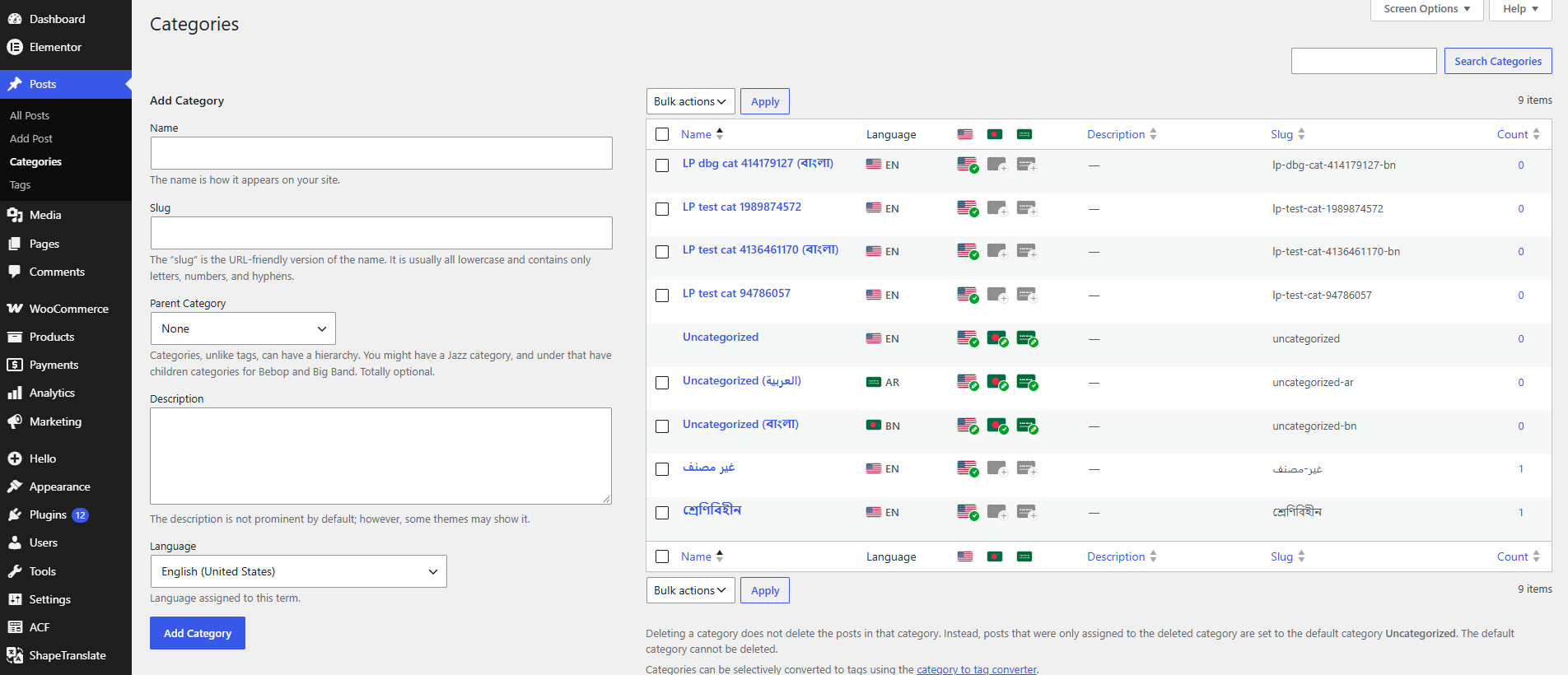
- Content translation: Translate posts, pages, public custom post types, categories, tags, and custom taxonomies.
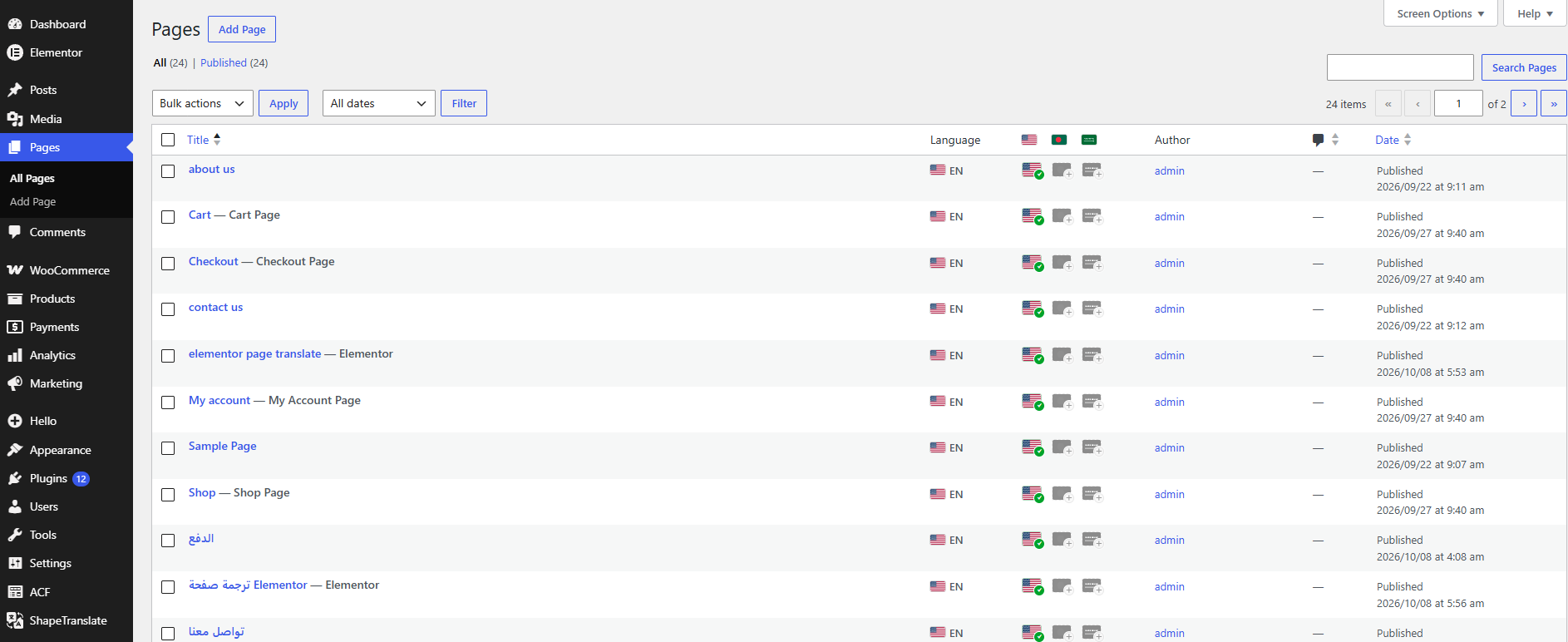
- Translation management: Find and manage translations from a central dashboard with search and filters.
- Language-specific URLs: Choose directories, subdomains, separate domains, or query parameters.
- Language switchers: Add language selection to menus, blocks, widgets, Elementor layouts, or a floating switcher.
- Translation synchronization: Choose which supported fields and content properties stay synchronized across translations.
- String translation: Translate the site title, tagline, and supported strings registered by themes and plugins.
- Multilingual SEO: Generate language-specific URLs,
hreflanglinks, and translated entries in WordPress sitemaps. - Right-to-left support: Support RTL languages in the frontend and translation editor.
- Developer API: Access language information and post or term translations through ShapeTranslate functions.
ShapeTranslate Pro
Saves time on translating your site with some very useful extra features such as:
- AI translation: Translate with OpenAI, Anthropic, Google and other providers through WordPress Connectors, or with DeepL.
- One-click and bulk translation: Translate from the editor, or many posts at once through a queue with retry and pause.
- Auto-translate on publish: Create translations automatically when the original is published.
- Glossary, translation memory and tone presets for consistent translations.
- Translation workflow: Translating, In review and Approved statuses, assignments, email alerts, and a translator role limited to assigned languages.
- Outdated translation detection when the original changes.
- WooCommerce: Translate products, categories, attributes and store pages, with shared stock, price and variation sync, emails in the customer’s language, and translated endpoint slugs.
- FluentCart multilingual store support.
- Bricks Builder: Translate Bricks pages, templates, components and query loops, with a Bricks language switcher element and AI translation of Bricks layouts.
- ACF / Secure Custom Fields: Translate, copy or sync each field.
- Same URL slug for posts or terms across languages, and translated permalink bases such as
/de/kategorie/. - Advanced SEO: Language-aware Yoast, Rank Math, SEOPress and Slim SEO sitemaps, translatable schema, Open Graph locale alternates, and breadcrumbs per language.
- On-page editing of titles, headings and paragraphs.
- Access to Priority Support for personalized assistance.
Languages and localization
- Add as many languages as your website needs.
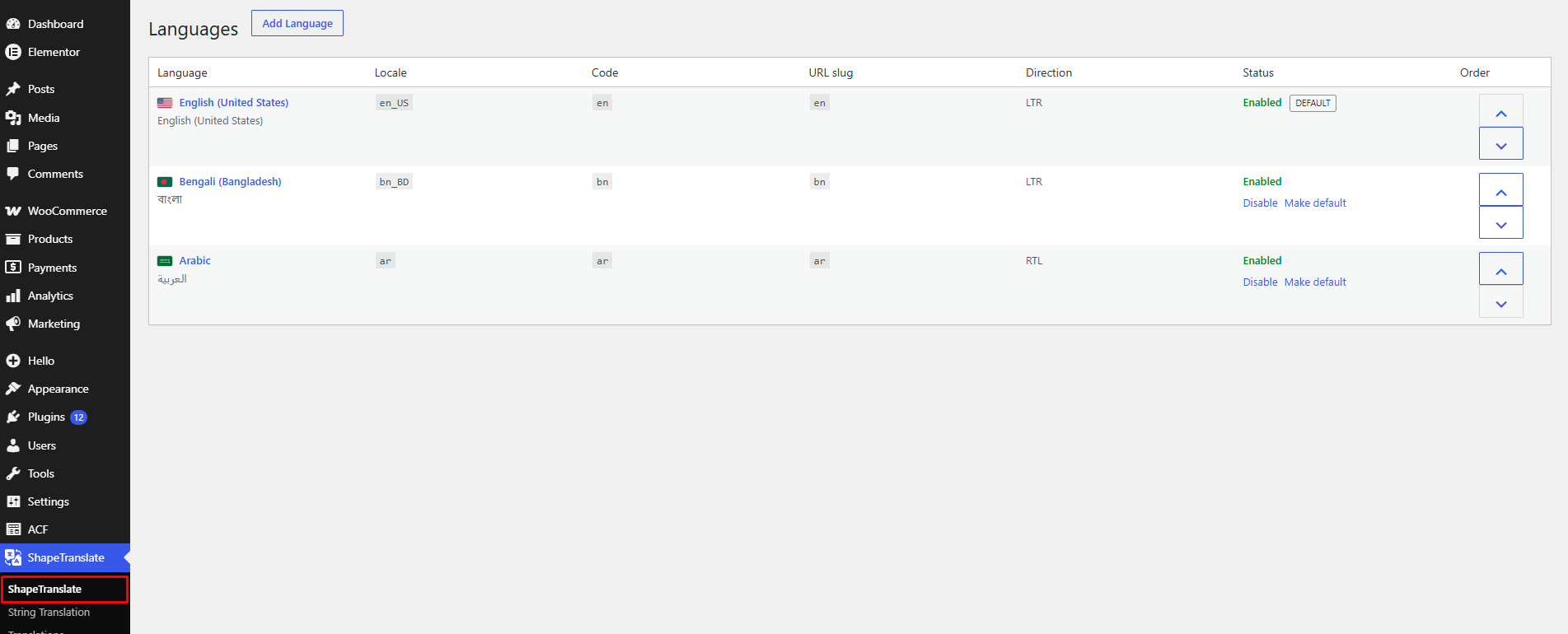
- Select languages from the WordPress language catalog or create custom languages with their own locale, display name, and text direction.
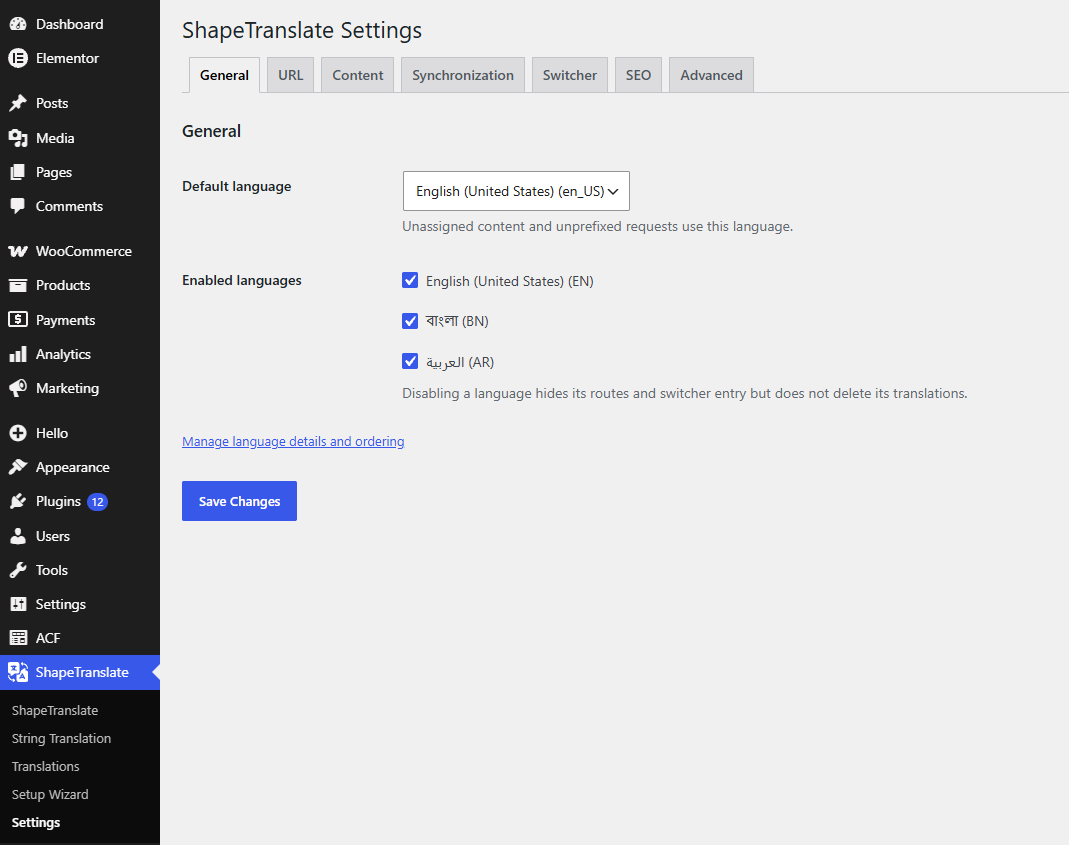
- Enable, disable, and reorder languages.
- Choose the default language for your website.
- Use more than 100 bundled flags in supported language switchers. Flags are assigned automatically from the language locale.
- Replace a flag by placing your own image (SVG, PNG, WebP, JPG, or GIF) named after the locale, such as
fr_FR.svg, inwp-content/uploads/shapetranslate/flags/. - Support right-to-left languages, including Arabic and Hebrew.
Content translation
- Translate posts, pages, public custom post types, categories, tags, and custom taxonomies.
- Create translations from existing content instead of starting with an empty editor.
- Copy supported source content, taxonomies, public custom fields, featured images, and page templates into a new draft in the target language.
- Link translations together so visitors and administrators can navigate between language versions.
- View available translations and create or edit them from the content editing screen.
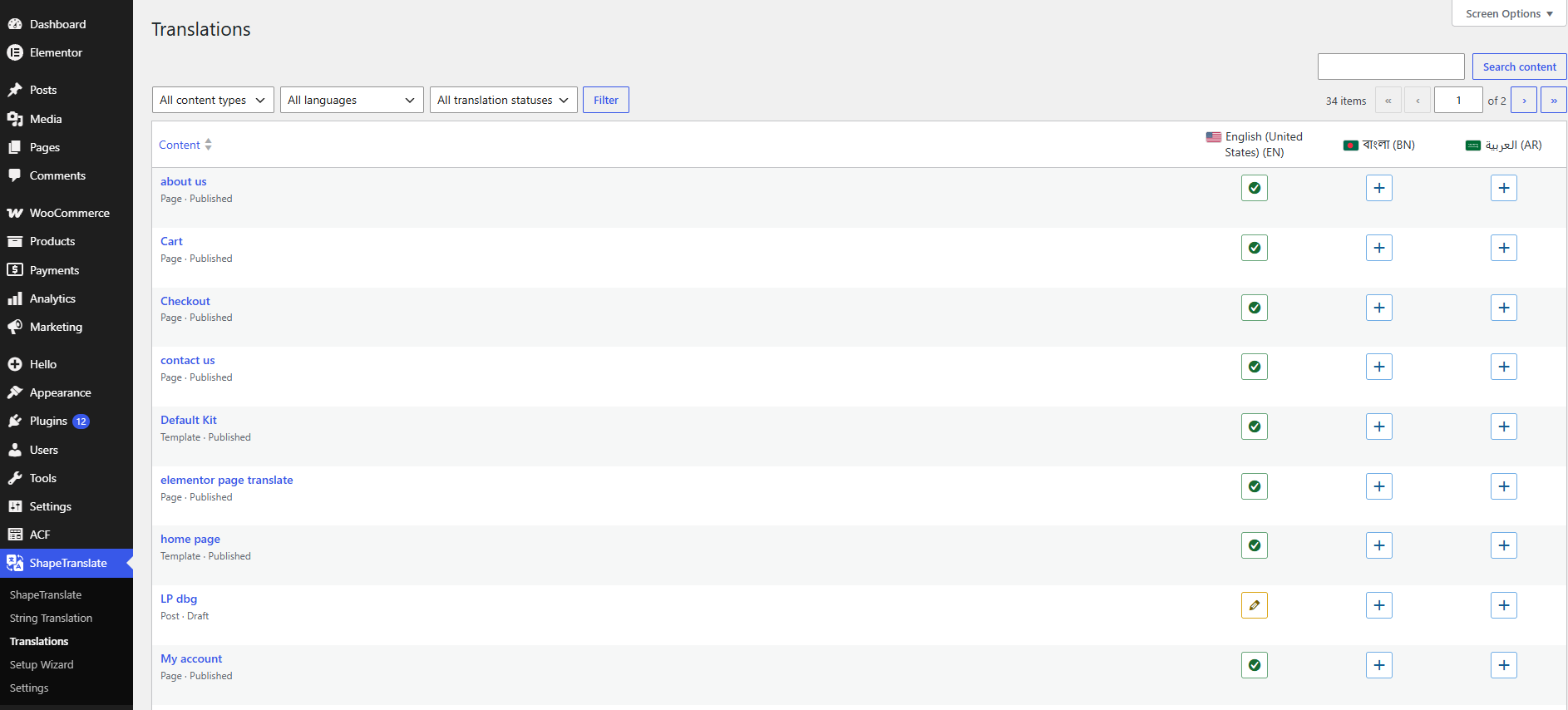
- See which translations exist or are missing in a central Translations dashboard with search and filtering options.
- Filter post and term lists by language in the WordPress admin.
- Translate media metadata, including alt text, captions, and descriptions, separately for each language while sharing the original media file.
- Filter comment listings, recent comments, and comment feeds by the current language.
- Keep relevant content in the selected language when choosing parent pages, categories, tags, and linked content in the block editor.
Translation synchronization
Choose which supported properties should stay synchronized across translations of a post.
Available synchronization options include:
- Taxonomies, with terms mapped to their corresponding translations.
- Public custom fields.
- Featured images.
- Publication dates, post formats, and sticky status.
- Parent pages, page templates, and page order.
- Comment and ping status.
Synchronization settings let you control which supported data is shared across language versions.
String translation
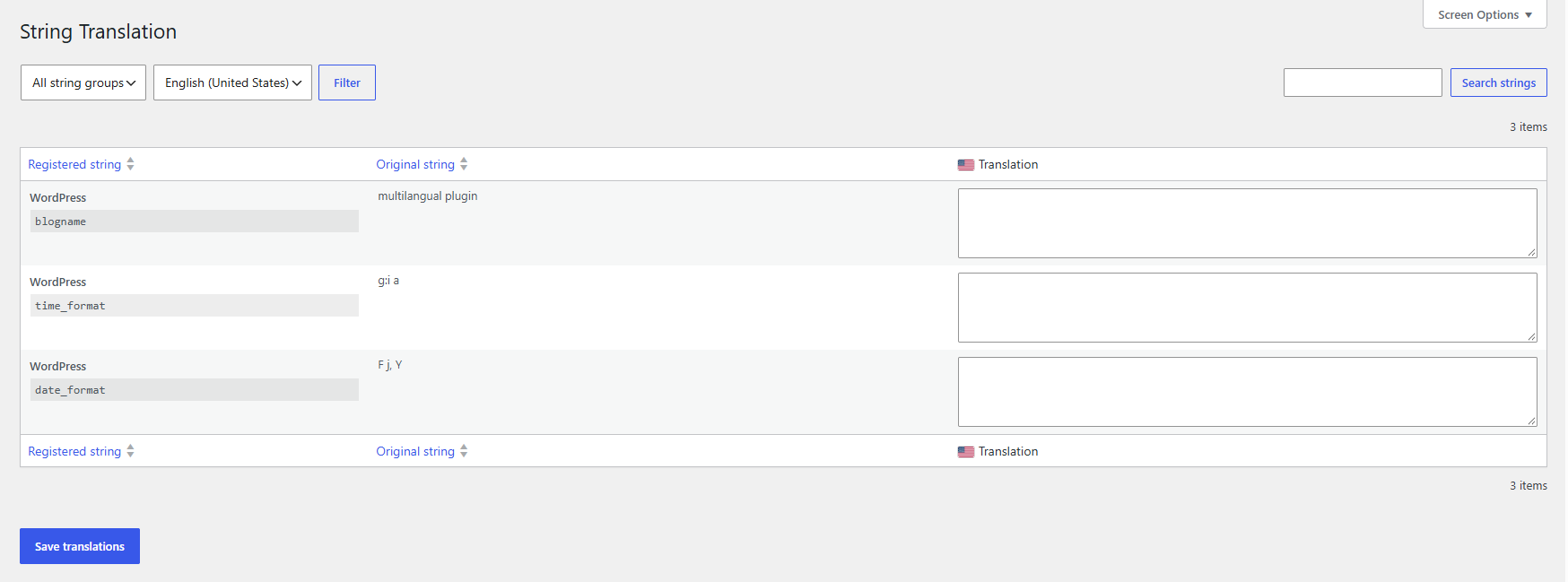
Manage supported website strings from the ShapeTranslate String Translation screen.
- Translate the site title, tagline, and supported WordPress options.
- Scan an active theme or plugin for the texts written in its code, such as button labels and headings, and translate them per language. These translations replace the ones in the theme or plugin language files.
- Discover strings declared by compatible themes and plugins through their
wpml-config.xmlconfiguration. - Register custom strings with the
shapetranslate_register_string()developer function.
The available strings depend on the configuration and integration provided by each theme or plugin.
Language URLs
Choose how visitors access each language:
- Directories:
example.com/fr/ - Subdomains:
fr.example.com - Separate domains: Use a different domain for each language.
- Query parameters:
example.com/?lang=fr
Additional options include:
- Hide the language prefix from URLs for the default language.
- Enable optional browser language detection for first-time visitors. This feature is disabled by default.
- Keep search forms within the visitor’s current language.
Menus and navigation
Create language-specific navigation while using WordPress’s existing menu management tools.
- Assign different menus to theme locations for each language from Appearance > Menus.
- Translate Navigation block menus in block themes through the Site Editor.
- Automatically link navigation items to the corresponding translated page when a translation is available.
Language switchers
Give visitors several ways to change the language of your website.
Available options include:
- Language Switcher block.
- Language Switcher item in the Navigation block.
- Classic WordPress widget.
- Classic menu item.
- Elementor language switcher widget.
- Floating language switcher positioned in a screen corner.
- Horizontal lists, vertical lists, and dropdown layouts.
- Optional flags and current-language visibility settings.
- Dropdown option to show only the flag of the selected language, while the list keeps its language names.
- Option to hide languages without an available translation.
Theme developers can also display a language switcher using:
shapetranslate_language_switcher()
Multilingual SEO
ShapeTranslate provides language-specific URLs and multilingual SEO signals to help search engines discover translated content.
- Generate separate URLs for language versions.
- Output
hreflanglinks, includingx-default. - Set the appropriate HTML
langattribute. - Include translated content in WordPress sitemaps.
- Use the correct canonical URL with Yoast SEO, Rank Math, SEOPress, All in One SEO, Slim SEO, ThinkRank, and The SEO Framework.
- Copy Yoast SEO, Rank Math, SEOPress, All in One SEO, Slim SEO, and ThinkRank fields into new translations, and translate their title and description templates.
SEO behavior may depend on the active URL configuration, available translations, and other plugins installed on the website.
Theme and page builder compatibility
ShapeTranslate supports classic WordPress themes and block themes.
Block themes
- Translate block theme templates and template parts through the Site Editor.
- Manage language-specific headers, footers, and other supported template content.
Elementor
- Translate Elementor pages.
- Support Elementor Pro Theme Builder templates and popups.
- Use the Elementor language switcher widget.
Astra
- Translate header/footer builder content, buttons, social labels, account texts, mobile menu and copyright.
- Translate blog, archive, search and related posts labels.
- Automatically redirect internal button and account links to translated pages.
Kadence
- Translate header/footer content, buttons, search, mobile menu and social labels.
- Support language-specific social network URLs.
- Translate post meta and related posts titles.
- Automatically redirect internal header and mobile button links to translated pages.
Blocksy
- Translate header/footer content, buttons, search, logo titles, tagline and copyright.
- Translate blog, archive, hero, breadcrumb home text, cookie consent and related posts texts.
- Support language-specific social network URLs.
- Automatically redirect internal header button links to translated pages.
OceanWP
- Translate top bar, header, footer, mobile menu, breadcrumb, search and blog texts.
- Support language-specific social profile URLs.
- Translate Customizer-selected header, footer, navigation and 404 templates, including child themes.
Neve
- Translate header/footer builder content, buttons, custom HTML, copyright, menu, search and palette switch labels.
- Translate blog, metadata and comment section texts.
- Support child themes and automatically redirect internal button links to translated pages.
GeneratePress
- Preserve page layout settings across translations, including sidebars, footer widgets, content width and title visibility.
- Sync layout changes and page templates between original and translated pages, including the GP Premium Disable Elements settings.
Header and footer builders
Compatibility includes supported header and footer builders from:
- Elementor Header & Footer Builder
- Essential Addons
- ElementsKit
- Element Pack
- Happy Addons
WooCommerce integration
(Supported in ShapeTranslate Pro.) Translate products, categories, attributes and store pages, with shared stock, price and variation sync, emails in the customer’s language, and translated endpoint slugs.
FluentCart integration
(Supported in ShapeTranslate Pro.) Translate FluentCart products and store pages, with carts, orders and emails in the customer’s language.
Bricks Builder integration
(Supported in ShapeTranslate Pro.) Translate Bricks pages, templates and components, with templates shown in the visitor’s language, query loops and filters mapped to each language, and a Bricks language switcher element.
Compatibility applies to the supported integrations and workflows provided by ShapeTranslate; it does not imply that every third-party widget or dynamic feature can be translated.
Performance and developer tools
- Use WordPress core functionality for content and translation management.
- Avoid additional page-output parsing for multilingual page rendering.
- Support full-page caching by serving languages through their configured URLs.
- Set the language cookie in the browser on cached pages.
- LiteSpeed Cache: purge translations together and cache ESI blocks per language.
- WP Fastest Cache: purge translations together and keep a separate cache per language domain.
- Export and import ShapeTranslate settings as JSON to transfer configuration between websites.
- Access language and translation information through the developer API.
Available developer functions include:
shapetranslate_get_post()shapetranslate_get_post_translations()shapetranslate_current_language()
What ShapeTranslate does not include
ShapeTranslate focuses on manually creating and managing translations. The following features are not included:
- Automatic or machine translation.
- WooCommerce-specific multilingual handling.
- General translation of arbitrary custom-field values.
- Translation of URL slugs.
- Translatable schema, Open Graph locale alternates, and breadcrumbs and home links per language for SEO plugins.
- Language-aware sitemaps of Yoast SEO, Rank Math, SEOPress, and Slim SEO.
- Translation of Elementor widget settings.
- Translation of dynamic tag values.
- Form translation.
- Specialized translation integrations for unsupported third-party add-ons.
Review the supported features and integrations before choosing ShapeTranslate for a website that relies on these workflows.
Privacy Policy
ShapeTranslate uses Appsero SDK to collect some telemetry data upon user’s confirmation. This helps us to troubleshoot problems faster & make product improvements.
Appsero SDK does not gather any data by default. The SDK only starts gathering basic telemetry data when a user allows it via the admin notice. We collect the data to ensure a great user experience for all our users.
Integrating Appsero SDK DOES NOT IMMEDIATELY start gathering data, without confirmation from users in any case.
Learn more about how Appsero collects and uses this data.
✨ Our Other Plugins
👉 ShapeBlock – Build pages in the block editor with Gutenberg blocks and a Header & Footer Builder.
👉 ShapeOptions – Add extra options to WooCommerce products, such as text, selects, dates, colors and file uploads.
Installation
- Make sure your website runs WordPress 6.4 or later and PHP 7.4 or later.
- If you are switching from another multilingual plugin, deactivate it before activating ShapeTranslate.
- Install ShapeTranslate through Plugins > Add New, or upload the
shapetranslatefolder to/wp-content/plugins/. - Activate ShapeTranslate from the Plugins screen.
- Follow the setup wizard to add languages, select a URL format, and configure a language switcher.
Changelog
1.1.2
- New: WP Fastest Cache integration.
- New: LiteSpeed Cache integration.
- New: ThinkRank integration.
- New: Slim SEO integration.
- New: SEOPress category and tag fields copied to translations.
- Fix: SEOPress canonical URLs and redirections copied to translations.
- Fix: SEOPress primary terms in translations.
- New: Rank Math category and tag fields copied to translations.
- New: All in One SEO integration.
- Fix: Rank Math settings not translated.
- New: Migration Tools page for Polylang.
1.1.1
- New: Drag and drop language reordering.
- New: Add or remove languages in the Setup Wizard without a reload.
- New: Language Switcher option to link to each language’s home page.
- New: HTML string support via
shapetranslate_string_format. - New: Translated header and footer for classic themes with block template parts.
- Improved: Unused default categories are deleted with their language.
- Improved: Language redirects keep query arguments.
- Fix: Correct language in REST API requests.
- Fix: Language data mixing between sites on multisite.
- Fix: Sitemaps redirected to a language URL.
- Fix: Canonical URL of a translated posts page.
- Fix: PHP notices on the fatal error page.
- Fix: Widgets hidden while another multilingual plugin is active.
1.1.0
- New: Astra integration.
- New: Kadence integration.
- New: Blocksy integration.
- New: OceanWP integration.
- New: Neve integration.
- New: GeneratePress integration.
1.0.9
- Fix: Titles in the Posts and Pages lists no longer break one letter per line when other plugins add many columns.
- Fix: SEOPress “Title tag” and “Meta Desc.” columns stay readable in the Posts and Pages lists.
- Improved: Narrower Language column in admin lists.
1.0.8
- New: Click any step in the Setup Wizard to jump to it.
- New: Create a translation from the Translations dashboard without leaving the page.
- New: Settings and String Translation warn you before you leave with unsaved changes.
1.0.7
- Fix: Issue fixes
- Improved: Ui Improved
Screenshots
For developers
Is this your plugin? Show off the numbers.
Add a live badge to your site, docs or GitHub README. It updates on its own — no account needed.
Best ShapeTranslate alternatives
All language plugins →





FAQ
ShapeTranslate: quick answers
Straight answers, pulled from live WordPress.org data.
Source: WordPress.org
Is ShapeTranslate free?
Yes. ShapeTranslate is free to download and use from the official WordPress.org plugin directory.
Is ShapeTranslate safe to use in 2026?
ShapeTranslate is a solid plugin choice in 2026, with a few things worth checking first. It runs on 10+ sites, is rated 5/5 and was last updated 5 days ago, and scores 73/100 on our health check.
How many websites use ShapeTranslate?
ShapeTranslate is active on 10+ WordPress websites and has been downloaded 1,243 times since it launched in October 2026. It was downloaded 946 times in the last 30 days.
Does ShapeTranslate work with WordPress 7.1?
Yes. The developer has tested ShapeTranslate up to WordPress 7.1.5, the latest release. It requires WordPress 6.4 or newer.
What PHP version does ShapeTranslate need?
ShapeTranslate requires PHP 7.4 or higher. Most hosts run PHP 8.x today, so it works on any modern WordPress hosting.
When was ShapeTranslate last updated?
The latest version, 1.1.2, was released on November 25, 2026 (5 days ago).
Who makes ShapeTranslate?
ShapeTranslate is developed and maintained by ShapeKode.
What are the best alternatives to ShapeTranslate?
The most popular alternatives to ShapeTranslate are Loco Translate (1M+ installs), Polylang (900K+ installs) and Translate WordPress with GT… (900K+ installs).
Powered by PageForge
One template and a spreadsheet. A real page for every search.
PageForge turns each row of a CSV into a WordPress page with its own title, URL, SEO fields and schema, built on the layout you already designed. Free on WordPress.org.
- CSV and XLSX, plus Google Sheets on Professional and Enterprise
- Its own title, URL, SEO fields and schema for every page
- Works with the block editor, Elementor, Divi and Avada
- Free on WordPress.org, no credit card