



Serve Markdown
Serve Markdown versions of your posts and pages to AI agents and crawlers. Content negotiation, .md URLs, auto-discovery, and crawler logging.

Consider an alternative
Serve Markdown shows warning signs in 2026 — compare the alternatives below before installing. It runs on 80+ sites and was last updated 7 months ago, and scores 40/100 on our health check.
- Momentum — downloads up 210.8% vs the previous 30 days
- Small user base (80+ active installs)
- Very few reviews so far
- Only tested up to WordPress 6.9 (latest is 7.1)
- Needs PHP 8.1 or newer
How does it stack up?
Side-by-side on installs, updates, ratings & support



Daily downloads
Download spikes usually follow a new release — each site that auto-updates counts as a download.
Rankings
Where Serve Markdown stands todayWordPress.org search rankings
Live position in the plugin search, top 100| Keyword | Position |
|---|---|
| AI | >100 |
| content negotiation | #12 |
| crawlers | >100 |
| markdown | #42 |
| seo | >100 |
Version adoption
Share of active sites per release.
About Serve Markdown
From the official readme · v1.0Description
AI agents from ChatGPT, Claude, Perplexity, and others read your content to generate answers — but they parse through HTML, JavaScript, and navigation just to reach it. Serve Markdown gives them a direct path: clean Markdown with structured metadata. When a crawler requests it — via an Accept: text/markdown header or a .md URL — your site responds instantly. No noise, no guesswork.
How It Works
Serve Markdown adds three capabilities to your WordPress site:
1. Content Negotiation
When an AI crawler sends Accept: text/markdown, your site returns Markdown instead of HTML — no URL changes needed.
2. .md URL Suffix
Append .md to any post or page URL (e.g. example.com/my-article.md) to get the Markdown version directly.
3. Markdown Auto-Discovery
Every page includes a <link rel="alternate" type="text/markdown"> tag in the HTML head so crawlers can find your Markdown automatically.
What the Markdown Output Looks Like
Every Markdown response includes YAML frontmatter with structured metadata followed by your post content. Here is a real example:
---
url: 'https://akumarjain.com/textexpander-year-in-review-2025/'
title: TextExpander Year in Review 2025
author:
  name: Ajay
  url: 'https://akumarjain.com/author/akumarjain/'
date: '2026-01-05T09:05:00+05:30'
modified: '2026-01-10T14:30:06+05:30'
type: post
categories:
  - 2025
  - Year in Review
tags:
  - '#ToolsIUse'
  - Productivity
  - Remote Work
image: 'https://akumarjain.com/wp-content/uploads/text-expander-year-in-review-2025.webp'
published: true
---

# TextExpander Year in Review 2025

In my daily work, I need to type the same words and phrases repeatedly...
Features
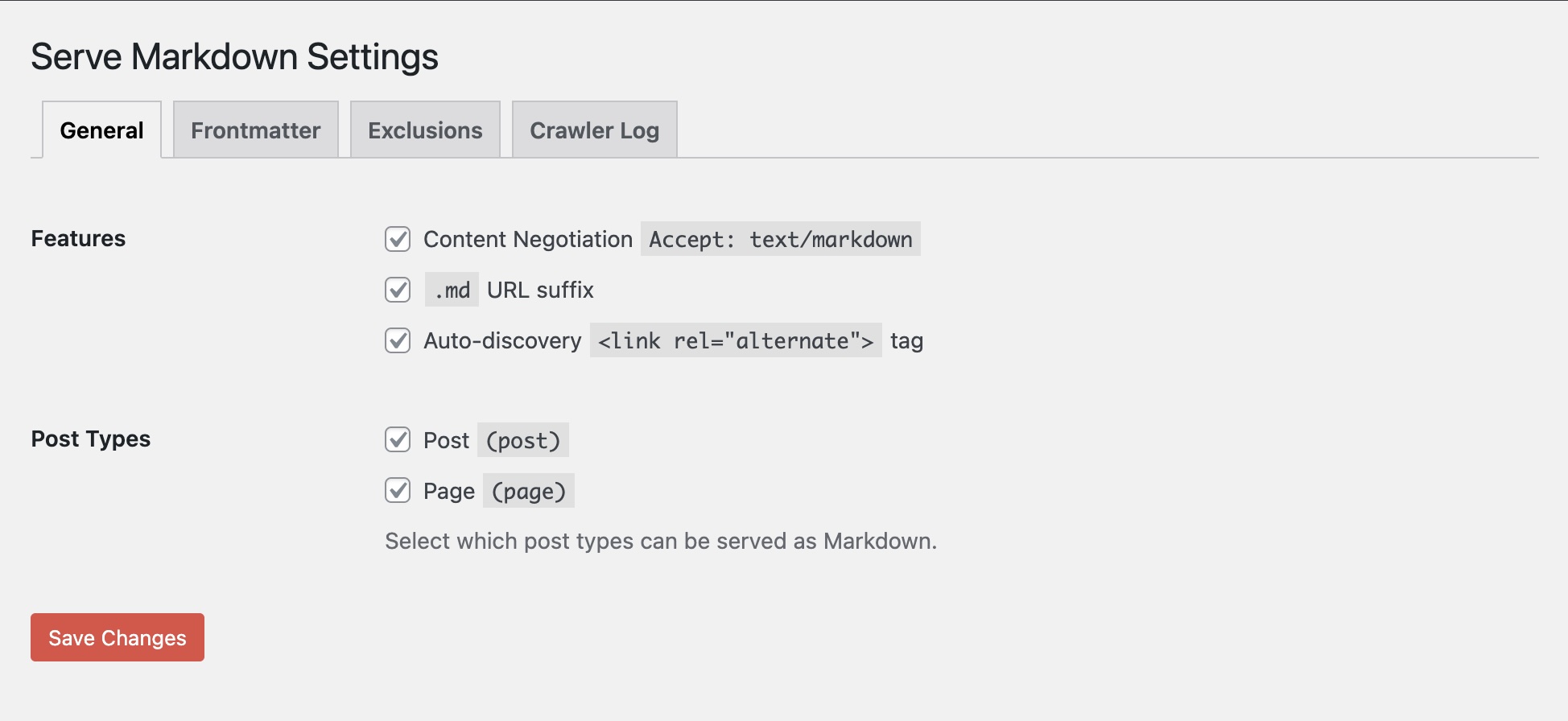
Content Serving
- Content negotiation via
Accept: text/markdownheader .mdURL suffix on any post or page- Auto-discovery
<link rel="alternate">tag in page head - Each feature can be toggled independently
- Choose which post types are exposed (posts, pages, custom post types)
Frontmatter and Metadata
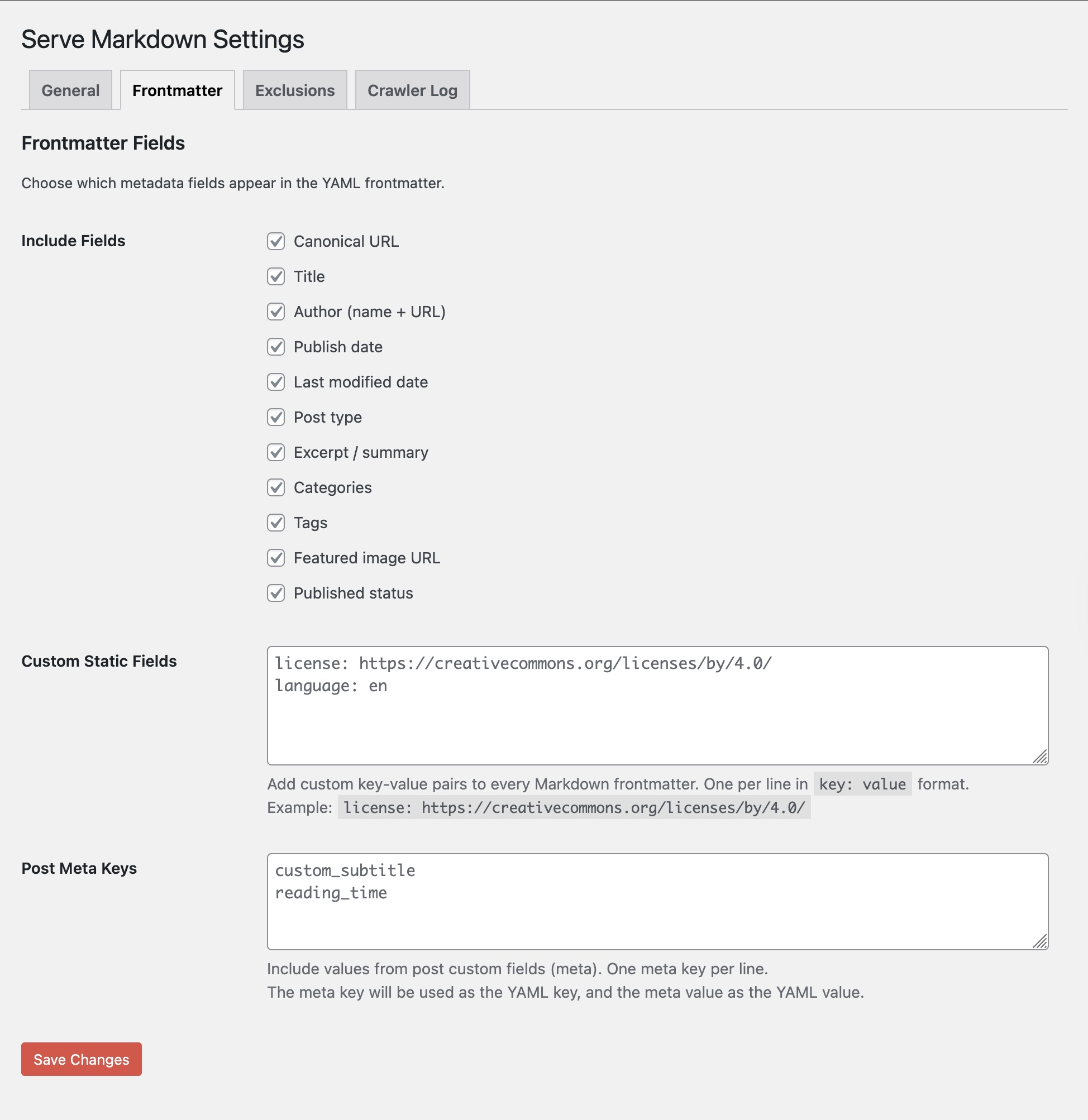
- YAML frontmatter with title, author, date, categories, tags, featured image, and more
- Toggle individual metadata fields on or off
- Add custom static key-value pairs (e.g.,
license,language) - Map WordPress custom fields (post meta) into the frontmatter
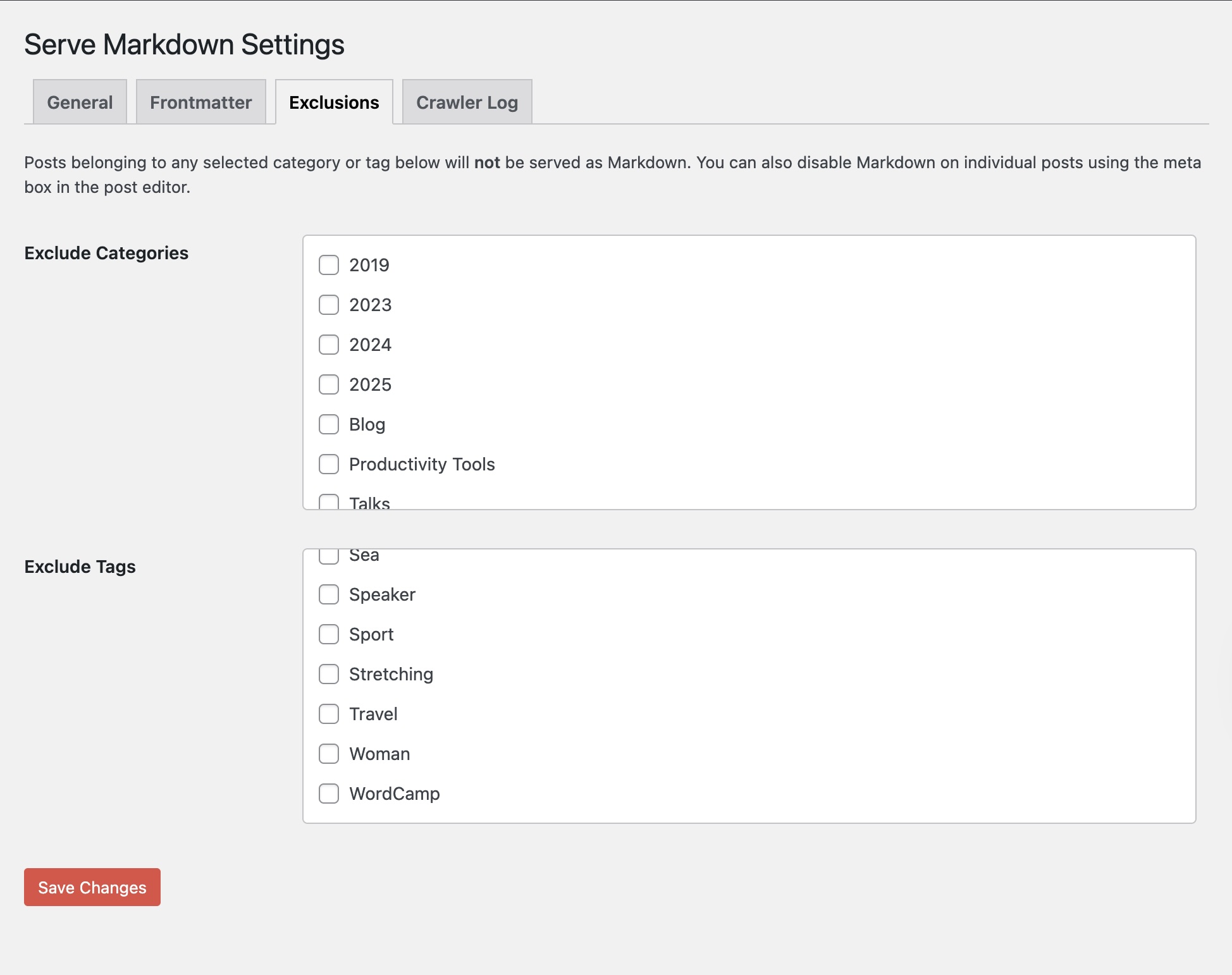
Access Control
- Per-post opt-out via a sidebar checkbox in the editor
- Exclude entire categories from Markdown serving
- Exclude entire tags from Markdown serving
- Only published posts are served — drafts and private posts are never exposed
Crawler Insights
- Request log showing every Markdown request with timestamp, URL, bot name, and method
- Automatic bot detection: ClaudeBot, GPTBot, ChatGPT, OAI-SearchBot, PerplexityBot, Googlebot, Bingbot, Cohere, Meta AI, Bytespider, Applebot, and more
- Stats dashboard: total requests, requests today, unique bots
- Filter log by individual bot
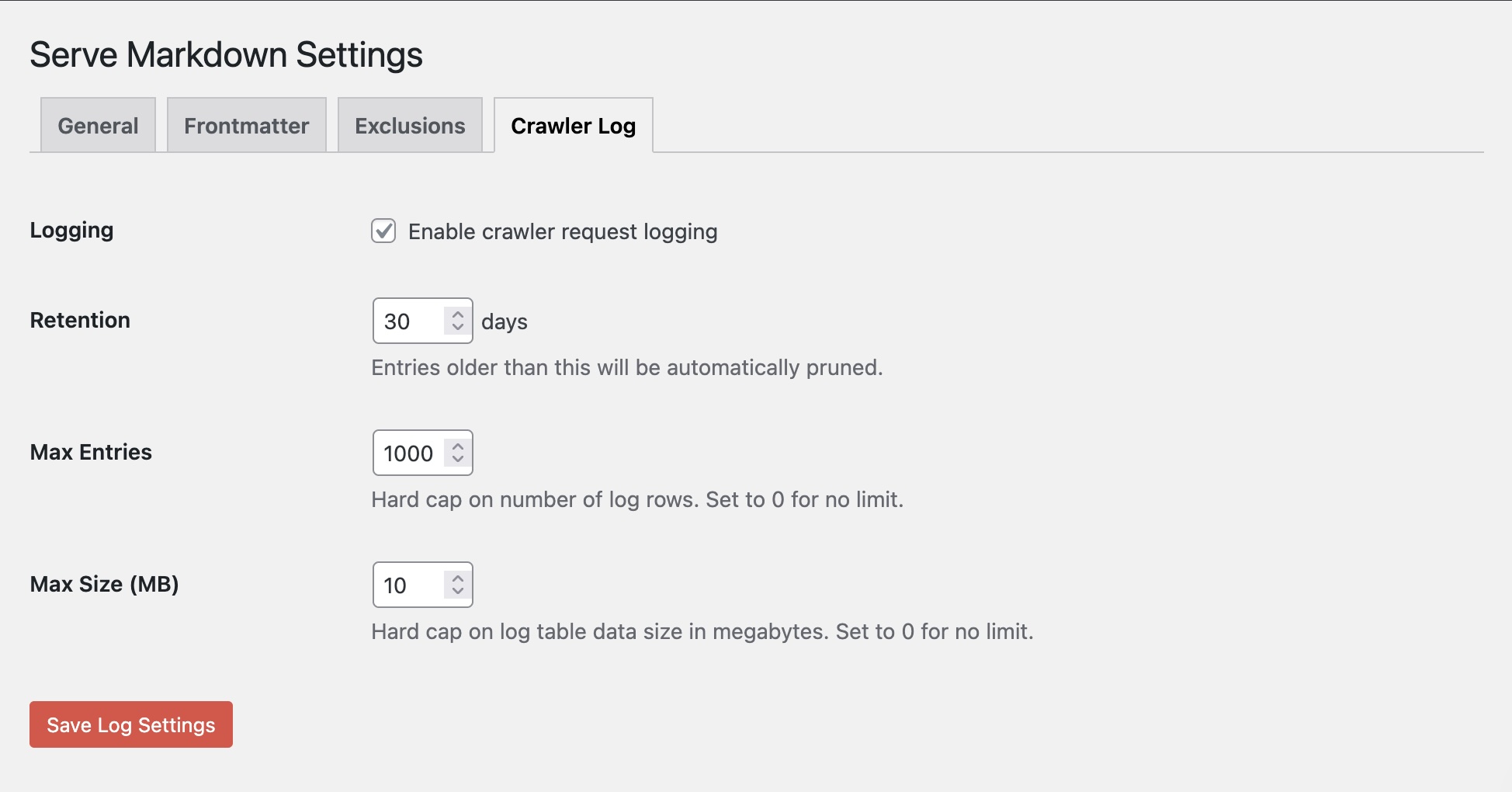
- Configurable retention period with automatic pruning
- One-click log clearing
Editor Integration
- “Preview Markdown” button in the post editor sidebar
- “View Markdown” link in the Posts and Pages list table
- Meta box shows on all enabled post types
Performance
Markdown conversion only runs when specifically requested — regular visitors see the same HTML pages they always have. The crawler log uses a lightweight custom table with three safeguards against unbounded growth: time-based retention, a row count cap, and a table size cap.
Privacy
The crawler log stores IP addresses and user-agent strings from Markdown requests. This data stays in your WordPress database and is never sent to external services. You can disable logging entirely, configure a retention period, or clear the log at any time from the settings page.
Installation
- Upload the
serve-mdfolder to/wp-content/plugins/. - Activate the plugin through the Plugins menu in WordPress.
- Go to Settings > Serve Markdown to configure.
- Visit any published post URL with
.mdappended to verify it works.
No additional server configuration is required. The plugin works with all standard WordPress permalink structures.
Frequently asked questions
Do I need to configure anything?
The plugin works out of the box with sensible defaults: posts and pages are served as Markdown with all metadata fields enabled and crawler logging turned on. Visit Settings > Serve Markdown to customize.
Will this affect my site speed?
No. Markdown is generated on demand only when explicitly requested. Normal page loads are completely unaffected, and the crawler log insert adds negligible latency — or disable logging entirely from settings.
Does it work with custom post types?
Yes. Any public post type registered on your site will appear as a checkbox on the General settings tab.
Can I exclude specific posts?
Yes, in two ways. You can check “Disable Markdown for this post” in the editor sidebar for individual posts. You can also exclude entire categories or tags from the Exclusions settings tab.
What metadata is included?
By default: URL, title, author name and URL, publish date, last modified date, post type, excerpt, categories, tags, featured image URL, and published status. Each field can be toggled off individually. You can also add custom static fields and map WordPress custom fields.
What AI crawlers are detected?
ClaudeBot (Anthropic), GPTBot and OAI-SearchBot (OpenAI), ChatGPT-User, Google-Extended (Google AI), PerplexityBot, Bingbot, Cohere, Meta AI, Bytespider (ByteDance), Applebot, CCBot (Common Crawl), YouBot, and a catch-all for unrecognized bots.
Is this compatible with caching plugins?
Yes. Serve Markdown sets the DONOTCACHEPAGE constant when serving Markdown responses, which is respected by WP Super Cache, W3 Total Cache, WP Rocket, and most other caching plugins.
Does this work on WordPress.com?
Yes. The plugin uses WPINC for environment detection instead of ABSPATH, making it compatible with WordPress.com Business plans, WordPress VIP, Pantheon, and other managed hosting platforms.
Screenshots
For developers
Is this your plugin? Show off the numbers.
Add a live badge to your site, docs or GitHub README. It updates on its own — no account needed.
Best Serve Markdown alternatives
All AI plugins →





FAQ
Serve Markdown: quick answers
Straight answers, pulled from live WordPress.org data.
Live data from WordPress.org · checked Oct 10, 2026
Is Serve Markdown free?
Yes. Serve Markdown is free to download and use from the official WordPress.org plugin directory.
Is Serve Markdown safe to use in 2026?
Serve Markdown shows warning signs in 2026 — compare the alternatives below before installing. It runs on 80+ sites and was last updated 7 months ago, and scores 40/100 on our health check.
How many websites use Serve Markdown?
Serve Markdown is active on 80+ WordPress websites and has been downloaded 1,813 times since it launched in March 2026. It was downloaded 923 times in the last 30 days.
Does Serve Markdown work with WordPress 7.1?
Serve Markdown is officially tested up to WordPress 6.9.10, while the latest release is 7.1.3. It may still work, but try it on a staging site first.
What PHP version does Serve Markdown need?
Serve Markdown requires PHP 8.1 or higher. Most hosts run PHP 8.x today, so it works on any modern WordPress hosting.
When was Serve Markdown last updated?
The latest version, 1.0, was released on March 15, 2026 (7 months ago).
Who makes Serve Markdown?
Serve Markdown is developed and maintained by Azey.
What are the best alternatives to Serve Markdown?
The most popular alternatives to Serve Markdown are Elementor Website Builder (10M+ installs), All in One SEO (2M+ installs) and AI Agent by SiteGround (1M+ installs).
Powered by PageForge
Want thousands of pages that rank like these? Build them in an afternoon.
This directory runs on the same engine as PageForge. Turn any spreadsheet, CSV or API into thousands of fast, SEO-ready WordPress pages — with schema, internal links and AI-written copy baked in.
- CSV, Google Sheets & API data sources
- AI content, schema & internal links per page
- Works with Elementor, Gutenberg, Yoast & Rank Math
- Free on WordPress.org — no credit card


