

Rocket Font – 한글
Apply Korean web fonts to your whole site in a few clicks - no CSS editing required. 한글 폰트를 고르고 저장하면 끝!

Solid choice
Rocket Font – 한글 is a solid plugin choice in 2026, with a few things worth checking first. It runs on 1K+ sites, is rated 4.6/5 and was last updated 1 month ago, and scores 76/100 on our health check.
- Tested with the latest WordPress (7.1)
- Momentum — downloads up 53.8% vs the previous 30 days
How does it stack up?
Side-by-side on installs, updates, ratings & support



Daily downloads
Download spikes usually follow a new release — each site that auto-updates counts as a download.
Rankings
Where Rocket Font – 한글 stands todayWordPress.org search rankings
Live position in the plugin search, top 100| Keyword | Position |
|---|---|
| font | #15 |
| hangul | #1 |
| korean | #11 |
| typography | #51 |
| web font | #10 |
Version adoption
Share of active sites per release.
Rating breakdown
★★★★★★★★★★ 4.6 from 5 reviews
About Rocket Font – 한글
From the official readme · v2.1.2Description
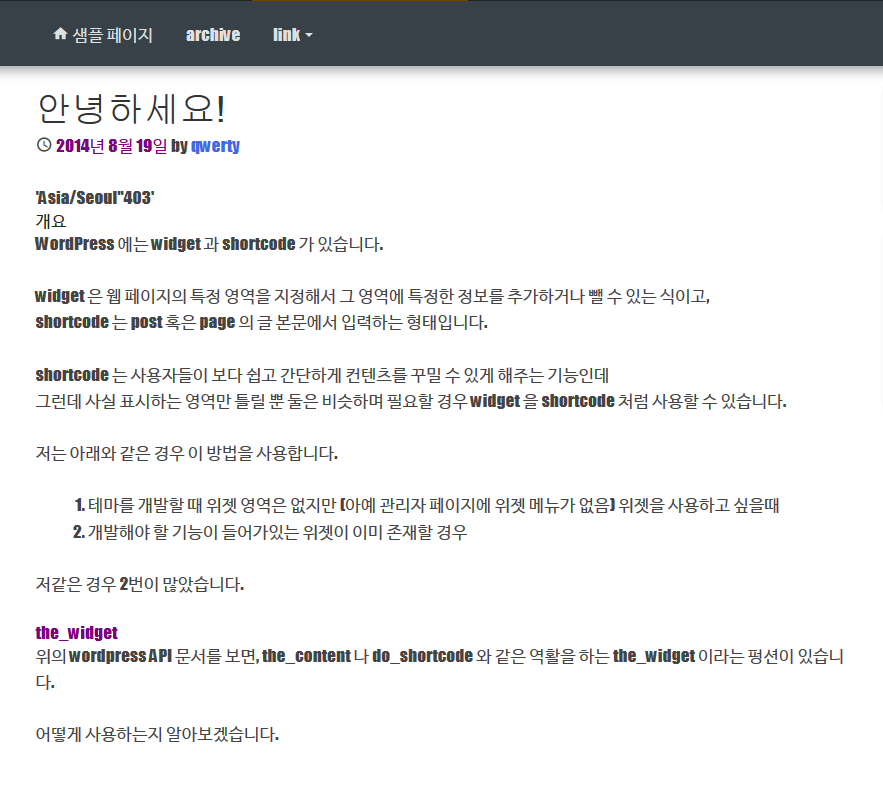
한글 (Rocket Font) lets you use Korean (Hangul) web fonts on your WordPress site without touching any CSS. Pick a font, check the live preview, save – that’s all.
이런 분께 추천합니다
CSS 를 잘 다루지 못하는 분들을 위해 최대한 쉽게 만들었습니다.
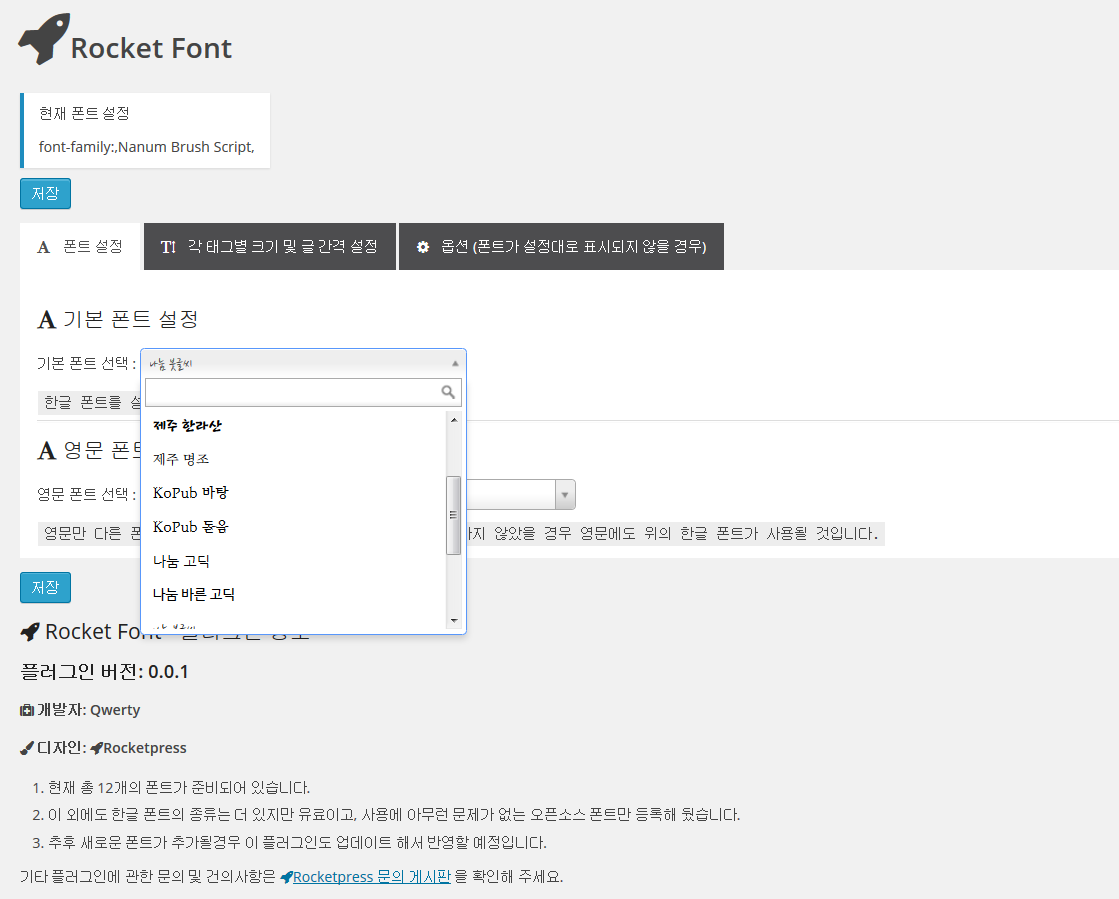
- 설정 > 한글 폰트 메뉴를 엽니다.
- 마음에 드는 한글 폰트를 검색해서 고르고, 오른쪽 미리보기로 확인합니다.
- 변경 사항 저장을 누르면 사이트 전체에 적용됩니다.
Features
- One-click Korean web fonts (Pretendard, SUIT, Nanum, Noto Sans KR, Google Fonts Korean families and more).
- Searchable font list (select2) and a live preview that stays in view while you scroll.
- Live preview while you change fonts, colors, sizes and line heights.
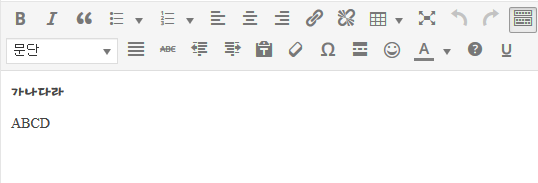
- Change the font of just the text you select while writing a post: a “한글” button in the block editor toolbar and in the classic editor toolbar (searchable font list). Only the fonts used in a post are loaded on the front end.
- Optional “Korean word wrap”: break lines at spaces instead of in the middle of a Korean word (CSS
word-break: keep-all). - Optional separate English font (choose from a list or enter a Google Fonts URL).
- Three one-click presets: whole site (body), per tag, or off.
- “Whole site” sizes headings automatically from the body size: p is the base, h6 is +2px, up to h1 at +12px, with proportional line heights.
- Or set body, h1-h6 and p separately: font on/off, text color, font size and line height.
- Apply the font only to specific classes / IDs (advanced).
- Alternative “force” application mode for themes that override fonts with
!important. - Use the same font in the classic editor (TinyMCE) – optional.
- Optional asynchronous font loading (experimental).
- Multisite ready: each site keeps its own settings and CSS file.
- Lightweight: your settings are written to a small minified CSS file. No front-end JavaScript unless you enable an option that needs it.
사용할 수 있는 폰트
모든 폰트는 웹 사용이 허용된 라이선스(대부분 SIL Open Font License)이고, 폰트 파일이 CDN(Google Fonts, jsDelivr) 에서 제공되는 것만 등록되어 있습니다. 폰트 파일은 내 서버에 저장되지 않습니다.
고딕 : 프리텐다드(Pretendard), SUIT, 원티드 산스, 노토 산스(Noto Sans KR), IBM Plex Sans KR, 나눔 고딕, 고운 돋움, 고딕 A1, 나눔 스퀘어, 나눔 바른 고딕
바탕 / 명조 : 노토 세리프(Noto Serif KR), 나눔 명조, 고운 바탕, 함렛, 송명
손글씨 : 나눔 펜글씨, 나눔 붓글씨, 개구, 하이멜로디, 감자꽃, 푸어 스토리, 동해 독도, 싱글 데이, 기랑 해랑, 흑백사진
제목 / 장식 : 검은고딕, 도현, 주아, 베이글 팻 원, 가석 원, 동글, 해바라기, 오르빗, 구기, 스타일리시, 귀여운 폰트, 연성, 독도, 배민 을지로체
코딩 : 나눔 고딕 코딩
폰트별 라이선스는 각 폰트 제공처의 안내를 따릅니다.
External services
This plugin loads web font stylesheets and font files from third-party CDNs. Fonts are loaded by the visitor’s browser, so the CDN receives the visitor’s IP address and browser information (User-Agent, Referer) when a page that uses the plugin is opened. The plugin itself does not send any other data to these services.
- Google Fonts (
fonts.googleapis.com,fonts.gstatic.com) – used for the fonts that are hosted by Google. Privacy information: https://developers.google.com/fonts/faq/privacy / Terms: https://policies.google.com/terms - jsDelivr (
cdn.jsdelivr.net) – used for the fonts that are hosted on jsDelivr (Pretendard, SUIT, Wanted Sans, Nanum, etc.) and for the optional WebFont Loader script when asynchronous loading is enabled. Privacy policy: https://www.jsdelivr.com/terms/privacy-policy-jsdelivr-net / Terms: https://www.jsdelivr.com/terms - cdnjs (
cdnjs.cloudflare.com) – only if you enter a font CSS address from this host yourself. Privacy policy: https://www.cloudflare.com/privacypolicy/
If you enter your own font CSS address in the “영문 폰트 > 직접 입력하기” field, only https addresses on the hosts above are accepted.
The settings screen loads the selected font stylesheets from the same services to show the preview. No JavaScript is loaded from external sites: the search box library (select2, MIT license) is bundled with the plugin.
Installation
- Upload the
rocket-fontfolder to/wp-content/plugins/, or install the plugin from the WordPress plugin directory. - Activate the plugin through the Plugins screen.
- Go to Settings > 한글 폰트 (Settings > Rocket Font), choose a font and press 변경 사항 저장.
Changelog
Security update. Saving and resetting the settings require a logged-in administrator and a valid nonce (CSRF fix). Please update.
2.1.2
- security : CSRF(Cross-Site Request Forgery) 보호를 다시 점검했습니다. 설정 저장과 “기본값으로 되돌리기”는 관리자 권한과 nonce 확인을 거쳐야만 동작합니다.
- change : readme 의 Contributors 를 wordpress.org 사용자 이름
qwerty-23으로 바꿨습니다.
2.1.1
- fix : Plugin Check 점검 결과를 반영했습니다. 플러그인 이름과 텍스트 도메인을 형식에 맞게 바꾸고, 스크립트와 스타일 버전 지정, 파일 삭제와 쓰기 확인에 워드프레스 함수를 사용합니다. 동작은 바뀌지 않습니다.
2.1.0
- new : 한글 단어 들여쓰기 옵션을 추가했습니다. 켜면 줄 끝에서 한글이 글자 중간(예: “다/른”)이 아니라 띄어쓰기(단어) 단위로 줄 바꿈됩니다. 폰트를 적용하는 곳에
word-break: keep-all이 폰트 CSS와 함께 추가되고, 설정 화면 미리보기에도 바로 반영됩니다.
2.0.0
- change : 폰트 목록을 점검해 라이선스를 확인할 수 없거나 폰트 파일을 더 이상 CDN 에서 받을 수 없는 폰트를 목록에서 뺐습니다. (제주 고딕/명조/한라산, 한나, KoPub 바탕, 이롭게 바탕, 오버워치, KCC은영체, 윤봉길체, 스포카 한 산스) 이 폰트를 사용 중이던 사이트에는 설정 화면에 안내가 표시되며, 다른 폰트를 골라 저장하면 됩니다.
- new : 글 편집 화면에서 드래그한 글자만 원하는 한글 폰트로 바꿀 수 있습니다. 블록 에디터(툴바의 “한글” 버튼, 이름 검색 가능)와 클래식 에디터(도구 모음의 “한글” 메뉴)를 모두 지원합니다. 글에서 쓴 폰트만 사이트에서 불러오며, 설정의 “글 편집 화면에서 글자별 폰트 사용”에서 끌 수 있습니다.
- change : “사이트 전체(body)”를 선택하면 제목(h1~h6)과 문단(p)은 본문 크기를 기준으로 자동으로 정해집니다. 문단이 기준 크기이고 h6부터 2px씩 커지며, 줄 간격은 글자 크기에 비례합니다. 이때 제목/문단 줄은 직접 바꿀 수 없습니다. 항목별로 따로 정하려면 “사이트 전체”를 끄고 “항목별로 따로 설정”을 선택하세요. (이전 버전에서 사이트 전체와 제목 크기를 함께 지정해 두었다면 업데이트 후 설정 화면을 확인해 주세요.)
- fix : 영문 폰트를 Tahoma 로 고르면 한글 폰트가 시스템 기본 글꼴로 바뀌던 문제.
- new : 설정 화면의 한글 폰트 선택 상자에서 이름으로 검색할 수 있습니다 (select2).
- fix : 설정 화면의 미리보기가 화면이 열릴 때부터 저장된 폰트로 보이고, 스크롤해도 화면에 고정됩니다.
- security : 설정 저장과 화면 출력의 보안을 강화했습니다. 권한 확인, nonce 확인, 입력값 검증, 출력 이스케이프를 추가하고 워드프레스 Settings API 를 사용하도록 변경했습니다. 반드시 업데이트해 주세요.
- new : 설정 화면을 새로 만들었습니다. 실시간 미리보기, 적용 범위 프리셋, 저장되지 않은 변경 사항 표시, 기본값으로 되돌리기.
- new : 설정 화면의 외부 JavaScript 라이브러리를 모두 제거했습니다 (워드프레스 기본 컴포넌트 사용).
- change : 생성되는 CSS 파일을
wp-content/uploads/rocket-font/에 저장합니다. 플러그인을 업데이트해도 사라지지 않습니다. - change : 영문 폰트가
Arial, Helvetica처럼 여러 이름으로 구성된 경우 올바른 font-family 로 출력되도록 수정했습니다. - change : 영문 폰트 CSS 주소는 허용된 호스트(Google Fonts, jsDelivr, cdnjs)의 https 주소만 사용할 수 있습니다.
- fix : PHP 8 호환성 (사용되지 않는 문법, 정의되지 않은 변수 등).
- fix : “나눔 바른 고딕 웹”, “Gugi” 폰트가 적용되지 않던 이름 오류.
- new : 폰트 목록을 새로 정리했습니다. 프리텐다드, SUIT, 원티드 산스, IBM Plex Sans KR, 노토 세리프, 고운 돋움/바탕, 함렛 등을 추가하고 폰트를 용도별(고딕, 바탕, 손글씨, 제목/장식)로 묶어 보여 줍니다.
- change : Noto Sans KR 을 전체 글자를 지원하는 Google Fonts 버전으로 바꾸고, 나눔 폰트 등 Google Fonts 의 폰트는 현재 주소 방식으로 갱신했습니다. 기존 설정은 업데이트 후 자동으로 반영됩니다.
- fix : 줄 간격에 소수점 값이 저장되지 않던 현상.
- add : 플러그인 삭제 시 설정과 생성된 CSS 파일을 정리합니다.
1.2.5
- add : 폰트 추가 – 이롭게 바탕
- add : 폰트 추가 – 오버워치
- add : 언어파일 추가
- fix : 설정 메뉴의 툴팁을 일부 수정했습니다.
1.2.4
- add : 폰트 추가 – 나눔 스퀘어
- update : 폰트 버전업( 2.0 > 2.1.0 ) – 스포카 한 산스
Screenshots
For developers
Is this your plugin? Show off the numbers.
Add a live badge to your site, docs or GitHub README. It updates on its own — no account needed.
Best Rocket Font – 한글 alternatives
All font plugins →




FAQ
Rocket Font – 한글: quick answers
Straight answers, pulled from live WordPress.org data.
Source: WordPress.org
Is Rocket Font – 한글 free?
Yes. Rocket Font – 한글 is free to download and use from the official WordPress.org plugin directory.
Is Rocket Font – 한글 safe to use in 2026?
Rocket Font – 한글 is a solid plugin choice in 2026, with a few things worth checking first. It runs on 1K+ sites, is rated 4.6/5 and was last updated 1 month ago, and scores 76/100 on our health check.
How many websites use Rocket Font – 한글?
Rocket Font – 한글 is active on 1K+ WordPress websites and has been downloaded 27,777 times since it launched in March 2015. It was downloaded 800 times in the last 30 days.
Does Rocket Font – 한글 work with WordPress 7.1?
Yes. The developer has tested Rocket Font – 한글 up to WordPress 7.1.5, the latest release. It requires WordPress 5.0 or newer.
What PHP version does Rocket Font – 한글 need?
Rocket Font – 한글 requires PHP 7.0 or higher. Most hosts run PHP 8.x today, so it works on any modern WordPress hosting.
When was Rocket Font – 한글 last updated?
The latest version, 2.1.2, was released on October 26, 2026 (1 month ago).
Who makes Rocket Font – 한글?
Rocket Font – 한글 is developed and maintained by Rocketm2n.
What are the best alternatives to Rocket Font – 한글?
The most popular alternatives to Rocket Font – 한글 are Local Google Fonts (100K+ installs), TS Webfonts for さくらのレンタルサーバ (30K+ installs) and Adobe Fonts (formerly Typek… (10K+ installs).
Powered by PageForge
One template and a spreadsheet. A real page for every search.
PageForge turns each row of a CSV into a WordPress page with its own title, URL, SEO fields and schema, built on the layout you already designed. Free on WordPress.org.
- CSV and XLSX, plus Google Sheets on Professional and Enterprise
- Its own title, URL, SEO fields and schema for every page
- Works with the block editor, Elementor, Divi and Avada
- Free on WordPress.org, no credit card