


RIACO Size Guide for WooCommerce
Add size guides to WooCommerce products via a visual table builder with tab, popup, or inline display.

Use with caution
RIACO Size Guide for WooCommerce works, but test it on a staging site before relying on it in 2026. It runs on 10+ sites and was last updated 3 months ago, and scores 51/100 on our health check.
- Small user base (10+ active installs)
- Very few reviews so far
How does it stack up?
Side-by-side on installs, updates, ratings & support



Daily downloads
Download spikes usually follow a new release — each site that auto-updates counts as a download.
Rankings
Where RIACO Size Guide for WooCom… stands todayWordPress.org search rankings
Live position in the plugin search, top 100| Keyword | Position |
|---|---|
| popup | >100 |
| Product tab | >100 |
| size guide | #22 |
| Table Builder | >100 |
| woocommerce | >100 |
Version adoption
Share of active sites per release.
About RIACO Size Guide for WooCommerce
From the official readme · v1.0.0Description
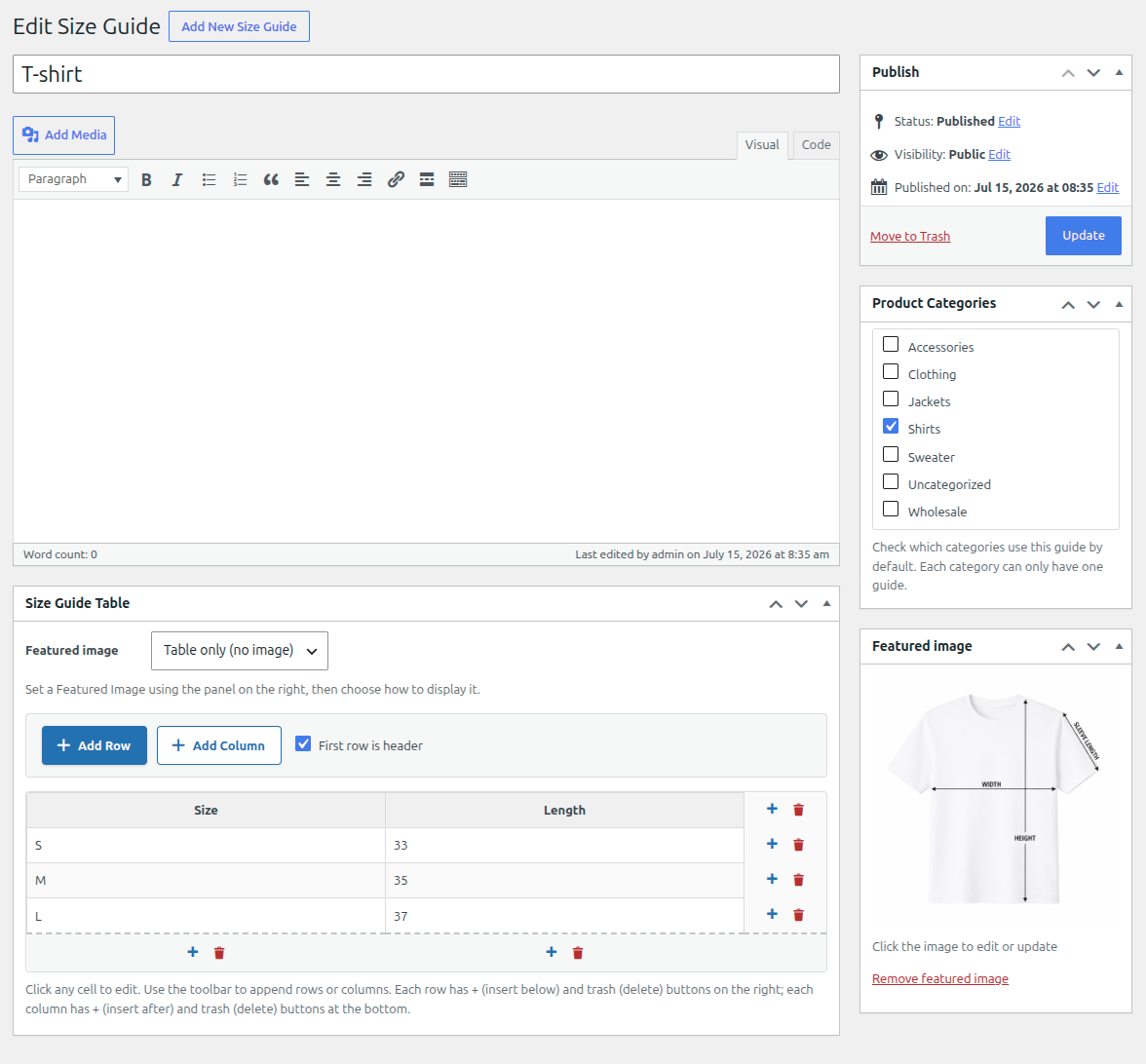
RIACO Size Guide for WooCommerce lets store owners create size guide templates with a visual table builder, assign them to product categories or individual products, and display them on product pages.
Key Features
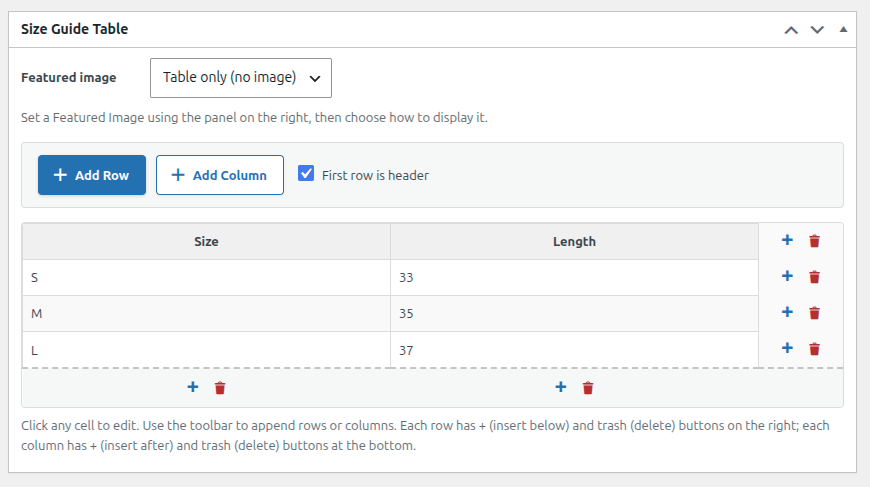
- Visual table builder — add, remove, and reorder rows and columns directly in the editor, no coding required.
- Featured image support — attach a size guide image and choose whether it appears above the table, below the table, or instead of it.
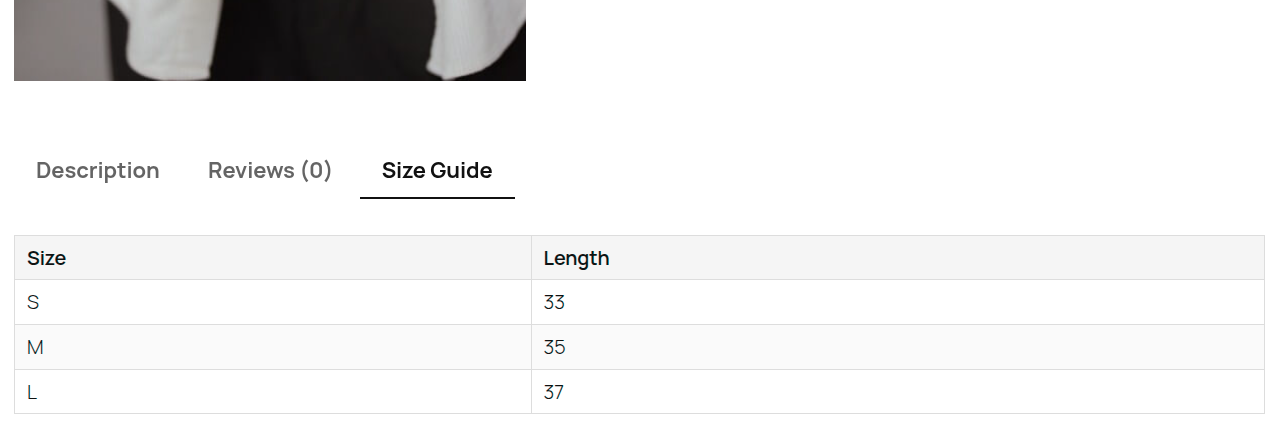
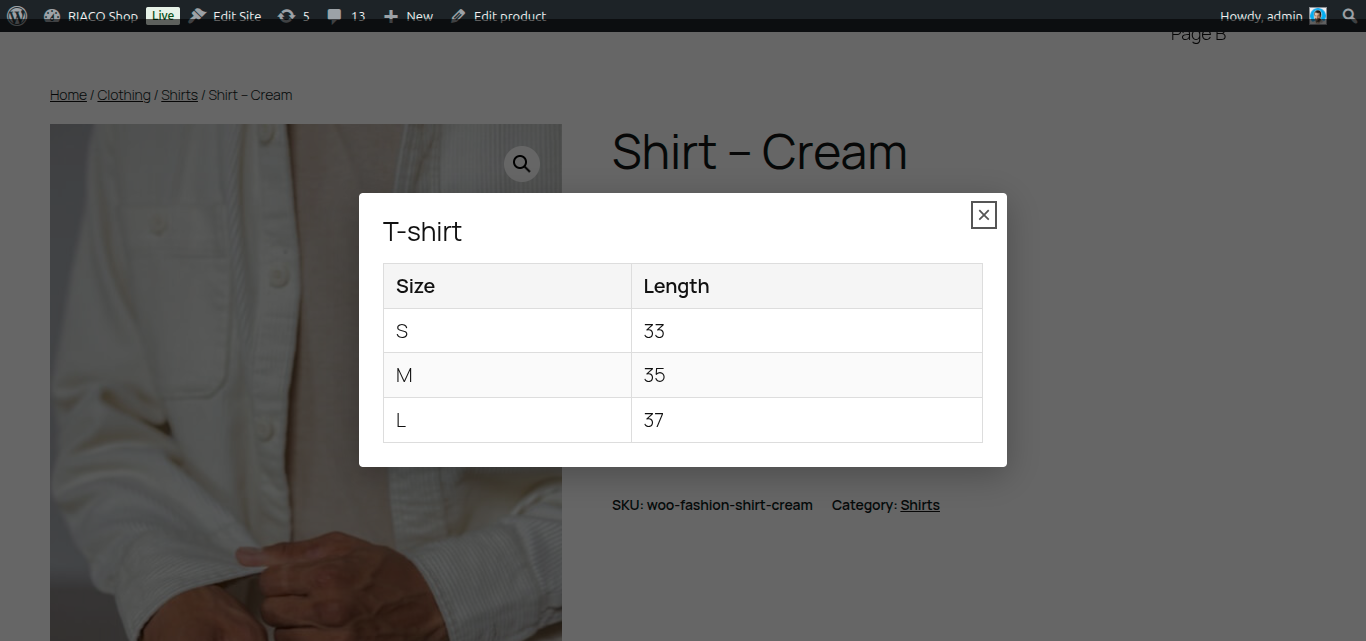
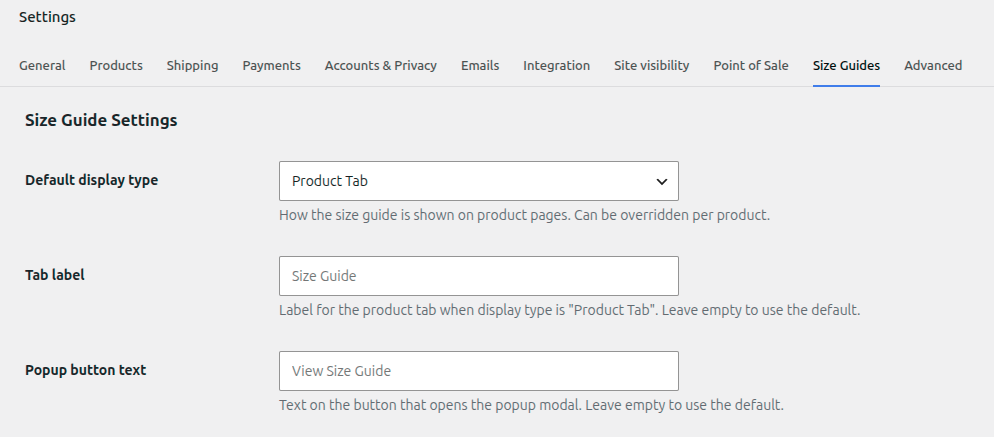
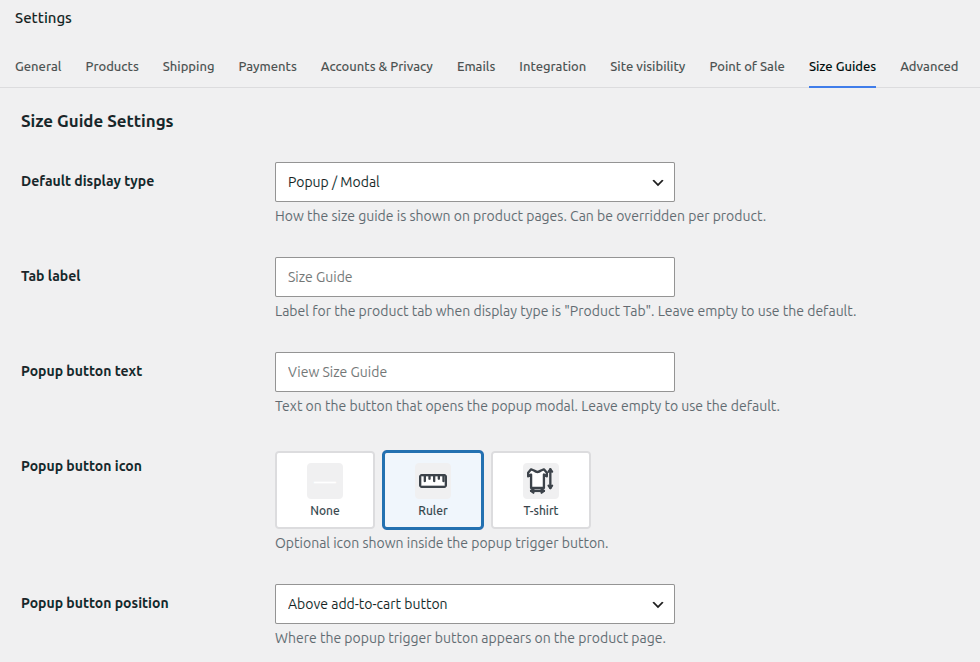
- Flexible display modes — show the guide as a product tab, a popup/modal triggered by a button, or inline above or below the add-to-cart button.
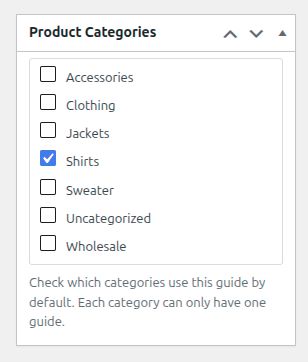
- Category assignment — assign a guide to one or more product categories from the guide edit screen; products inherit the guide automatically.
- Per-product override — override or disable the guide on any individual product from the WooCommerce product data panel.
- Accessible modal — the popup modal is keyboard-navigable and uses proper ARIA roles.
- Developer hooks — four filters let developers override guide resolution, display type, HTML output, and tab arguments.
- HPOS compatible — declared compatible with WooCommerce High-Performance Order Storage.
Developer Filters
riaco_sgfw_chart_for_product— swap or suppress the resolved guide for any product.riaco_sgfw_display_type_for_product— override the display type per product.riaco_sgfw_chart_html— modify the full guide HTML before output.riaco_sgfw_tab_args— change tab label, priority, or callback.
Installation
- Upload the plugin folder to
/wp-content/plugins/, or install via Plugins → Add New. - Activate the plugin through the Plugins menu in WordPress.
- Make sure WooCommerce is installed and active.
- Go to WooCommerce → Size Guides to create your first size guide.
- Assign the guide to product categories from the guide edit screen, or override it per product in the Size Guide tab of the product data panel.
- Configure the global display type under WooCommerce → Settings → Size Guides.
Frequently asked questions
Does this plugin require WooCommerce?
Yes. WooCommerce must be installed and active.
Who can create and manage size guides?
Only users with the manage_woocommerce capability — administrators and shop managers by default. Other roles cannot create, edit, or assign size guides.
Can I show a size guide image instead of a table?
Yes. Set a featured image on the guide and choose “Image only” from the Image Position meta box on the guide edit screen.
Can I disable the guide for a specific product?
Yes. Open the product, go to the Size Guide tab in the product data panel, and select Disable (no guide).
Where do I configure the display type (tab, popup, inline)?
Go to WooCommerce → Settings → Size Guides.
Why is the guide missing on out-of-stock products?
The inline display types and the “Above/Below add-to-cart button” popup button positions are attached to the add-to-cart form. When a product cannot be purchased (for example, it is out of stock), WooCommerce does not render that form, so the guide or button is not shown there. If the guide must always be visible, use the Product Tab display type or the After product summary popup button position.
Does it work with WooCommerce High-Performance Order Storage (HPOS)?
Yes, the plugin declares HPOS compatibility.
Screenshots
For developers
Is this your plugin? Show off the numbers.
Add a live badge to your site, docs or GitHub README. It updates on its own — no account needed.
Best RIACO Size Guide for WooComme… alternatives
All popup plugins →





FAQ
RIACO Size Guide for WooCommerce: quick answers
Straight answers, pulled from live WordPress.org data.
Live data from WordPress.org · checked Oct 17, 2026
Is RIACO Size Guide for WooCommerce free?
Yes. RIACO Size Guide for WooCommerce is free to download and use from the official WordPress.org plugin directory.
Is RIACO Size Guide for WooCommerce safe to use in 2026?
RIACO Size Guide for WooCommerce works, but test it on a staging site before relying on it in 2026. It runs on 10+ sites and was last updated 3 months ago, and scores 51/100 on our health check.
How many websites use RIACO Size Guide for WooCommerce?
RIACO Size Guide for WooCommerce is active on 10+ WordPress websites and has been downloaded 264 times since it launched in July 2026. It was downloaded 64 times in the last 30 days.
Does RIACO Size Guide for WooCommerce work with WordPress 7.1?
RIACO Size Guide for WooCommerce is officially tested up to WordPress 7.0.7, while the latest release is 7.1.3. It may still work, but try it on a staging site first.
What PHP version does RIACO Size Guide for WooCommerce need?
RIACO Size Guide for WooCommerce requires PHP 7.4 or higher. Most hosts run PHP 8.x today, so it works on any modern WordPress hosting.
When was RIACO Size Guide for WooCommerce last updated?
The latest version, 1.0.0, was released on July 18, 2026 (3 months ago).
Who makes RIACO Size Guide for WooCommerce?
RIACO Size Guide for WooCommerce is developed and maintained by robertoiacono.
What are the best alternatives to RIACO Size Guide for WooCommerce?
The most popular alternatives to RIACO Size Guide for WooCommerce are Popup Builder & Popup Maker… (1M+ installs), Popup Maker (700K+ installs) and Popup Builder (200K+ installs).
Powered by PageForge
Want thousands of pages that rank like these? Build them in an afternoon.
This directory runs on the same engine as PageForge. Turn any spreadsheet, CSV or API into thousands of fast, SEO-ready WordPress pages — with schema, internal links and AI-written copy baked in.
- CSV, Google Sheets & API data sources
- AI content, schema & internal links per page
- Works with Elementor, Gutenberg, Yoast & Rank Math
- Free on WordPress.org — no credit card


