



Popup Builder – Create highly converting, mobile friendly marketing popups.
Increase Sales, Lead Generation, Conversion rates and receive good Call to Action rates with smart WordPress popup plugin.

Solid choice
Popup Builder is a solid plugin choice in 2026, with a few things worth checking first. It runs on 200K+ sites, is rated 4.7/5 and was last updated 2 months ago, and scores 76/100 on our health check.
- Proven at scale on 200K+ active sites
- Loved by users — 4.7/5 from 2,215 reviews
- Slow support — only 33% of recent threads resolved
How does it stack up?
Side-by-side on installs, updates, ratings & support


Daily downloads
Download spikes usually follow a new release — each site that auto-updates counts as a download.
Rankings
Where Popup Builder stands todayWordPress.org search rankings
Live position in the plugin search, top 100| Keyword | Position |
|---|---|
| pop up | #8 |
| popup | #2 |
| popup builder | #2 |
| popup maker | #3 |
| wordpress popup | #2 |
Version adoption
Share of active sites per release.
Rating breakdown
★★★★★★★★★★ 4.7 from 2,215 reviews
About Popup Builder
From the official readme · v4.4.5Description
WordPress Popup Builder
Popup Builder is a Perfect solution for any WordPress website. With a wide range of WordPress popup types, conditions, and events (From Image Popup to Countdown popup, Exit Intent to GeoTargeting) Popup Builder helps you create high converting, promotional and informative popups, increase conversion rates and boost sales while reaching your marketing goals.
Moreover, our team created a custom JS/CSS coding opportunity for all our WordPress pop up types making any popup unique and fully customizable.
Use the best WordPress popup plugin and enjoy the popup creation process.
SUPER EASY AND SIMPLE TO USE
In Popup Builder, we did our best to make the interface very user-friendly and intuitive for our users. All of our popup types, events, and conditions including popup design changes are separated which makes our WordPress popup plugin suitable and easy to use. Moreover, no special coding is needed to use the plugin. Just choose your preferred type of popup and create a masterpiece for your website. While developing Popup Builder we took into consideration both your time and will to create efficient and powerful WordPress popups within minutes.
VARIOUS POPUP TYPES FOR ALL OCCASIONS
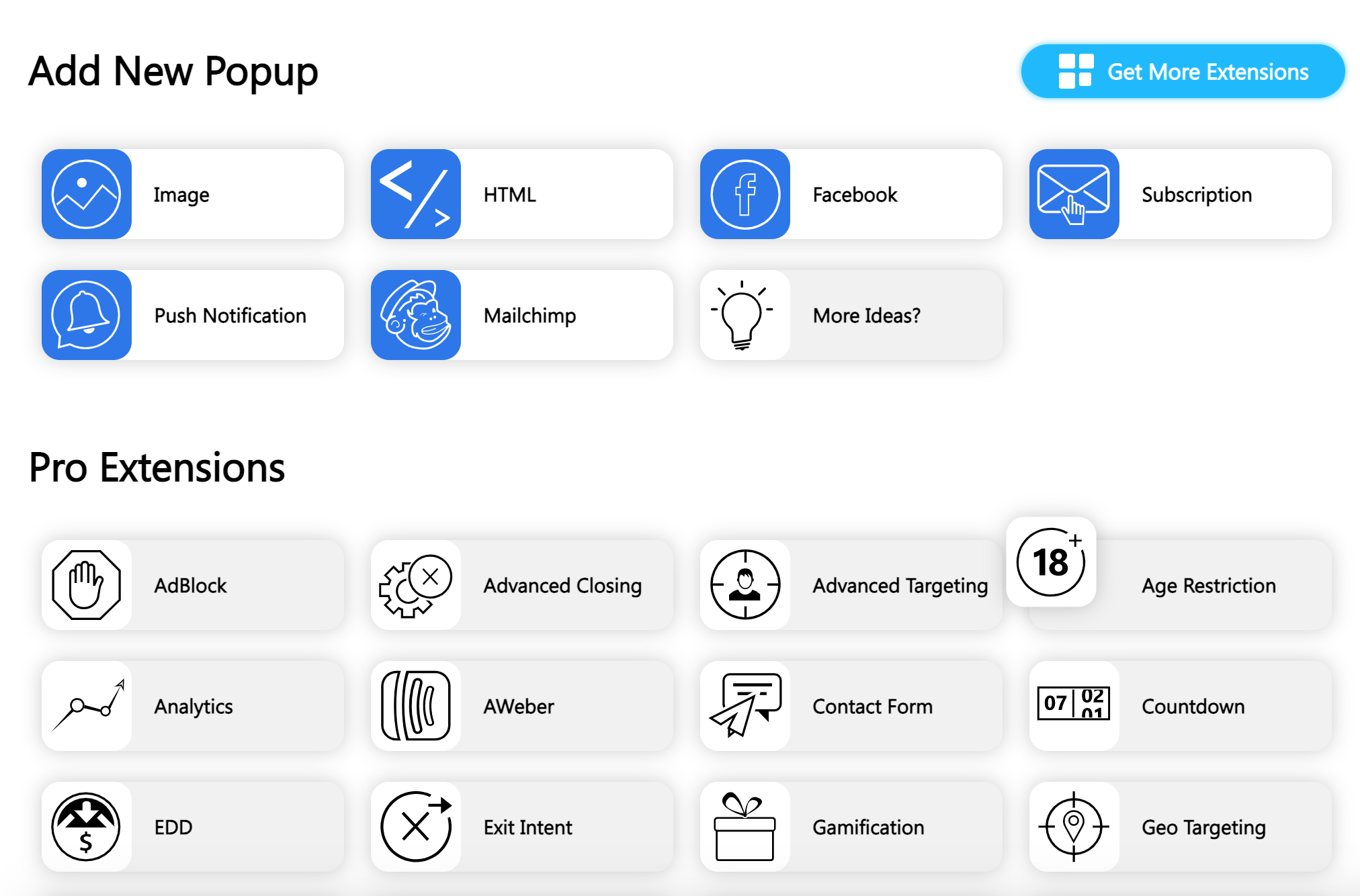
One of the primary advantages of our WordPress popup plugin is that it is not limited to just a few types of popup. In Popup Builder, you will find various types of popups for all occasions. We provide both free (Image Popup, HTML Popup, Facebook Popup, Subscription Popup) and paid WordPress popups with premium features (Video Popup, Web Push Notification Popup, Exit Intent popup, Mailchimp popup, WooCommerce, Login Popup, and more).
Please note that both free and paid types of our popups do not require additional effort. Each of them can be created very quickly and efficiently making your brand promotion even more tempting.
PERFECT SOLUTION FOR ALL YOUR NEEDS
We provide you a powerful and yet easy to use Popup Builder with a wide range of features to make your work as efficient as possible and get explosive results in the end. With our WordPress popup plugin you’ll have an epic chance to target your buyer persona based on geographic segmentation, demographics, and user behavior showing highly effective popups. Popup Builder is your magic bullet and the most optimal solution for all your needs. Just create your desired WordPress popup with appropriate conditions or events and have higher and unsurpassed conversion rates for your website.
100% CUSTOMIZABLE DESIGN AND LOOK
Popup Builder provides you enticing features to create 100% customizable popups with the desired design. Almost all the elements of the popup are fully customizable. Customize the background, borders, overlays, texts, colors, and much more. Create personalized popups increasing your brand’s awareness. It’s a known fact that a page with a well-designed, branded, and properly implemented popup converts better than any other website with irritating and tiresome popups. So make your WordPress pop up unique and incomparable.
INTEGRATION WITH THIRD PARTY WORDPRESS PLUGINS
We have done our best to be fully integrated and compatible with the most popular plugins such as:
- WooCommerce
- MailChimp
- Contact Form 7
- WPML
- Polylang
- Ninja Forms
- Gravity Forms
- TablePress
- Formidable Forms
- WP Google Maps
- HTML5 Maps
- Review Builder
- Divi Builder
Using 3rd party plugins with Popup Builder will increase the potential of the popups and deepen the capabilities of their use for lead generation and nurturing. Our team is constantly working on improving and extending the existing integrations as well as increasing the number of integrations with third-party plugins and services.
If there is any plugin or service that you want us to be compatible with, feel free to contact us.
GREAT AND CARING SUPPORT
The desire of each customer and the problems that have arisen are the priority issues that have to be solved by our support team. That is why our Popup Builder team works very hard to help and satisfy the demands and wishes of all its customers. If there is a question that you would like to ask, or there is something unclear, then our support team is ready to answer each question in detail to satisfy any interest.
If you think you have any questions or suggestions concerning our WordPress popup plugin, please feel free to contact us through the community forum or drop a message at support@popup-builder.com (for Premium extensions).
GENERAL FEATURES
- Create and manage as many WordPress popups as you desire.
- Increase your brand awareness by customizing the design and look of your WordPress pop up.
- Choose the appropriate and desired WordPress pop up opening and closing styles.
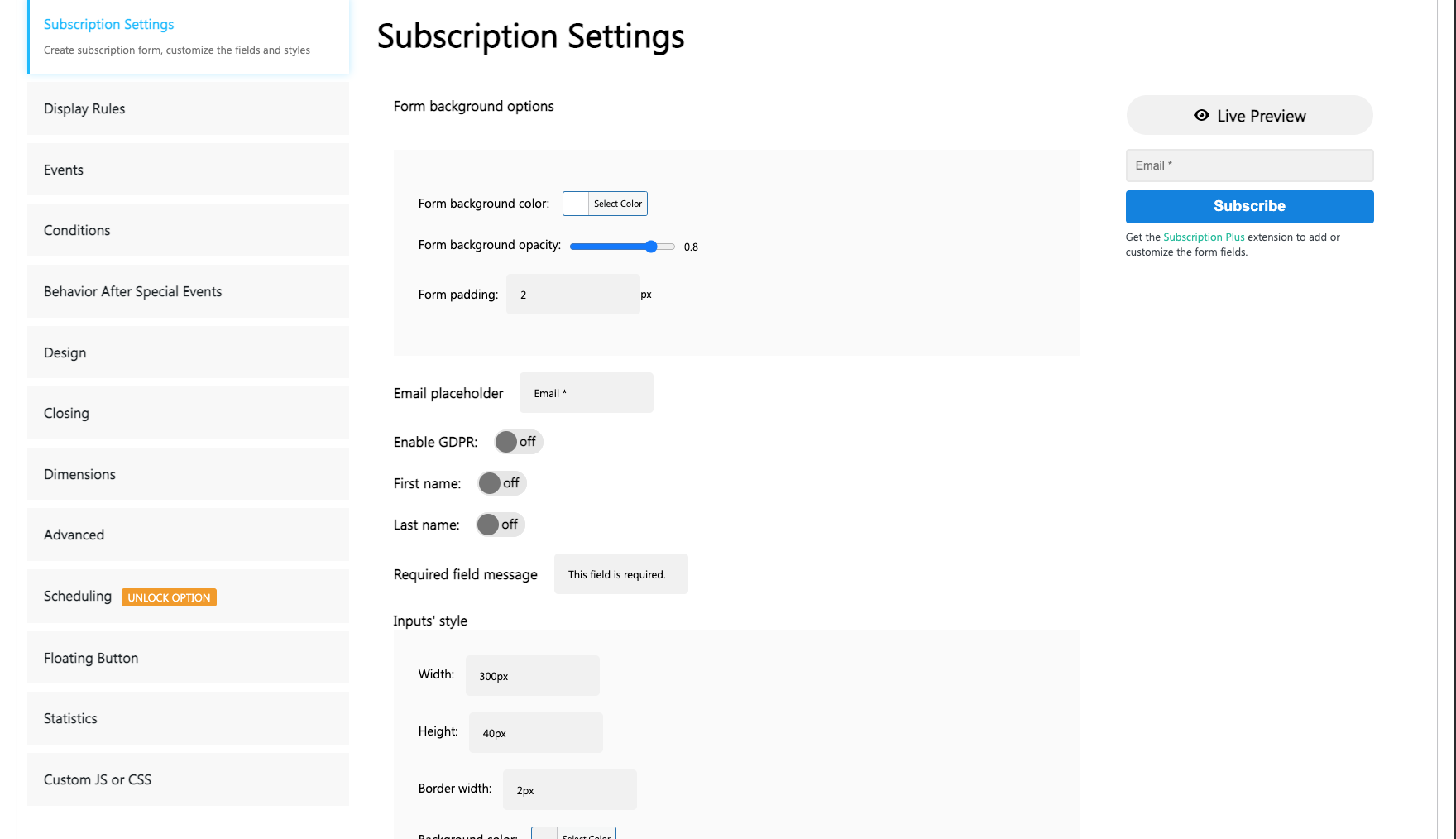
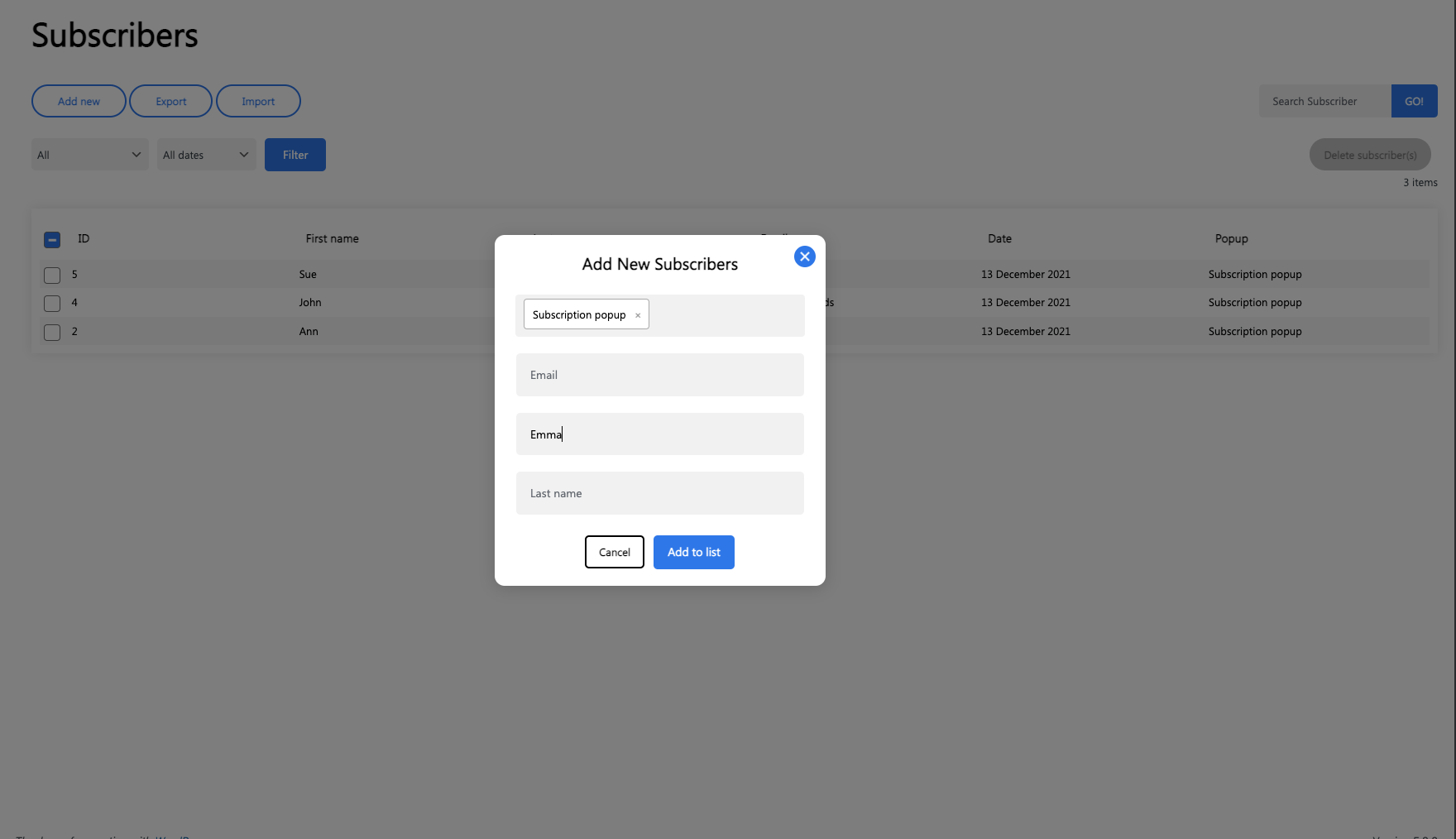
- Grow your mailing list, create unique email marketing campaigns and send to your subscribers by converting them to leads.
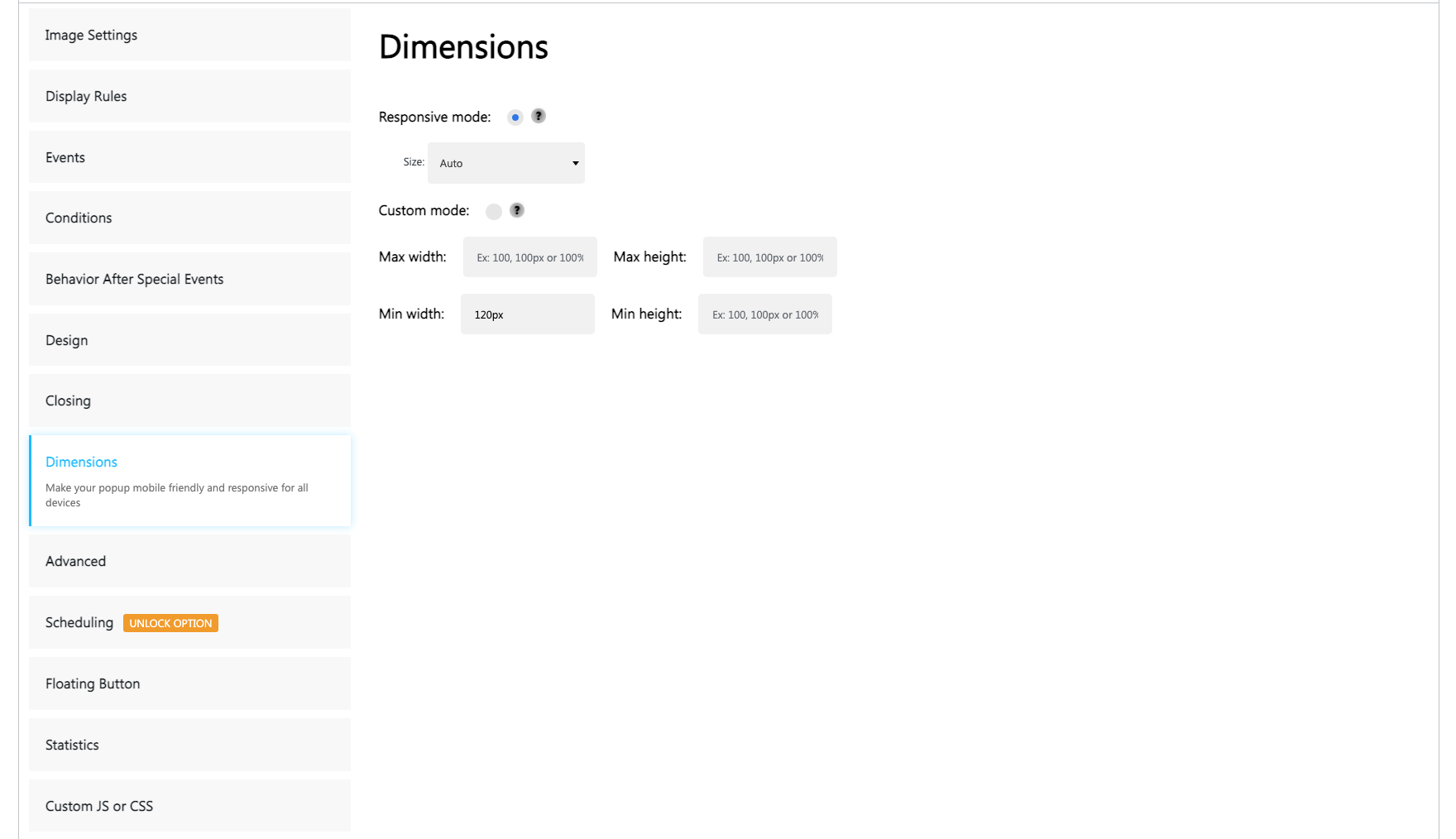
- Make your popups mobile friendly and responsive for all devices.
- Show the popup when the user hovers a text or clicks somewhere on the web page to make your popup interactive and more desirable.
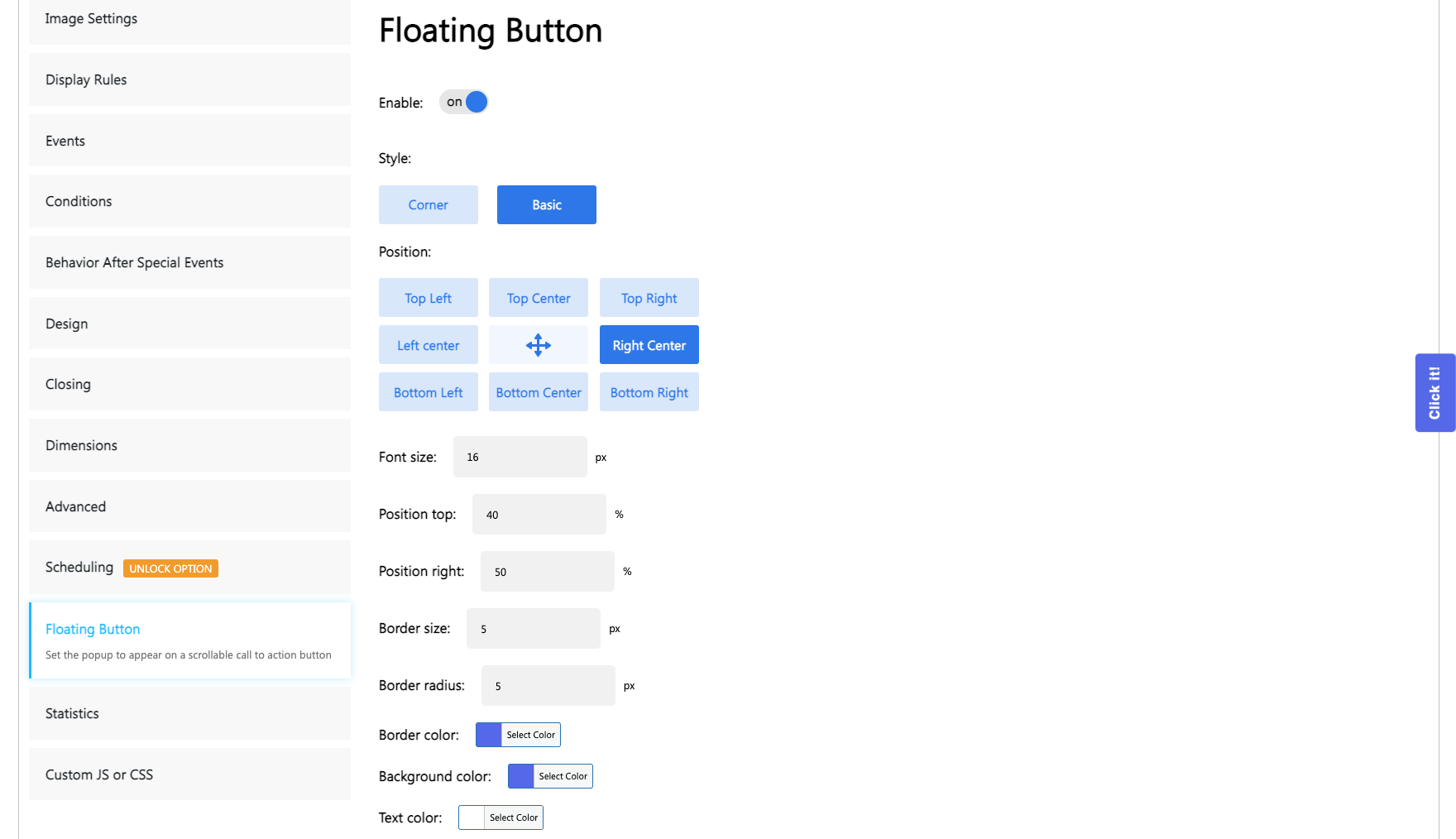
- Open any popup type on a specific scrollable call to action Floating button without destroying your website’s UX.
- Create Network/Multisite compatible popups.
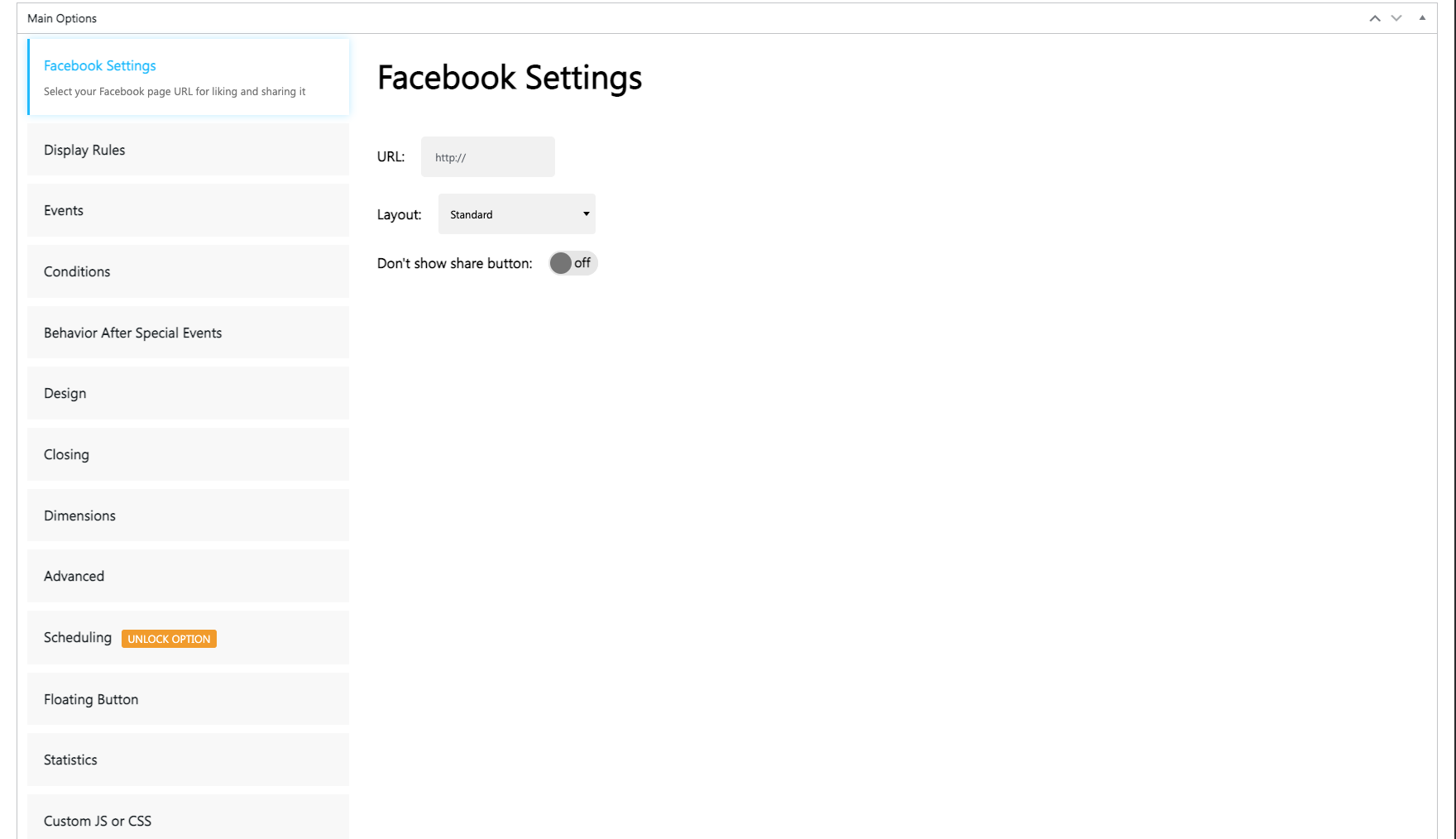
- Create social engagement, motivate users to share your website’s specific content to Facebook by adding like and share buttons.
- Gain golden ability to create more customized and unique add ons with our HTML popup.
- And that’s not all, far more features are waiting for you with our WordPress popup plugin.
Premium Features (28+ ways to attract more users)
- Target your popup efficiently and grab user’s attention that is not so easy to reach by using targeting features such as location, country, URL, browser, operating system, .etc.
- Start lead generation, boost conversation rates by using Subscription Plus popup (Add segmentations like gender, GDPR field, or checkboxes making popups more targeted)..
- Connect third party plugins’ or services’ accounts, like Mailchimp and Aweber popup, and use them for growing your mailing list.
- Automate leads nurturing process with autoresponder without any extra effort.
- Push your website’s visitors to your desired actions (making purchases or subscribing to a newsletter) based on inactivity.
- Convert website exiting users into customers by triggering popup with discounts, coupon codes, or attractive offers.
- Increase your sales by showing popup at the right moment based on cart items, specific products, or event cart’s value via WooCommerce or EDD targeting.
- Raise your sales and user engagements by adding video content from YouTube, Vimeo, Daily Motions or upload your own one.
- Check the effectiveness of specific popups and track data having look at detailed analytics .
- Increase your content’s social engagement and interactions for Twitter, Facebook, Linkedin, Pinterest, Email, and Google+ by using the social popup.
- Create an urgency mood and push your buyers to make rapid purchases by showing ending soon popups like Countdown.
- Detect even adblocking software without losing your ad income and ask your visitors to turn them off by showing specific popups.
- Turn your website visitors into leads, gain more subscribers’ growth and higher conversation rates by giving them the chance to win with Gamification popup.
- Gain trust and show social proof notifications for sales’ increase by just showing recently or frequently bought items on the website.
- Set age limitations and restrictions, deny access based on visitor’s age for specific pages or even for the whole website by using Age Restriction popup.
Discover more features on our website WordPress Popup Builder.
FEEDBACK
“EXCEPTIONAL CUSTOMER SUPPORT!!!” ~andremdery
“No hassle setup and it just works!” ~carricom
“Excellent and simple plugin!” ~soha1992
“Very Reliable and effective” ~soha1992
“Great plugin for notices!” ~orionsweb
Thank you for using our pop-up modal plugin.
WE ARE SOCIAL
Installation
Install Popup Builder either via the WordPress.org plugin directory, or by uploading the files to your server.
Activate the plugin through the ‘Plugins’ menu in WordPress.
Go to the Popup Builder settings and set your desired options.
Frequently asked questions
How many popups can I create?
You can create as many popups as you want, there is no limit either on the Free or the PRO version.
Can I have more than one popup on the same page?
You can have as many popups as you want on the same page, but you can only set one popup to be opened on page load, the others must be set to open on click.
How can I set a popup to open automatically?
After creating your popup, go to the desired page or post and you will see a meta box below the content editor, with the following title: “Select popup on page load”. Select the popup you want to set and then update the page. You are done! After you go to that page/post the popup will get opened automatically.
Want to insert a popup on a link, that will open up when clicked on the link?
Simply add the following class to it: sg-confirm-popup-#popupid. Ex. Popup This will open a popup before a user goes to the page from the link.
How to redirect users after clicking on the popup image?
Go to the Options section of your popup and find “Dismiss on content click” option. Then Select “Redirect” option and in the URL field type the URL of the page you need your users to be redirected to.
Can I show a popup after a specific amount of time?
Under the Effects panel you will see ‘Popup opening delay’ option, all you need to do is to enter the amount of time (seconds) after which popup will be shown.
Want to open your links inside the popup without redirecting your users to the other site? (PRO)
You can simply create an empty iframe popup and add the following class to your link: sg-iframe-popup-#popupid number. Ex. Popup This way, you’ll have an iframe popup on your link, so when a user clicks on your link an iframe popup will open up, with the page of the link inside, so the users won’t be redirected by the link.
Can I put a popup to show after clicking something?
Yes. There is an “Insert popup” button which will insert the popup shortcode over any element (text, image, button, etc.) you want. Just select the element, click on the button, choose a popup and you are done! Ex. [sg_popup id=”1″ event=”click”]Your text, or HTML element[/sg_popup] Ex. [sg_popup id=”1″ event=”click” wrap=”span”]Your text, which will be wraped inside span element[/sg_popup] Ex. [sg_popup id=”1″ event=”click”][/sg_popup] Alternative method in case if shortcode doesn’t satisfy your needs Adding the following class sg-popup-id-1 Example: Popup #1
Can I change the wrapping element of onclick popup?
Yes, you can change it. You can write any HTML element you need to wrap your content in the wrapper attribute of your onclick popup. Example: [sg_popup id="1" event="click" wrap="span"]Your text, which will be wraped inside span element[/sg_popup]
Can I put a popup to show after hovering an element?
Sure, you can! Just insert your text into the following code: [sg_popup id="1" event="hover" wrap="span"]Your text, which will be wrapped inside span element[/sg_popup]
Can I change the wrapping element of hovering popup?
Yes, you can change it. You can write any HTML element you need to wrap your content in the wrapper attribute of your hovering popup. Example: [sg_popup id="1" event="hover" wrap="span"]Your text, which will be wraped inside span element[/sg_popup]
How to create a shortcode popup?
It’s a very easy thing to do, just follow the steps! Find “Popup Builder” plugin on the left bar Press “Add new Popup” button Press “Shortcode” button Enter a title for the Popup Setup general options of the popup Enter a Shortcode Setup effects of the popup Setup the dimensions of the popup Setup advanced options of the popup After creating press “Save changes” right above the page Find the popup you created in “All popups” on the left bar One perfect news for the popup builder users! Our popup builder plugin is now compatible with any other plugins’ shortcodes!
How to make the Popup responsive?
To make your popup responsive you should do the following: Set width and height in percent(%) and then set Max width and Max height in pixels (px). When the screen is too wide, Max width option will work and it will prevent showing popup large. Example of responsive popup: Width: 80% Height: 90% Max width: 640px Max height: 480px
What URL do I have to enter in the URL field of the facebook popup?
You should enter the URL of the site you want to share.
How to redirect user to specific page when he/she clicks on popup?
You should create any type of popup. From the Popup’s options, find “Dismiss on content click” option. Check it. Select “Redirect” button. In the “URL” field enter the URL of the page you need your users to be redirected to. Don’t forget to Save changes!)
Can I make the video play automatically in the Video popup? (PRO)
Sure! If you want your video to play automatically, we have an option specially for that case. Just select “Autoplay” and your video will play automatically. Please be noted that autoplay option will not work on mobile devices as there are browser restrictions.
What do I have to write in the field “Label” of the Age Restriction popup? (PRO)
You can write the text which you want to see on the button. (“Yes” or “No”)
What if I don’t have any specific URL to be shared in my social popup?
You can select “Use active URL” and the current page URL will be shared.
Why should I buy the PRO package?
The Free version of Popup Builder gives you anything you need for creating unlimited fully functional popups and insert them wherever you want. Our PRO package gives you the ability to create more specific popups, like iframe, video or shortcode popups. Also, advanced options will be available for you to disable popup closing, disable popup for mobile devices, show the popup only once, and many other features. So if you need these advanced popups and functionalities, get Popup Builder PRO here.
How to upgrade to PRO version without losing popup’s data?
We made it very easy for you! All you need to do is: In your Menu sidebar, go to Popup -> “Settings” section. Disable the “Delete popup data” option. That’s all! And you don’t need to delete your Free version manually before upgrading to Pro!
Changelog
Current Version of Popup Builder is 4.1.15
4.4.5
- Fixed: Infinite translation update loop for pl_PL and other locales
- Fixed: Newsletter “From Email” setting reverts to WordPress admin email after saving
- Fixed: Hard-coded untranslatable strings “Search Subscriber” and “GO!” in Subscribers page
- Fixed: Custom CSS saved unformatted, making editing impossible
- Improved: Full PHP 8.3 and 8.4 compatibility
Version 4.4.4
- Fix: Improvement of compatibility with the WPML language plugin.
Version 4.4.3
- Security: Fixed a vulnerability related to predictable unsubscribe tokens.
- Security: Improved unsubscribe token generation and validation.
Version 4.4.2
- Security: avoid GET parameter serialization
Version 4.4.1
- Fix: Audio doesn’t play on the front-end.
- Fix: PHP 8.2+ warning errors.
- Improve: Select Post or Page template option.
Version 4.4.0
- New feature: Allow to use *.webp format to create Popup with Image type.
- Fix the PHP 8.2+ warning errors.
Screenshots


For developers
Is this your plugin? Show off the numbers.
Add a live badge to your site, docs or GitHub README. It updates on its own — no account needed.
Best Popup Builder alternatives
All pop up plugins →




FAQ
Popup Builder: quick answers
Straight answers, pulled from live WordPress.org data.
Live data from WordPress.org · checked Sep 27, 2026
Is Popup Builder free?
Yes. Popup Builder is free to download and use from the official WordPress.org plugin directory.
Is Popup Builder safe to use in 2026?
Popup Builder is a solid plugin choice in 2026, with a few things worth checking first. It runs on 200K+ sites, is rated 4.7/5 and was last updated 2 months ago, and scores 76/100 on our health check.
How many websites use Popup Builder?
Popup Builder is active on 200K+ WordPress websites and has been downloaded 12,178,194 times since it launched in May 2015. It was downloaded 24,433 times in the last 30 days.
Does Popup Builder work with WordPress 7.1?
Popup Builder is officially tested up to WordPress 7.0.6, while the latest release is 7.1.2. It may still work, but try it on a staging site first.
What PHP version does Popup Builder need?
Popup Builder requires PHP 5.3.3 or higher. Most hosts run PHP 8.x today, so it works on any modern WordPress hosting.
When was Popup Builder last updated?
The latest version, 4.4.5, was released on July 18, 2026 (2 months ago).
Who makes Popup Builder?
Popup Builder is developed and maintained by popupbuilder.
What are the best alternatives to Popup Builder?
The most popular alternatives to Popup Builder are Popup Box (50K+ installs), Pop-up (10K+ installs) and Responsive Lightbox (10K+ installs).
Powered by PageForge
Want thousands of pages that rank like these? Build them in an afternoon.
This directory runs on the same engine as PageForge. Turn any spreadsheet, CSV or API into thousands of fast, SEO-ready WordPress pages — with schema, internal links and AI-written copy baked in.
- CSV, Google Sheets & API data sources
- AI content, schema & internal links per page
- Works with Elementor, Gutenberg, Yoast & Rank Math
- Free on WordPress.org — no credit card


