



ReplyPilot AI – Real-Time AI Chatbot Assistant
AI-powered plugin that auto-generates human-like replies to user comments and provides a real-time chatbot on your website.

Solid choice
ReplyPilot AI is a solid plugin choice in 2026, with a few things worth checking first. Is rated 5/5 and was last updated 2 weeks ago, and scores 71/100 on our health check.
- Actively developed — last update 2 weeks ago
- Tested with the latest WordPress (7.1)
- Momentum — downloads up 143.5% vs the previous 30 days
- Small user base (<10 active installs)
- Very few reviews so far
How does it stack up?
Side-by-side on installs, updates, ratings & support



Daily downloads
Download spikes usually follow a new release — each site that auto-updates counts as a download.
Rankings
Where ReplyPilot AI stands todayWordPress.org search rankings
Live position in the plugin search, top 100| Keyword | Position |
|---|---|
| ai assistant | >100 |
| AI Chatbot | >100 |
| chatbot | >100 |
| free chatbot | >100 |
| live chat | >100 |
Rating breakdown
★★★★★★★★★★ 5 from 1 reviews
About ReplyPilot AI
From the official readme · v2.3.0Description
ReplyPilot AI is an advanced WordPress plugin that automatically generates context-aware, human-like replies to user comments and now includes an AI Chatbot. Designed to enhance engagement and streamline communication, it supports multiple platforms including WordPress comments, BuddyPress, wpForo, ForumWP, Asgaros Forum, and bbPress.
Designed to boost user engagement, reduce moderation time, and improve communication, ReplyPilot now includes:
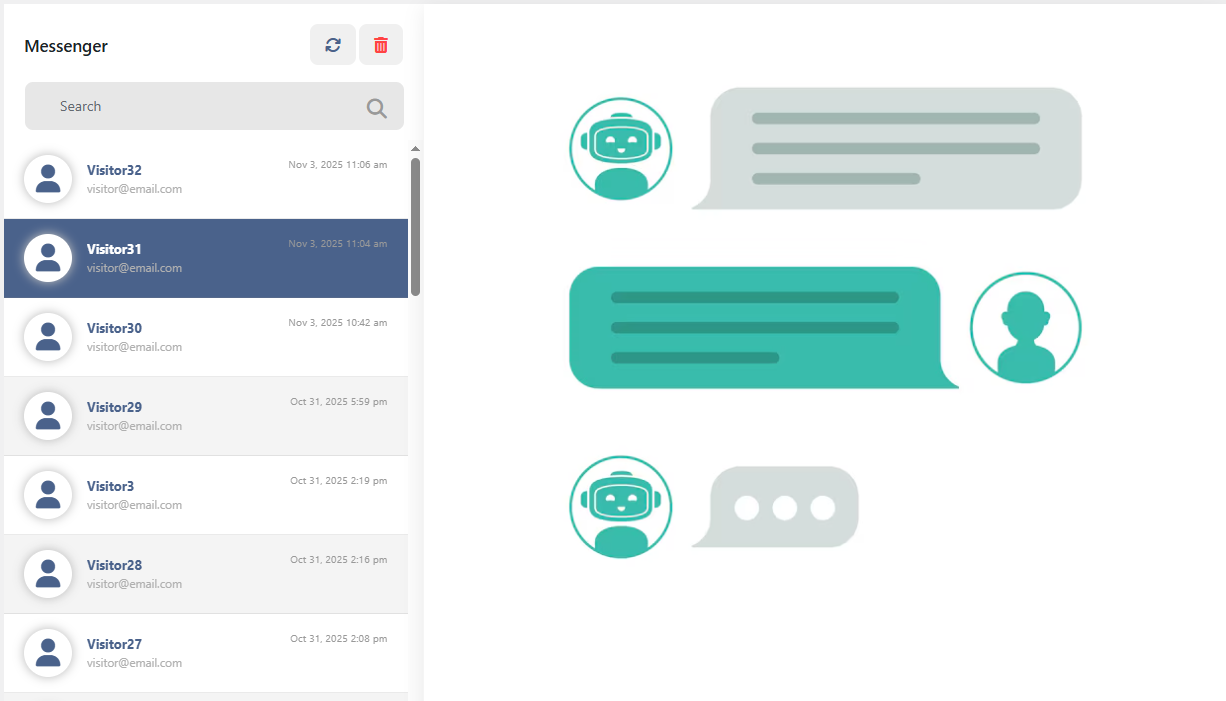
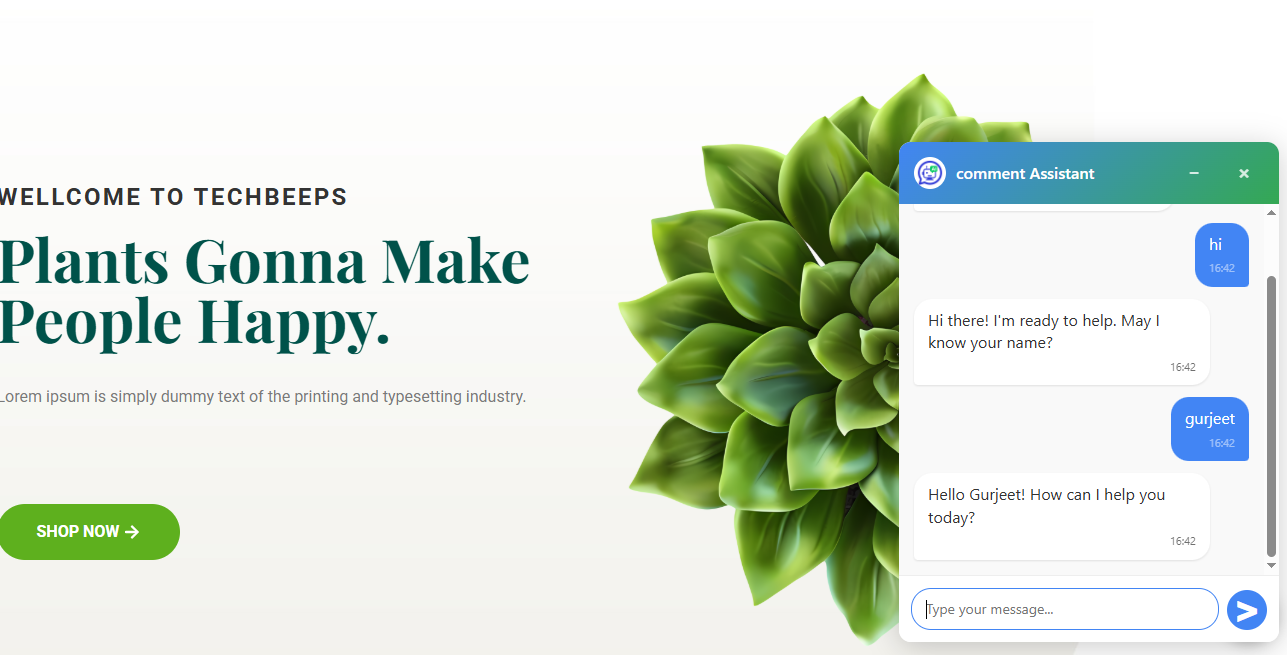
– Real-time chat support
– Notification sounds for incoming chat messages
– Enhanced admin-side chat UI for easier monitoring
– Attraction message popup to engage visitors
🆕 New in v2.3.0:
- One Click Website Data Sync: Automatically fetch website details, pages, and URLs for chatbot business context.
- Deep Page Builder Support: Seamless text extraction for pages built with Elementor, WPBakery, Divi, and Gutenberg.
- Automated Page & Post Linking: Captures page titles with direct URLs so the chatbot can share relevant links.
- Minor UI/UX Improvements & Bug Fixes.
Key Features:
-
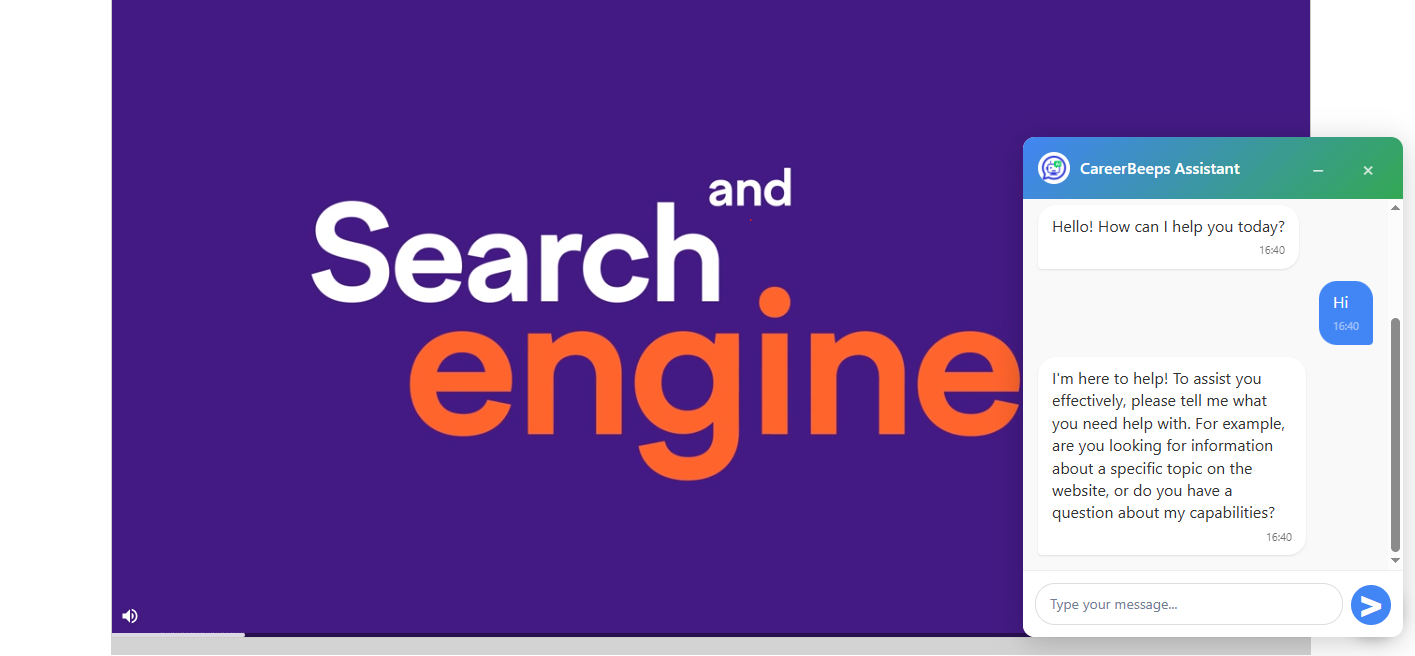
Chatbot Integration: Seamlessly embed an AI chatbot on your site to assist users 24/7.
-
Context-Aware AI Replies: Understands the context, tone, and subject matter of each comment to deliver relevant and thoughtful replies.
-
Multi-Platform Support: Compatible with WordPress comments, BuddyPress, wpForo, ForumWP, Asgaros Forum, and bbPress.
-
Advanced Spam Detection & Content Filtering: Built-in mechanisms to detect and filter out spam, gibberish, promotional content, offensive language, and low-quality comments.
-
Customizable AI Behavior: Tailor the AI’s response style to match your brand’s voice—be it casual, formal, or humorous.
-
Human-Like Conversations: Utilizes state-of-the-art AI models to generate highly convincing, human-like responses.
-
Real-Time AI Responses: Instantly generates and posts replies as soon as a user leaves a comment.
-
Secure API Key Management: API keys are stored securely and encrypted, ensuring they are never exposed to unauthorized access.
-
Efficient and Lightweight: Designed to be lightweight, ensuring it doesn’t slow down your site.
-
Easy Setup: Simple installation and configuration process suitable for both beginners and advanced users.
-
Customizable Response Limits: Fine-tune the word limit and length of AI-generated responses to meet your content guidelines.
Supported AI Engine:
- ReplyPilot AI Engine: AI engine hosted at https://replypilot.techbeeps.com/api/.
- ReplyPilot AI chatbot: AI engine hosted at https://replypilot.techbeeps.com/api/chatbot/.
Subscription Plans:
-
Free Plan: Basic features with limited usage.
-
Pro Plan: Enhanced features with increased usage limits.
-
Enterprise Plan: Full features with maximum usage limits and priority support.
External Services
This plugin connects to external services to generate AI-based replies.
-
ReplyPilot API (https://replypilot.techbeeps.com/api/)
- What it does: Generates AI-based responses.
- Data sent: The user’s comment ,post content and API key.
- Terms of Service: https://replypilot.techbeeps.com/terms-and-conditions/
- Privacy Policy: https://replypilot.techbeeps.com/privacy-policy/
-
ReplyPilot Chatbot API (https://replypilot.techbeeps.com/api/chatbot/ )
- Purpose: Real-time AI chat interaction
- Data sent: User chat messages,API key
-
Ably WebSocket Service
- Purpose: Real-time chat updates using WebSocket channels
- Data sent: Chat message data (anonymized), channel IDs
- Service URL:
https://ably.com - Ably Terms of Service
- Ably Privacy Policy
Libraries and WebSocket Integration
This plugin uses the following third-party library via Composer for real-time WebSocket communication:
- Ably PHP SDK
- Purpose: Provides real-time messaging for the chatbot via WebSockets.
- Library:
ably/ably-php(https://github.com/ably/ably-php) - License: Apache 2.0 (https://www.apache.org/licenses/LICENSE-2.0)
The Ably SDK allows ReplyPilot AI to deliver real-time updates and message synchronization between users and the server with high performance and reliability.
Installation
- Upload the plugin to the
/wp-content/plugins/directory. - Activate it through the ‘Plugins’ menu in WordPress.
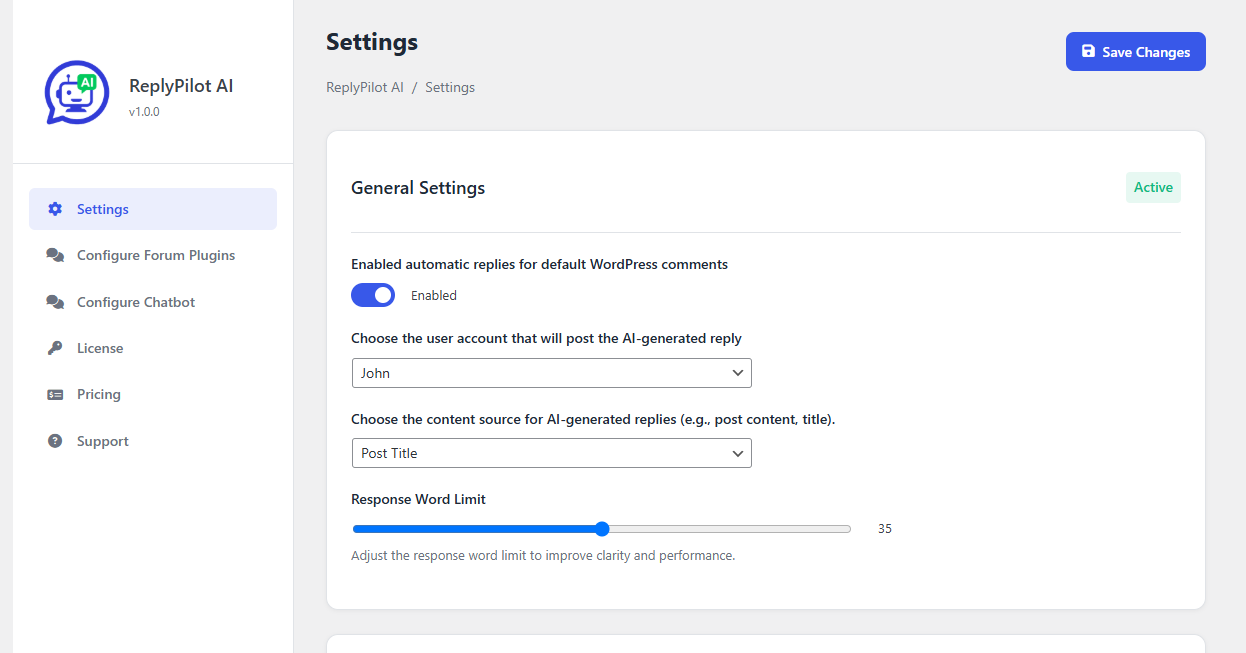
- Navigate to Settings > ReplyPilot AI to configure the plugin.
Configuration Steps:
-
Enter Your API Key:
- Obtain your API key from ReplyPilot Dashboard.
- Paste your API key in the respective field.
- Note: Your API key is securely stored and encrypted.
-
Enable or Disable Automatic Reply:
- Toggle the “Automatic Reply” setting to control whether AI replies are posted automatically.
-
Set Response Word Limit:
- Define the maximum word count for each AI-generated reply (e.g., 50 words).
-
Select Comment Author:
- Choose the user account (e.g.,
AI_reply) under which AI responses should be posted.
- Choose the user account (e.g.,
-
Select AI Reply Context:
- Choose what context the AI should use for generating replies:
- Post Content
- User Comment
-
Select Forum Plugin (Optional):
- If you’re using a forum plugin, select from:
- BuddyPress
- bbPress
- wpForo
- Asgaros Forum
- ForumWP
-
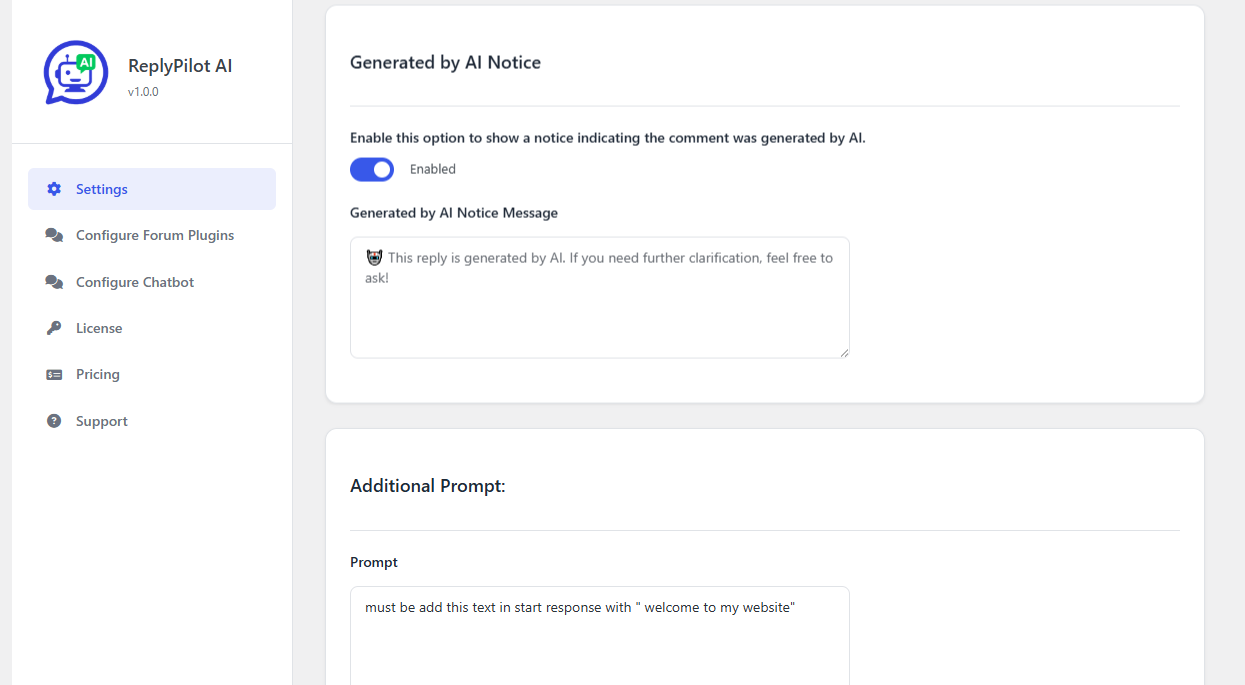
Enable “Generated by AI” Notice:
- Add a label to inform users that the response was AI-generated.
-
Customize the AI Notice Message:
- Default message:
> 🤖 This reply is generated by AI. If you need further clarification, feel free to ask!
- Default message:
-
Additional Prompt (Optional):
- Add an extra prompt or instruction for the AI to improve or customize responses.
After saving the settings, your site will start automatically replying to comments with human-like AI responses, enhancing engagement and moderation.
Frequently asked questions
How do I get a ReplyPilot API key?
You can obtain an API key by signing up on the ReplyPilot Dashboard.
How do I enable the chatbot?
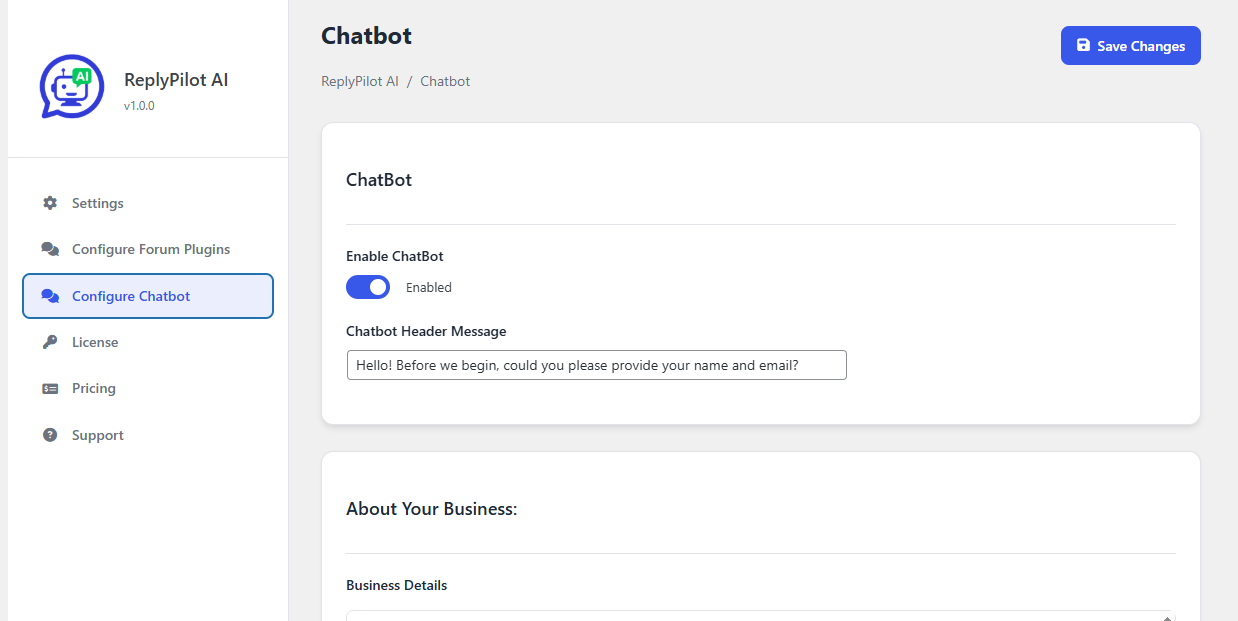
Go to Settings > ReplyPilot AI > Configure Chatbot, enable the toggle, customize the appearance, and save.
Does this work with comment systems?
Yes, the plugin supports WordPress comments, BuddyPress, wpForo, ForumWP, Asgaros Forum, and bbPress.
Can I customize the AI reply tone or behavior?
Yes, you can adjust the tone, response length, and behavior settings from the plugin’s settings page to match your website’s voice.
Can I disable auto-replies for specific posts or pages?
Currently, the plugin applies AI replies globally. Post-level or page-specific disabling is not yet supported but may be added in a future update.
Is there a manual override for the replies?
AI-generated replies are published automatically. However, you can edit or delete them manually after they are posted.
Will this slow down my website?
No, the plugin is lightweight and optimized for performance. Replies are generated asynchronously and won’t block page rendering.
Can the plugin send a default message without using AI?
Yes, you can configure a default reply message to be posted automatically without using AI. This is useful when you want consistent responses without relying on external APIs.
Is my API key secure or encrypted?
Yes, your API key is securely stored and not visible to anyone, including site administrators. It is encrypted in the database and used internally by the plugin only.
Changelog
Major update: Adds real-time chat, notification sound, and admin UI improvements. Recommended for all users.
2.3.0
- One Click Website Data Sync.
- Deep Page Builder Support.
- Minor UI/UX Improvements & Bug Fixes.
2.2.0
- Tested compatibility with WordPress 7.0.
- Minor improvements and stability fixes.
- Ensured smooth functionality with the latest WordPress release.
2.1.0
- Added a close button to the chat box for improved user control and accessibility.
2.0.2
- Confirmed full compatibility with WordPress 6.9.
2.0.1
- Prevent parent click from triggering when closing popup
- Mobile landscape design issue fix
2.0.0
- Improved admin-side conversation layout for real-time chat.
- Added message grouping and enhanced message bubble styling.
- Improved readability and responsiveness in admin chat interface.
- Minor performance optimizations and bug fixes.
- Real-time chat support added
- Notification sound for new chat messages
- Updated admin-side chat UI
Screenshots

For developers
Is this your plugin? Show off the numbers.
Add a live badge to your site, docs or GitHub README. It updates on its own — no account needed.
Best ReplyPilot AI alternatives
All ai assistant plugins →





FAQ
ReplyPilot AI: quick answers
Straight answers, pulled from live WordPress.org data.
Live data from WordPress.org · checked Oct 5, 2026
Is ReplyPilot AI free?
Yes. ReplyPilot AI is free to download and use from the official WordPress.org plugin directory.
Is ReplyPilot AI safe to use in 2026?
ReplyPilot AI is a solid plugin choice in 2026, with a few things worth checking first. Is rated 5/5 and was last updated 2 weeks ago, and scores 71/100 on our health check.
How many websites use ReplyPilot AI?
ReplyPilot AI is active on <10 WordPress websites and has been downloaded 2,288 times since it launched in May 2025. It was downloaded 672 times in the last 30 days.
Does ReplyPilot AI work with WordPress 7.1?
Yes. The developer has tested ReplyPilot AI up to WordPress 7.1.2, the latest release. It requires WordPress 5.0 or newer.
What PHP version does ReplyPilot AI need?
ReplyPilot AI requires PHP 7.4 or higher. Most hosts run PHP 8.x today, so it works on any modern WordPress hosting.
When was ReplyPilot AI last updated?
The latest version, 2.3.0, was released on September 22, 2026 (2 weeks ago).
Who makes ReplyPilot AI?
ReplyPilot AI is developed and maintained by TechBeeps Services.
What are the best alternatives to ReplyPilot AI?
The most popular alternatives to ReplyPilot AI are WPVibe (50K+ installs), Uncanny Automator (40K+ installs) and Hyve Lite (7K+ installs).
Powered by PageForge
Want thousands of pages that rank like these? Build them in an afternoon.
This directory runs on the same engine as PageForge. Turn any spreadsheet, CSV or API into thousands of fast, SEO-ready WordPress pages — with schema, internal links and AI-written copy baked in.
- CSV, Google Sheets & API data sources
- AI content, schema & internal links per page
- Works with Elementor, Gutenberg, Yoast & Rank Math
- Free on WordPress.org — no credit card


