



Remove Dashboard Access
Disable Dashboard access for users of a specific role or capability. Disallowed users are redirected to a chosen URL. Get set up in seconds.

Solid choice
Remove Dashboard Access is a solid plugin choice in 2026, with a few things worth checking first. It runs on 30K+ sites, is rated 4.6/5 and was last updated 6 months ago, and scores 74/100 on our health check.
- Proven at scale on 30K+ active sites
- Loved by users — 4.6/5 from 78 reviews
- Momentum — downloads up 17% vs the previous 30 days
How does it stack up?
Side-by-side on installs, updates, ratings & support


Daily downloads
Download spikes usually follow a new release — each site that auto-updates counts as a download.
Rankings
Where Remove Dashboard Access stands todayWordPress.org search rankings
Live position in the plugin search, top 100| Keyword | Position |
|---|---|
| access | #8 |
| administration | #7 |
| dashboard | #7 |
| login | >100 |
| restrict | #49 |
Version adoption
Share of active sites per release.
Rating breakdown
★★★★★★★★★★ 4.6 from 78 reviews
About Remove Dashboard Access
From the official readme · v1.3.1Description
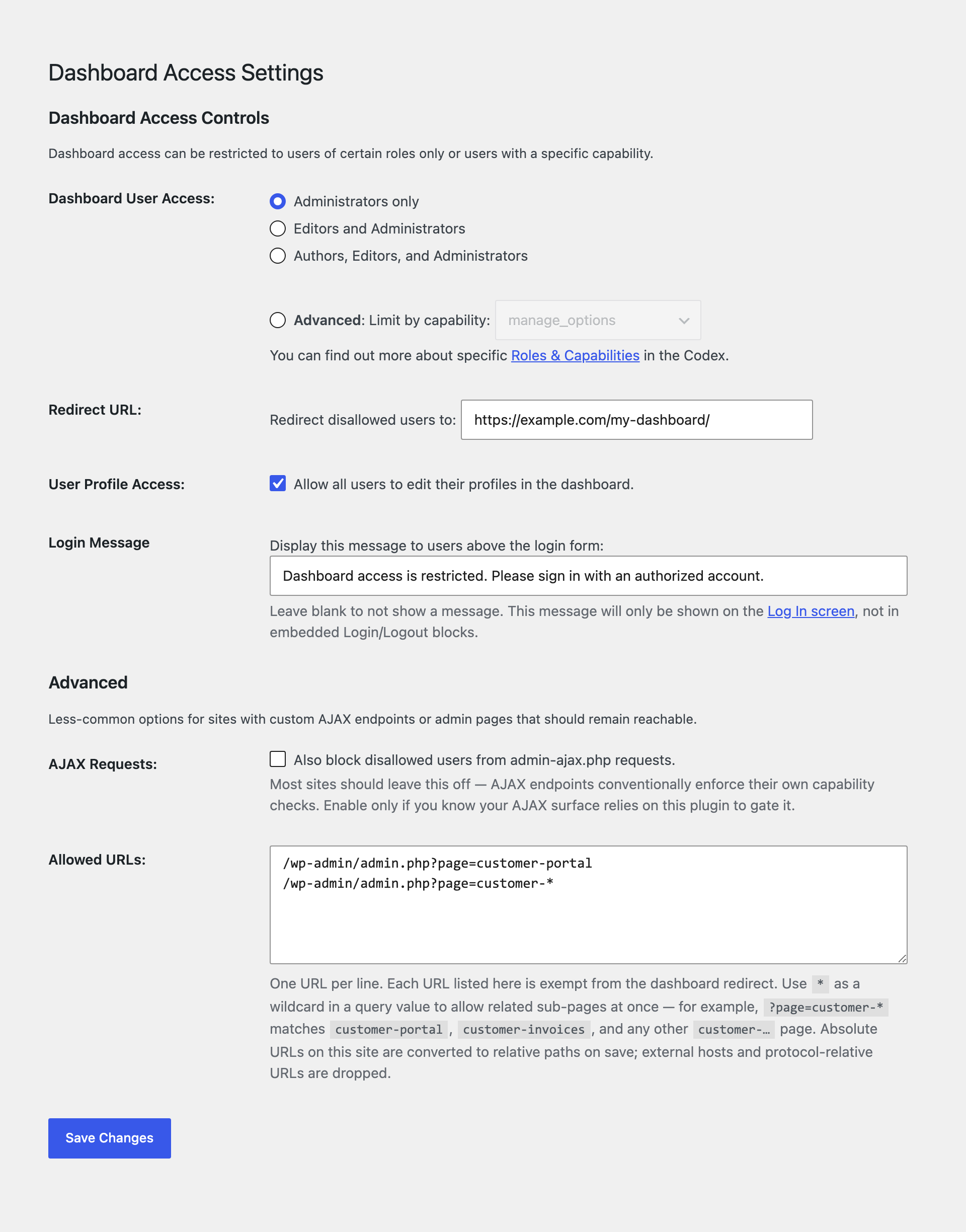
The easiest and safest way to restrict access to your WordPress site’s Dashboard and administrative menus. Remove Dashboard Access is a lightweight plugin that automatically redirects users who shouldn’t have access to the Dashboard to a custom URL of your choosing. Redirects can also be configured on a per-role/per-capability basis, allowing you to keep certain users out of the Dashboard, while retaining access for others.
- Limit Dashboard access to user roles:
- Admins only
- Admins + editors
- Admins, editors, and authors
- or restrict by specific user capability
- Choose your own redirect URL
- Optionally allow users to edit their profiles
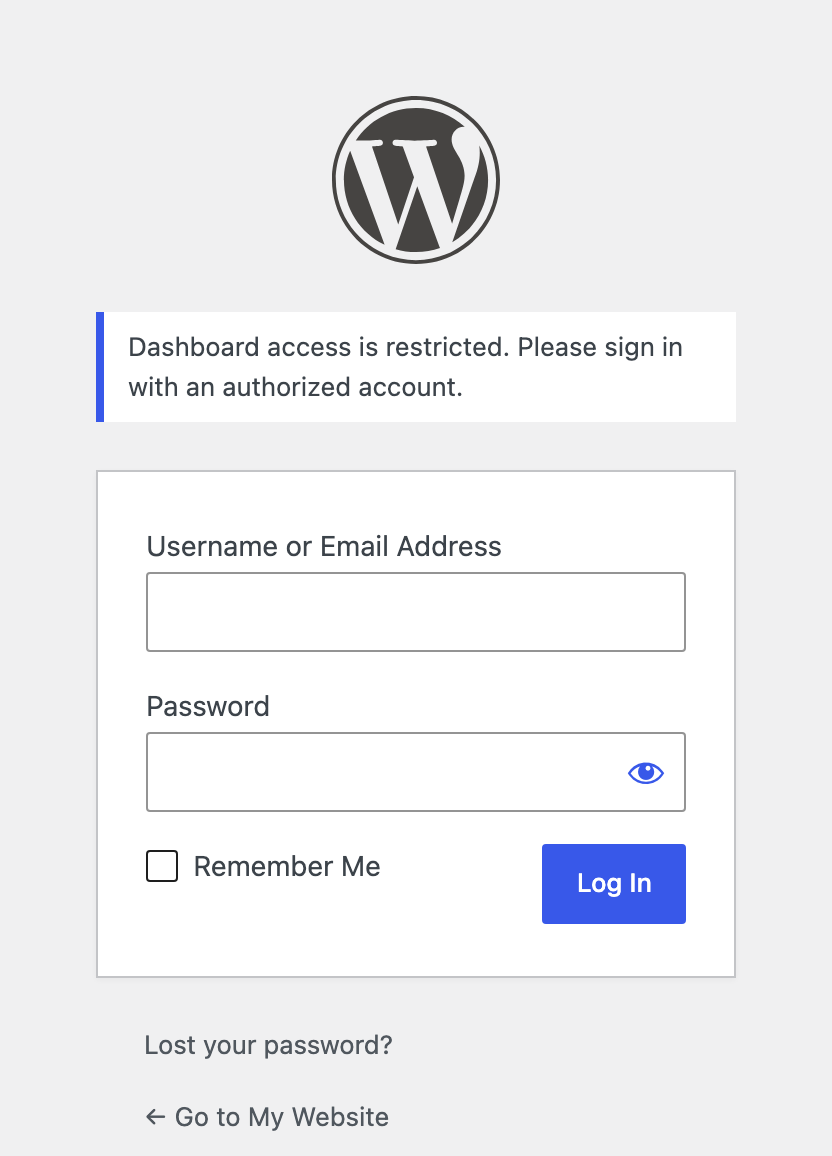
- Display a message on the login screen so users know why they’re being redirected
- Allow specific admin pages through the redirect — paste a list of URLs your customers should still be able to reach (with wildcard support for grouping related pages)
- Optionally extend the block to
admin-ajax.phprequests for stricter lockdown
Blocking access to the Dashboard is a great way to prevent clients from breaking their sites, prevent users from seeing things they shouldn’t, and to keep your site’s backend more secure.
Allow only users with roles or capabilities:
You can restrict Dashboard access to Admins only, Editors or above, Authors or above, or by selecting a specific user capability.
Grant access to user profiles:
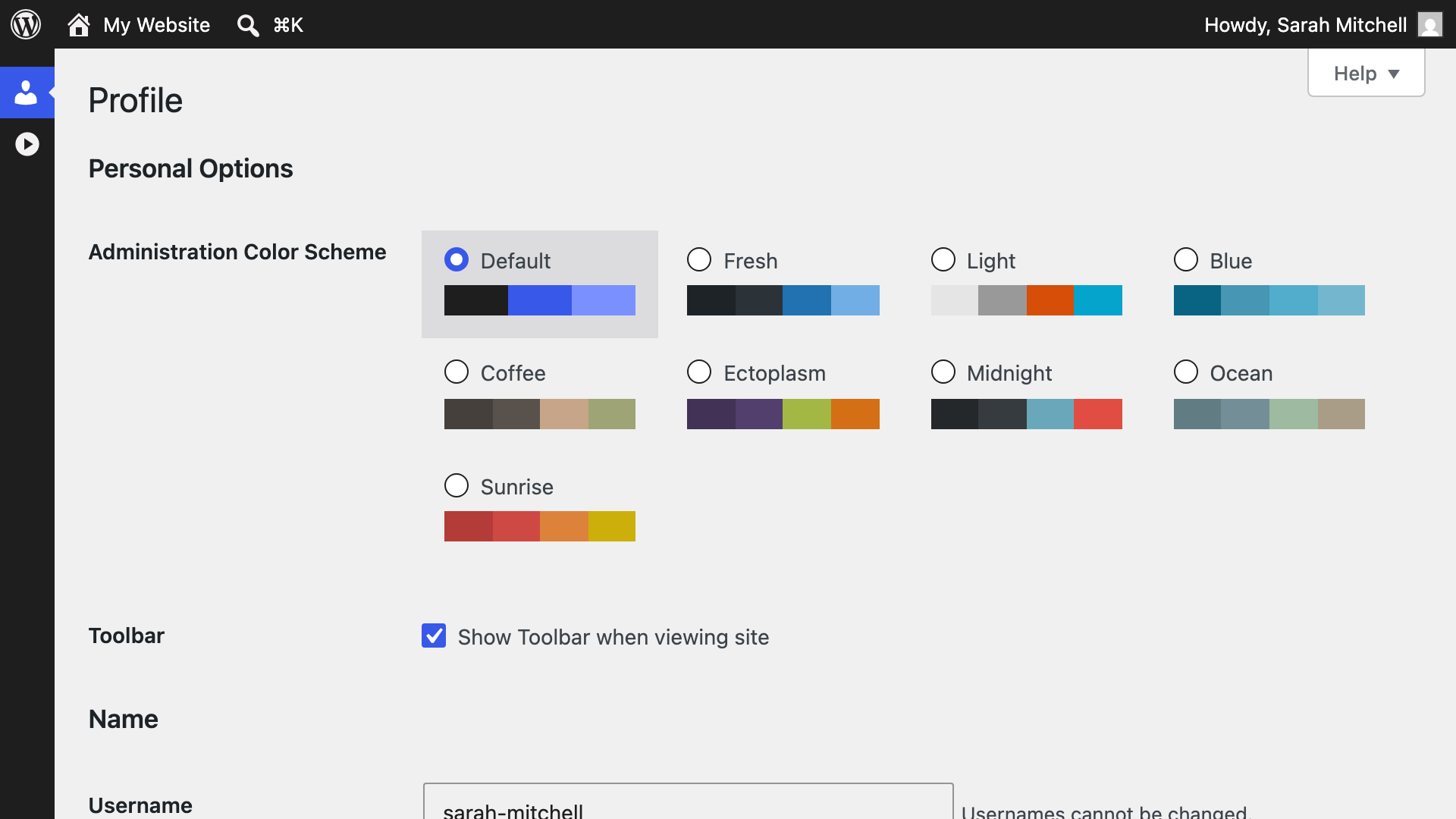
Optionally allow all users the ability to edit their profiles in the Dashboard. Users lacking the chosen capability won’t be able to access any other sections of the Dashboard.
Show a custom login message:
- Supply a message to display on the login screen. Leaving this blank disables the message.
Allow specific admin pages through the redirect:
Sometimes you want to lock down the Dashboard but still let your customers reach one or two specific admin pages — a payment confirmation, a TrustedLogin secret-share screen, a custom report. Paste those URLs into the Allowed URLs box (one per line, relative or absolute), and matching requests will skip the redirect.
Use * as a wildcard inside a query value to match a whole group of pages at once. For example, ?page=tl-* allows tl-secrets, tl-config, and any other page whose slug starts with tl-.
Optionally block AJAX requests too:
By default this plugin doesn’t touch requests to admin-ajax.php — most WordPress sites rely on those for legitimate frontend AJAX. If you’d rather the dashboard restriction apply there as well, turn on the “Also block AJAX” checkbox in the Advanced section of the settings page.
Installation
- Search ‘Remove Dashboard Access’ from the Install Plugins screen.
- Install plugin, click Activate.
Changelog
Refined DOING_AJAX check for logged-out users
1.3.1 on May 22, 2026
This release adds the missing License headers that the wordpress.org plugin reviewer flagged during the 1.3.0 import. No functional change.
🐛 Fixed
- Added the
License: GPLv2 or laterandLicense URI: https://www.gnu.org/licenses/gpl-2.0.htmlheaders toreadme.txtand normalized the plugin file’sLicense:header to the same canonical form. The plugin has always been GPLv2-licensed; the headers were just missing from the locations wordpress.org’s plugin directory parses.
1.3.0 on May 22, 2026
This release adds an Allowed URLs setting with wildcard support, groups the more advanced options under their own section, and fixes several long-standing admin-page-access and translation issues.
🚀 Added
- Allowed URLs — A new textarea on the Dashboard Access settings page where you can paste any URLs that should skip the dashboard redirect, one per line. Useful for letting customers reach a specific admin page (like a payment confirmation or a TrustedLogin secret-share screen) without giving them the rest of the dashboard.
- Wildcards in Allowed URLs — Use
*inside a query value to match a group of pages at once. For example,?page=tl-*lets throughtl-secrets,tl-config, and any other page slug that starts withtl-. - Also block AJAX — A new checkbox in the Advanced section to extend the dashboard restriction to
admin-ajax.phprequests too. Most sites should leave this off; turn it on only if you know your AJAX endpoints rely on this plugin to keep them gated. - Advanced section — The settings page now has two clear groups: the everyday Dashboard Access Controls at the top, and an Advanced section below for AJAX blocking and the Allowed URLs list. Easier to scan, less intimidating for new users.
✨ Improved
- The settings page now validates the capability values you save. A typo, empty value, or unknown capability can no longer be saved and silently disable the dashboard restriction.
- The disallowed-user redirect uses WordPress’s safer
wp_safe_redirect(). Your configured redirect URL still works, including external destinations — but accidental redirects to other hosts are now blocked. - When you add an
admin.php?page=…entry to the allow-list, the plugin now confirms the page is actually registered by another plugin before letting visitors through.
🐛 Fixed
admin-post.phpis now reachable as the 1.2.2 release notes promised. It had been quietly blocked despite the documentation saying it should be exempt.- Two-step admin flows on allow-listed pages — like Wordfence Login Security’s 2FA OTP step — no longer get rejected just because the request carries extra query parameters.
- Translations from translate.wordpress.org will now actually load on your site. The plugin’s text domain didn’t match the WordPress.org slug, so community-submitted translations (including zh_TW) were silently being dropped. Thanks to Alex Lion (阿力獅) (@alexclassroom) for surfacing this and contributing the fix.
- A handful of strings that weren’t translatable before — most notably the screen-reader hint on the Login Message link — are now translatable.
- The uninstall script only runs when WordPress is actually uninstalling the plugin, not on stray requests to its file.
Screenshots
For developers
Is this your plugin? Show off the numbers.
Add a live badge to your site, docs or GitHub README. It updates on its own — no account needed.
Best Remove Dashboard Access alternatives
All access plugins →





FAQ
Remove Dashboard Access: quick answers
Straight answers, pulled from live WordPress.org data.
Live data from WordPress.org · checked Nov 16, 2026
Is Remove Dashboard Access free?
Yes. Remove Dashboard Access is free to download and use from the official WordPress.org plugin directory.
Is Remove Dashboard Access safe to use in 2026?
Remove Dashboard Access is a solid plugin choice in 2026, with a few things worth checking first. It runs on 30K+ sites, is rated 4.6/5 and was last updated 6 months ago, and scores 74/100 on our health check.
How many websites use Remove Dashboard Access?
Remove Dashboard Access is active on 30K+ WordPress websites and has been downloaded 517,383 times since it launched in October 2011. It was downloaded 4,790 times in the last 30 days.
Does Remove Dashboard Access work with WordPress 7.1?
Remove Dashboard Access is officially tested up to WordPress 7.0.8, while the latest release is 7.1.4. It may still work, but try it on a staging site first.
What PHP version does Remove Dashboard Access need?
Remove Dashboard Access requires PHP 5.3 or higher. Most hosts run PHP 8.x today, so it works on any modern WordPress hosting.
When was Remove Dashboard Access last updated?
The latest version, 1.3.1, was released on May 22, 2026 (6 months ago).
Who makes Remove Dashboard Access?
Remove Dashboard Access is developed and maintained by TrustedLogin.
What are the best alternatives to Remove Dashboard Access?
The most popular alternatives to Remove Dashboard Access are Loginizer (1M+ installs), User Role Editor (700K+ installs) and User Access Manager (10K+ installs).
Powered by PageForge
Want thousands of pages that rank like these? Build them in an afternoon.
This directory runs on the same engine as PageForge. Turn any spreadsheet, CSV or API into thousands of fast, SEO-ready WordPress pages — with schema, internal links and AI-written copy baked in.
- CSV, Google Sheets & API data sources
- AI content, schema & internal links per page
- Works with Elementor, Gutenberg, Yoast & Rank Math
- Free on WordPress.org — no credit card


