


Groups – Memberships and Access Control
Turn your site into a powerful membership solution. Manage members, teams and access to content easily.

Safe pick
Yes — Groups is a safe, well-maintained plugin to use in 2026. It runs on 10K+ sites, is rated 4.8/5 and was last updated 1 week ago, and scores 93/100 on our health check.
- Proven at scale on 10K+ active sites
- Loved by users — 4.8/5 from 382 reviews
- Actively developed — last update 1 week ago
- Tested with the latest WordPress (7.1)
- Responsive support — 100% of recent threads resolved
How does it stack up?
Side-by-side on installs, updates, ratings & support


Daily downloads
Download spikes usually follow a new release — each site that auto-updates counts as a download.
Rankings
Where Groups stands todayWordPress.org search rankings
Live position in the plugin search, top 100| Keyword | Position |
|---|---|
| access | #2 |
| access-control | #1 |
| groups | #1 |
| member | #17 |
| membership | #7 |
Version adoption
Share of active sites per release.
Rating breakdown
★★★★★★★★★★ 4.8 from 382 reviews
About Groups – Memberships and Access Control
From the official readme · v4.9.0Description
What is Groups?
The Groups plugin for WordPress is an essential tool that helps you organize users on your website. Think of it like sorting people into different clubs or teams, where each club has its own set of rules about who can access and do what.
Why use it?
This plugin is very useful if you want to control who can see certain content or perform specific actions on your website. It helps you to keep some parts of your website exclusive to specific groups or to give special rights to some users.
Groups works great with WooCommerce, so you can make some products only available to members of certain groups.
What it Does
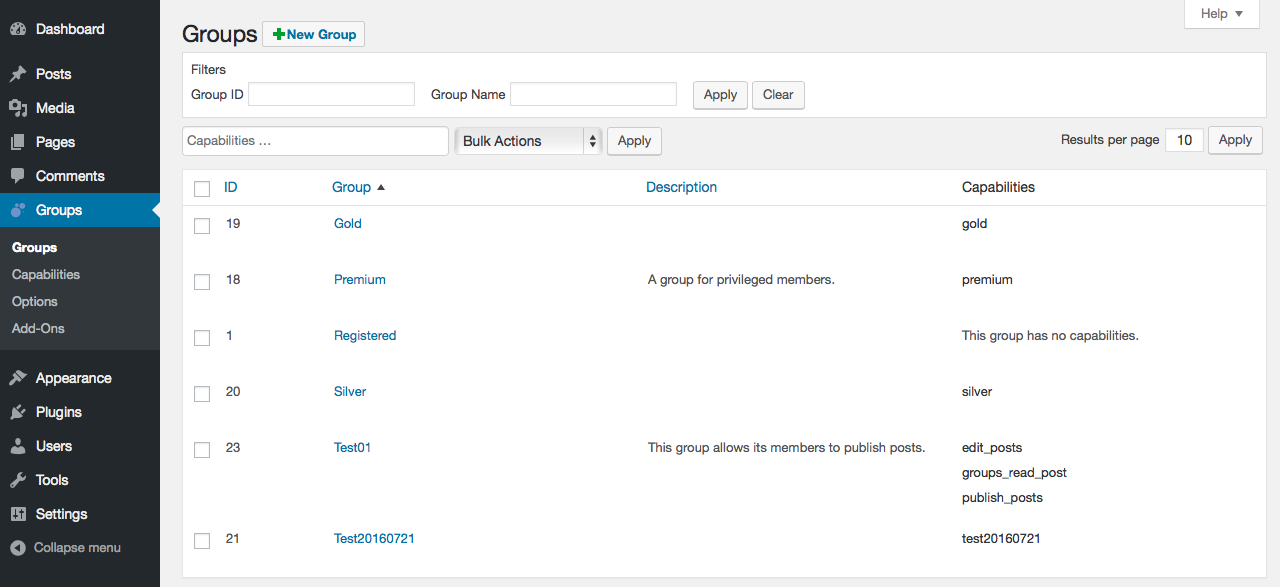
It allows you to create groups, assign users to these groups, and set permissions for what each group can do or see on your site.
Ease of Use
The Groups plugin works within the familiar WordPress Dashboard, so you do not need to learn something completely new. Clean views and clear functions make it quick and easy to work with.
Control Content
You can make parts of your website visible to members of specific groups only, which is great for managing exclusive areas and products. You can protect whole pages, products and other types of content. You can also protect sections within pages.
Control Permissions
Define what actions users in particular groups can perform, based on standard WordPress capabilities and custom capabilities provided by plugins.
In a Nutshell
The Groups plugin makes managing your WordPress site easier, especially if you need to control who can do what or see what. It is designed to be easy to use, reducing the complexity of user management and content access.
Groups integrates with WooCommerce to protect access to products, so that certain products can be purchased by members only.
Enhanced functionality is available via the WooCommerce Marketplace and Extensions for Groups.
Key Features
Membership Management
You can put users into different groups, similar to assigning them to different classes or teams.
Content Access Control
You can decide that only specific groups can see certain content, posts, pages or products. If you are not in the right group, you will not see that protected content.
Capabilities
You can assign special rights to users based on which group they are a member of.
Framework
Groups is designed as an efficient, powerful and flexible solution for group-oriented memberships and content access control.
It provides group-based user membership management, group-based capabilities and access control for content, built on solid principles.
Groups is light-weight and offers an easy user interface, while it acts as a framework and integrates standard WordPress capabilities and application-specific capabilities along with an extensive API.
Documentation
The official documentation is located at the Groups Documentation pages.
Funding and Sponsors
Your support matters!
By getting an official extension or contributing, you help fund the work that is necessary to maintain and improve Groups.
- Contribute directly to the Bitcoin address bc1q7klf9ge8gvtl4h4qlh6c73tgk0cdehfv5vcq0g where sats received are used to fund developers who help to maintain and develop Groups
- Purchase an official Extension for Groups
- Purchase an extension on the WooCommerce Marketplace
- Sponsor the development of new features: get in touch
Comprehensive Features
Groups is powerful and effective, yet simple and easy to use. While its flexibility covers a wide range of functions, some of the most commonly used aspects include:
User groups
- Supports an unlimited number of groups
- Provides a Registered group which is automatically maintained
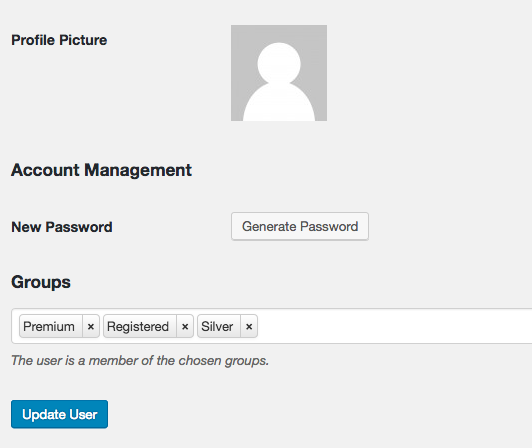
- Users can be assigned to any group
- Users are added automatically to the Registered group
Groups hierarchy
- Supports group hierarchies with capability inheritance
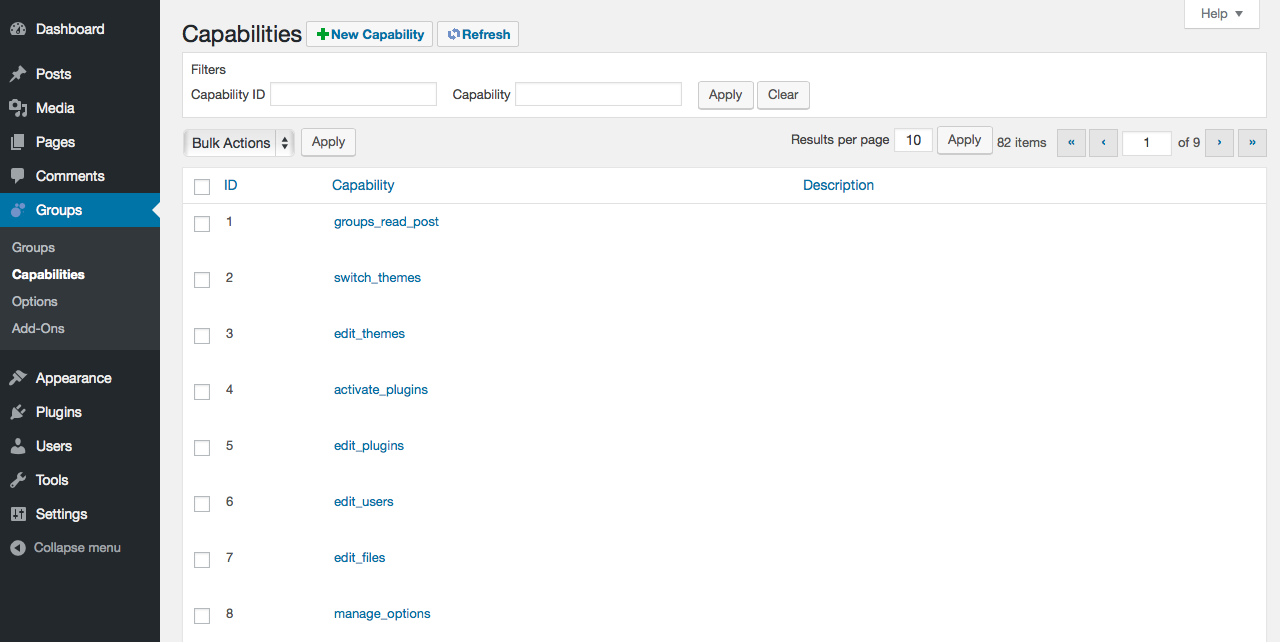
Group capabilities
- Integrates standard WordPress capabilities which can be assigned to groups and users
- Supports custom capabilities: allows to define new capabilities for usage in plugins and web applications
- Users inherit capabilities of the groups they belong to
- Groups inherit capabilities of their parent groups
Access control
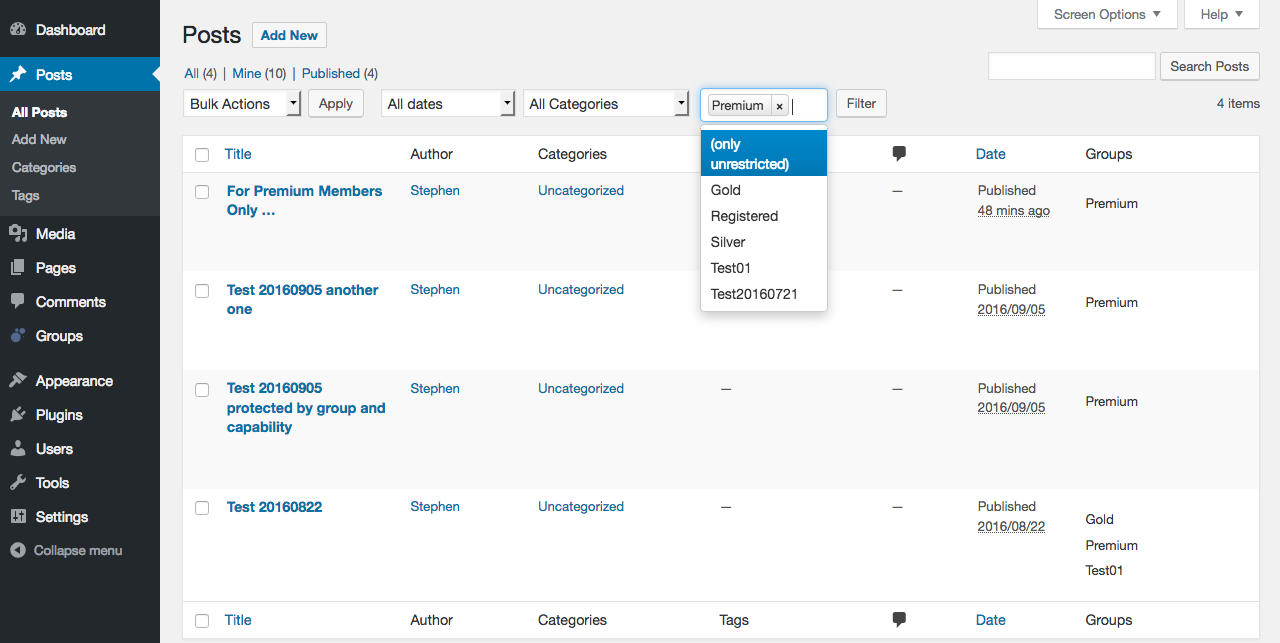
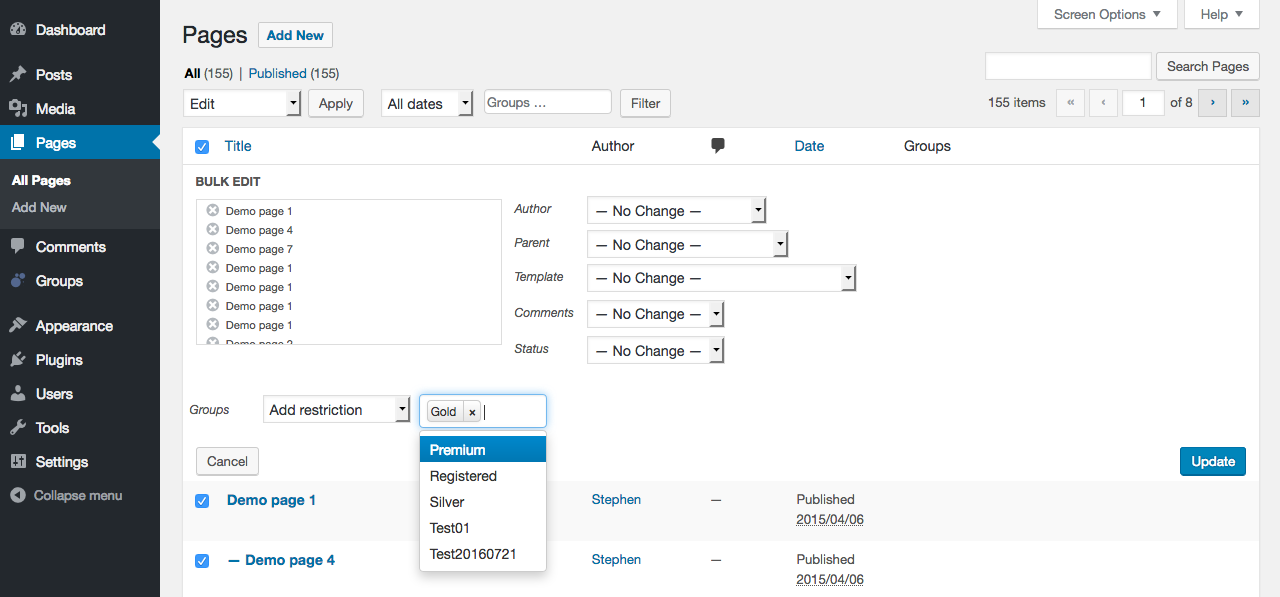
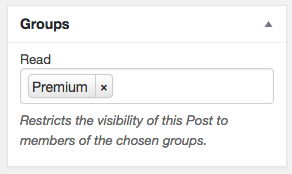
Access to posts, pages and custom post types can be restricted by group.
If access to a post is restricted to one or more groups, only users who belong to one of those groups may view the post.
Fully supports custom post types, so that access to post types such as products or events can easily be restricted.
- Built-in access control that allows to restrict access to posts, pages and custom content types to specific groups and users only
- Control access to content by groups: shortcodes allow to control who can access content on posts, show parts to members of certain groups or to those who are not members –
Shortcodes: [groups_member], [groups_non_member] - Control access to content by capabilities: show (or do not show) content to users who have certain capabilities –
Shortcodes: [groups_can], [groups_can_not] - Blocks: The Groups Member block allows to restrict the visibility of its content to members of selected groups.
The Groups Non-Member block hides its content from members of chosen groups.
The blocks can be nested to provide multiple layers of access control to content.
Easy user interface
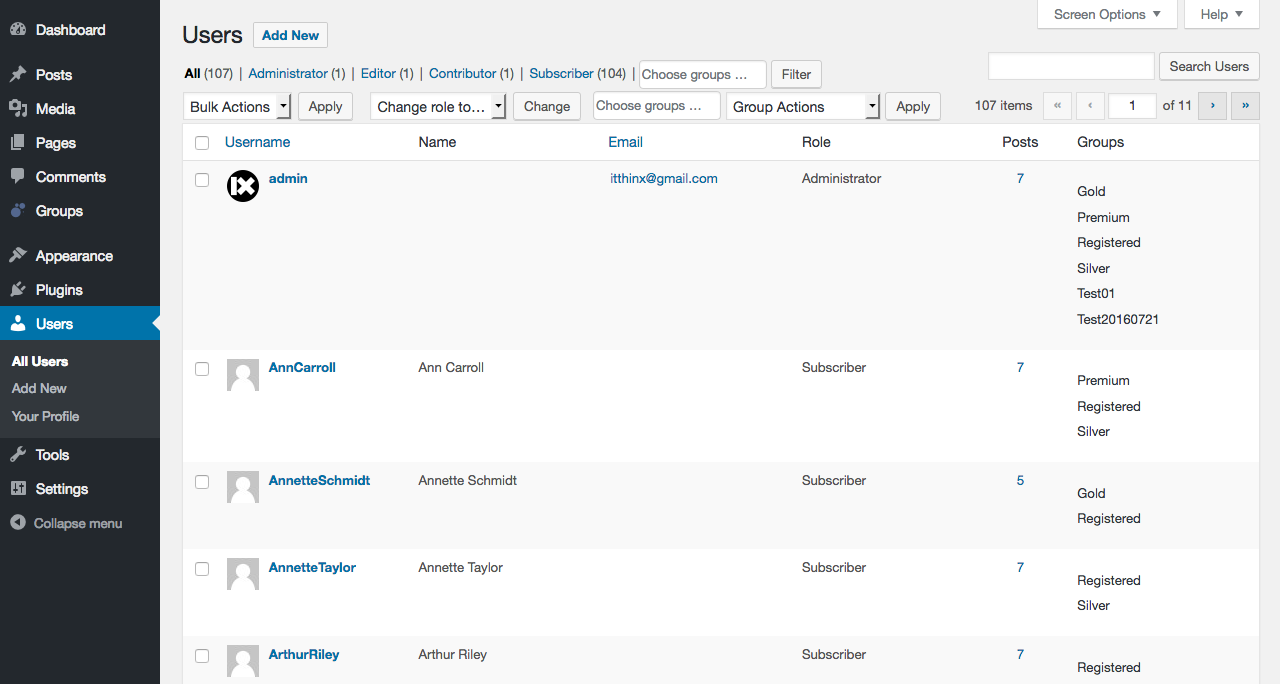
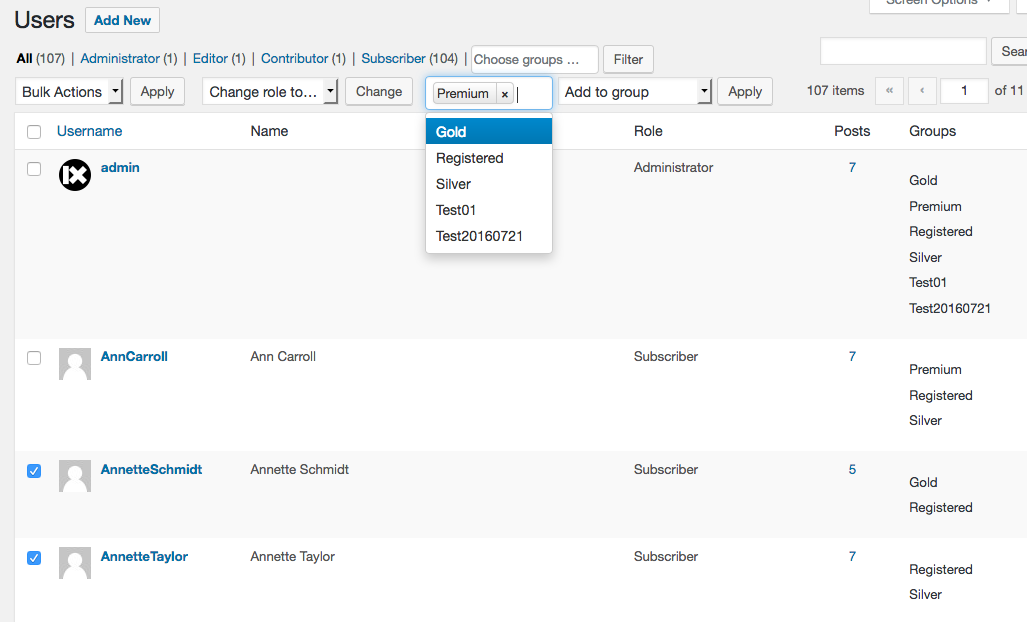
- Integrates nicely with the standard WordPress Users menu
- Provides an intuitive Groups menu
- Conceptually clean views showing the essentials
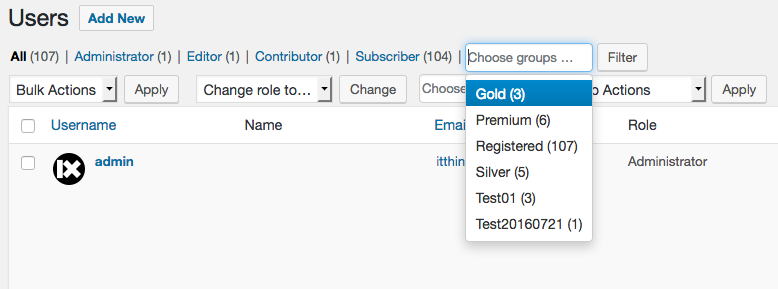
- Quick filters
- Bulk-actions where needed, for example apply capabilities to groups, bulk-add users to groups, bulk-remove users from groups
Sensible options
- Enable access restrictions by custom post type
- An optional tree view for groups can be shown when desired
- Provides its own set of permissions
- Administrator overrides for tests
- Cleans up after testing with a “delete all plugin data” option
Framework
- Groups is designed based on a solid and sound data-model with a complete API that allows developers to create group-oriented web applications and plugins
Multisite
- All features are supported independently for each blog in multisite installations
Extensions
Enhanced functionality is available via official Extensions for Groups.
Groups is a large project that is providing essential functionality to tens of thousands of sites since 2012. By getting an official extension, you help fund the work that is necessary to maintain and improve Groups.
- Groups Integration for WooCommerce : Sell Memberships with Groups and WooCommerce – the best Group Membership and Access Control solution for WordPress and WooCommerce.
- WooCommerce Group Coupons : Automatically apply and restrict coupon validity for user groups. Offer exclusive, automatic and targeted discounts for your customers.
- Groups Drip Content : Release content on a schedule. Content dripping can be based on user account creation, group memberships and specific dates and times.
- Groups File Access : Allows to provide file download links for authorized users. Access to files is restricted to users by their group membership.
- Groups Restrict Categories : Features access restrictions for categories, tags and other WordPress taxonomies, including support for custom post types and taxonomies.
- Groups Forums : A powerful and yet light-weight forum system for WordPress sites.
- Groups Import Export : Provides import and export facilities around users and groups.
- Groups Newsletters : Newsletter Campaigns for Subscribers and Groups.
- Groups Bundle : The bundle includes several extensions at a considerable discount, compared to purchasing the extensions individually.
- WooCommerce Product Search : The perfect Search Engine helps customers to find and buy products quickly – essential for every WooCommerce store. The search engine honors access restrictions imposed by Groups and supports caching based on WordPress roles and memberships with Groups.
- Restrict Payment Methods : Limit the use of WooCommerce Payment Methods by Group Memberships, Roles, Countries, and Order Amounts.
- Widgets Control Pro : An advanced Widget toolbox that adds visibility management and helps to control where widgets are shown efficiently.
- Groups 404 Redirect : This plugin redirects 404’s caused by hits on pages that are protected by Groups.
- Groups Blog Protect : The plugin protects a site so that only members can access its pages.
- Groups bbPress : Integrates Groups and bbPress so that all topics and replies related to protected forums are also protected automatically.
Feedback
Feedback is welcome!
If you need help, have problems, want to leave feedback or want to provide constructive criticism, please do so here at the Groups Plugin page.
Please try to solve problems there before you rate this plugin or say it doesn’t work. There goes a lot of work into providing you with free quality plugins! Please appreciate that and help with your feedback. Many thanks!
Stay informed or contribute
Follow @itthinx on GitHub, X – Twitter, Reddit, Mastodon, Rumble, YouTube for news related to Groups and other plugins.
Get development notifications, contribute code or open issues at the Groups repository on GitHub.
Translations
Translations have been contributed by many, including Translators from the WordPress community, via the GitHub repository Groups, the section for Groups on Translating WordPress or as direct contributions.
Many thanks for your help!
Installation
- Upload or extract the
groupsfolder to your site’s/wp-content/plugins/directory. You can also use the Add new option found in the Plugins menu in WordPress. - Enable the plugin from the Plugins menu in WordPress.
Changelog
This release has been tested with the latest version of WordPress.
For the full changelog see changelog.txt.
Screenshots
For developers
Is this your plugin? Show off the numbers.
Add a live badge to your site, docs or GitHub README. It updates on its own — no account needed.



Best Groups alternatives
All access plugins →





FAQ
Groups: quick answers
Straight answers, pulled from live WordPress.org data.
Live data from WordPress.org · checked Nov 12, 2026
Is Groups free?
Yes. Groups is free to download and use from the official WordPress.org plugin directory.
Is Groups safe to use in 2026?
Yes — Groups is a safe, well-maintained plugin to use in 2026. It runs on 10K+ sites, is rated 4.8/5 and was last updated 1 week ago, and scores 93/100 on our health check.
How many websites use Groups?
Groups is active on 10K+ WordPress websites and has been downloaded 1,068,191 times since it launched in January 2012. It was downloaded 9,978 times in the last 30 days.
Does Groups work with WordPress 7.1?
Yes. The developer has tested Groups up to WordPress 7.1.4, the latest release. It requires WordPress 6.7 or newer.
What PHP version does Groups need?
Groups requires PHP 7.4 or higher. Most hosts run PHP 8.x today, so it works on any modern WordPress hosting.
When was Groups last updated?
The latest version, 4.9.0, was released on November 4, 2026 (1 week ago).
Who makes Groups?
Groups is developed and maintained by itthinx.
What are the best alternatives to Groups?
The most popular alternatives to Groups are Loginizer (1M+ installs), User Role Editor (700K+ installs) and Remove Dashboard Access (30K+ installs).
Powered by PageForge
Want thousands of pages that rank like these? Build them in an afternoon.
This directory runs on the same engine as PageForge. Turn any spreadsheet, CSV or API into thousands of fast, SEO-ready WordPress pages — with schema, internal links and AI-written copy baked in.
- CSV, Google Sheets & API data sources
- AI content, schema & internal links per page
- Works with Elementor, Gutenberg, Yoast & Rank Math
- Free on WordPress.org — no credit card