


RelahConvert Image Tools
38 image tools in your Media Library — meme generator, passport photo, blur face, watermark, format conversion, and more. Round-trip auto-upload.

Use with caution
RelahConvert Image Tools works, but test it on a staging site before relying on it in 2026. It runs on 10+ sites and was last updated 6 months ago, and scores 51/100 on our health check.
- Small user base (10+ active installs)
- Very few reviews so far
How does it stack up?
Side-by-side on installs, updates, ratings & support



Daily downloads
Download spikes usually follow a new release — each site that auto-updates counts as a download.
Rankings
Where RelahConvert Image Tools stands todayWordPress.org search rankings
Live position in the plugin search, top 100| Keyword | Position |
|---|---|
| Image editor | >100 |
| image tools | >100 |
| media library | >100 |
| meme generator | #3 |
| passport photo | #3 |
Version adoption
Share of active sites per release.
About RelahConvert Image Tools
From the official readme · v1.0.1Description
RelahConvert Image Tools is a Media Library extension that integrates 38 image tools under a single plugin. Click a tool button on any attachment, process the image on RelahConvert.com, and the result is sent back to your Media Library automatically.
Individual tools in this plugin’s toolkit — watermarking, compression, meme generation, passport photos — also exist as standalone plugins in the directory. What this plugin offers is the combination and round-trip workflow:
- 38 tools in one plugin instead of installing 10+ separate single-purpose plugins
- 35 of the 38 tools run entirely in the user’s browser using JavaScript and Canvas — no server roundtrip, no API calls, no third-party upload for those 35 tools
- “Send to WordPress” — processed image is POSTed back to the Media Library via a token-authenticated REST endpoint, no manual download / re-upload
- Signup is optional — the 38 tools work without an account. Signing in (Google or email) is only needed if the user wants to use Save to Account (stores processed files on Supabase Storage) or sync preferences across devices.
- No API keys required — all third-party API calls (Remove.bg, ApiFlash) are proxied through RelahConvert
- No image quotas, no paid tier, no watermark on output
The 38 tools
- Create — Meme Generator, Passport Photo (170+ country sizes), Watermark, Round Corners, HTML to Image (screenshot a URL)
- Layout — Image Splitter (grid), Merge Images, Crop, Rotate, Flip
- Privacy / effects — Blur Face (local face detection), Pixelate, Grayscale
- Format conversion — 20+ conversions: JPG, PNG, WebP, GIF, BMP, TIFF, SVG, HEIC, ICO in various combinations
- Optimization — Compress, Resize, Resize to exact KB size
- AI — Remove Background (uses Remove.bg API)
- PDF — JPG to PDF, PNG to PDF, PDF to PNG (extract each page as an image)
Where Processing Happens
35 of the 38 tools run entirely in the user’s browser using JavaScript and the Canvas API. Your image never leaves the device for these tools:
compress, resize, resize-in-kb, crop, rotate, flip, grayscale, watermark, round-corners, image-to-ico, merge-images, image-splitter, pixelate, blur-face (face detection runs locally), meme-generator, and 20+ format conversions (JPG, PNG, WebP, GIF, BMP, TIFF, SVG, HEIC, PDF in both directions).
3 tools use external services because the work can’t be done in the browser:
- Remove Background — sends your image to the Remove.bg API for AI processing
- Passport Photo — uses the same Remove.bg API for its background-removal step
- HTML to Image — takes a URL you type in (not one of your images) and uses the ApiFlash API to return a screenshot
Optional, only if the user signs in: Save to Account uploads the processed file to Supabase Storage so it can be re-downloaded later. Sign-in is not required to use any tool.
Seamless WordPress Integration
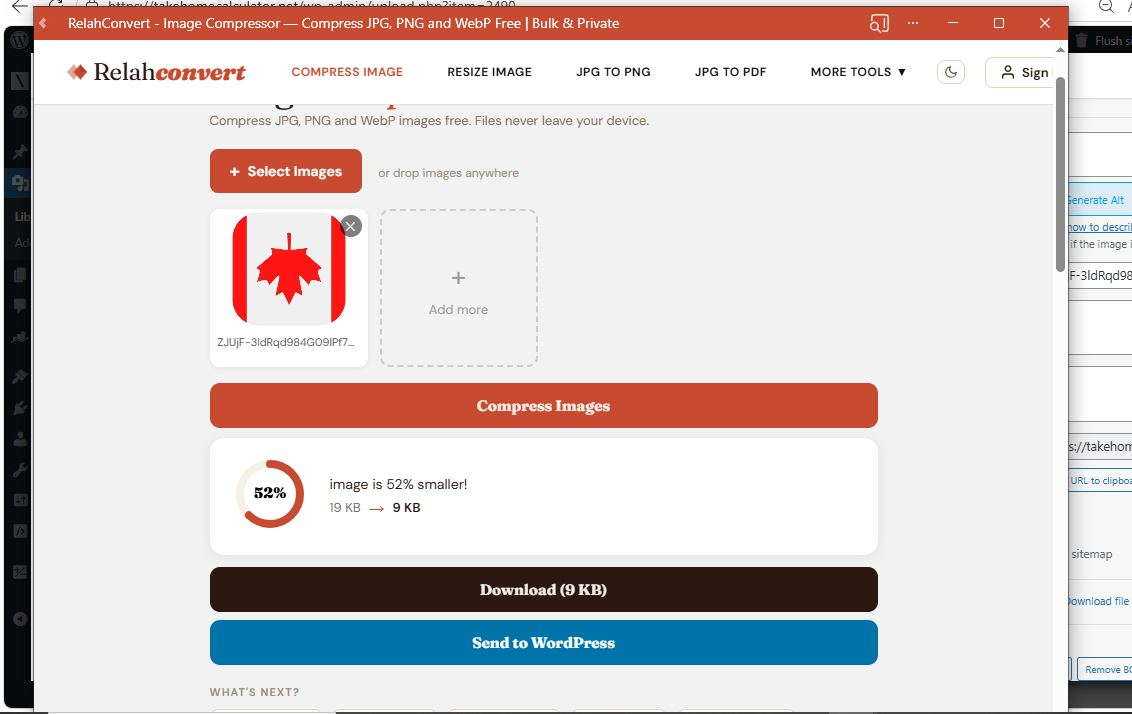
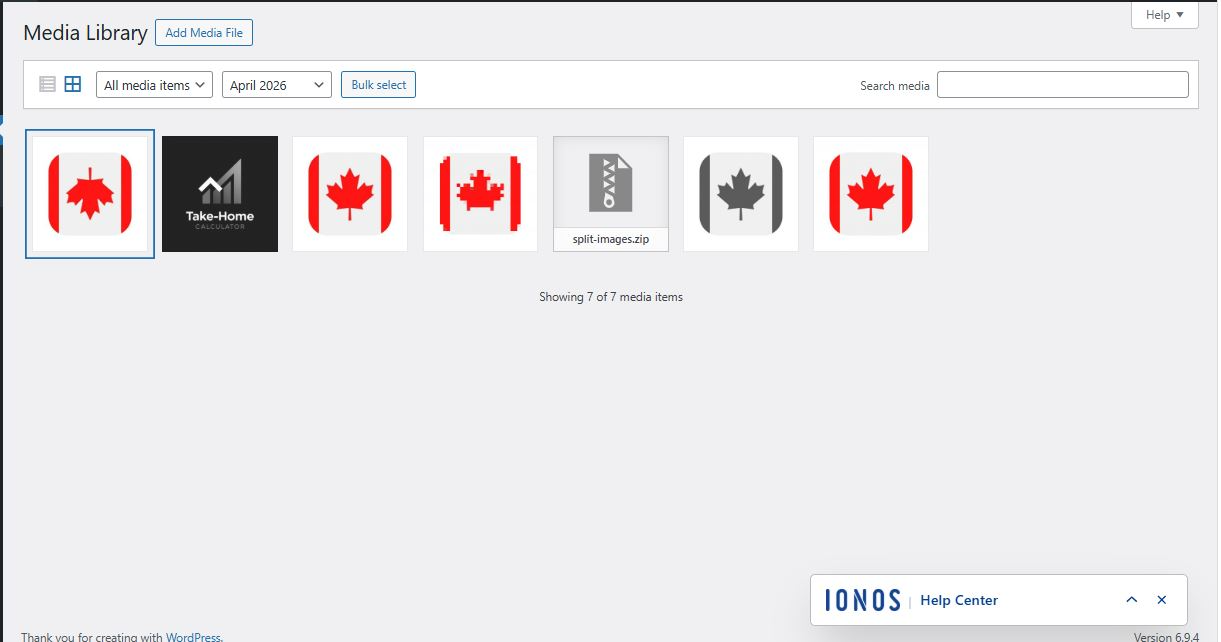
Click a tool button in the Media Library → image opens on RelahConvert.com with your image auto-loaded → process it → click “Send to WordPress” → processed image lands back in your Media Library. No manual download and re-upload.
How It Works
- Go to your WordPress Media Library.
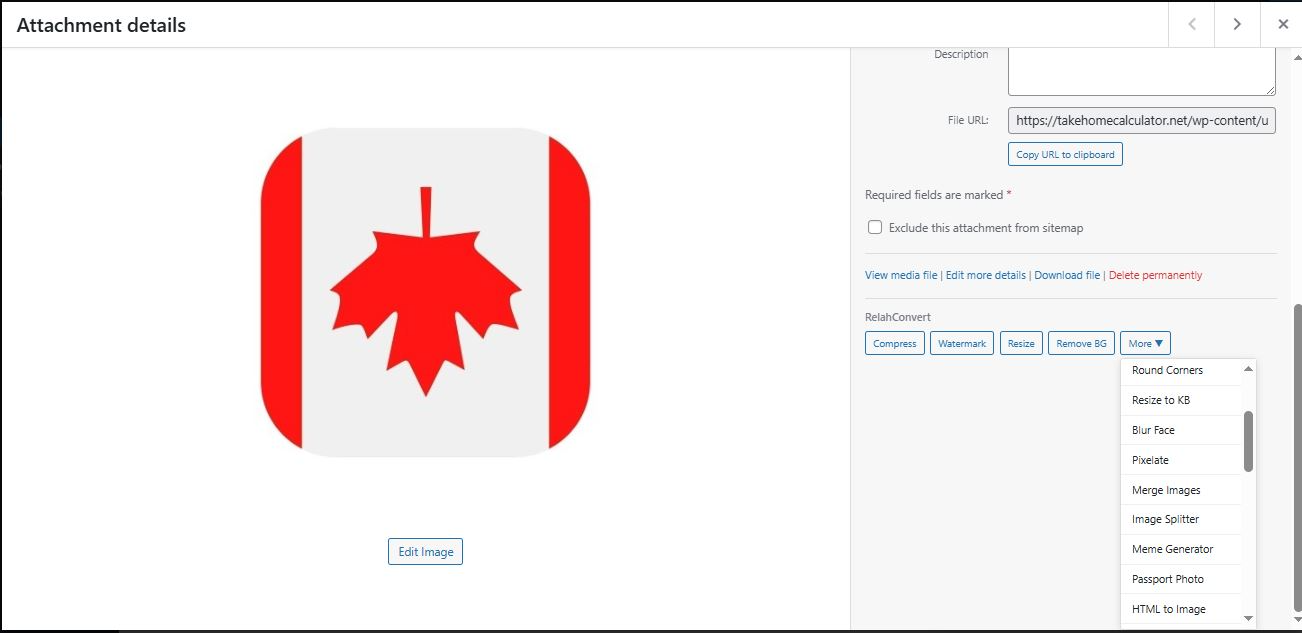
- Click any RelahConvert action button on an image (Compress, Watermark, Resize, Remove BG, or More Tools).
- The tool opens on RelahConvert.com with your image auto-loaded.
- Process your image with one click.
- Click “Send to WordPress” to add the processed image directly back to your Media Library.
Third-Party Services
This plugin loads the processing UI from RelahConvert.com. When you click a tool button in the Media Library, your browser opens RelahConvert.com with your image auto-loaded.
What happens there depends on which tool you choose:
- Client-side tools (35 tools) — Processing runs in your browser via JavaScript and Canvas. No network roundtrip for the image.
- Remove Background / Passport Photo — Your image is sent to the Remove.bg API (a third-party service) for AI background removal. Subject to Remove.bg Terms and Privacy.
- HTML to Image — The URL you enter (not your images) is sent to the ApiFlash screenshot service. Subject to ApiFlash Terms and Privacy.
- Meme Generator — Fetches the public meme template catalog from the Imgflip API (no image upload).
- Save to Account (optional) — Only if the user signs in with Google or email. Files are stored on Supabase Storage. Supabase Terms and Privacy.
- Send to WordPress — Sends the processed image from your browser back to your WordPress site via a secure REST API endpoint using a short-lived token.
By using this plugin, you agree to RelahConvert’s Terms of Service and Privacy Policy, and to the terms of any third-party service you choose to use through it.
CORS Configuration
On activation, this plugin adds a CORS header to your wp-content/uploads/.htaccess file to allow RelahConvert.com to load your images for processing:
Header set Access-Control-Allow-Origin "https://relahconvert.com"
This rule is automatically removed when the plugin is deactivated.
Features
- Action buttons in Media Library list view and grid view
- “More Tools” dropdown with 38 image tools
- Auto-loads your image into the selected tool
- “Send to WordPress” button sends processed images directly back to your Media Library
- Smart format detection — suggests the right conversion tool based on file type
- Settings page with quick links to all available tools
- Lightweight — no bloat, minimal database usage (temporary tokens only)
- Works with the Classic Editor and Block Editor
Installation
- Upload the
relahconvert-image-toolsfolder to/wp-content/plugins/. - Activate the plugin through the Plugins menu in WordPress.
- Go to Settings > RelahConvert to see all available tools.
- Open your Media Library to start using the action buttons.
Changelog
WordPress 7.0 compatibility and PHP 7.4 minimum. Install if you run WP 7.0+ or PHP 7.4+. No functional changes.
1.0.1
- Compatibility: tested with WordPress 7.0; minimum PHP raised to 7.4 to match WordPress 7.0’s new requirement.
- No functional changes.
1.0.0
- Initial release.
- 38 image tools integrated in the Media Library.
- Compress, Watermark, Resize, and Remove Background buttons.
- “More Tools” dropdown with 34 additional tools.
- Auto-load images from WordPress into RelahConvert tools.
- “Send to WordPress” posts processed images back to the Media Library via a token-authenticated REST endpoint.
- Smart format detection for conversion tools.
- Settings page with tool overview.
Screenshots
For developers
Is this your plugin? Show off the numbers.
Add a live badge to your site, docs or GitHub README. It updates on its own — no account needed.
Best RelahConvert Image Tools alternatives
All Image editor plugins →





FAQ
RelahConvert Image Tools: quick answers
Straight answers, pulled from live WordPress.org data.
Source: WordPress.org
Is RelahConvert Image Tools free?
Yes. RelahConvert Image Tools is free to download and use from the official WordPress.org plugin directory.
Is RelahConvert Image Tools safe to use in 2026?
RelahConvert Image Tools works, but test it on a staging site before relying on it in 2026. It runs on 10+ sites and was last updated 6 months ago, and scores 51/100 on our health check.
How many websites use RelahConvert Image Tools?
RelahConvert Image Tools is active on 10+ WordPress websites and has been downloaded 591 times since it launched in April 2026. It was downloaded 90 times in the last 30 days.
Does RelahConvert Image Tools work with WordPress 7.1?
RelahConvert Image Tools is officially tested up to WordPress 7.0.9, while the latest release is 7.1.5. It may still work, but try it on a staging site first.
What PHP version does RelahConvert Image Tools need?
RelahConvert Image Tools requires PHP 7.4 or higher. Most hosts run PHP 8.x today, so it works on any modern WordPress hosting.
When was RelahConvert Image Tools last updated?
The latest version, 1.0.1, was released on May 23, 2026 (6 months ago).
Who makes RelahConvert Image Tools?
RelahConvert Image Tools is developed and maintained by brightagbomado.
What are the best alternatives to RelahConvert Image Tools?
The most popular alternatives to RelahConvert Image Tools are WP Paint (5K+ installs), Image Editor by Pixo (700+ installs) and Picture Gallery (400+ installs).
Powered by PageForge
One template and a spreadsheet. A real page for every search.
PageForge turns each row of a CSV into a WordPress page with its own title, URL, SEO fields and schema, built on the layout you already designed. Free on WordPress.org.
- CSV and XLSX, plus Google Sheets on Professional and Enterprise
- Its own title, URL, SEO fields and schema for every page
- Works with the block editor, Elementor, Divi and Avada
- Free on WordPress.org, no credit card