

WP Paint – WordPress Image Editor
WP Paint – WordPress Image Editor is a browser based HTML5 Image Editor for WordPress media images. It has an intuitive interface resembling most common Desktop based Photo Editors with an extensive array of Image…

Use with caution
WP Paint works, but test it on a staging site before relying on it in 2026. It runs on 5K+ sites, is rated 4.8/5 and was last updated 5 years ago, and scores 45/100 on our health check.
- Loved by users — 4.8/5 from 84 reviews
- Momentum — downloads up 34.5% vs the previous 30 days
- No update in 4 years
- Only tested up to WordPress 5.8 (latest is 7.1)
How does it stack up?
Side-by-side on installs, updates, ratings & support



Daily downloads
Download spikes usually follow a new release — each site that auto-updates counts as a download.
Rankings
Where WP Paint stands todayWordPress.org search rankings
Live position in the plugin search, top 100| Keyword | Position |
|---|---|
| Image editor | >100 |
| media | >100 |
| media editor | >100 |
| photo | >100 |
| photo editor | >100 |
Version adoption
Share of active sites per release.
Rating breakdown
★★★★★★★★★★ 4.8 from 84 reviews
About WP Paint – WordPress Image Editor
From the official readme · v0.5.3Description
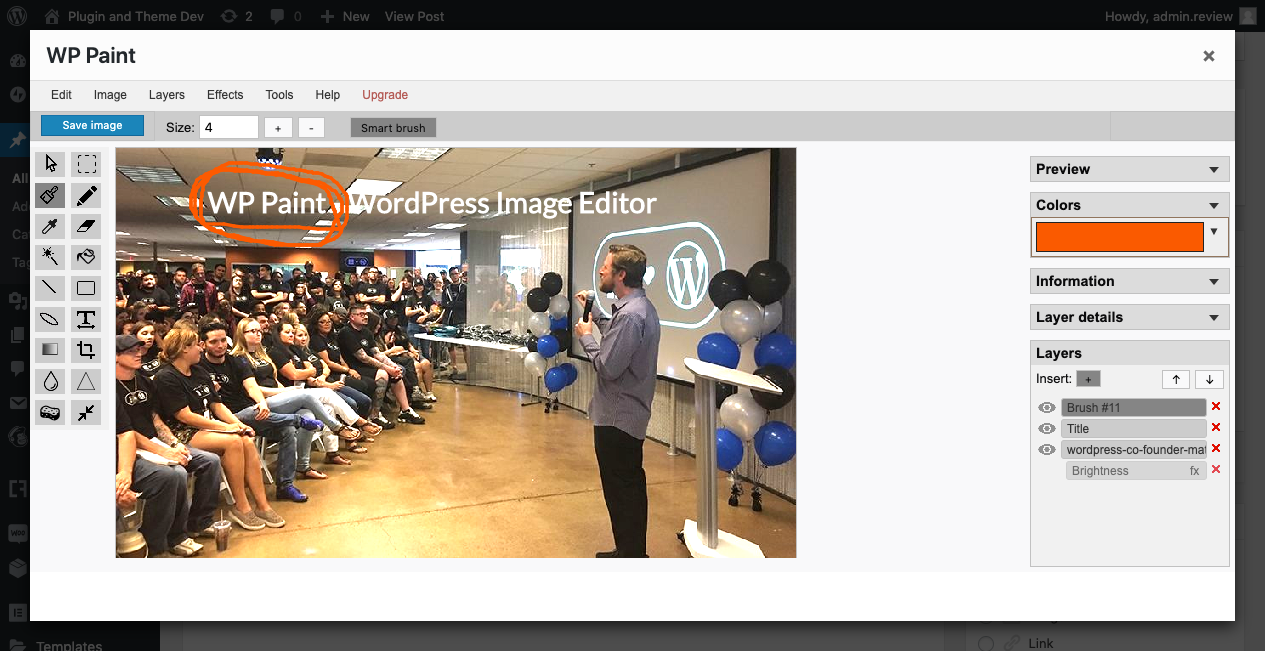
WP Paint – WordPress Image Editor is a browser based HTML5 Image Editor for WordPress media images. It has an intuitive interface resembling most common Desktop based Photo Editors with an extensive array of Image Editing, Photo Manipulation and Photo Editing Features.
Features
- Image editor with an intuitive desktop Photo Editor like interface
- Ability to Manage Layers
- Flip, Rotate or Resize images
- Add Custom Text to images
- Crop images
- Apply Blur effects to images
- Turn images to Grayscale
- Change Hue of images
- Adjust image brightness contrast
- Add shapes on top of images
Installation and Overview Video Demo
Pro Version
The Pro version of this plugin has some really cool features.
Upgrade to WP Paint Pro version for an extensive set of advanced tools and features.
Pro Features
-
Stickers
Add cool stickers to your image and make your images look interesting & attractive. -
Watermark
You can add a Watermark to your pictures and keep these safe from copying. -
Clone Tool
This tool is used to copy regions of pixels from one location to another. The source and destination can be on the same layer or different layers within the same image. -
Revisions
WP Paint Pro offers easy access to older image revisions and the ability to restore to any of them as required. -
Search and Insert Images
Want to add more images to your image, You can easily do that with WP Paint. Link your Pixabay account, search and add as many images as you want. -
Non Admin User Access
With WP Paint Pro non-admin users can access the WP Paint Pro Editor. Any user with upload files permission can use WP Paint Pro to edit their images.
And many more…
Installation
- Login to your WordPress dashboard and navigate to Plugins > Add New
- Search for “WP Paint”.
- Click “Install”.
- Click “Activate”.
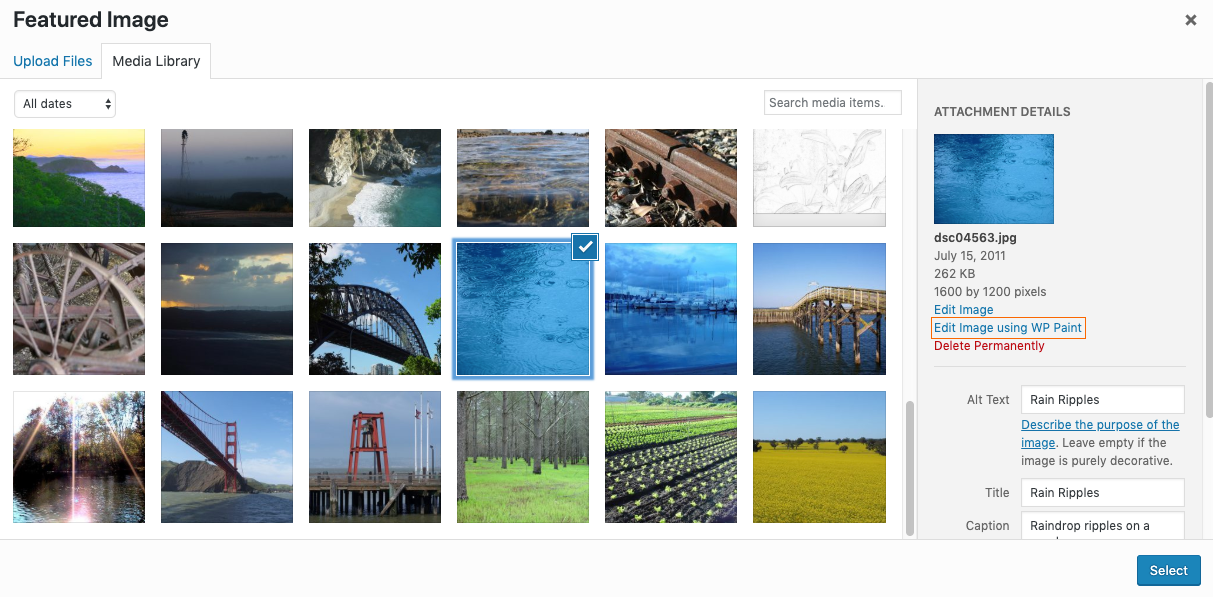
- Once the plugin is activated, you can see “Edit Image using WP Paint” link next to the “Edit Image” link on all your media browsers.
Changelog
0.5.2
- Tested with WordPress 5.8.1
- Added Documentation
0.5.1
- Tested with WordPress 5.7
0.5.0
- Tested with WordPress 5.6.2
0.4.6
- Tested with WordPress 5.5
0.4.5
- Resolving Image Format Issue (https://wordpress.org/support/topic/turns-image-format-to-png-without-changing-extension/)
0.4.4
- Fixing Right sidebar scroll
Screenshots

For developers
Is this your plugin? Show off the numbers.
Add a live badge to your site, docs or GitHub README. It updates on its own — no account needed.
Best WP Paint alternatives
All Image editor plugins →





FAQ
WP Paint – WordPress Image Editor: quick answers
Straight answers, pulled from live WordPress.org data.
Source: WordPress.org
Is WP Paint free?
Yes. WP Paint is free to download and use from the official WordPress.org plugin directory.
Is WP Paint safe to use in 2026?
WP Paint works, but test it on a staging site before relying on it in 2026. It runs on 5K+ sites, is rated 4.8/5 and was last updated 5 years ago, and scores 45/100 on our health check.
How many websites use WP Paint?
WP Paint is active on 5K+ WordPress websites and has been downloaded 89,425 times since it launched in August 2019. It was downloaded 702 times in the last 30 days.
Does WP Paint work with WordPress 7.1?
WP Paint is officially tested up to WordPress 5.8.20, while the latest release is 7.1.5. It may still work, but try it on a staging site first.
When was WP Paint last updated?
The latest version, 0.5.3, was released on January 25, 2022 (5 years ago).
Who makes WP Paint?
WP Paint is developed and maintained by ZetaMatic.
What are the best alternatives to WP Paint?
The most popular alternatives to WP Paint are Image Editor by Pixo (700+ installs), Picture Gallery (400+ installs) and PixMagix (200+ installs).
Powered by PageForge
One template and a spreadsheet. A real page for every search.
PageForge turns each row of a CSV into a WordPress page with its own title, URL, SEO fields and schema, built on the layout you already designed. Free on WordPress.org.
- CSV and XLSX, plus Google Sheets on Professional and Enterprise
- Its own title, URL, SEO fields and schema for every page
- Works with the block editor, Elementor, Divi and Avada
- Free on WordPress.org, no credit card