


QuickTools for WooCommerce
QuickTools for WooCommerce adds sales insights on products and previous-order badges on the orders list for faster store management.

Solid choice
QuickTools for WooCommerce is a solid plugin choice in 2026, with a few things worth checking first. Was last updated 2 days ago, and scores 64/100 on our health check.
- Actively developed — last update 2 days ago
- Tested with the latest WordPress (7.1)
- Small user base (<10 active installs)
- Very few reviews so far
How does it stack up?
Side-by-side on installs, updates, ratings & support



Daily downloads
Download spikes usually follow a new release — each site that auto-updates counts as a download.
Rankings
Where QuickTools for WooCommerce stands todayWordPress.org search rankings
Live position in the plugin search, top 100| Keyword | Position |
|---|---|
| ecommerce | >100 |
| orders | >100 |
| product sales | >100 |
| total sold | #82 |
| woocommerce | >100 |
About QuickTools for WooCommerce
From the official readme · v1.1.0Description
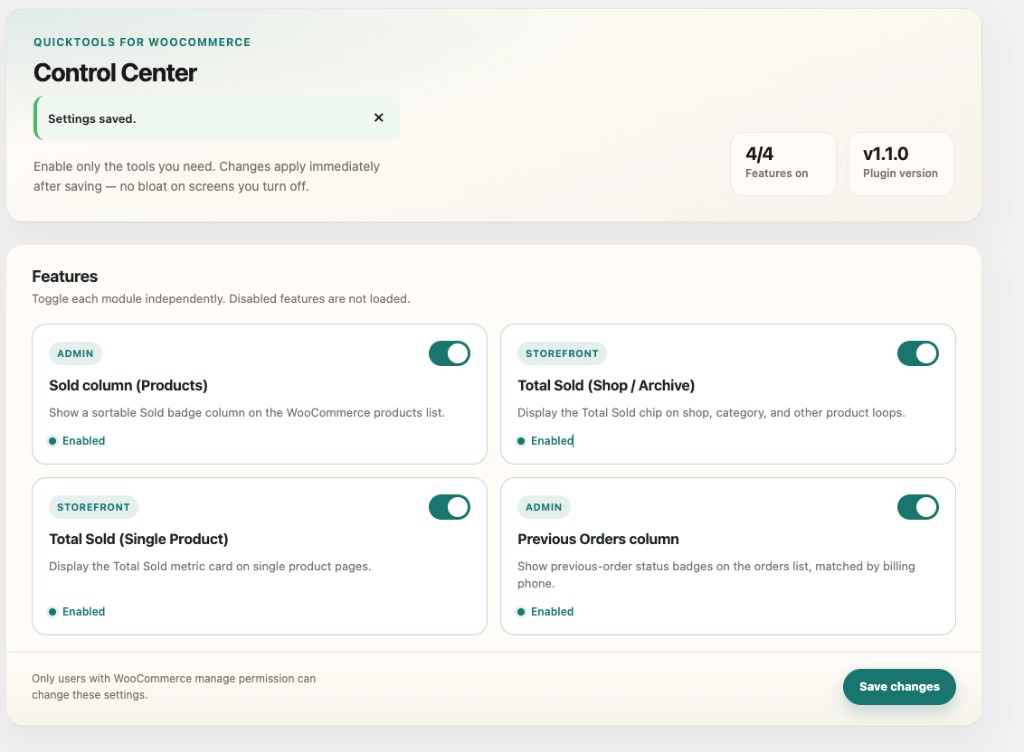
QuickTools for WooCommerce enhances your WooCommerce admin and storefront with lightweight sales tools. Use the Control Center under WooCommerce → QuickTools to enable or disable each feature independently.
Key Features
- Control Center: Modern admin panel to toggle every feature on or off.
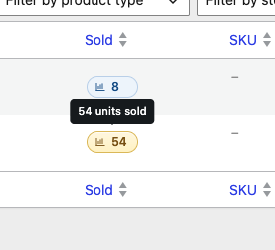
- Sold column (Products): Sortable units-sold badge column on the Products list.
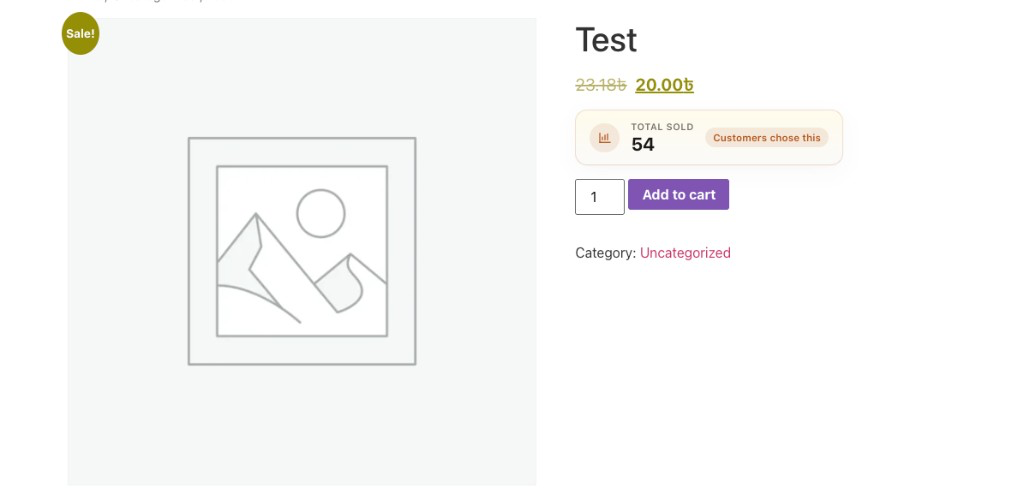
- Total Sold (Storefront): Premium Total Sold UI on shop/archive loops and single product pages (separately toggleable).
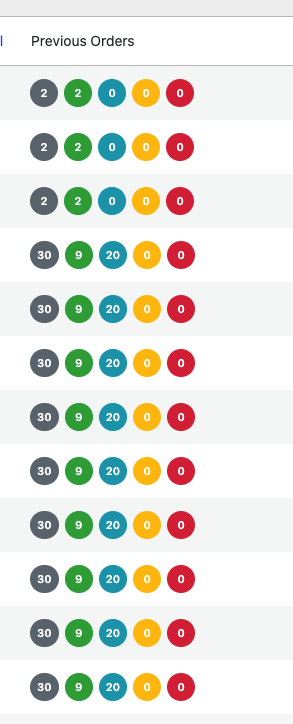
- Previous Orders column (Orders): Previous-order status badges matched by billing phone (with/without country code). Works with classic orders and HPOS.
- Performance-minded: Disabled features are not loaded; CSS/JS enqueue only on relevant screens.
Installation
- Upload the
quicktools-for-woocommercedirectory to the/wp-content/plugins/directory. - Activate the plugin through the ‘Plugins’ menu in WordPress.
- Ensure that WooCommerce is installed and activated to use this plugin.
Frequently asked questions
What is the purpose of this plugin?
It adds product sales visibility (admin + storefront) and previous-order status badges on the orders list, matched by billing phone.
Is WooCommerce required?
Yes. QuickTools for WooCommerce requires WooCommerce to be installed and activated.
Does it support High-Performance Order Storage (HPOS)?
Yes. The Previous Orders column registers on both the classic and HPOS orders screens and reads billing phone from HPOS address tables when enabled.
Can I disable individual features?
Yes. Go to WooCommerce → QuickTools and toggle each feature. Disabled features are not loaded.
How can I report a bug or request a feature?
Open an issue on the plugin’s GitHub repository.
Changelog
Adds a Control Center to enable/disable each feature securely.
1.1.0
- Added QuickTools Control Center (WooCommerce → QuickTools) with per-feature enable/disable toggles.
- Premium Total Sold UI for admin and storefront.
- Disabled features are not loaded; assets load only when needed.
- Settings saved via the WordPress Settings API with capability and sanitize checks.
1.0.0
- Initial release.
- Total Sold on products list, shop loop, and single product.
- Previous Orders column (billing phone) with legacy + HPOS support.
- Security and performance hardening: capability checks, escaped output, request-level query cache, conditional asset loading.
Screenshots
For developers
Is this your plugin? Show off the numbers.
Add a live badge to your site, docs or GitHub README. It updates on its own — no account needed.
Best QuickTools for WooCommerce alternatives
All ecommerce plugins →





FAQ
QuickTools for WooCommerce: quick answers
Straight answers, pulled from live WordPress.org data.
Live data from WordPress.org · checked Oct 12, 2026
Is QuickTools for WooCommerce free?
Yes. QuickTools for WooCommerce is free to download and use from the official WordPress.org plugin directory.
Is QuickTools for WooCommerce safe to use in 2026?
QuickTools for WooCommerce is a solid plugin choice in 2026, with a few things worth checking first. Was last updated 2 days ago, and scores 64/100 on our health check.
How many websites use QuickTools for WooCommerce?
QuickTools for WooCommerce is active on <10 WordPress websites and has been downloaded 981 times since it launched in October 2024. It was downloaded 73 times in the last 30 days.
Does QuickTools for WooCommerce work with WordPress 7.1?
Yes. The developer has tested QuickTools for WooCommerce up to WordPress 7.1.3, the latest release. It requires WordPress 5.0 or newer.
What PHP version does QuickTools for WooCommerce need?
QuickTools for WooCommerce requires PHP 7.4 or higher. Most hosts run PHP 8.x today, so it works on any modern WordPress hosting.
When was QuickTools for WooCommerce last updated?
The latest version, 1.1.0, was released on October 10, 2026 (2 days ago).
Who makes QuickTools for WooCommerce?
QuickTools for WooCommerce is developed and maintained by Md Abul Bashar.
What are the best alternatives to QuickTools for WooCommerce?
The most popular alternatives to QuickTools for WooCommerce are WooCommerce (7M+ installs), Popup Builder & Popup Maker… (1M+ installs) and WooCommerce PayPal Payments (800K+ installs).
Powered by PageForge
Want thousands of pages that rank like these? Build them in an afternoon.
This directory runs on the same engine as PageForge. Turn any spreadsheet, CSV or API into thousands of fast, SEO-ready WordPress pages — with schema, internal links and AI-written copy baked in.
- CSV, Google Sheets & API data sources
- AI content, schema & internal links per page
- Works with Elementor, Gutenberg, Yoast & Rank Math
- Free on WordPress.org — no credit card


