


Quick Search Replace
A simple and powerful tool to run search and replace queries on your WordPress database, with full serialization and multisite support.

Solid choice
Quick Search Replace is a solid plugin choice in 2026, with a few things worth checking first. It runs on 10+ sites, is rated 5/5 and was last updated 1 month ago, and scores 69/100 on our health check.
- Tested with the latest WordPress (7.1)
- Small user base (10+ active installs)
- Very few reviews so far
How does it stack up?
Side-by-side on installs, updates, ratings & support



Daily downloads
Download spikes usually follow a new release — each site that auto-updates counts as a download.
Rankings
Where Quick Search Replace stands todayWordPress.org search rankings
Live position in the plugin search, top 100| Keyword | Position |
|---|---|
| search and replace | #57 |
| search replace | #38 |
| search replace database | #42 |
| update database urls | >100 |
| update live url | >100 |
Version adoption
Share of active sites per release.
Rating breakdown
★★★★★★★★★★ 5 from 1 reviews
About Quick Search Replace
From the official readme · v1.0.1Description
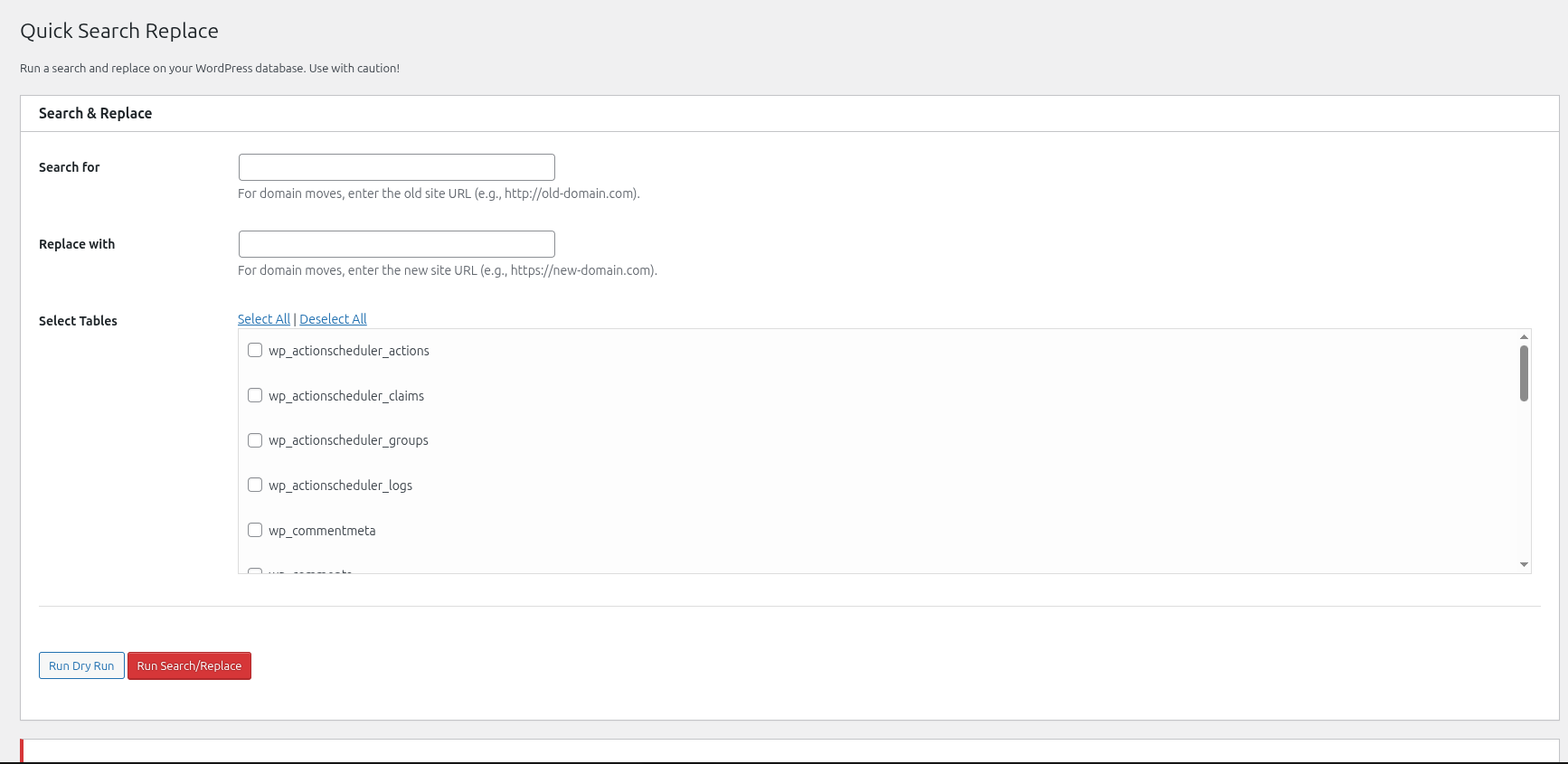
Quick Search Replace provides a fast, modern, and user-friendly interface to run comprehensive search and replace operations on your WordPress database. Designed for site migrations, domain updates, and protocol switches (HTTP to HTTPS), it safely inspects every column of your selected tables.
It correctly handles serialized PHP data and JSON strings, protects composite primary key tables, and automatically flushes permalinks after a migration to prevent 404 errors.
Key Features:
- Modern Admin Interface: Redesigned dashboard with real-time table filtering, row count and table size metrics, and clean status indicators.
- Memory-Safe Chunked Processing: Queries tables in batches to prevent memory exhaustion and execution timeouts on large databases.
- Safe Serialized Data Handling: Automatically detects serialized arrays and objects, recursively substituting values and recalculating byte lengths without corrupting data.
- Dry Run with Visual Diff Preview: Test your search and replace query beforehand with sample before/after change snippets before modifying a single row.
- Smart URL & Domain Matching: Safely handles http/https, www, protocol-relative (//domain.com), and JSON-escaped URLs without altering unrelated words or slugs.
- Skip GUIDs Column Option: Follows official WordPress recommendations to preserve post GUIDs so RSS readers do not duplicate feed entries.
- Case-Insensitive Search Option: Toggle between exact-case and case-insensitive replacements with a single click.
- Composite Primary Key Support: Reliably updates complex relationship tables (such as
wp_term_relationships) without accidental multi-row overwrites. - WordPress Multisite Aware: Fully functional in both single-site and Network Admin environments, listing tables across the network.
- Automatic Permalink Flushing: Clears rewrite rules after a live run to ensure links work immediately.
WARNING: This tool directly modifies your database. While multiple safety checks and dry-run previews are built in, ALWAYS take a complete database backup before executing a live search and replace.
Installation
- Upload the
quick-search-replacefolder to the/wp-content/plugins/directory (or install via the WordPress Plugins repository). - Activate the plugin through the ‘Plugins’ menu in WordPress (or ‘Network Activate’ on Multisite).
- Navigate to Tools -> Quick Search Replace in your WordPress dashboard (or Network Admin Tools on multisite).
Changelog
1.0.1
- Tested up to WordPress 7.1.
- Redesigned user interface with a modern dashboard layout, responsive cards, and clean status indicators.
- Added live table filter and quick-selection buttons (Select All, Deselect All, Select Core Tables).
- Added table metrics showing approximate row counts and disk sizes for each table.
- Added memory-safe chunked execution to prevent timeouts and PHP memory exhaustion on large databases.
- Added Dry Run sample preview with before-and-after diff highlights.
- Added option to skip the GUID column in
wp_postsper WordPress Codex best practices. - Added Smart URL & Domain matching toggle to safely match protocol, www, and JSON-escaped variants without corrupting unrelated words.
- Added Case-Insensitive search mode toggle.
- Fixed multisite Network Admin script and stylesheet loading.
- Fixed support for tables with composite primary keys (such as
wp_term_relationships). - Fixed serialized data integrity by verifying unserialized payloads before reserialization.
- Added quick action link on the WordPress Plugins screen.
- Updated GitHub Actions deployment workflow to modern actions.
1.0.0
- Initial release.
Screenshots
For developers
Is this your plugin? Show off the numbers.
Add a live badge to your site, docs or GitHub README. It updates on its own — no account needed.
Best Quick Search Replace alternatives
All search and replace plugins →





FAQ
Quick Search Replace: quick answers
Straight answers, pulled from live WordPress.org data.
Source: WordPress.org
Is Quick Search Replace free?
Yes. Quick Search Replace is free to download and use from the official WordPress.org plugin directory.
Is Quick Search Replace safe to use in 2026?
Quick Search Replace is a solid plugin choice in 2026, with a few things worth checking first. It runs on 10+ sites, is rated 5/5 and was last updated 1 month ago, and scores 69/100 on our health check.
How many websites use Quick Search Replace?
Quick Search Replace is active on 10+ WordPress websites and has been downloaded 642 times since it launched in September 2025. It was downloaded 99 times in the last 30 days.
Does Quick Search Replace work with WordPress 7.1?
Yes. The developer has tested Quick Search Replace up to WordPress 7.1.5, the latest release. It requires WordPress 6.2 or newer.
What PHP version does Quick Search Replace need?
Quick Search Replace requires PHP 8.0 or higher. Most hosts run PHP 8.x today, so it works on any modern WordPress hosting.
When was Quick Search Replace last updated?
The latest version, 1.0.1, was released on October 28, 2026 (1 month ago).
Who makes Quick Search Replace?
Quick Search Replace is developed and maintained by Delower Hossain.
What are the best alternatives to Quick Search Replace?
The most popular alternatives to Quick Search Replace are Better Search Replace (1M+ installs), Go Live Update Urls (90K+ installs) and Real-Time Find and Replace (70K+ installs).
Powered by PageForge
One template and a spreadsheet. A real page for every search.
PageForge turns each row of a CSV into a WordPress page with its own title, URL, SEO fields and schema, built on the layout you already designed. Free on WordPress.org.
- CSV and XLSX, plus Google Sheets on Professional and Enterprise
- Its own title, URL, SEO fields and schema for every page
- Works with the block editor, Elementor, Divi and Avada
- Free on WordPress.org, no credit card