


Qndrs Availability and Heartbeat Monitor
Monitor websites and heartbeat clients from WordPress with email or Pushover downtime alerts.

Use with caution
Qndrs Availability and Heartbea… works, but test it on a staging site before relying on it in 2026. Was last updated 1 month ago, and scores 60/100 on our health check.
- Tested with the latest WordPress (7.1)
- Small user base (<10 active installs)
- Very few reviews so far
How does it stack up?
Side-by-side on installs, updates, ratings & support



Daily downloads
Download spikes usually follow a new release — each site that auto-updates counts as a download.
Rankings
Where Qndrs Availability and Hear… stands todayWordPress.org search rankings
Live position in the plugin search, top 100| Keyword | Position |
|---|---|
| cron | >100 |
| monitoring | >100 |
| Notifications | >100 |
| pushover | #14 |
| uptime | >100 |
About Qndrs Availability and Heartbeat Monitor
From the official readme · v3.6.1Description
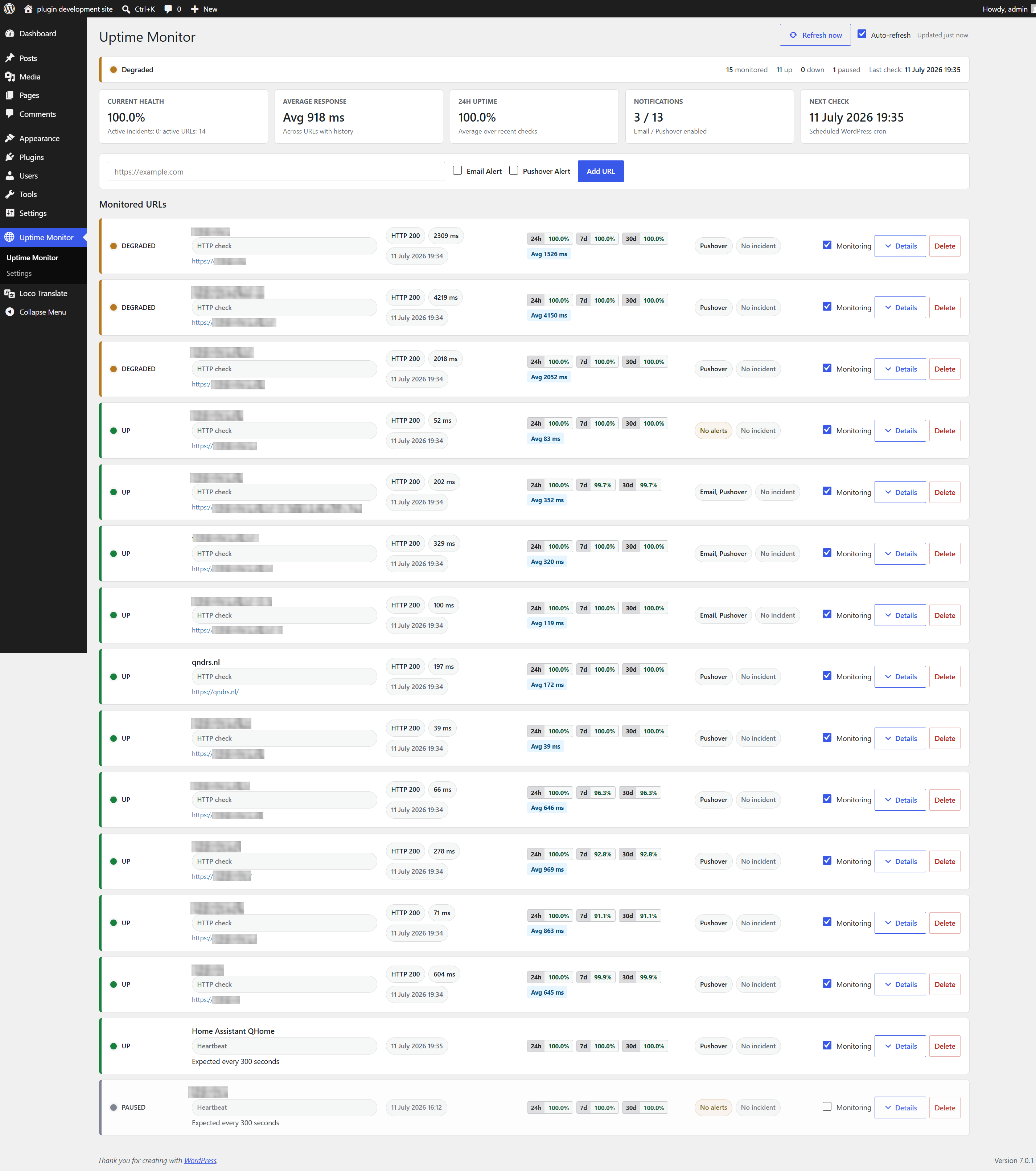
Qndrs Availability and Heartbeat Monitor checks external URLs from the WordPress dashboard and can also monitor firewalled clients through outbound heartbeat pings. It supports multiple monitored URLs, per-URL monitoring toggles, email alerts, configurable Pushover alerts, status history, response times, uptime percentages, JSON import/export, structured logging, heartbeat monitors, and authenticated REST endpoints.
External services
This plugin can optionally send downtime and recovery notifications through Pushover. Pushover is disabled by default and is only used when a site administrator configures Pushover credentials and enables Pushover alerts for a monitor.
When Pushover is enabled, the plugin sends an HTTPS POST request to https://api.pushover.net/1/messages.json. The request contains the configured Pushover application token, the configured Pushover user or group key, and a notification title/message with the monitored URL or monitor name, status information, and HTTP status code or error message when available.
Pushover API documentation: https://pushover.net/api
Pushover terms: https://pushover.net/terms
Pushover privacy policy: https://pushover.net/privacy
History Storage
Version 3.6.0 stores status history in an indexed custom database table. Fresh installations use the table directly. Existing installations with legacy option-based history can use the controlled WP-CLI migration documented in docs/history-storage.md, including count verification, shadow mode and rollback before finalization.
Installation
- Upload the plugin folder to
/wp-content/plugins/qndrs-availability-heartbeat-monitor. - Activate Qndrs Availability and Heartbeat Monitor from the WordPress plugins page.
- Open Qndrs Monitor in the WordPress admin menu.
- Add one or more URLs and choose notification channels.
For more reliable checks, configure a real server cron to call wp-cron.php.
Frequently asked questions
How do I configure Pushover?
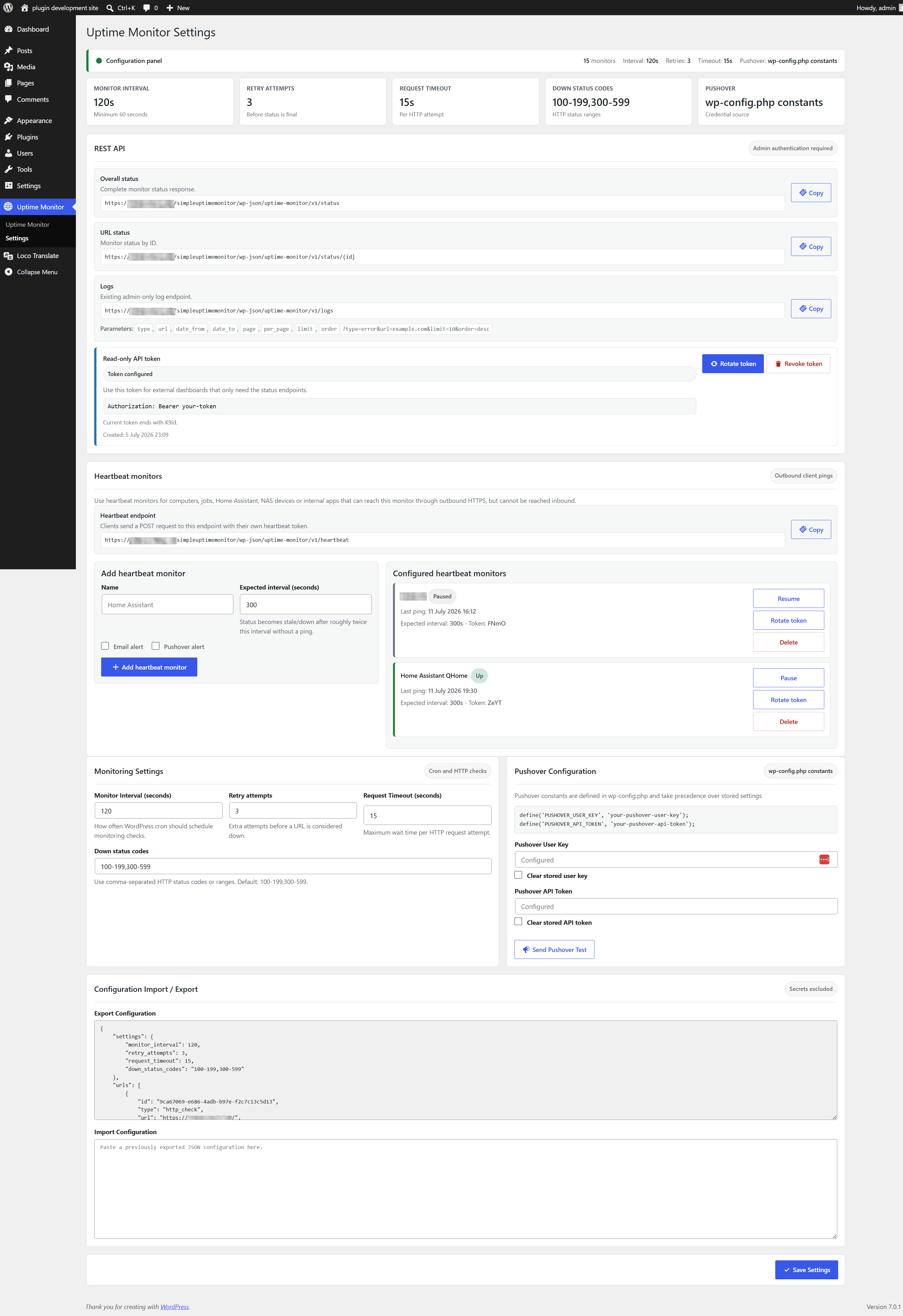
Configure Pushover credentials from the plugin settings page. Stored credentials are masked and are not included in JSON exports. You can also add these constants to wp-config.php; constants take precedence over stored settings: define('PUSHOVER_USER_KEY', 'your-user-key'); define('PUSHOVER_API_TOKEN', 'your-api-token');
Where are logs stored?
Logs are stored in the WordPress database option qndrs_ahm_logs and capped to avoid unbounded growth. The REST log endpoint supports type, url, date_from, date_to, page, per_page, limit, and order query parameters.
Is the REST endpoint public?
No. REST endpoints require a user with the manage_options capability or the plugin read-only API token.
How do heartbeat monitors work?
Create a heartbeat monitor from the settings page. The plugin shows a one-time token and curl example. A client sends outbound HTTPS POST requests to /wp-json/qndrs-availability-heartbeat-monitor/v1/heartbeat; the monitor becomes stale/down when no ping arrives in time. Detailed heartbeat client examples are included in docs/heartbeat-monitors.md. Dutch documentation is included in docs/heartbeat-monitors.nl.md.
Changelog
3.6.1
- Updated compatibility metadata for WordPress 7.1.
- Documented intentional custom-table queries for WordPress Plugin Check.
- Corrected English source strings and refreshed the complete Dutch runtime translation.
3.6.0
- Moved status history to an indexed custom database table to prevent the complete history from being loaded into PHP memory.
- Added a controlled WP-CLI migration with shadow mode, count verification, finalization and rollback support.
- Added indexed aggregate queries for uptime and response metrics plus hourly 30-day retention cleanup.
3.5.3
- Improved monitor dashboard loading performance for installations with large status histories.
- Reused history, timezone and aggregate calculations during a request and limited rendered history to the five most recent checks.
3.5.2
- Fixed the WordPress dashboard widget button link after the WordPress.org slug rename.
3.5.1
- Renamed the plugin for WordPress.org review with a distinctive Qndrs display name and slug.
- Prefixed AJAX actions, REST namespace, cron hooks, options and token headers to avoid naming collisions.
- Improved the release zip structure for WordPress plugin uploads.
3.5.0
- Added heartbeat monitors for firewalled machines, jobs, Home Assistant, NAS devices and internal apps.
- Added a token-protected heartbeat REST endpoint with manual token rotation.
- Added heartbeat monitor management to the settings page with copyable endpoint and curl examples.
- Added documentation for cron, systemd timers, Windows Task Scheduler and Home Assistant heartbeat clients.
Screenshots
For developers
Is this your plugin? Show off the numbers.
Add a live badge to your site, docs or GitHub README. It updates on its own — no account needed.
Best Qndrs Availability and Heartb… alternatives
All cron plugins →





FAQ
Qndrs Availability and Heartbeat Mo…: quick answers
Straight answers, pulled from live WordPress.org data.
Live data from WordPress.org · checked Oct 4, 2026
Is Qndrs Availability and Heartbea… free?
Yes. Qndrs Availability and Heartbea… is free to download and use from the official WordPress.org plugin directory.
Is Qndrs Availability and Heartbea… safe to use in 2026?
Qndrs Availability and Heartbea… works, but test it on a staging site before relying on it in 2026. Was last updated 1 month ago, and scores 60/100 on our health check.
How many websites use Qndrs Availability and Heartbea…?
Qndrs Availability and Heartbea… is active on <10 WordPress websites and has been downloaded 292 times since it launched in July 2026. It was downloaded 49 times in the last 30 days.
Does Qndrs Availability and Heartbea… work with WordPress 7.1?
Yes. The developer has tested Qndrs Availability and Heartbea… up to WordPress 7.1.2, the latest release. It requires WordPress 6.0 or newer.
What PHP version does Qndrs Availability and Heartbea… need?
Qndrs Availability and Heartbea… requires PHP 8.0 or higher. Most hosts run PHP 8.x today, so it works on any modern WordPress hosting.
When was Qndrs Availability and Heartbea… last updated?
The latest version, 3.6.1, was released on August 26, 2026 (1 month ago).
Who makes Qndrs Availability and Heartbea…?
Qndrs Availability and Heartbea… is developed and maintained by Qndrs.
What are the best alternatives to Qndrs Availability and Heartbea…?
The most popular alternatives to Qndrs Availability and Heartbea… are WP Crontrol (300K+ installs), Advanced Cron Manager (30K+ installs) and Missed Scheduled Posts Publ… (30K+ installs).
Powered by PageForge
Want thousands of pages that rank like these? Build them in an afternoon.
This directory runs on the same engine as PageForge. Turn any spreadsheet, CSV or API into thousands of fast, SEO-ready WordPress pages — with schema, internal links and AI-written copy baked in.
- CSV, Google Sheets & API data sources
- AI content, schema & internal links per page
- Works with Elementor, Gutenberg, Yoast & Rank Math
- Free on WordPress.org — no credit card


