



PufferPDF
Import PDFs into editable WordPress posts and pages with structured Markdown, native blocks, previews, and safe reprocessing.

Use with caution
PufferPDF works, but test it on a staging site before relying on it in 2026. Was last updated 2 months ago, and scores 55/100 on our health check.
- Small user base (<10 active installs)
- Very few reviews so far
How does it stack up?
Side-by-side on installs, updates, ratings & support



Daily downloads
Download spikes usually follow a new release — each site that auto-updates counts as a download.
Rankings
Where PufferPDF stands todayWordPress.org search rankings
Live position in the plugin search, top 100| Keyword | Position |
|---|---|
| markdown | >100 |
| >100 | |
| pdf converter | #46 |
| pdf importer | #52 |
| pdf to post | >100 |
About PufferPDF
From the official readme · v1.0.1Description
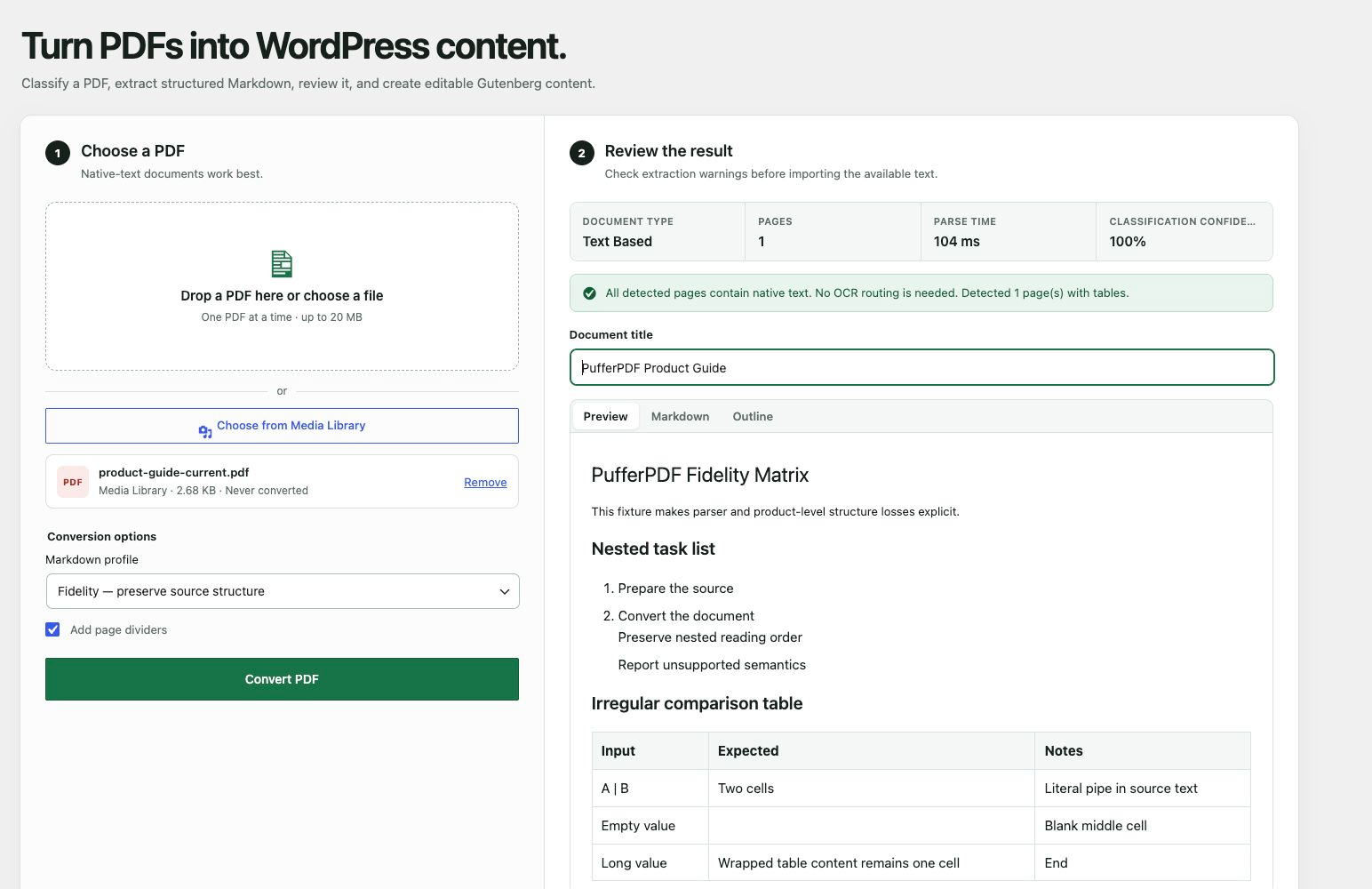
PufferPDF classifies and converts a PDF in your browser. It reports document type, page count, classification confidence, pages that need OCR, and encoding warnings before you decide whether to create a WordPress draft.
The current release supports one PDF at a time and focuses on native-text documents. It can:
- Extract structured Markdown in your browser with WebAssembly.
- Reconstruct headings, paragraphs, lists, tables, and page dividers.
- Preview, copy, or download the generated Markdown.
- Identify scanned, image-based, mixed, and encoding-problem documents.
- Create a draft post made from native Gutenberg blocks.
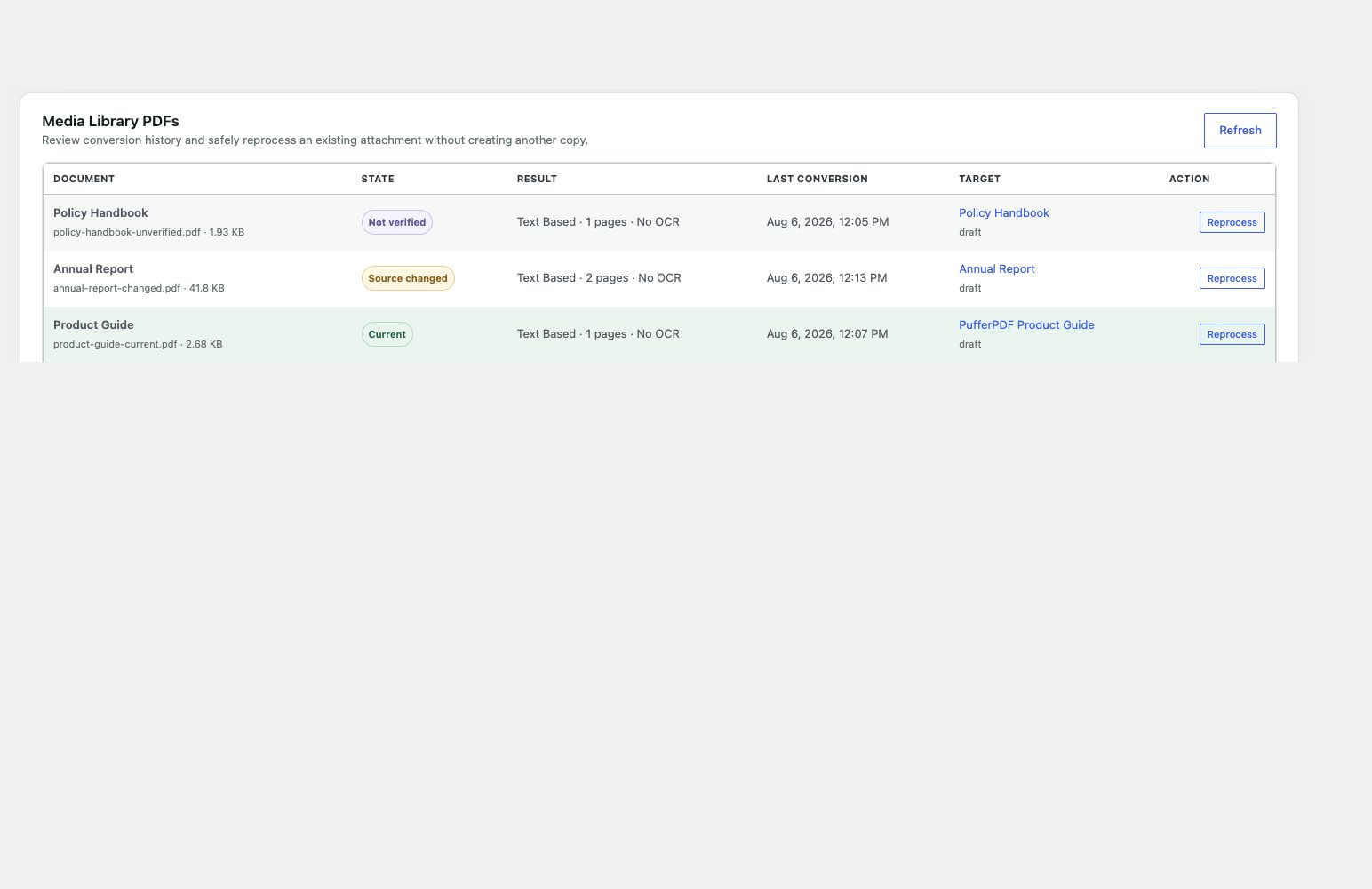
- Select an existing PDF from the Media Library without creating a duplicate.
- Detect current, changed, and unverified attachment sources with SHA-256 hashes.
- Store metadata-only conversion records linked to the target draft.
- Safely reprocess the same attachment while protecting revisions and editorial changes.
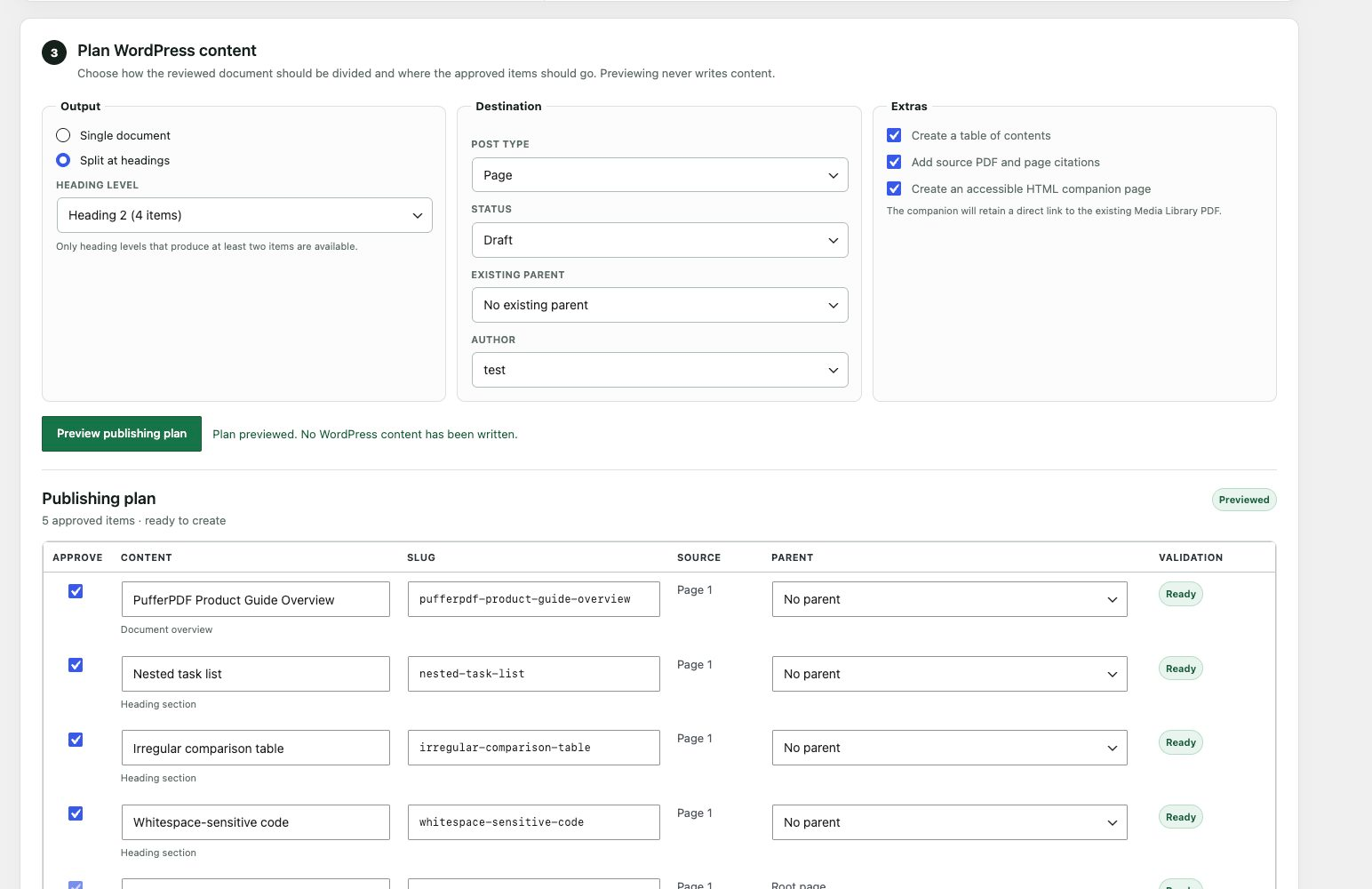
- Preview and split a reviewed document into multiple posts or pages by heading level.
- Map draft or pending output to capability-checked authors, parents, taxonomies, and terms.
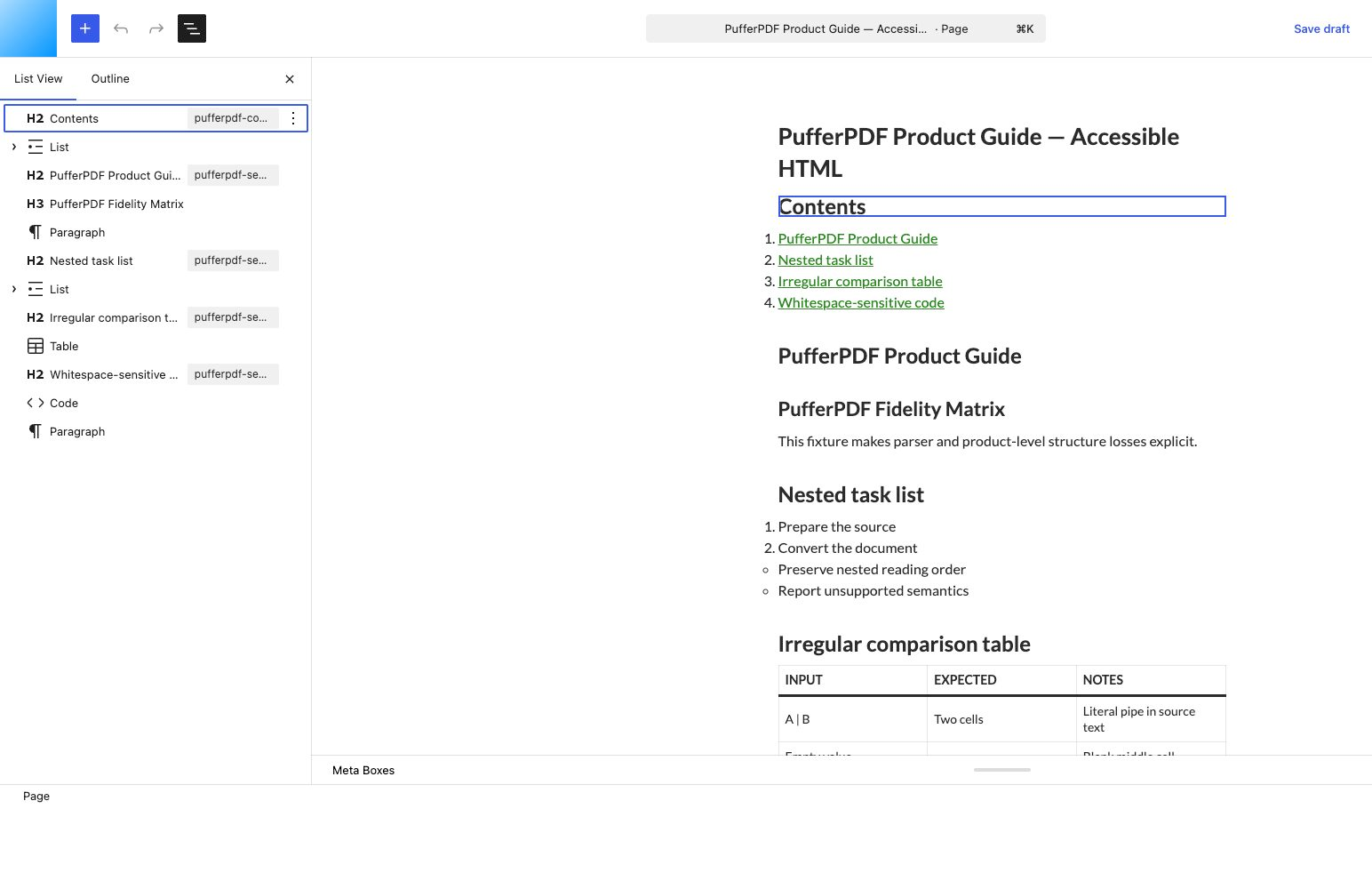
- Add exact-page citations, stored table-of-contents data, and an accessible HTML companion.
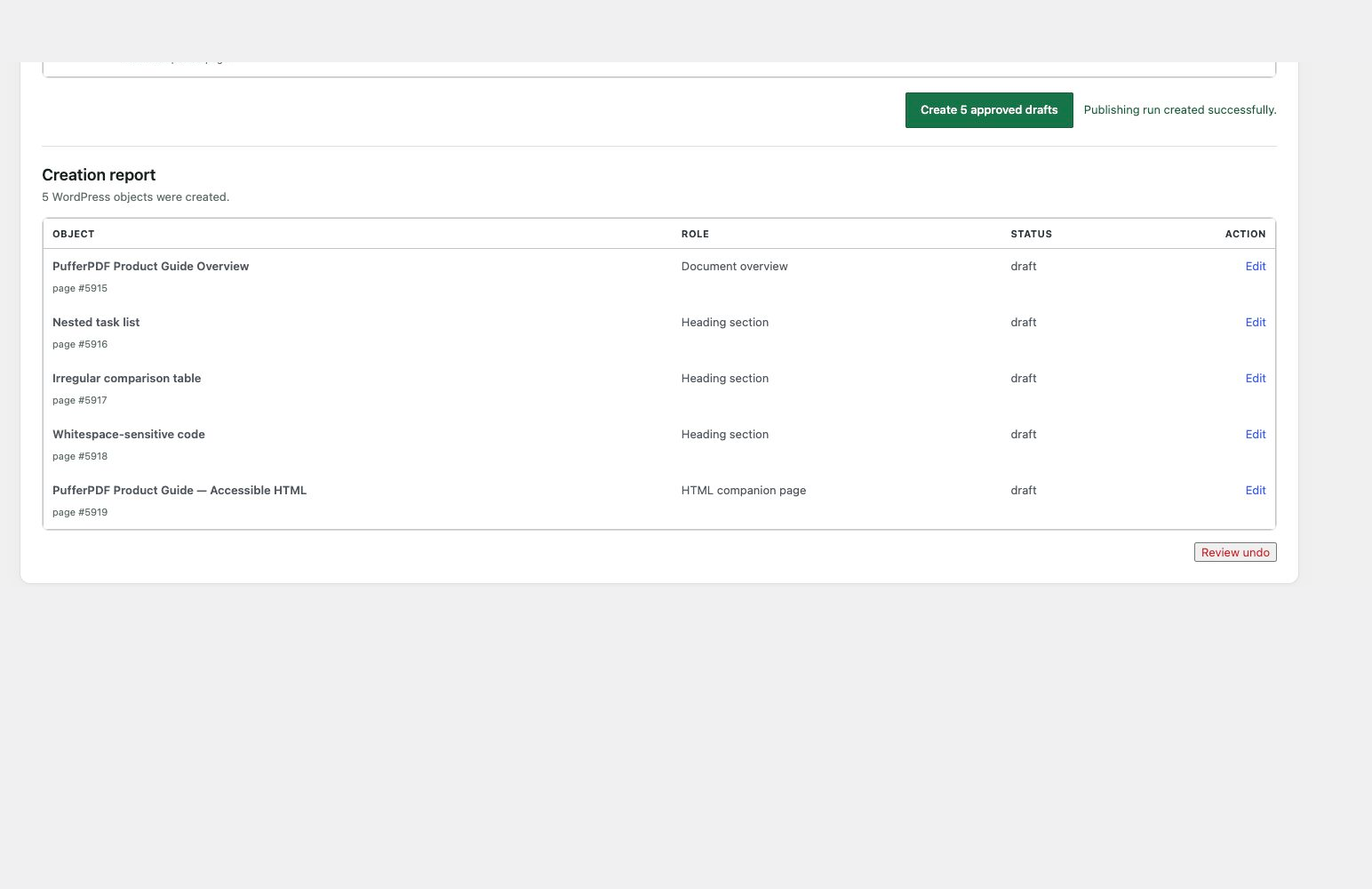
- Create an atomic publication report and safely undo an unchanged batch to Trash.
- Preserve nested lists, escaped and blank table cells, whitespace-sensitive code, hyperlinks, two-column reading order, and CJK/RTL text through the owned fidelity corpus.
- Retry encrypted PDFs with an ephemeral password that is never persisted or sent to WordPress.
PufferPDF does not perform OCR in this release. A mixed document may be imported only after acknowledging that pages requiring OCR may be absent. Fully scanned or image-based PDFs cannot be imported until an OCR workflow is available.
Privacy
The selected PDF is read by a Web Worker in the administrator’s browser. A PDF chosen with the file picker is not uploaded by this workflow. A Media Library selection fetches the existing attachment without creating another copy. When the user explicitly creates or updates a draft, the reviewed Gutenberg block content, title, source hash, and bounded inspection metadata are sent to their own WordPress site.
For Media Library files stored on the WordPress server, WordPress independently hashes the backing file to detect source changes. Offloaded files remain marked unverified when WordPress cannot read a server-readable copy. Conversion records never contain PDF bytes.
PufferPDF does not use an external service in this release.
Deactivating PufferPDF leaves generated posts, source PDFs, conversion records, publication manifests, and PufferPDF metadata in place so reactivation does not break provenance or safe undo checks. Deleting the plugin through WordPress removes only its hidden conversion records, hidden publication manifests, and _pufferpdf_* metadata. Generated posts, pages, revisions, taxonomy terms, and source PDF attachments remain under the site’s control.
Learn more about the workflow at pufferpdf.com.
Third-party software
PufferPDF includes a reviewed browser WebAssembly runtime. Third-party attribution, upstream source details, redistribution notices, license texts, provenance checksums, and exact rebuild instructions are consolidated in THIRD_PARTY_NOTICES.txt and the files it references.
Installation
- Upload the
pufferpdffolder to/wp-content/plugins/. - Activate PufferPDF from the Plugins screen.
- Open Tools > PufferPDF.
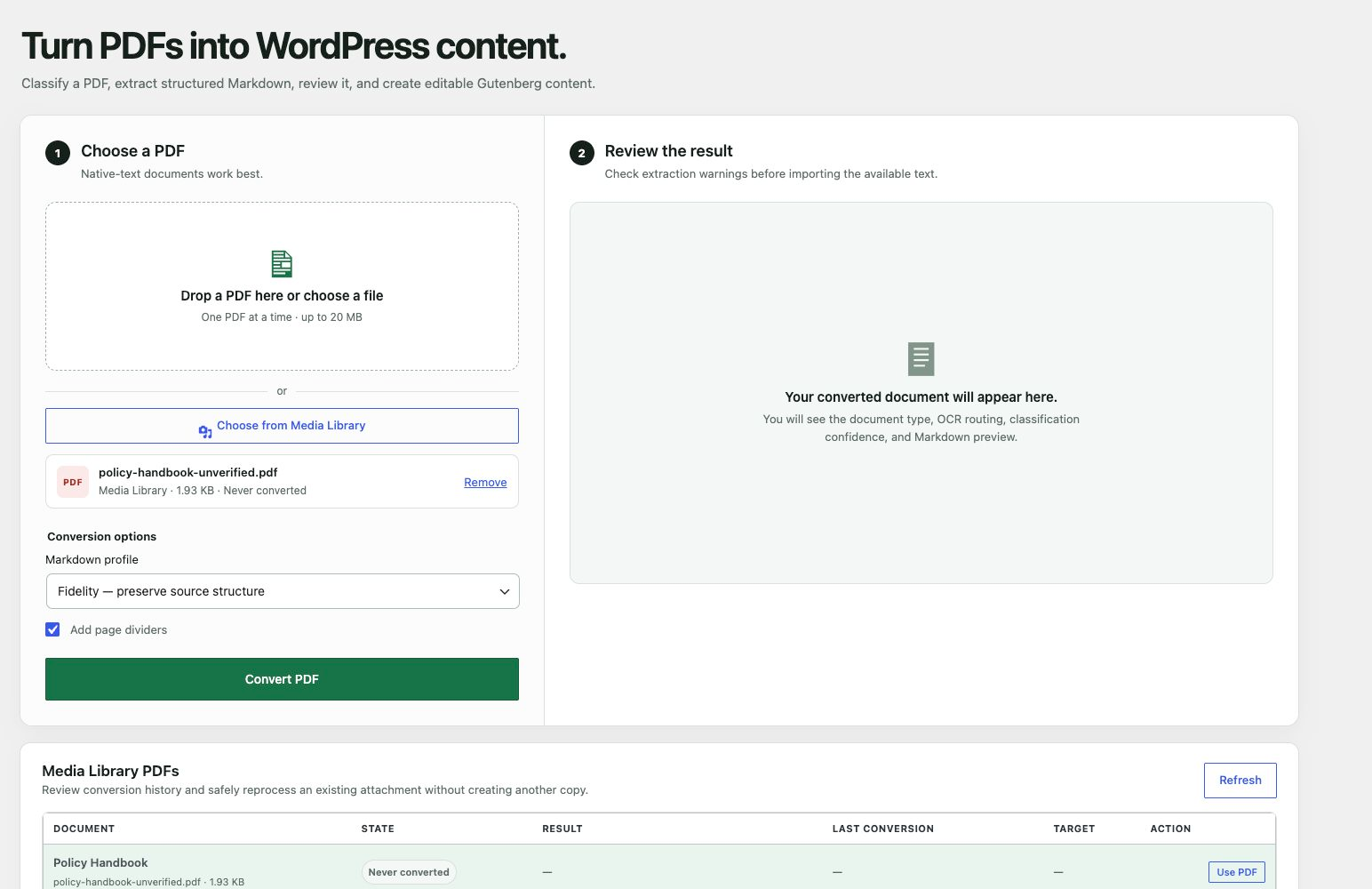
- Choose a PDF from your computer or Media Library, review the result, and create a draft when ready.
Frequently asked questions
Does my PDF leave my browser?
PufferPDF’s conversion requests do not upload PDF bytes. Classification and extraction run in a browser Worker. A Media Library PDF already resides on the user’s WordPress storage and is fetched from there for browser processing. Reviewed blocks, titles, source identity, and bounded inspection metadata are sent to the user’s own WordPress site only when they create a draft or publication.
Does PufferPDF perform OCR?
Not yet. It detects pages that need OCR and prevents silent imports of fully scanned documents.
Why is a mixed PDF marked incomplete?
The parser extracts native text only. Pages without usable text require a later OCR step, so importing the available text could omit content.
What happens when I reprocess a PDF?
PufferPDF updates only the draft linked by the latest conversion record. It refuses stale records, non-draft targets, source-hash races, and drafts edited since the prior conversion. Identical reruns perform no write.
Why is a Media Library PDF marked unverified?
Paginated inventory avoids hashing many files synchronously, so a converted Media Library row remains unverified until you select it for an exact SHA-256 check. WordPress also cannot independently hash a file that is unavailable on its server filesystem. The browser can still process an offloaded file when the media host permits HTTPS CORS access from wp-admin, but PufferPDF does not label that source current without server verification. Reversible multi-post publishing requires WordPress to verify the Media Library file independently. An offloaded attachment without server-readable bytes can…
Which browsers are supported?
PufferPDF supports current desktop versions of Chrome, Edge, Firefox, and Safari. Conversion requires Web Workers, WebAssembly, the File API, and SHA-256 support through Web Crypto. If the browser or site context does not provide those capabilities, PufferPDF stops before conversion and explains what is missing.
What happens when I deactivate or delete PufferPDF?
Deactivation preserves all data. Deleting the plugin removes its hidden conversion records, publication manifests, and private PufferPDF metadata. It does not delete generated posts or pages, their revisions, taxonomy terms, or source PDF attachments.
Changelog
1.0.1
- Initial public release.
- Converts native-text PDFs in the browser into reviewed Markdown and native Gutenberg blocks without an external processing service.
- Selects PDFs from your computer or Media Library and detects current, changed, or unverified attachment sources.
- Safely reprocesses linked drafts with source-hash, revision, and editorial-change protection.
- Previews heading-based single- or multi-post publishing plans with capability-aware destinations, citations, table-of-contents data, and optional accessible HTML companions.
- Creates and reports approved batches atomically, supports idempotent replay, and moves unchanged batches to Trash through a fail-closed undo workflow.
- Preserves nested lists, tables, code, safe links, two-column reading order, and CJK/RTL text through the bundled reproducible parser build.
- Handles encrypted and recoverable malformed PDFs with bounded, sanitized failures; fully scanned PDFs remain explicitly unsupported until a later OCR workflow.
Screenshots
For developers
Is this your plugin? Show off the numbers.
Add a live badge to your site, docs or GitHub README. It updates on its own — no account needed.
Best PufferPDF alternatives
All markdown plugins →




FAQ
PufferPDF: quick answers
Straight answers, pulled from live WordPress.org data.
Live data from WordPress.org · checked Oct 3, 2026
Is PufferPDF free?
Yes. PufferPDF is free to download and use from the official WordPress.org plugin directory.
Is PufferPDF safe to use in 2026?
PufferPDF works, but test it on a staging site before relying on it in 2026. Was last updated 2 months ago, and scores 55/100 on our health check.
How many websites use PufferPDF?
PufferPDF is active on <10 WordPress websites and has been downloaded 151 times since it launched in August 2026. It was downloaded 75 times in the last 30 days.
Does PufferPDF work with WordPress 7.1?
PufferPDF is officially tested up to WordPress 7.0.6, while the latest release is 7.1.2. It may still work, but try it on a staging site first.
What PHP version does PufferPDF need?
PufferPDF requires PHP 7.4 or higher. Most hosts run PHP 8.x today, so it works on any modern WordPress hosting.
When was PufferPDF last updated?
The latest version, 1.0.1, was released on August 18, 2026 (2 months ago).
Who makes PufferPDF?
PufferPDF is developed and maintained by senols.
What are the best alternatives to PufferPDF?
The most popular alternatives to PufferPDF are Import Markdown (2K+ installs), Ultimate Markdown (2K+ installs) and Markup Markdown (1K+ installs).
Powered by PageForge
Want thousands of pages that rank like these? Build them in an afternoon.
This directory runs on the same engine as PageForge. Turn any spreadsheet, CSV or API into thousands of fast, SEO-ready WordPress pages — with schema, internal links and AI-written copy baked in.
- CSV, Google Sheets & API data sources
- AI content, schema & internal links per page
- Works with Elementor, Gutenberg, Yoast & Rank Math
- Free on WordPress.org — no credit card


