



Projectopia – Project Management Tool
the Ultimate WordPress Project Management Plugin for WordPress.

Use with caution
Projectopia works, but test it on a staging site before relying on it in 2026. It runs on 200+ sites, is rated 5/5 and was last updated 3 months ago, and scores 59/100 on our health check.
- Small user base (200+ active installs)
- Only tested up to WordPress 6.9 (latest is 7.1)
How does it stack up?
Side-by-side on installs, updates, ratings & support



Daily downloads
Download spikes usually follow a new release — each site that auto-updates counts as a download.
Rankings
Where Projectopia stands todayWordPress.org search rankings
Live position in the plugin search, top 100| Keyword | Position |
|---|---|
| project | #10 |
| project management | #7 |
Version adoption
Share of active sites per release.
Rating breakdown
★★★★★★★★★★ 5 from 7 reviews
About Projectopia – Project Management Tool
From the official readme · v5.1.25.2Description
Projectopia – the Ultimate WordPress Project Management Plugin
Freelancer or agency, this WordPress plugin will help you to run your business efficiently and effectively, providing all of the tools that you need to communicate with your clients and your team. Keep all your information in one place, easily accessbile and conveniently placed on your own WordPress website.
What does this plugin do?
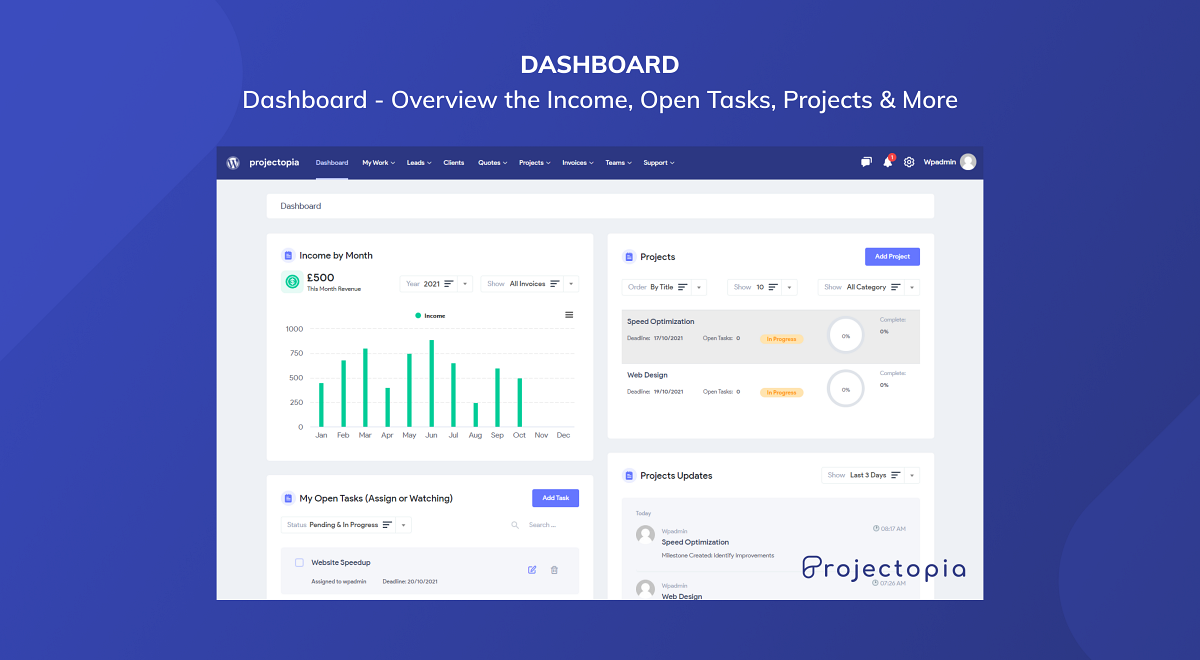
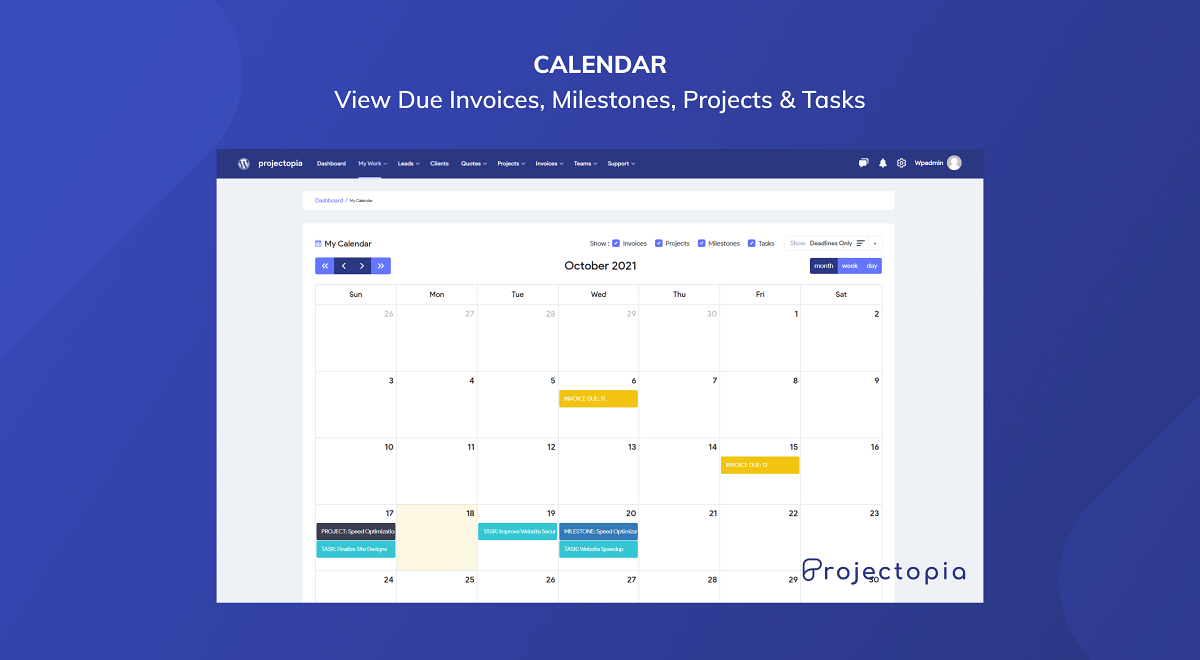
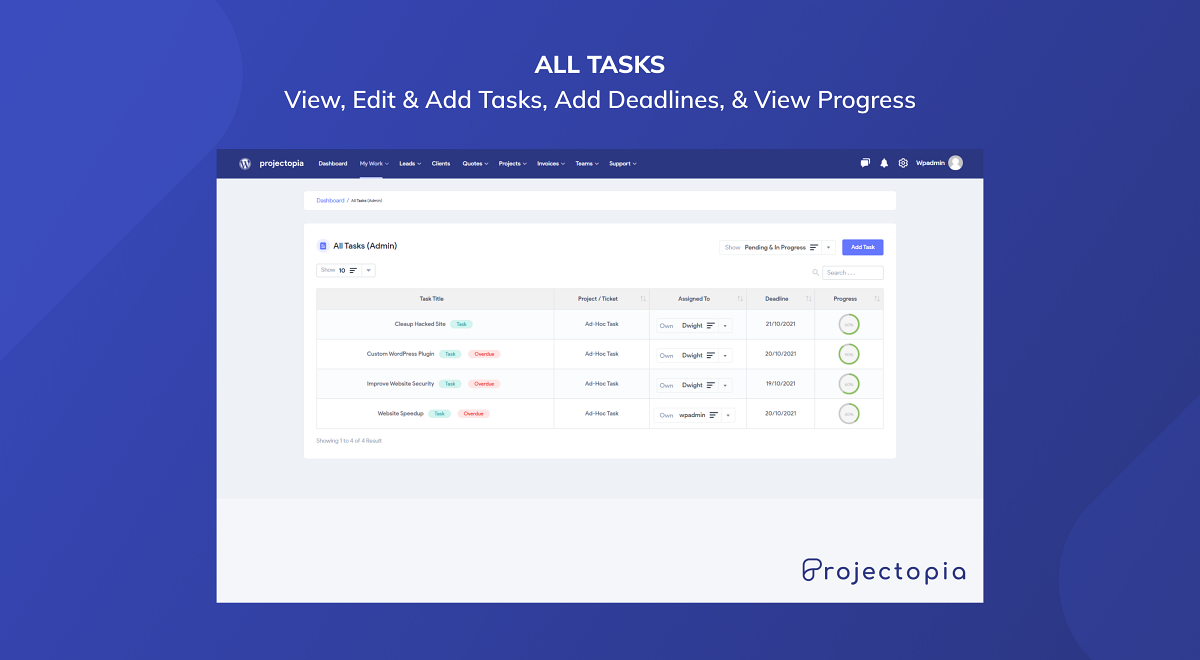
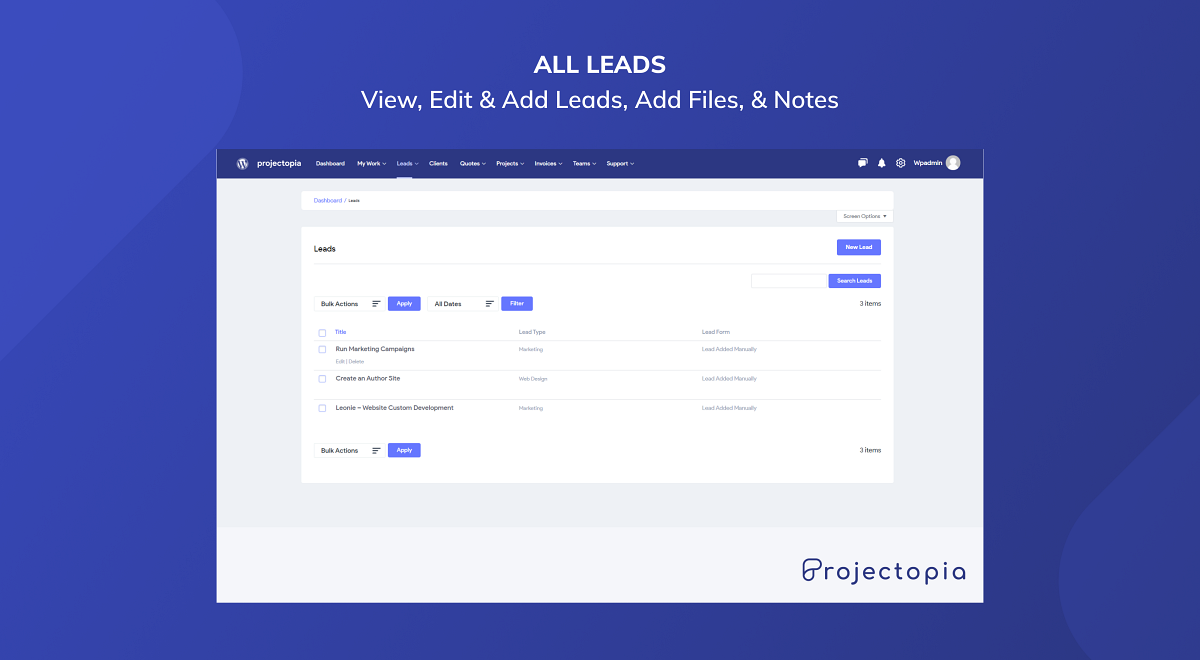
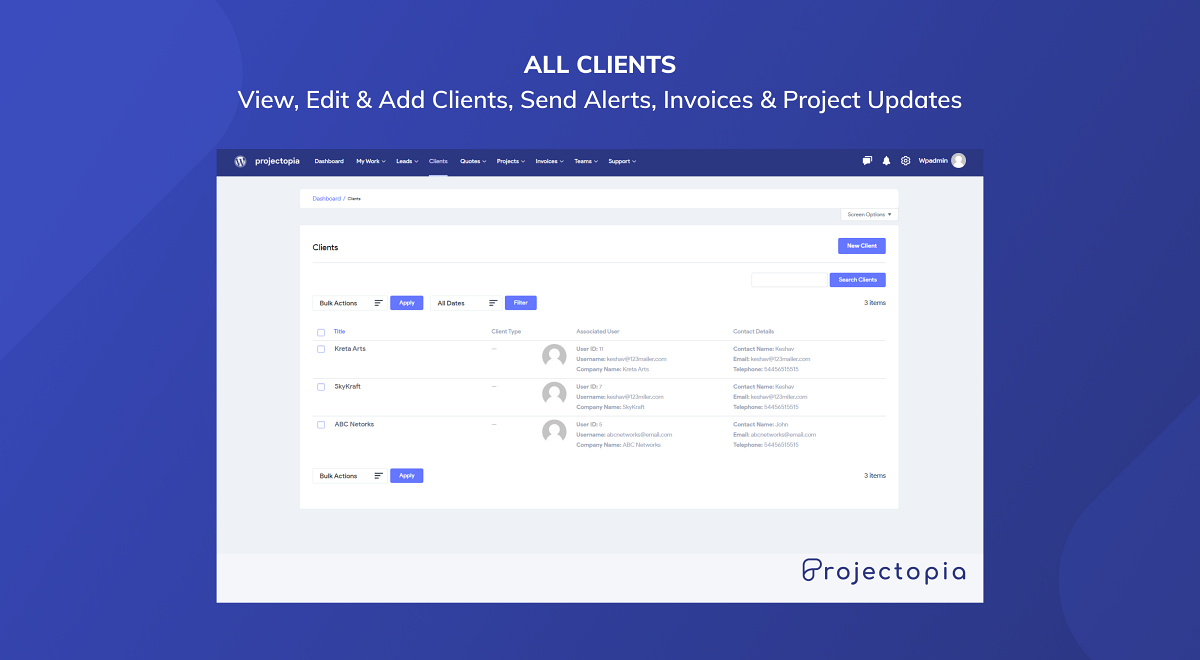
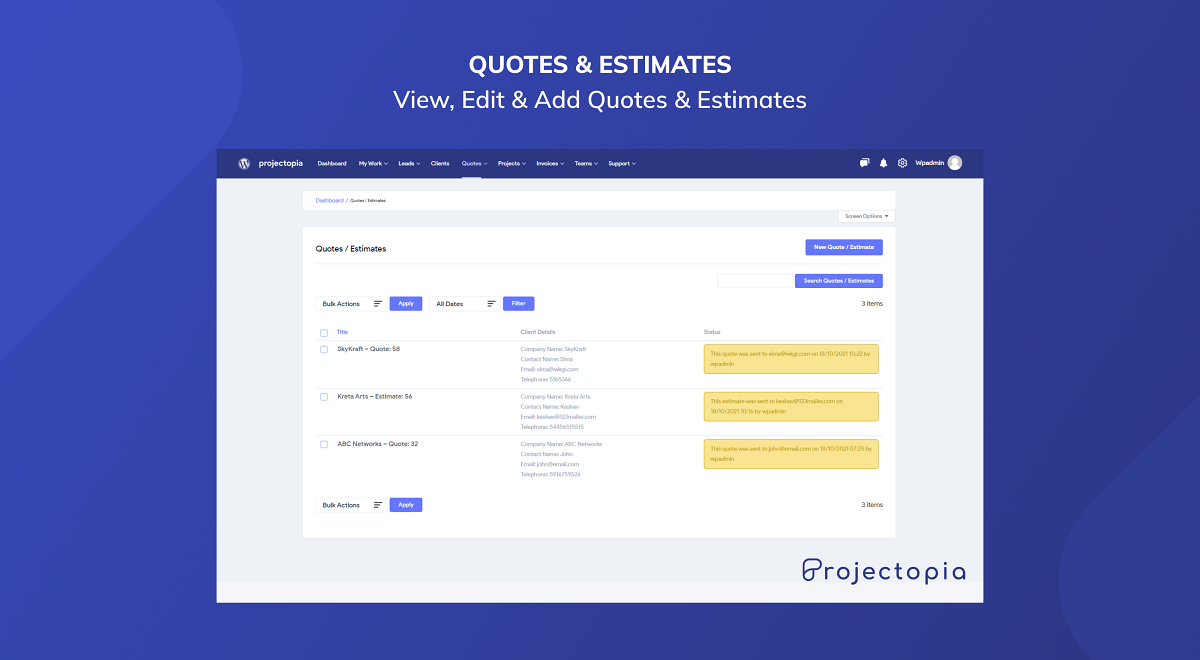
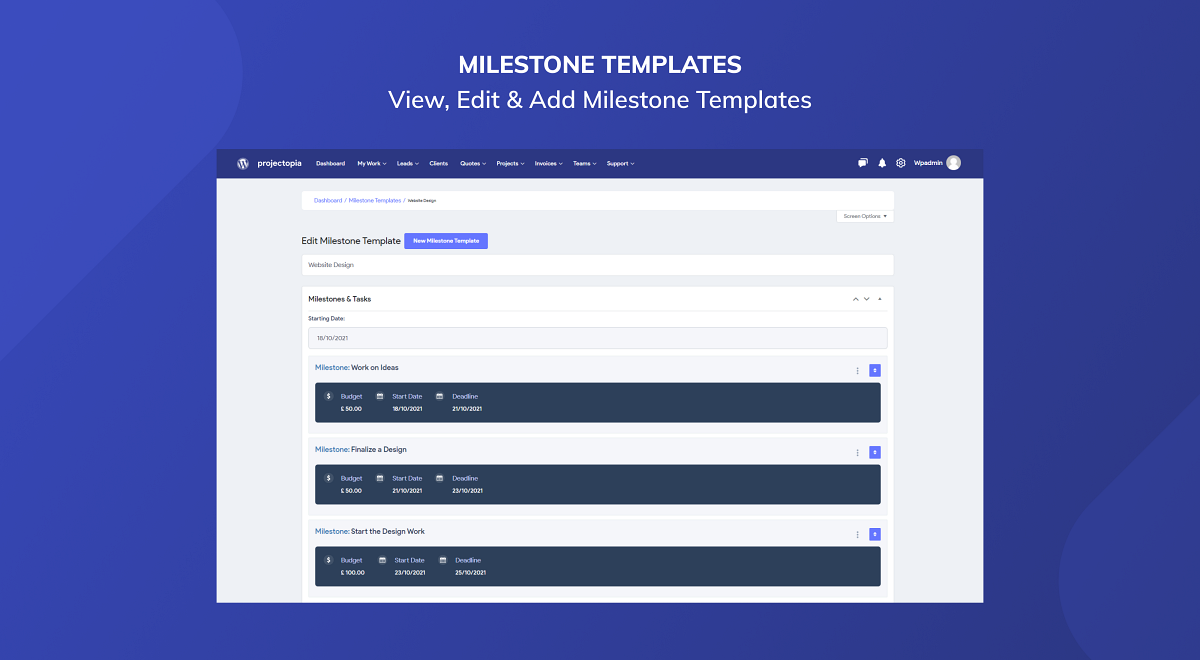
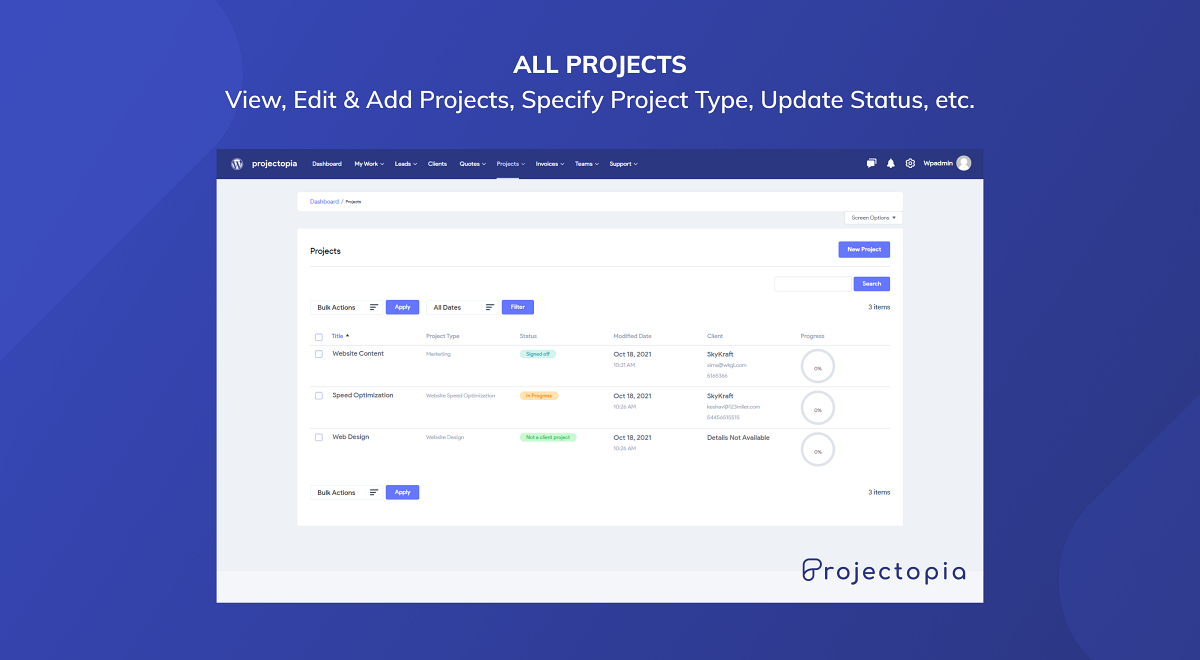
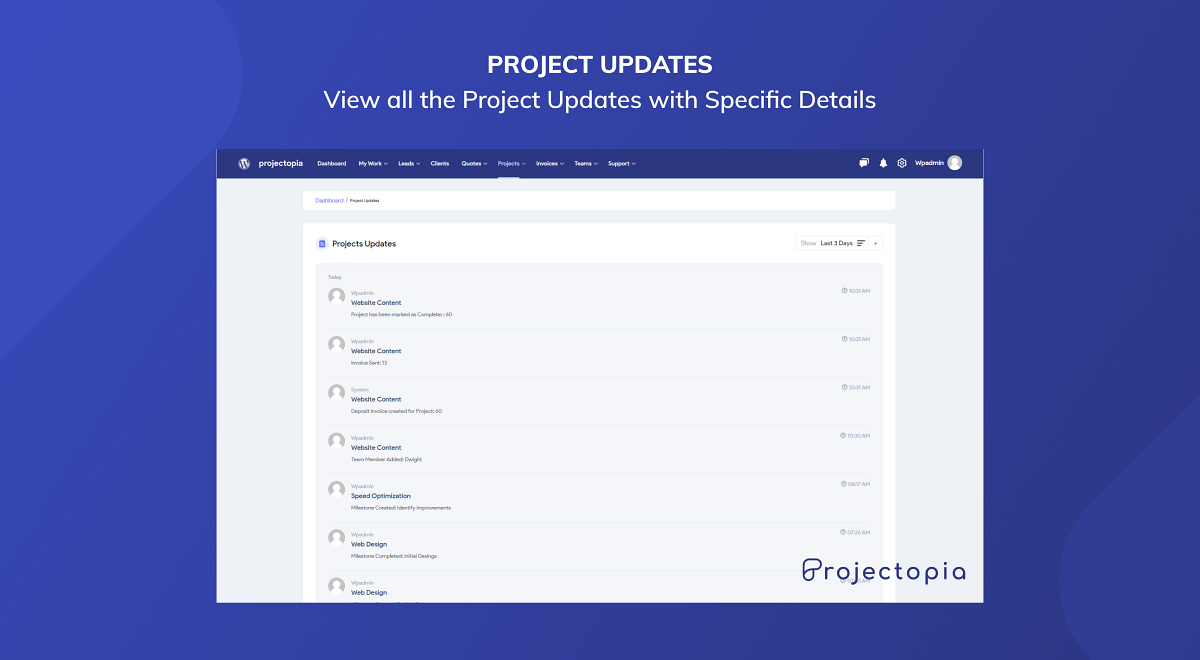
Never again lose a client owing to silly reasons. Use Projectopia and its Project Management Tools to always stay updated with the latest advancements and track your team�s progress.Projectopia is a powerhouse that assists you in managing. Its leading features include: Adding Team embers, Client anagement, Generating Leads, Time-Tracking Projects, Setting up ilestones/Tasks, Generating Invoices, Raising Support Tickets, and much more.
Compatibility
- This plugin is fully compatible with WordPress Version 5.3.0 and beyond and also compatible with any WordPress theme.
- Fully compatible with Yoast SEO, Rank Math, All in One SEO Pack, SEOPress, Schema and other many plugins.### Projectopia – the Ultimate WordPress Project Management Plugin
Freelancer or agency, this WordPress plugin will help you to run your business efficiently and effectively, providing all of the tools that you need to communicate with your clients and your team. Keep all your information in one place, easily accessbile and conveniently placed on your own WordPress website.
What does this plugin do?
Never again lose a client owing to silly reasons. Use Projectopia and its Project Management Tools to always stay updated with the latest advancements and track your team�s progress.Projectopia is a powerhouse that assists you in managing. Its leading features include: Adding Team embers, Client anagement, Generating Leads, Time-Tracking Projects, Setting up ilestones/Tasks, Generating Invoices, Raising Support Tickets, and much more.
Compatibility
- This plugin is fully compatible with WordPress Version 5.3.0 and beyond and also compatible with any WordPress theme.
- Fully compatible with Yoast SEO, Rank Math, All in One SEO Pack, SEOPress, Schema and other many plugins.
🌐 Our Products
If you like this plugin, consider exploring our other themes and plugins:
🧱 Gutena – A full site editing (block) theme for WordPress with ready made full page templates. Elegant and functional – follows all the best practices by WP, and yeah, no jQuery!
⏱️Quiz and Survey Master – Best WordPress Quiz Plugin to create engaging quizzes, surveys, & exams using WordPress and convert your website into a lead generation machine.
☰ Responsive Menu – Best WordPress Menu Builder Plugin to create awesome and interactive mobile & desktop menus for WordPress websites.
📅 Booking Ultra – Appointment Booking plugin for WordPress – Show a quick form to accept bookings for your services with pre-set booking slots. Ideal for salons, medical professionals, lawyers, consultants, etc.
⚡ InstaWP – Launch a quick WordPress site with this sandbox service. Create New WordPress instance within a second.
Projectopia – Project Management Tool
Contributors: projectopia
Tags: project, project management
Requires at least: 5.3
Tested up to: 6.9
Stable tag: 5.1.25.2
Requires PHP: 5.6
License: GPLv3
License URI: http://www.gnu.org/licenses/gpl.html
the Ultimate WordPress Project Management Plugin for WordPress.
🌐 Our Products
If you like this plugin, consider exploring our other themes and plugins:
🧱 Gutena – A full site editing (block) theme for WordPress with ready made full page templates. Elegant and functional – follows all the best practices by WP, and yeah, no jQuery!
⏱️Quiz and Survey Master – Best WordPress Quiz Plugin to create engaging quizzes, surveys, & exams using WordPress and convert your website into a lead generation machine.
☰ Responsive Menu – Best WordPress Menu Builder Plugin to create awesome and interactive mobile & desktop menus for WordPress websites.
📅 Booking Ultra – Appointment Booking plugin for WordPress – Show a quick form to accept bookings for your services with pre-set booking slots. Ideal for salons, medical professionals, lawyers, consultants, etc.
⚡ InstaWP – Launch a quick WordPress site with this sandbox service. Create New WordPress instance within a second.
Installation
- Visit ‘Plugins > Add New’.
- Search for ‘Projectopia’ and install it.
- Or you can upload the
projectopia-corefolder to the/wp-content/plugins/directory manually. - Activate Projectopia from your Plugins page.
- After activation go to ‘Sidebar > Projectopia’.
- Enable options and save changes.1. Visit ‘Plugins > Add New’.
- Search for ‘Projectopia’ and install it.
- Or you can upload the
projectopia-corefolder to the/wp-content/plugins/directory manually. - Activate Projectopia from your Plugins page.
- After activation go to ‘Sidebar > Projectopia’.
- Enable options and save changes.
Frequently asked questions
Is there any admin interface for this plugin?
Yes. You can access this from ‘Sidebar > Projectopia’.
How to use this plugin?
Go to ‘Sidebar > Projectopia’, enable/disable options as per your need and save your changes.
Is this plugin compatible with any themes?
Yes, this plugin is compatible with any theme. Also, compatible with Genesis, Divi themes.
The plugin isn’t working or have a bug?
Post detailed information about the issue in the support forum and Out Team will work to fix it.
Changelog
5.1.25.2
Release Date: April 29, 2026
Fixed
– File uploads failing on cached sites (Cloudflare, Cloudways, LiteSpeed). Uploads now bypass cached page tokens and work reliably.
– Profile photo upload getting stuck on “Uploading…” with no error message.
– Profile photo showing a broken image preview after upload on sites with a non-standard thumbnail size.
– Client Files and Task Files not appearing on the client dashboard after clicking “Submit Files”.
– Admin list tables (Teams, Clients, Projects, Quotes, Invoices, Leads, Tickets, Tasks, Bugs, Lead Forms, FAQs) appearing detached from the page and floating when scrolling. Caused by a styling conflict with some other plugins or themes.
– “Allowed file types” hint showing an empty list on some sites, which caused every upload to be rejected.
– Long “Allowed file types” text overflowing the upload box on narrow screens — it now wraps cleanly.
– Clearer upload error messages: the user is now told exactly why an upload was rejected (wrong file type, file too large, session expired, etc.) instead of a generic error.
Added
– A hint below every upload field showing the allowed file types and your server’s maximum upload size.
– A live upload progress counter — shows percentage and size (e.g. “Uploading… 42% (4.2 MB / 10.0 MB)”) so users see real feedback on large files instead of a frozen badge. Switches to “Processing…” once the file has finished transferring.
– Profile pictures and avatars are now limited to image files only (JPG, JPEG, PNG, GIF, WebP, AVIF, BMP, ICO). The file picker also pre-filters to images so users can’t pick a PDF or video by mistake.
– The Company Logo, Dashboard Logo, Invoice Logo and Login/Register Background fields in plugin settings are now restricted to image files only, with the same protection.
– A progress overlay when saving the plugin settings page with a new logo or background image. Shows upload percentage and size, then “Processing…” while WordPress finishes saving.
– Files are now checked against allowed types and size BEFORE upload starts — if the file isn’t allowed, the user sees the error immediately instead of waiting for the upload to finish.
Updated
– Expanded the default list of allowed file extensions to include modern image formats (WebP, AVIF, BMP, ICO), more document formats (ODT, PPT/PPTX, PPS/PPSX, PSD), all common audio/video formats (MP3, M4A, OGG, WAV, FLAC, MP4, MOV, AVI, etc.) and additional archives (GZ, RAR).
– Existing sites get these new extensions automatically on update without losing any custom additions.
– Logo upload fields on the settings page now also accept modern image formats (WebP, AVIF, BMP) in addition to JPG/PNG/GIF.
5.1.24
Release Date: March 20, 2026
- Fixed: Replaced deprecated FILTER_SANITIZE_STRING (removed in PHP 8.2) with sanitize_text_field() + wp_unslash() across quote_functions.php, ticket_functions.php, and initial-settings.php
- Fixed: File uploads now work correctly for client users on async-upload.php via user_has_cap filter
- Fixed: Stripe SDK duplicate class collision (E_COMPILE_ERROR) when pto-subscriptions addon is active
- Fixed: CPT rewrite rules now auto-flush when addons are activated, resolving 404 errors on support ticket, quote, and invoice URLs
- Fixed: Quote email now shows specific error when client record has no email address, instead of generic settings message
- Fixed: Days until launch shows 0 instead of misleading countdown for completed/closed projects
- Fixed: foreach() warning – added is_array() guard on json_decode() result in invoice_cd.php, fe/invoice.php, and client-dashboard/client-settings.php to prevent “argument must be of type array|object, string given” errors
- Fixed: foreach() warning – fixed $weights fallback from empty string to array() in template_functions.php
- Fixed: foreach() warning – added is_array() guard on $quote_elements in quote_functions.php
- Fixed: foreach() warning – added is_array() guard on $field->values for checkbox-group, radio-group, and select field types in invoice_cd.php
- Tested and confirmed compatible with PHP 7.4, 8.0, 8.1, 8.2, 8.3, 8.4
5.1.23
Release Date: February 09, 2026
* Fixed: Email sanitization – Fixed error that was causing blocking sending Quote Emails
* Fixed: Invoice Project details – Fixed PHP 8 compatibility, cannot access offset of type string for empty project details on invoice edit page
* New feature: Payment history added to invoices – Added toggle to enable payment history in invoices is available in invoice settings
* New feature: Projectopia Admin dashboard icon – Added toggle to hide or display for (all/admin/non-admin) users in admin dashboard settings
* New feature: Projectopia Admin dashboard notices – Added toggle to h or display for (all/admin/non-admin) users in admin dashboard settings
* New feature: Projectopia Admin dashboard screen options – Added toggle to hide or display for (all/admin/non-admin) users in admin dashboard settings
5.1.22
Release Date: December 16, 2025
* Fixed: PHP 8 compatibility for settings page
5.1.21
Release Date: December 15, 2025
* Fixed: Freemius SDK 2.1.30 file error.
5.1.20
Release Date: December 12, 2025
* Fixed: Security improvements – Fixed the CVE-2025-12876 vulnerability. Stricter checks for file deletion
* Fixed: Security improvements – Improved the sanitization checks for the register_setting() function
* Fixed: Removed deprecated load_plugin_textdomain action hook. This is now handled by WordPress as of version 4.6
* Updated: Freemius SDK to v2.13.0 (version updated December 2025)
Screenshots
For developers
Is this your plugin? Show off the numbers.
Add a live badge to your site, docs or GitHub README. It updates on its own — no account needed.
Best Projectopia alternatives
All project plugins →




FAQ
Projectopia: quick answers
Straight answers, pulled from live WordPress.org data.
Live data from WordPress.org · checked Oct 3, 2026
Is Projectopia free?
Yes. Projectopia is free to download and use from the official WordPress.org plugin directory.
Is Projectopia safe to use in 2026?
Projectopia works, but test it on a staging site before relying on it in 2026. It runs on 200+ sites, is rated 5/5 and was last updated 3 months ago, and scores 59/100 on our health check.
How many websites use Projectopia?
Projectopia is active on 200+ WordPress websites and has been downloaded 24,783 times since it launched in October 2021. It was downloaded 304 times in the last 30 days.
Does Projectopia work with WordPress 7.1?
Projectopia is officially tested up to WordPress 6.9.9, while the latest release is 7.1.2. It may still work, but try it on a staging site first.
What PHP version does Projectopia need?
Projectopia requires PHP 5.6 or higher. Most hosts run PHP 8.x today, so it works on any modern WordPress hosting.
When was Projectopia last updated?
The latest version, 5.1.25.2, was released on June 22, 2026 (3 months ago).
Who makes Projectopia?
Projectopia is developed and maintained by Projectopia.
What are the best alternatives to Projectopia?
The most popular alternatives to Projectopia are FluentBoards (6K+ installs), Project Manager (5K+ installs) and SureFeedback Client Site (5K+ installs).
Powered by PageForge
Want thousands of pages that rank like these? Build them in an afternoon.
This directory runs on the same engine as PageForge. Turn any spreadsheet, CSV or API into thousands of fast, SEO-ready WordPress pages — with schema, internal links and AI-written copy baked in.
- CSV, Google Sheets & API data sources
- AI content, schema & internal links per page
- Works with Elementor, Gutenberg, Yoast & Rank Math
- Free on WordPress.org — no credit card


