


Progressify – All-in-One Progressive Web App (PWA)
Turn your site into an app-like PWA with install prompts, offline use, push notifications, and more to boost engagement, repeat visits, and sales.

Solid choice
Progressify is a solid plugin choice in 2026, with a few things worth checking first. It runs on 100+ sites, is rated 5/5 and was last updated 1 month ago, and scores 71/100 on our health check.
- Tested with the latest WordPress (7.1)
- Small user base (100+ active installs)
- Very few reviews so far
How does it stack up?
Side-by-side on installs, updates, ratings & support



Daily downloads
Download spikes usually follow a new release — each site that auto-updates counts as a download.
Rankings
Where Progressify stands todayWordPress.org search rankings
Live position in the plugin search, top 100| Keyword | Position |
|---|---|
| Mobile App | #55 |
| native app | #21 |
| progressive web app | #6 |
| push notifications | #71 |
| pwa | #6 |
Version adoption
Share of active sites per release.
Rating breakdown
★★★★★★★★★★ 5 from 4 reviews
About Progressify
From the official readme · v1.4.2Description
Progressify is an all-in-one plugin that empowers your website with Progressive Web App (PWA) features, to make it faster, smoother, and feel like a real app. Let users install your site on their home screens and increase engagement, repeat visits, and sales.
👉 Learn more about Progressify — full feature tour, screenshots, documentation and Pro pricing.
🚀 Turn your site into Progressive Web App
- Add to Home Screen – Let users install your site on their home screens in seconds, giving it a true app-like experience.
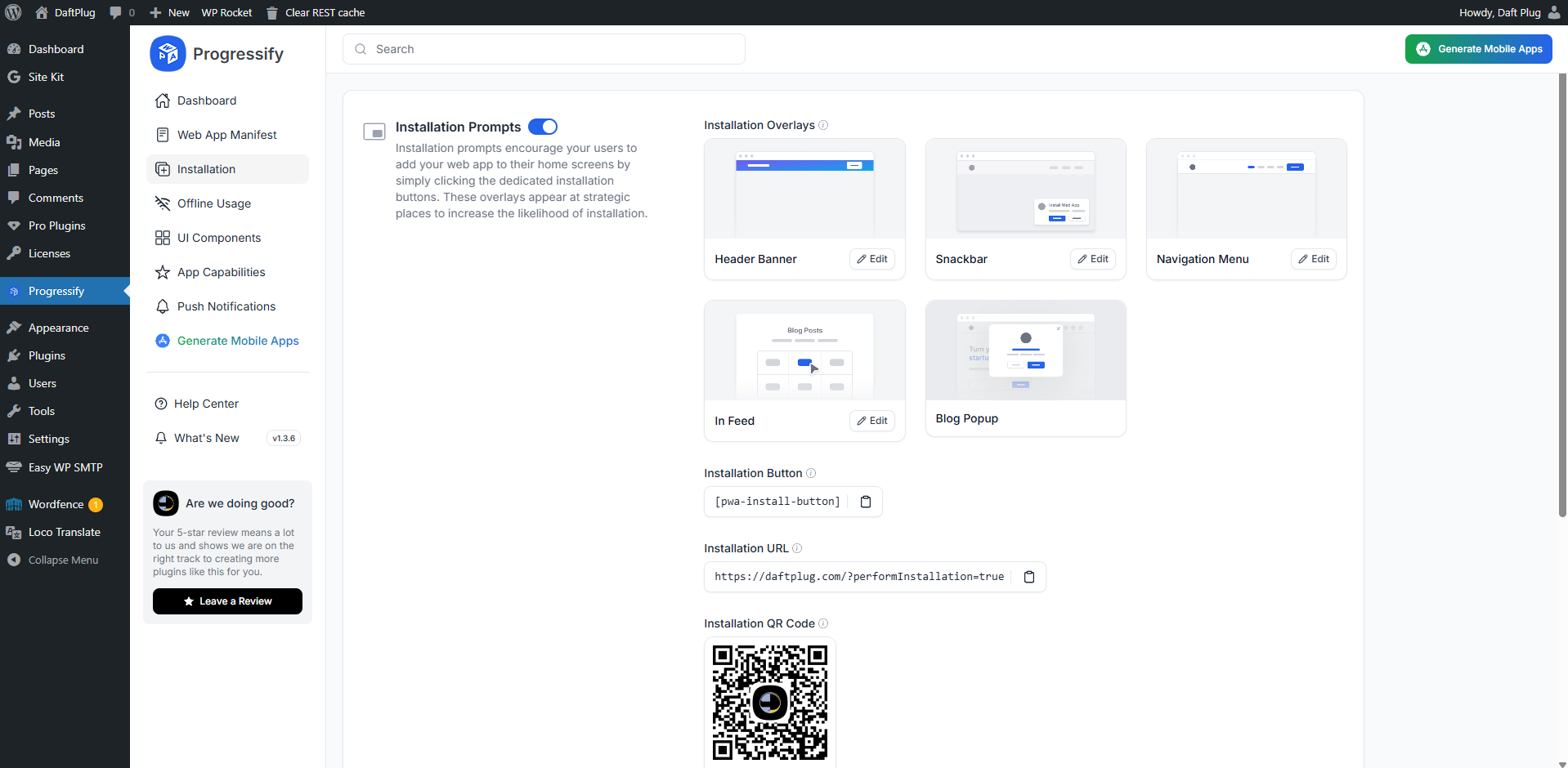
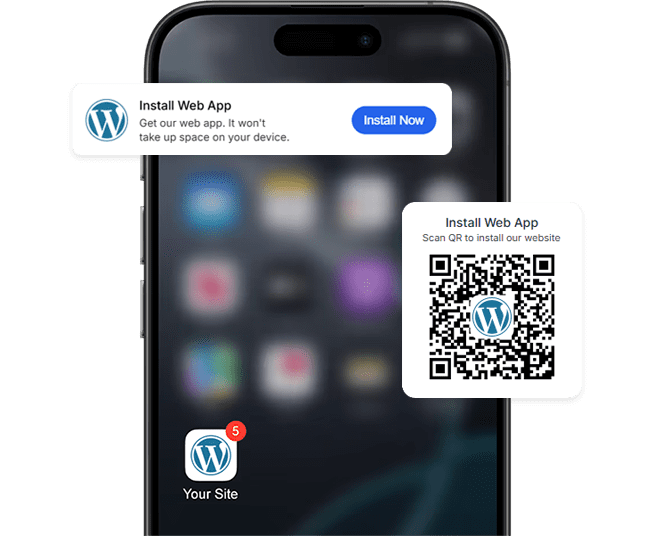
- Installation Prompts – Prompt users to install with banners, popups, overlays, buttons, or QR codes.
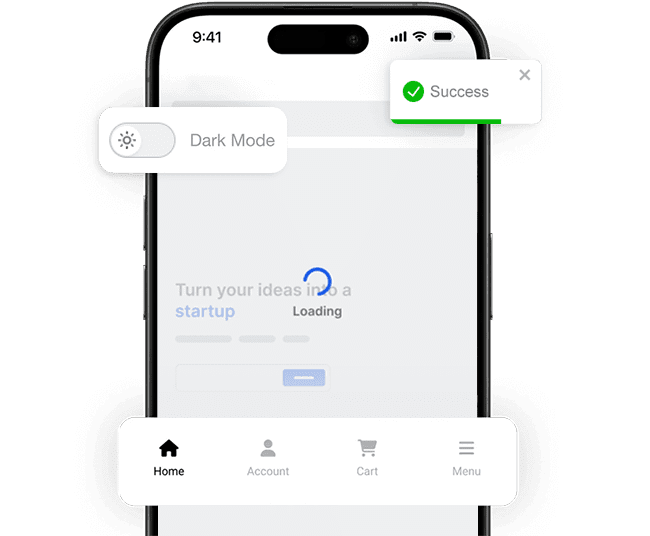
- App-like UI Components – Seamlessly integrate features such as loaders, pull-to-refresh, dark mode, navigation tabs, and more.
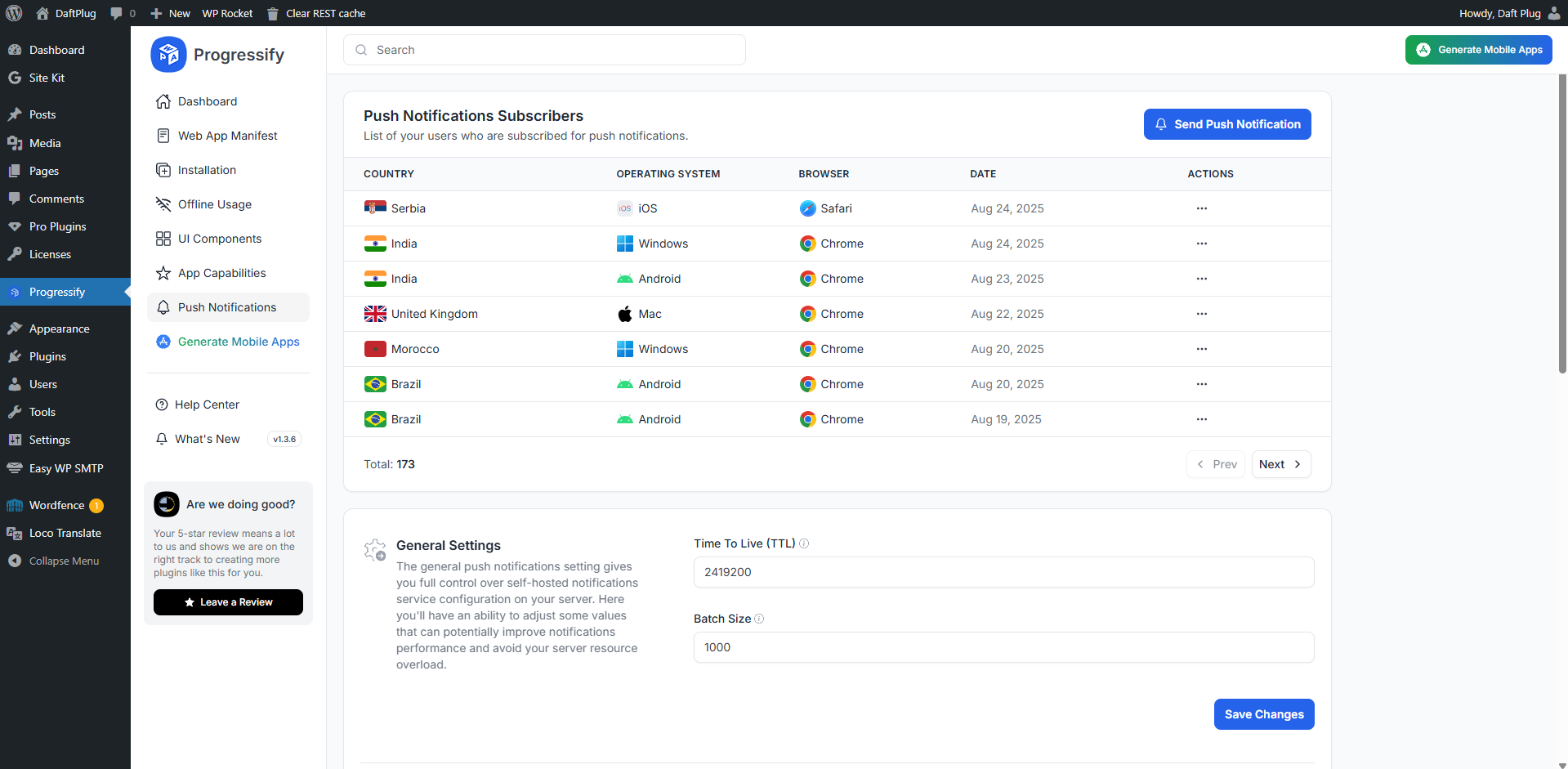
- Push Notifications – Send push notifications manually or automatically to users’ devices to drive them back to your site.
- Offline Usage – Keep your site available and accessible for users, even without an internet connection.
- Advanced Web Capabilities – Easily enable advanced Web API features such as periodic background sync, content indexing, and more.
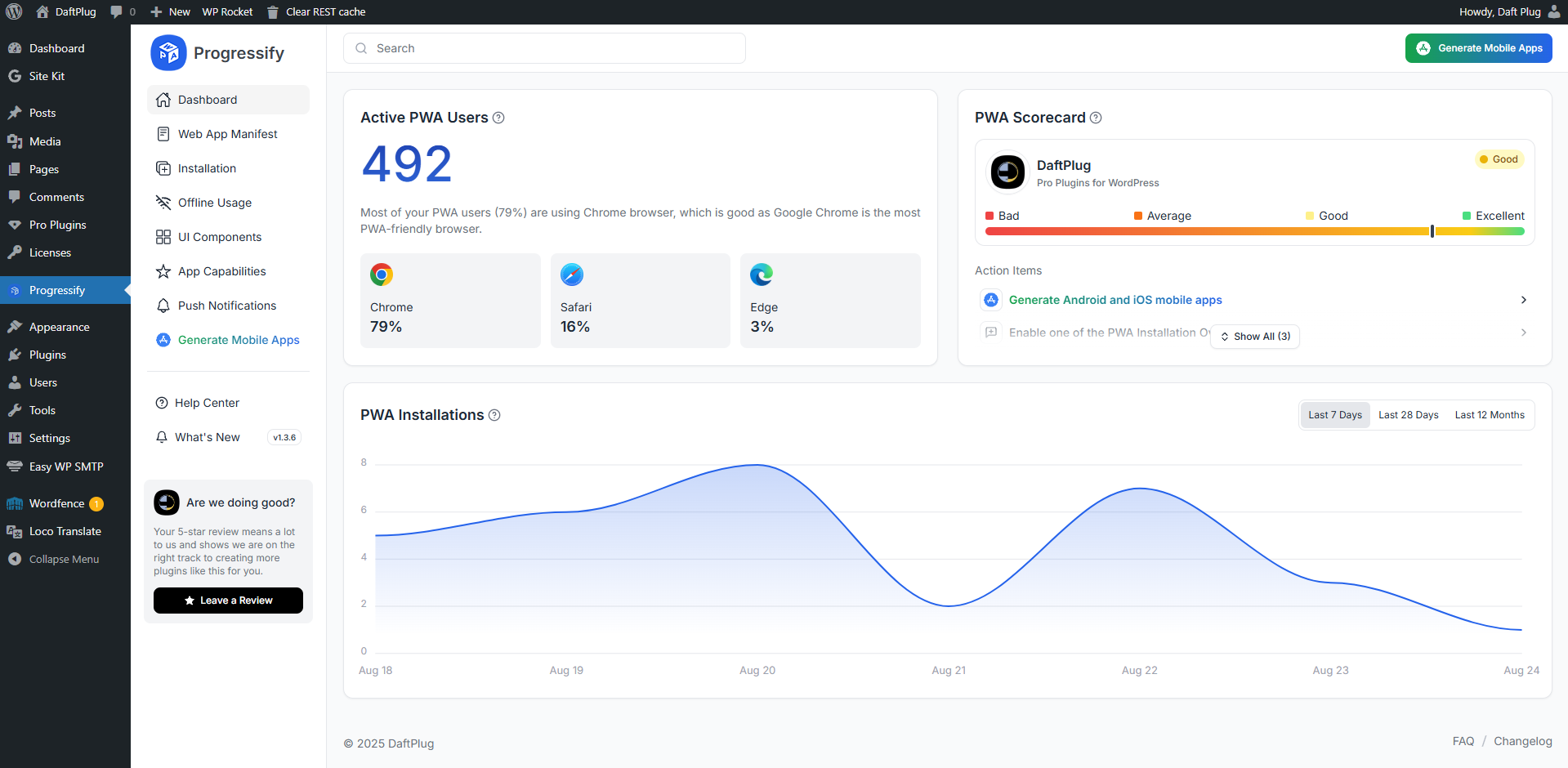
- Usage Tracking & Analytics – Gain complete analytics on your web app, including how many users install and use it, which devices they’re using, and more.
- Easy Configuration – Easily configure and customize every aspect of your PWA features directly from the user-friendly settings.
- Generate Mobile Apps (Pro) – Optionally create real-time Android and iOS apps that mirror your website and publish them to app stores.
🗝️ Countless More Features
Progressify offers a wide range of state-of-the-art features and seamlessly integrates them into your website, delivering a smooth, app-like user experience:
- Display Settings: Display and startup behavior
- Offline Settings: Offline cache and capabilities
- Navigation Tab Bar: Bottom navigation tab bar
- Dark Mode: Dark theme mode toggle
- Pull Down Refresh: Pull-down to refresh gesture
- Skeleton Loader: Page skeleton loading animation
- Smooth Page Transitions: No-reload page changes
- Toast Messages: Popup toast notifications
- Share Button: Device native share button
- Background Sync: Fetch data in background
- Vibrations: Haptic feedback on tap
- Screen Wake Lock: Prevent screen dimming and locking
- Idle Detection: Detect inactivity and prompt updates
- Shake Refresh: Shake to refresh gesture
- Autosave Forms: Persist values to prevent data loss
- Countless more features and options…
🚀 Upgrade to Progressify Pro
The free version turns your site into a fully working, installable PWA. Progressify Pro adds the app-like layer on top and gives you the data behind it:
- App-like UI Components – Bottom navigation tab bar, dark mode, pull-down to refresh, smooth page transitions, toast messages, shake to refresh, haptic vibrations and screen wake lock.
- Advanced Install Prompts – Extra overlay styles for blogs, checkouts, feeds, menus and snackbars, plus app shortcuts and store-style screenshots in your manifest.
- Push Notification Automations – Trigger notifications automatically on new posts, products and other site events instead of sending each one by hand, with app badge and custom prompt support.
- Detailed User Analytics – See how many users installed your app, how often they return, and which devices, browsers and countries they come from.
- Advanced Web Capabilities – Periodic background sync, content indexing, orientation lock, offline forms, offline notifications and autosaved form values.
- Custom CSS & JS – Style and script your PWA layer independently of your theme.
- Every Advanced Setting – All offline strategies, display options and fine-grained controls unlocked.
- Priority Support – Direct help from the team instead of the public support forum.
- Simple Pricing – Pro is $29.99 for Progressify on its own, or become a DaftPlug Pro member and get every one of our All-in-One Pro plugins in a single membership at daftplug.com/pricing.
See everything in Progressify Pro →
🎉 PWA Success Stories
PWA is actively implemented by big companies and they see amazing improvements regarding the performance and conversions
- +150% User Traffic: Trivago saw a 150% rise in engagement from home screen users, leading to a 97% increase in hotel offer click-outs.
- +76% Total Conversions: AliExpress upgraded to a PWA and saw a 76% boost in conversions and a 30% rise in monthly active Android users.
- +44% Ad Revenue: Pinterest new PWA boosted user-generated ad revenue by 44% and core engagement by 60%.
- +90% Storage Efficient: Tinder native application was a whopping 30MB, but after transitioning to a PWA, they reduced the file size to just 2.8MB.
⚡ Smart Features, No Hassle
- No Coding Required: The plugin offers ready-made, fully configurable features, enabling advanced web APIs without any technical expertise.
- Live Updates: Updates with fixes, new features and improvements are automatically pushed to your WordPress website.
- High Quality: The plugin is built with a modular design, ensuring fast, reliable performance without frequent bugs and failures.
- Support: Get support in the support forum from friendly professionals ready to answer your questions.
🌐 Fully Translatable
Progressify supports multiple languages, typography options, and RTL layouts. It’s fully translatable via POT files using tools like Poedit and Loco Translate and is compatible with WPML, Polylang, TranslatePress, Weglot, and more.
🔌 Compatible with All Themes & Plugins
Progressify works out-of-the-box with any WordPress setup, theme, or plugin. Whether you’re running a blog, e-commerce store, forum, portfolio, membership site, or news portal, it integrates seamlessly without requiring extra configuration.
External services
This plugin connects to external services to provide specific functionality. Below is a complete list of the services, what they do, when they are used, and what data may be transmitted.
-
Workbox CDN (storage.googleapis.com)
- Purpose: Loads Google’s Workbox service worker library so the offline cache and routing strategies can function.
- What is sent and when: The browser downloads a static JavaScript file (workbox-sw.js) when the service worker is installed/updated. No user data is sent by this plugin as part of that request.
- Provider: Google. Terms: https://policies.google.com/terms — Privacy: https://policies.google.com/privacy — Workbox: https://developer.chrome.com/docs/workbox/
-
WordPress.com MShots (s0.wp.com)
- Purpose: Generates a screenshot (thumbnail) of your site’s start page used by the plugin for the offline fallback page background and for certain preview/icon generation cases.
- What is sent and when: The browser requests a static image from https://s0.wp.com/mshots/v1/ with your site URL included in the query string plus viewport parameters. As with any HTTP request, the visitor’s IP address and user agent are sent by the browser to the CDN. No additional user-specific data is sent by this plugin.
- Provider: Automattic (WordPress.com). Terms: https://wordpress.com/tos — Privacy: https://automattic.com/privacy
-
GeoJS (get.geojs.io)
- Purpose: Resolves a visitor’s IP address to a country name/code for anonymous PWA analytics (Dashboard) and push subscriber metadata.
- What is sent and when: The visitor’s IP address is looked up server‑side on first PWA open and when a user subscribes to push notifications. The response is used to store country information only.
- Provider: GeoJS. Website/Docs: https://www.geojs.io/ — Privacy: https://www.geojs.io/privacy/
-
OneSignal SDK Worker (cdn.onesignal.com)
- Purpose: If the OneSignal plugin is active, the service worker imports OneSignal’s web push SDK worker to enable that plugin’s push features.
- What is sent and when: Requests the OneSignal SDK worker file. Any subsequent data flows are governed by the OneSignal plugin/account configuration.
- Provider: OneSignal. Terms: https://onesignal.com/terms-of-service — Privacy: https://onesignal.com/privacy
-
Webpushr Service Worker (cdn.webpushr.com)
- Purpose: If the Webpushr plugin is active, the service worker imports Webpushr’s worker to enable that plugin’s push features.
- What is sent and when: Requests the Webpushr worker file. Any subsequent data flows are governed by the Webpushr plugin/account configuration.
- Provider: Webpushr. Terms: https://www.webpushr.com/terms-of-service — Privacy: https://www.webpushr.com/privacy-policy
Notes:
– OneSignal and Webpushr integrations are conditional and only load if those plugins are active on your site.
– Web push delivery uses the standard browser push endpoints associated with each subscription (e.g., services operated by browser vendors). The specific endpoint domain varies per browser and is not controlled by this plugin.
Frequently asked questions
What are Progressive Web Apps (PWAs)?
Progressive Web Apps (PWAs) are web apps built and enhanced with modern APIs to provide enhanced capabilities while still reaching any web user on any device with a single codebase. They combine the broad reach of web apps with the rich capabilities of platform-specific apps to enhance the user experience.
What is the benefit of having a PWA over a native app?
PWAs are more cost-effective to develop and maintain than native apps since there’s no need to create separate Android and iOS apps or manage them on app stores. Your website can be installed directly from the browser like an app, without taking up space on users’ devices.
Can I have both PWA and iOS and Android apps?
Yes! That’s the beauty of having a PWA. With Progressify, you can enhance your website with PWA features for a native app-like experience in browsers and also generate real iOS and Android apps for app store publication, reaching billions of users. iOS and Android apps generated by Progressify don’t require updates, as they reflect your website in real time—any changes you make will automatically appear in the apps.
Is Progressify compatible with my theme?
Progressify is compatible with any WordPress theme, plugin or any other WordPress configuration, be it standard WordPress website, e-commerce, membership, affiliate, social network, etc. It is a standalone plugin that does not require or depend on anything else to function.
Which browsers are supported by Progressify?
Most of the PWA functionality is supported by all major browsers, including Google Chrome, Mozilla Firefox, Apple Safari, and Microsoft Edge. Additionally, Progressify is designed to be compatible with all the browsers by adapting PWA features it provides to the browser’s capabilities.
Which devices are supported by Progressify?
Progressify is compatible with any device that supports modern browsers—including desktops, laptops, tablets, and smartphones. Its PWA functionality ensures a seamless experience across all devices capable of running supported browsers.
What is the difference between the free and Pro versions?
The free version gives you a complete, installable PWA: web app manifest, service worker, install prompts, offline usage, push notifications and the dashboard. Progressify Pro adds the app-like UI components (tab bar, dark mode, pull-to-refresh, page transitions and more), advanced install overlays, push notification automations, detailed user analytics, advanced web capabilities, custom CSS/JS, every advanced setting and priority support. Pro is $29.99. If you use more than one of our plugins, a DaftPlug Pro membership covers all our All-in-One Pro plugins in one subscription.
Where can I see documentation and pricing?
Everything — the full feature list, screenshots, documentation and Pro pricing — is at daftplug.com/progressify.
Changelog
1.4.2
- Improvement: Pro is now enabled from daftplug.com; the in-plugin popup sends you straight to pricing instead of running checkout inside wp-admin
- Improvement: Every call to action and every prompt now reads “Enable Pro” rather than “Upgrade to Pro”
- Improvement: Redesigned the Pro popup: seven benefits instead of two terms lines, an Enable Pro switch that flips as it opens the store, and it now closes on Escape and returns focus where you left it
- Fix: Removed the 14-day free trial from the plugin description, which no longer offers one
- Improvement: Free installs show a count badge on the admin menu so the Pro build is visible without opening anything
- Improvement: Removed the free trial offer, including the leftover “Start Trial” item in the plugin menu
- Improvement: The Freemius checkout script is no longer loaded on admin pages
1.4.1
- Improvement: Platform support moved from the dashboard to a new General section in Settings
- Improvement: Dashboard now summarises the last 30 days of installs alongside the active user count
1.4.0
- Improvement: Redesigned settings with a vertical navigation rail and a single-column layout
1.3.9
- Improvement: Dashboard widget now shows active PWA users
1.3.8
- Improvement: Added better integration with BuddyBoss and fixed push notification subscriptions
1.3.7
- Improvement: Added intro guide
- Improvement: Stability improvements
Screenshots
For developers
Is this your plugin? Show off the numbers.
Add a live badge to your site, docs or GitHub README. It updates on its own — no account needed.
Best Progressify alternatives
All Mobile App plugins →





FAQ
Progressify: quick answers
Straight answers, pulled from live WordPress.org data.
Live data from WordPress.org · checked Oct 7, 2026
Is Progressify free?
Yes. Progressify is free to download and use from the official WordPress.org plugin directory.
Is Progressify safe to use in 2026?
Progressify is a solid plugin choice in 2026, with a few things worth checking first. It runs on 100+ sites, is rated 5/5 and was last updated 1 month ago, and scores 71/100 on our health check.
How many websites use Progressify?
Progressify is active on 100+ WordPress websites and has been downloaded 5,186 times since it launched in October 2025. It was downloaded 315 times in the last 30 days.
Does Progressify work with WordPress 7.1?
Yes. The developer has tested Progressify up to WordPress 7.1.3, the latest release. It requires WordPress 5.0 or newer.
What PHP version does Progressify need?
Progressify requires PHP 7.4 or higher. Most hosts run PHP 8.x today, so it works on any modern WordPress hosting.
When was Progressify last updated?
The latest version, 1.4.2, was released on August 29, 2026 (1 month ago).
Who makes Progressify?
Progressify is developed and maintained by DaftPlug.
What are the best alternatives to Progressify?
The most popular alternatives to Progressify are WPMobile.App (3K+ installs), AppPresser (1K+ installs) and REST API Helper (500+ installs).
Powered by PageForge
Want thousands of pages that rank like these? Build them in an afternoon.
This directory runs on the same engine as PageForge. Turn any spreadsheet, CSV or API into thousands of fast, SEO-ready WordPress pages — with schema, internal links and AI-written copy baked in.
- CSV, Google Sheets & API data sources
- AI content, schema & internal links per page
- Works with Elementor, Gutenberg, Yoast & Rank Math
- Free on WordPress.org — no credit card


