



Product Layouts for WooCommerce
Create impressive, lightweight, responsive WooCommerce product layouts. Compatible with popular themes & page builders.

Safe pick
Yes — Product Layouts for WooCommerce is a safe, well-maintained plugin to use in 2026. It runs on 1K+ sites, is rated 5/5 and was last updated 1 month ago, and scores 82/100 on our health check.
- Tested with the latest WordPress (7.1)
How does it stack up?
Side-by-side on installs, updates, ratings & support



Daily downloads
Download spikes usually follow a new release — each site that auto-updates counts as a download.
Rankings
Where Product Layouts for WooComm… stands todayWordPress.org search rankings
Live position in the plugin search, top 100| Keyword | Position |
|---|---|
| product gallery | #37 |
| Product Grid | #16 |
| Product List | #12 |
| product showcase | #11 |
| product table | #24 |
Version adoption
Share of active sites per release.
Rating breakdown
★★★★★★★★★★ 5 from 15 reviews
About Product Layouts for WooCommerce
From the official readme · v1.4.6Description
Use Product Layouts for WooCommerce to display your products with stunning styles and layouts, no coding required.
Perfect for showcasing your store items beautifully and increasing sales.
Key Features:
- Create product grids, tables, sliders, and galleries easily.
- Fully responsive and works with all major themes and page builders.
- Use simple shortcodes anywhere, pages, posts, or widgets.
- Import demo layouts or create your own with live preview.
👁️ View Demo | 🚀 Get the Premium Version | 👩🏼💻 Get Support
Free Version
👉 General Layouts (3) View Demo
👉 Call to Action Layouts (2) View Demo
👉 Product Table Layouts (1) View Demo
👉 Product List Layouts (1) View Demo
👉 Caption Layouts (2) View Demo
👉 FlipBox Layouts (1) View Demo
💰 Pro Version
👉 All Free Features
👉 General Layouts (4) View Demo
👉 Caption Layouts (6) View Demo
👉 Product Tabs View Demo
👉 Product Carousel Slider View Demo
👉 Product Filter (Sort by, Show per page, Category, Price Range, Rating). View Demo
👉 Accordion (Upcoming)
👉 Product Pagination (with preset)
👉 Load More Button
👉 Category Page Design
Features
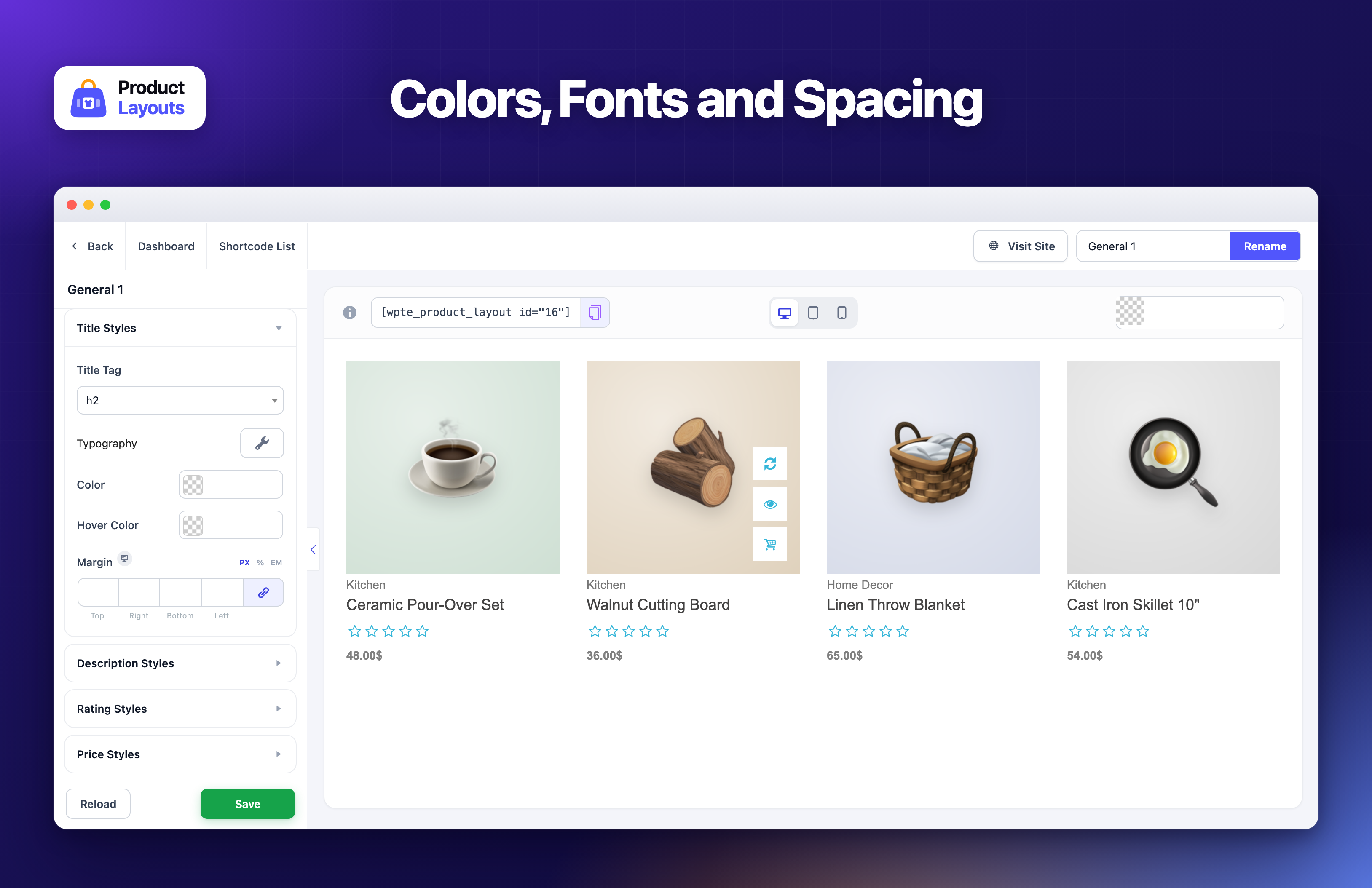
- Custom Settings – You can change layout style (Product Filter, Color, Background Color, Border, Box shadow, etc.) using custom settings.
- Font Settings – You can set font typography (Font, Font-size, Font-shadow, Line-height, letter spacing, etc.) as your own choice.
- Style Settings – You can style layout (Color, Background Color, Border, Box shadow, etc.) using style settings.
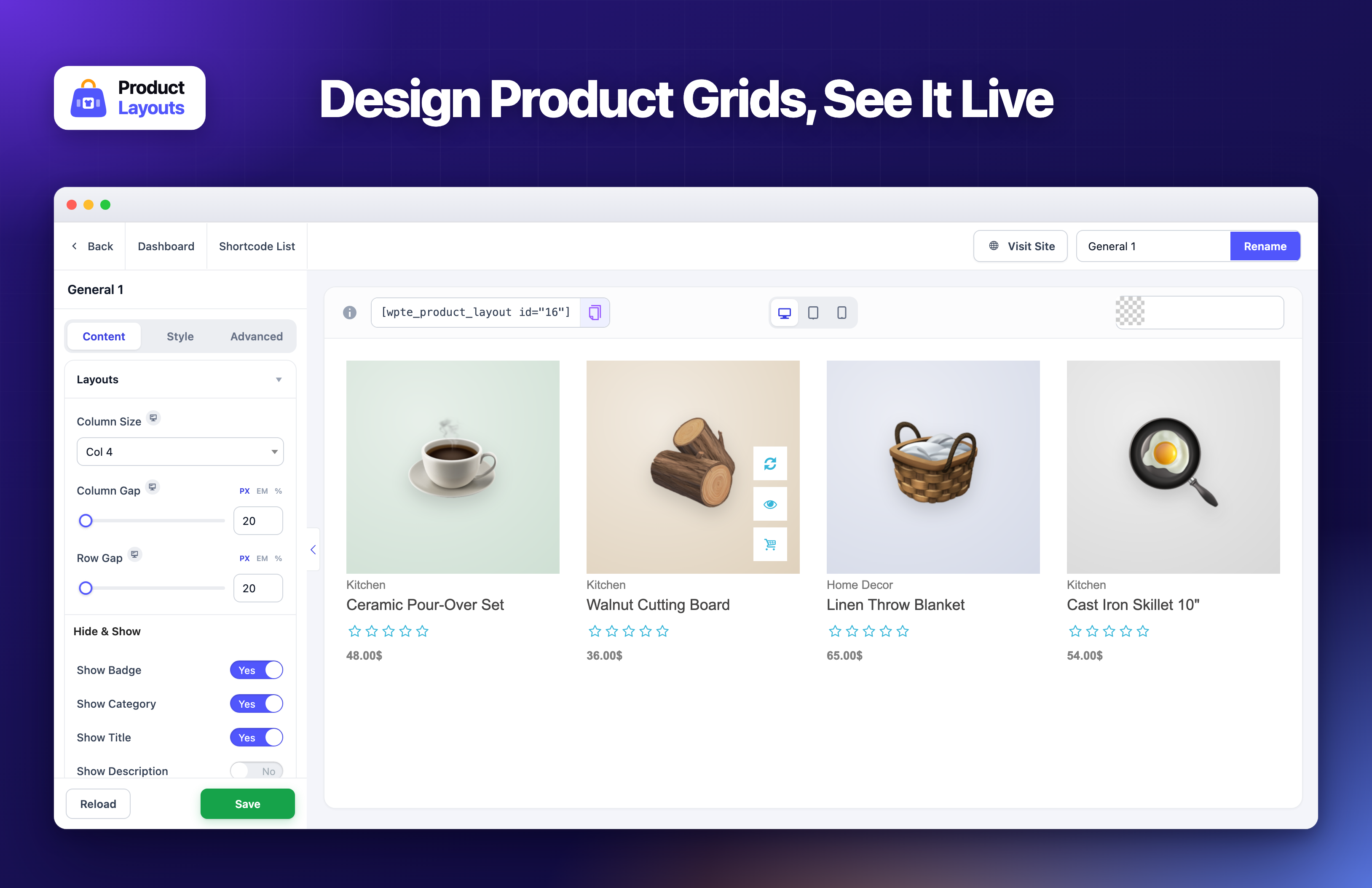
- Live Preview – Our plugin includes a Live Preview interface so users can see changes instantly. Product Layouts for WooCommerce (Product Gallery, Product Showcase, Layout Design, Product Slider, Product Grid, Product Table) is designed for real-time editing convenience.
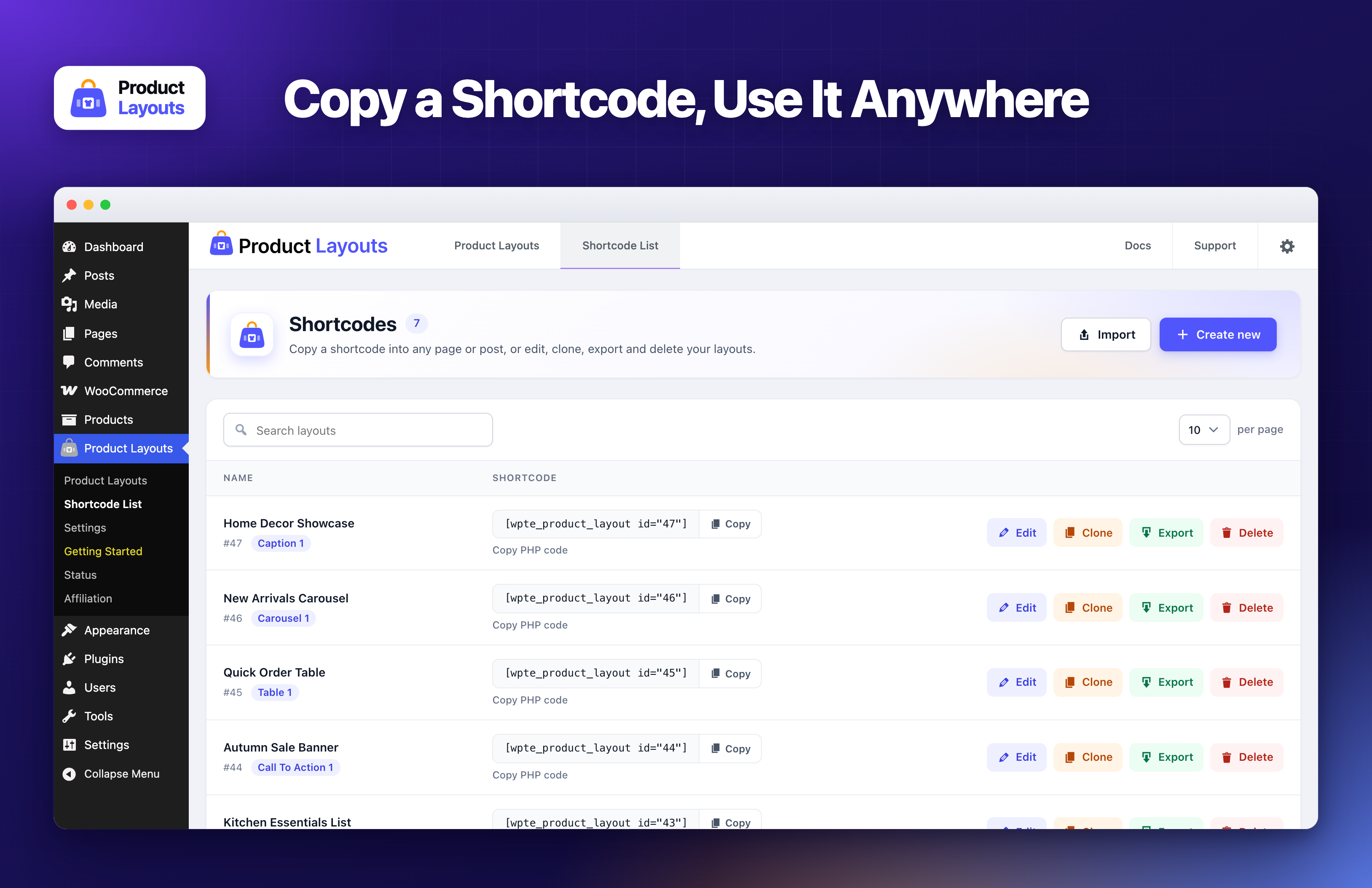
- Clone Layout – Use the Clone option to copy layout styles with one click.
- Export and Import – Export JSON file from Shortcode list and import from Import page.
- Shortcode – Display your product using shortcode.
- Product Filter Settings – Easily filter products by Category, Type, Order By, etc.
- Icon Settings – Use icons from Icon Library (Icon Picker) for Add to Cart, Wishlist, Quick View, Compare Table buttons.
- Borders and Shadows – Apply border and box shadows everywhere.
- Color Pickers – Choose colors using color picker (Color, Gradient, Linear Gradient).
- Import Layouts from Demo – Export layouts from the demo and import directly into your plugin.
- Multi Language Supported – Translate easily with Loco Translate and reach a global audience.
👁️ View Demo | 🚀 Get the Premium Version | 👩🏼💻 Get Support
Responsive & Beautiful
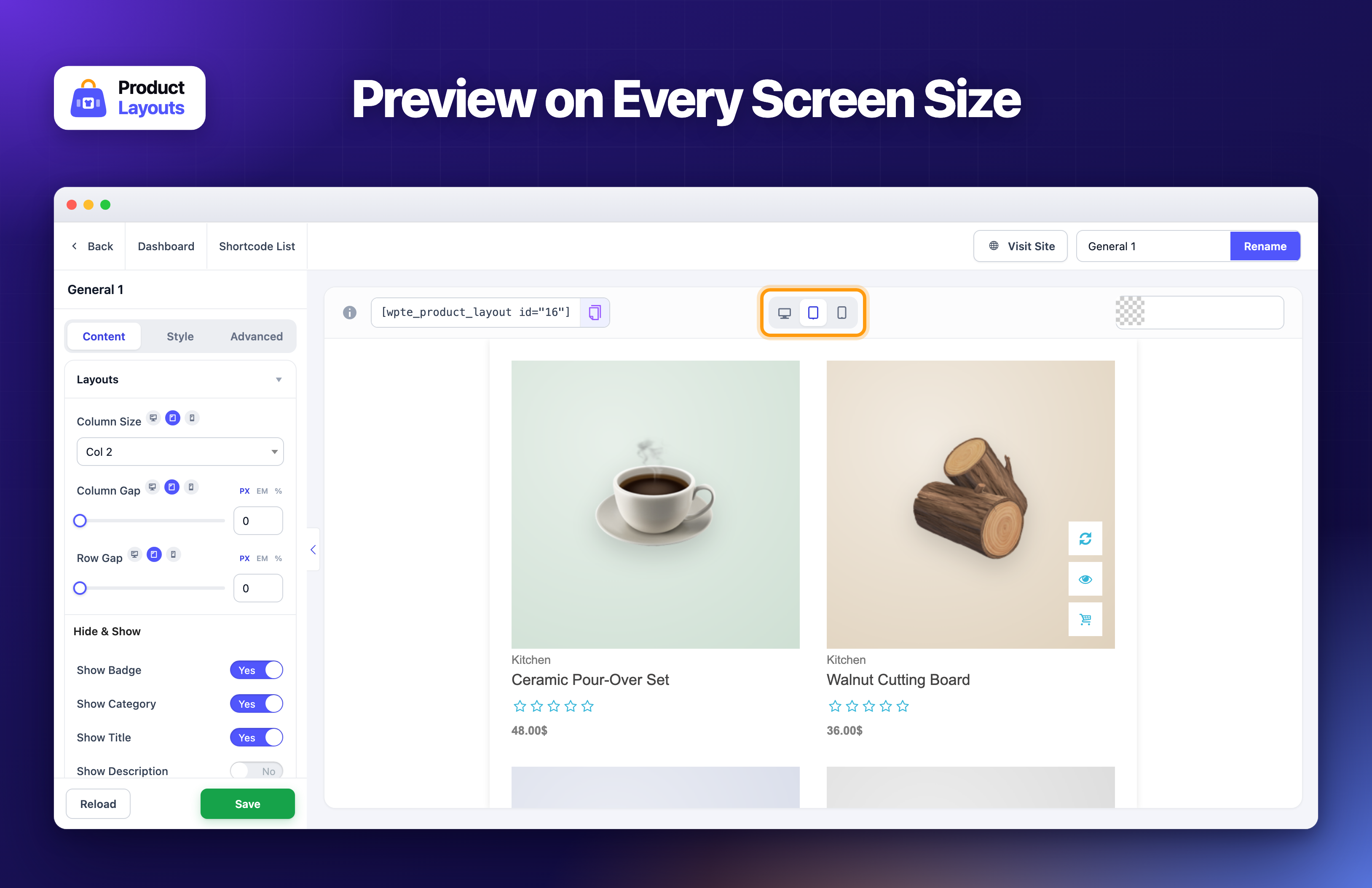
Product Layouts for WooCommerce (Product Gallery, Product Showcase, Layout Design, Product Slider, Product Grid, Product Table) is fully responsive and optimized for performance, an important factor for SEO and eCommerce success.
It works smoothly across devices and displays your products beautifully with animations like sliding, fading, and folding. Customize typography, colors, alignment, and background to create professional product presentations.
👁️ View Demo | 🚀 Get the Premium Version | 👩🏼💻 Get Support
Installation
We’ve made it very simple and easy to use. The installation process of this plugin is straightforward.
= Option 1 =
- Download the plugin product-layouts.zip from WordPress Plugin Directory.
- Unzip and extract the plugin folder named product-layouts.zip.
- Place the folder into your wp-content/plugins directory.
- Go to WordPress admin → Plugins → Installed Plugins.
- Click Activate to enable the plugin.
= Option 2 =
- Download the plugin zip file.
- Go to WordPress admin → Plugins → Add New → Upload Plugin.
- Upload the product-layouts.zip file.
- Click Install Now, then Activate.
If you need any help, please open a thread in the Support Forum. Don’t hesitate to inform us about any bugs or conflicts.
Changelog
1.4.6
- Security: Quick View no longer shows draft, pending, scheduled, private or password-protected products to visitors who are not allowed to see them. Published products work as before.
- Security: The product filter, pagination and “Load more” requests now accept only sensible product counts from visitors, so nobody can ask the store for its whole catalog in one request.
- Security: A layout’s CSS can no longer close its style tag on the storefront, so CSS from an imported layout file can’t run scripts.
- Security: Importing a layout no longer saves the uploaded file in the plugin folder. The file is read directly and never stored.
- Security: The layout editor’s live preview request now also checks that the user is an administrator.
- Fix: Product filter, pagination, “Load more” and compare requests no longer cause a critical error when the layout was deleted or the compare cookie is damaged.
- Fix: Creating or importing a layout whose CSS lacks the layout’s wrapper class no longer garbles that CSS.
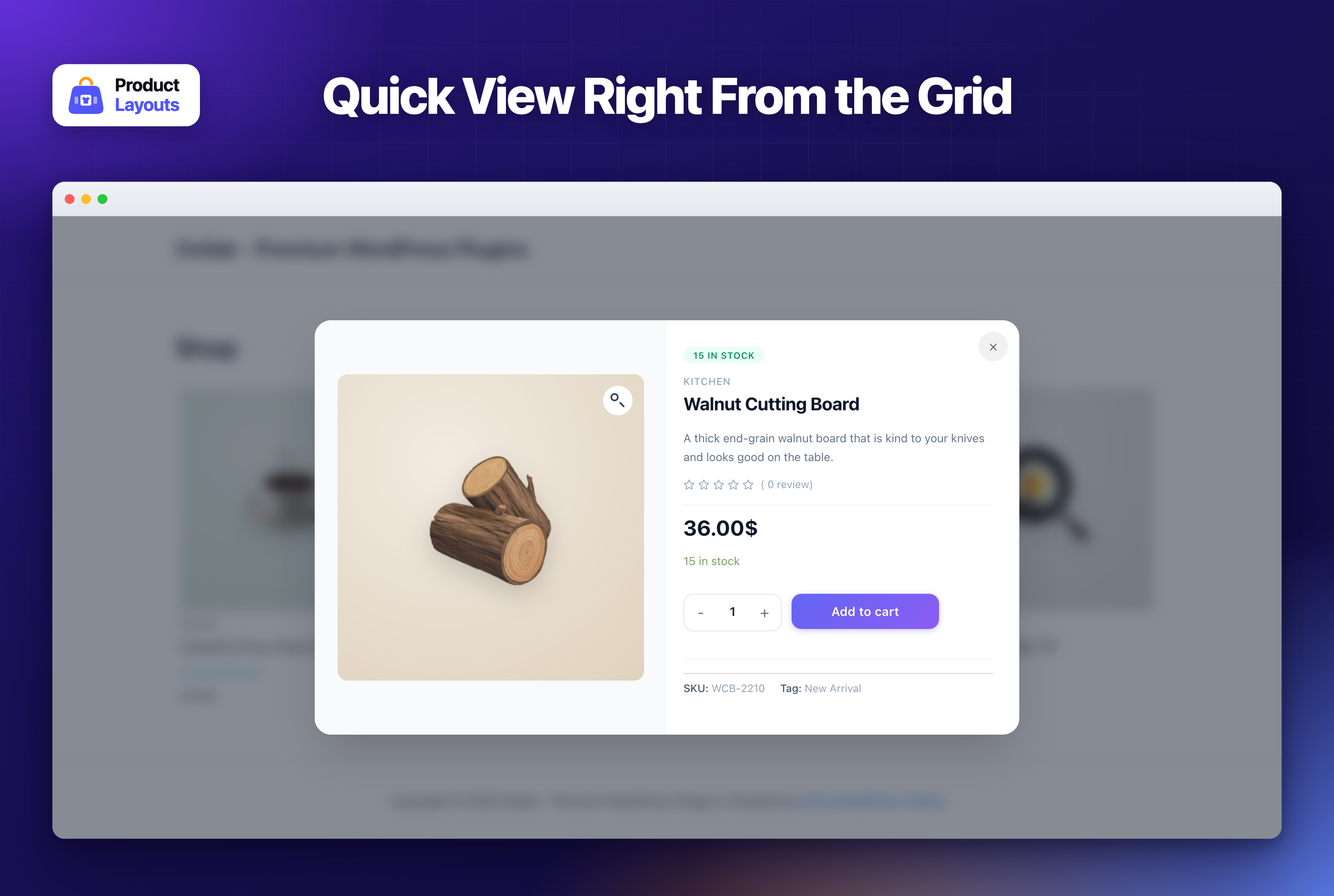
- Fix: The Quick View stock badge read “15In Stock”. It now reads “15 In Stock”.
- Fix: The Account page no longer shows the Billing card when the license belongs to a different Freemius account, since editing it changed the connected account’s billing details instead of the license owner’s. Free localhost licenses now say they have no payments or invoices.
- Update: Redesigned the layout editor: a cleaner top bar, the layout name above the settings, Content, Style and Advanced as tabs, settings grouped in cards, and a Reload button next to Save. The live preview, all settings and how they are saved are unchanged.
- Fix: The copy button next to the shortcode in the layout editor copied nothing. It now copies the shortcode.
- Fix: “Don’t Show Again” and “Already Given” on the review notice now hide it for good. The choice was only saved in the browser, so the notice came back after logging out, in another browser or when cookies were cleared. It is now saved on the site, and the notice only shows to administrators.
1.4.5
- Update: Redesigned the Account page with the plugin header menu, a page header and a card layout in the Product Layouts colors, and restyled the license, license key, change user and email dialogs to match.
- Update: The Account page now always shows the Billing and Payments cards for licensed sites, with a clear message when the license was bought with a different account.
- Update: Redesigned the Affiliation page with a commission badge, a program summary, a cleaner application form and a “How it works” guide.
- Update: Redesigned the System Status page with pass or warning checks for each requirement, clearly labelled memory limits and a “Copy report” button for support requests.
- Update: Redesigned the Getting Started page with the overview video, a three step quick start and cards for documentation, tutorials, bug reports and support.
- Update: Redesigned the Settings page: a license card, a Google Fonts switch and the category page options on one page, saved automatically as you change them.
- Update: Redesigned the Shortcode List page: one row per layout with a one-click Copy for the shortcode and PHP code, Edit, Clone, Export and Delete buttons, and clone and delete confirmations in place of browser popups.
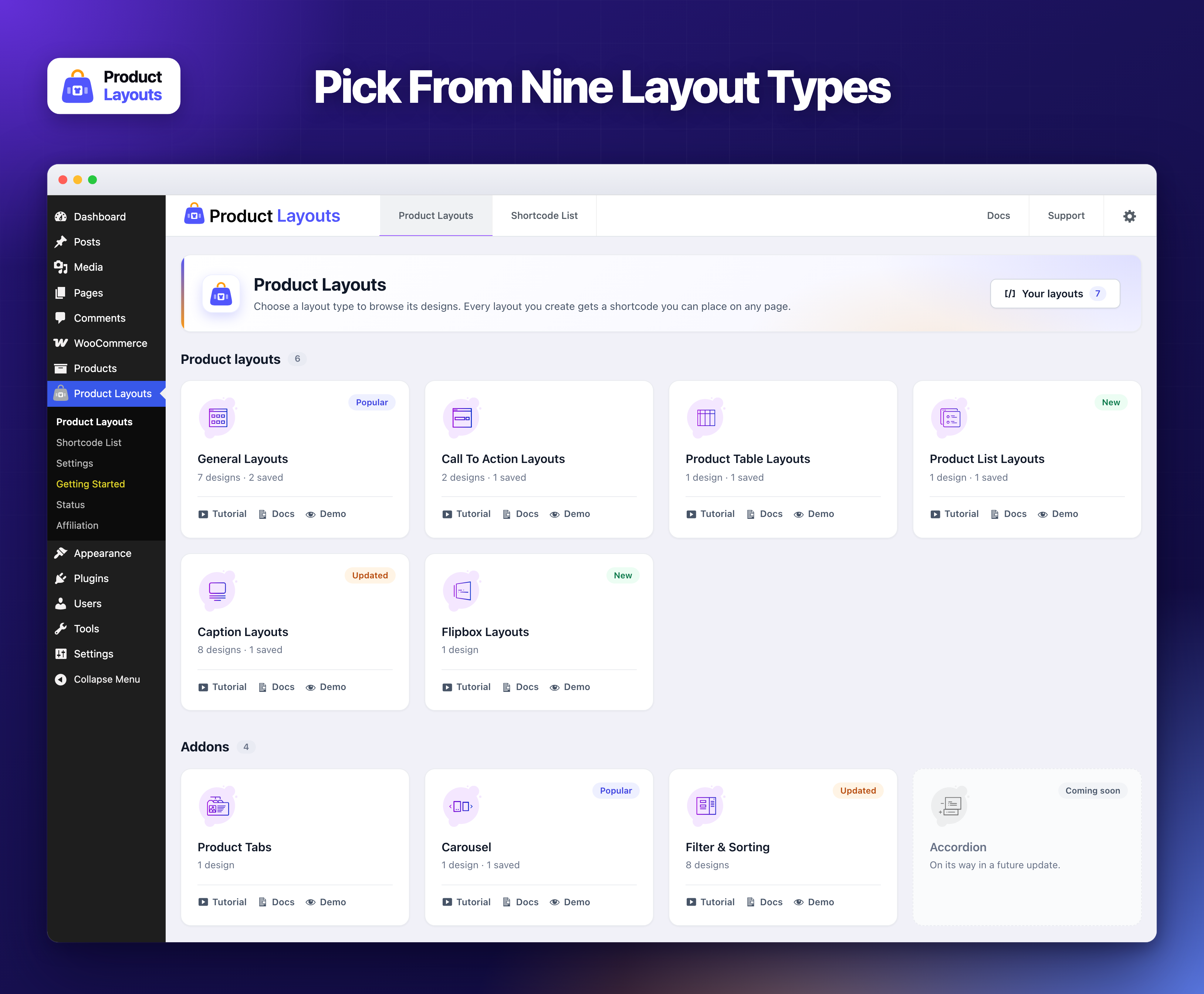
- Update: Redesigned the Product Layouts page: one card per layout type showing how many designs it offers and how many you have saved, with Tutorial, Docs and Demo links always visible.
- Fix: The “Coming soon” Accordion card opened an empty page. It is no longer a link.
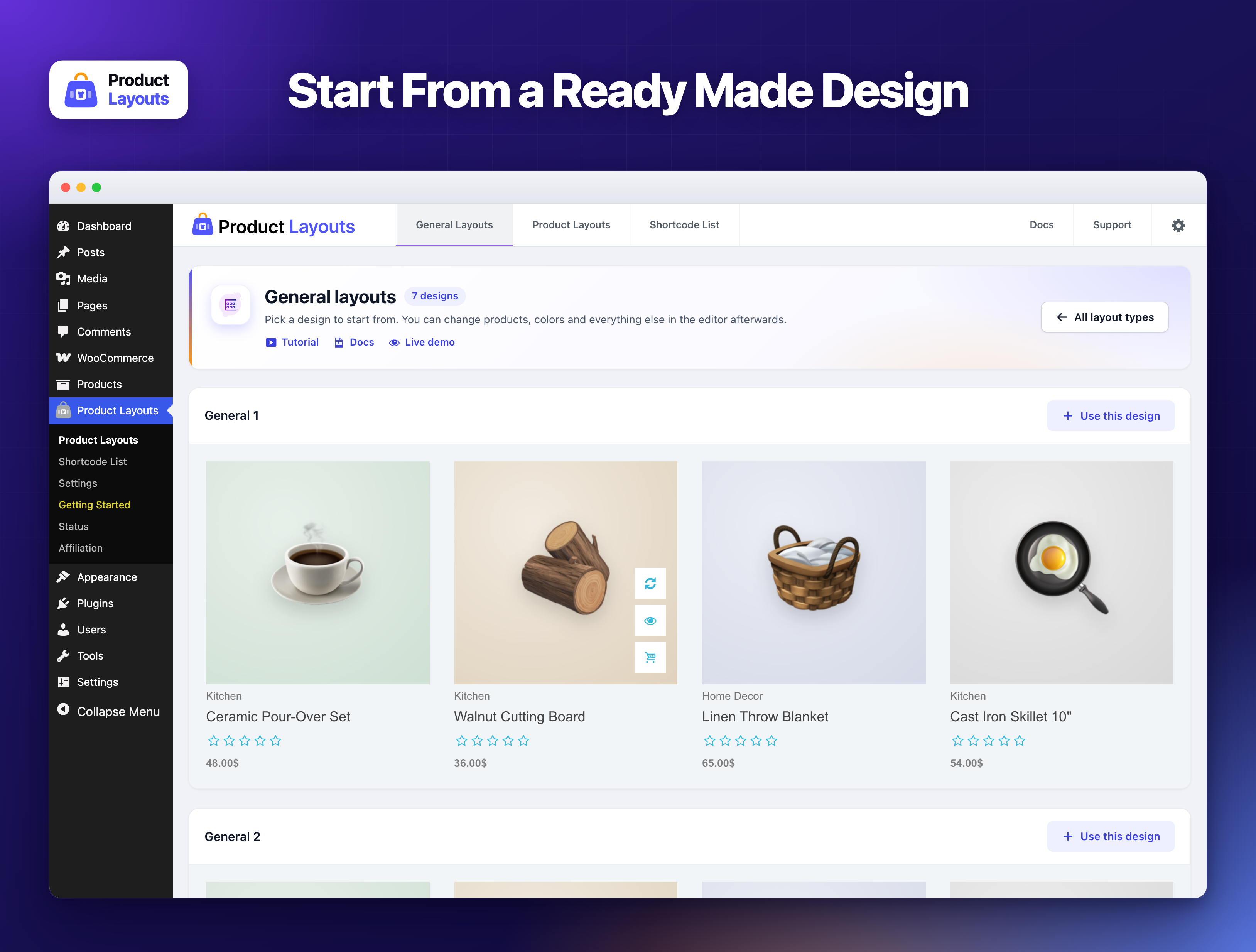
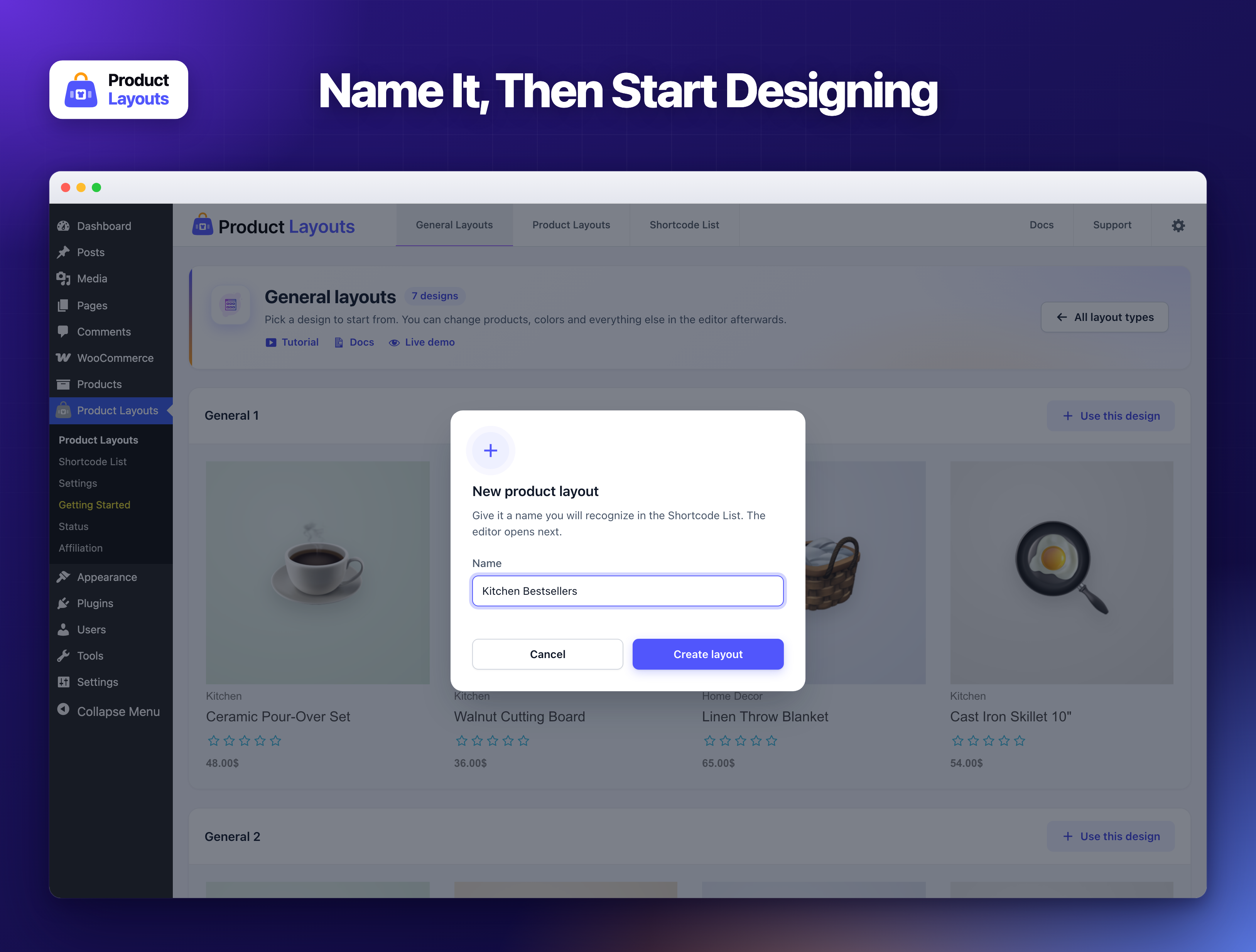
- Update: Redesigned the layout type pages (General, Caption, Table and the rest): each design in its own card with a “Use this design” button, tutorial, docs and demo links at the top, and a cleaner name dialog. The live design previews are unchanged.
- Fix: Searching the Shortcode List only looked through the layouts on the current page. It now searches all layouts.
- New: Danger zone in Settings. Choose to remove all Product Layouts data when the plugin is deleted (off by default), or delete every layout and setting right away after typing DELETE to confirm.
- Fix: Turning Google Fonts off in Settings had no effect, so the fonts kept loading. The setting is now respected.
- Fix: The System Status page showed WordPress’ memory constants as “Available Memory” and “Memory Limit”; it now also shows the actual PHP memory limit, with each value named after its setting.
1.4.4
- New: Added a “Filter by Tag” style to Filter & Sorting, listing product tags as checkboxes with post counts.
- New: Added a “Filter by Brand” style to Filter & Sorting, supporting WooCommerce core brands (9.4+) as well as third party brand plugins.
- New: Added a Gutenberg block (“Product Layouts”) so any saved layout can be inserted from the block editor, with a live server-side rendered preview.
- New: The block editor preview now loads the plugin stylesheets inline, so layouts look the same in the editor as on the front end.
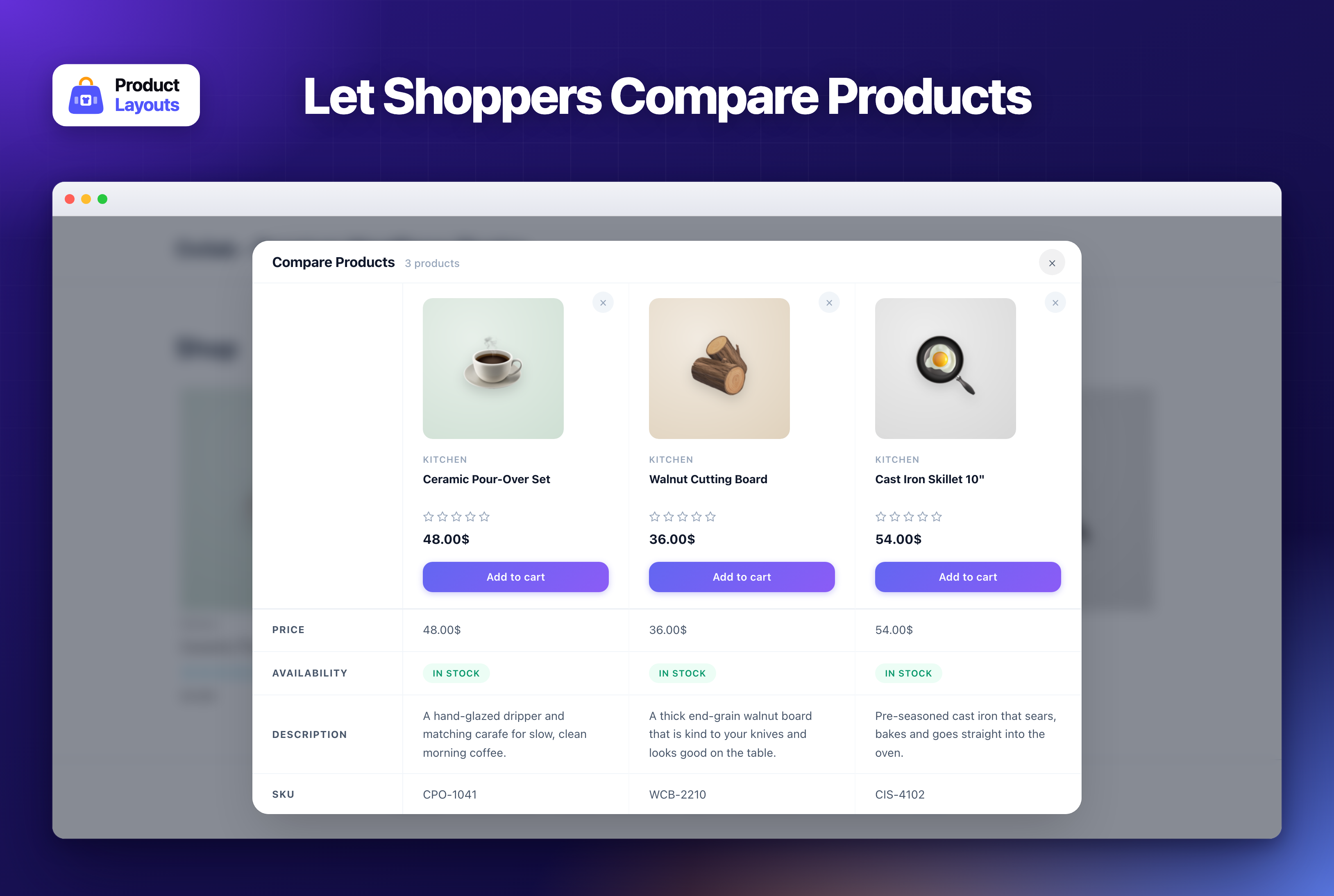
- Update: Redesigned the Compare Products modal — product cards with title, category, rating, price and cart button, sticky attribute column and product row, colored stock badges, and chips for Color and Size attributes.
- Update: The Compare table now hides attribute rows (SKU, Weight, Dimensions, Color, Size) when none of the compared products define them, instead of showing a column of dashes.
- Update: Removing the last product from the Compare table now shows an empty state, and the product count in the header stays in sync.
- Update: Quick View and Compare “Add to cart” buttons restyled with a modern gradient, plus a visible keyboard focus ring.
- Update: Add to cart button icon and text for variable, grouped and external products are now rendered server-side instead of being swapped in with JavaScript.
- Fix: Product title and short description were missing from the Quick View modal.
- Fix: Product name was missing from the Compare Products table.
- Fix: Screen reader text (“Price range: … through …”, “Original price was: …”) is no longer visible inside the Quick View and Compare modals on themes that do not ship the core
screen-reader-textstyle. - Fix: The Compare table showed “N/A” for Dimensions on every product because the unit was appended to an already formatted value.
- Fix: Star ratings were nearly invisible for products with no reviews in the Quick View and Compare modals.
- Fix: Quick View no longer triggers a fatal error when opened for a product that has been deleted.
- Update: Reduced the Compare table from nine repeated product queries to a single query.
- Fix: Added the ABSPATH direct file access guard to every PHP file, resolving the Plugin Check “missing_direct_file_access_protection” error.
1.4.3
- Update: Redesigned admin review notice with modern card-style UI using brand colors.
- Fix: “Already Given” and “Don’t Show Again” buttons now immediately hide the notice after clicking.
- Fix: Sub Categories field in Category Query now shows all nested subcategories at any depth.
1.4.2
- Update: Category filter now shows all deeply nested subcategories (unlimited depth) instead of only direct children.
- New: Added Elementor widget with proper CSS and JS loading in editor and preview.
- Fix: Quick View and Compare modals now auto-refresh expired nonces and retry, fixing modals not opening after the page has been idle for 12+ hours.
1.4.1
- New: Added Elementor-style preview iframe in editor; resizes on Desktop/Tablet/Mobile icon clicks.
- New: Added tooltip and inline copy button for shortcode with clipboard support.
- Update: Removed accordion UI from shortcode editor and made content visible.
- Update: Made accordion cards transparent; simplified header to fixed layout.
- Update: Converted header links to button style matching Export/Import.
- Update: Synced header device buttons with sidebar responsive switchers; opening tablet/mobile switchers from header.
- Update: Re-designed Quick View Modal.
- Update: Changed the brand name WPKIN to Oxilab.
- Fix: Sidebar position and scroll with fixed header; Save footer always visible.
- Fix: Active device button hover preserves purple background color.
- Fix: Header dropdown hover behavior; shows only on hamburger hover and stays visible while hovering dropdown.
- Fix: Corrected header markup structure and closing divs in editor header.
Screenshots
For developers
Is this your plugin? Show off the numbers.
Add a live badge to your site, docs or GitHub README. It updates on its own — no account needed.
Best Product Layouts for WooCommer… alternatives
All product gallery plugins →



FAQ
Product Layouts for WooCommerce: quick answers
Straight answers, pulled from live WordPress.org data.
Live data from WordPress.org · checked Nov 17, 2026
Is Product Layouts for WooCommerce free?
Yes. Product Layouts for WooCommerce is free to download and use from the official WordPress.org plugin directory.
Is Product Layouts for WooCommerce safe to use in 2026?
Yes — Product Layouts for WooCommerce is a safe, well-maintained plugin to use in 2026. It runs on 1K+ sites, is rated 5/5 and was last updated 1 month ago, and scores 82/100 on our health check.
How many websites use Product Layouts for WooCommerce?
Product Layouts for WooCommerce is active on 1K+ WordPress websites and has been downloaded 41,049 times since it launched in April 2022. It was downloaded 1,162 times in the last 30 days.
Does Product Layouts for WooCommerce work with WordPress 7.1?
Yes. The developer has tested Product Layouts for WooCommerce up to WordPress 7.1.4, the latest release. It requires WordPress 6.2 or newer.
What PHP version does Product Layouts for WooCommerce need?
Product Layouts for WooCommerce requires PHP 7.4 or higher. Most hosts run PHP 8.x today, so it works on any modern WordPress hosting.
When was Product Layouts for WooCommerce last updated?
The latest version, 1.4.6, was released on October 14, 2026 (1 month ago).
Who makes Product Layouts for WooCommerce?
Product Layouts for WooCommerce is developed and maintained by Oxilab.
What are the best alternatives to Product Layouts for WooCommerce?
The most popular alternatives to Product Layouts for WooCommerce are Product Slider, Product Car… (20K+ installs), Video Gallery for WooCommer… (4K+ installs) and WooSwipe WooCommerce Gallery (3K+ installs).
Powered by PageForge
Want thousands of pages that rank like these? Build them in an afternoon.
This directory runs on the same engine as PageForge. Turn any spreadsheet, CSV or API into thousands of fast, SEO-ready WordPress pages — with schema, internal links and AI-written copy baked in.
- CSV, Google Sheets & API data sources
- AI content, schema & internal links per page
- Works with Elementor, Gutenberg, Yoast & Rank Math
- Free on WordPress.org — no credit card


