


Presencefactor Product Sync with OLX.bg for WooCommerce
Manual product synchronization from WooCommerce to OLX.bg through the OLX.bg Partner API v2.

Use with caution
Presencefactor Product Sync wit… works, but test it on a staging site before relying on it in 2026. Was last updated 2 months ago, and scores 55/100 on our health check.
- Small user base (<10 active installs)
- Very few reviews so far
How does it stack up?
Side-by-side on installs, updates, ratings & support


Daily downloads
Download spikes usually follow a new release — each site that auto-updates counts as a download.
Rankings
Where Presencefactor Product Sync… stands todayWordPress.org search rankings
Live position in the plugin search, top 100| Keyword | Position |
|---|---|
| bulgaria | #26 |
| ecommerce | >100 |
| olx | #2 |
| product-sync | >100 |
| woocommerce | >100 |
About Presencefactor Product Sync with OLX.bg…
From the official readme · v0.2.3Description
Presencefactor Product Sync with OLX.bg for WooCommerce helps WooCommerce store administrators prepare and manually publish product data to OLX.bg through the OLX.bg Partner API v2.
The plugin uses the unique Presencefactor name first, and uses OLX.bg and WooCommerce only to describe the external service and platform it connects. This plugin is independent and is not affiliated with, endorsed by, or sponsored by OLX Group, OLX.bg, WooCommerce, Automattic, or WordPress.org.
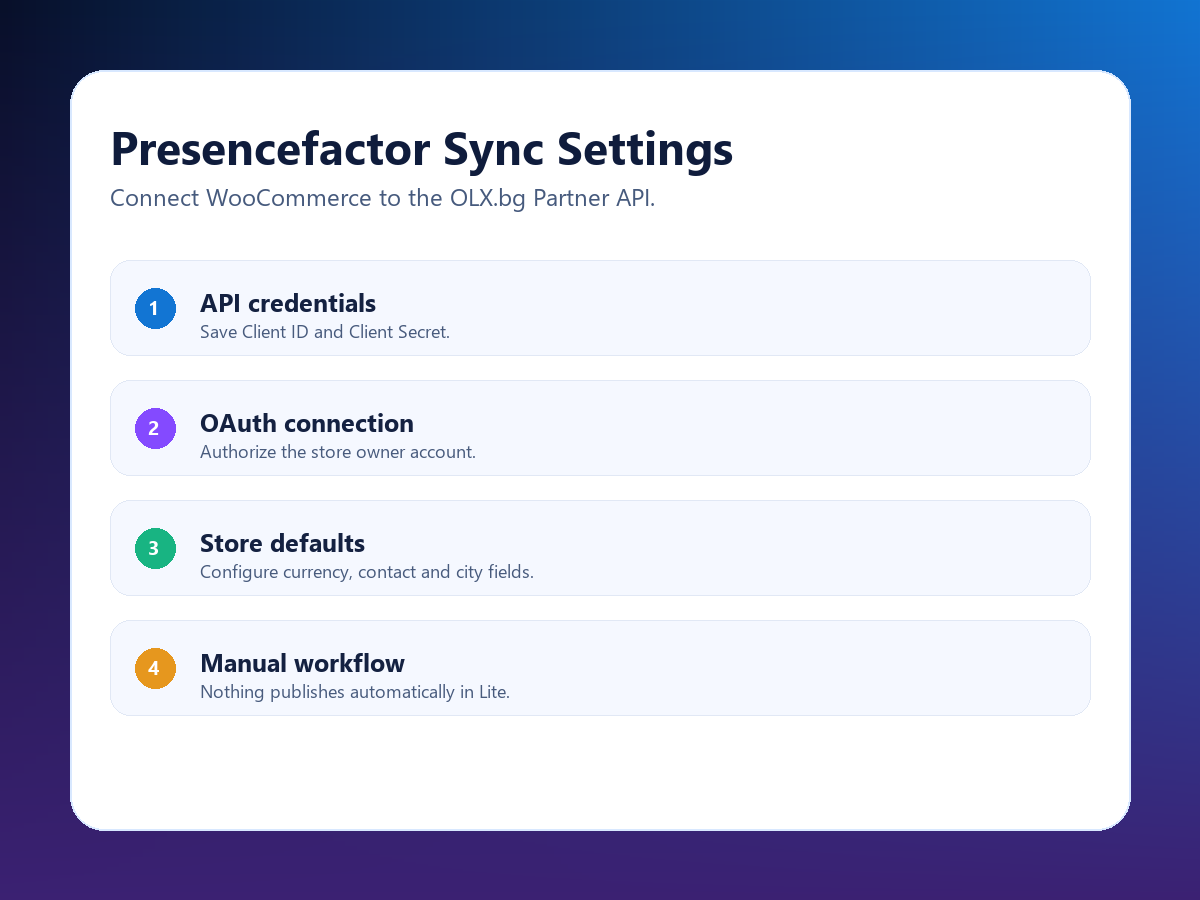
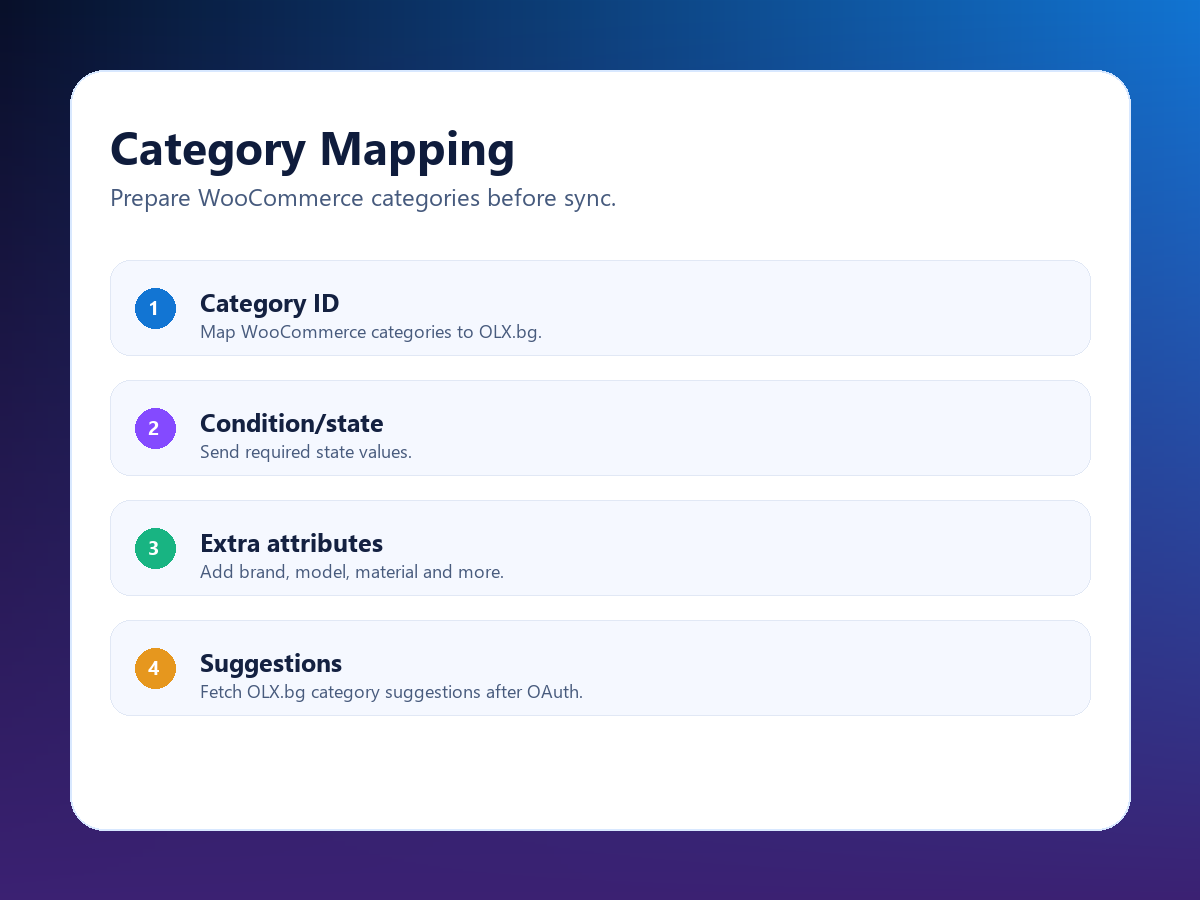
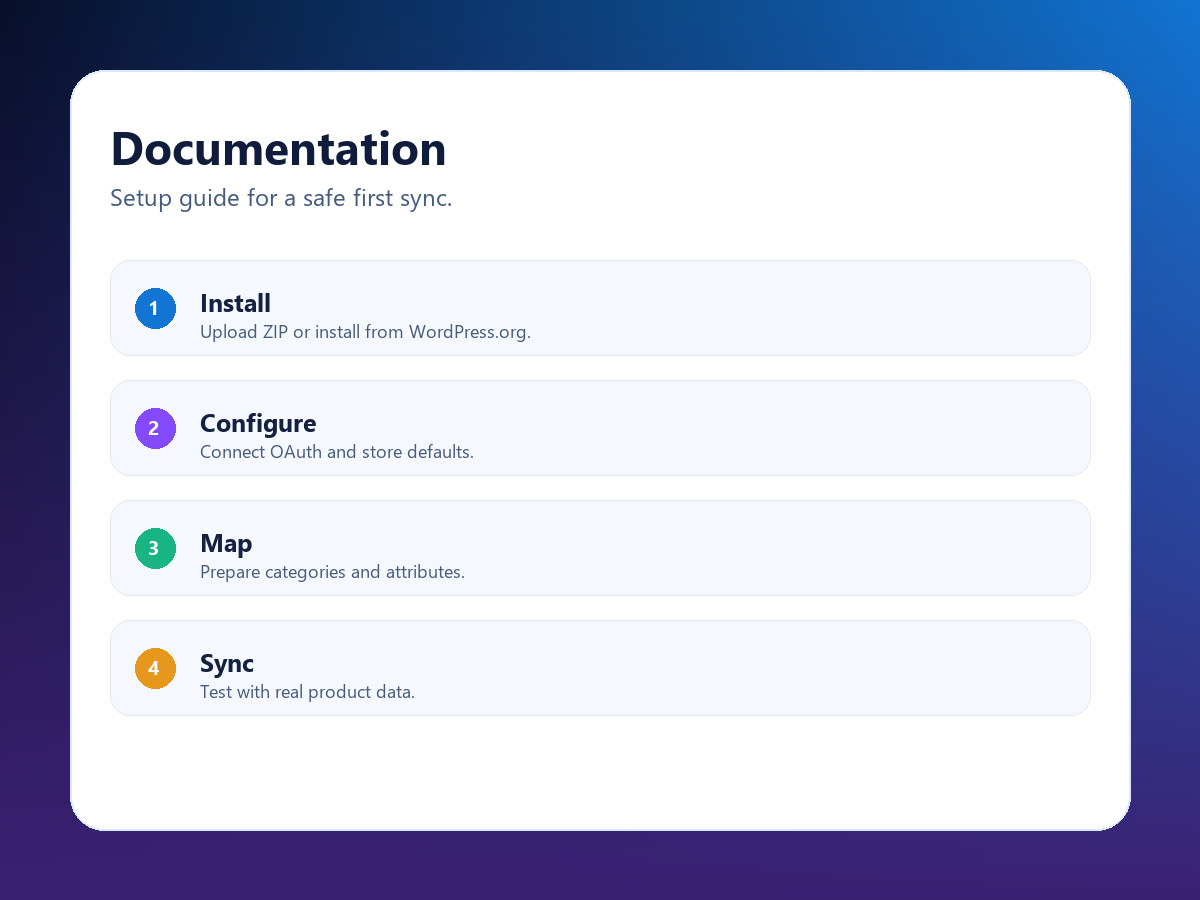
The free plugin is built for controlled manual workflows. Administrators configure their OLX.bg Partner API credentials, complete OAuth authorization, map WooCommerce categories to OLX.bg category IDs, add condition/state and extra attributes, then start product synchronization manually from the WooCommerce product edit screen or Products list.
Features:
- OAuth 2.0 authorization-code connection flow with bearer token API requests.
- OLX.bg Partner API v2 endpoint support for Bulgaria.
- WooCommerce dependency declared through the
Requires Pluginsheader. - Client ID and Client Secret settings stored in WordPress options.
- WooCommerce category to OLX.bg category ID mapping.
- Category notes/path field for administrators.
- Category-level condition/state mapping.
- Extra attribute mapping using simple key=value lines.
- Live OLX.bg category suggestions when OAuth is connected.
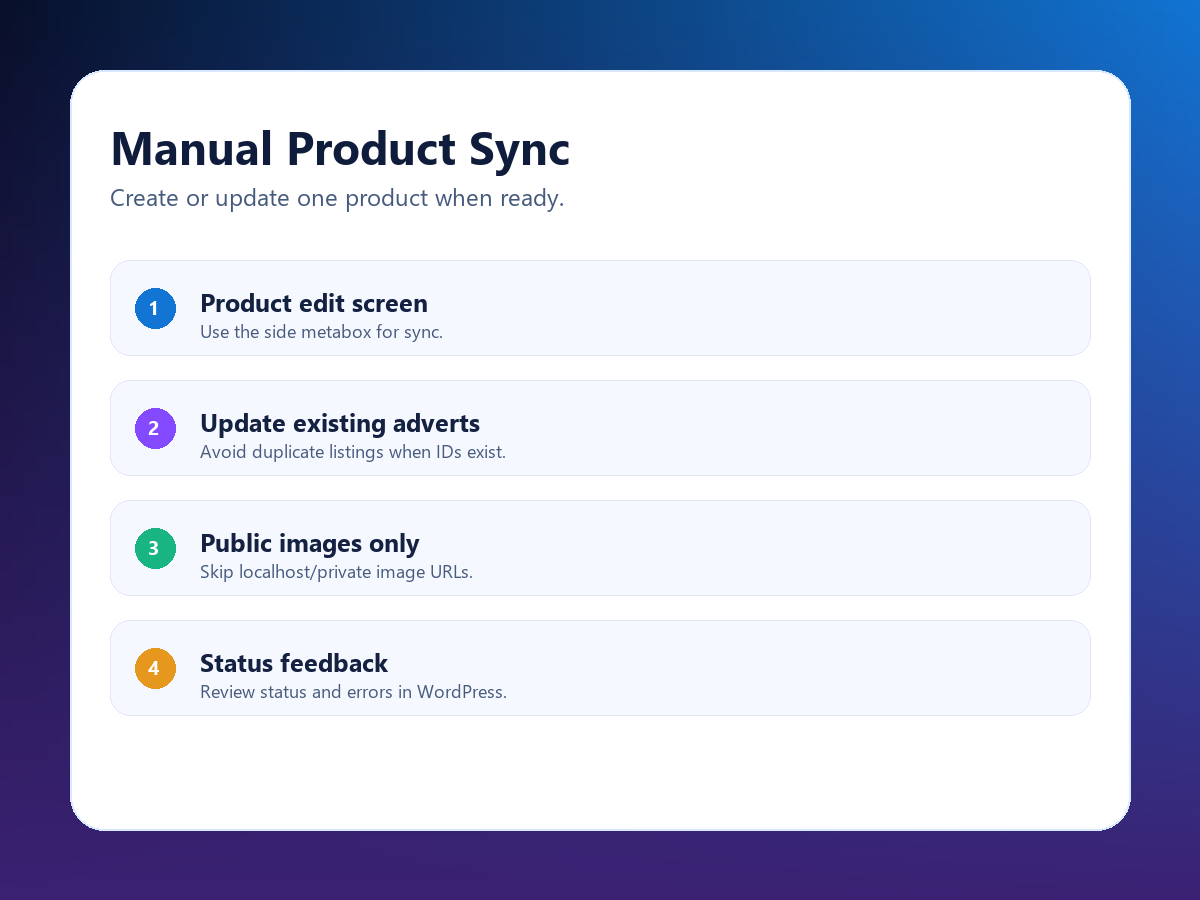
- Manual product sync from the WooCommerce product edit screen.
- Bulk manual sync action from the WooCommerce Products list.
- Update existing OLX.bg adverts when an advert ID is already saved.
- Local/private image URL filtering to avoid sending non-public image URLs.
- Developer hooks for custom payload attributes, validation and logging.
External Services
This plugin connects to the OLX.bg Partner API. The service is used to authorize the store owner’s OLX.bg account, retrieve OLX.bg category suggestions in the WordPress admin area, and create or update OLX.bg adverts when an authorized administrator starts a manual sync.
Data sent during OAuth connection:
- The configured OAuth Client ID.
- The OAuth redirect URI for this WordPress site.
- The authorization code returned by OLX.bg during the OAuth flow.
Data sent when category suggestions are requested:
- An OAuth bearer token for the connected OLX.bg account.
- A request to
https://www.olx.bg/api/partner/categories?limit=1000.
Data sent when an administrator manually syncs a product or uses the bulk sync action:
- Product title and description.
- Product price and currency.
- Category mapping and extra attributes configured by the administrator.
- Contact name, contact phone, city and district identifiers configured by the administrator.
- Public product image URLs when available.
- Existing OLX.bg advert ID when updating a previously synced advert.
No product data is sent automatically by this free version. Product data is sent only when an authorized store administrator starts a manual product sync or bulk sync action.
Service provider: OLX Group
API endpoint used by this plugin: https://www.olx.bg/api/partner
OAuth authorize URL used by this plugin: https://www.olx.bg/oauth/authorize
OAuth token URL used by this plugin: https://www.olx.bg/api/open/oauth/token
API documentation: https://developer.olx.bg/api/doc
OLX Group privacy statement: https://www.olxgroup.com/privacy-statement/
OLX Group terms of use: https://www.olxgroup.com/terms-of-use-2/
Privacy
OAuth tokens are stored in WordPress options and are used only for OLX.bg API requests. The plugin does not send product data automatically. Local, private, localhost and development-only image URLs are skipped before sync because the external service cannot fetch them from the public internet.
Installation
- Make sure WooCommerce is installed and active.
- Upload the plugin ZIP through Plugins > Add New > Upload Plugin, or install it from the WordPress.org plugin directory when published.
- Activate “Presencefactor Product Sync with OLX.bg for WooCommerce”.
- Open Presencefactor Sync > Settings.
- Enter your OLX.bg Partner API Client ID and Client Secret.
- Save settings, then click “Connect with OLX” to complete OAuth authorization.
- Open Presencefactor Sync > Category Mapping and map WooCommerce categories to OLX.bg category IDs.
- Edit a WooCommerce product and use the “Presencefactor Sync” box to start a manual sync.
Frequently asked questions
Does this plugin publish products automatically?
No. The free version sends product data only when an authorized store administrator starts a manual sync or bulk sync action.
Do I need an OLX.bg Partner API application?
Yes. You need valid OLX.bg Partner API credentials and a user-authorized OAuth connection before creating or updating OLX.bg adverts.
Why are local product images skipped?
OLX.bg must be able to fetch image URLs over the public internet. Images served from localhost, private IP addresses, .local domains or development-only URLs are skipped to prevent API validation errors.
Can I map custom attributes?
Yes. The category mapping screen supports extra attributes using one key=value pair per line, for example brand=Samsung or model=A54.
Is this plugin affiliated with OLX.bg or WooCommerce?
No. This is an independent connector. OLX, OLX.bg, WooCommerce and WordPress are trademarks or project names of their respective owners.
Changelog
Review update: distinctive Presencefactor branding, WooCommerce dependency header and expanded external service disclosure.
0.2.3
- Renamed to a distinctive Presencefactor-branded plugin name.
- Changed text domain and package slug to
presencefactor-product-sync-for-woocommerce. - Added
Requires Plugins: woocommerceheader. - Limited built-in external service configuration to OLX.bg only.
- Expanded the External Services disclosure with OAuth, category and product-sync details.
- Updated contributor and author metadata to match the submitting WordPress.org account.
0.2.2
- Prepared WordPress.org submission copy and metadata.
- Expanded readme installation, FAQ, screenshots and external services disclosure.
0.2.1
- Added live OLX.bg category suggestions to category mapping when OAuth is connected.
0.2.0
- Expanded category mapping with per-category condition and custom attribute fields.
Screenshots
For developers
Is this your plugin? Show off the numbers.
Add a live badge to your site, docs or GitHub README. It updates on its own — no account needed.
Best Presencefactor Product Sync w… alternatives
All bulgaria plugins →




FAQ
Presencefactor Product Sync with OL…: quick answers
Straight answers, pulled from live WordPress.org data.
Live data from WordPress.org · checked Oct 16, 2026
Is Presencefactor Product Sync wit… free?
Yes. Presencefactor Product Sync wit… is free to download and use from the official WordPress.org plugin directory.
Is Presencefactor Product Sync wit… safe to use in 2026?
Presencefactor Product Sync wit… works, but test it on a staging site before relying on it in 2026. Was last updated 2 months ago, and scores 55/100 on our health check.
How many websites use Presencefactor Product Sync wit…?
Presencefactor Product Sync wit… is active on <10 WordPress websites and has been downloaded 182 times since it launched in August 2026. It was downloaded 58 times in the last 30 days.
Does Presencefactor Product Sync wit… work with WordPress 7.1?
Presencefactor Product Sync wit… is officially tested up to WordPress 7.0.7, while the latest release is 7.1.3. It may still work, but try it on a staging site first.
What PHP version does Presencefactor Product Sync wit… need?
Presencefactor Product Sync wit… requires PHP 7.4 or higher. Most hosts run PHP 8.x today, so it works on any modern WordPress hosting.
When was Presencefactor Product Sync wit… last updated?
The latest version, 0.2.3, was released on August 6, 2026 (2 months ago).
Who makes Presencefactor Product Sync wit…?
Presencefactor Product Sync wit… is developed and maintained by Factory Direct Multimedia.
What are the best alternatives to Presencefactor Product Sync wit…?
The most popular alternatives to Presencefactor Product Sync wit… are AboveWP Bulgarian Eurozone (2K+ installs), Nekorekten.com – Official (100+ installs) and Speedy And Econt Shipping (100+ installs).
Powered by PageForge
Want thousands of pages that rank like these? Build them in an afternoon.
This directory runs on the same engine as PageForge. Turn any spreadsheet, CSV or API into thousands of fast, SEO-ready WordPress pages — with schema, internal links and AI-written copy baked in.
- CSV, Google Sheets & API data sources
- AI content, schema & internal links per page
- Works with Elementor, Gutenberg, Yoast & Rank Math
- Free on WordPress.org — no credit card


