


Post2Podcast
Convert your WordPress blog posts into engaging podcast episodes with AI voices.

Solid choice
Post2Podcast is a solid plugin choice in 2026, with a few things worth checking first. It runs on 10+ sites, is rated 5/5 and was last updated 3 weeks ago, and scores 77/100 on our health check.
- Actively developed — last update 3 weeks ago
- Tested with the latest WordPress (7.1)
- Small user base (10+ active installs)
- Very few reviews so far
How does it stack up?
Side-by-side on installs, updates, ratings & support



Daily downloads
Download spikes usually follow a new release — each site that auto-updates counts as a download.
Rankings
Where Post2Podcast stands todayWordPress.org search rankings
Live position in the plugin search, top 100| Keyword | Position |
|---|---|
| AI | >100 |
| audio | >100 |
| podcast | #65 |
| text to speech | #35 |
| tts | #20 |
Version adoption
Share of active sites per release.
Rating breakdown
★★★★★★★★★★ 5 from 2 reviews
About Post2Podcast
From the official readme · v1.5.4Description
Post2Podcast transforms your written content into natural-sounding audio podcasts using cutting-edge AI voice technology. Increase engagement, reach auditory learners, and offer content on-the-go for your audience.
Features
- In-Depth Podcast Analytics: Track total plays, unique listeners, listen time, completion rate, device breakdown, and episode-by-episode engagement
- AI Voice Generation: Convert any WordPress post to high-quality audio
- Multi-language Support: Generate podcasts in English, Spanish, French, German, Italian, Portuguese, and more
- Multiple Voice Options: Choose from a wide range of natural-sounding voices
- Custom Audio Player: Beautiful, responsive player with playback speed controls
- Transcript Support: View and download full podcast transcripts
- Batch Processing: Generate audio for multiple posts at once
- Automatic Language Detection: Smart language identification for your content
How to Use
Creating Your First Podcast
-
Write or Edit a Post
- Create a new blog post or edit an existing one
- Ensure your content is well-structured with clear paragraphs
-
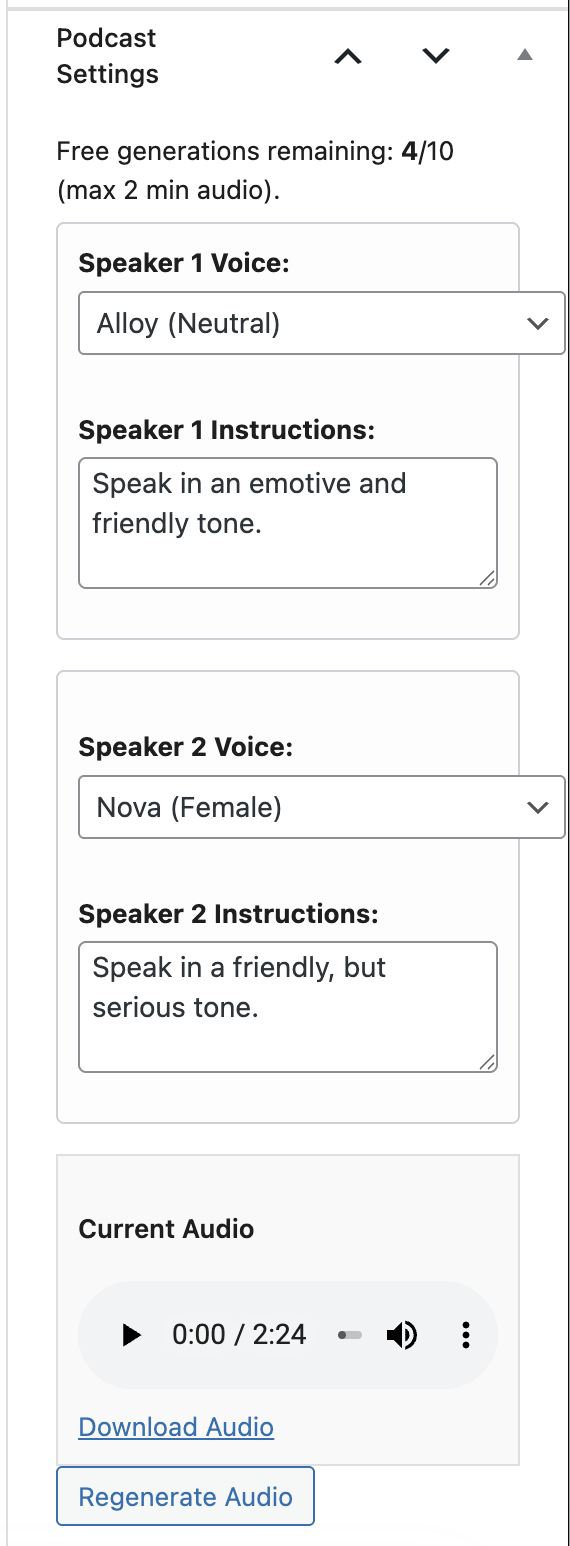
Configure Podcast Settings
- In the post editor sidebar, find “Podcast Settings”
- Speaker 1 Voice: Choose the first speaker’s voice
- Speaker 1 Instructions: Define their personality (e.g., “Speak in an enthusiastic and friendly tone”)
- Speaker 2 Voice: Choose the second speaker’s voice
- Speaker 2 Instructions: Define their style (e.g., “Speak in a professional, analytical tone”)
-
Generate Audio
- Click “Generate Audio”
- Watch real-time progress updates
- Preview the generated podcast
- Download or regenerate if needed
-
Publish and Share
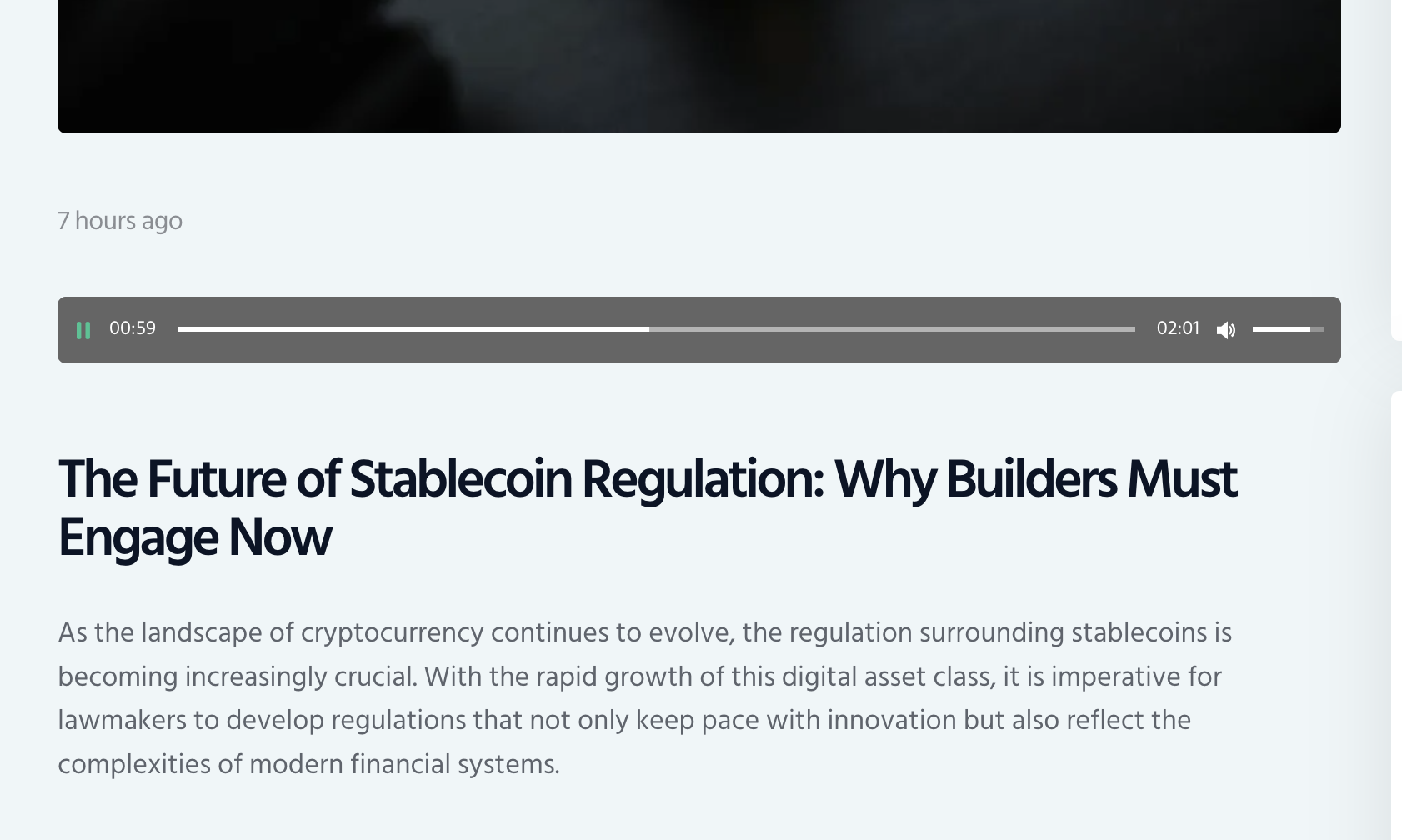
- The audio player is automatically embedded in your post
- Visitors can listen directly on your site
- Share your audio-enhanced content
Advanced Features
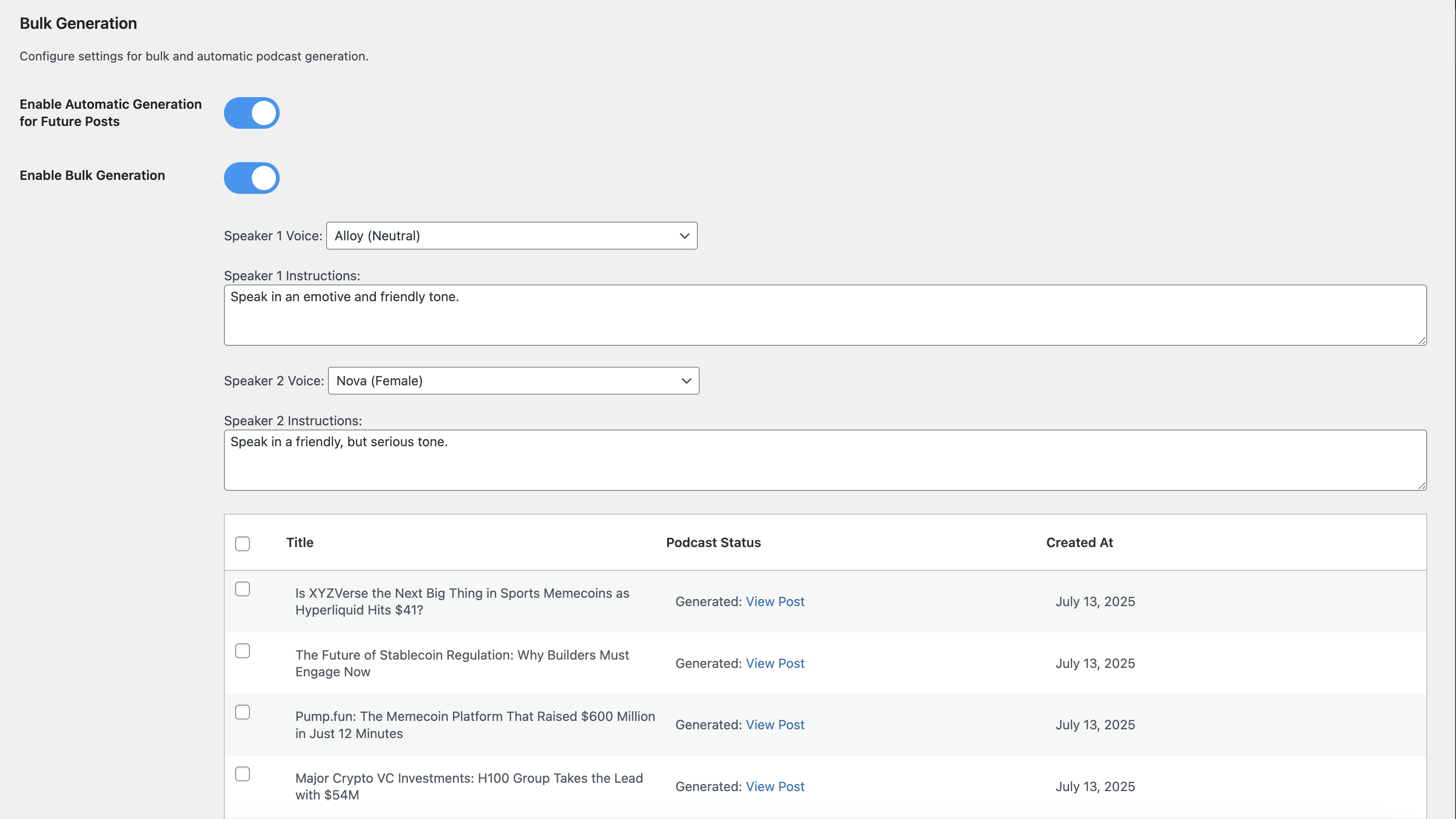
Bulk Generation
1. Go to Post-to-Podcast → Bulk Generation
2. Select posts to convert
3. Configure default voice settings
4. Start bulk generation process
5. Monitor progress in real-time
Auto-Generation
1. Enable “Automatic Generation for Future Posts”
2. New posts will automatically generate podcasts
3. Uses your default voice settings
4. Runs in background after publishing
Custom Voice Instructions
Create unique speaker personalities:
* Professional: “Speak in a clear, authoritative tone with technical expertise”
* Conversational: “Use a friendly, casual tone like talking to a friend”
* Educational: “Explain concepts clearly with enthusiasm for learning”
* Dramatic: “Use expressive, engaging delivery with emotional emphasis”
Pricing & Credits
Understanding Credits
- 1 Credit = 1 Podcast Generation (regardless of length on PRO plan)
- Free Plan: 10 generations total, max 2 minutes each
- PRO Plan: 300 generations per month, unlimited length
Subscription Management
- Upgrade or downgrade anytime
- Cancel without penalties
- Credits refresh monthly on PRO plan
- Free credits never expire until used
Cost Comparison
- Free: $0 (perfect for testing)
- PRO: €19.90/month
Privacy & Security
Data Handling
- Content Processing: Blog content is temporarily sent to AI servers for processing
- No Content Storage: Original content is not permanently stored on external servers
- Audio Storage: Generated audio files are stored on your WordPress server
- Account Data: Subscription and usage data securely managed
Security Features
- Application Password Authentication: Secure WordPress-native authentication
- HTTPS Required: All API communications use encrypted connections
- Regular Updates: Security patches and improvements
- Data Protection: Your content is processed securely and not stored permanently
Support & Community
Getting Help
- Documentation: Visit our WordPress plugin page
- Issues: Report bugs and request features on our WordPress plugin page
- PRO Support: Priority email support included with PRO subscriptions
Credits & Acknowledgments
Developed by: Samuel Bezerra
Powered by:
* Advanced AI text-to-speech technology
* WordPress REST API
* Modern web technologies
* Cloud infrastructure
Special Thanks:
* WordPress community for feedback and testing
* AI technology providers for enabling high-quality voice synthesis
* Early adopters and beta testers
Ready to transform your blog into a podcast? Install Post2Podcast today and start reaching audio-first audiences with professional-quality podcast episodes generated from your existing content.
For more information, visit our official website: https://post2podcast.xyz/
Installation
- Upload the
post2podcastfolder to the/wp-content/plugins/directory - Activate the plugin through the ‘Plugins’ menu in WordPress
-
Navigate to ‘Post2Podcast’ in your WordPress admin to configure settings= Quick Setup =
-
Install the Plugin
- Upload the
post2podcastfolder to/wp-content/plugins/ - OR install directly from WordPress admin → Plugins → Add New
- Activate the plugin
- Upload the
-
Configure Authentication
- Go to Post-to-Podcast in your WordPress admin menu
- Generate a WordPress Application Password in your user profile
- Enter the Application Password in the plugin settings
-
Start Creating Podcasts
- Edit any blog post
- Find the “Podcast Settings” meta box in the sidebar
- Customize voices and speaker instructions
- Click “Generate Audio”
- Your podcast will be embedded automatically!
Frequently asked questions
How many free audio generations do I get?
Free users get 10 audio generations to test and use the plugin. Upgrading to PRO gives you 300 credits per month and unlocks premium features.
Does this work with custom post types?
Yes! You can enable Post2Podcast for Posts and Pages in the plugin settings.= How long does it take to generate a podcast? = Typical generation times: * Short posts (1-2 paragraphs): 30-60 seconds * Medium posts (3-5 paragraphs): 1-2 minutes * Long posts (6+ paragraphs): 2-5 minutes
What content works best for podcasts?
Post2Podcast works great with: * Blog articles and tutorials * News articles and opinion pieces * Educational content and how-to guides * Product reviews and comparisons * Personal stories and experiences
Can I edit the generated audio?
Currently, you can regenerate with different voices/instructions, but direct audio editing isn’t supported. We recommend adjusting speaker instructions and regenerating for best results.
What audio format is generated?
All podcasts are generated as MP3 files with high-quality 128kbps encoding, optimized for web streaming and downloads.
Where are audio files stored?
Audio files are stored in your WordPress uploads directory (/wp-content/uploads/post2podcast/) and can be easily backed up with your regular site backups.
Does this work with other content types?
Currently optimized for blog posts, but works with any content type that supports custom meta boxes (can be extended for pages, custom post types, etc.).
What happens to my podcasts if I cancel?
Generated audio files remain on your server and continue to work normally. You just can’t create new podcasts without credits or subscription.
Generation failed – what should I check?
Common solutions: 1. Verify you have available credits 2. Check WordPress Application Password is correct 3. Ensure content isn’t empty or too short 4. Try regenerating with different voice settings 5. Check plugin error logs in WordPress admin
Audio player not showing?
Check: 1. Audio file exists in uploads/post2podcast/ directory 2. File permissions allow web access 3. No conflicting audio plugins 4. Clear any caching plugins
Changelog
1.5.4
- FIX: Resolved podcast generation failure caused by third-party shortcodes (such as Section Separator Block) and Gutenberg block comments in post content.
- ENHANCEMENT: Added robust pre-processing sanitization for shortcodes, SVG markup, and block syntax before script generation.
- ENHANCEMENT: Hardened AI dialogue and TTS synthesis pipeline to strip stage directions and bracketed markers, preventing zero-byte audio generation errors.
1.5.3
- FIX: Resolved visitor playback analytics not tracking on WaveformPlayer by listening to native custom bubbling DOM events and audio capture handlers.
- ENHANCEMENT: Improved playback heartbeat reporting and background tab exit session synchronization.
1.5.2
- FEATURE: Added pagination for the Episode Performance table (max 20 items per page) with Previous/Next controls and live search recalculation.
- PERFORMANCE: Optimized table rendering and memory usage for blogs with large episode catalogs.
1.5.1
- ENHANCEMENT: List all existing generated podcast episodes in the analytics performance table.
- FEATURE: Added baseline statistics generator tool for podcasts created prior to v1.5.0.
- UI: Added “No plays yet” status badge for newly indexed episodes awaiting visitor playback.
1.5.0
- FEATURE: Added comprehensive Podcast Analytics dashboard as a new sub-menu item in Post-to-Podcast.
- FEATURE: In-depth tracking of total plays, unique listeners, cumulative listen time, average listen duration, and completion rates.
- FEATURE: Interactive audience retention funnel tracking drop-off across Started, 25%, 50%, 75%, and 100% completion milestones.
- FEATURE: Visual daily listening trends chart and listener device breakdown (Desktop, Mobile, Tablet).
- FEATURE: Detailed per-episode performance table with instant search and one-click CSV export.
- PRIVACY: Privacy-friendly, GDPR/ePrivacy compliant tracking using anonymous session tokens and salted IP hashes without third-party cookies.
- SETTINGS: Added toggle in plugin settings to easily enable or disable analytics tracking.
1.4.8
- FEATURE: Added instant “Download Transcript” link to the real-time audio preview box immediately upon generation completion.
- ENHANCEMENT: Made transcript available directly on post draft and edit screens without requiring a page refresh.
Screenshots
For developers
Is this your plugin? Show off the numbers.
Add a live badge to your site, docs or GitHub README. It updates on its own — no account needed.
Best Post2Podcast alternatives
All AI plugins →





FAQ
Post2Podcast: quick answers
Straight answers, pulled from live WordPress.org data.
Live data from WordPress.org · checked Oct 4, 2026
Is Post2Podcast free?
Yes. Post2Podcast is free to download and use from the official WordPress.org plugin directory.
Is Post2Podcast safe to use in 2026?
Post2Podcast is a solid plugin choice in 2026, with a few things worth checking first. It runs on 10+ sites, is rated 5/5 and was last updated 3 weeks ago, and scores 77/100 on our health check.
How many websites use Post2Podcast?
Post2Podcast is active on 10+ WordPress websites and has been downloaded 2,647 times since it launched in July 2025. It was downloaded 499 times in the last 30 days.
Does Post2Podcast work with WordPress 7.1?
Yes. The developer has tested Post2Podcast up to WordPress 7.1.2, the latest release. It requires WordPress 5.0 or newer.
What PHP version does Post2Podcast need?
Post2Podcast requires PHP 7.4 or higher. Most hosts run PHP 8.x today, so it works on any modern WordPress hosting.
When was Post2Podcast last updated?
The latest version, 1.5.4, was released on September 12, 2026 (3 weeks ago).
Who makes Post2Podcast?
Post2Podcast is developed and maintained by Samuel Bezerra.
What are the best alternatives to Post2Podcast?
The most popular alternatives to Post2Podcast are Elementor Website Builder (10M+ installs), All in One SEO (2M+ installs) and AI Agent by SiteGround (1M+ installs).
Powered by PageForge
Want thousands of pages that rank like these? Build them in an afternoon.
This directory runs on the same engine as PageForge. Turn any spreadsheet, CSV or API into thousands of fast, SEO-ready WordPress pages — with schema, internal links and AI-written copy baked in.
- CSV, Google Sheets & API data sources
- AI content, schema & internal links per page
- Works with Elementor, Gutenberg, Yoast & Rank Math
- Free on WordPress.org — no credit card


