


Post Count Tracker
Track how many times each post is viewed and show the view count after the post content or anywhere with a shortcode.

Solid choice
Post Count Tracker is a solid plugin choice in 2026, with a few things worth checking first. It runs on 40+ sites, is rated 5/5 and was last updated 1 month ago, and scores 70/100 on our health check.
- Tested with the latest WordPress (7.1)
- Small user base (40+ active installs)
- Very few reviews so far
How does it stack up?
Side-by-side on installs, updates, ratings & support



Daily downloads
Download spikes usually follow a new release — each site that auto-updates counts as a download.
Rankings
Where Post Count Tracker stands todayWordPress.org search rankings
Live position in the plugin search, top 100| Keyword | Position |
|---|---|
| elementor | >100 |
| post count | #13 |
| post views | #95 |
| stats | >100 |
| Views Counter | #47 |
Version adoption
Share of active sites per release.
Rating breakdown
★★★★★★★★★★ 5 from 2 reviews
About Post Count Tracker
From the official readme · v1.2.0Description
Post Count Tracker counts how many times each post is viewed and shows the count at the end of the post content. It helps admins and readers see which posts are getting attention, without changing your site’s design.
Features
- Automatic view counting on single posts.
- View count shown at the end of each post, or placed anywhere with the
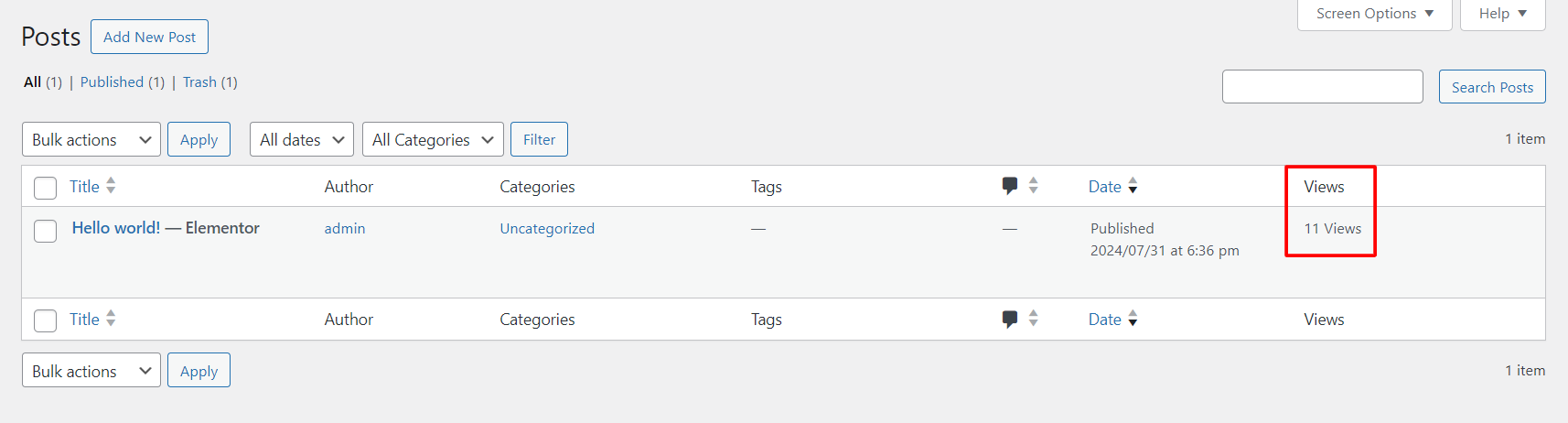
[pct_post_count]shortcode. - “Views” column on the Posts screen in the admin.
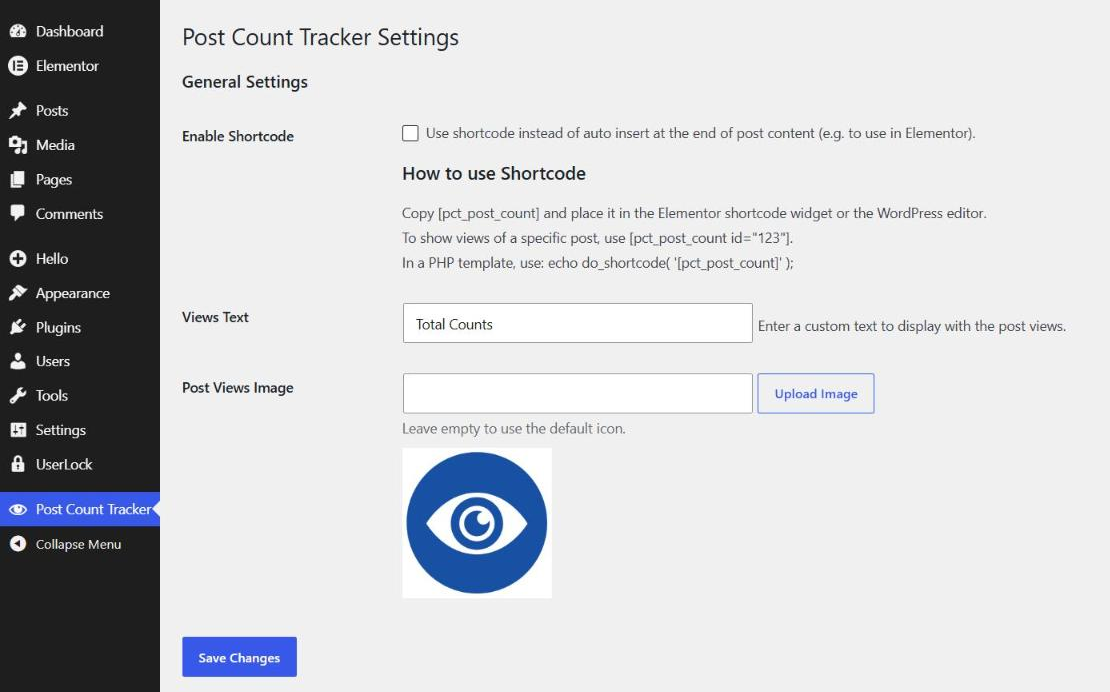
- Custom label text and custom icon from the settings page.
- Works with Elementor: add the shortcode to the Shortcode widget in your single post template.
- Lightweight: no extra JavaScript on the front end and admin assets load only on the plugin’s settings page.
Installation
- Upload the
post-count-trackerfolder to the/wp-content/plugins/directory, or install it from Plugins > Add New. - Activate the plugin through the ‘Plugins’ menu in WordPress.
- Go to Post Count Tracker in the admin menu to change the text, icon, or switch to shortcode mode.
Changelog
Tested with WordPress 7.1.4 and requires PHP 8.0+. Includes a first-view counting fix, and performance improvements.
1.2.0
- Tested up to WordPress 7.1.4.
- Now requires PHP 8.0 or higher and WordPress 5.6 or higher.
- Fixed: the first view of a post is now counted (it previously showed 0).
- Fixed: the view count no longer appears inside widgets or secondary loops on single posts.
- Fixed: post previews are no longer counted as views.
- Added: settings are now sanitized, and a “Settings saved” message is shown.
- Added:
[pct_post_count id="123"]support documented on the settings page. - Added: plugin data is removed when the plugin is deleted.
- Improved: admin scripts and the media library load only on the plugin settings page.
- Improved: removed the empty front-end JavaScript file request.
- Improved: all admin text is translatable; numbers are formatted for the site language.
1.1.0
- Added settings page to control the shortcode, count view text and image.
1.0.0
- Initial release.
Screenshots

For developers
Is this your plugin? Show off the numbers.
Add a live badge to your site, docs or GitHub README. It updates on its own — no account needed.
Best Post Count Tracker alternatives
All elementor plugins →





FAQ
Post Count Tracker: quick answers
Straight answers, pulled from live WordPress.org data.
Source: WordPress.org
Is Post Count Tracker free?
Yes. Post Count Tracker is free to download and use from the official WordPress.org plugin directory.
Is Post Count Tracker safe to use in 2026?
Post Count Tracker is a solid plugin choice in 2026, with a few things worth checking first. It runs on 40+ sites, is rated 5/5 and was last updated 1 month ago, and scores 70/100 on our health check.
How many websites use Post Count Tracker?
Post Count Tracker is active on 40+ WordPress websites and has been downloaded 2,272 times since it launched in August 2024. It was downloaded 202 times in the last 30 days.
Does Post Count Tracker work with WordPress 7.1?
Yes. The developer has tested Post Count Tracker up to WordPress 7.1.5, the latest release. It requires WordPress 5.6 or newer.
What PHP version does Post Count Tracker need?
Post Count Tracker requires PHP 8.0 or higher. Most hosts run PHP 8.x today, so it works on any modern WordPress hosting.
When was Post Count Tracker last updated?
The latest version, 1.2.0, was released on October 28, 2026 (1 month ago).
Who makes Post Count Tracker?
Post Count Tracker is developed and maintained by Amir Nafees.
What are the best alternatives to Post Count Tracker?
The most popular alternatives to Post Count Tracker are Ultimate Addons for Element… (2M+ installs), Essential Addons for Elemen… (1M+ installs) and Royal Addons for Elementor (600K+ installs).
Powered by PageForge
One template and a spreadsheet. A real page for every search.
PageForge turns each row of a CSV into a WordPress page with its own title, URL, SEO fields and schema, built on the layout you already designed. Free on WordPress.org.
- CSV and XLSX, plus Google Sheets on Professional and Enterprise
- Its own title, URL, SEO fields and schema for every page
- Works with the block editor, Elementor, Divi and Avada
- Free on WordPress.org, no credit card