



Portfolio Responsive Gallery
Best portfolio and photo gallery plugin to create advanced projects. Showcase powerful catalogs with an unlimited number of images.

Use with caution
Portfolio Responsive Gallery works, but test it on a staging site before relying on it in 2026. It runs on 200+ sites, is rated 3/5 and was last updated 4 months ago, and scores 55/100 on our health check.
- Small user base (200+ active installs)
- Very few reviews so far
How does it stack up?
Side-by-side on installs, updates, ratings & support



Daily downloads
Download spikes usually follow a new release — each site that auto-updates counts as a download.
Rankings
Where Portfolio Responsive Gallery stands todayWordPress.org search rankings
Live position in the plugin search, top 100| Keyword | Position |
|---|---|
| image gallery | >100 |
| portfolio | #28 |
| portfolio gallery | #39 |
| portfolio plugin | #23 |
| wordpress portfolio plugin | #25 |
Version adoption
Share of active sites per release.
Rating breakdown
★★★★★★★★★★ 3 from 2 reviews
About Portfolio Responsive Gallery
From the official readme · v1.5.4Description
Portfolio Responsive Gallery
- Portfolio Responsive Gallery
- Portfolio Responsive Gallery Free Demo
- Portfolio Responsive Gallery Pro Demo
Find the best offer in the market! Let’s see what we suggest.
In recent years, there has been a rising popularity of websites including responsive and filterable portfolios. Our team developed the WordPress Portfolio plugin as a powerful tool to showcase beautiful image galleries on your WordPress websites. WP Portfolio is designed to increase your website engagement and provide the best user experience for website visitors.
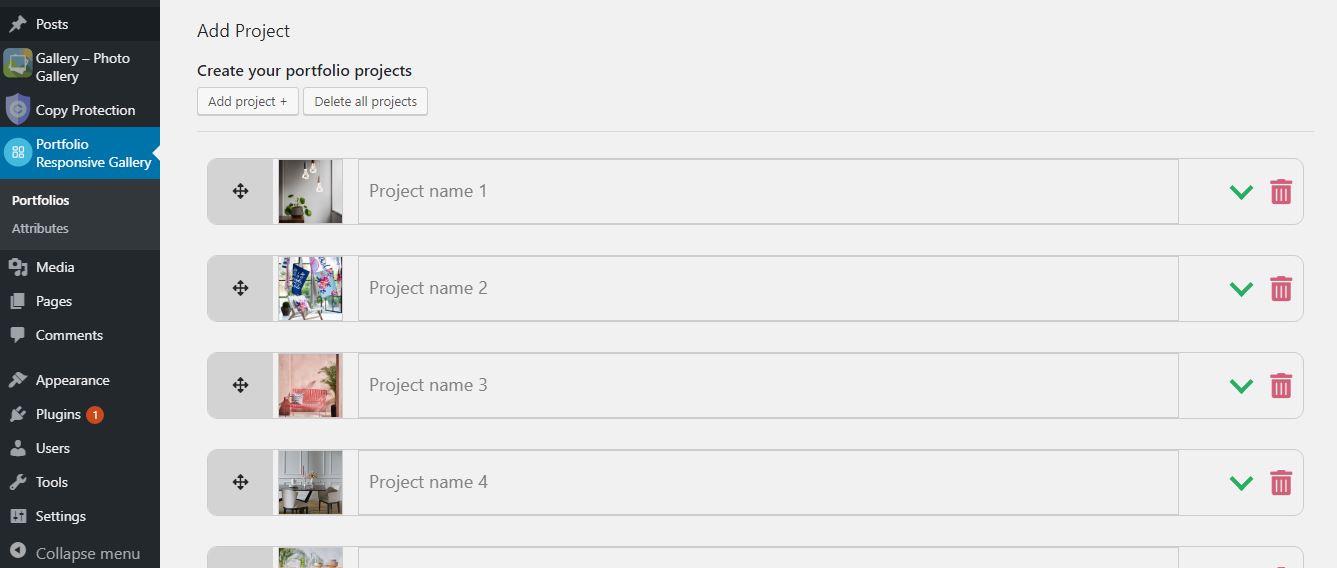
We suggest portfolio plugin for companies, designers, photographers, artists, freelancers etc. WordPress Portfolio plugin will give you an opportunity to present your WordPress gallery maximally attractive and meaningful. Through our WordPress Gallery plugin, you get a chance to unite several projects with their photo gallery and descriptions. As all of this is being done from our page, it becomes very easy to use our image gallery. You can create an unlimited number of portfolios with an unlimited number of projects. All portfolios and projects are being done separately, thus giving you the possibility to create unique and different views on the same site.
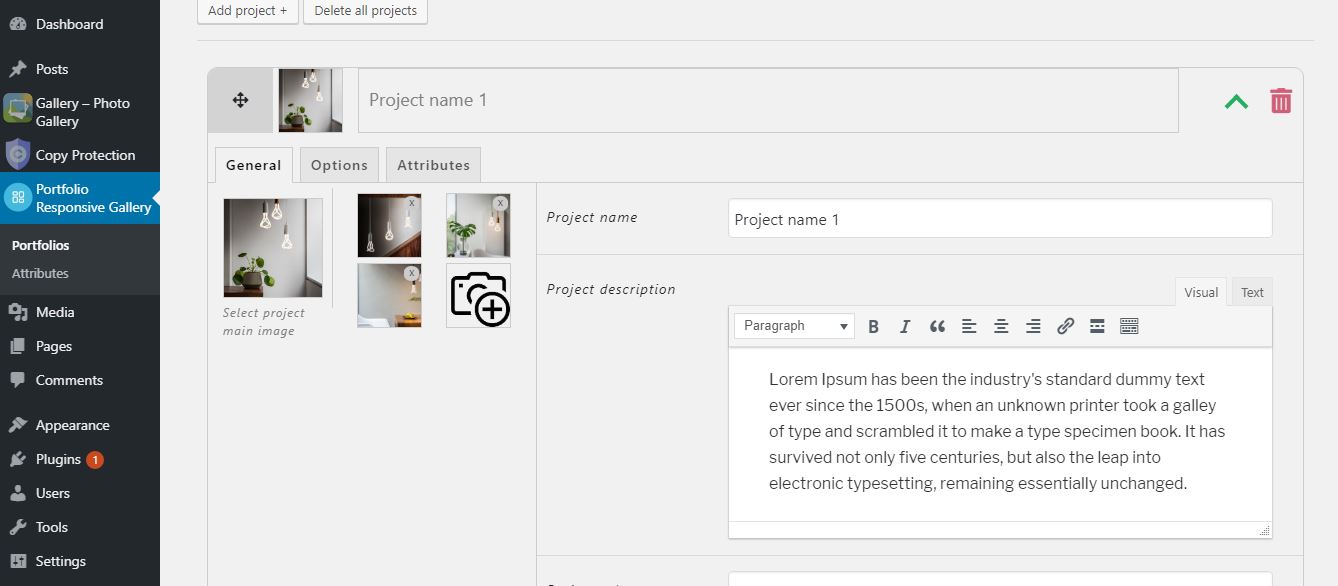
WP Portfolio plugin is very easy to use. All you need to do is upload images, write short descriptions, and, then, copy the image portfolio shortcode and add it to your desired post or a page.
We suggest portfolios such as; online portfolio, professional portfolio, photography portfolio, company portfolio, professional portfolio, design portfolio, fashion design portfolio, etc.
Now, let’s discuss what basic functions the Portfolio plugin has.
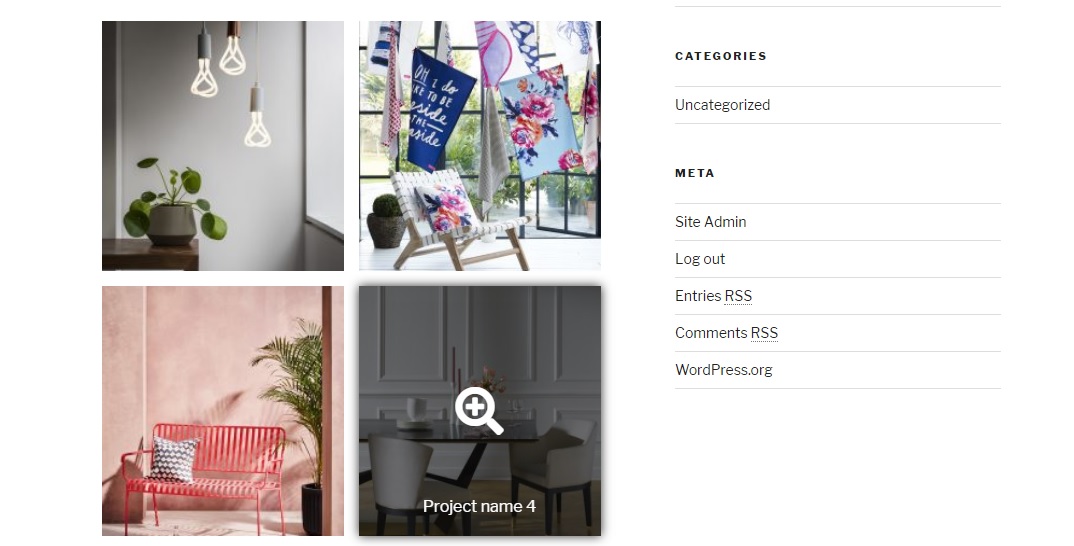
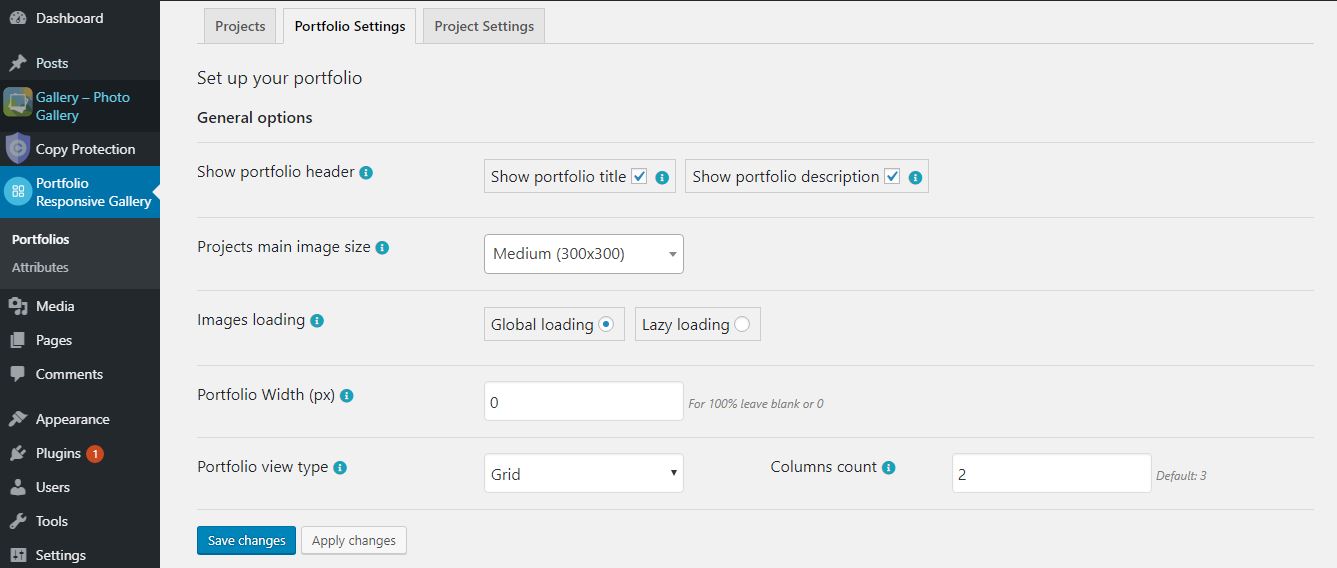
- Responsive grid view: You can choose the number of columns for the portfolio gallery.
- Thumbnail hover effects and attractive hover effects: These features will make your projects more attractive. You will surely engage more people who want to watch the projects more in detail.
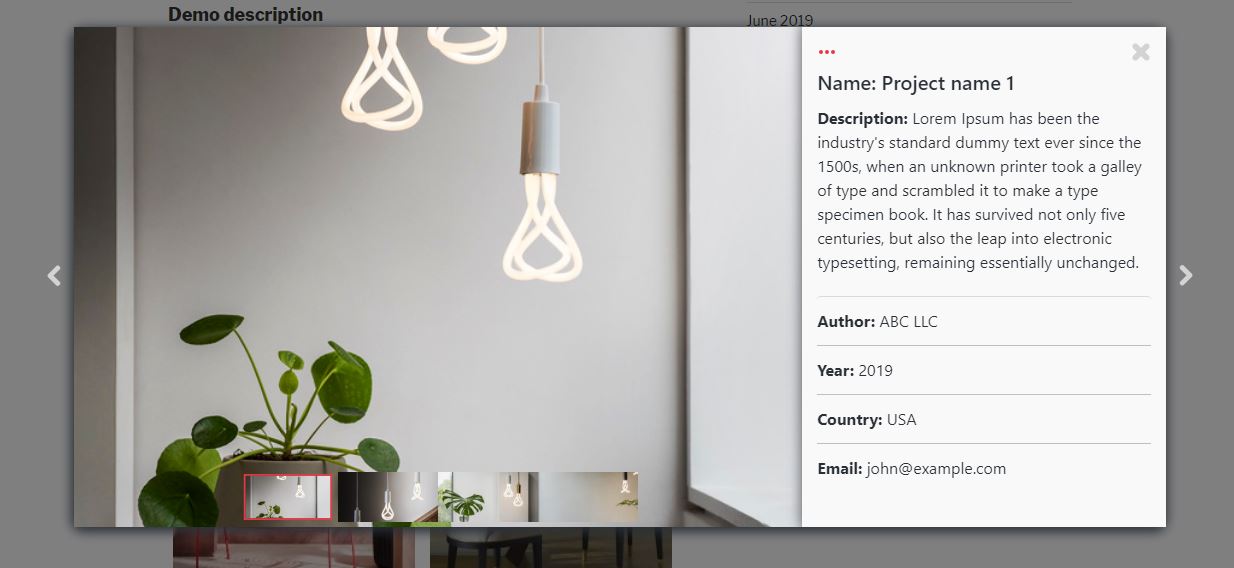
- Responsive Popup Lightbox: By clicking on each project, a window will be opened, including the photos and description of that project, presented through sliders. The most important advantage is that your users can pass on to the next project without closing the lightbox.
- Lazy Loading: This functionality is important for keeping the speed of your page. It gives a chance to load the photos only after opening the page. The feature is added to the WordPress Portfolio plugin, taking into consideration the fact that a responsive portfolio can contain a great number of photos.
- Thumbnail size option: This parameter is developed for the page speed as well, as in the view, the photos are smaller than their actual real sizes. It will be productive to use this function in order to open photos in small sizes and to load them quickly.
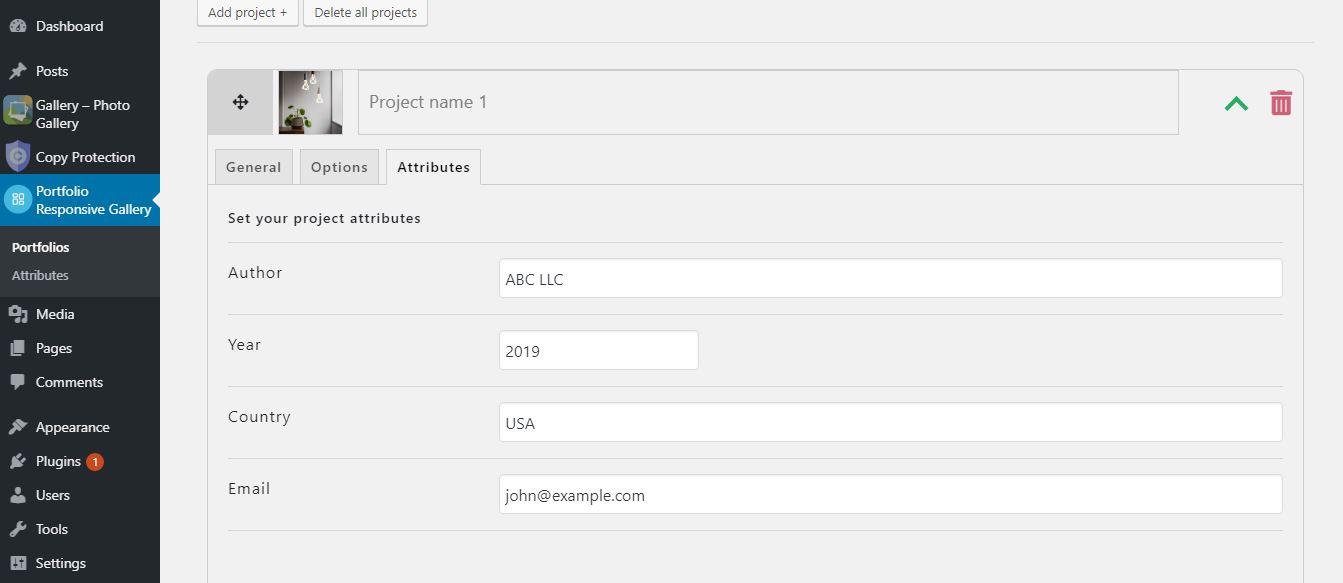
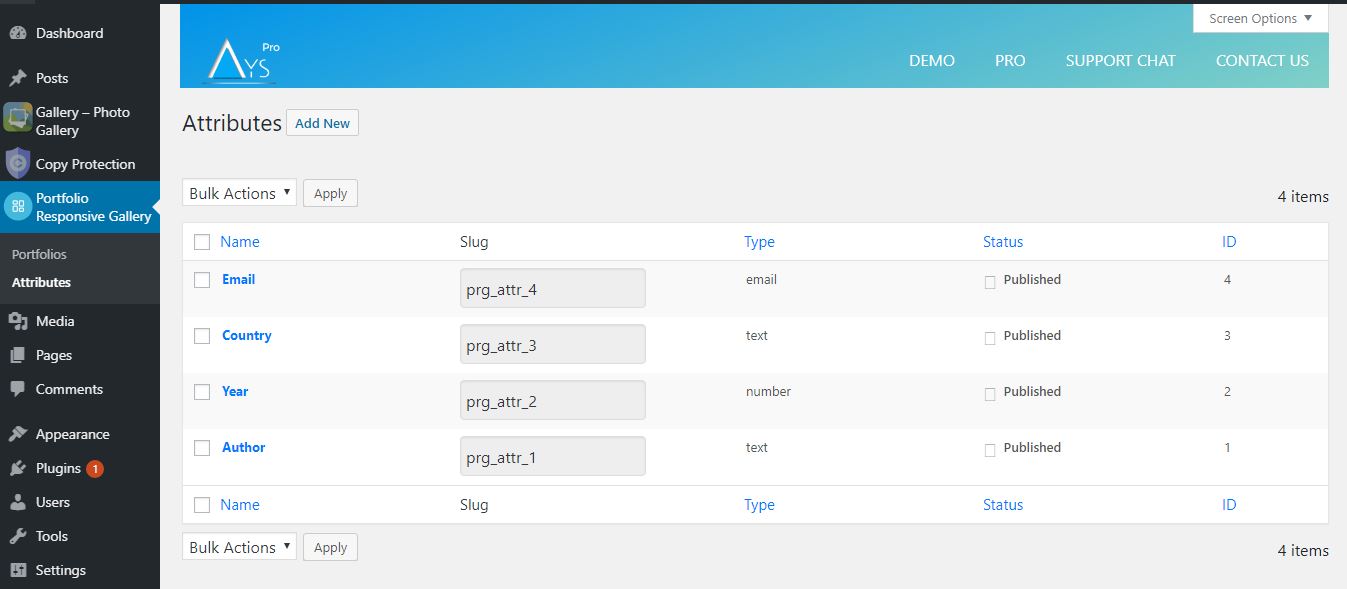
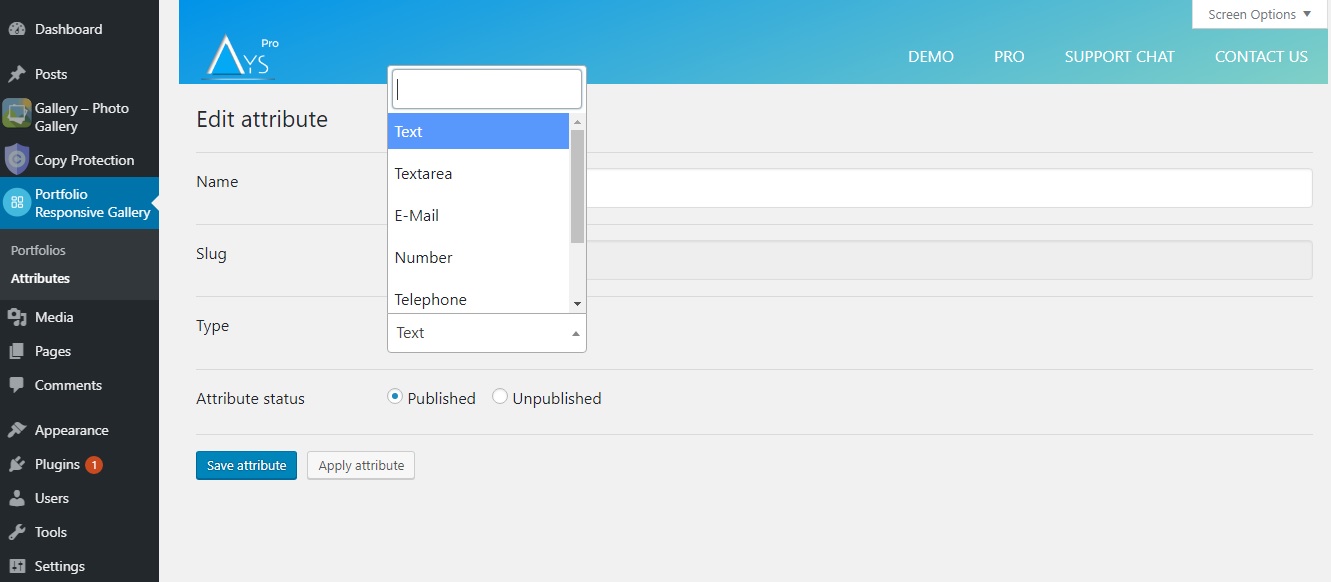
- Attributes: This section is for adding other information, e.g. the author of the project, date, duration, cost, size, etc. Attributes have separate types; text, url, date, email, etc. This section is separate and you should add the attribute only once, not in each project.
- Settings: Various options the WordPress Portfolio plugin has, give an opportunity to manage separate portfolios and the filterable portfolio of the projects.
Who needs this plugin?
The Portfolio plugin is designed for almost all companies and freelancers. The WP Portfolio offers the best portfolio and can present an IT Company’s portfolio, photographer’s portfolio, artist’s portfolio, freelancer’s portfolio, personal portfolio, company portfolio, etc.
If you have many projects and put effort into making those works as beautiful and high-quality as possible, it is the right time to use this WordPress Portfolio plugin. By doing so, you can present your works in a beautiful and unique way. You can present different projects through separate portfolios which will make your experience richer and more meaningful. At the same time, you will get a chance to present each project in detail, as all photos and details are nicely showcased through lightbox. We solved the problem of showcasing a large number of projects by using minimal space.
It is not a secret that the best way to attract new customers is the existing/previous projects and our plugin can provide the performance of those works.
Animation Effect | Project Sound [Pro](https://ays-pro.com/wordpress/portfolio-responsive-gallery)
Now your portfolio can have an animation effect and project sound. Enable these options to make your gallery look more engaging and professional. Add your desired sound so that the website visitors will stay on your website longer and enjoy the displayed portfolio.
Use the chance to show your works most attractively. Improve your website ranking with the right tool.
How is our plugin different?
At first, the WordPress Portfolio plugin is very easy to use. At the same time, we keep you away from wasting time by grouping and distributing different parameters. As an IT Company, we also had bad experiences and difficulties presenting our or our customers’ projects. When developing the Portfolio plugin, we took into consideration all the problems our customers may experience. One of the most important advantages is the speed, which will be provided through Lazy Loading and Thumbnail size options. Also, the Custom Attributes tab makes the WP Portfolio plugin flexible and provides more time for admin.
Features available in Free Version
- Unlimited number of projects and images
- Project Attributes tab
- Project Description and Project URL options
- Global loading and Lazy loading features for the images
- Project grid view type
- Projects main image size option
- Lightbox image fit feature
- Project hover and Project thumbnail options
PRO Features
- Includes ALL Free version Features
- Advanced Project Attributes functionality
- Project Audio feature
- Advanced animation types for opening the project images
- Animation types once the project image animates out of the view
- Animation speed feature
- Project sound
Don’t forget, in case of any problems or upcoming questions feel free to contact us via the following FREE SUPPORT FORUM.
Installation
There are two ways to install Portfolio Responsive Gallery: the easy way, when you install Portfolio Responsive Gallery from your WordPress dashboard, and the not so easy way, when you install it from WordPress.org.
- 1.1 The easiest way to enjoy Portfolio Responsive Gallery:
- 1.1.1 Login to your WordPress dashboard
- 1.1.2 Go to Plugins
- 1.1.3 Add New
- 1.1.4 Search for Portfolio Responsive Gallery
- 1.1.5 Click to install
- 1.2 The second way:
- 1.2.1Download the zip file from https://wordpress.org/plugins/portfolio-responsive-gallery/
- 1.2.2 Go to Plugins
- 1.2.3 Add New
- 1.2.4 Upload plugin
- 1.2.5 Choose file ays portfolio_responsive_gallery.zip
- 1.2.6 Click to install
Frequently asked questions
Are there any limitations to uploading images to the projects?
The plugin doesn’t have any limitation on the number of images you can upload for the projects. You can add an unlimited number of images and projects.
Is the WordPress Portfolio plugin responsive and mobile-friendly?
Yes, the plugin is mobile-friendly and has a responsive design. The projects are easily adjusted with your mobile devices.
How can I add audio to the projects(Pro)?
To add audio to the portfolio project, head to the Portfolios > particular portfolio > Add project > General tab > select music for the Project Audio option.
Does the plugin offer features for page speed (image loading)?
Yes, the portfolio gallery has the Lazy Loading option for page speed. Once the Lazy Loading option is enabled for the portfolio, firstly, the portfolio is opened, and after that, the images.
What animation types does the plugin have(Pro)?
The responsive portfolio has the Animate In and the Animate Out animation types. The Animate In animation type appears when the picture appears in the project. The Animate Out animation type appears when the picture in the project animates out of view.
How can I add portfolio galleries to a post or page?
Once you create a project and save the changes, a shortcode is generated for you. You just need to copy the shortcode and paste it to your desired post or page.
Is it possible to change the order of the project images?
Sure, you can change the order of project images. All you need to do is drag the project image and drop it wherever you find it appropriate for you.
Does the plugin have the project grid view type?
Yes, the image gallery can be set in grid view. You can choose in what sequence the pictures of projects must be displayed.
The functionality doesn’t work or I have presale questions. How can I contact your Support Team?
Our Support Specialists are always ready to help you in case you have any questions related to the plugin. Generally, they respond to the clients’ requests within 24 hours. If you have questions related to the Free version of the plugin, feel free to open a new topic on the WordPress Support Forum. Otherwise, if you have any presale questions or requests connected to the Pro version of the Portfolio Responsive Gallery plugin, you are welcome to contact us via this form. 1.3 In order to install the Portfolio Responsive Gallery from WordPress.org you must unzip the archive and copy the…
Changelog
1.5.4
- Improved: Code correction on the admin dashboard
1.5.3
- Improved: Some changes on the admin dashboard
- Updated: POT and Po files
1.5.2
- Improved: Some changes on the admin dashboard
- Tested: Compatible up to WP 7.0
1.5.1
- Tested: Compatible up to 6.8
- Fixed: Image mix-up issue when reordering projects
1.5.0
- Improved: Some changes on the admin dashboard
- Tested: Compatible up to 6.8
- Fixed: CSS conflict with the HTML5 Video Player plugin
- Fixed: CSS conflict with the Panorama Viewer plugin
1.4.9
- Improved: Some Styles on the admin dashboard
Screenshots

For developers
Is this your plugin? Show off the numbers.
Add a live badge to your site, docs or GitHub README. It updates on its own — no account needed.
Best Portfolio Responsive Gallery alternatives
All image gallery plugins →




FAQ
Portfolio Responsive Gallery: quick answers
Straight answers, pulled from live WordPress.org data.
Live data from WordPress.org · checked Oct 1, 2026
Is Portfolio Responsive Gallery free?
Yes. Portfolio Responsive Gallery is free to download and use from the official WordPress.org plugin directory. The developer also sells premium add-ons or a Pro version with extra features.
Is Portfolio Responsive Gallery safe to use in 2026?
Portfolio Responsive Gallery works, but test it on a staging site before relying on it in 2026. It runs on 200+ sites, is rated 3/5 and was last updated 4 months ago, and scores 55/100 on our health check.
How many websites use Portfolio Responsive Gallery?
Portfolio Responsive Gallery is active on 200+ WordPress websites and has been downloaded 10,424 times since it launched in June 2019. It was downloaded 187 times in the last 30 days.
Does Portfolio Responsive Gallery work with WordPress 7.1?
Portfolio Responsive Gallery is officially tested up to WordPress 7.0.6, while the latest release is 7.1.2. It may still work, but try it on a staging site first.
When was Portfolio Responsive Gallery last updated?
The latest version, 1.5.4, was released on June 17, 2026 (4 months ago).
Who makes Portfolio Responsive Gallery?
Portfolio Responsive Gallery is developed and maintained by Ays Pro.
What are the best alternatives to Portfolio Responsive Gallery?
The most popular alternatives to Portfolio Responsive Gallery are Photo Gallery, Sliders, Pro… (300K+ installs), Photo Gallery by 10Web (100K+ installs) and FooGallery Photo Gallery (100K+ installs).
Powered by PageForge
Want thousands of pages that rank like these? Build them in an afternoon.
This directory runs on the same engine as PageForge. Turn any spreadsheet, CSV or API into thousands of fast, SEO-ready WordPress pages — with schema, internal links and AI-written copy baked in.
- CSV, Google Sheets & API data sources
- AI content, schema & internal links per page
- Works with Elementor, Gutenberg, Yoast & Rank Math
- Free on WordPress.org — no credit card


