



PlanIt Event Manager – Responsive Event Calendar & Management Plugin
Free WordPress event calendar with calendar views, event management, venues, and organizers. The perfect event calendar solution for any website.

Use with caution
PlanIt Event Manager works, but test it on a staging site before relying on it in 2026. It runs on 50+ sites and was last updated 2 months ago, and scores 59/100 on our health check.
- Small user base (50+ active installs)
- Very few reviews so far
How does it stack up?
Side-by-side on installs, updates, ratings & support



Daily downloads
Download spikes usually follow a new release — each site that auto-updates counts as a download.
Rankings
Where PlanIt Event Manager stands todayWordPress.org search rankings
Live position in the plugin search, top 100| Keyword | Position |
|---|---|
| booking | >100 |
| calendar | >100 |
| event calendar | >100 |
| event manager | #98 |
| events | >100 |
Version adoption
Share of active sites per release.
About PlanIt Event Manager
From the official readme · v1.0.17Description
Try It Live – Preview This Plugin Instantly
Preview on WordPress Playground
Launch an interactive demo with WordPress, the plugin, and sample events already configured – no installation required! Click the link above to explore all features in your browser.
Try PlanIt Premium live (full Premium features)
Launch PlanIt Event Manager Premium on InstaWP
Use this link to open a temporary WordPress sandbox with PlanIt Premium and the free companion pre-configured—explore week/year views, recurring events, and other Premium-only tools. (This is separate from the WordPress Playground preview above, which showcases the free plugin from WordPress.org.)
PlanIt Event Manager is the perfect free event calendar plugin for WordPress. This comprehensive event calendar solution makes it easy to create, manage, and display events on your website with beautiful calendar views and intuitive event management tools. Whether you’re organizing conferences, workshops, concerts, or any type of event, this event calendar provides everything you need to keep your visitors informed.
With powerful calendar views, list displays, venue management, and seamless WordPress integration, PlanIt Event Manager is the ideal event calendar for businesses, organizations, and bloggers. The responsive design ensures your event calendar looks perfect on all devices, while the flexible customization options let you create the perfect event calendar experience for your site.
Upgrade to Premium for advanced features like Week View, Year View, Photo View, Map View, Recurring Events, Custom Fields, Event Series, Featured Events, CSV Import, and much more!
Visit https://landtechwebdesigns.com/planit-event-manager-premium to upgrade.
Free Version Features
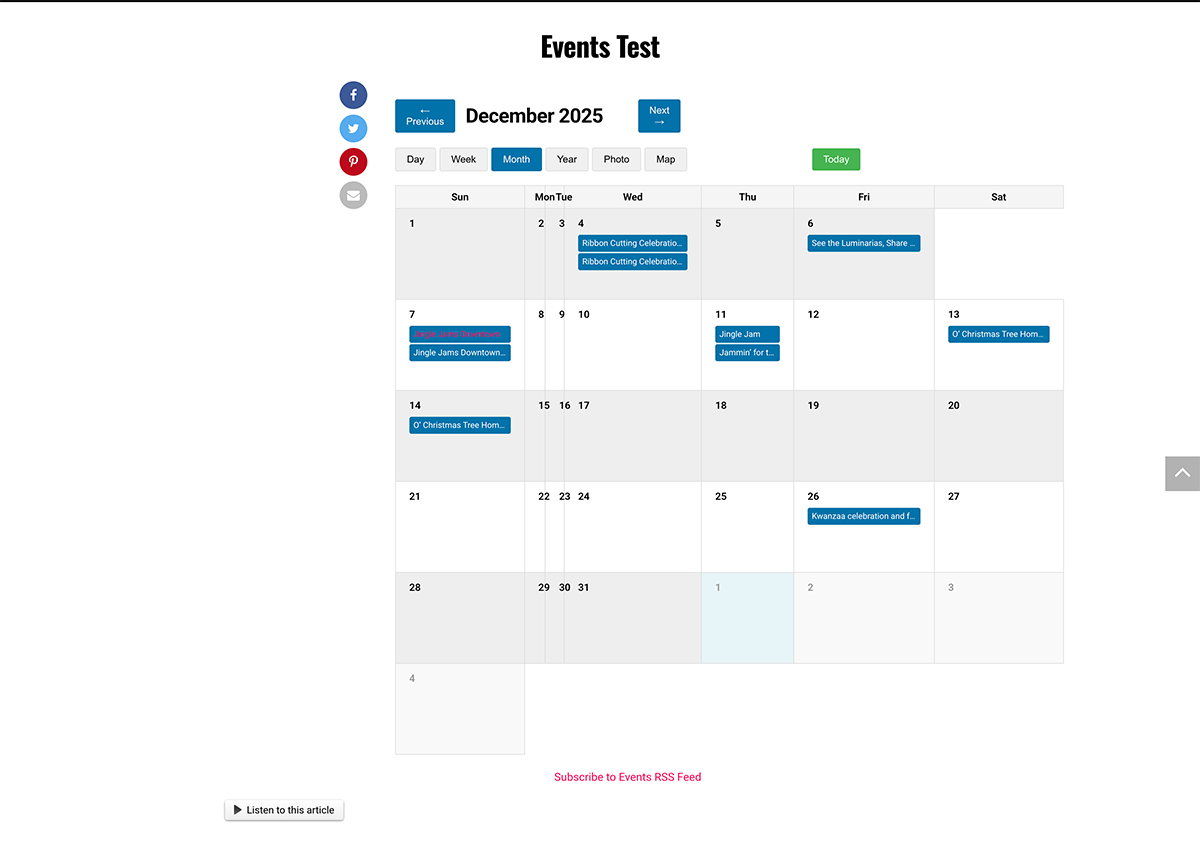
- Event Calendar Views: Stunning Day and Month calendar views to display your events beautifully
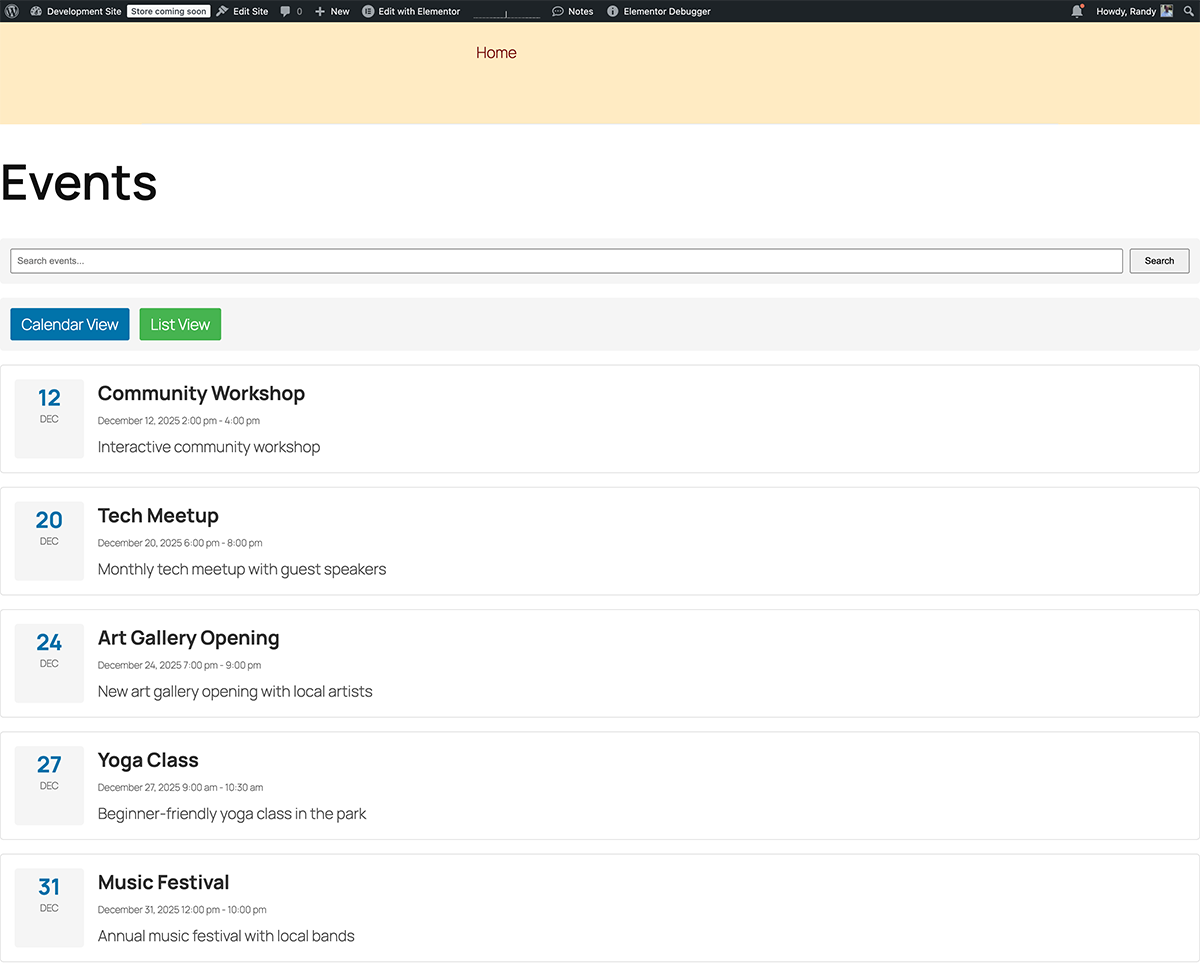
- List View: Display events in a clean, chronological list format for easy browsing
- Event Management: Complete event calendar management – create, edit, and delete events with full details
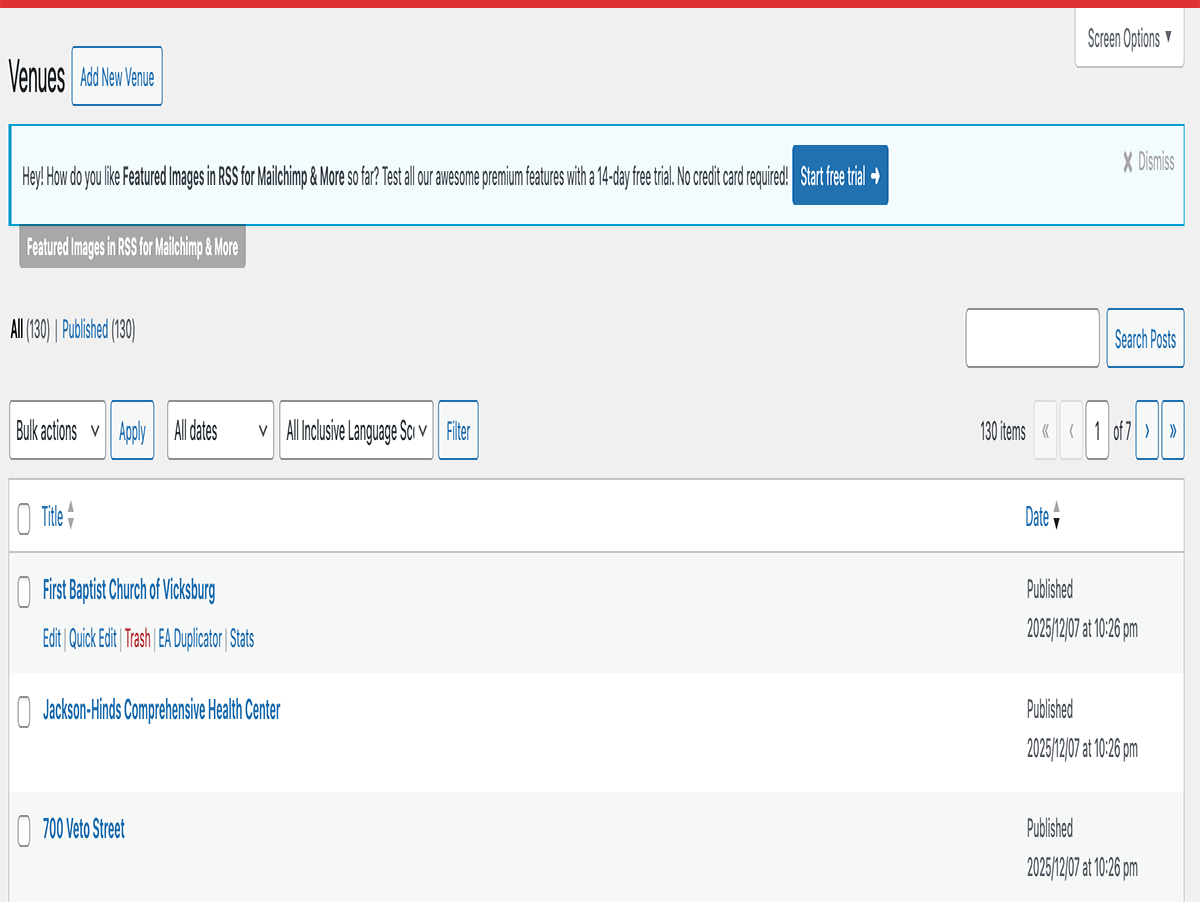
- Venues & Organizers: Manage venues and organizers separately for better event calendar organization
- Event Categories & Tags: Organize your event calendar with categories and tags for better navigation
- Hide Past Events: Automatically hide past events from your event calendar to keep it current
- Google Maps Integration: Display venue locations on interactive maps in your event calendar (requires API key)
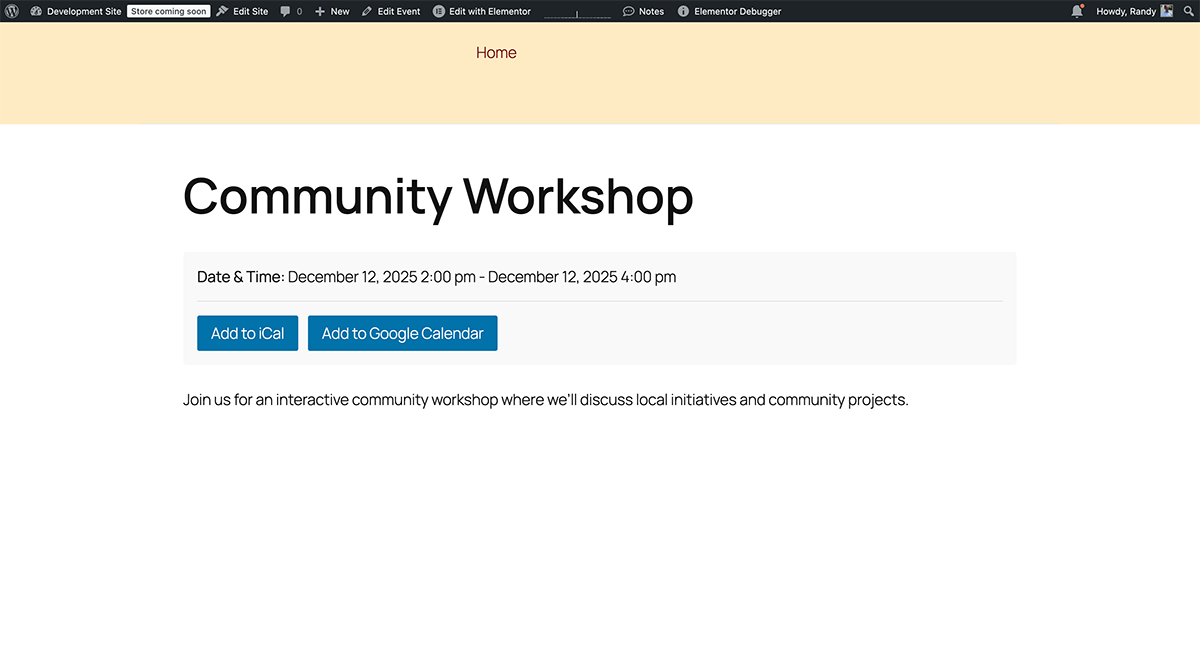
- iCal & Google Calendar Export: Export events from your event calendar to external calendar applications
- Responsive Event Calendar Design: Your event calendar looks perfect on all devices – desktop, tablet, and mobile
- Event Calendar Widget: Upcoming events widget for sidebars to showcase your event calendar
- Event Calendar Shortcodes: Easy calendar and list embedding anywhere on your site
- Event Calendar Search & Filter: Powerful search and filtering to help visitors find events quickly
- PlanIt Event Search (AI, opt-in): Natural-language event search block and shortcode for visitors when AI is enabled under Events → Settings
- Featured Images: Add beautiful images to events in your event calendar
- SEO Schema Bridge: Native Event JSON-LD with optional integration for Rank Math, SEOPress, Yoast SEO, and All in One SEO (Auto mode avoids duplicate structured data)
- Event Sitemap Page: Optional HTML sitemap of all events for visitors and SEO (create from Events → Settings)
Premium Features (Available in Premium Version)
- Week View – See your week at a glance
- Year View – Annual overview
- Photo View – Visual grid with event images
- Map View – Interactive map with event locations
- Recurring Events – Create repeating events automatically
- Custom Fields – Add unlimited custom data to events
- Event Series – Group related events together
- Featured Events – Highlight important events
- CSV Import – Bulk import events from spreadsheet
- The Events Calendar Import – Migrate from other plugins
- Event Cost/Price – Display event pricing
- Event Website – Link to external event pages
- Event Timezone – Per-event timezone support
- RSS Feed – Events RSS feed
- Advanced Widgets – Featured Events, Event Series, Countdown widgets
- RSVP door check-in – QR manifest printing and mobile-friendly check-in for confirmed RSVPs (Premium)
External services
This plugin makes use of the following third-party services:
Google Maps JavaScript API
What it is: Google Maps JavaScript API for displaying event locations.
Data sent: The user’s browser sends the site’s API key and the visitor’s IP address to Google when viewing a map.
InstaWP (optional Premium live demo)
What it is: InstaWP provides temporary WordPress sites. The “Launch PlanIt Event Manager Premium on InstaWP” link in this readme opens their launcher so you can try PlanIt Premium without installing it on your own server.
Data sent: Your browser loads InstaWP; standard web data (for example IP address, referrer) may be processed per InstaWP’s policies.
WordPress AI / Connectors (optional)
What it is: When you enable AI under Events → Settings → AI, PlanIt uses WordPress 7.0’s WP AI Client and your site’s configured connector (for example OpenAI or Anthropic via Settings → Connectors). PlanIt does not ship API keys.
Data sent: Prompt text and event context (titles, dates, venue names, categories, excerpts) for admin assist; for the public Event Assistant and Event Search blocks, upcoming event titles/dates/URLs and the visitor’s question or search phrase. Visitor IP is used locally for rate limiting only and is not sent to the AI provider. RSVP emails, payment data, and attendee PII are not sent to AI providers.
When: Only when you opt in via settings and a connector is configured.
- WordPress AI documentation
- Review your chosen connector plugin’s Terms of Service and Privacy Policy (for example OpenAI or Anthropic policies on their respective sites).
Try It Live
👆 Click the preview link at the top of this page to try PlanIt Event Manager instantly – no installation required!
The live preview includes:
* WordPress and plugin pre-configured and ready to explore
* 6 sample events (conferences, workshops, concerts, webinars)
* 3 venues with full address details
* 3 organizers with contact information
* Event categories and tags
* A demo page showcasing calendar and list views
Direct Preview Links:
* Preview free plugin on WordPress Playground
* Launch PlanIt Premium live demo on InstaWP (week/year views, recurring events, and more)
* View on WordPress.org (includes Preview button for the free plugin)
Installation
- Upload the plugin folder to
/wp-content/plugins/directory - Activate the plugin through the ‘Plugins’ menu in WordPress
- Go to Events > Settings to configure the plugin
- Open Events > Documentation for full tabbed in-admin help (shortcodes, WooCommerce tickets, payments, Premium vs. free)
- Start creating events!
Frequently asked questions
Does PlanIt work as a full-featured event calendar?
Yes! PlanIt Event Manager is a complete event calendar solution for WordPress. It includes calendar views (Day and Month), list views, event management, venues, organizers, and all the essential features you need for a fully functional event calendar.
What makes this event calendar different from other plugins?
PlanIt Event Manager is designed specifically to be the most user-friendly event calendar for WordPress. With intuitive event calendar management, beautiful calendar views, and seamless integration, it’s the perfect event calendar solution for any website. Plus, it’s completely free with an optional premium upgrade for advanced features.
How do I display my event calendar?
You can display your event calendar using the shortcode [twec_calendar] or visit the events archive page. Customize the view: [twec_calendar view="month"] for month view or [twec_calendar view="day"] for day view. The event calendar automatically integrates with WordPress themes.
Can this event calendar handle recurring events?
Recurring events are available in the Premium version. The free event calendar includes comprehensive event management for single events. Upgrade to Premium for advanced recurring event calendar features.
Can I hide past events from my event calendar?
Yes! Go to Events > Settings and enable “Hide Past Events” to automatically hide past events from your event calendar. This keeps your event calendar current and focused on upcoming events.
Does the event calendar work on mobile devices?
Absolutely! The event calendar is fully responsive and works perfectly on all devices – desktop computers, tablets, and mobile phones. Your event calendar will look great on any screen size.
What are the requirements for this event calendar?
WordPress 5.0 or higher and PHP 7.2 or higher. No external dependencies required for basic event calendar functionality. Google Maps integration requires a free Google Maps API key.
Does PlanIt record a history of Stripe or PayPal payments?
Yes. Successful Stripe Checkout sessions and PayPal captures logged via webhooks are stored in a dedicated payment history table (Events → Payments) so you can list many buyers over time per event—separate from the single-payment summary fields saved on each event post for backward compatibility.
Are older payments imported into the payment log?
No. Charges completed before this feature was introduced are not backfilled automatically; only completions processed after upgrading will appear.
Can shop managers or other roles use Events → Payments / Emails instead of Administrators?
By default those screens require the manage_options capability. Developers can widen access with twec_manage_payment_log_cap (Events → Payments) and twec_manage_emails_cap (Events → Emails). The latter also uses option_page_capability_twec_settings_group so customized roles can submit the Emails settings form safely.
Changelog
1.0.18
- SEO Schema Bridge: Event schema output modes (Auto, PlanIt native, SEO plugin only, Off) with adapters for Rank Math, SEOPress, Yoast SEO, and All in One SEO; dismissible admin notices for duplicate or missing schema configurations.
- Event sitemap page: Optionally create a public HTML sitemap page from Events → Settings (
[twec_event_sitemap]shortcode, ItemList JSON-LD, grouped by month).
1.0.17
- PlanIt Event Search: Natural-language event search block,
[twec_event_search]shortcode, andPOST planit/v1/ai/event-searchREST route with AI matching plus keyword fallback when no AI hits. - Security: Shared nonce verification helpers across admin saves, imports, exports, and AJAX; late escaping on outputs; inline JavaScript replaced with enqueued assets (RSVP, submission form, RRULE preview, map markers).
- API:
wp_safe_remote_postfor Stripe/PayPal; RSVP REST route arg schemas; brief transients for AI public queries and event search. - Performance: Admin transients for venue/organizer dropdowns, WooCommerce ticket event lists, and dashboard week widget with cache invalidation on save.
- Admin: Bulk AI publish prep, start/end date filters on the events list, Event Data metabox scroll cap; public assistant setting enables Event Assistant and Event Search on the front end.
1.0.16
- WordPress 7.0 AI integration (opt-in under Events → Settings → AI): Abilities API (
planit/*), admin editor assist panel, command palette commands, public Event Assistant block with rate limiting. - REST:
planit/v1/ai/*routes for draft descriptions, taxonomy suggestions, social snippets, alt text, and grounded public queries. - Classic editor: PlanIt AI Assist metabox fallback when the block editor is disabled for events.
- Docs:
docs/AI-Integration.md,REST-API.mdAI section, readme External Services disclosure for configured AI connectors.
1.0.15
- New PlanIt Compact Event List block and
[twec_compact_list]shortcode — dense table with date, event name, and category; click opens a preview popup (default) or the event page. - Block editor: calendar, event list, and compact list blocks always register from the free plugin (stable when Premium is active); live ServerSideRender previews in the editor.
- Front end: responsive calendar and list CSS (overflow and theme width fixes); guard against duplicate plugin folders on re-upload (
planit-event-manager-1, etc.). - Debug: calendar query logging gated by
WP_DEBUGandWP_DEBUG_LOGonly. - Zip packaging:
create-plugin-zip.shstages files under aplanit-event-manager/top-level folder for correct WordPress installs.
1.0.14
- Readme: Tested up to: 7.0 (WordPress 7.0). Requires PHP: 7.4 (aligns with WordPress 7.0 dropping PHP 7.2/7.3). Plugin header updated accordingly.
1.0.13
- Admin (Plugins): Try Premium (live demo) added to plugin action links (InstaWP), in addition to row meta — matches visibility of Settings / Documentation.
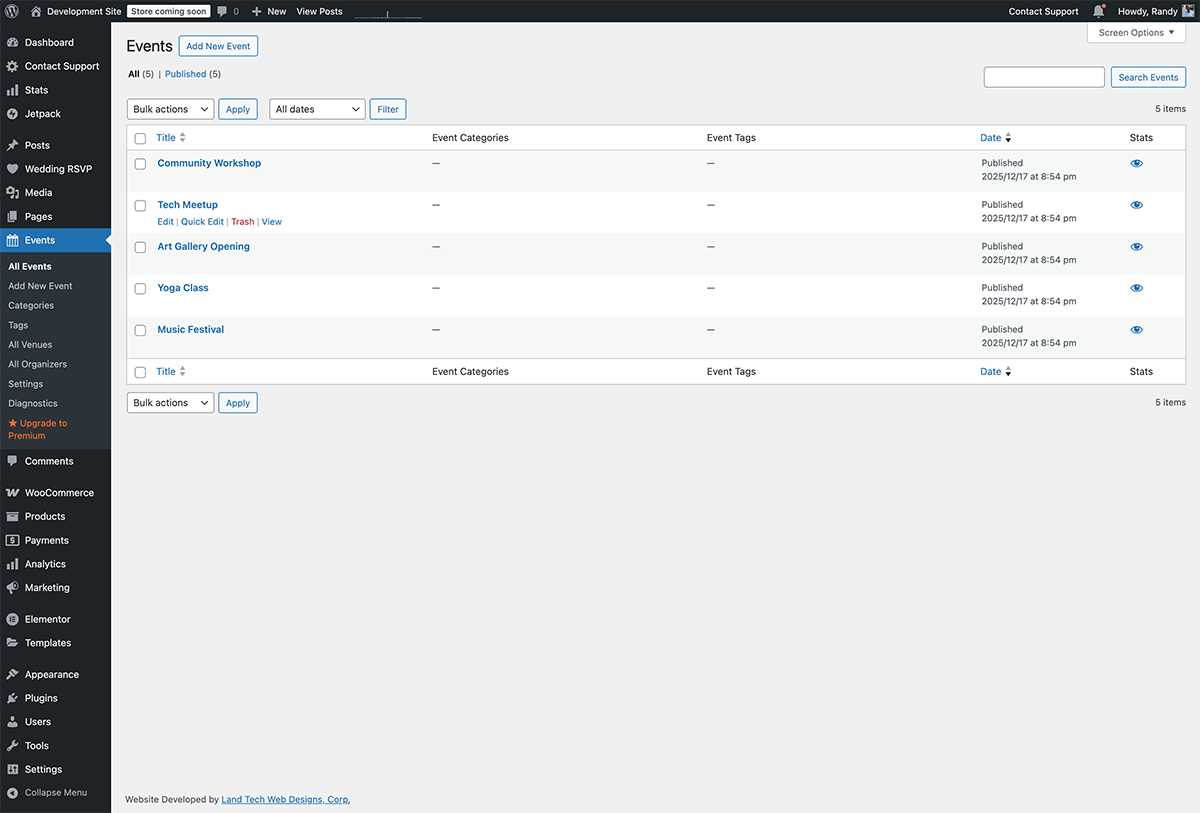
Screenshots
For developers
Is this your plugin? Show off the numbers.
Add a live badge to your site, docs or GitHub README. It updates on its own — no account needed.
Best PlanIt Event Manager alternatives
All booking plugins →





FAQ
PlanIt Event Manager: quick answers
Straight answers, pulled from live WordPress.org data.
Live data from WordPress.org · checked Oct 12, 2026
Is PlanIt Event Manager free?
Yes. PlanIt Event Manager is free to download and use from the official WordPress.org plugin directory.
Is PlanIt Event Manager safe to use in 2026?
PlanIt Event Manager works, but test it on a staging site before relying on it in 2026. It runs on 50+ sites and was last updated 2 months ago, and scores 59/100 on our health check.
How many websites use PlanIt Event Manager?
PlanIt Event Manager is active on 50+ WordPress websites and has been downloaded 2,232 times since it launched in January 2026. It was downloaded 444 times in the last 30 days.
Does PlanIt Event Manager work with WordPress 7.1?
PlanIt Event Manager is officially tested up to WordPress 7.0.7, while the latest release is 7.1.3. It may still work, but try it on a staging site first.
What PHP version does PlanIt Event Manager need?
PlanIt Event Manager requires PHP 7.4 or higher. Most hosts run PHP 8.x today, so it works on any modern WordPress hosting.
When was PlanIt Event Manager last updated?
The latest version, 1.0.17, was released on August 13, 2026 (2 months ago).
Who makes PlanIt Event Manager?
PlanIt Event Manager is developed and maintained by Randy Breland.
What are the best alternatives to PlanIt Event Manager?
The most popular alternatives to PlanIt Event Manager are Booking for Appointments an… (90K+ installs), Online Scheduling and Appoi… (60K+ installs) and Simply Schedule Appointments (50K+ installs).
Powered by PageForge
Want thousands of pages that rank like these? Build them in an afternoon.
This directory runs on the same engine as PageForge. Turn any spreadsheet, CSV or API into thousands of fast, SEO-ready WordPress pages — with schema, internal links and AI-written copy baked in.
- CSV, Google Sheets & API data sources
- AI content, schema & internal links per page
- Works with Elementor, Gutenberg, Yoast & Rank Math
- Free on WordPress.org — no credit card


