


PJ Event Timeline
Upcoming dates as a "Now & Next" timeline, past dates searchable and grouped by year. For performers, speakers, bands and tours.

Solid choice
PJ Event Timeline is a solid plugin choice in 2026, with a few things worth checking first. Was last updated 3 weeks ago, and scores 64/100 on our health check.
- Actively developed — last update 3 weeks ago
- Tested with the latest WordPress (7.1)
- Small user base (<10 active installs)
- Very few reviews so far
How does it stack up?
Side-by-side on installs, updates, ratings & support



Daily downloads
Download spikes usually follow a new release — each site that auto-updates counts as a download.
Rankings
Where PJ Event Timeline stands todayWordPress.org search rankings
Live position in the plugin search, top 100| Keyword | Position |
|---|---|
| calendar | >100 |
| events | >100 |
| performances | >100 |
| timeline | >100 |
| tour dates | >100 |
About PJ Event Timeline
From the official readme · v1.1.4Description
PJ Event Timeline turns a list of dates into a page your visitors can actually use. Add each date as its own entry (title, event, start/end dates and times, venue, city, state, link, tags, category), place the [pjcal] shortcode on a page, and you get:
- Now & Next — a timeline of everything in progress or upcoming, with “Today”, “In progress” and “Upcoming” status, start/end times (or all day) and an optional tickets/info link.
- Past Dates — every finished date grouped by year, newest first, with instant search, category filter chips, a sort toggle and a statistics strip (total events, locations, years active).
- Automatic rollover — the split between upcoming and past is worked out in the visitor’s browser, so a date moves to Past the day after it ends even on an aggressively cached page.
- Optional hero photo — choose one site-wide photo, pass an attachment ID or URL per timeline, or let it use the page’s featured image. Shown as a full-width banner with the title over it; or choose the side layout, where the photo pins to the left while the dates scroll.
- Your colors and fonts — light or dark scheme, six accent presets or any accent color, custom background, card and text colors, and your own heading and body fonts (with an optional web-font stylesheet). Leave them empty and it follows the scheme and your theme.
- Projects, not just events — flag a category as a “project” (studio time, writing, development) and those dates show their project title as the heading and stay out of the statistics.
- Reusable venues — save a venue once with its city, state, address and website, then pick it from a list; a date’s blank city/state fall back to the venue’s. On the timeline the venue name links to its website, and a venue with a street address gets a map pin that opens Google Maps.
- Hide without deleting — a “Hide from the timeline” switch in Date Details, Quick Edit, Bulk Edit and the row actions keeps a date on file but out of every timeline and statistic.
- Admin niceties — a Status column with Current & Upcoming / Past / Hidden filters, a Duplicate row action for repeat venues, a Dates column sorted by start date, and a warning on any entry missing a start date.
- Cache-aware — clears WP Fastest Cache, W3 Total Cache, WP Super Cache or WP Rocket when dates change (optional), and fires
pjcal_purge_cachefor other caching plugins.
Shortcode
[pjcal] with no attributes uses the defaults from Settings → PJ Event Timeline. Attributes:
title,eyebrow— heading and the small text above it.now_title,past_title,empty_now— section titles and the message shown when nothing is upcoming.image— attachment ID or image URL for the hero photo (default: the site-wide photo from Settings, otherwise the page’s featured image;"none"for no photo).focus— CSS object-position, e.g."50% 20%".layout—top(default: the photo is a banner above the dates) orside(pinned beside the dates on wide screens).scheme—lightordark.accent—wine,coral,pink,ocean,forest,slate,custom(the color picked under Settings) or any hex color such as#0f6e8c.category— comma-separated category slugs to show only those categories.open_years— how many year groups start expanded (default 2).now_limit— show this many upcoming dates, with the rest behind a “Show N more” button (default 0 = all).show_stats,show_search,show_filters—yesorno.show—both(default),upcomingorpastto show only one section.fullbleed="yes"— break out of a boxed content area to full viewport width.
Example: [pjcal title="Tour Dates" scheme="dark" accent="ocean" image="123" category="concerts,festivals"]
For developers
Filters: pjcal_default_settings, pjcal_default_atts, pjcal_accent_presets, pjcal_accent_hex, pjcal_items, pjcal_venue_map_url, pjcal_l10n, pjcal_wrapper_classes, pjcal_wrapper_style, pjcal_save_meta, pjcal_settings_tabs, pjcal_shortcode_reference_rows.
Actions: pjcal_settings_page_load, pjcal_settings_after, pjcal_settings_tab_content, pjcal_shortcode_reference_after, pjcal_meta_box_fields, pjcal_before_now, pjcal_after_past, pjcal_purge_cache.
Themes can restyle by overriding CSS custom properties on .pjcal (e.g. --pjcal-accent, --pjcal-top for a fixed header height, --pjcal-head / --pjcal-body for fonts). The front-end script fires a pjcal:rendered DOM event once a timeline has rendered.
External services
None by default. If you enter a Font stylesheet URL under Settings → PJ Event Timeline → Typography (for example a Google Fonts link), that stylesheet is loaded from the address you entered on pages that show a timeline, so that service receives the visitor’s IP address and browser details like any web request. For Google Fonts see the Google Privacy Policy and Terms of Service. Map pins are ordinary links to Google Maps and contact Google only when a visitor clicks one.
Every feature in this plugin is free, with no license key, trial or usage limit.
Add-ons
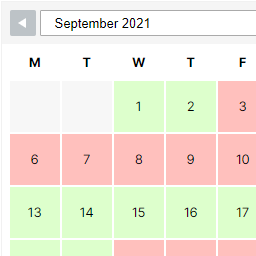
PJ Event Timeline Pro is a separate plugin sold on purejeannius.com. It adds tools that are not part of this plugin: a month-grid view, a subscribable calendar feed for Apple Calendar, Outlook and Google Calendar, Google event listings (schema.org Event data), CSV import and export, “Add to calendar” links on upcoming dates, and a compact next-dates list for sidebars and footers.
Installation
- Upload the
pj-calendarfolder to/wp-content/plugins/, or install it from Plugins → Add New. - Activate the plugin.
- Go to Event Timeline → Add Date and enter your dates. Save venues you use often under Event Timeline → Venues; create categories under Event Timeline → Categories if you want filter chips.
- Add
[pjcal]to any page. Set defaults under Settings → PJ Event Timeline.
Changelog
A refreshed settings screen. No changes to your dates, settings or shortcodes.
1.1.4
- A cleaner, more modern settings screen: a header with the PureJeannius logo and version, a summary card with your current & upcoming and past date counts (plus All dates / Add date buttons), pill-style tabs, each settings section on its own card, wine-colored buttons and checkboxes, and a save bar that stays at the bottom of the screen while you scroll.
- Add-ons can reuse the same look:
PJCAL_Settings::header()andPJCAL_Settings::sections(), and extra tabs now sit on a card.
1.1.3
- Links to the PJ Event Timeline Pro page now use its new address (purejeannius.com/products/pj-event-timeline/).
1.1.2
- Renamed from PJ Calendar to PJ Event Timeline. Nothing else changes: the shortcode is still [pjcal], and your dates, venues, categories and settings are untouched.
- The admin menu is now “Event Timeline”, and help text says “timeline” instead of “calendar”.
- The default heading for new installs is now “Events” (sites with saved settings keep theirs).
1.1.1
- Fix: permanently deleting a date from the Trash now clears the page cache.
- Fix: “1 date / 5 dates” and “Show N more” use proper plural forms in every language.
- Settings: the shortcode field’s select-on-focus moved from an inline handler into the settings script.
- Venue help text no longer mentions an add-on feature.
1.1.0
- Any accent color with a color picker, plus
accent="#hex"per timeline. - Custom background, card, text and muted-text colors.
- Heading and body fonts, with an optional web-font stylesheet URL.
- Site-wide hero photo chosen from the Media Library.
- Settings screen tabs are filterable.
1.0.0
- Initial release.
Screenshots


For developers
Is this your plugin? Show off the numbers.
Add a live badge to your site, docs or GitHub README. It updates on its own — no account needed.
Best PJ Event Timeline alternatives
All calendar plugins →




FAQ
PJ Event Timeline: quick answers
Straight answers, pulled from live WordPress.org data.
Source: WordPress.org
Is PJ Event Timeline free?
Yes. PJ Event Timeline is free to download and use from the official WordPress.org plugin directory.
Is PJ Event Timeline safe to use in 2026?
PJ Event Timeline is a solid plugin choice in 2026, with a few things worth checking first. Was last updated 3 weeks ago, and scores 64/100 on our health check.
How many websites use PJ Event Timeline?
PJ Event Timeline is active on <10 WordPress websites and has been downloaded 250 times since it launched in November 2026. It was downloaded 260 times in the last 30 days.
Does PJ Event Timeline work with WordPress 7.1?
Yes. The developer has tested PJ Event Timeline up to WordPress 7.1.5, the latest release. It requires WordPress 6.0 or newer.
What PHP version does PJ Event Timeline need?
PJ Event Timeline requires PHP 7.4 or higher. Most hosts run PHP 8.x today, so it works on any modern WordPress hosting.
When was PJ Event Timeline last updated?
The latest version, 1.1.4, was released on November 11, 2026 (3 weeks ago).
Who makes PJ Event Timeline?
PJ Event Timeline is developed and maintained by PureJeannius.
What are the best alternatives to PJ Event Timeline?
The most popular alternatives to PJ Event Timeline are The Events Calendar (600K+ installs), Events Manager (60K+ installs) and SimplyBook.me (30K+ installs).
Powered by PageForge
One template and a spreadsheet. A real page for every search.
PageForge turns each row of a CSV into a WordPress page with its own title, URL, SEO fields and schema, built on the layout you already designed. Free on WordPress.org.
- CSV and XLSX, plus Google Sheets on Professional and Enterprise
- Its own title, URL, SEO fields and schema for every page
- Works with the block editor, Elementor, Divi and Avada
- Free on WordPress.org, no credit card