


PingLead
Capture leads with smart forms and get instant chat alerts, lead scoring, CSV export, automation, and CRM sync.

Use with caution
PingLead works, but test it on a staging site before relying on it in 2026. Was last updated 4 months ago, and scores 49/100 on our health check.
- Small user base (<10 active installs)
- Very few reviews so far
How does it stack up?
Side-by-side on installs, updates, ratings & support



Daily downloads
Download spikes usually follow a new release — each site that auto-updates counts as a download.
Rankings
Where PingLead stands todayWordPress.org search rankings
Live position in the plugin search, top 100| Keyword | Position |
|---|---|
| contact form | >100 |
| crm | >100 |
| lead capture | >100 |
| lead scoring | #64 |
| Notifications | >100 |
About PingLead
From the official readme · v1.1.0Description
PingLead replaces slow email notifications with instant chat alerts for every new lead, the moment they submit your form.
Core Features
- Lead Capture Form — Embed a clean, accessible form anywhere with the
[pinglead_form]shortcode. - Demo Mode — Try the whole plugin safely with one click: sample leads are loaded into the dashboard and no real WhatsApp messages or CRM webhooks are sent while it’s on.
- Instant Chat Alerts — Get notified the moment a lead submits, using the WhatsApp Business Cloud API.
- Lead Scoring — Automatic 0–100 quality score based on completeness, email type, and message intent (Hot / Warm / Cold).
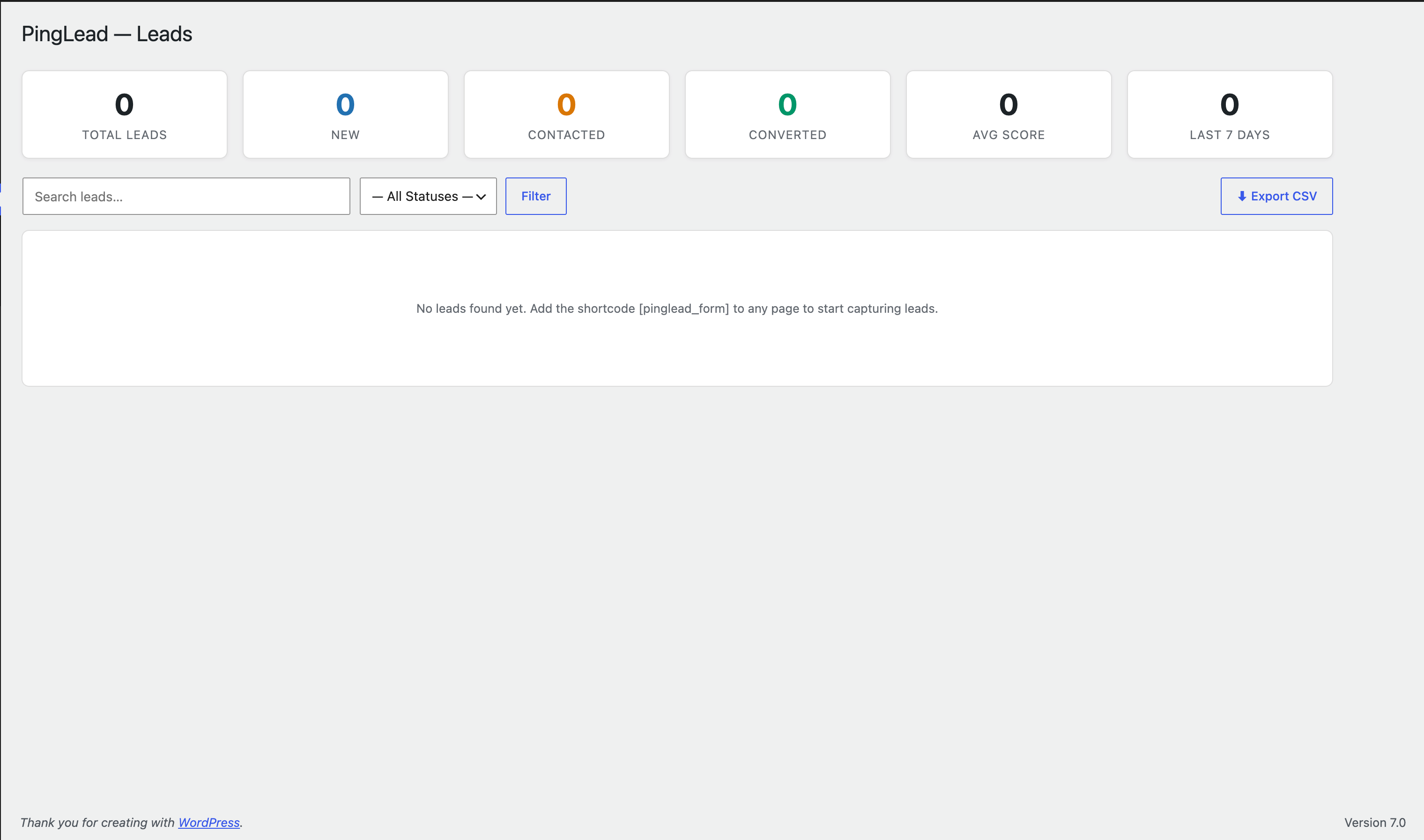
- CSV Export — Download all leads as a CSV file, compatible with Excel and Google Sheets.
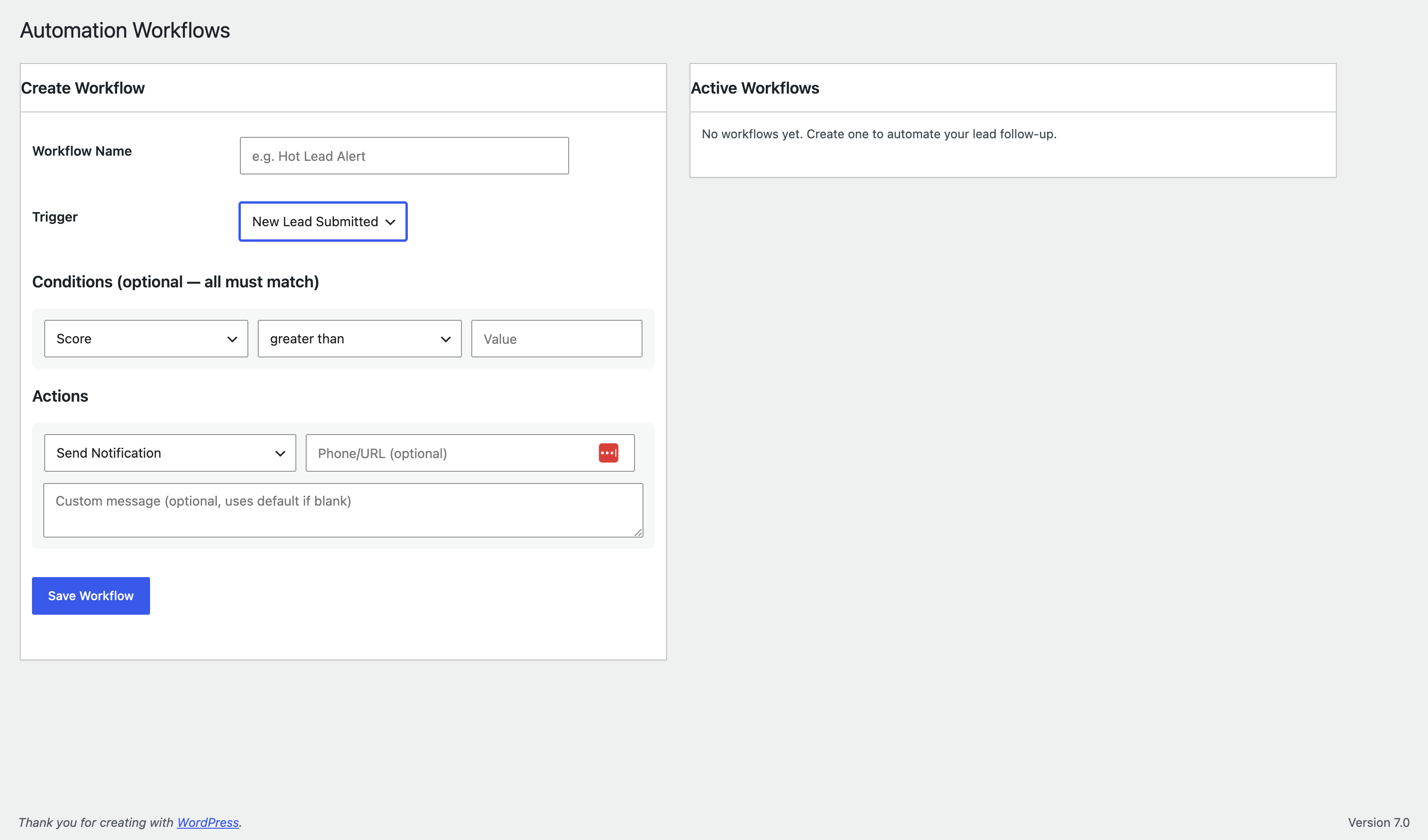
- Automation Workflows — Create trigger-based workflows: send custom alerts, update lead status, call webhooks, or sync to your CRM automatically.
- CRM Sync — Push lead data to any CRM or automation tool (Zapier, Make, HubSpot, etc.) via webhook.
- Spam Protection — Built-in honeypot plus optional Google reCAPTCHA (v2 or v3).
- Status Management — Track leads through New → Contacted → Qualified → Converted → Lost directly in the admin.
Shortcode Usage
[pinglead_form]
Optional attributes:
id— Unique form identifier (default:default)title— Form heading textbutton_text— Submit button labelshow_phone— Show phone field (yes/no, defaultyes)show_title— Show form heading (yes/no, defaultyes)
Example: [pinglead_form id="quote" title="Get a Free Quote" button_text="Request Quote"]
Notification Setup
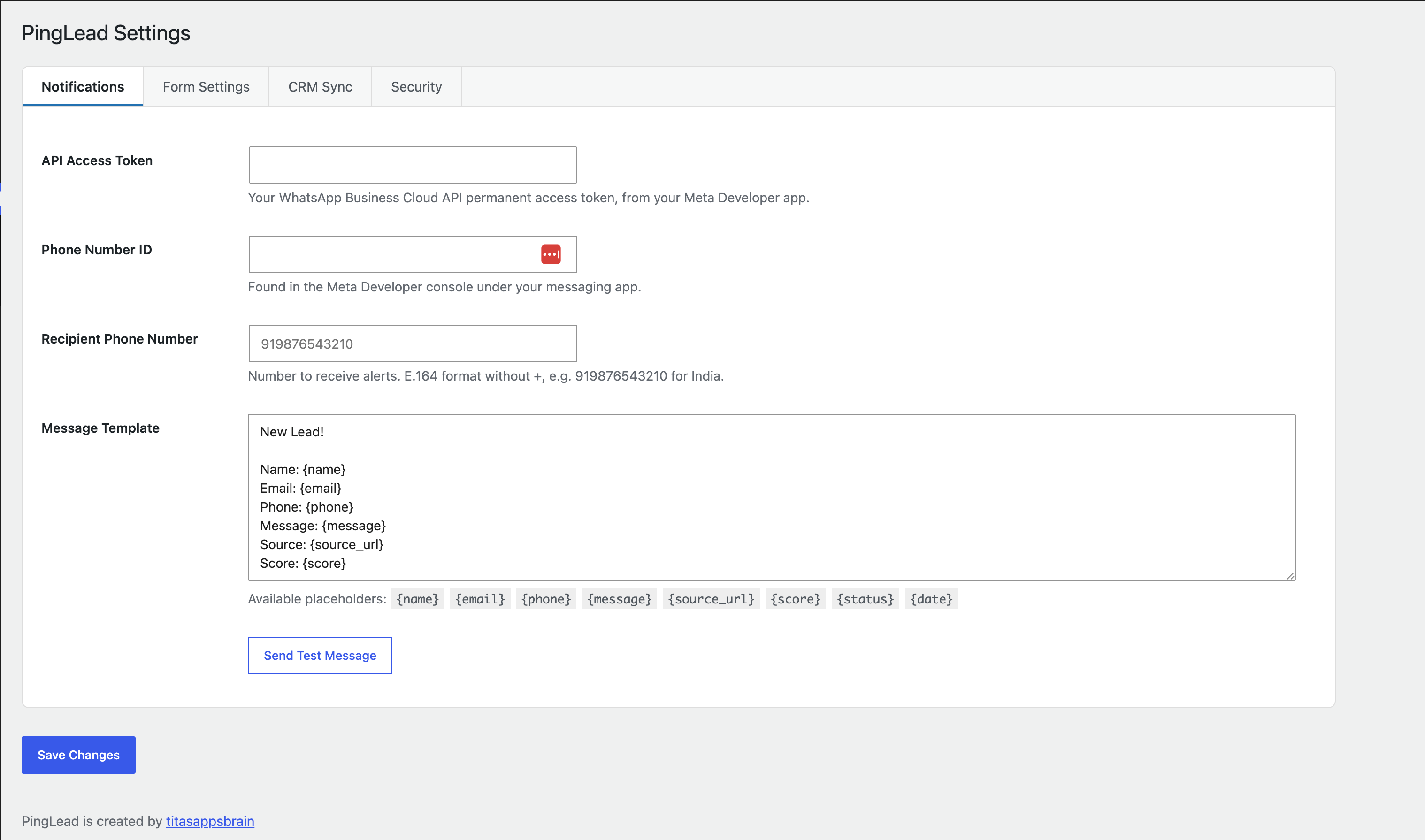
- Create a developer account with your chat provider and set up a messaging app to obtain a Phone Number ID and permanent access token.
- Enter these credentials in PingLead → Settings → Notifications.
- Enter the recipient phone number in E.164 format (e.g.
919876543210for India). - Click Send Test Message to verify the connection.
Developer Hooks
Actions:
pinglead_lead_processed( $lead, $lead_data )— Fires after a lead is saved and processed.pinglead_workflow_action( $action, $lead )— Fires for each custom workflow action.
Filters:
pinglead_crm_payload( $payload, $lead )— Modify the CRM webhook payload.
External services
This plugin connects to the following third-party services to provide its core features. These connections only happen when you configure the relevant credentials in PingLead → Settings; nothing is sent anywhere by default.
WhatsApp Business Cloud API (Meta)
This plugin uses the WhatsApp Business Cloud API to send you an instant notification whenever a visitor submits your lead capture form, and to send the “Send Test Message” check from Settings.
It sends the submitted lead’s name, email, phone, message, source page URL, and lead score to Meta’s WhatsApp Cloud API endpoint, only at the moment a form is submitted (or when you manually click “Send Test Message”), and only if you have entered an API access token, phone number ID, and recipient number in Settings. No data is sent if these credentials are not configured, or while Demo Mode is active.
This service is provided by Meta Platforms, Inc. / Meta Platforms Ireland Limited: Terms of Service, Privacy Policy.
Google reCAPTCHA
This plugin can optionally use Google reCAPTCHA (v2 or v3) to protect the lead capture form against spam and automated submissions.
It is only active if you enable reCAPTCHA and enter a site key and secret key in PingLead → Settings → Security. When enabled, the reCAPTCHA script is loaded from Google’s servers on any page showing the form, and a verification request containing the visitor’s reCAPTCHA token is sent to Google when the form is submitted. Google’s reCAPTCHA collects technical and interaction data from the visitor’s browser as part of its bot-detection process; see Google’s documentation for details of what is collected.
This service is provided by Google LLC: Terms of Service, Privacy Policy.
Your own CRM webhook (optional, user-configured)
If you enable CRM Sync and enter your own webhook URL in PingLead → Settings → CRM Sync, the plugin will send each new lead’s data (name, email, phone, message, score, status, and source URL) as JSON to that URL when a lead is submitted. This only happens if you have explicitly entered a webhook URL; the destination is entirely your choice (e.g. Zapier, Make, your own CRM, or any custom endpoint), so no third party is named here — please refer to the terms and privacy policy of whichever service you choose to connect.
Installation
- Upload the
pingleadfolder to/wp-content/plugins/. - Activate the plugin through the Plugins screen.
- Go to PingLead → Settings and configure your notification credentials.
- Add
[pinglead_form]to any page or post.
Frequently asked questions
Do I need a messaging business account?
Yes. You need a developer account with the relevant Cloud API enabled. A free tier is available for testing.
Can I use this with multiple forms?
Yes — use different id attributes in the shortcode: [pinglead_form id="contact"] and [pinglead_form id="quote"].
Is my data stored securely?
All lead data is stored in your WordPress database. When a visitor submits the form, PingLead stores the name, email, phone (if provided), message, the page URL the form was submitted from, the visitor’s IP address, and browser user agent string — all locally in your own database, never sent to any third party unless you’ve enabled WhatsApp notifications, reCAPTCHA, or CRM sync as described in “External services” below. API keys are stored using the standard WordPress Options API. We recommend keeping your WordPress installation up to date and using an SSL certificate.
What happens to my data if I uninstall the plugin?
All plugin data (leads, settings, workflows) is permanently removed from your database when you delete the plugin.
Does this support reCAPTCHA?
Yes — PingLead supports both Google reCAPTCHA v3 (invisible, score-based) and v2 (checkbox), using the same site/secret key fields.
Can I try the plugin before adding my real WhatsApp credentials?
Yes. Go to PingLead → Settings and click Start Demo. This loads a handful of sample leads into your dashboard and safely simulates notifications — no real WhatsApp messages are sent and no real CRM webhooks fire while Demo Mode is on. Turn it off any time to remove the sample data and return to normal use; your real settings are never affected.
Changelog
Adds Demo Mode for safe testing. No breaking changes — existing settings, leads, and workflows are unaffected.
1.1.0
- New: Demo Mode — try the entire plugin safely with one click. Loads sample leads into the dashboard and simulates notifications with no real WhatsApp messages sent and no real CRM webhooks called.
- New: Demo leads are clearly badged in the Leads table and can be cleared at any time without affecting real data or settings.
- Docs: Added an “External services” section disclosing the use of the WhatsApp Business Cloud API and Google reCAPTCHA.
1.0.0
- Initial release.
Screenshots
For developers
Is this your plugin? Show off the numbers.
Add a live badge to your site, docs or GitHub README. It updates on its own — no account needed.
Best PingLead alternatives
All contact form plugins →





FAQ
PingLead: quick answers
Straight answers, pulled from live WordPress.org data.
Live data from WordPress.org · checked Oct 16, 2026
Is PingLead free?
Yes. PingLead is free to download and use from the official WordPress.org plugin directory.
Is PingLead safe to use in 2026?
PingLead works, but test it on a staging site before relying on it in 2026. Was last updated 4 months ago, and scores 49/100 on our health check.
How many websites use PingLead?
PingLead is active on <10 WordPress websites and has been downloaded 210 times since it launched in July 2026. It was downloaded 54 times in the last 30 days.
Does PingLead work with WordPress 7.1?
PingLead is officially tested up to WordPress 7.0.7, while the latest release is 7.1.3. It may still work, but try it on a staging site first.
What PHP version does PingLead need?
PingLead requires PHP 7.4 or higher. Most hosts run PHP 8.x today, so it works on any modern WordPress hosting.
When was PingLead last updated?
The latest version, 1.1.0, was released on July 1, 2026 (4 months ago).
Who makes PingLead?
PingLead is developed and maintained by titasappsbrain.
What are the best alternatives to PingLead?
The most popular alternatives to PingLead are Contact Form 7 (10M+ installs), Akismet Anti-spam: Spam Pro… (5M+ installs) and WPForms (5M+ installs).
Powered by PageForge
Want thousands of pages that rank like these? Build them in an afternoon.
This directory runs on the same engine as PageForge. Turn any spreadsheet, CSV or API into thousands of fast, SEO-ready WordPress pages — with schema, internal links and AI-written copy baked in.
- CSV, Google Sheets & API data sources
- AI content, schema & internal links per page
- Works with Elementor, Gutenberg, Yoast & Rank Math
- Free on WordPress.org — no credit card


