


Patcherly
Catch WordPress and WooCommerce errors 24/7. Get bug fixes ready to review and apply in seconds, rollback anytime. Built by WordPress experts.

Solid choice
Patcherly is a solid plugin choice in 2026, with a few things worth checking first. Was last updated 4 days ago, and scores 64/100 on our health check.
- Actively developed — last update 4 days ago
- Tested with the latest WordPress (7.1)
- Momentum — downloads up 163.1% vs the previous 30 days
- Small user base (<10 active installs)
- Very few reviews so far
How does it stack up?
Side-by-side on installs, updates, ratings & support



Daily downloads
Download spikes usually follow a new release — each site that auto-updates counts as a download.
Rankings
Where Patcherly stands todayWordPress.org search rankings
Live position in the plugin search, top 100| Keyword | Position |
|---|---|
| AI | >100 |
| bug-fixing | #88 |
| debug | >100 |
| error monitoring | >100 |
| patch-management | #82 |
About Patcherly
From the official readme · v2.10.4Description
Patcherly catches WordPress and WooCommerce errors and provides bug fixes ready to review and apply to your site in seconds, safely.
We’ve all been there…
-
A plugin update ships a broken function call on your PHP version. Checkout dies on Friday night. You’re debugging at 11pm while your customers panic.
-
A theme update changes something subtle and now 5% of your checkout flow errors. You’re chasing your developer for days. Meanwhile, you’re losing orders.
-
A custom integration breaks and your customers can’t access their accounts. Bad reviews roll in, your reputation takes the hit.
This is what Patcherly finally stops. It was built by WordPress experts with 15+ years experience debugging and fixing these exact bugs.
Patcherly watches your site 24/7. When something breaks, it detects it instantly, proposes a fix tailored to your website (not some broken generic AI fix), backs up your files on your server, and waits for your approval.
You stay in control. You review the fix. You decide.
If something’s wrong, the auto-checks after a patch rollback things for you instantly, or you can always rollback in one click. Your site stays yours.
Free to start. 30-day Pro trial included.
Install the plugin, pair your site, and get a full 30-day Pro trial with no credit card. After that, keep the free Personal plan or subscribe. See pricing.
Think of it as giving yourself the superpower to fix production bugs safely and instantly, without waiting for someone else to notice or fix it for days, while the outage is costing you customers and reputation, giving you peace of mind back.
How it works
- Detection – Install the plugin, pair your site in 2 minutes, and Patcherly starts monitoring.
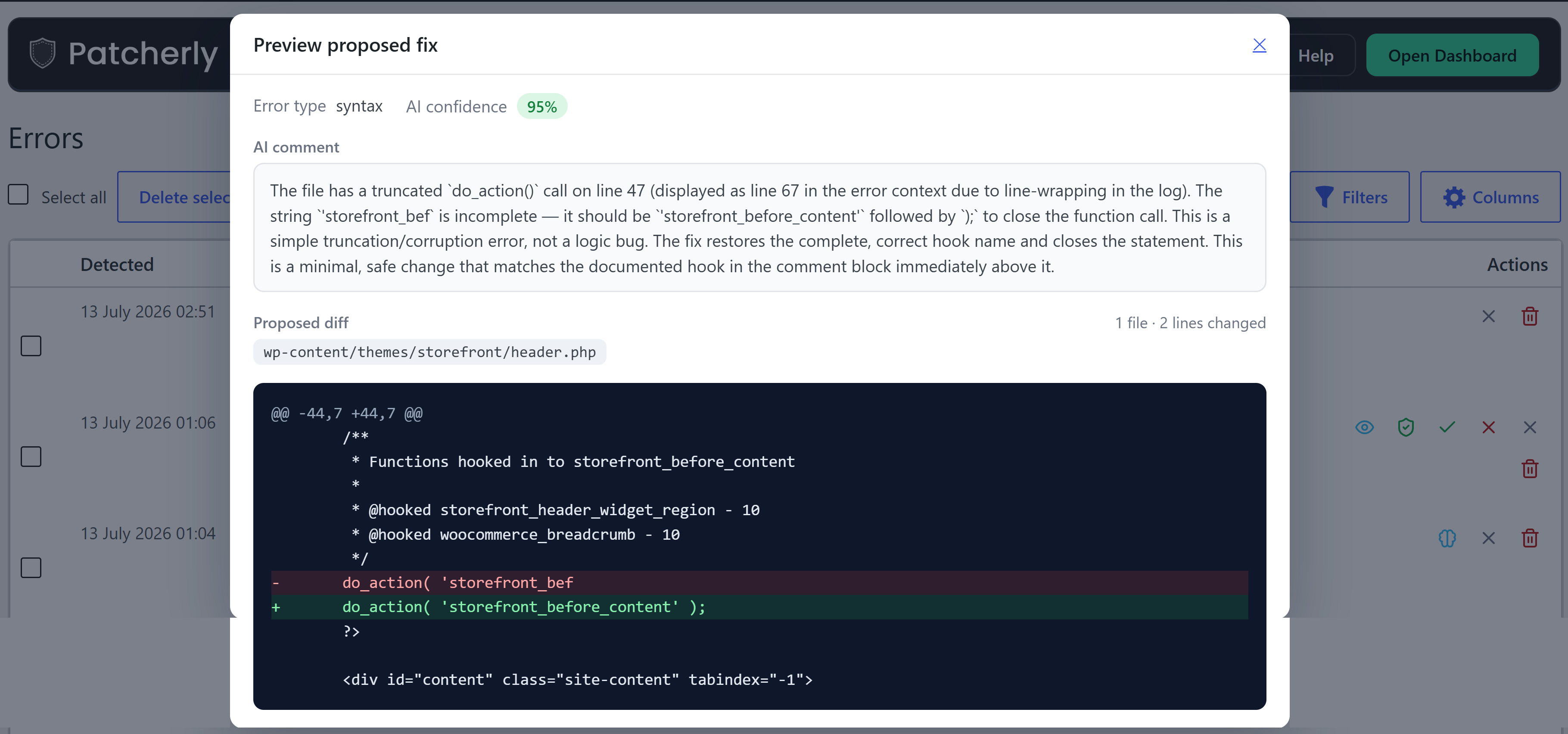
- Analysis – When an error happens, Patcherly analyzes it with full context about your site and proposes a focused fix.
- Patching – You review and approve. For live apply we back up your files on your server, apply the patch, and run checks (with automatic rollback if needed). On Pro, a site can open a GitHub pull request instead of (or as well as) applying on the site.
That’s it. Nothing changes without your approval.
Built on trust
Your site files stay on your server. We never store your full source tree, database, or media. Only what’s needed to fix a bug leaves your site for analysis: error details and a short code snippet. Pre-apply backups live on your infrastructure, never ours. Optional Repo Pull Requests use a GitHub App you install, with write access only to repositories you grant — not SSH or host access. Your code doesn’t train AI models and we never ask for your website FTP/SSH credentials.
Resources
Patcherly.com · Help Center · Security · Privacy · Discord
Installation
- Install Patcherly from Plugins → Add New, or upload the
patcherlyfolder to/wp-content/plugins/. - Activate the plugin.
- Go to Patcherly → Home.
- Click Connect with Patcherly and finish pairing.
- Done – your site is monitored.
Frequently asked questions
Do I need a Patcherly account?
Yes, but it’s free. Sign up, install the plugin, and connect. You’ll get a 30-day full Pro trial immediately.
What if I don’t like a fix?
No problem. Rollback with one click from the dashboard, or manually anytime the backup exists on your server.
What data leaves my site?
Only what’s needed to diagnose and fix: error details, a code snippet, and basic site metadata. Never your database, media, or user data. Backups stay on your server. You can check exactly what gets sent from the Settings page -> Context. Privacy Policy.
Is anything sent before I connect?
No. Nothing happens until you complete Connect with Patcherly in the plugin.
Does this replace my dashboard?
No. wp-admin shows errors and recent activity. Full history, multiple sites, team access, and billing live in the dashboard.
Can I turn on auto-apply?
Yes, optional. Most keep manual approval on. Enable auto-apply in your dashboard if you want Patcherly to apply fixes automatically if the fix confidence is above 90% (available on paid plans).
What is Emergency Rescue?
A safety net that stays active even if the main plugin can’t load (e.g. a bad theme custom code or some plugin update crashed your site completely). Keeps monitoring, patching and rollback available when you need them most. No other tool or plugin provides this feature, keep it on to make sure that no matter how bad a bug is, you can always fix it. On by default; disable in Settings → Advanced if you prefer.
Does the plugin edit my wp-config.php?
Only if your website is not already configured to log errors and only with your consent. Pairing alone never changes wp-config. After you connect, Get started can apply the debug snippet if the site has no logging yet and you leave that checkbox on. If logging is already configured, Get started skips the snippet. Later you can paste it manually or use Apply snippet now in Settings → Advanced.
Changelog
2.10.3
- Errors can show Awaiting PR merge when a Pro site delivers fixes as a GitHub pull request instead of applying only on the site.
2.9.4
- Home Dry-run / Test Mode off buttons only appear while that mode is on for the site.
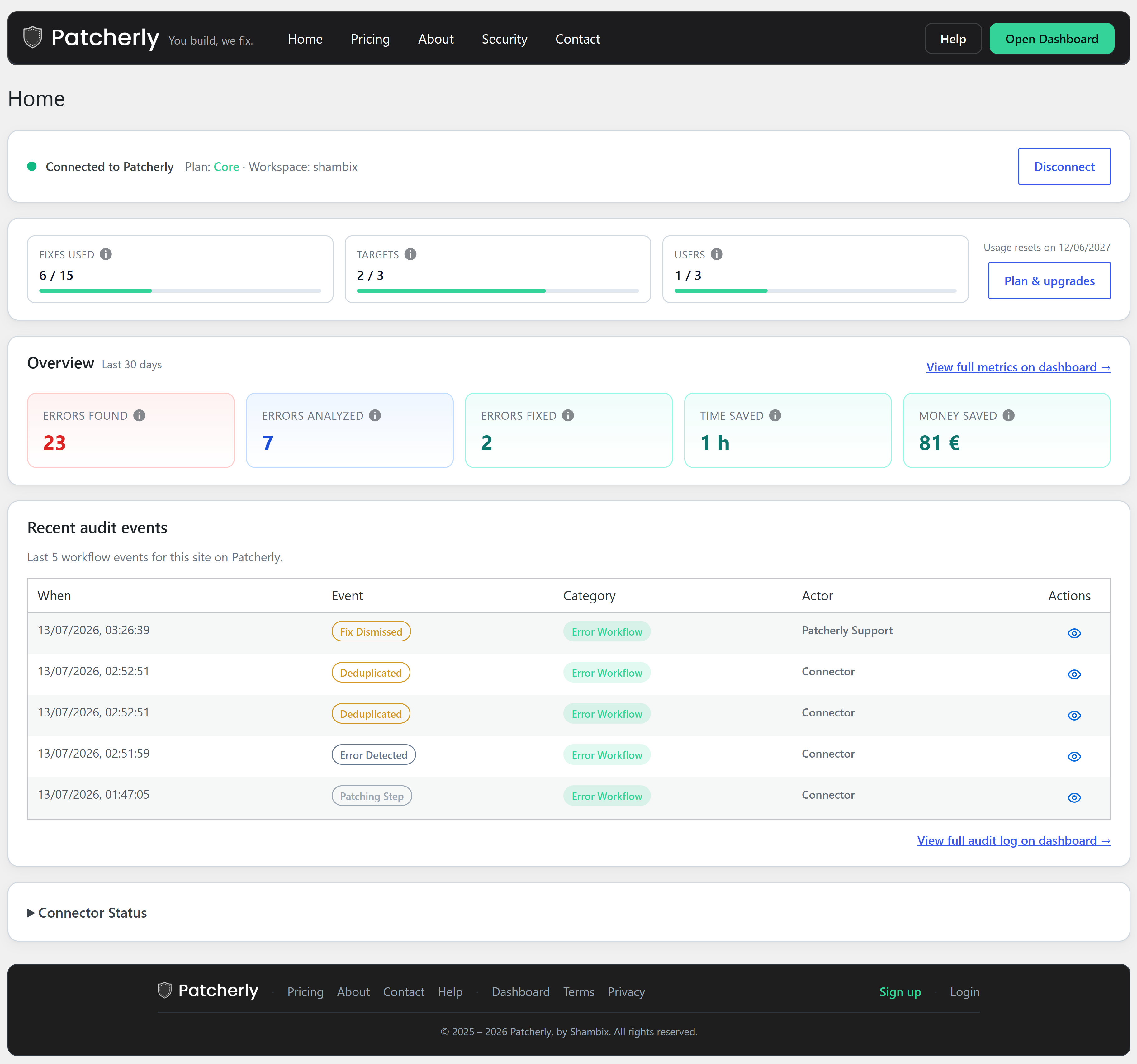
- Recent errors table uses status and severity badges; View all errors link sits under the table like Recent audit.
2.9.2
- If the site hostname changes (for example after cloning to staging), Patcherly clears local pairing and shows a one-time notice so you can update Sites and Connect again (the original dashboard site is not revoked automatically).
2.9.0
- Deactivate and uninstall remove the optional wp-config rescue logging snippet and root uploads-hardening block when present.
- Home shows the latest 3 errors above the latest 3 audit events.
2.8.0
- Re-Connect Account on Home clears the old connection and starts pairing in one click.
- Home pairing and status no longer depend on the Settings script loading.
2.7.2
- When Dry-run is on for this site, Home and Errors show a clear notice; turn Dry-run off from the Home status bar (turn it on only from Sites in your Patcherly dashboard).
- The same status bar can turn Test Mode off when the dashboard test window is open.
- Connector Status shows Dry-run as Enabled only while it is on.
- Home Overview adds Bugs Pending for open errors on this site.
- Diagnostics no longer includes Send Sample Error – open Test Mode on Sites in your dashboard to send test events safely.
Screenshots


For developers
Is this your plugin? Show off the numbers.
Add a live badge to your site, docs or GitHub README. It updates on its own — no account needed.
Best Patcherly alternatives
All AI plugins →





FAQ
Patcherly: quick answers
Straight answers, pulled from live WordPress.org data.
Live data from WordPress.org · checked Sep 28, 2026
Is Patcherly free?
Yes. Patcherly is free to download and use from the official WordPress.org plugin directory.
Is Patcherly safe to use in 2026?
Patcherly is a solid plugin choice in 2026, with a few things worth checking first. Was last updated 4 days ago, and scores 64/100 on our health check.
How many websites use Patcherly?
Patcherly is active on <10 WordPress websites and has been downloaded 1,310 times since it launched in August 2026. It was downloaded 947 times in the last 30 days.
Does Patcherly work with WordPress 7.1?
Yes. The developer has tested Patcherly up to WordPress 7.1.2, the latest release. It requires WordPress 5.3 or newer.
What PHP version does Patcherly need?
Patcherly requires PHP 7.4 or higher. Most hosts run PHP 8.x today, so it works on any modern WordPress hosting.
When was Patcherly last updated?
The latest version, 2.10.4, was released on September 23, 2026 (4 days ago).
Who makes Patcherly?
Patcherly is developed and maintained by patcherly.
What are the best alternatives to Patcherly?
The most popular alternatives to Patcherly are Elementor Website Builder (10M+ installs), All in One SEO (2M+ installs) and AI Agent by SiteGround (1M+ installs).
Powered by PageForge
Want thousands of pages that rank like these? Build them in an afternoon.
This directory runs on the same engine as PageForge. Turn any spreadsheet, CSV or API into thousands of fast, SEO-ready WordPress pages — with schema, internal links and AI-written copy baked in.
- CSV, Google Sheets & API data sources
- AI content, schema & internal links per page
- Works with Elementor, Gutenberg, Yoast & Rank Math
- Free on WordPress.org — no credit card


