


Parlato – AI Podcast Generator
Turn WordPress posts into AI podcasts — read aloud or AI narrator — with OpenAI or ElevenLabs voices. Bring your own API key, no subscription.

Use with caution
Parlato – AI Podcast Generator works, but test it on a staging site before relying on it in 2026. Was last updated 3 months ago, and scores 55/100 on our health check.
- Small user base (<10 active installs)
- Very few reviews so far
How does it stack up?
Side-by-side on installs, updates, ratings & support



Daily downloads
Download spikes usually follow a new release — each site that auto-updates counts as a download.
Rankings
Where Parlato stands todayWordPress.org search rankings
Live position in the plugin search, top 100| Keyword | Position |
|---|---|
| AI | >100 |
| elevenlabs | #14 |
| openai | >100 |
| podcast | >100 |
| text to speech | >100 |
About Parlato – AI Podcast Generator
From the official readme · v1.0.0Description
Parlato turns your WordPress posts into audio. Read a post aloud with a single click, or let AI script a narrated podcast monologue and convert it to a natural-sounding MP3. Every file is stored in your Media Library and played back with a lightweight HTML5 player. No third-party embeds, no tracking scripts.
Parlato is bring-your-own-key (BYOK): you connect your own OpenAI and/or ElevenLabs account, so there is no Parlato subscription and you pay your providers directly for what you use.
Two TTS providers:
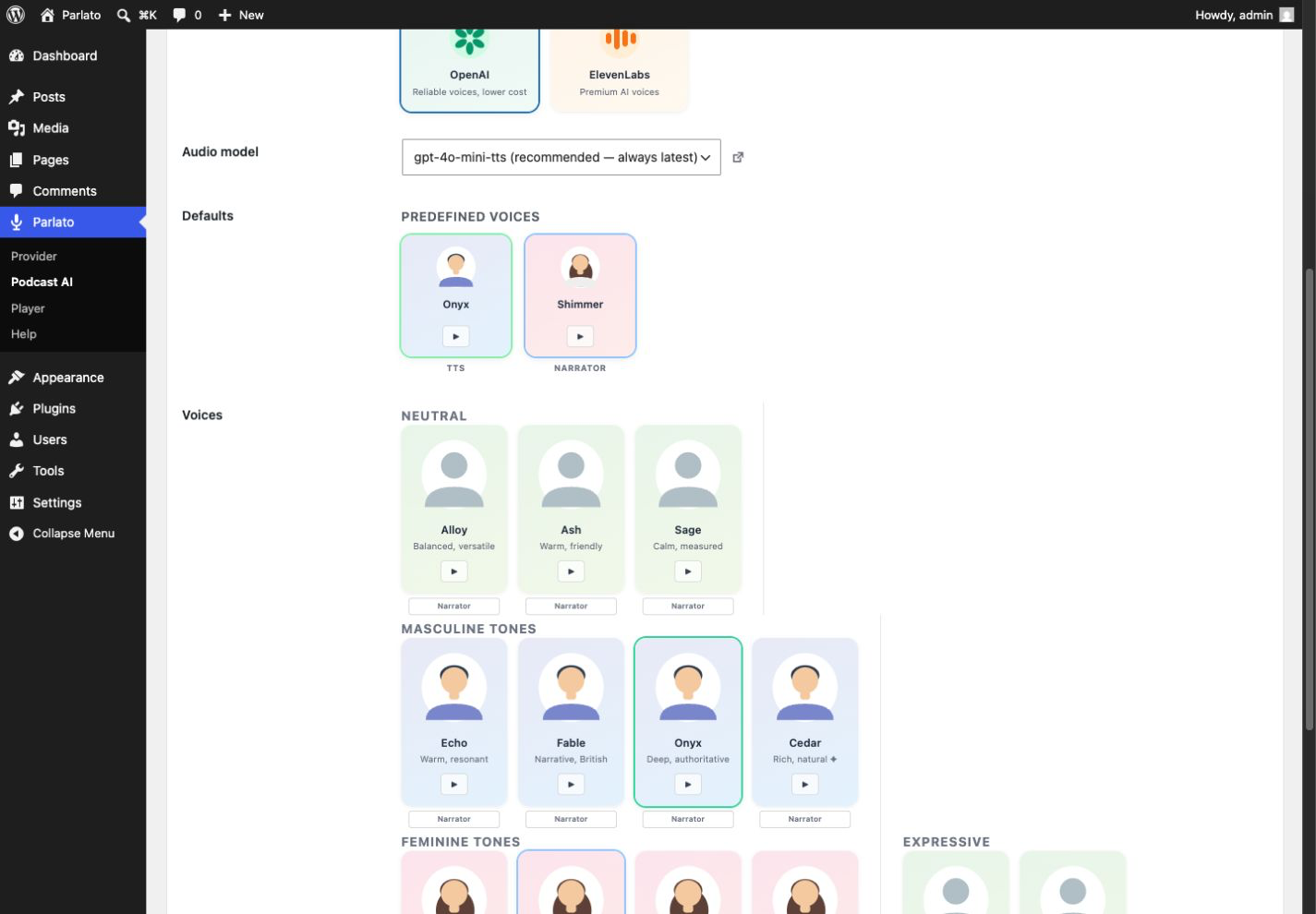
- OpenAI — 13 voices (Alloy, Ash, Sage, Echo, Fable, Onyx, Cedar, Nova, Shimmer, Coral, Marin, Ballad, Verse) and models gpt-4o-mini-tts, tts-1-hd and tts-1
- ElevenLabs — premium AI voices loaded live from your account (default voices plus your own cloned/generated voices), with the eleven_multilingual_v2 and eleven_flash_v2_5 models
Two ways to generate audio:
- Read aloud (TTS) — convert the post text straight to speech with a single voice
- Narrator — AI writes an audiobook-style script, then reads it in one voice
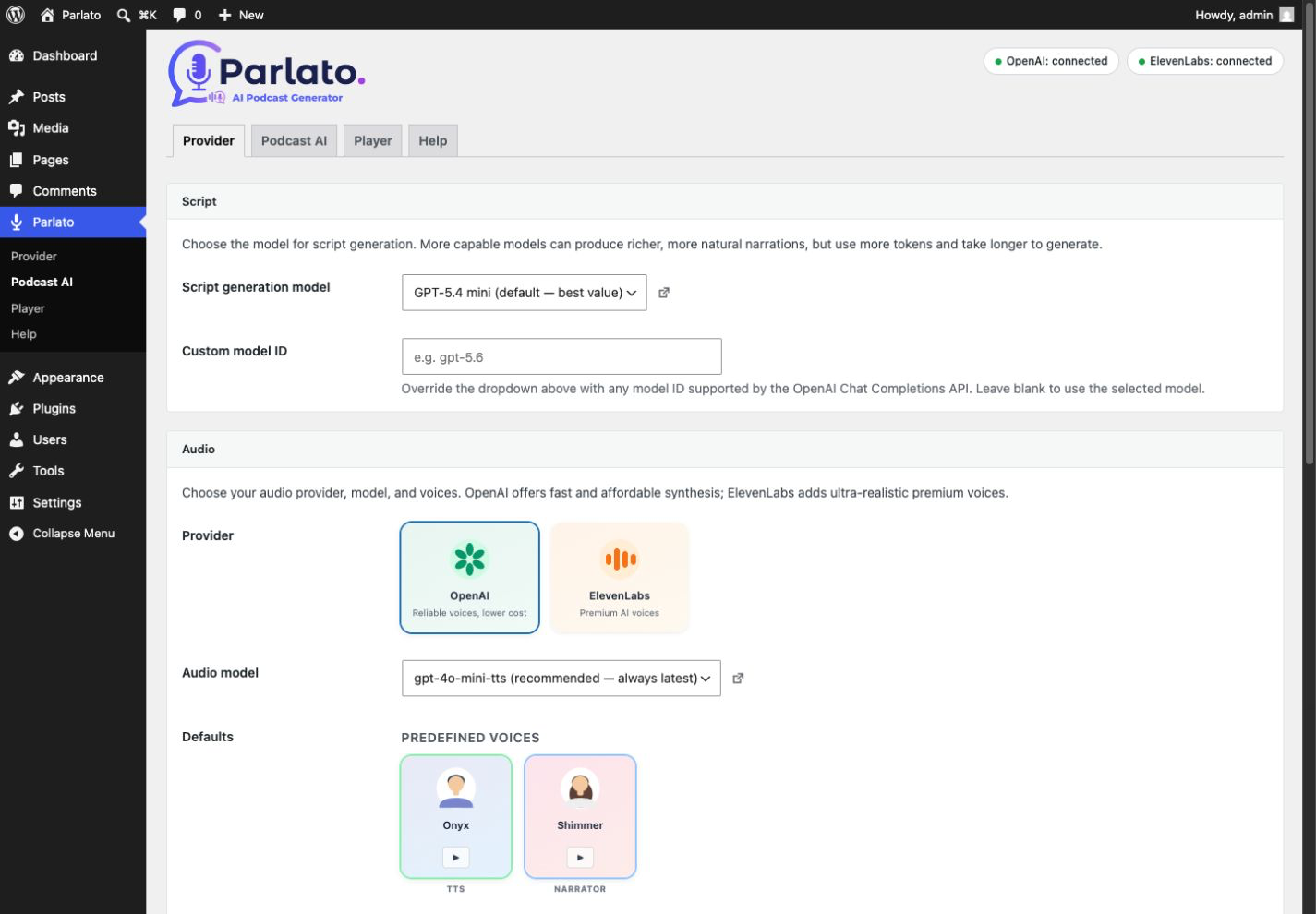
For the Narrator format, Parlato first generates a structured script with an OpenAI GPT model (selectable, with adjustable reasoning effort), then converts that script to audio with the TTS provider and voice you chose.
Key features:
- 13 OpenAI voices plus your full ElevenLabs voice library
- AI script generation with a selectable GPT model and reasoning effort
- Voice preview directly from the settings page
- Audio saved in your Media Library — you own your files
- Lightweight HTML5 player — no JavaScript frameworks
- Player placed before or after content, or via the
[parlato]shortcode - Works with posts, pages and public custom post types (configurable)
- Optional microphone badge next to post titles in listings, flagging posts that have an audio version
Both formats — plain read-aloud TTS and the AI-scripted Narrator podcast — are fully free: Parlato imposes no generation limit of its own. Usage is subject to your chosen provider’s API quotas, rate limits, billing and availability.
How it works:
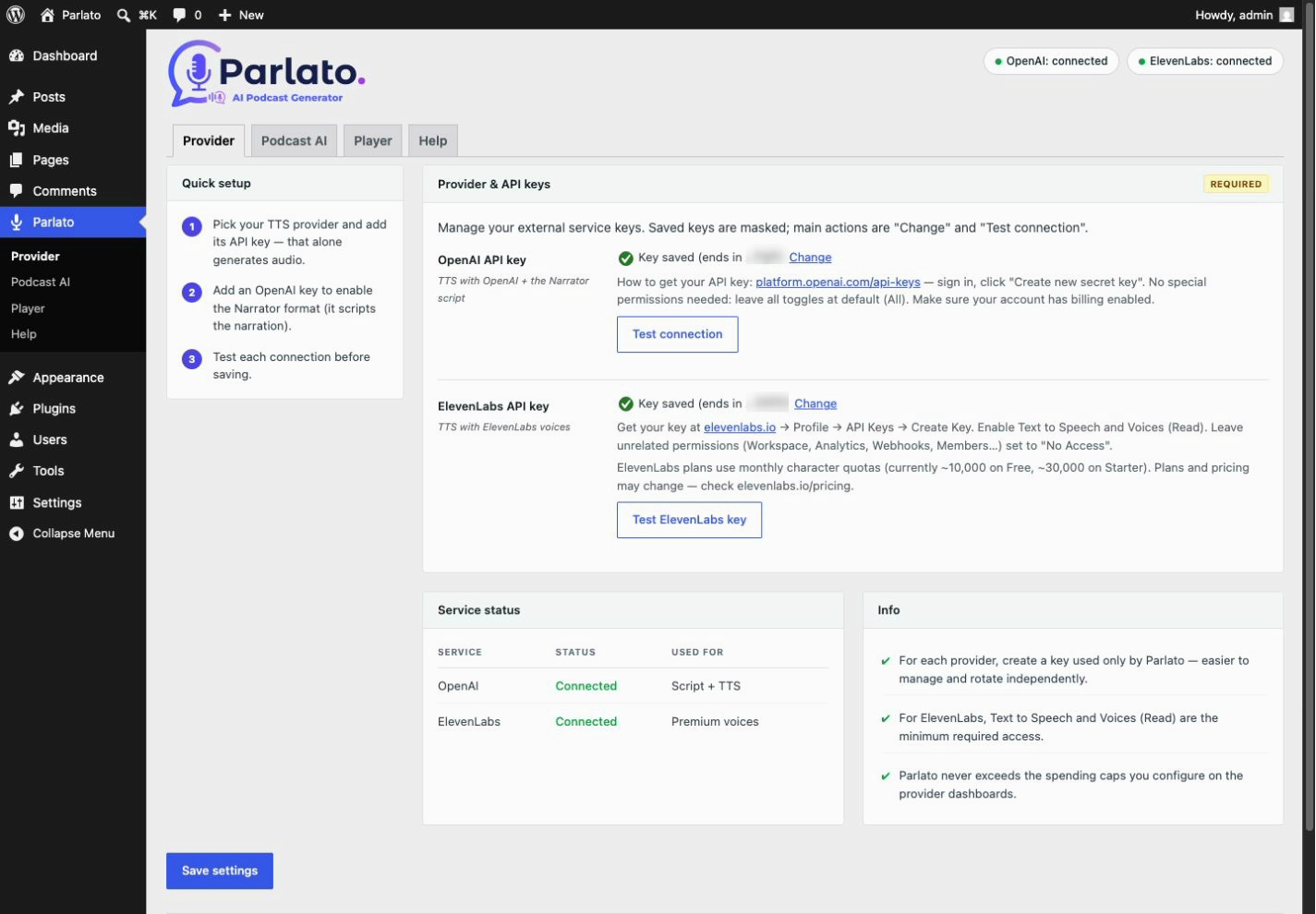
- In Parlato → Provider, choose OpenAI or ElevenLabs and enter your API key
- Pick a voice and model (and, for podcasts, a script model under Podcast AI)
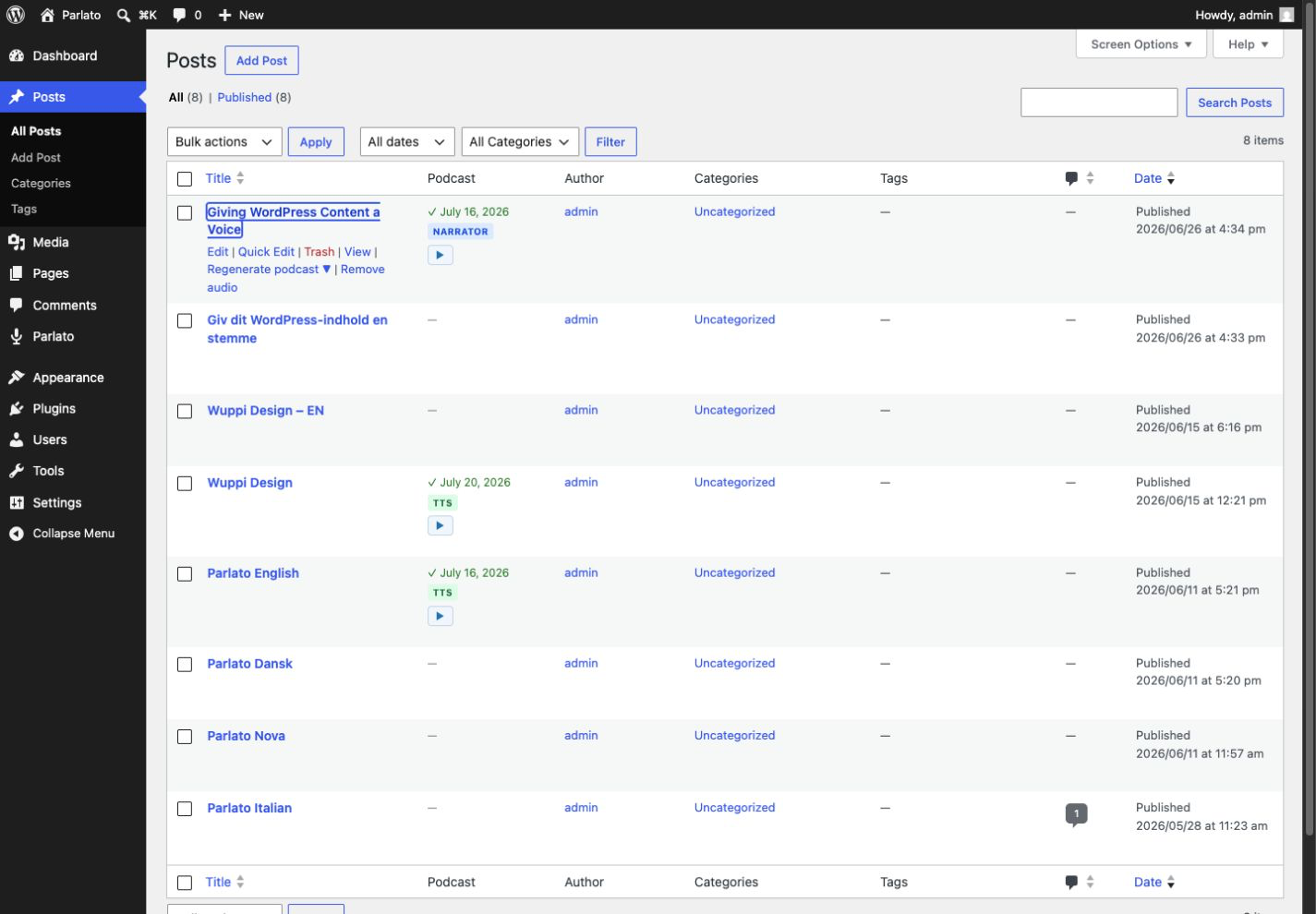
- Hover a post in the list of an enabled post type and click Generate in the row actions
- The audio player appears automatically on your post
External Services
Parlato is a “bring your own key” plugin: it does not contact any service on its own and ships with no bundled accounts. It connects to the third-party services below only when you configure an API key and explicitly trigger an action (generating audio, generating a podcast script, loading voices, or playing a preview). API requests include the key entered in settings; the browser preview request described below does not. Parlato sends no data in the background and stores no personal data of its own. You should disclose the use of these services in your site’s privacy policy.
OpenAI — Text-to-Speech
Used when OpenAI is the selected TTS provider, to convert your post text into an MP3 audio file. On each generation Parlato sends the (truncated) text of the post and your OpenAI API key to https://api.openai.com/v1/audio/speech. Data is sent only when you trigger generation for a post.
- Terms of use: https://openai.com/policies/
- Privacy policy: https://openai.com/policies/privacy-policy/
OpenAI — Chat Completions (podcast script)
Used for the Narrator podcast format to turn your post into a spoken-style script before audio generation. Parlato sends the post text and your OpenAI API key to https://api.openai.com/v1/chat/completions. Data is sent only when you trigger generation of a Narrator podcast.
- Terms of use: https://openai.com/policies/
- Privacy policy: https://openai.com/policies/privacy-policy/
ElevenLabs — Text-to-Speech
Used when ElevenLabs is selected for TTS. On generation Parlato sends the truncated post text and your API key to https://api.elevenlabs.io/v1/text-to-speech/. It calls https://api.elevenlabs.io/v1/voices with the key when loading voices. When you click a voice preview, your browser loads audio from the URL returned by ElevenLabs; that host receives standard connection data (IP address and user agent), but no API key or post text. Calls occur only after the corresponding user action.
- Terms of use: https://elevenlabs.io/terms-of-use
- Privacy policy: https://elevenlabs.io/privacy
Installation
- In your WordPress dashboard go to Plugins → Add New Plugin
- Search for Parlato
- Click Install Now, then Activate
- Go to Parlato → Provider in the admin menu
- Choose your provider and enter your API key — OpenAI (starts with
sk-) and/or ElevenLabs - Pick a voice and click Save settings
To generate audio for a post:
Open Posts, hover over any post, and click Generate in the row actions.
To display the player manually:
Set Player position to “Manual” and add [parlato] anywhere in your post content.
Frequently asked questions
Do I need to pay for a Parlato subscription?
No. Parlato is free and open-source. You only pay your TTS provider (OpenAI and/or ElevenLabs) for the API usage you trigger. See OpenAI pricing and ElevenLabs pricing for current rates.
How do I show the microphone icon next to post titles?
The title badge is off by default. Enable it under Parlato → Player → Title badge. Once on, a small microphone icon appears next to the title of any post that has generated audio, in post listings (home, archives, categories). It is intentionally hidden on the single post’s own page, where the audio player is already shown.
How many AI podcasts can I create?
As many as you like — Parlato imposes no generation limit of its own. Both formats — read-aloud TTS and Narrator — are free. You only pay your own provider (OpenAI or ElevenLabs) for the API usage, subject to their quotas, rate limits and billing.
How do I get the API keys?
For OpenAI, sign in at platform.openai.com and click Create new secret key; make sure billing is enabled. For ElevenLabs, create a key at elevenlabs.io with Text to Speech and Voices (Read) permissions; leave unrelated scopes disabled.
Can I set the API keys in code instead of the settings page?
Yes. Define them in your wp-config.php: define( 'PARLATO_OPENAI_API_KEY', 'sk-...' ); define( 'PARLATO_ELEVENLABS_API_KEY', '...' ); The matching settings field shows as locked when a constant is detected.
How long can the audio be?
For read-aloud TTS, Parlato sends as much post text as the selected provider’s API accepts per request — about 4,000 characters with OpenAI, and 10,000 or more with ElevenLabs depending on the model. Only posts exceeding that technical limit are truncated at the nearest sentence boundary, with a short note appended. For the AI Narrator podcast, up to the first ~1,500 words of the post are sent to the AI to write the narration script (developers can change this budget via the parlato_narrator_input_words filter).
Where are the MP3 files stored?
In your WordPress Media Library. Each audio file is a standard attachment linked to the post. You can manage, delete, or download them like any other media file.
Will regenerating overwrite the old file?
Yes. Regenerating removes the previous MP3 from the Media Library and generates a new one.
How do I delete the audio for a post?
Hover over the post in the Posts list and click Remove audio. This deletes both the MP3 attachment and the player.
Does Parlato work with custom post types?
Yes. Posts are enabled by default; you can enable pages and any public custom post type with the Post types setting on the Parlato → Player tab. Audio generation and the automatic player then work on every enabled post type.
What data is sent to external services?
Your post text is sent to your chosen TTS provider (OpenAI or ElevenLabs) to generate audio, and — for the Narrator podcast — to OpenAI to generate the script, together with your API key. Data is sent only when you explicitly trigger generation. Parlato itself does not collect or store personal data; you should disclose the use of these services in your site’s privacy policy. The settings page includes a disclosure notice. See the “External Services” section below for the full list of services and their privacy policies.
Screenshots
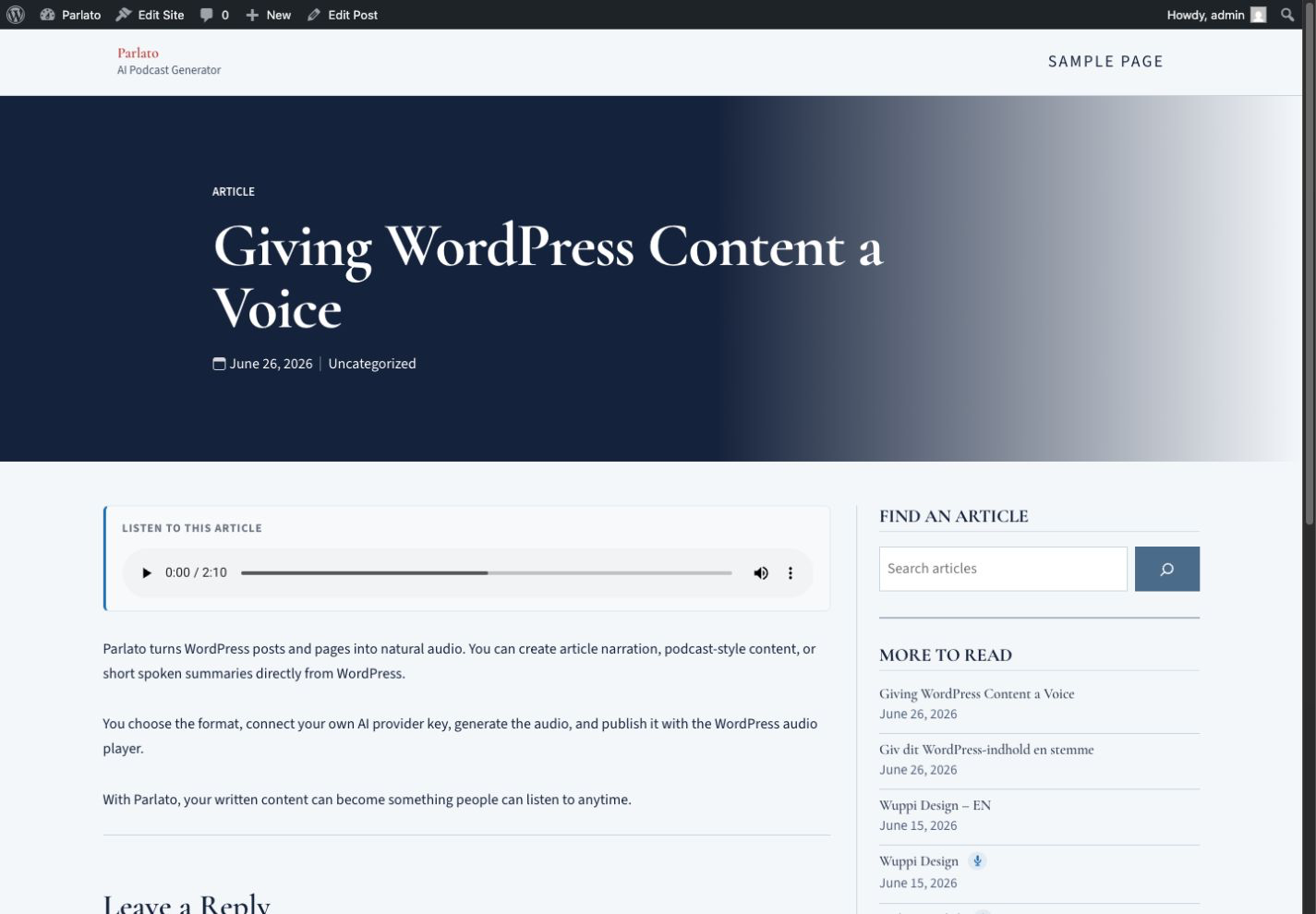
For developers
Is this your plugin? Show off the numbers.
Add a live badge to your site, docs or GitHub README. It updates on its own — no account needed.
Best Parlato – AI Podcast Generator alternatives
All AI plugins →





FAQ
Parlato – AI Podcast Generator: quick answers
Straight answers, pulled from live WordPress.org data.
Live data from WordPress.org · checked Oct 5, 2026
Is Parlato – AI Podcast Generator free?
Yes. Parlato – AI Podcast Generator is free to download and use from the official WordPress.org plugin directory.
Is Parlato – AI Podcast Generator safe to use in 2026?
Parlato – AI Podcast Generator works, but test it on a staging site before relying on it in 2026. Was last updated 3 months ago, and scores 55/100 on our health check.
How many websites use Parlato – AI Podcast Generator?
Parlato – AI Podcast Generator is active on <10 WordPress websites and has been downloaded 235 times since it launched in July 2026. It was downloaded 107 times in the last 30 days.
Does Parlato – AI Podcast Generator work with WordPress 7.1?
Parlato – AI Podcast Generator is officially tested up to WordPress 7.0.6, while the latest release is 7.1.2. It may still work, but try it on a staging site first.
What PHP version does Parlato – AI Podcast Generator need?
Parlato – AI Podcast Generator requires PHP 7.4 or higher. Most hosts run PHP 8.x today, so it works on any modern WordPress hosting.
When was Parlato – AI Podcast Generator last updated?
The latest version, 1.0.0, was released on July 20, 2026 (3 months ago).
Who makes Parlato – AI Podcast Generator?
Parlato – AI Podcast Generator is developed and maintained by ambronet.
What are the best alternatives to Parlato – AI Podcast Generator?
The most popular alternatives to Parlato – AI Podcast Generator are Elementor Website Builder (10M+ installs), All in One SEO (2M+ installs) and AI Agent by SiteGround (1M+ installs).
Powered by PageForge
Want thousands of pages that rank like these? Build them in an afternoon.
This directory runs on the same engine as PageForge. Turn any spreadsheet, CSV or API into thousands of fast, SEO-ready WordPress pages — with schema, internal links and AI-written copy baked in.
- CSV, Google Sheets & API data sources
- AI content, schema & internal links per page
- Works with Elementor, Gutenberg, Yoast & Rank Math
- Free on WordPress.org — no credit card


