



Page Restrict for WooCommerce
Restrict access to your WordPress pages using WooCommerce products.

Use with caution
Page Restrict for WooCommerce works, but test it on a staging site before relying on it in 2026. It runs on 700+ sites, is rated 4.7/5 and was last updated 4 months ago, and scores 60/100 on our health check.
- Loved by users — 4.7/5 from 23 reviews
- Small user base (700+ active installs)
How does it stack up?
Side-by-side on installs, updates, ratings & support



Daily downloads
Download spikes usually follow a new release — each site that auto-updates counts as a download.
Rankings
Where Page Restrict for WooCommer… stands todayWordPress.org search rankings
Live position in the plugin search, top 100| Keyword | Position |
|---|---|
| pages | >100 |
| pay | >100 |
| product | >100 |
| restrict | #6 |
| woocommerce | >100 |
Version adoption
Share of active sites per release.
Rating breakdown
★★★★★★★★★★ 4.7 from 23 reviews
About Page Restrict for WooCommerce
From the official readme · v1.7.4Description
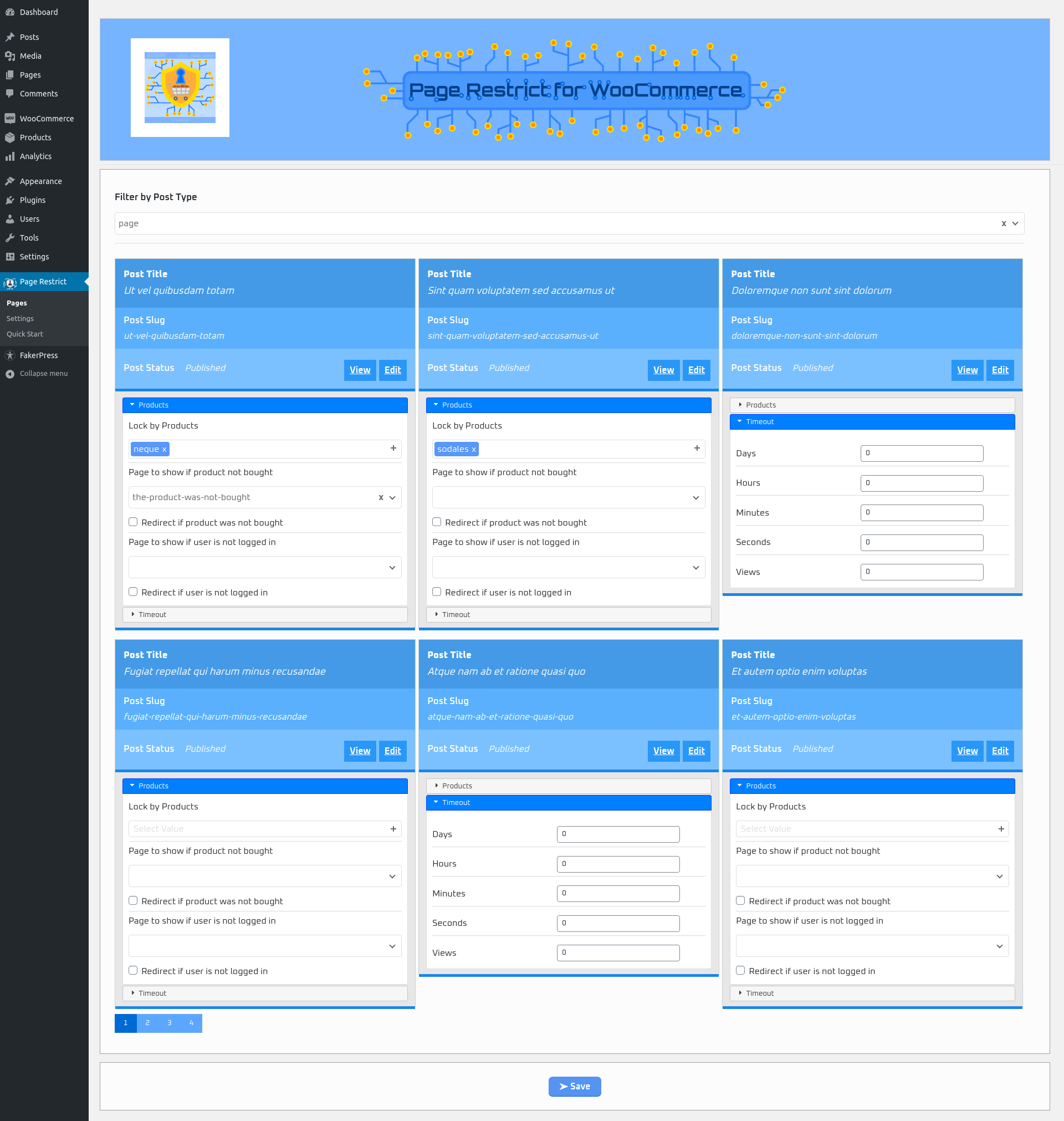
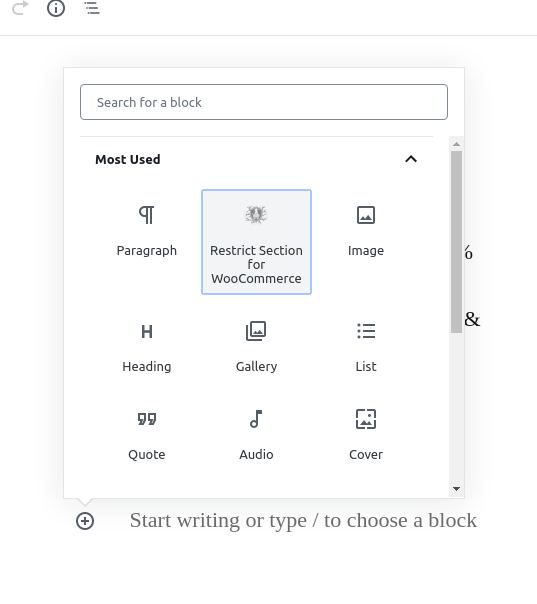
Page Restrict for WooCommerce is a plugin that sells access to pages, posts and custom post types through WooCommerce. It’s been built with Gutenberg in mind as well as the classic editor. You can restrict pages in two ways. Restrict an entire page or restrict sections on the page. In case you want to restrict sections on the page you can use blocks for the Gutenberg editor and using shortcodes for the classic or similar editors. If you want to restrict entire pages you can use enable the sidebar in the More tools & options in the Gutenberg editor or use the page metabox in the classic editor. You can also restrict all of your pages in one place in the Pages plugin menu.
Requirements
- WooCommerce to be installed and active
- Guest checkout needs to be disabled
- PHP 7.0.25+.
Features
- Restrict content from pages, posts and custom post types based on if they have purchased a specific WooCommerce product
- Restrict entire page or just sections of it
- Use one or multiple products to restrict it and choose whether you want to require the user to buy all of them to access or at least one of the products that restrict.
- Restrict by time – Set a time limit for the user after which they won’t be able to see the content.
- Restrict by views – Set a view count for the user after which they won’t be able to see the content ( currently only if you want to restrict entire pages ).
- Use other pages or posts for specific pages as Restricted Messages
- Use default pages or posts for all restricted pages as Restricted Messages
- Redirect to the chosen page instead of just showing the other pages content
- Built for use with the latest Gutenberg editor as well as the classic one
- Use either Gutenberg blocks or shortcodes to restrict sections on a page or post
- Plugin menu page to handle all pages you need to restrict in one place called Pages
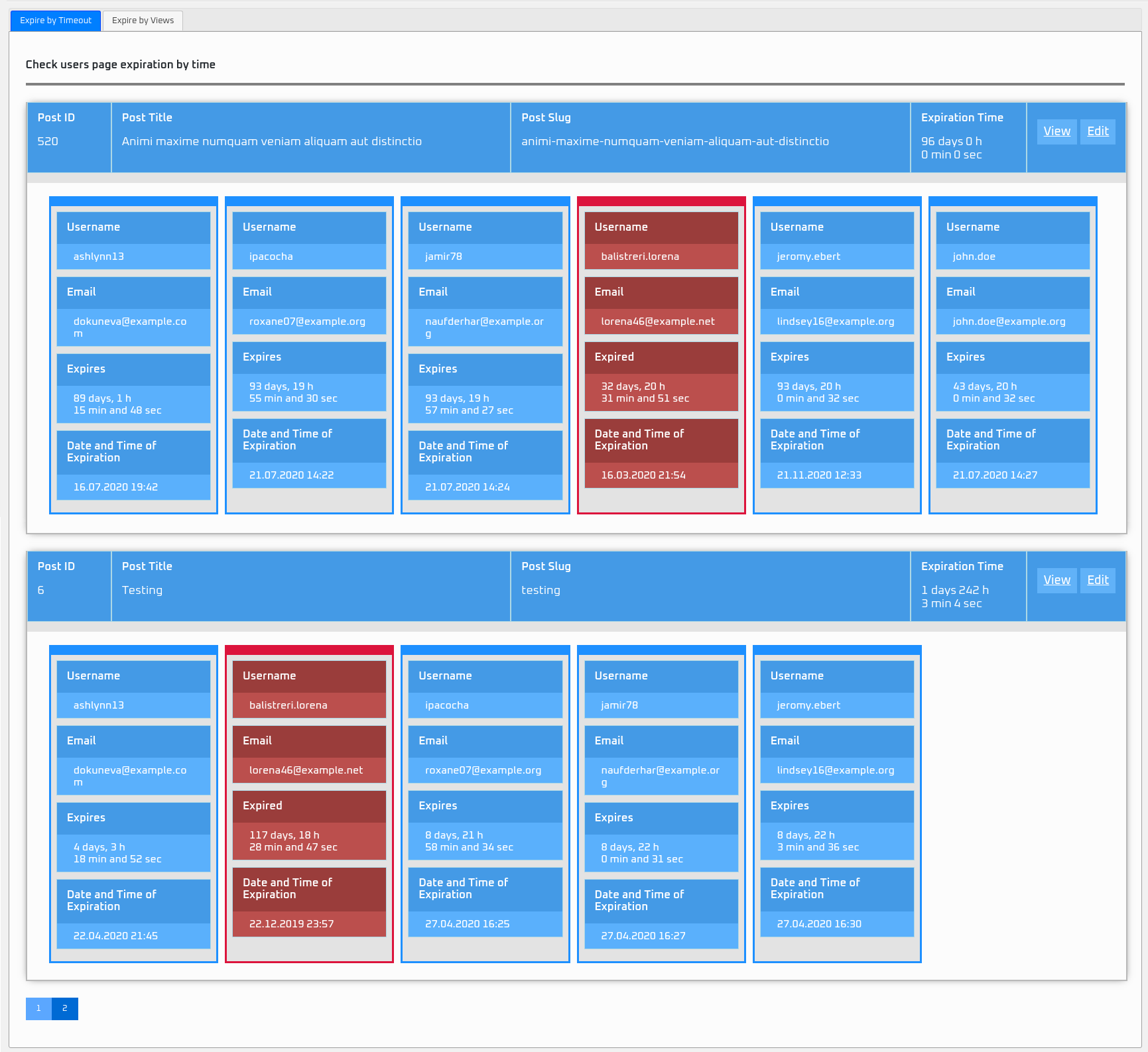
- Plugin menu page to get an overview of all users that bought a product required to access an restricted page which either is still valid or already expired called User Overview.
- Similar feature to User Overview for the frontend for each user to have an overview of their pages where they bought products in order to access them.
- A Quick Start menu page to get you started on using this plugin
Blocks
page-restrict-wc/restrict-section
Section Restrict for WooCommerce – Restricts a section on the page using this grouping element.
page-restrict-wc/restricted-pages-list
Restricted Pages List – Shows a table of restricted pages for the current user which have had bought products for.
Shortcodes
[prwc_is_purchased products=”1,2″ days=”25″ hours=”2″ minutes=”45″ seconds=”15″ inverse=”false” defRestrictMessage=”Restrict Message” notAllProductsRequired=”false” defaultPageNotBoughtSections=”4″ defaultPageNotLoggedSections=”5″]
- Restricts the content using the chosen options.
- products – choose which products to restrict with. Add product IDs separated by a comma.
- Timeout options for this are days, hours, minutes, seconds.
- inverse – using the inverse option you can choose inverse=”false” to hide the content in order for the user to not see it. Choose inverse=”true” for the user to see it in order to show them instructions on what to do to access the desired content you chose using inverse=”false”
- defRestrictMessage – is the message you want to show if the user didn’t buy the product.
- notAllProductsRequired – set to true if the user doesn’t need to buy all products.
- defaultPageNotBoughtSections – you can choose a page to show instead of a message like in defRestrictMessage.
- defaultPageNotLoggedSections – you can choose a page to show if the user isn’t logged in.
[prwc_restricted_pages_list table=”time” disable_table_class=”false”]
- Shows a table of restricted pages for the current user which have had bought products for.
- Using the table attribute you can choose which table of restricted page you will show. It can show pages that are restricted either by time or view count.
- Using disable_table_class attribute you can choose whether to kepp or not to keep the default plugin style for the tables.
- You can show restricted pages that timeout either by time or view.
Coming soon
- Restrict categories
- Restrict authors
Installation
- Upload the plugin files to the “/wp-content/plugins/page-restrict-for-woocommerce” directory, or install the plugin through the WordPress plugins screen directly.
- Activate the plugin through the “Plugins” screen in WordPress
- Use the Settings –> Page Restrict screen to configure the plugin
- You can go to Settings –> Page Restrict –> Quick Start to get a head start on how to use this plugin
Frequently asked questions
Do you have a premium version of the plugin?
No, there isn’t any.
Changelog
Fixed issue where sidebar lock by product doesnt save all products to db.
1.7.4
- Fixed issue where sidebar lock by product doesnt save all products to db.
1.7.3
- Added cache flushing and fixes.
1.7.2
- Fixed issue with gutenberg products page option.
1.7.1
- Fixed priority issue with other plugins.
1.7.0
- Added feature for chosen users to be able to see restricted pages regardless of restriction.
1.6.7
- Fixed sidebar not loading.
- Update class-front.php.
- Fixed WC “High-Performance Order Storage (HPOS)” incompatibility issue.
- Fixed wording of already expired pages.
Screenshots



For developers
Is this your plugin? Show off the numbers.
Add a live badge to your site, docs or GitHub README. It updates on its own — no account needed.
Best Page Restrict for WooCommerce alternatives
All pages plugins →


FAQ
Page Restrict for WooCommerce: quick answers
Straight answers, pulled from live WordPress.org data.
Live data from WordPress.org · checked Sep 28, 2026
Is Page Restrict for WooCommerce free?
Yes. Page Restrict for WooCommerce is free to download and use from the official WordPress.org plugin directory.
Is Page Restrict for WooCommerce safe to use in 2026?
Page Restrict for WooCommerce works, but test it on a staging site before relying on it in 2026. It runs on 700+ sites, is rated 4.7/5 and was last updated 4 months ago, and scores 60/100 on our health check.
How many websites use Page Restrict for WooCommerce?
Page Restrict for WooCommerce is active on 700+ WordPress websites and has been downloaded 18,451 times since it launched in April 2020. It was downloaded 263 times in the last 30 days.
Does Page Restrict for WooCommerce work with WordPress 7.1?
Page Restrict for WooCommerce is officially tested up to WordPress 7.0.6, while the latest release is 7.1.2. It may still work, but try it on a staging site first.
What PHP version does Page Restrict for WooCommerce need?
Page Restrict for WooCommerce requires PHP 7.0.25 or higher. Most hosts run PHP 8.x today, so it works on any modern WordPress hosting.
When was Page Restrict for WooCommerce last updated?
The latest version, 1.7.4, was released on June 7, 2026 (4 months ago).
Who makes Page Restrict for WooCommerce?
Page Restrict for WooCommerce is developed and maintained by Vlado Grcic.
What are the best alternatives to Page Restrict for WooCommerce?
The most popular alternatives to Page Restrict for WooCommerce are WP-PageNavi (500K+ installs), Nested Pages (90K+ installs) and Display Posts (80K+ installs).
Powered by PageForge
Want thousands of pages that rank like these? Build them in an afternoon.
This directory runs on the same engine as PageForge. Turn any spreadsheet, CSV or API into thousands of fast, SEO-ready WordPress pages — with schema, internal links and AI-written copy baked in.
- CSV, Google Sheets & API data sources
- AI content, schema & internal links per page
- Works with Elementor, Gutenberg, Yoast & Rank Math
- Free on WordPress.org — no credit card


