



Owlstack
Publish content to Telegram, X (Twitter), Facebook, Instagram, LinkedIn, Discord, and more — directly from WordPress.

Use with caution
Owlstack works, but test it on a staging site before relying on it in 2026. Was last updated 2 months ago, and scores 60/100 on our health check.
- Tested with the latest WordPress (7.1)
- Small user base (<10 active installs)
- Very few reviews so far
- Needs PHP 8.1 or newer
How does it stack up?
Side-by-side on installs, updates, ratings & support



Daily downloads
Download spikes usually follow a new release — each site that auto-updates counts as a download.
Rankings
Where Owlstack stands todayWordPress.org search rankings
Live position in the plugin search, top 100| Keyword | Position |
|---|---|
| auto publish | >100 |
| >100 | |
| social media | >100 |
| telegram | >100 |
| >100 |
About Owlstack
From the official readme · v1.1.2Description
Owlstack lets you automatically share your WordPress posts to social media platforms with a single click or on publish. Powered by the Owlstack Core engine, it provides a seamless publishing experience.
Supported Platforms:
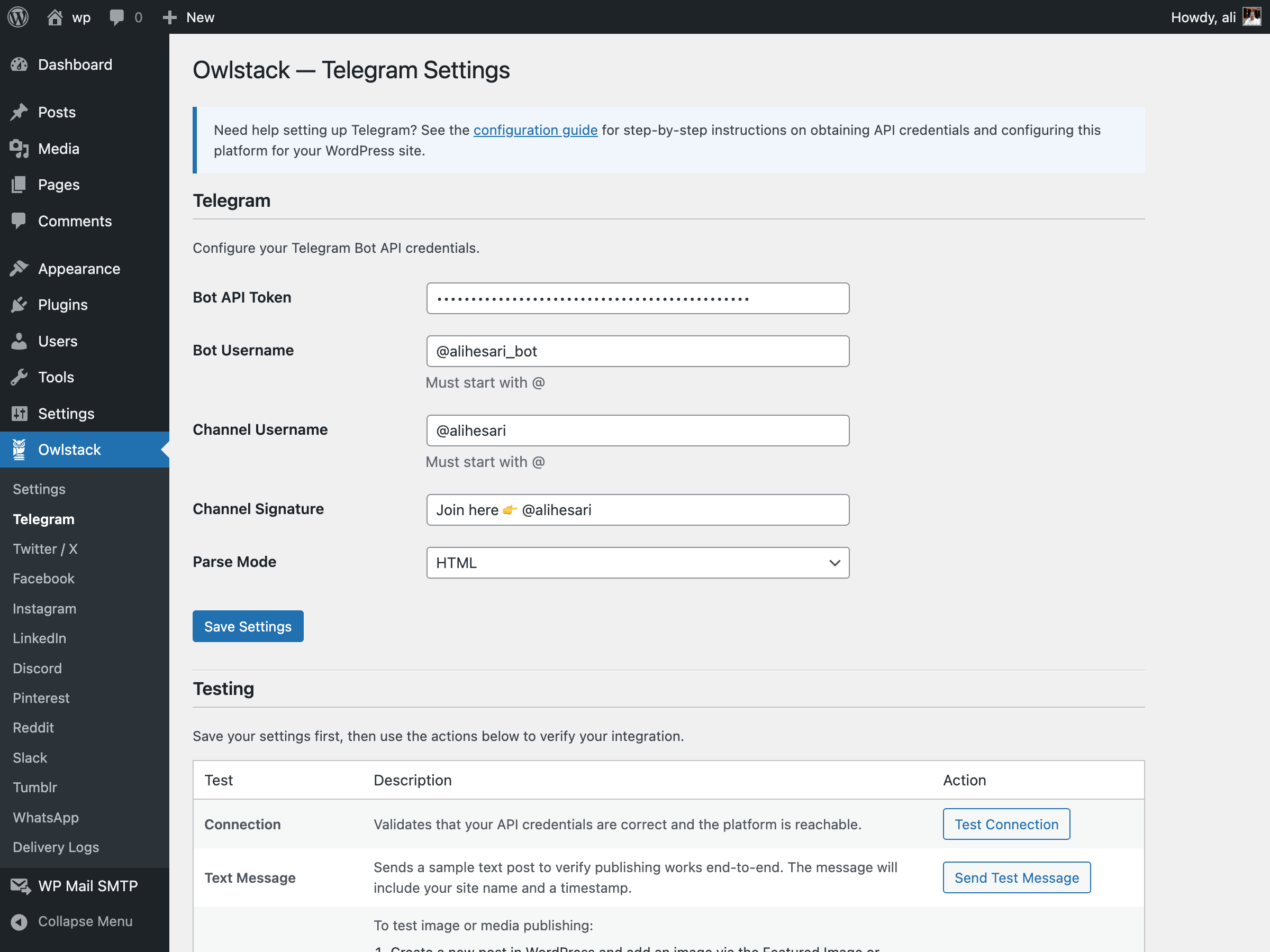
- Telegram — Send posts to channels and groups via Bot API
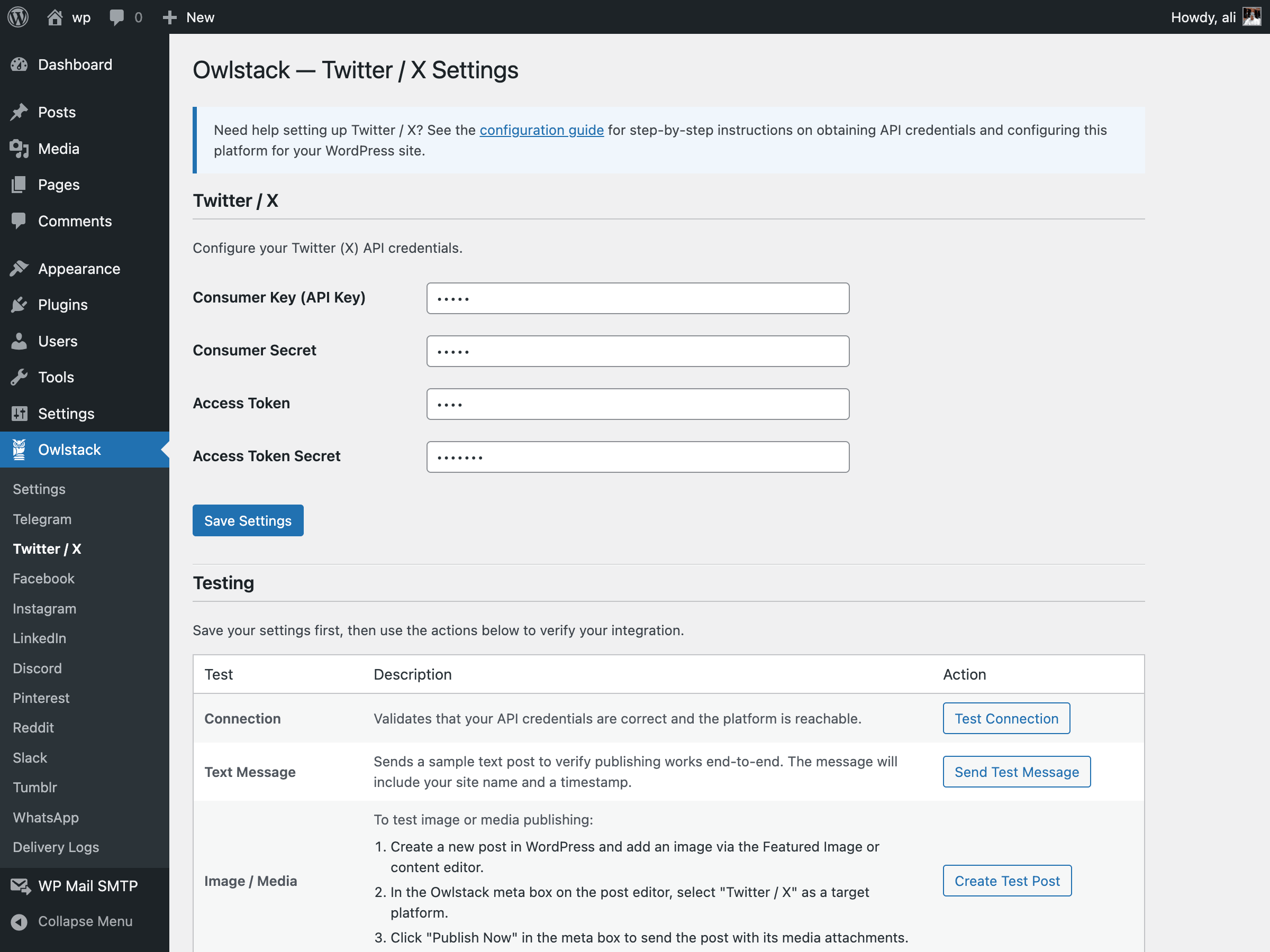
- X (Twitter) — Tweet your posts with media support
- Facebook — Share posts to Facebook Pages
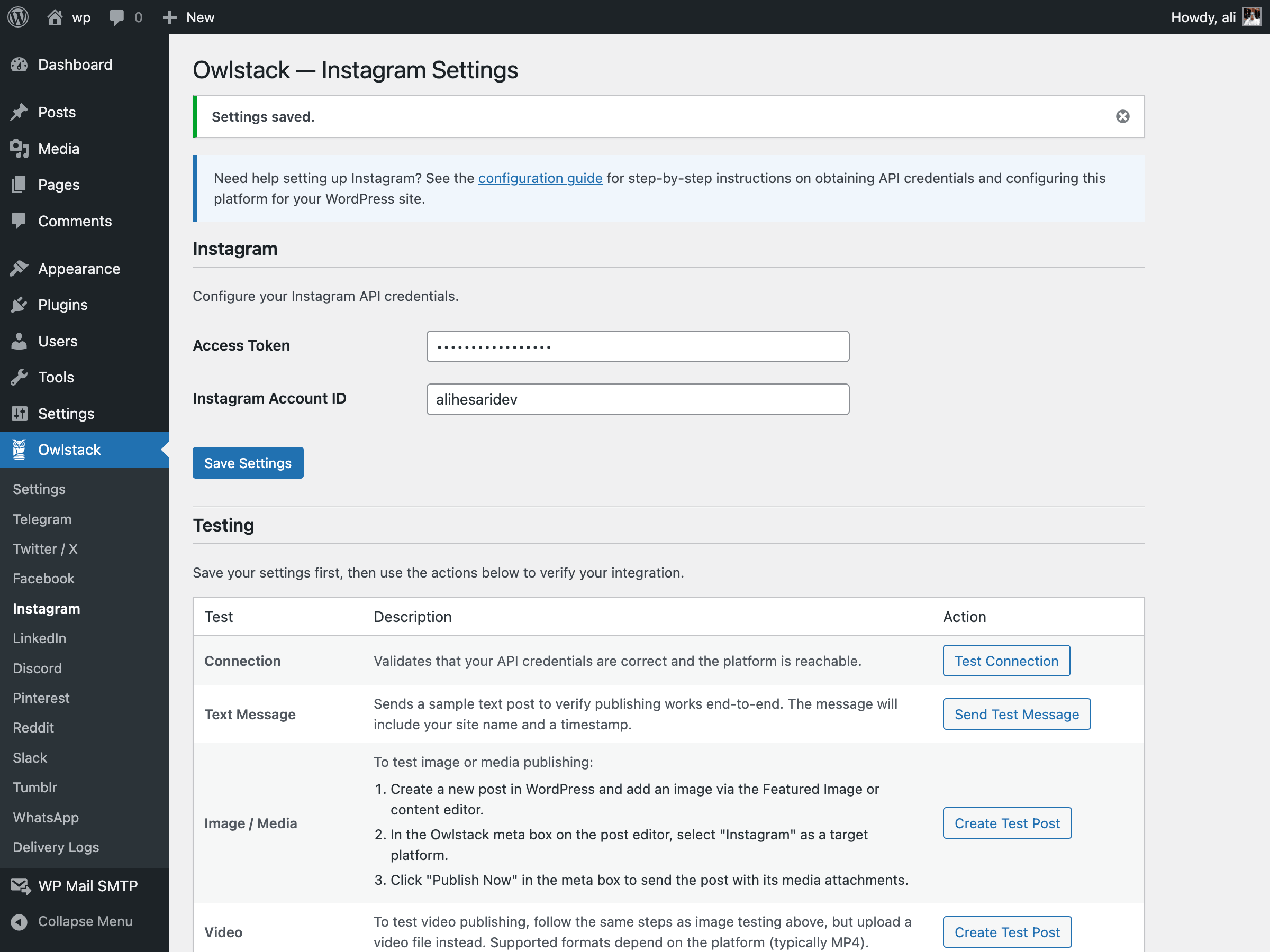
- Instagram — Publish to Instagram via the Graph API
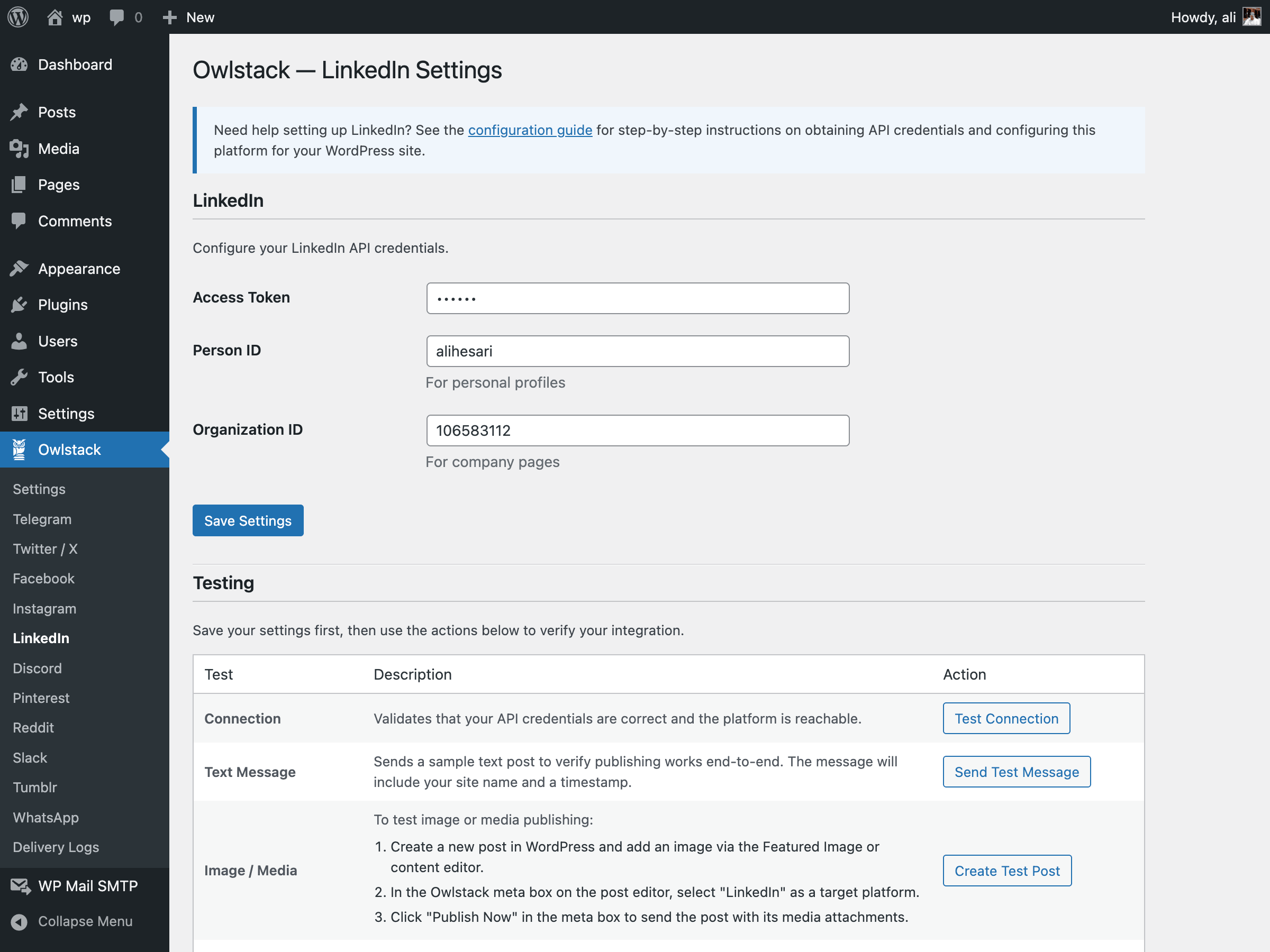
- LinkedIn — Share posts to LinkedIn profiles and company pages
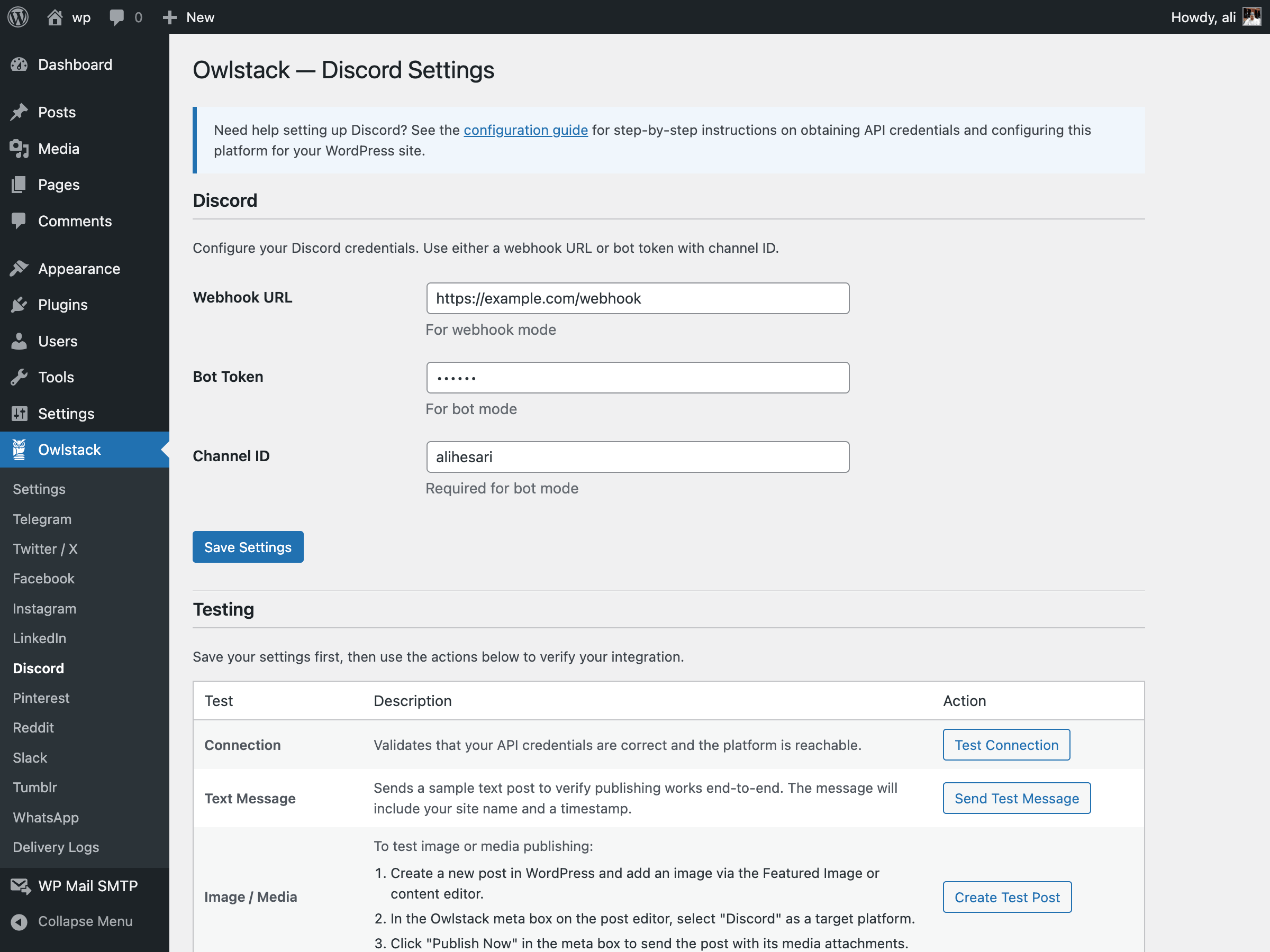
- Discord — Send posts to Discord channels via webhooks
- Pinterest — Pin content to Pinterest boards
- Reddit — Submit posts to subreddits
- Slack — Post to Slack channels via webhooks
- Tumblr — Share posts to Tumblr blogs
- WhatsApp — Send messages via WhatsApp Business API
Key Features:
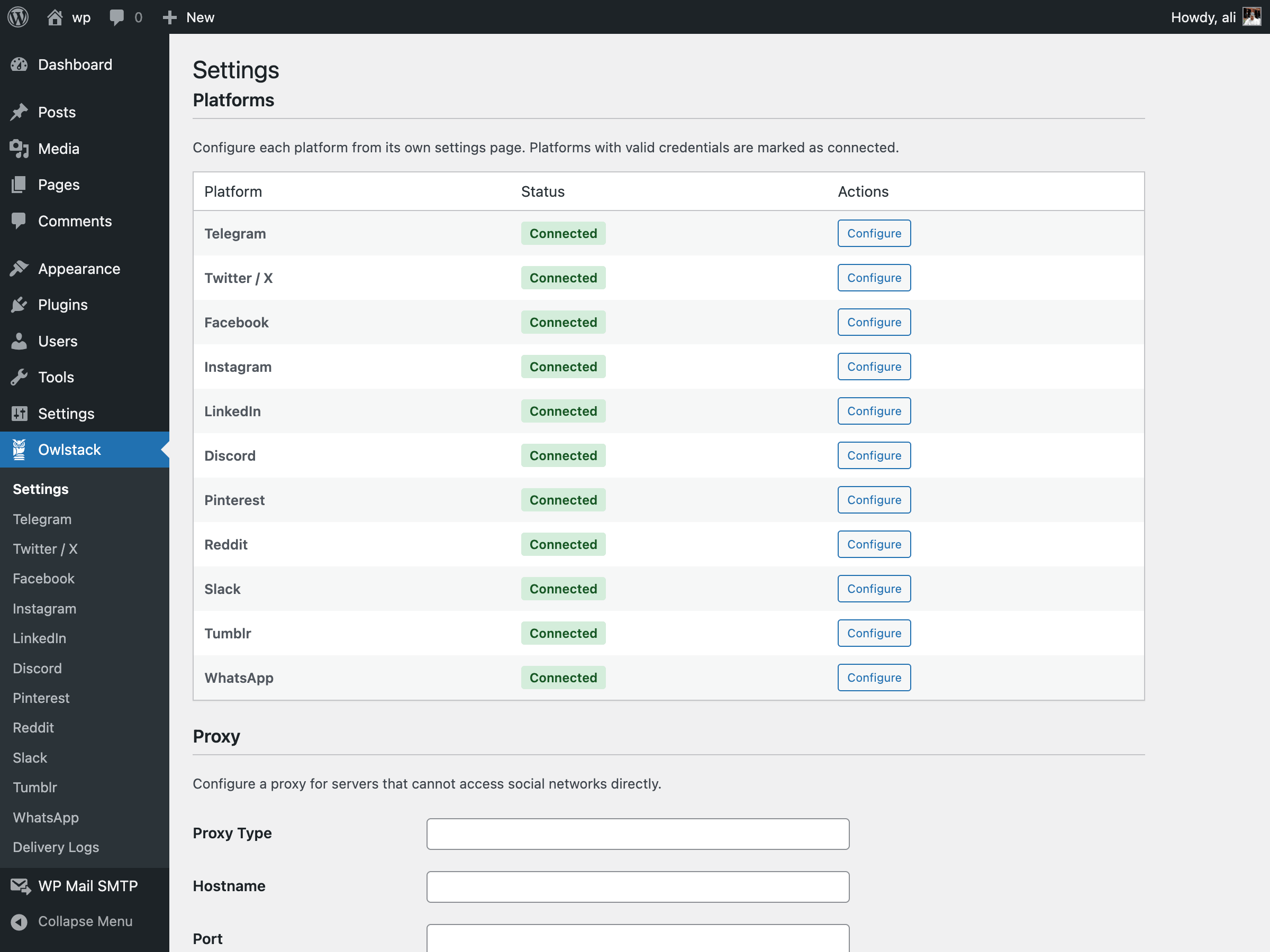
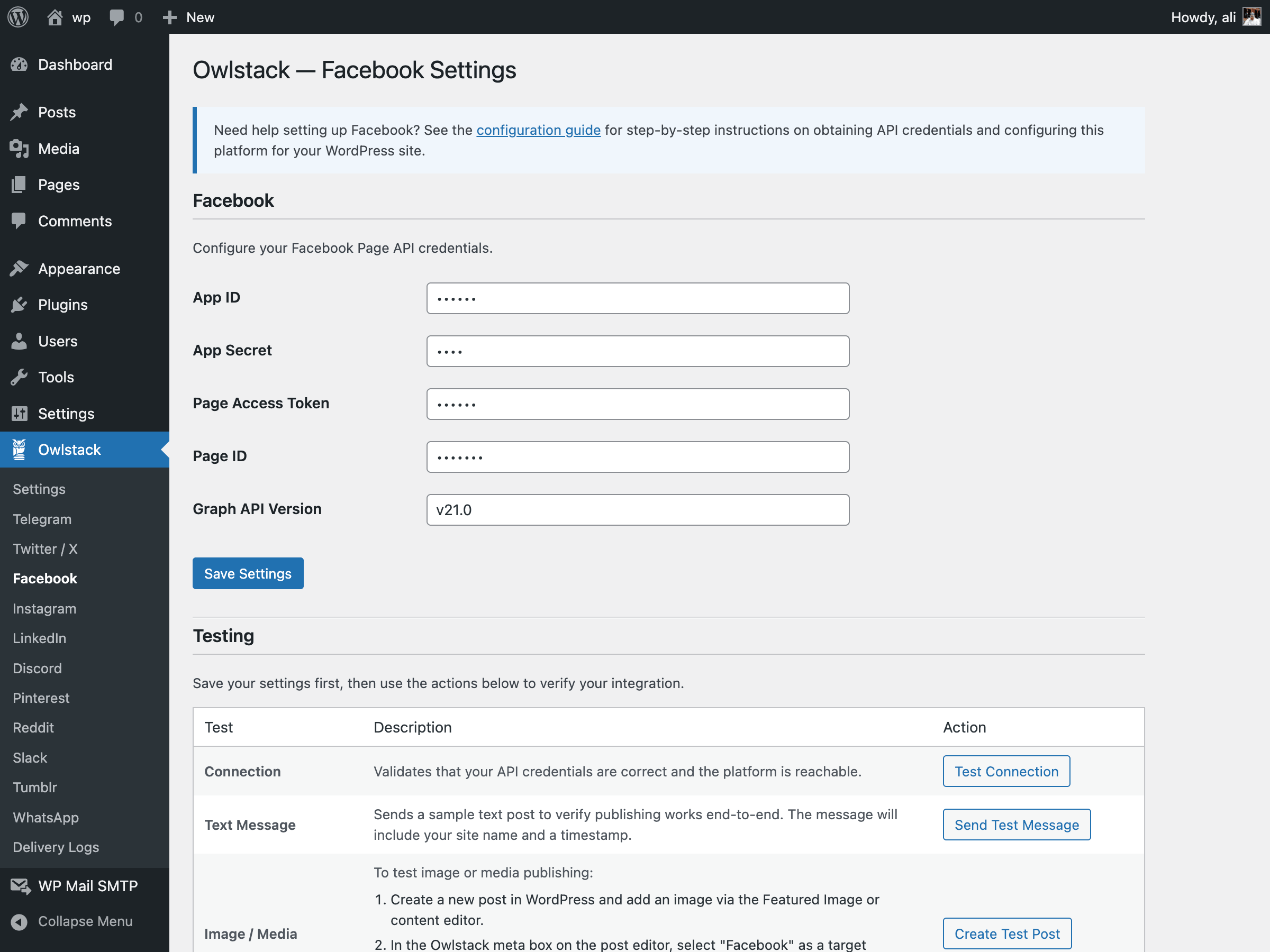
- Admin Settings Page — Configure platform credentials and proxy settings from a clean admin UI
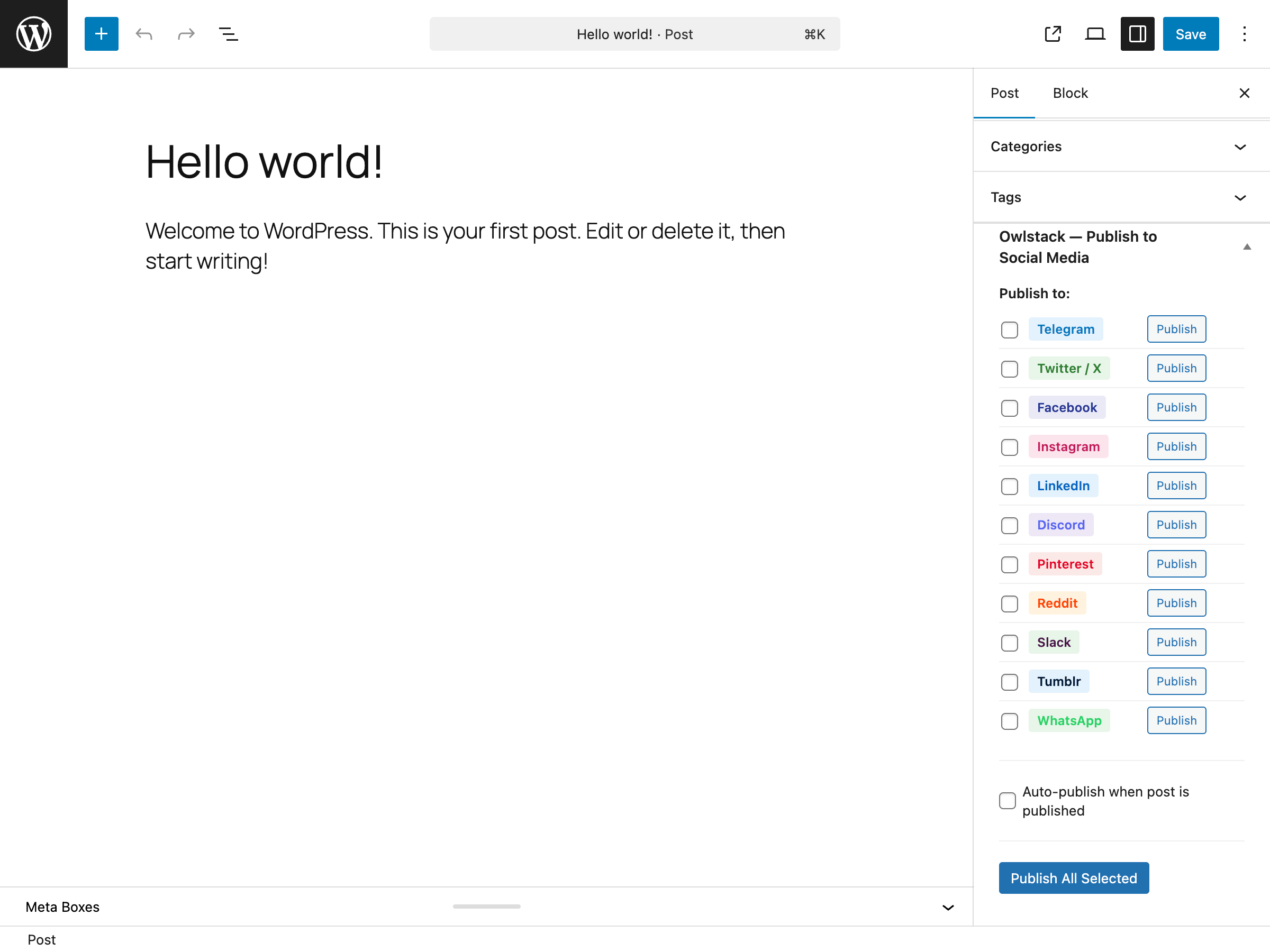
- Publish Meta Box — Select platforms and publish directly from the post editor
- Auto-Publish — Automatically share posts when they’re published
- Delivery Logs — Track all publishing activity with status, errors, and external links
- REST API — AJAX endpoints for connection testing, manual publishing, and log management
- WP HTTP API — Uses native WordPress HTTP functions instead of cURL
- WordPress Events — Full hook support with
owlstack_post_publishedandowlstack_post_failedactions - Token Storage — Encrypted OAuth token storage via
wp_options
For Developers:
Owlstack provides a simple PHP API for publishing from themes or other plugins:
// Publish to Telegram
owlstack()->telegram('Hello from WordPress!');

// Publish to Twitter/X
owlstack()->twitter('Hello from WordPress!');

// Publish to a specific platform by name
owlstack()->publish($post, 'linkedin');

// Publish to all configured platforms
owlstack()->toAll($post);
Third-Party Services
This plugin connects to external third-party services to publish your content. Data such as post title, excerpt, URL, and featured image may be sent to the platforms you configure. No data is sent unless you explicitly configure and enable a platform.
Telegram
- Service: Telegram Bot API
- Terms of Service: https://telegram.org/tos
- Privacy Policy: https://telegram.org/privacy
X (Twitter)
- Service: X API
- Terms of Service: https://x.com/en/tos
- Privacy Policy: https://x.com/en/privacy
- Service: Facebook Graph API
- Terms of Service: https://www.facebook.com/terms.php
- Privacy Policy: https://www.facebook.com/privacy/policy/
- Service: Instagram Graph API
- Terms of Service: https://help.instagram.com/581066165581870
- Privacy Policy: https://privacycenter.instagram.com/policy
- Service: LinkedIn API
- Terms of Service: https://www.linkedin.com/legal/user-agreement
- Privacy Policy: https://www.linkedin.com/legal/privacy-policy
Discord
- Service: Discord Webhooks
- Terms of Service: https://discord.com/terms
- Privacy Policy: https://discord.com/privacy
- Service: Pinterest API
- Terms of Service: https://policy.pinterest.com/en/terms-of-service
- Privacy Policy: https://policy.pinterest.com/en/privacy-policy
- Service: Reddit API
- Terms of Service: https://www.redditinc.com/policies/user-agreement
- Privacy Policy: https://www.reddit.com/policies/privacy-policy
Slack
- Service: Slack Incoming Webhooks
- Terms of Service: https://slack.com/terms-of-service
- Privacy Policy: https://slack.com/privacy-policy
Tumblr
- Service: Tumblr API
- Terms of Service: https://www.tumblr.com/policy/en/terms-of-service
- Privacy Policy: https://www.tumblr.com/privacy/en
- Service: WhatsApp Business API
- Terms of Service: https://www.whatsapp.com/legal/terms-of-service
- Privacy Policy: https://www.whatsapp.com/legal/privacy-policy
Installation
- Upload the
owlstackfolder to the/wp-content/plugins/directory, or install directly through the WordPress plugins screen. - Activate the plugin through the ‘Plugins’ menu in WordPress.
- Go to Owlstack > Settings to configure your platform credentials.
Frequently asked questions
What platforms are supported?
Telegram, X (Twitter), Facebook, Instagram, LinkedIn, Discord, Pinterest, Reddit, Slack, Tumblr, and WhatsApp are all supported.
Does this plugin require Composer?
No. All dependencies are bundled with the plugin. Simply install and activate it from your WordPress admin panel.
How do I get API credentials for each platform?
Telegram: Create a bot via @BotFather and get your Bot API Token. Twitter/X: Create an app at developer.twitter.com and generate your API keys. Facebook: Create an app at developers.facebook.com, create a Page, and generate a Page Access Token. Instagram: Use the same Facebook app and connect your Instagram Business account. LinkedIn: Create an app at linkedin.com/developers and request the necessary permissions. Discord: Create a webhook in your Discord server’s channel settings. Pinterest: Create an app at developers.pinterest.com. Reddit: Create an app at reddit.com/prefs/apps. Slack…
Can I customize which post types are supported?
Yes. Use the owlstack_supported_post_types filter: add_filter('owlstack_supported_post_types', function ($types) { return ['post', 'page', 'product']; });
Is there proxy support?
Yes. Configure proxy settings in Owlstack > Settings for servers that cannot access social media APIs directly.
Where are delivery logs stored?
Delivery logs are stored in a custom database table (wp_owlstack_delivery_logs). You can view them under Owlstack > Delivery Logs.
What is the OwlStack Cloud connection?
If you use the OwlStack Cloud dashboard, you can connect it to your site without sharing a WordPress username or Application Password. Go to Owlstack > Cloud, generate a site token, and paste it into the OwlStack dashboard together with your site URL. The token is scoped to a minimal set of plugin endpoints: OwlStack Cloud can create posts (as the author you choose, as a draft or published based on your setting), upload images for featured media, and remove posts it created — nothing else. Only a hash of the token is stored, you can revoke it at any time, and the plugin never makes outbound…
Changelog
Link fix. Documentation and site links now point to owlstack.app; the old links no longer resolve for visitors.
1.1.2
- Every link in the plugin now points to owlstack.app, the current OwlStack domain. The previous owlstack.dev links no longer reach the public site.
1.1.1
- Tested against WordPress 7.1.
- No functional changes. The post editor meta box, publishing, and the Cloud connection are unaffected by the 7.1 iframed editor and client-side media processing changes.
1.1.0
- New: OwlStack Cloud connection (Owlstack > Cloud). Generate a revocable site token so the OwlStack Cloud dashboard can publish posts to this site without a WordPress username or Application Password.
- New: Incoming content controls — always draft, always publish, or honor the requested status; configurable post author and post type.
- New: REST endpoints under
owlstack/v1/cloudfor site info, post creation, image upload, and removal of Cloud-created posts. Token-authenticated; only a SHA-256 hash of the token is stored. - The plugin makes no outbound calls to OwlStack Cloud; the feature is inactive until a token is generated.
- The Cloud page now sits directly after Settings in the Owlstack menu, instead of below every platform.
- Settings gains a short, dismissible explanation of what OwlStack Cloud is and how it differs from publishing directly from this site.
1.0.1
- Improved settings update feedback on the platform settings pages.
- Hardened input sanitization in options handling and settings registration.
- Added a third-party services section listing the terms and privacy policies of every supported platform.
- Added platform documentation links and clearer setup guidance in settings.
- Post body handling now falls back to the excerpt or trimmed content.
- Telegram: platform-specific post transformations, plus placeholders and hints on the username fields.
- Corrected author information in the plugin header.
1.0.0
- Initial public release.
- Support for 11 platforms: Telegram, X (Twitter), Facebook, Instagram, LinkedIn, Discord, Pinterest, Reddit, Slack, Tumblr, and WhatsApp.
- Admin settings page with platform credential management.
- Post editor meta box for platform selection and auto-publish.
- Delivery logs page with filtering and pagination.
- REST API endpoints for connection testing, publishing, and log management.
- WordPress HTTP API integration.
- Encrypted OAuth token storage.
- Event system with WordPress action hooks.
- Full developer API via
owlstack()helper function.
Screenshots
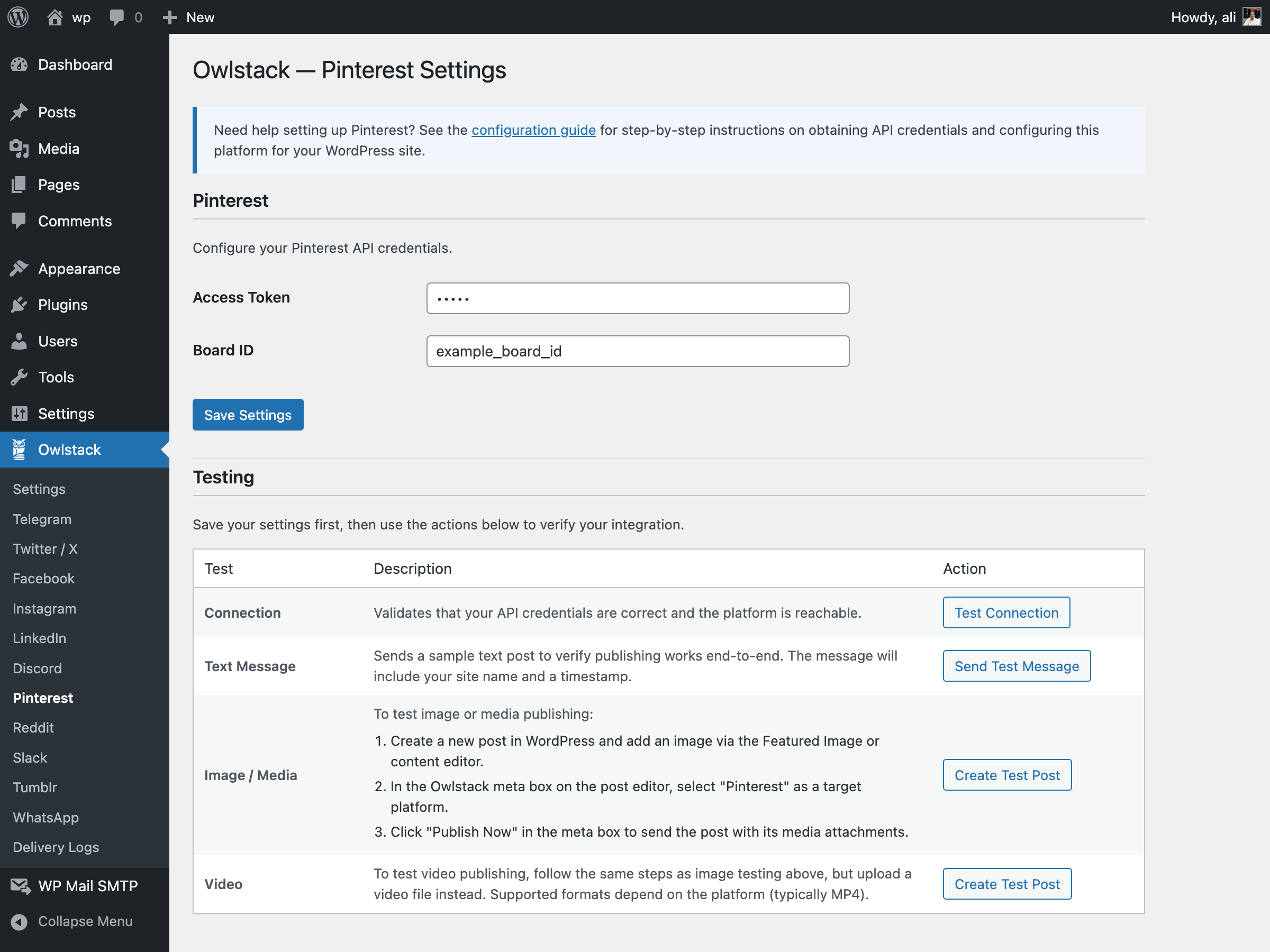
For developers
Is this your plugin? Show off the numbers.
Add a live badge to your site, docs or GitHub README. It updates on its own — no account needed.
Best Owlstack alternatives
All auto publish plugins →





FAQ
Owlstack: quick answers
Straight answers, pulled from live WordPress.org data.
Live data from WordPress.org · checked Oct 8, 2026
Is Owlstack free?
Yes. Owlstack is free to download and use from the official WordPress.org plugin directory.
Is Owlstack safe to use in 2026?
Owlstack works, but test it on a staging site before relying on it in 2026. Was last updated 2 months ago, and scores 60/100 on our health check.
How many websites use Owlstack?
Owlstack is active on <10 WordPress websites and has been downloaded 746 times since it launched in March 2026. It was downloaded 179 times in the last 30 days.
Does Owlstack work with WordPress 7.1?
Yes. The developer has tested Owlstack up to WordPress 7.1.3, the latest release. It requires WordPress 6.4 or newer.
What PHP version does Owlstack need?
Owlstack requires PHP 8.1 or higher. Most hosts run PHP 8.x today, so it works on any modern WordPress hosting.
When was Owlstack last updated?
The latest version, 1.1.2, was released on August 13, 2026 (2 months ago).
Who makes Owlstack?
Owlstack is developed and maintained by Ali Hesari.
What are the best alternatives to Owlstack?
The most popular alternatives to Owlstack are Auto Publish for Google My… (9K+ installs), WP LinkedIn Auto Publish (8K+ installs) and Social Media Auto Poster (7K+ installs).
Powered by PageForge
Want thousands of pages that rank like these? Build them in an afternoon.
This directory runs on the same engine as PageForge. Turn any spreadsheet, CSV or API into thousands of fast, SEO-ready WordPress pages — with schema, internal links and AI-written copy baked in.
- CSV, Google Sheets & API data sources
- AI content, schema & internal links per page
- Works with Elementor, Gutenberg, Yoast & Rank Math
- Free on WordPress.org — no credit card


