


WP LinkedIn Auto Publish
WP LinkedIn Auto Publish automatically publishes posts, custom posts and pages to your LinkedIn profile and/or company pages.

Solid choice
WP LinkedIn Auto Publish is a solid plugin choice in 2026, with a few things worth checking first. It runs on 8K+ sites, is rated 4.8/5 and was last updated 1 month ago, and scores 73/100 on our health check.
- Loved by users — 4.8/5 from 106 reviews
- Tested with the latest WordPress (7.1)
How does it stack up?
Side-by-side on installs, updates, ratings & support



Daily downloads
Download spikes usually follow a new release — each site that auto-updates counts as a download.
Rankings
Where WP LinkedIn Auto Publish stands todayWordPress.org search rankings
Live position in the plugin search, top 100| Keyword | Position |
|---|---|
| auto publish | #2 |
| #1 | |
| linkedin companies | #1 |
| linkedin company | #1 |
| linkedin profile | #3 |
Version adoption
Share of active sites per release.
Rating breakdown
★★★★★★★★★★ 4.8 from 106 reviews
About WP LinkedIn Auto Publish
From the official readme · v8.27Description
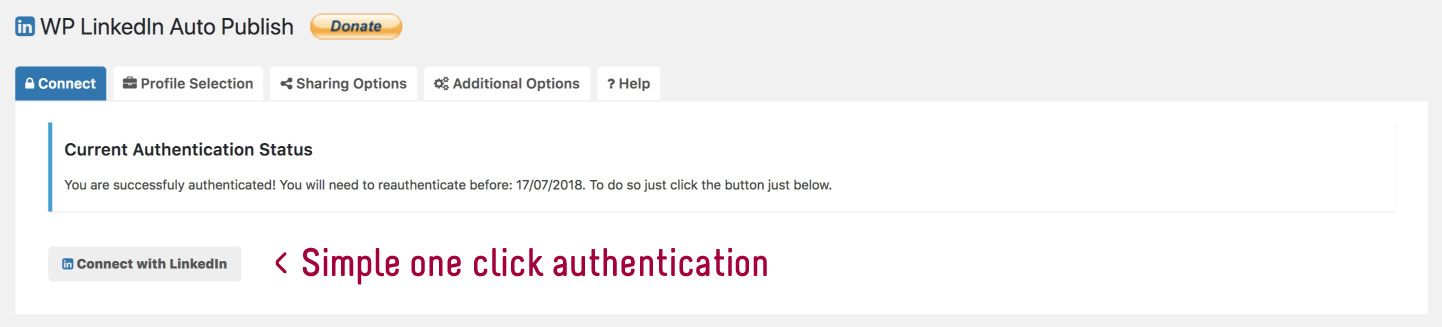
WP LinkedIn Auto Publish lets you publish posts, custom posts and pages automatically from WordPress to your personal LinkedIn profile and/or company pages that you are an administrator of.
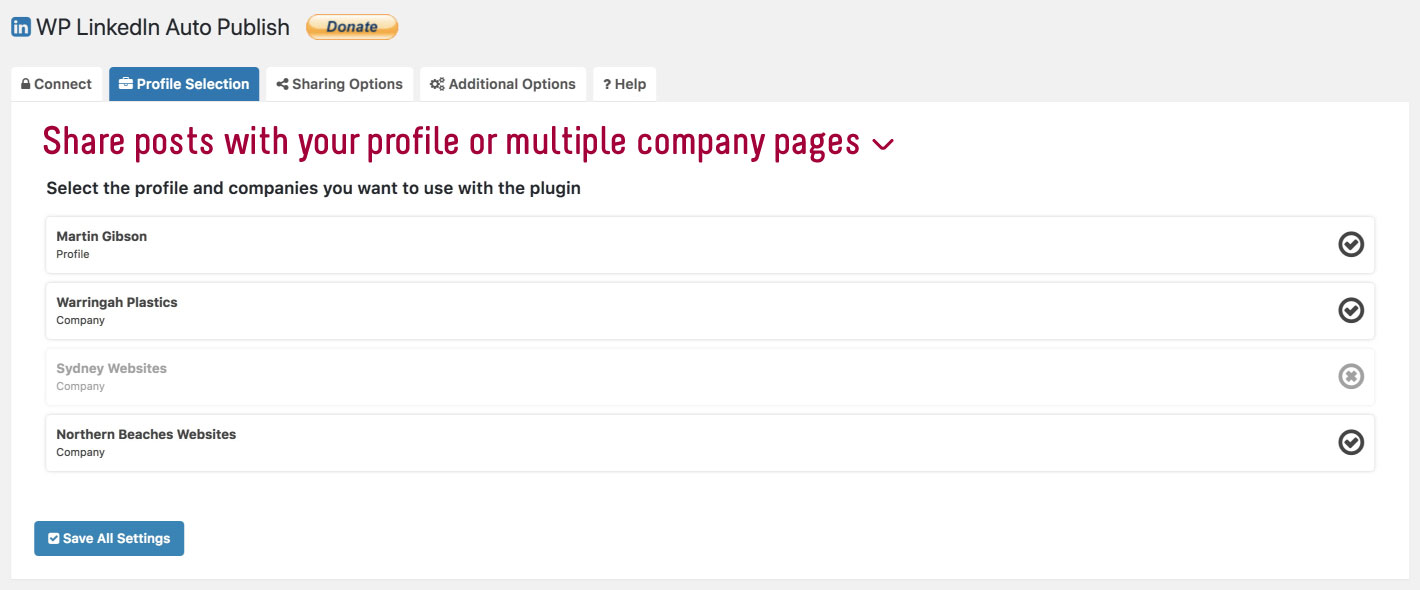
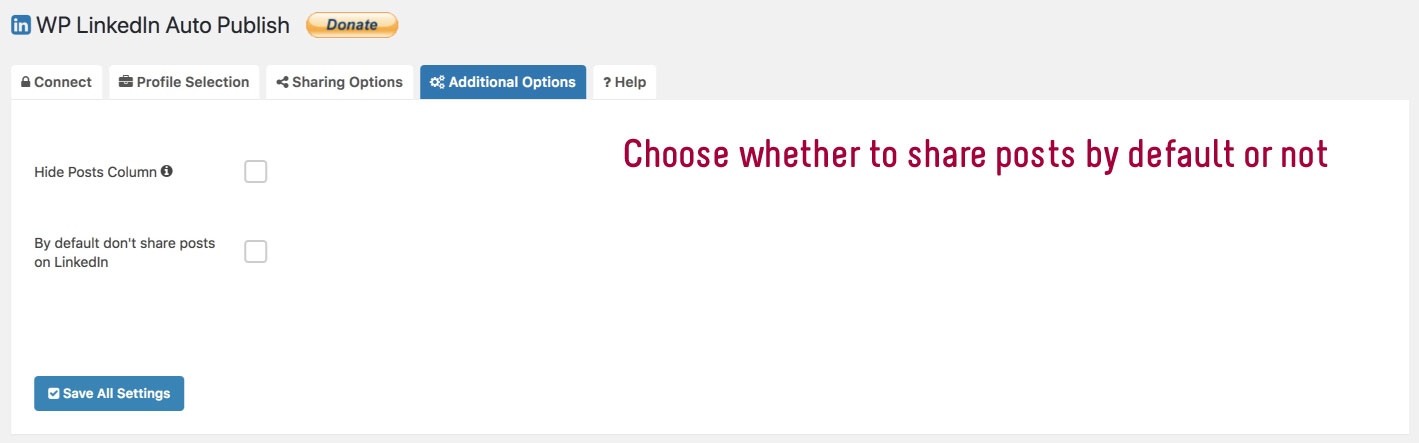
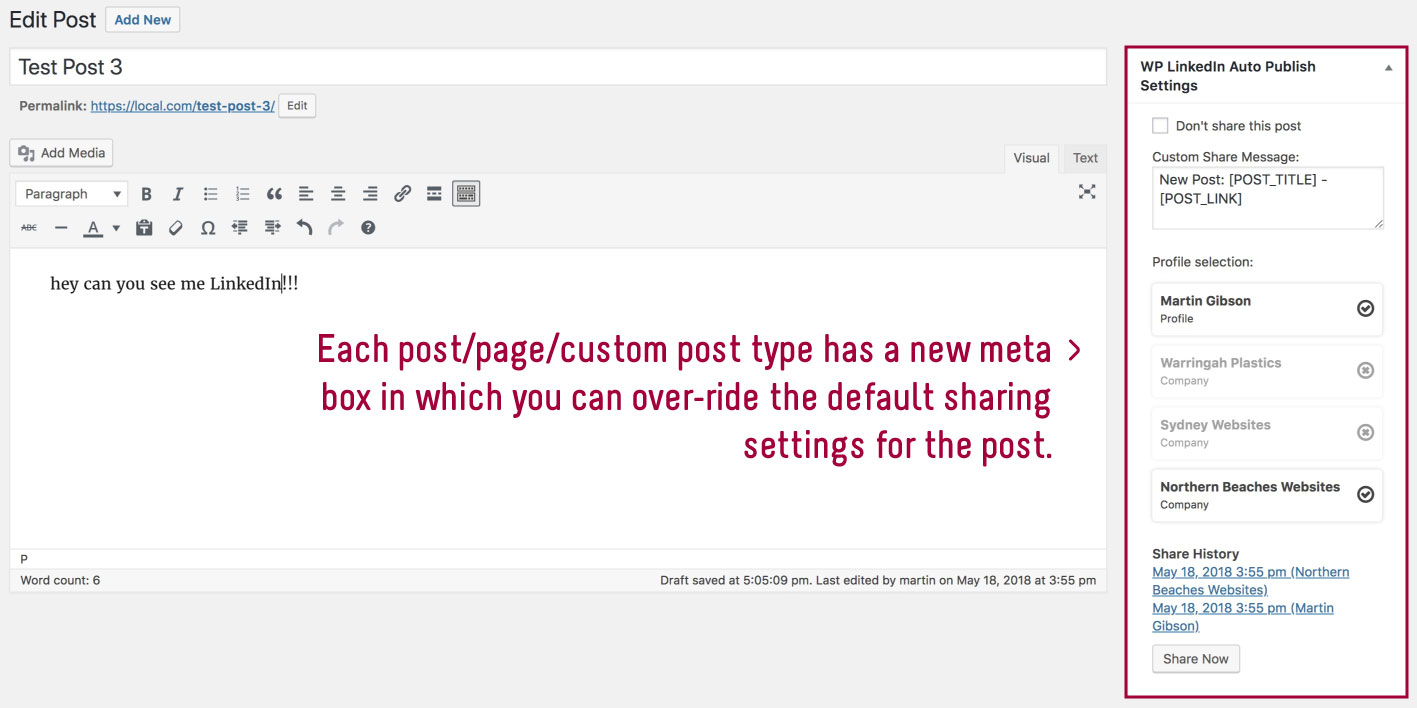
The plugin is simple, lightweight and free. It does have a couple of options which includes choosing who you want to share your LinkedIn posts with and whether you want to enable simple text-based sharing or more advanced sharing where you can tell LinkedIn to use your posts feature image. You can also setup a default share message format using time saving dynamic shortcodes for all your posts which you can over-ride on the post meta box settings. You can also filter items to be published based on categories selected on the plugin settings page. You can choose whether you want to share posts, custom posts and pages. You can select the default profile and/or companies you want to share with as well.
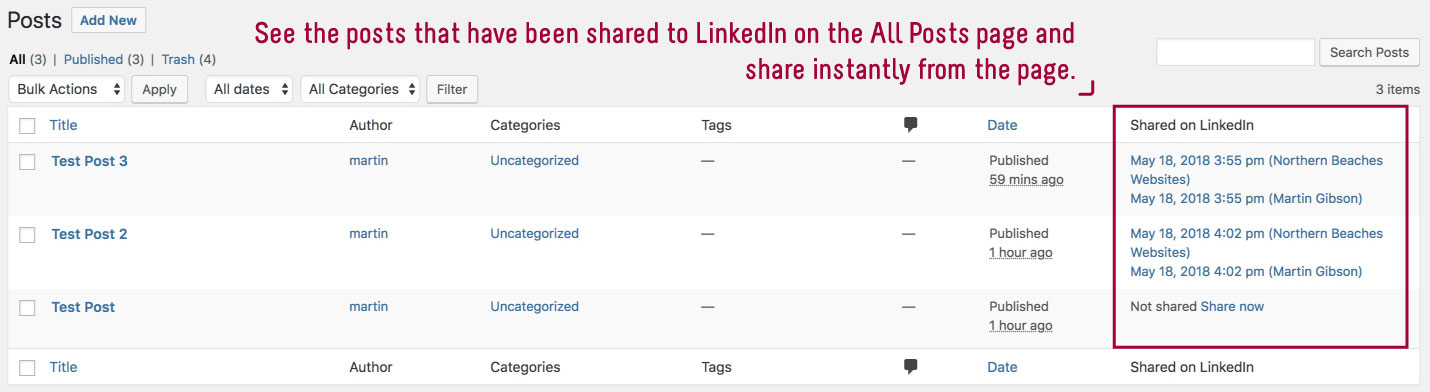
Every post will automatically be published to LinkedIn, however on each post there is a checkbox which enables you to not share a particular post. On a post page and on the all posts page you will also see a record of instances a post has been shared to LinkedIn.
Announcing AutoSocial
Please check out the pro version called AutoSocial which provides the same functionality as WP LinkedIn Auto Publish but adds Facebook, Google My Business, Twitter, Instagram and Pinterest. AutoSocial has many other cool features you will love as well! Learn more
Installation
There are a couple of methods for installing and setting up this plugin.
Upload Manually
- Download and unzip the plugin
- Upload the ‘wp-linkedin-autopublish’ folder into the ‘/wp-content/plugins/’ directory
- Go to the Plugins admin page and activate the plugin
Install via the Admin Area
- In the admin area go to Plugins > Add New and search for “WP LinkedIn Auto Publish”
- Click install and then click activate
Changelog
8.27
- Security patch
8.26
- Fix for posting
8.25
- Fix company API version
8.24
- Update to authentication redirect URL
8.23
- New filter to change language of profiles
8.22
- New filter to modify permission to edit plugin settings
Screenshots

For developers
Is this your plugin? Show off the numbers.
Add a live badge to your site, docs or GitHub README. It updates on its own — no account needed.
Best WP LinkedIn Auto Publish alternatives
All auto publish plugins →





FAQ
WP LinkedIn Auto Publish: quick answers
Straight answers, pulled from live WordPress.org data.
Live data from WordPress.org · checked Sep 26, 2026
Is WP LinkedIn Auto Publish free?
Yes. WP LinkedIn Auto Publish is free to download and use from the official WordPress.org plugin directory.
Is WP LinkedIn Auto Publish safe to use in 2026?
WP LinkedIn Auto Publish is a solid plugin choice in 2026, with a few things worth checking first. It runs on 8K+ sites, is rated 4.8/5 and was last updated 1 month ago, and scores 73/100 on our health check.
How many websites use WP LinkedIn Auto Publish?
WP LinkedIn Auto Publish is active on 8K+ WordPress websites and has been downloaded 362,303 times since it launched in December 2016. It was downloaded 2,516 times in the last 30 days.
Does WP LinkedIn Auto Publish work with WordPress 7.1?
Yes. The developer has tested WP LinkedIn Auto Publish up to WordPress 7.1.2, the latest release. It requires WordPress 3.0.1 or newer.
When was WP LinkedIn Auto Publish last updated?
The latest version, 8.27, was released on August 20, 2026 (1 month ago).
Who makes WP LinkedIn Auto Publish?
WP LinkedIn Auto Publish is developed and maintained by Northern Beaches Websites.
What are the best alternatives to WP LinkedIn Auto Publish?
The most popular alternatives to WP LinkedIn Auto Publish are Auto Publish for Google My… (9K+ installs), Social Media Auto Poster (7K+ installs) and Auto Publish Drafts (200+ installs).
Powered by PageForge
Want thousands of pages that rank like these? Build them in an afternoon.
This directory runs on the same engine as PageForge. Turn any spreadsheet, CSV or API into thousands of fast, SEO-ready WordPress pages — with schema, internal links and AI-written copy baked in.
- CSV, Google Sheets & API data sources
- AI content, schema & internal links per page
- Works with Elementor, Gutenberg, Yoast & Rank Math
- Free on WordPress.org — no credit card


