


Organic Profile Block
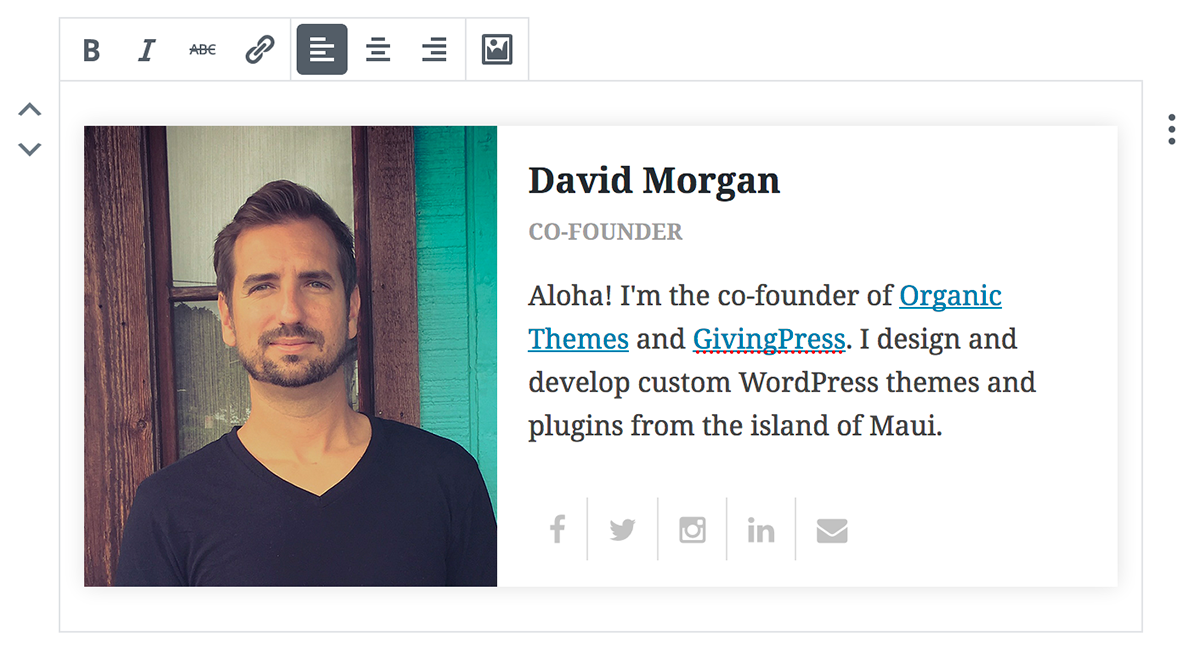
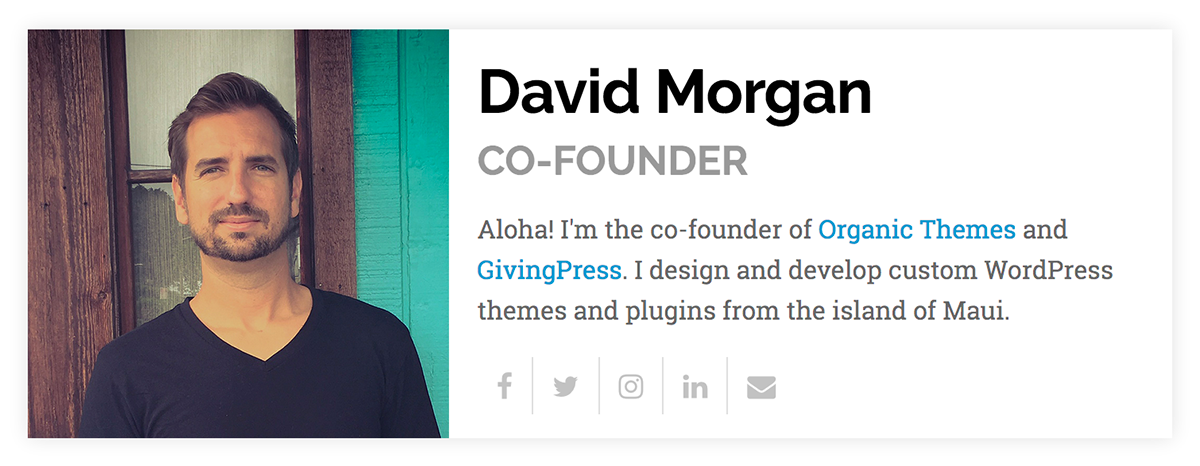
The Organic Profile Block is designed to work with the WordPress 5 block editor and Gutenberg plugin. This custom block is designed to display personal profiles. It includes options to add a profile image, name, title…

Consider an alternative
Organic Profile Block shows warning signs in 2026 — compare the alternatives below before installing. It runs on 1K+ sites, is rated 3.8/5 and was last updated 5 years ago, and scores 30/100 on our health check.
- Very few reviews so far
- No update in 5 years
- Only tested up to WordPress 5.7 (latest is 7.1)
How does it stack up?
Side-by-side on installs, updates, ratings & support



Daily downloads
Download spikes usually follow a new release — each site that auto-updates counts as a download.
Rankings
Where Organic Profile Block stands todayWordPress.org search rankings
Live position in the plugin search, top 100| Keyword | Position |
|---|---|
| block | >100 |
| blocks | >100 |
| custom block | >100 |
| gutenberg | >100 |
| profile | >100 |
Version adoption
Share of active sites per release.
Rating breakdown
★★★★★★★★★★ 3.8 from 4 reviews
About Organic Profile Block
From the official readme · v1.5.2Description
The Organic Profile Block is designed to work with the WordPress 5 block editor and Gutenberg plugin. This custom block is designed to display personal profiles. It includes options to add a profile image, name, title, biography, and social media links. The social media options include icon links to personal profiles for Facebook, Twitter, Instagram, LinkedIn, and email. The profile block is an excellent solution for creating author profiles on posts, staff or employee pages, and testimonials.
Additionally, this plugin is a great reference for budding WordPress block developers. Since WordPress blocks are developed in Javascript, creating a block can be intimidating for WordPress developers more familiar with PHP, HTML, and CSS. That’s why we developed the Profile Block using the Javascript ES5 language, which does not require the use of a compiler to edit the code. For more information, please refer to our How To Create A Custom Block article.
A premium version of the block is included in the Organic Blocks Bundle plugin. The bundle includes 12 premium blocks for the Gutenberg editor. The premium Profile Block can display unlimited social media links, and features several more options for modifying the profile image size, colors, and style.
Premium Blocks
The following blocks are only available by upgrading to the Premium Version:
- Content Slideshow Block View Example – Display any posts type within a customizable slideshow.
- Posts Block View Example – Display a collection of posts from any post type in a customizable layout — perfect for blogs and featured news sections.
- Portfolio Block View Example – Showcase any post type in a masonry style portfolio layout.
- Premium Profile Block View Example – Showcase personal profiles with social media links — perfect for displaying team members and author profiles.
- Testimonials Block View Example – Display customer and client testimonials in a customizable slideshow.
- Pages Block View Example – Display a customizable section of featured pages.
- Header Block View Example – Create headers for your website displaying your logo, site title, and custom menus in a customizable layout.
- Footer Block View Example – Create a custom footer for your website displaying copyright information, legal links, social media icons, and more.
- Widget Area Block View Example – A unique block for registering widget areas on any page or post of your website.
- Toggle Block View Example – A custom block for toggling the display of content — perfect for documentation and FAQ pages.
- Modal Block View Example – Create content within a customizable popup box that can be viewed by clicking on a link.
- Alert Block View Example – Notify your website visitors of important information using the Alert Block.
Contribute:
This plugin is open source software, and you may actively contribute on Github.
Installation & Setup
Note: This plugin requires the WordPress 5 block editor or the Gutenberg plugin active.
- Upload ‘organic-profile-block’ to the ‘/wp-content/plugins/’ directory.
- Activate the plugin through the ‘Plugins’ menu in WordPress.
- Within a post or page, select the ‘+’ symbol to add a new block.
- From the ‘Blocks’ tab, select the ‘Profile’ block.
- Add your profile image and content to the block.
- Within the ‘Block’ section on the right, add your social media links.
Frequently asked questions
Q: Does this plugin require the Gutenberg plugin?
A: Yes, the Gutenberg plugin must be installed and active in order to use this block.
Q: How do I add my social media links to the block?
A: Select the block, and within the ‘Block’ section on the right you can add links to your social media profiles.
Q: Can I use the Organic Profile Block with themes other than Organic Themes?
A: Yes, the block will work and transfer between themes.
Changelog
1.5.2
- Updated edit button class
- Updated README text
- Mobile style fix
1.5.1
- Fixing dismissible notice
1.5
- Adding blocks bundle admin notices
1.4.1
- Fixed social media links from breaking on reload
1.4
- Fixed attribute issues that resulted in block breaking on editor reload
1.3.2
- WordPress 5.3 compatibility updates
Screenshots
For developers
Is this your plugin? Show off the numbers.
Add a live badge to your site, docs or GitHub README. It updates on its own — no account needed.
Best Organic Profile Block alternatives
All block plugins →





FAQ
Organic Profile Block: quick answers
Straight answers, pulled from live WordPress.org data.
Live data from WordPress.org · checked Oct 10, 2026
Is Organic Profile Block free?
Yes. Organic Profile Block is free to download and use from the official WordPress.org plugin directory.
Is Organic Profile Block safe to use in 2026?
Organic Profile Block shows warning signs in 2026 — compare the alternatives below before installing. It runs on 1K+ sites, is rated 3.8/5 and was last updated 5 years ago, and scores 30/100 on our health check.
How many websites use Organic Profile Block?
Organic Profile Block is active on 1K+ WordPress websites and has been downloaded 56,531 times since it launched in January 2018. It was downloaded 269 times in the last 30 days.
Does Organic Profile Block work with WordPress 7.1?
Organic Profile Block is officially tested up to WordPress 5.7.20, while the latest release is 7.1.3. It may still work, but try it on a staging site first.
When was Organic Profile Block last updated?
The latest version, 1.5.2, was released on July 8, 2021 (5 years ago).
Who makes Organic Profile Block?
Organic Profile Block is developed and maintained by Organic Themes.
What are the best alternatives to Organic Profile Block?
The most popular alternatives to Organic Profile Block are Spectra Legacy (1M+ installs), Breadcrumb NavXT (800K+ installs) and PDF Embedder (300K+ installs).
Powered by PageForge
Want thousands of pages that rank like these? Build them in an afternoon.
This directory runs on the same engine as PageForge. Turn any spreadsheet, CSV or API into thousands of fast, SEO-ready WordPress pages — with schema, internal links and AI-written copy baked in.
- CSV, Google Sheets & API data sources
- AI content, schema & internal links per page
- Works with Elementor, Gutenberg, Yoast & Rank Math
- Free on WordPress.org — no credit card


