



Optimize More! – Images
A lightweight yet powerful image, iframe, and video optimization plugin. Lazy load, preload, and more. No jquery dependency.

Consider an alternative
Optimize More! – Images shows warning signs in 2026 — compare the alternatives below before installing. It runs on 60+ sites, is rated 5/5 and was last updated 3 years ago, and scores 32/100 on our health check.
- Small user base (60+ active installs)
- Very few reviews so far
- No update in 3 years
- Only tested up to WordPress 6.2 (latest is 7.1)
How does it stack up?
Side-by-side on installs, updates, ratings & support



Daily downloads
Download spikes usually follow a new release — each site that auto-updates counts as a download.
Rankings
Where Optimize More! – Images stands todayWordPress.org search rankings
Live position in the plugin search, top 100| Keyword | Position |
|---|---|
| core web vitals | >100 |
| lazy load | >100 |
| lazyload | #45 |
| pagespeed | >100 |
| performance | >100 |
Version adoption
Share of active sites per release.
Rating breakdown
★★★★★★★★★★ 5 from 4 reviews
About Optimize More! – Images
From the official readme · v1.1.3Description
A lightweight yet powerful image, iframe, and video optimization plugin. Lazy load, preload, and more. No jquery dependency.
Features
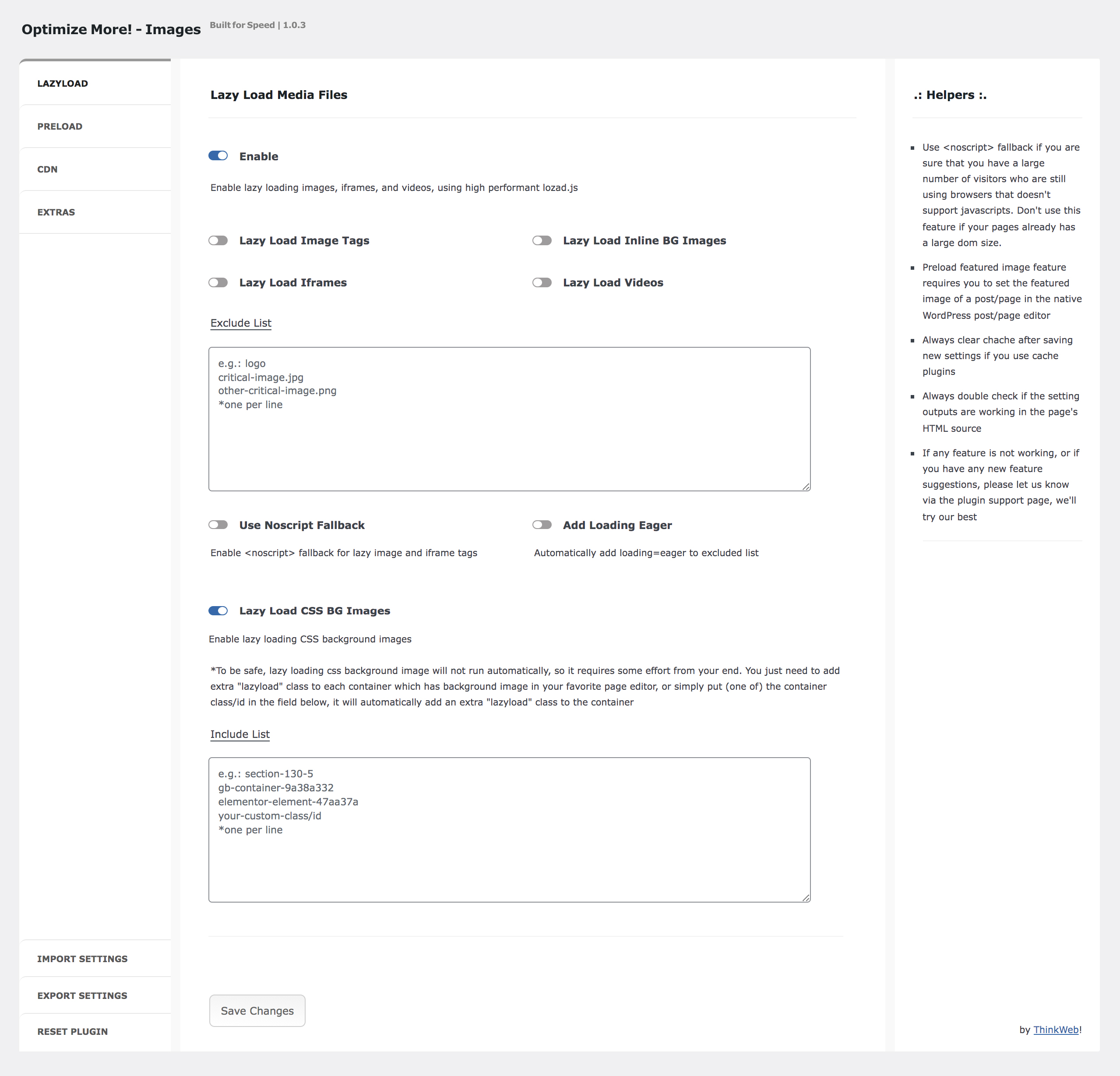
- Lazy Load – Lazy loading images, iframes, and videos, using the high performant
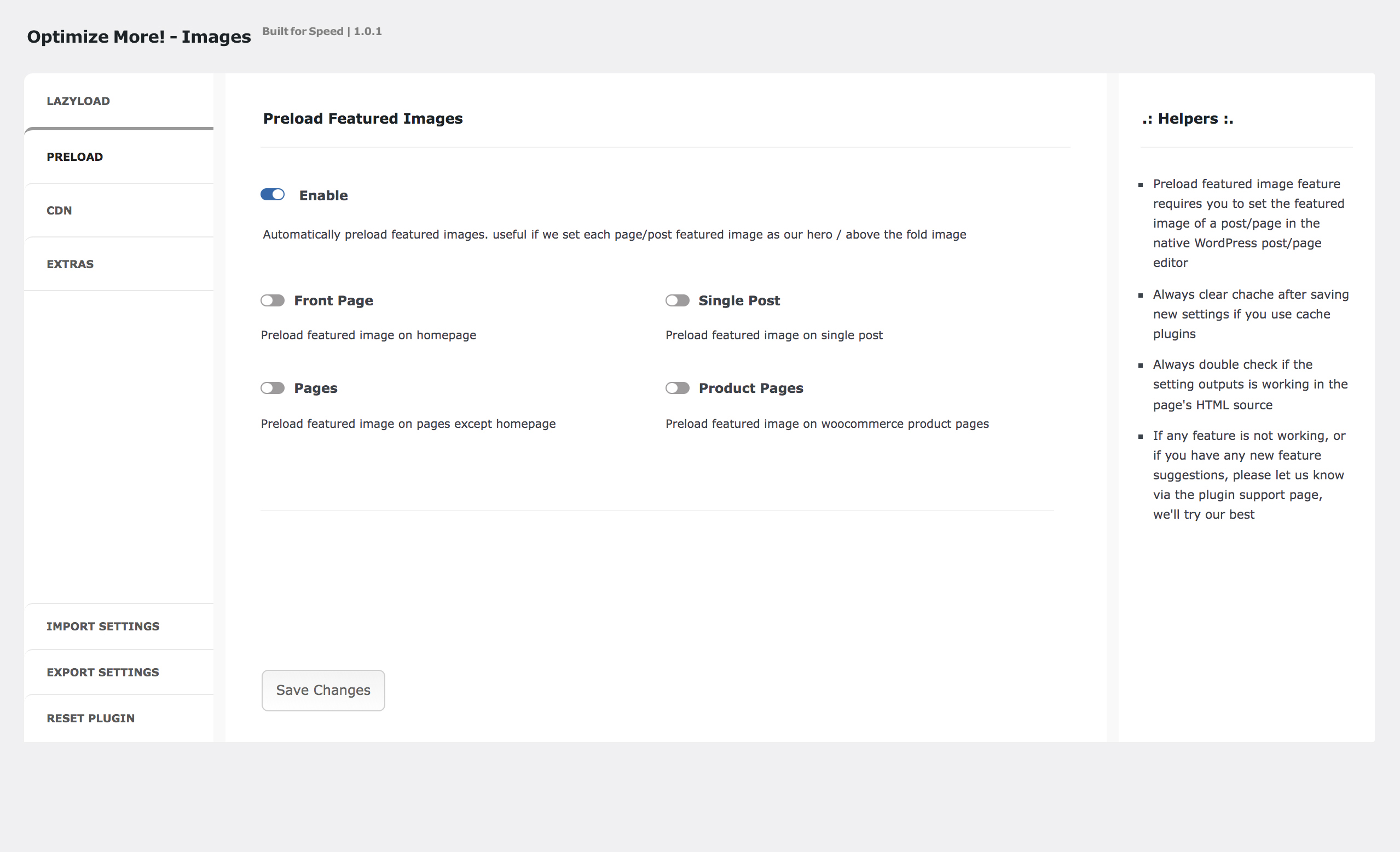
lazysizes.js. No jquery dependency. - Preload Featured Images – Automatically preloading featured image from common page/post (homepage, pages except homepage, single post, and woocommerce single product pages).
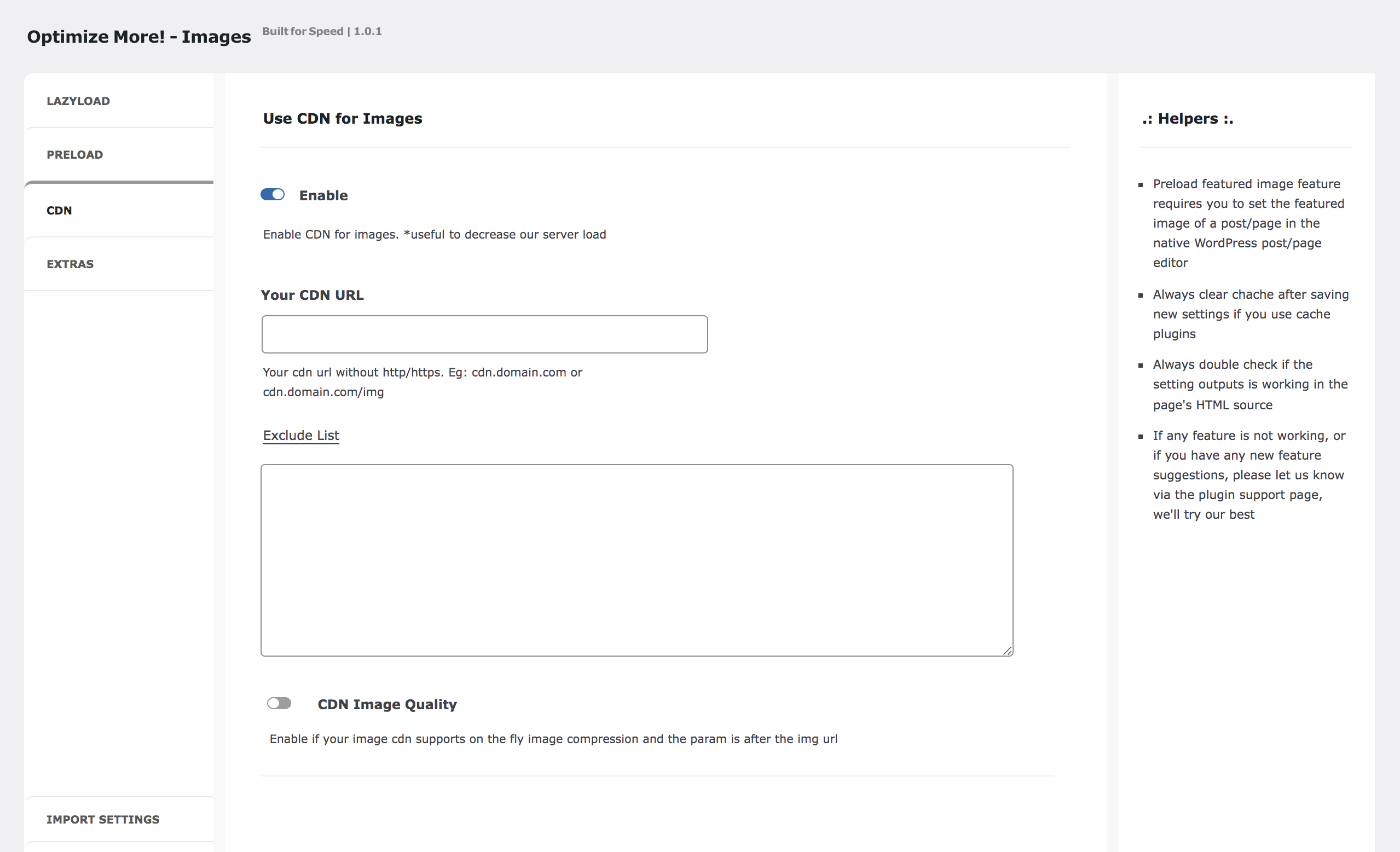
- Use CDN for Images – HTML rewrite if you want to serve images from your favorite CDN.
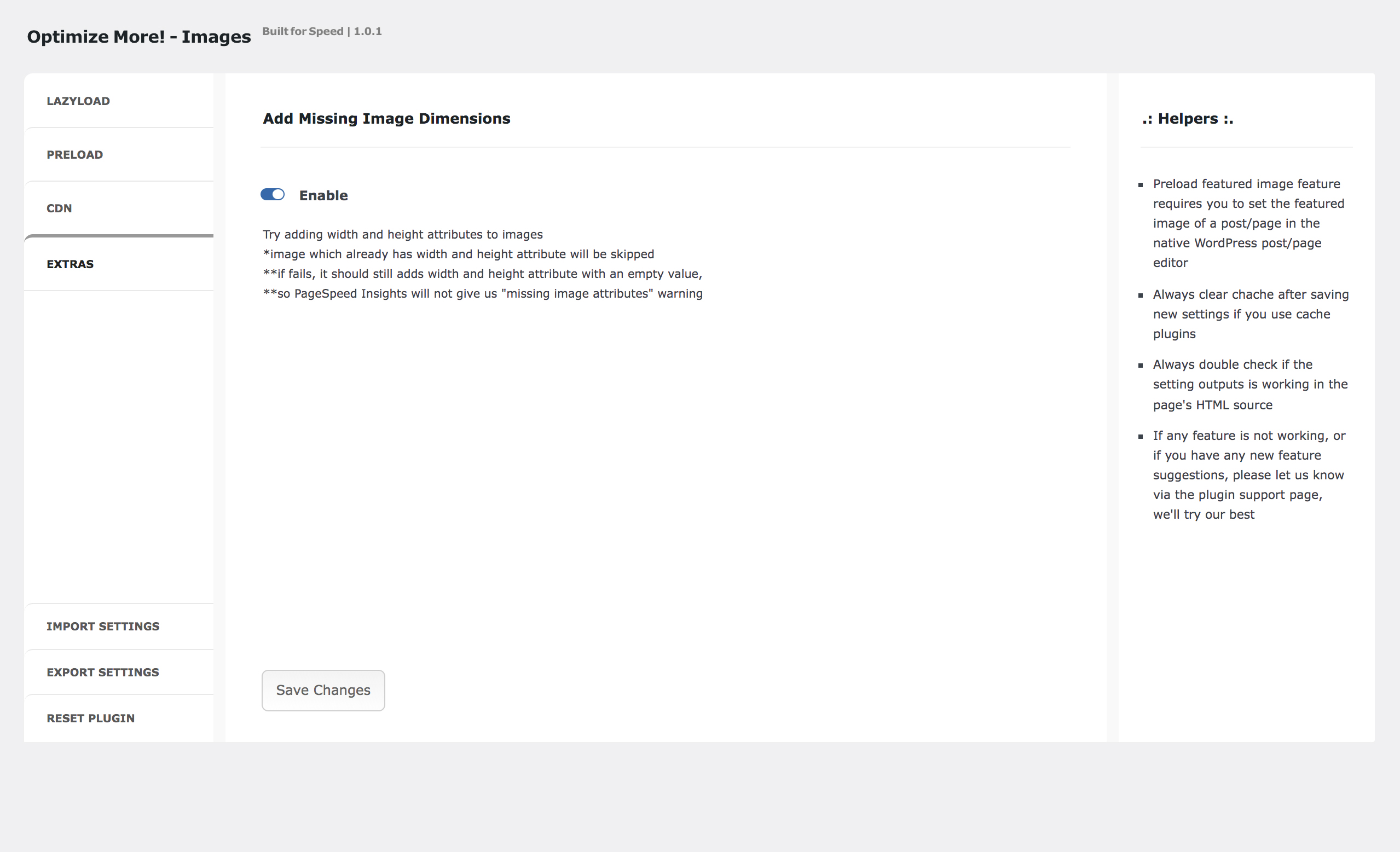
- Add Missing Image Dimensions – Add missing width and height attributes from your images.
New (since 1.1.1)
- Add
no-lazyandskip-lazyclass as default exclude class for lazyloading images. - Enable
loading eagerto also targetno-lazyandskip-lazyclass. - Automatically exclude featured image (add
no-lazyclass) from lazyloading ifPreload Featured Imagesfeature is enabled (useful to avoidLargest Contentful Paint image was lazily loadedwarning in Google Pagespeed Insights ). - Add
webpextension to CDN HTML rewrite regex.
New (since 1.0.7)
- We changed the lazy load library from lozad.js to lazysizes.js.
- Add field to modify lazysize default configuration. Read the docs.
- Add fields to specify width and height fallback value if the Add Missing Image Dimensions feature failed to get the actual image dimension.
New (since 1.0.3)
- Lazy load CSS Background Images – Load faster by lazy loading background images from the CSS
background-imageproperty. Tested and works well on CSS background image fromGenerateBlocks,Elementor, andOxygen Builder. - Noscript Fallback – Extra option to use <noscript> fallback for lazy images and iframes.
- Add Loading Eager – Extra option to Automatically add
loading=eagerto the lazy load excluded list.
This plugin only adds 1 extra row in your database. And it will self delete upon uninstalation.
About Lazysizes
Lazysizes is highly performant lazy load library, written by Alexander Farkas in pure JS with no dependencies.
Taken from lazysize’s github description:
High performance and SEO friendly lazy loader for images (responsive and normal), iframes and more, that detects any visibility changes triggered through user interaction, CSS or JavaScript without configuration.
Optimize More!
Need to optimize more? Try our WordPress Speed Optimization’s Service.
Other USEFUL PLUGINS TO OPTIMIZE YOUR SITE’S SPEED:
-
Optimize More! – Selectively Optimize your CSS/JS Delivery: Load CSS Asynchronously, Delay CSS and JavaScripts until User Interaction, Preload Critical CSS and JavaScripts, and Remove Unused CSS and JavaScripts Files.
-
Lazyload, Preload, and more! – A simplified version of this plugin. The plugin size is only around 14kb zipped. Without UI for settings, but you can customize the settings using filters.
The default configuration is the best for optimizing images and other media files to speed up your site (just install and activate it and you’re good to go):- lazyload your below the fold images/iframes/videos,
- preload your featured images,
- and add loading=”eager” to your featured image and all images that have
no-lazyorskip-lazyclass.
Other USEFUL PLUGIN:
-
Shop Extra – A lightweight plugin to optimize your WooCommerce & Business site: Floating WhatsApp Chat Widget (can be use without WooCommerce), WhatsApp Order Button for WooCommrece, Hide/Disable WooCommerce Elements, WooCommerce Strings Translations, and many more.
-
Animate on Scroll – Animate any Elements on scroll using the popular AOS JS library simply by adding class names. This plugin helps you integrate easily with AOS JS library to add any AOS animations to WordPress. Simply add the desired AOS animation to your element class name with “aos-” prefix and the plugin will add the corresponding aos attribute to the element tag.
Installation
From within WordPress
- Visit
Plugins > Add New - Search for
Optimize More Images - Activate Optimize More! Images from your Plugins page
- Find Optimize More! Images in your sidebar menu to configure settings
Manually
- Download the plugin using the download link in this WordPress plugins repository
- Upload
optimize-more-imagesfolder to your/wp-content/plugins/directory - Activate Optimize More! Images plugin from your Plugins page
- Find Optimize More! Images in your sidebar menu to configure settings
Frequently asked questions
Why changing the lazy load library from lozad.js to lazysizes.js?
More configurable.
How to enable lazy loading CSS background images?
Lazy loading css background images requires some effort from your end. Add an extra lazyload class to each container which has css background image in your favorite page editor. Or, simply put (one of) the container class in the include list field, the plugin will automatically add an extra lazyload class to the container.
Why is there preload featured image feature?
This actually a good practice to add extra performance boost to your WordPress site. On WordPress single post and WooCommerce single product pages, featured images usually appear on above the fold section, so it’s better to preload them to avoid render blocking issues, just like any assets which required in above the fold section. We can adapt this single post and single product behaviour in pages too. Set your hero / above the fold images as featured images to programatically, and automatically, preload them on all pages.
Preload featured images not working?
It calls images set as featured image in the native WordPress post/pages, using get_post_thumbnail_id() and wp_get_attachment_image_src(). Make sure you already adds them. If you are using Elementor or other Page’s builders, simply edit the pages with the native WordPress editor to set the featured image.
This plugin preload the wrong image size in my post?
By default, this plugin will be grab the url and preload the full image size and woocommerce_single for WooCommerce single product pages. You can change that using filter if your theme is uses different image size. See example below.
How to change the image size of featured image when using Preload Featured Images feature?
Here are some examples: add_filter( ‘preload_featured_images_image_size’, function( $image_size, $post ) { if ( is_singular( ‘post’ ) ) { return ‘large’; } elseif ( is_singular( ‘product’ ) ) { return ‘full’; } else { return $image_size; } }, 10, 2 );
How to change the image file types for CDN HTML rewrite?
Example if you want to include svg to your image CDN: add_filter( ‘opm_cdn_file_types’, function($opm_cdn_file_types) { return $opm_cdn_file_types . ‘|svg’; } ); Example if you want to completely change the default file types: add_filter( ‘opm_cdn_file_types’, function($opm_cdn_file_types) { return ‘png|webp|svg’; } );
Add Missing Image Dimensions not working?
This depends on you theme or overal site’s setup and how you upload your images. If it fails to grab the width and height of your images, you can specify the default image width and height fallback values that best suit your website situation in the provided fields.
Changelog
1.1.3
- Bug fix: add js pattern to lazyload video poster images
- Refactor the add image dimension class (in my tests, this one succeeded more often in adding image width and height)
1.1.2
- Enable
no-lazyandskip-lazyclass to lazy load background images - Remove svg extension and only use
jpg|jpeg|png|webpas the default file types for CDN HTML rewrite regex - Introduce
opm_cdn_file_typesfilter to change the file types of CDN HTML rewrite regex (see FAQ) - Fix some bugs
1.1.1
- Add
no-lazyandskip-lazyclass as default exclude class for lazyloading images - Enable
loading eagerto also targetno-lazyandskip-lazyclass - Automatically exclude featured image (add
no-lazyclass) from lazyloading ifPreload Featured Imagesfeature is enabled (useful to avoidLargest Contentful Paint image was lazily loadedwarning in Google Pagespeed Insights) - Introduce
preload_featured_images_image_sizefilter to change theimage sizeoffeatured imagein the plugin’s FAQ. - Add
webpandsvgto CDN HTML rewrite regex - Add
dns-prefetchfor CDN url
1.1.0
- Enable exclude field to also exclude Lazy Load CSS BG Images class. Useful if we want to put generic class in the Lazy Load CSS BG Images include list
1.0.9
- Exclude 404 page for Preload Featured Image feature
1.0.8
- Re-commit to push 1.0.7 update on repo
Screenshots
For developers
Is this your plugin? Show off the numbers.
Add a live badge to your site, docs or GitHub README. It updates on its own — no account needed.
Best Optimize More! – Images alternatives
All core web vitals plugins →





FAQ
Optimize More! – Images: quick answers
Straight answers, pulled from live WordPress.org data.
Live data from WordPress.org · checked Sep 28, 2026
Is Optimize More! – Images free?
Yes. Optimize More! – Images is free to download and use from the official WordPress.org plugin directory.
Is Optimize More! – Images safe to use in 2026?
Optimize More! – Images shows warning signs in 2026 — compare the alternatives below before installing. It runs on 60+ sites, is rated 5/5 and was last updated 3 years ago, and scores 32/100 on our health check.
How many websites use Optimize More! – Images?
Optimize More! – Images is active on 60+ WordPress websites and has been downloaded 9,946 times since it launched in January 2022. It was downloaded 193 times in the last 30 days.
Does Optimize More! – Images work with WordPress 7.1?
Optimize More! – Images is officially tested up to WordPress 6.2.13, while the latest release is 7.1.2. It may still work, but try it on a staging site first.
What PHP version does Optimize More! – Images need?
Optimize More! – Images requires PHP 7.4 or higher. Most hosts run PHP 8.x today, so it works on any modern WordPress hosting.
When was Optimize More! – Images last updated?
The latest version, 1.1.3, was released on May 21, 2023 (3 years ago).
Who makes Optimize More! – Images?
Optimize More! – Images is developed and maintained by Arya Dhiratara.
What are the best alternatives to Optimize More! – Images?
The most popular alternatives to Optimize More! – Images are WP Fastest Cache (1M+ installs), Autoptimize (800K+ installs) and NitroPack (90K+ installs).
Powered by PageForge
Want thousands of pages that rank like these? Build them in an afternoon.
This directory runs on the same engine as PageForge. Turn any spreadsheet, CSV or API into thousands of fast, SEO-ready WordPress pages — with schema, internal links and AI-written copy baked in.
- CSV, Google Sheets & API data sources
- AI content, schema & internal links per page
- Works with Elementor, Gutenberg, Yoast & Rank Math
- Free on WordPress.org — no credit card


