



Open AI Search Bar
The AI Search Bar plugin allows you to embed a ChatGPT-like search box into your website using a simple shortcode. When users type a prompt into the search bar, it communicates directly with OpenAI’s API to generate a…

Use with caution
Open AI Search Bar works, but test it on a staging site before relying on it in 2026. It runs on 10+ sites, is rated 3/5 and was last updated 4 months ago, and scores 52/100 on our health check.
- Momentum — downloads up 33.7% vs the previous 30 days
- Small user base (10+ active installs)
- Low rating so far — 3/5 from only 4 reviews
How does it stack up?
Side-by-side on installs, updates, ratings & support



Daily downloads
Download spikes usually follow a new release — each site that auto-updates counts as a download.
Rankings
Where Open AI Search Bar stands todayWordPress.org search rankings
Live position in the plugin search, top 100| Keyword | Position |
|---|---|
| AI | >100 |
| AI Search Bar | #51 |
| chat | >100 |
| ChatGPT | >100 |
| gpt | >100 |
Version adoption
Share of active sites per release.
Rating breakdown
★★★★★★★★★★ 3 from 4 reviews
About Open AI Search Bar
From the official readme · v2.2Description
The AI Search Bar plugin allows you to embed a ChatGPT-like search box into your website using a simple shortcode. When users type a prompt into the search bar, it communicates directly with OpenAI’s API to generate a response—just like ChatGPT.
⚠️ Important: This plugin does not search or display your website’s internal content. It is strictly used to allow ChatGPT-style prompt-based interaction via OpenAI’s service.
We use trusted third-party services to generate responses:
🔗 https://api.openai.com/v1/chat/completions
Key Features
- Embed a ChatGPT-style search bar using
[ai_search_bar] - Uses OpenAI’s GPT model to answer prompts
- Works like ChatGPT—answers based on user input, not website content
- Easy to set up with no coding required
- Clean, lightweight, and fast
Install via WordPress Dashboard
- Log in to your WordPress admin area.
- Navigate to Plugins → Add New.
- Search for “OpenAI : AI Search Bar“.
- Click Install Now, then Activate the plugin.
Install via FTP
- Download the
openai-search-bar.zipfile. - Extract the ZIP file on your computer.
- Upload the extracted folder to
/wp-content/plugins/using FTP. - Go to Plugins in your WordPress dashboard and click Activate.
How to Use
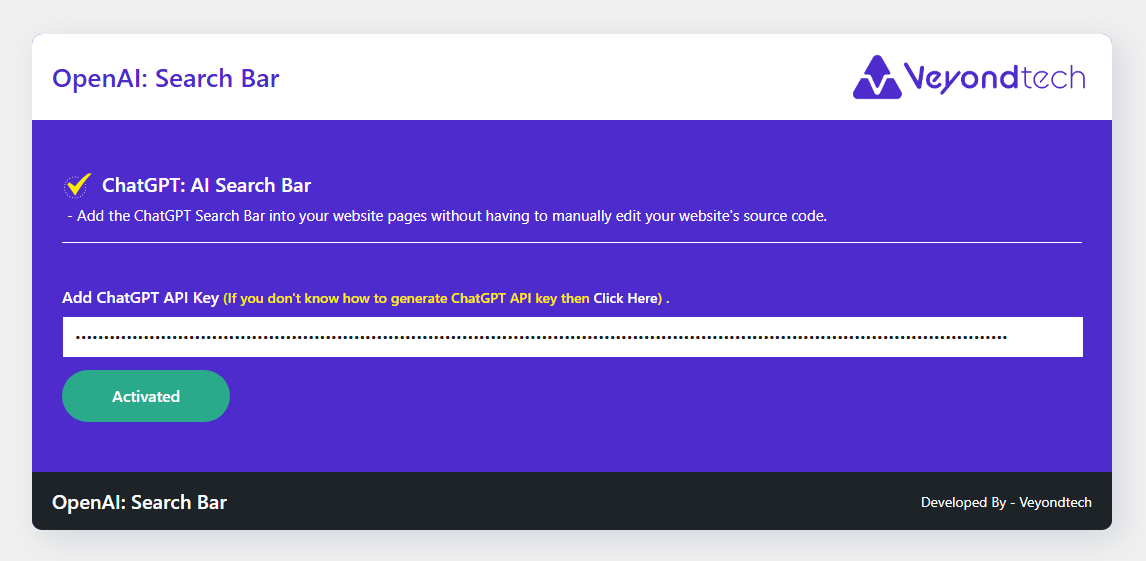
- Go to the plugin settings page from the WordPress admin menu.
- Enter your OpenAI API key.
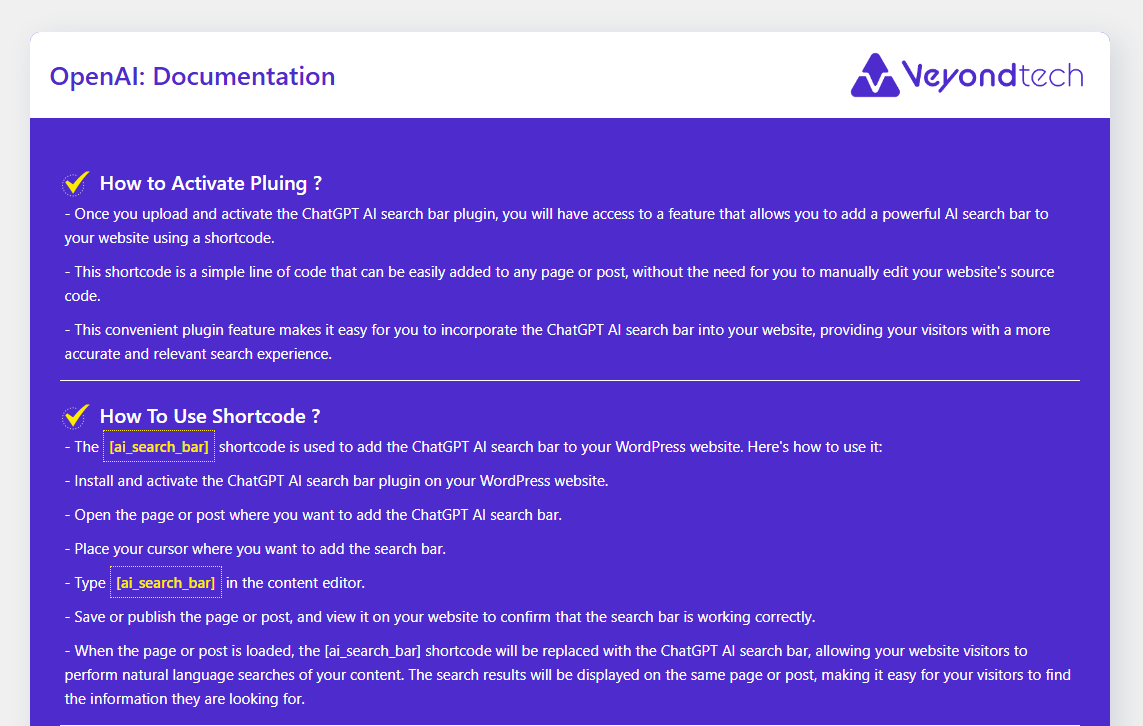
- Use the shortcode
[ai_search_bar]in any post, page, or widget to display the search bar.
Support
If you require assistance, contact us at: kavavimal@gmail.com
Frequently asked questions
Does this plugin search my WordPress website content?
No. The AI Search Bar plugin does not search or display your website’s internal content. It interacts with OpenAI’s API to generate answers based on the user’s prompt—similar to ChatGPT.
Is an OpenAI API key required?
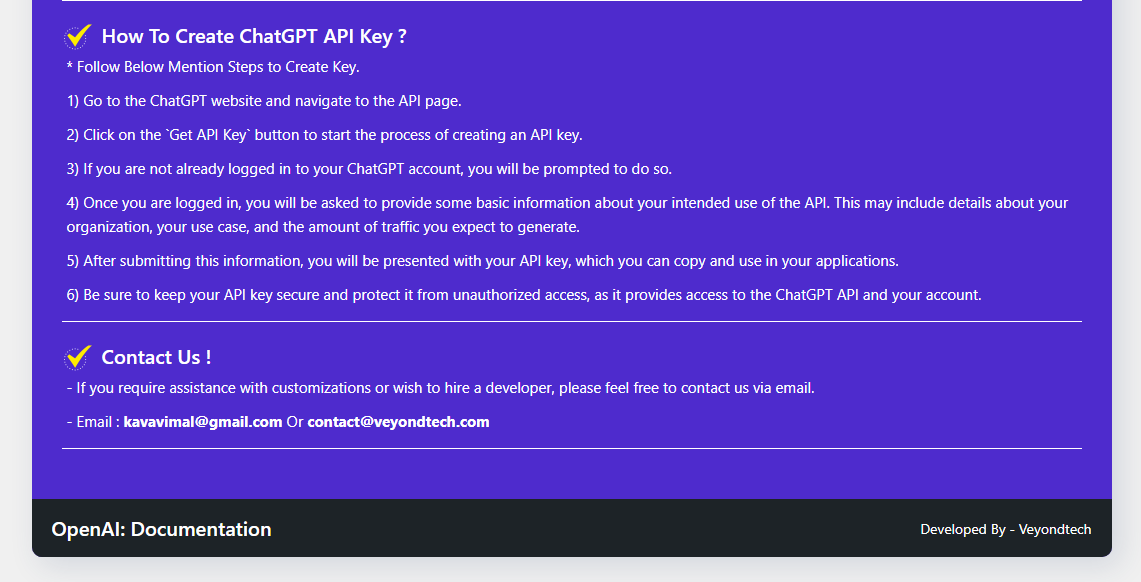
Yes. You must enter your OpenAI API key in the plugin settings for the search bar to function correctly. You can get your API key from https://platform.openai.com/account/api-keys
How do I display the AI Search Bar on my site?
Use the shortcode [ai_search_bar] in any post, page, or widget where shortcodes are supported.
Can I customize the appearance of the search bar?
Yes. The plugin comes with default styling, but you can customize it using custom CSS or by overriding the plugin’s CSS in your theme.
Will this plugin impact my site speed?
No. The plugin is lightweight and does not load any large libraries. Responses are fetched asynchronously from OpenAI, so your site speed remains unaffected.
Is the plugin compatible with all WordPress themes?
Yes, the plugin is designed to be compatible with all modern WordPress themes. If you encounter any styling issues, you can adjust the appearance with custom CSS.
Is this plugin free to use?
The plugin itself is free, but usage of OpenAI’s API is paid and subject to their pricing at https://openai.com/pricing
Changelog
Version 2.2
- Improved: Enhanced response formatting for better readability.
- Updated: Refined prompt handling to provide more accurate ChatGPT-like replies.
- Updated: Compatible with the latest version of WordPress.
- Fixed: Minor styling issues on some WordPress themes.
Version 2.1
- Improved: Enhanced response formatting for better readability.
- Updated: Refined prompt handling to provide more accurate ChatGPT-like replies.
- Fixed: Minor styling issues on some WordPress themes.
Version 1.3
- Updated: Compatible with the latest version of WordPress.
Version 1.2
- Fixed: Improved search prompt behavior.
Version 1.1
- Fixed: Page refresh issue resolved.
Version 1.0
- Initial release.
Screenshots

For developers
Is this your plugin? Show off the numbers.
Add a live badge to your site, docs or GitHub README. It updates on its own — no account needed.
Best Open AI Search Bar alternatives
All AI plugins →





FAQ
Open AI Search Bar: quick answers
Straight answers, pulled from live WordPress.org data.
Live data from WordPress.org · checked Sep 29, 2026
Is Open AI Search Bar free?
Yes. Open AI Search Bar is free to download and use from the official WordPress.org plugin directory.
Is Open AI Search Bar safe to use in 2026?
Open AI Search Bar works, but test it on a staging site before relying on it in 2026. It runs on 10+ sites, is rated 3/5 and was last updated 4 months ago, and scores 52/100 on our health check.
How many websites use Open AI Search Bar?
Open AI Search Bar is active on 10+ WordPress websites and has been downloaded 7,751 times since it launched in May 2023. It was downloaded 615 times in the last 30 days.
Does Open AI Search Bar work with WordPress 7.1?
Open AI Search Bar is officially tested up to WordPress 7.0.6, while the latest release is 7.1.2. It may still work, but try it on a staging site first.
What PHP version does Open AI Search Bar need?
Open AI Search Bar requires PHP 7.4 or higher. Most hosts run PHP 8.x today, so it works on any modern WordPress hosting.
When was Open AI Search Bar last updated?
The latest version, 2.2, was released on June 4, 2026 (4 months ago).
Who makes Open AI Search Bar?
Open AI Search Bar is developed and maintained by Vimal Kava.
What are the best alternatives to Open AI Search Bar?
The most popular alternatives to Open AI Search Bar are Elementor Website Builder (10M+ installs), All in One SEO (2M+ installs) and AI Agent by SiteGround (1M+ installs).
Powered by PageForge
Want thousands of pages that rank like these? Build them in an afternoon.
This directory runs on the same engine as PageForge. Turn any spreadsheet, CSV or API into thousands of fast, SEO-ready WordPress pages — with schema, internal links and AI-written copy baked in.
- CSV, Google Sheets & API data sources
- AI content, schema & internal links per page
- Works with Elementor, Gutenberg, Yoast & Rank Math
- Free on WordPress.org — no credit card


